
You can spend an hour getting a 🚀 Dolphin Anty fingerprint right and still hand the platform a Singapore IP that resolves to a hosting company. The fingerprint says phone in Singapore. The IP says server rack.
I run 🔗 Singapore Mobile Proxy. It’s a rack of 4G/5G modems in 🇸🇬 Singapore, just over 100 of them, each with a physical SIM from Singtel, M1, StarHub or Vivifi. This guide is how to plug one of those into a Dolphin Anty profile, and when it’s worth doing at all.
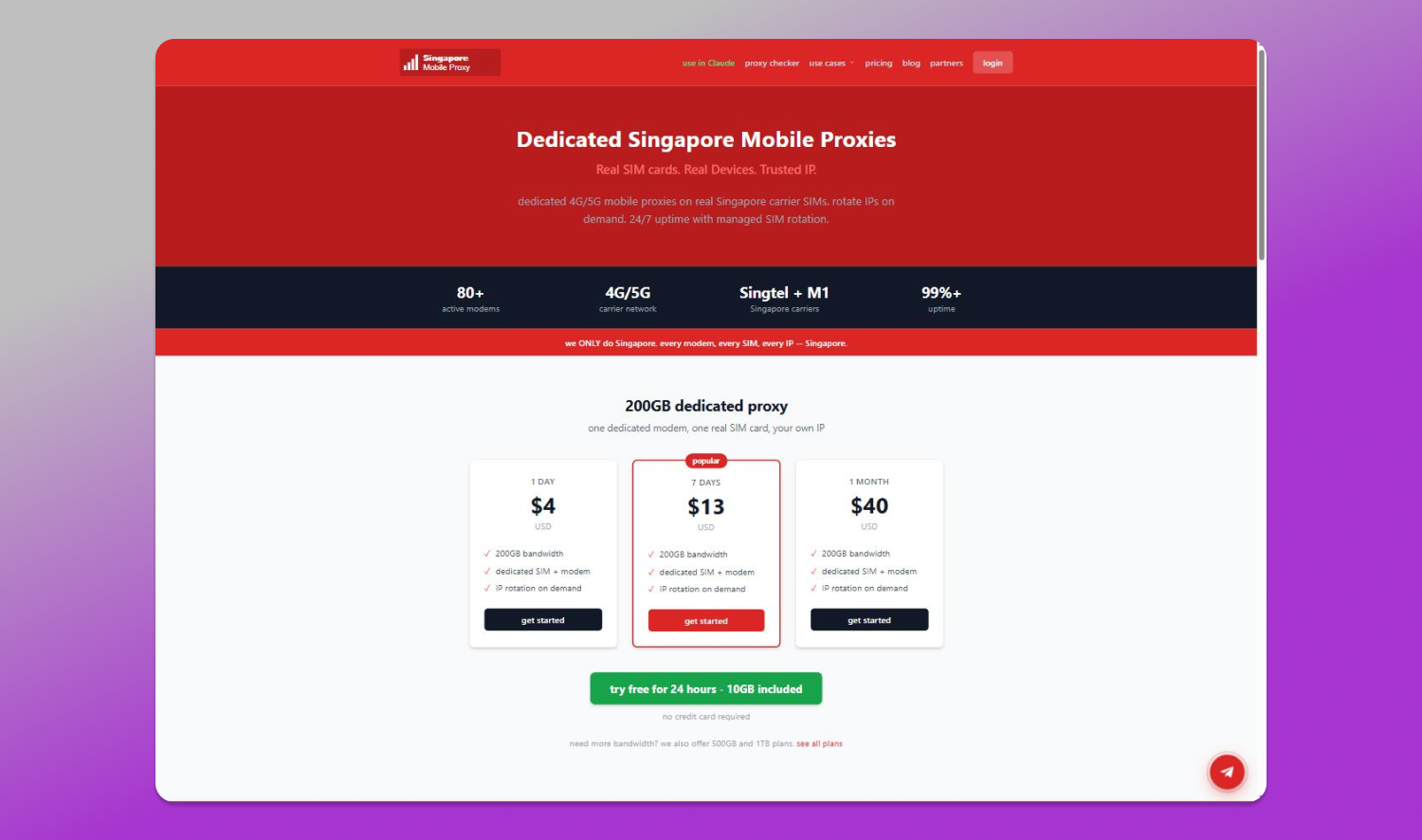
Plans start at $4 for a day.
When a Singapore mobile IP is worth paying for
Only when the platform you’re working on treats Singapore as its own market. That list is shorter than proxy sellers like to admit:
- Shopee SG, Lazada SG, Carousell, Grab
- TikTok and Instagram accounts that are supposed to be local
- Facebook or Google ad accounts billing a Singapore business
- checking what search results and prices look like from Singapore
If your accounts are US or EU, don’t buy Singapore IPs. A US residential IP will serve you better and cost less.
Why the IP matters when Dolphin already handles the fingerprint
Dolphin Anty covers the browser side properly: canvas, WebGL, fonts, timezone, WebRTC. What it can’t change is the ASN your traffic arrives from.
A platform can look that up in a millisecond, before any behavioural model runs. A Singapore IP that resolves to a hosting provider fails that check straight away. A shared residential pool is better, but the same address has usually been through hundreds of other customers’ sessions before yours, and that history comes with it.
A SIM in a modem in Singapore looks like what it is: 👉 someone on Singtel or M1 opening an app.
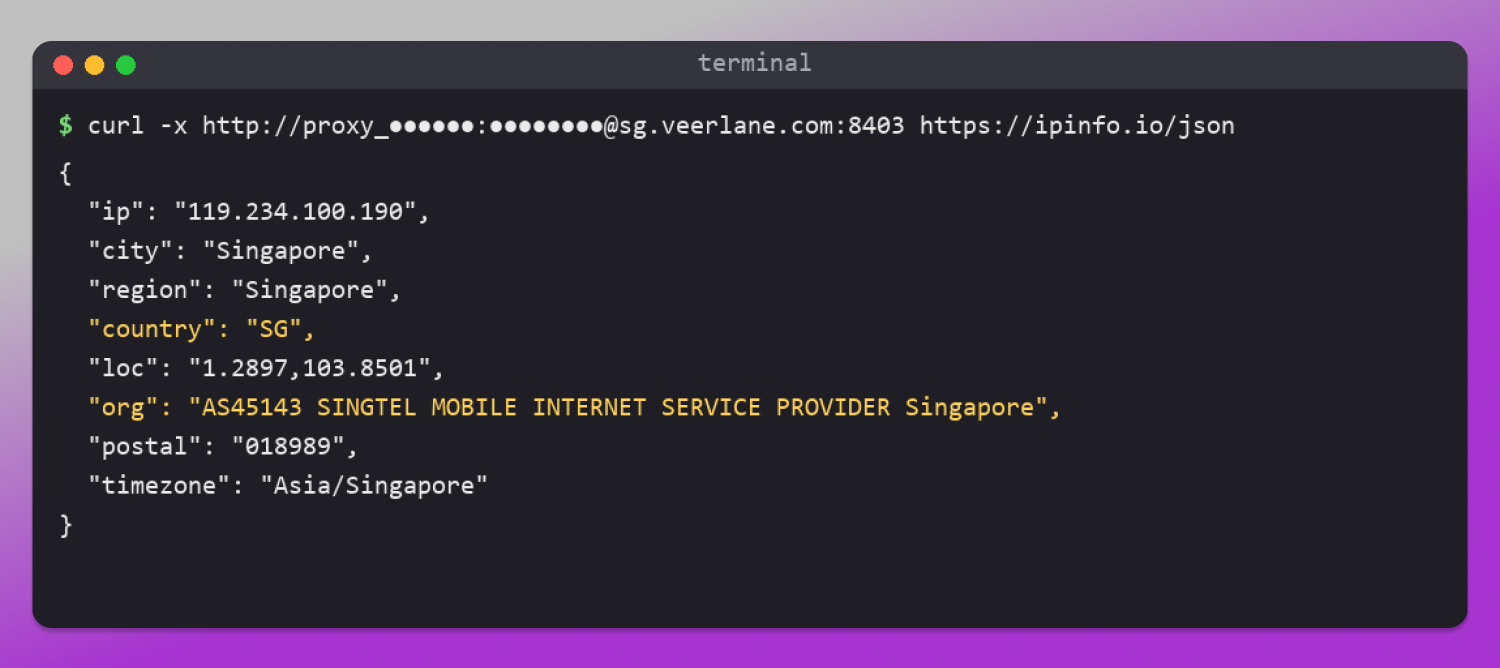
This is what one of our ports returned this morning:
Getting a port
Each port we sell is one SIM, and that SIM belongs to one customer. 🆓 You can try one before paying anything: the free trial is 24 hours and 10GB, no card.
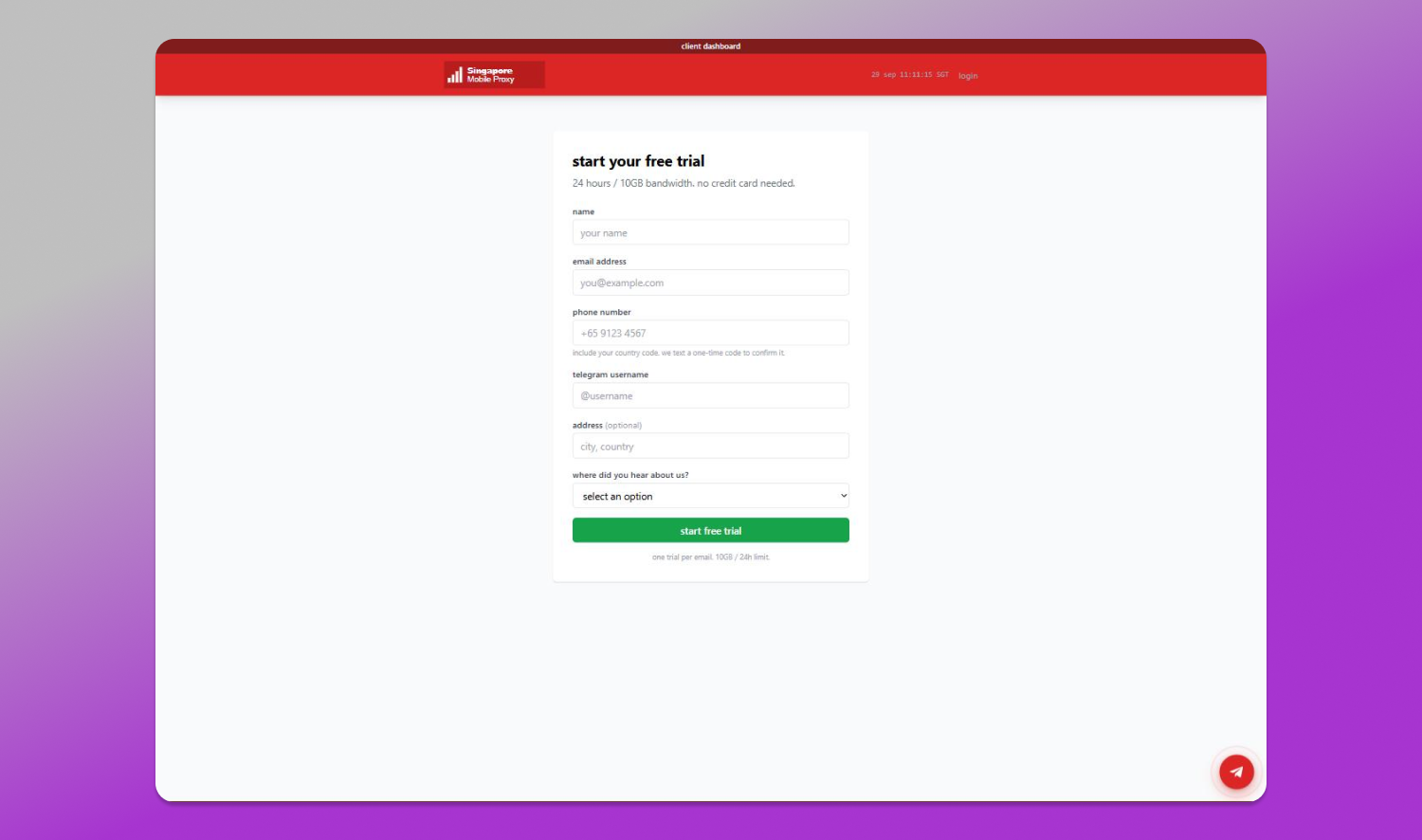
Once it’s live, your dashboard gives you a host, a port, a username and a password, for HTTP and for SOCKS5. HTTP and SOCKS5 are on different port numbers.
Setting it up
Each port we sell is one SIM, and that SIM belongs to one customer. Your dashboard gives you a host, a port, a username and a password, for HTTP and for SOCKS5.
In Dolphin Anty:
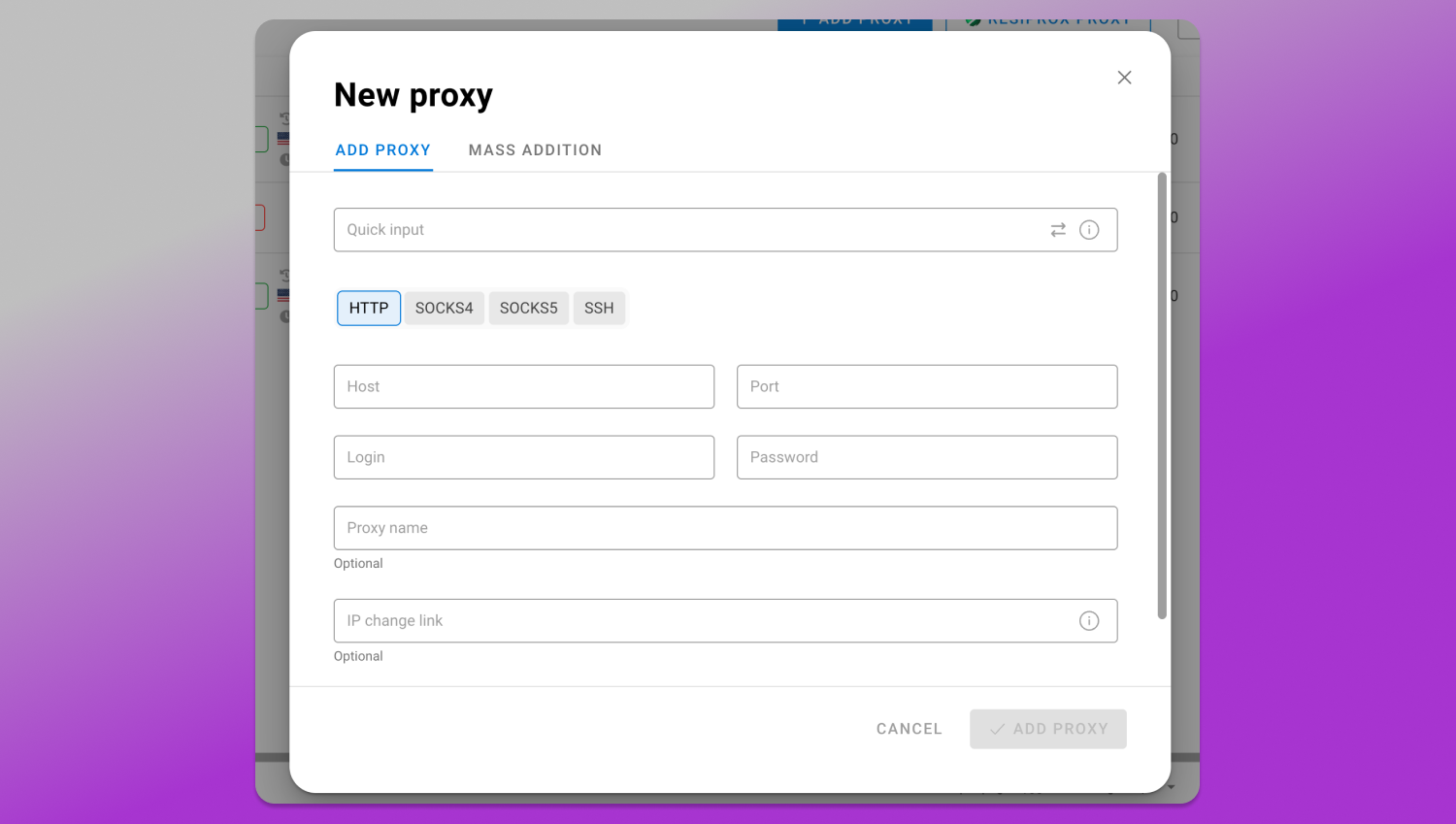
- Create or open a browser profile and go to the proxy section.
- Pick HTTP or SOCKS5. Use the port that matches the protocol, they’re different.
- Paste host, port, login and password. Dolphin also accepts the whole string as host:port:login:password.
- Click the proxy check before doing anything else. You should see a Singapore IP on a Singtel, M1, StarHub or Vivifi ASN.
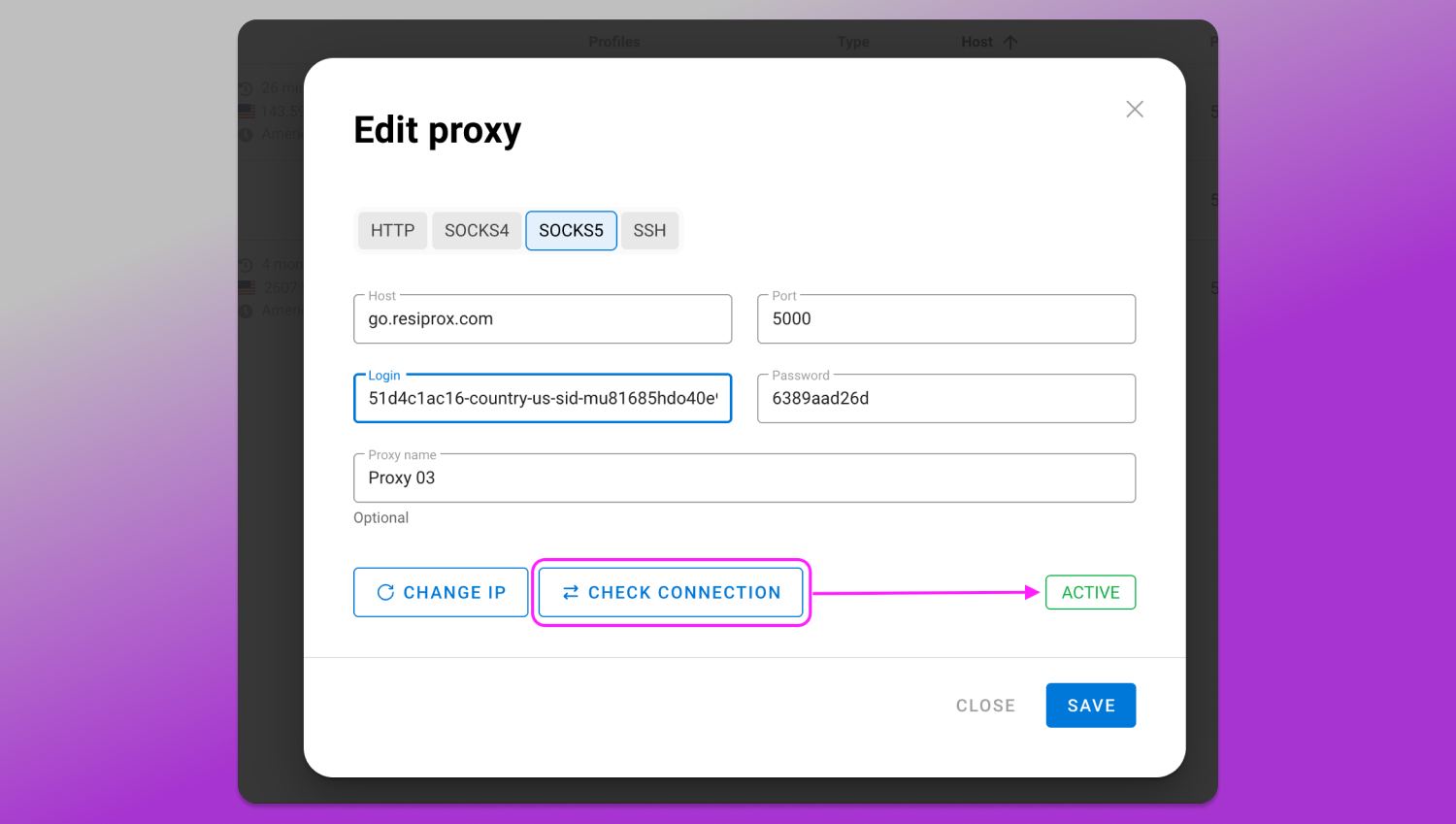
If the check shows your own IP or another country, it’s almost always the wrong protocol on the wrong port.
Then set the profile timezone to Asia/Singapore, or let Dolphin take it from the IP, and set WebRTC so it shows the proxy IP and not your real one.
Rotation, and the setting to change first
Out of the box our ports 🔄 auto-rotate every 10 minutes. That’s right for scraping and price checks. It’s wrong for a profile that logs in.
If an account’s IP changes halfway through a session, a lot of platforms treat it as a stolen cookie and throw a verification step. So for any profile that logs in, open the port in the dashboard and set auto-rotate to 0 (off). After that the IP only changes when you call the port’s change-IP link, from a script, a cron job, or a browser tab.
The pattern I’d use:
- one port per profile, kept on that profile for the life of the account
- auto-rotate off on login profiles, and only rotate between sessions
- scraping and price-checking profiles on a different port, where the 10-minute rotation helps
🙅 Don’t put two profiles on the same port. Dolphin will let you, and then both accounts share one IP, which is the exact link you were paying to avoid.
The mismatch that catches people
Mobile carrier IPs come from phones. A profile on a Singtel IP that announces itself as Windows desktop Chrome at 1920×1080 is unusual. Not impossible, people tether laptops to their phones every day, but it’s a signal.
For accounts on mobile-first apps like TikTok, Shopee and Instagram, I’d build the Dolphin profile as an Android or iOS device. For ad accounts and business tools, desktop is fine, because that’s what a real small business owner on a tethered connection looks like.
I haven’t tested every platform on this. If you see something different on yours, I’d like to hear about it.
What it costs
- 200GB: $4 for a day, $13 for 7 days, $40 for 30 days
- 500GB is $50 and 1TB is $85, per 30 days
- HTTP and SOCKS5 on every port
- free trial: 24 hours, 10GB, no card
- Dolphin Anty users get 20% off the first payment with code DOLPHIN20
☝️ The honest limit: this is Singapore only. We don’t resell anyone else’s pool, so there’s no Malaysia or Indonesia option, and if you need hundreds of ports by tomorrow we’re the wrong provider. A few dozen, with one real SIM behind each, is what we’re good at.
Plans and the test port: https://singaporemobileproxy.com
Questions go straight to me on Telegram, @Xavierfok.