
Most people who run multi-accounting seriously arrive at the same conclusion after a few months: the browser profile stops being the hard part. Dolphin Anty handles fingerprints, cookies, storage and profile isolation well enough that you stop thinking about it. What keeps breaking is the layer underneath — the IP address each profile connects through.
That layer is quieter about failing. A proxy degrades slowly. The IP you bought in March was clean in March. By June it has been through a few hundred other requests, picked up a flag on one platform, and your profile is suddenly hitting checkpoints on logins that used to go through without a blink. Nothing in your Dolphin setup changed. The network did.
This article is about closing that gap: 🙌 how to pick the right proxy type for each kind of Dolphin profile, how to wire SotaProxy into the browser properly, and how to automate the whole thing once you outgrow doing it by hand.
What Dolphin Anty covers, and what it deliberately leaves to you
🚀 Dolphin Anty controls everything a site can read about your browser: user agent, screen parameters, fonts, canvas and WebGL noise, timezone, language headers, hardware values. Each profile carries its own isolated set, and none of them leak into each other.
What Dolphin cannot do is invent a connection. It routes your profile through whatever proxy you assign, and it faithfully reports what that proxy is. Platforms cross-reference the two layers constantly. A profile presenting itself as a user in Chicago while the packets arrive from a Frankfurt datacenter range is a mismatch that takes no effort to detect. Fifteen well-built profiles sharing one IP is a cluster, however distinct their fingerprints are.
So the division of labour is clean: Dolphin makes each profile look like a separate device, and your ☝️ proxy provider makes each profile look like it lives somewhere plausible. Both halves have to hold.
Matching proxy type to profile type
This is where most budgets get wasted — either by putting cheap IPs behind valuable accounts, or by paying mobile prices for tasks that never needed them. SotaProxy runs four networks, and each one has a job it’s actually good at.
- ISP proxies (static residential). A dedicated IP registered to a real internet provider, held for as long as you keep it. This is the default for any profile you intend to age: Facebook ad accounts, TikTok Business, long-lived marketplace or affiliate logins. The account sees the same household connection every session, which is what a real person looks like. From $3.00 per IP per month.
- Residential proxies. Rotating IPs from real user connections across 220+ locations, with sticky sessions and city-level targeting. Best for work that’s about coverage rather than identity: SERP checks from specific geos, ad verification, competitor and price monitoring, cloaking checks. Billed per GB from $2.00, dropping toward $1.00 at corporate volumes.
- Mobile proxies. Real 4G/LTE carrier IPs with auto-rotation. Carrier ranges carry the highest trust on social platforms because thousands of genuine users sit behind the same address at any moment. Reach for these on registration and warm-up flows that keep failing on residential — not for everything, since at $6.72/day they’re the most expensive per unit of work.
- Datacenter and IPv6. Fast, cheap, unlimited bandwidth. Correct for internal tooling, bulk scraping of tolerant targets, uptime checks and anything where trust score is irrelevant. IPv4 from $1.80/month, IPv6 from $0.20/month. Not for social platforms — don’t put a warmed account behind one to save a dollar.
A workable default for a Dolphin operation: ISP under everything you’re aging, rotating residential for research and verification profiles, mobile reserved for the platforms that genuinely demand it.
A note on what runs in the background
One thing worth knowing before the setup steps: 👉 proxy quality is not a fixed property of a provider, it’s a property of a specific IP at a specific moment. Addresses get flagged, subnets get greylisted, segments congest. SotaProxy 🤒 monitors IP health across the network continuously and pulls compromised addresses out of rotation before they reach your requests, and it routes residential and mobile traffic along the lowest-latency path available. Neither system needs configuring — they’re on by default, and the practical effect is that the bad IP you would otherwise have discovered through a failed login is simply already gone.
Wiring SotaProxy into Dolphin Anty
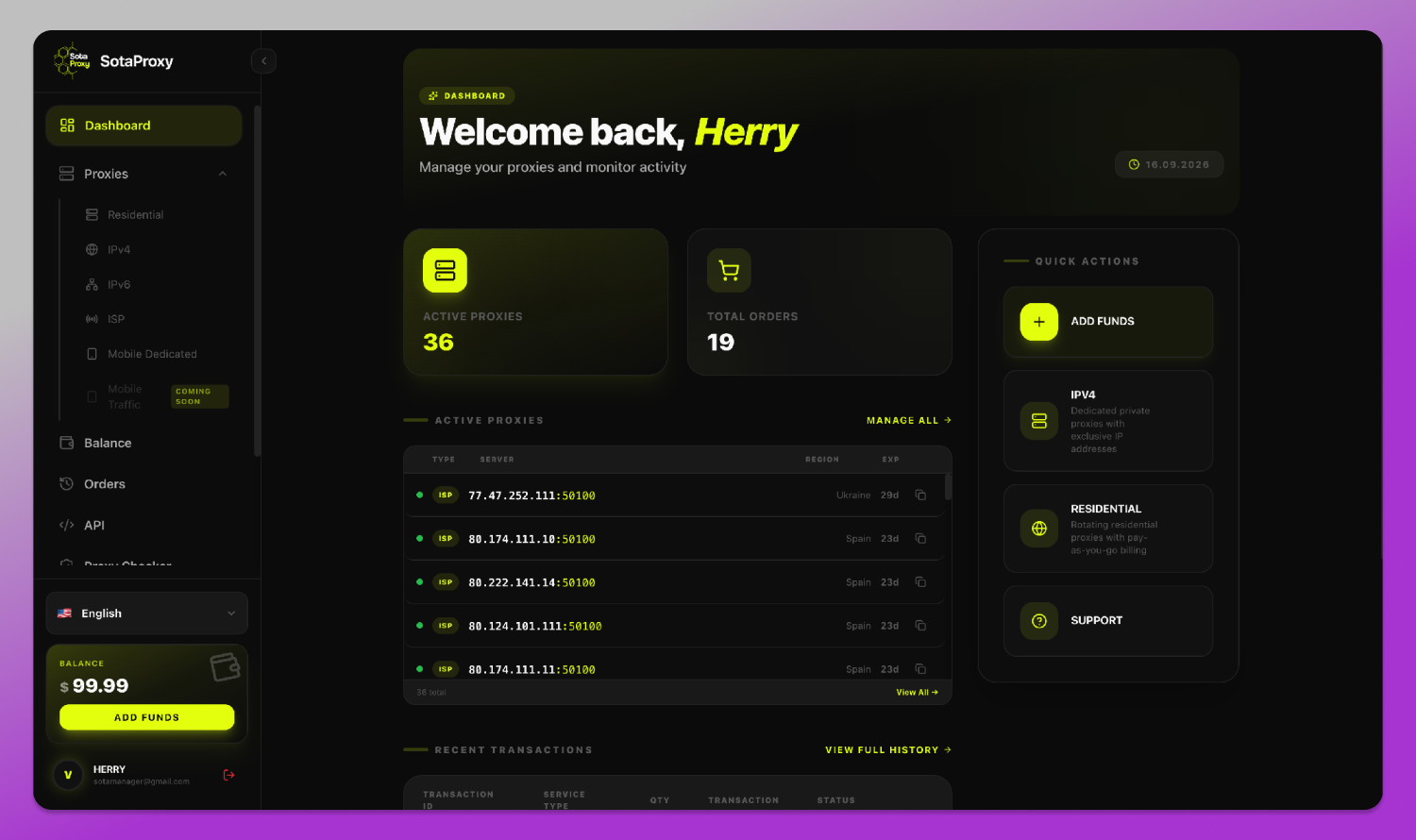
Setup takes about two minutes. Credentials are issued within 60 seconds of a top-up, and there’s no KYC to clear first.
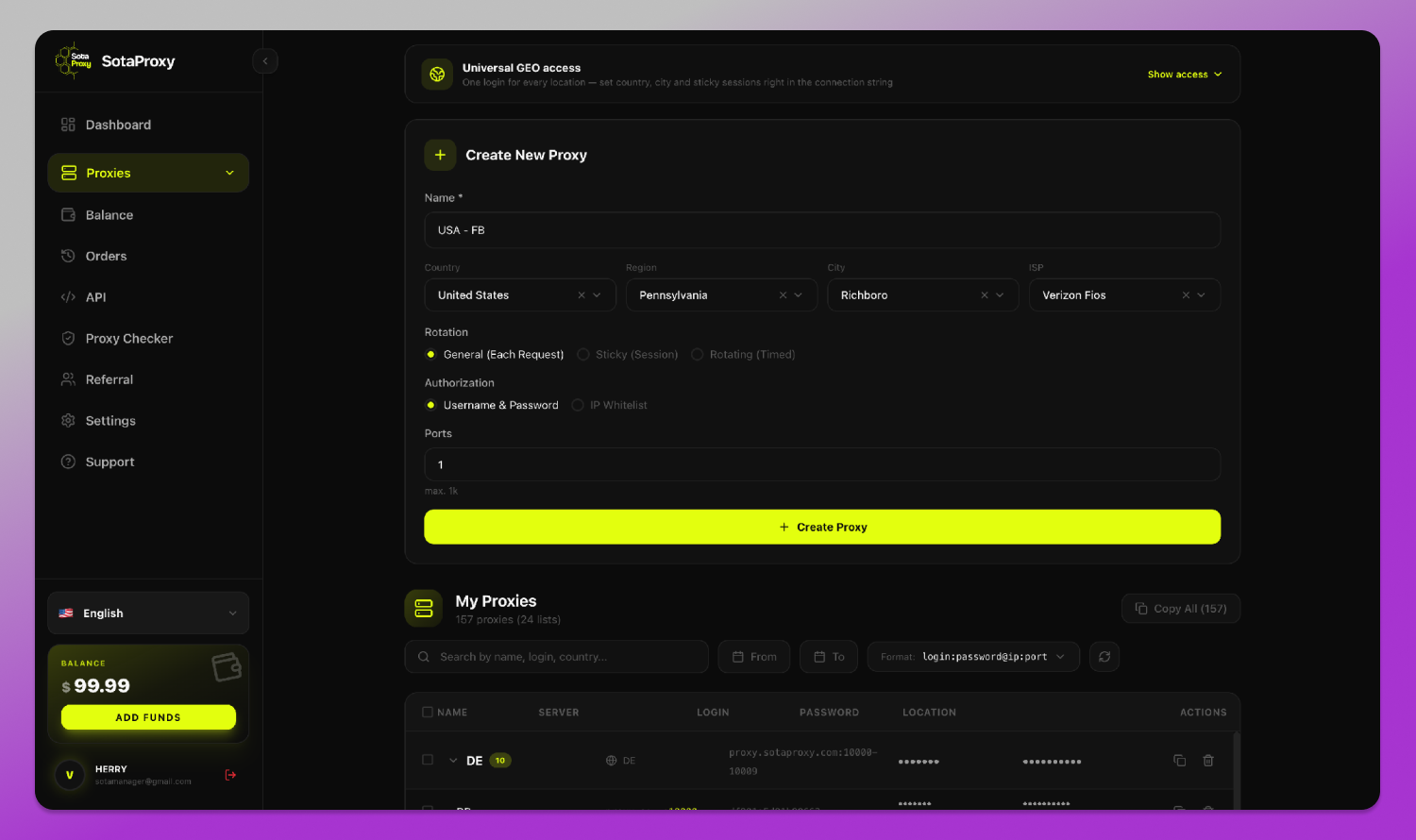
1. Issue your proxies. In the SotaProxy panel, open Proxies and create one: name it, set the target country, region, city and ISP, choose a rotation mode (per request, sticky session, or timed), and pick username-and-password or IP-whitelist authorisation. Copy the credentials it returns — host, port, username, password. Both HTTP and SOCKS5 are supported.
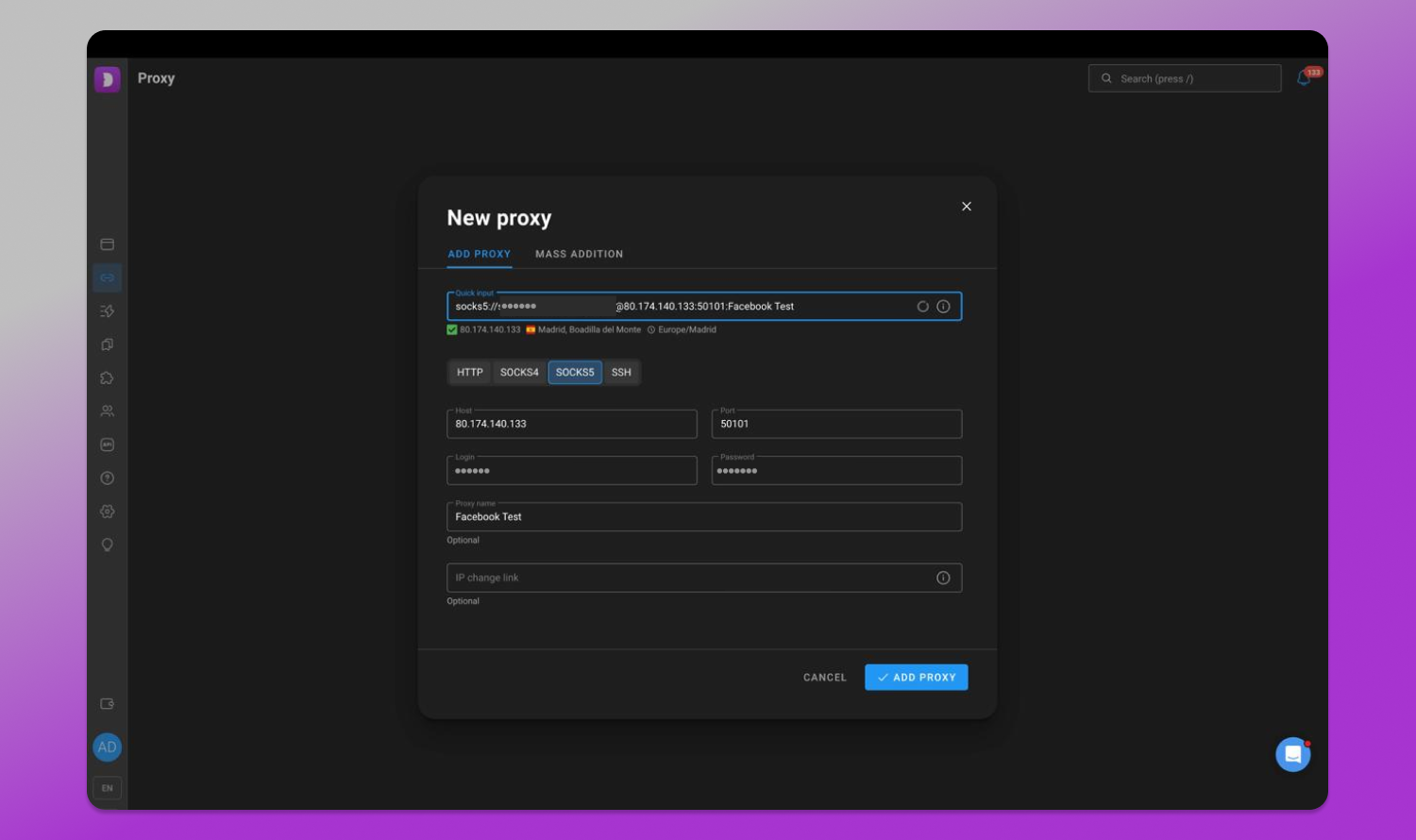
2. Open the Proxy tab in Dolphin Anty. It’s in the left sidebar. Click the + button to add a new entry, or add the proxy directly while creating a profile by choosing New proxy in the proxy section.
3. Select the protocol and paste the credentials. Dolphin accepts several input formats, so you can paste in whichever shape your notes are in:
- host:port
- host:port:login:password
- login:password@host:port
You can also prefix the protocol directly, as in socks5://login:password@host:port. Just make sure the protocol you select matches the port you were issued — a SOCKS5 port selected as HTTP is the single most common cause of a proxy that “doesn’t work.”
4. Run the check. Click the arrows icon at the right edge of the proxy field. Dolphin tests the connection and returns the IP, geolocation and timezone it sees. Do this before you launch anything. If the country matches what you ordered, the proxy layer is correct.
5. Add a rotation link if you have one. For rotating residential and mobile proxies, paste your IP change URL into the Link to change IP field. An IP change button then appears next to the profile, so you can pull a fresh address without reopening settings.
6. Assign and launch. Name the proxy something you’ll recognise later — ISP-US-FB-04 beats proxy 1 when you have sixty of them — then attach it to the profile and start.
Aligning the profile with the IP
The connection check passing is not the same as the profile being consistent. A few settings need to agree with the proxy’s location, and these are where accounts quietly get flagged:
- Timezone. Dolphin can derive it from the proxy IP. Let it. A US IP reporting Europe/Kyiv is a contradiction the browser hands over voluntarily.
- Language headers. A Brazilian residential IP sending en-US as its only accepted language reads as a tourist at best and automation at worst. Set the locale to match the market.
- WebRTC. Leave it in the mode that masks the real address. A leak here reveals your actual IP no matter how good the proxy is.
- Geolocation. Keep it aligned with the proxy rather than denied outright — a permanently blocked location prompt is its own kind of signal.
Run one profile end to end through a fingerprint checker before replicating the configuration across the rest.
Scaling past a handful of profiles
Once you’re past ten or fifteen profiles, the manual workflow stops fitting.
- Bulk import. Use the Mass Addition tab and paste your full proxy list, one per line. Keep the format identical on every line — mixing host:port:login:password with login:password@host:port in one paste will break the parser.
- Bulk reassignment. Select multiple profiles, then use Change Proxy in the action bar to swap them onto a new or saved proxy at once. Useful when you retire a subnet.
Past a certain point, though, the bottleneck stops being the clicking and starts being the sequence. Fifty new profiles means fifty proxies ordered, fifty sets of credentials copied, fifty assignments made — and getting one pair out of order is the kind of mistake you find three days later.
Provisioning proxies from code
Both products expose a 🎯 REST API, which means the whole sequence can stop being manual work.
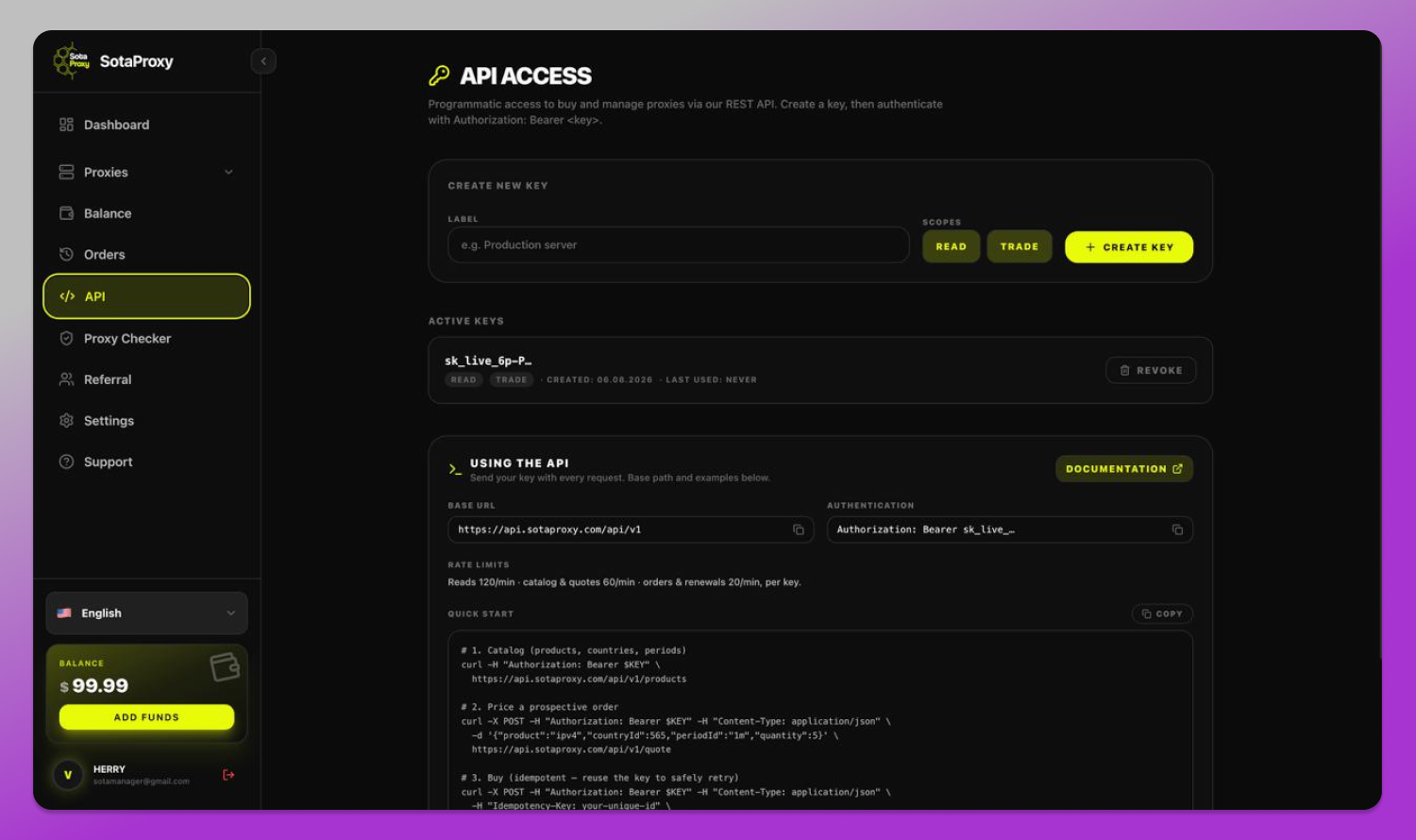
SotaProxy’s API lives at api.sotaproxy.com/api/v1. You create a key in the API section of the panel, give it READ or TRADE scope depending on whether it should be able to spend money, and send it as a bearer token. Buying runs as three calls: fetch the catalog of products, countries and periods; post a quote to price a prospective order; then post the order itself. The buy call takes an Idempotency-Key header, so a retry after a timeout can’t accidentally charge you twice — worth wiring in from the start rather than after it bites you. Rate limits are generous for provisioning work: 120 reads a minute, 60 for catalog and quotes, 20 for orders and renewals, per key.
Dolphin Anty’s API is served from dolphin-anty-api.com and also authenticates with a bearer token generated in your account. Profiles are created by posting to /browser_profiles with the fingerprint parameters you want. There are companion endpoints under /fingerprints/ that hand you valid user agent and WebGL values for a given platform, and Dolphin recommends using those rather than writing your own.
Chained together, provisioning becomes 📋 one script:
- Quote and order N proxies of the type and geo you need from SotaProxy.
- Read back the credentials.
- Pull a matching user agent and WebGL set from Dolphin’s fingerprint endpoints.
- Create each profile and attach its proxy in the same loop, so the pairing can’t drift.
- Write the mapping to a file, so you know later which account sits on which address.
What used to be an afternoon becomes a command. More importantly, the pairing is generated rather than typed, which removes the specific error that’s most annoying to debug after the fact.
One caveat before you plan around this: Dolphin’s automation endpoints aren’t available on the free plan. If you try, the API returns an error saying automation isn’t possible on your current plan — so budget for a paid subscription if scripting is part of the workflow.
Working with AI agents. 🔗 SotaProxy also runs an MCP server, the emerging standard for giving AI agents access to external tools. If you’re building agents that browse, scrape or test at scale, the agent can request proxies on its own — decide it needs a German residential IP for a task, obtain one, and use it, without you provisioning anything in advance.
Why the combination works
Dolphin Anty and SotaProxy solve adjacent problems without overlapping. Dolphin isolates identity at the browser level. SotaProxy keeps the network level clean, monitored and fast — and exposes it to code when you outgrow doing it by hand.
A few practical details that matter day to day: no subscriptions, so you’re not paying for idle months between campaigns. No KYC. Crypto and card payments both accepted. 99.9% uptime with 24/7 human support. Volume discounts reach −25% as usage grows.
An offer for Dolphin Anty users
Dolphin Anty readers get 20% off their first order with the code DOLPHIN20 at checkout — valid on residential, ISP and datacenter proxies.
Set up a single profile first: issue one ISP proxy, paste it into 🔥 Dolphin Anty, run the connection check, confirm the timezone matches, and launch. If the account behaves the way it should, you have the configuration to replicate across the rest.