
🔗 Proxies are an important part of managing multiple profiles in affiliate marketing. They give each profile a separate IP address, helping keep different sessions isolated and reducing the risk of issues when running several profiles on the same platform. The right proxy type also depends on the task: IPv4, IPv6, ISP, residential and mobile IPs can each suit different use cases.
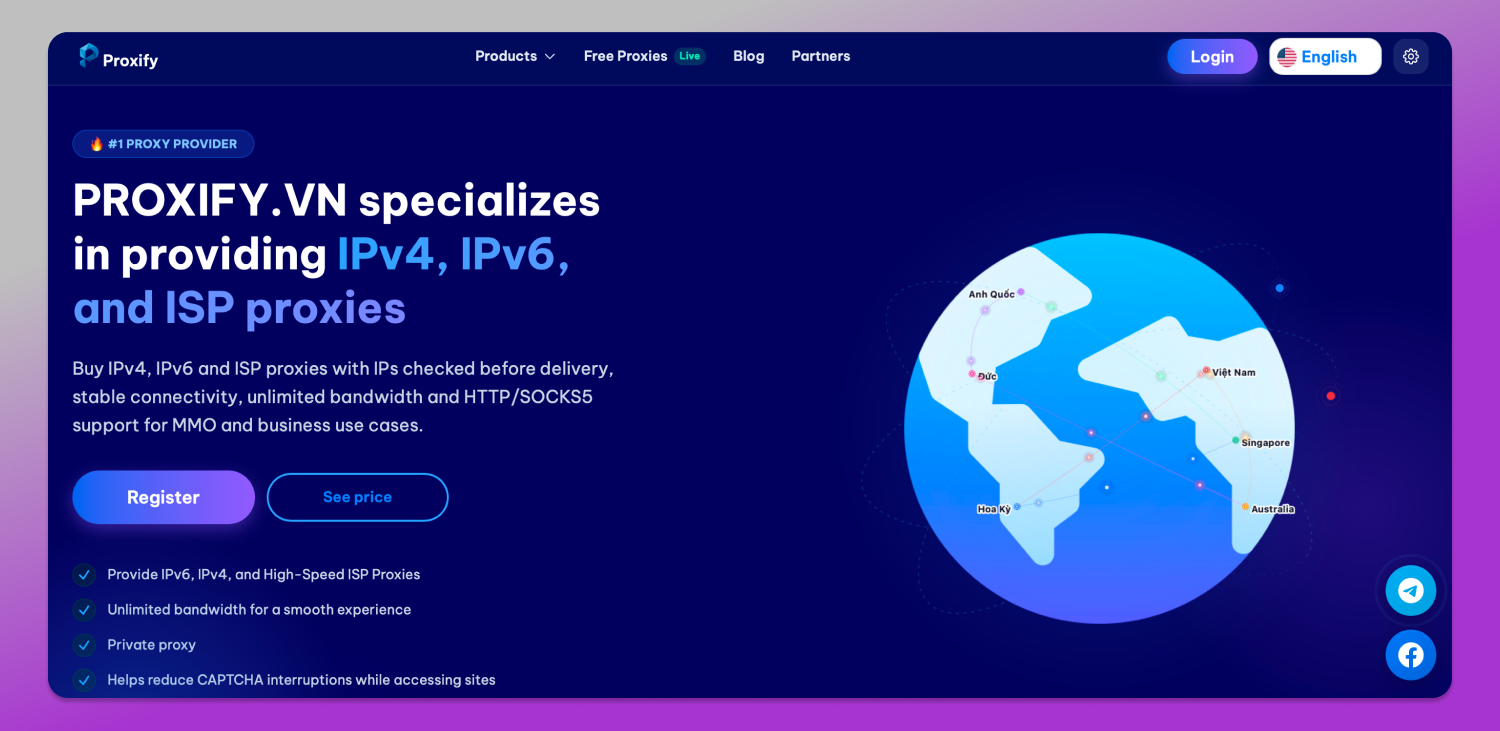
👉 Proxify.vn offers private proxies for MMO, marketing, automation, social media, data collection and account management. The service provides IPv4, IPv6, ISP, residential and mobile proxies with IPs available in more than 37 countries. The provider also provides 99% service availability, unlimited bandwidth and a minimum order of one IP for most proxy types.
Proxify.vn Proxy Types
Proxify.vn offers several types of proxies, so users can choose an option based on the platform and task they are working with.
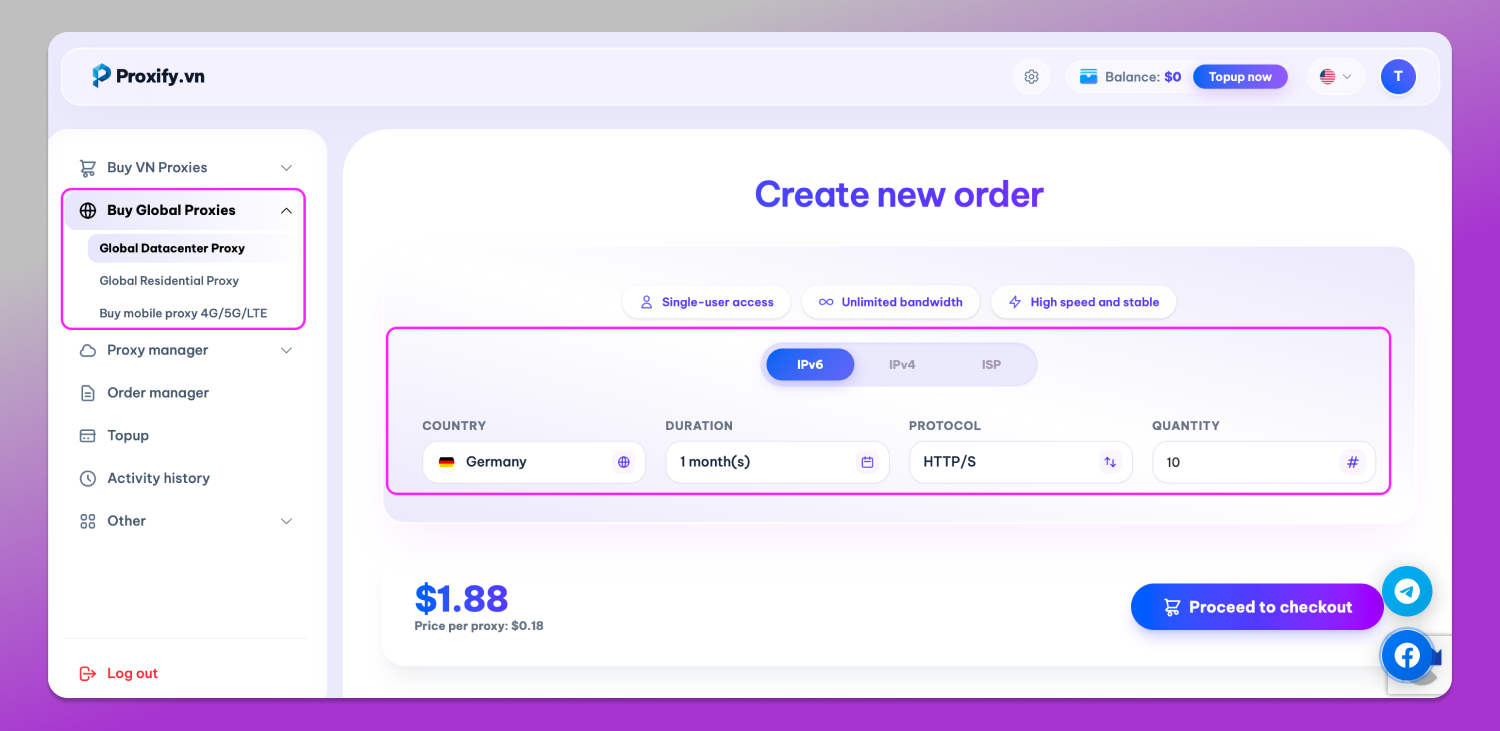
IPv4 proxies are the most widely supported option and work with virtually all websites, platforms and software. They are a practical choice when compatibility and stability are the main priorities.
IPv6 proxies use the newer IP addressing standard and are designed for tasks that require a large number of IP addresses. Proxify.vn positions them for social media, Google services and other large-scale tasks.
ISP proxies combine datacenter infrastructure with IP addresses associated with internet service providers. They are aimed at platforms with stricter verification and antiabuse systems.
The provider also offers 🏠 residential and 📱 mobile proxies, where users can select the country and carrier. In case of mobile proxies users can also choose a rotation format: either manual or every 5 minutes. These options can be useful when a campaign requires IP addresses associated with residential or mobile networks.
All proxies support HTTPS and SOCKS5, making them compatible with browsers, software, automation tools and servers.
Proxify.vn also states that its proxy pool is continuously expanded and updated. IPs remain unchanged during use unless a replacement is requested or required by the provider.
Proxify.vn Pricing and Payment Options
Proxify.vn uses different pricing models depending on the proxy type, location and subscription period.
| Proxy type | Starting price | Minimum order |
| Datacenter IPv6 | $1.88/month | 10 IPs |
| Datacenter IPv4 | $1.88/week | 1 IP |
| Datacenter ISP | $2.26/week | 1 IP |
| Residential | $5.73/month | 1 IP |
| Mobile | $40+/week | 1 IP |
Residential and mobile proxies come with additional location and operator selection options, so the final price depends on the configuration.
One of the main points to note is ♾️ unlimited bandwidth. Proxify.vn does not impose traffic limits on its proxy plans, which makes the service suitable for bandwidth-intensive tasks such as automation, data collection and large-scale campaigns.
Proxy plans can be purchased for a week or a month, depending on the proxy type, and can be renewed or upgraded when needed. After payment is confirmed, proxy allocation and activation are automated and normally take only a few seconds.
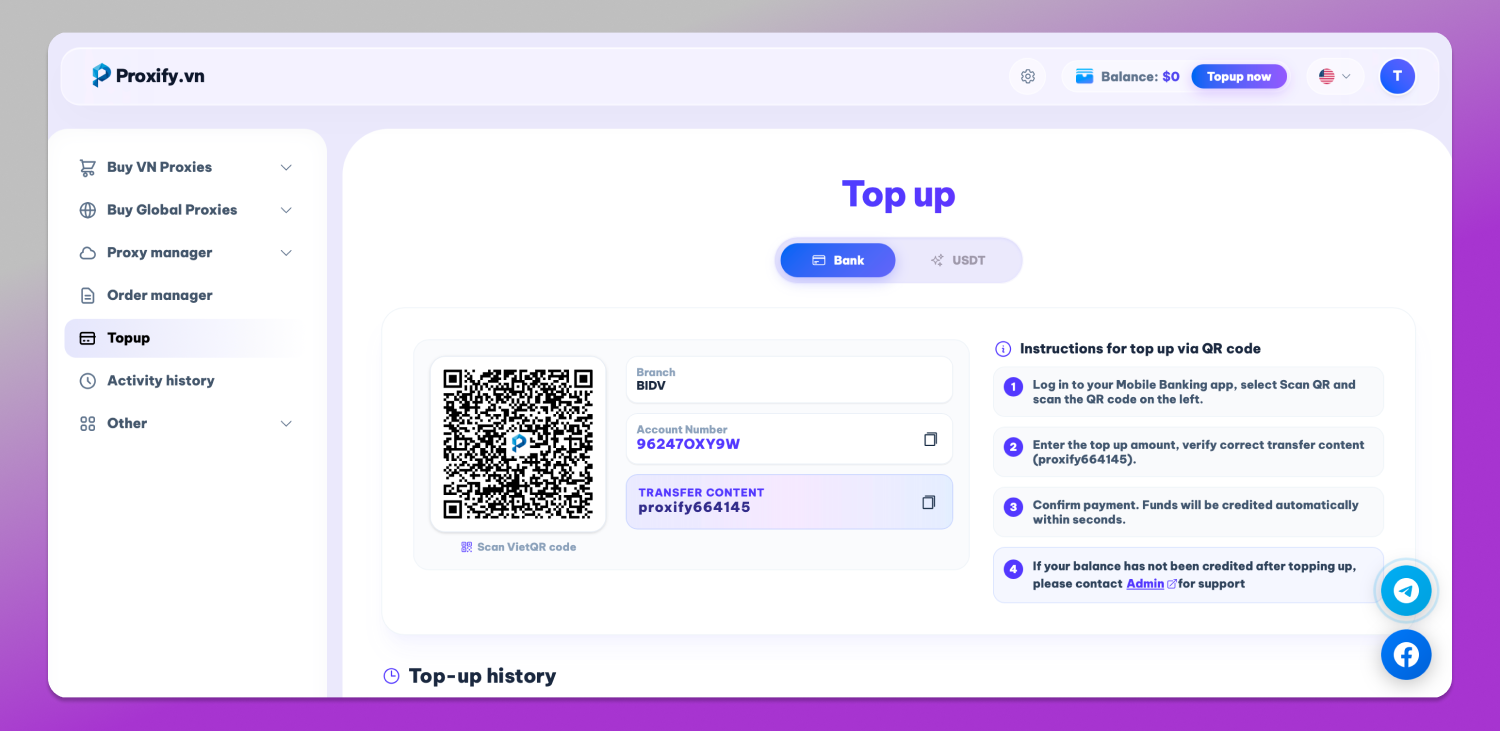
The account balance can be topped up using bank payments or USDT.
How to Connect Proxies to Dolphin Anty
🚀 Dolphin Anty allows users to assign a separate proxy to each browser profile. This is useful when managing multiple accounts, as each profile can have its own IP address and proxy settings.
Here is our 📔 guide on how to add proxies to Dolphin Anty.
Step 1: Register and Buy Proxies
First, create an account on Proxify.vn using your email and password or register with Google SSO.
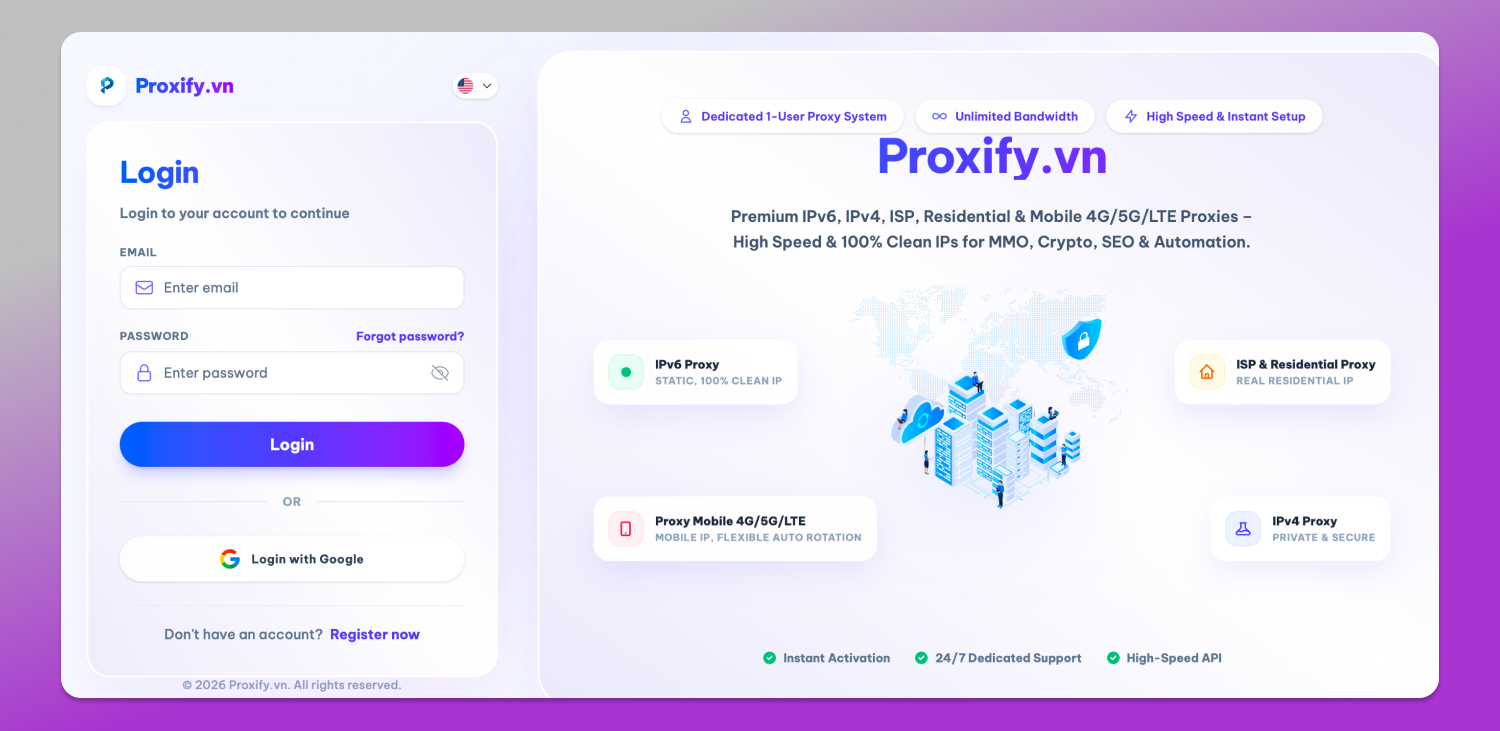
Choose the proxy type, location, operator and subscription period you need, then complete the payment. Once the order is processed, the proxies will become available in your account.
Make sure you have the proxy connection details ready before adding them to Dolphin Anty. Depending on the proxy, you may need the IP address, port, username and password.
Step 2: Add Proxies to Dolphin Anty
Method 1: Add a Proxy When Creating a Profile
This method is convenient when you only have a small number of proxies and want to assign each one to a specific profile immediately.
Create a new profile in Dolphin Anty and find the proxy settings. Enter the connection details provided by Proxify.vn, select the appropriate protocol and save the profile.
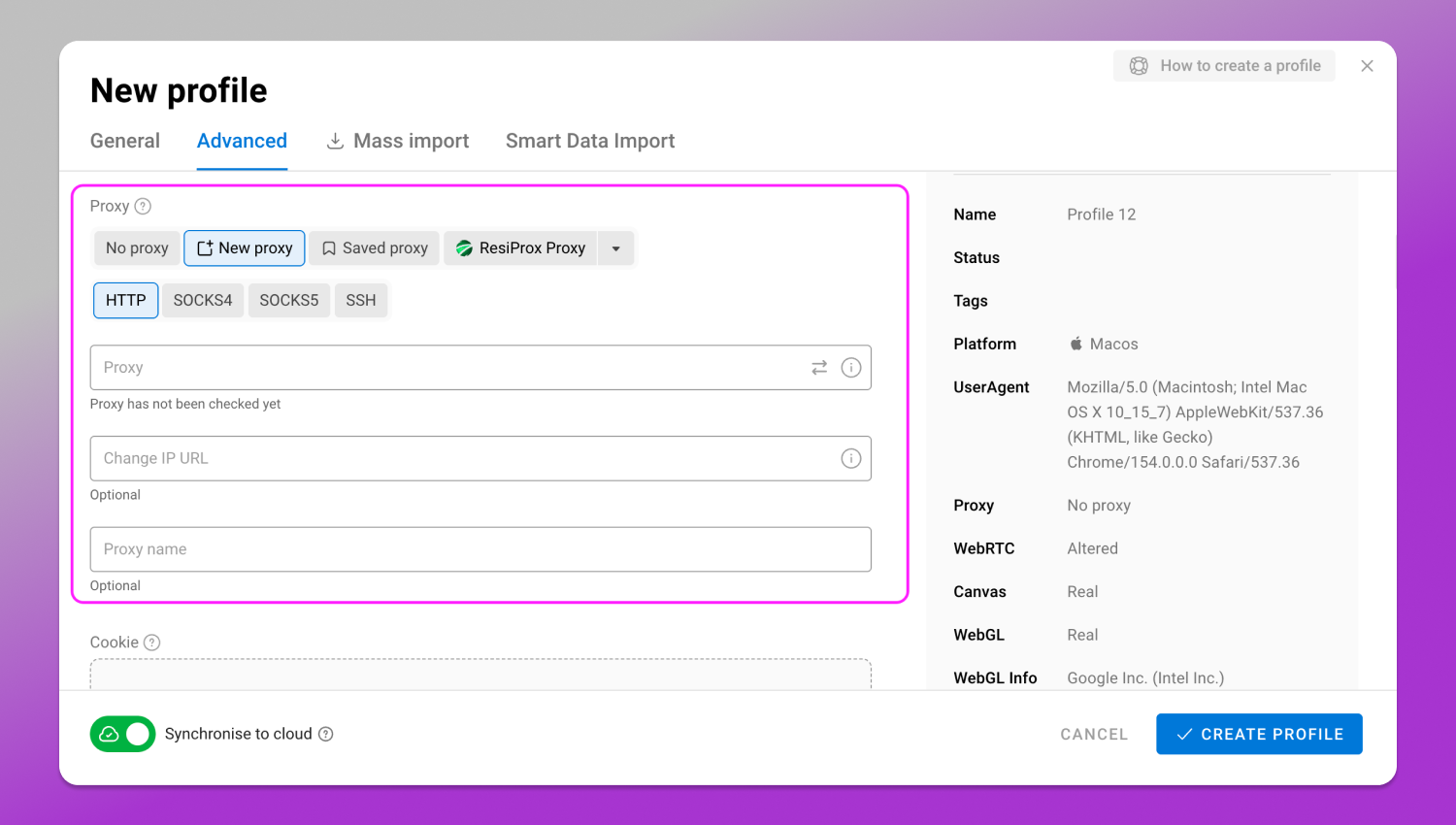
The proxy will be assigned directly to that browser profile and used whenever you launch it.
Method 2: Add Proxies in the Proxy Section
If you have several proxies that you plan to use across different profiles, you can add them through Dolphin Anty’s dedicated proxy section instead.
You can add proxies one by one. They will appear in your proxy list without being assigned to a specific profile. When creating or editing a browser profile later, you can select the required proxy from the list.
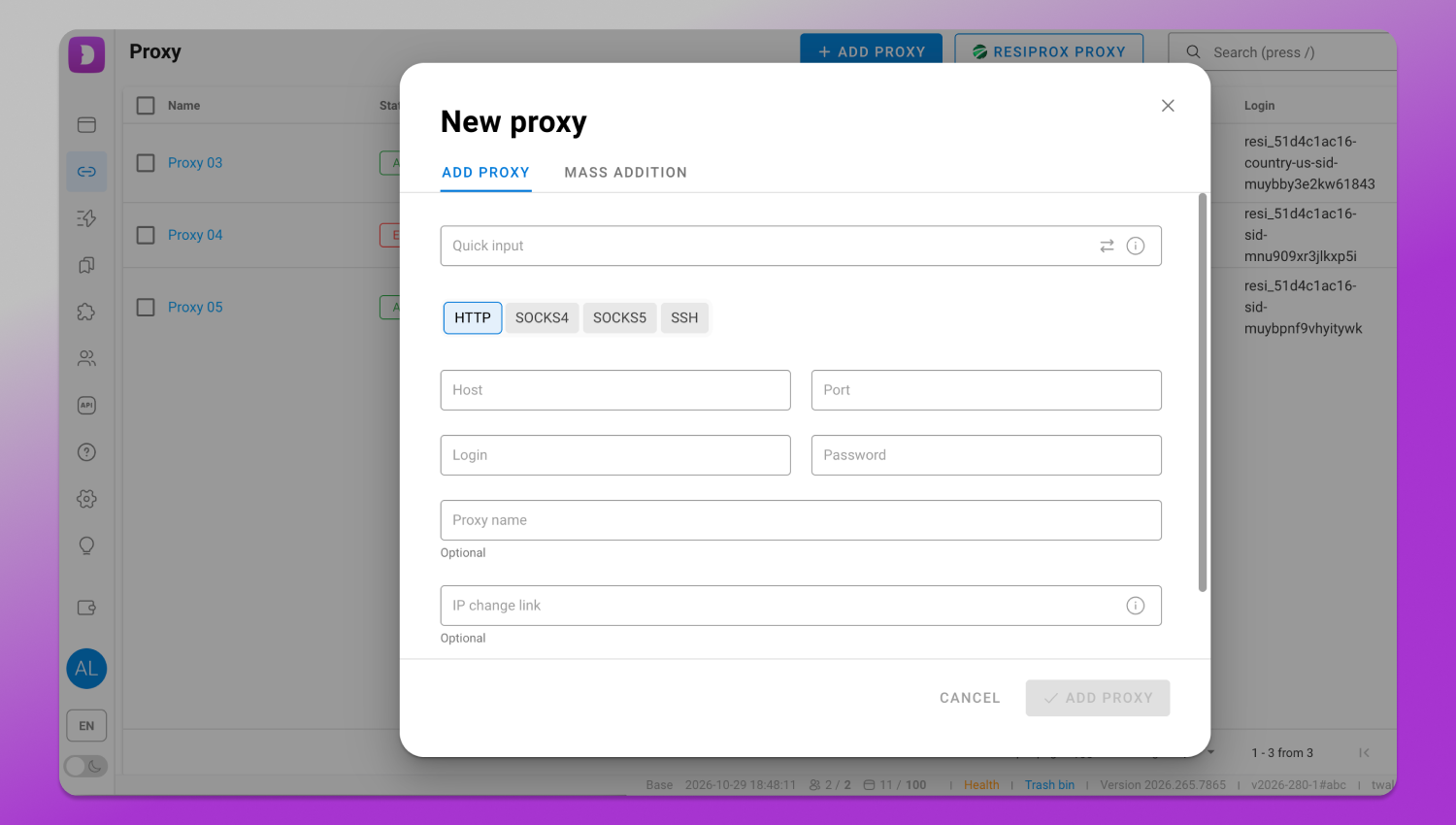
Dolphin Anty also supports bulk proxy import. This works on the same principle: the proxies are added to the proxy list without being tied to individual profiles. The main advantage is that you can add a large number of proxies at once instead of entering each one manually.
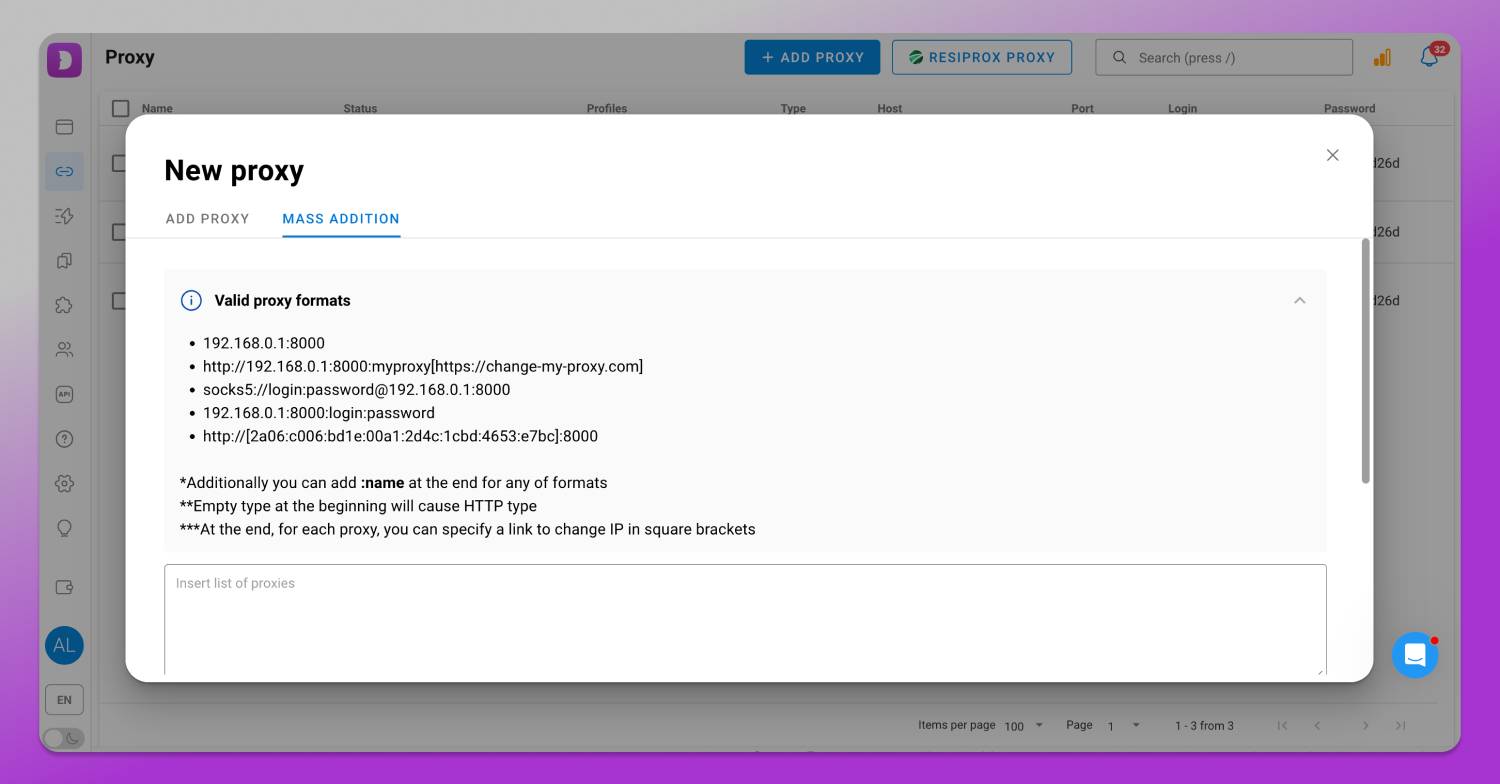
This approach is more convenient when working with a larger proxy pool and assigning IPs to profiles as needed.
Why Consider Proxify.vn Proxies?
There are several 🔥 practical features worth considering when choosing Proxify.vn for multiaccounting and other proxy-based tasks:
- Unlimited bandwidth: unlike most other proxy providers there are no traffic caps for data-intensive work.
- Multiple proxy types: IPv4, IPv6, ISP, residential and mobile proxies are available.
- 37+ countries: IPs are available across Vietnam, Korea, Japan, the US, Europe, Asia and other regions.
- Private proxies: IPs are not shared with third parties.
- Flexible subscription periods: depending on the proxy type, plans are available from one week or one month.
- Large and continuously expanding IP pool: the provider regularly adds IPs and expands geographic coverage.
- 24/7 support: technical assistance is available through the ticket system.
- Automated delivery: proxies are activated within seconds after payment confirmation.
- Convenient proxy management: users can renew proxies, reset IPs and export their proxy lists from the control panel.
- Free browser extension: provides another way to work with Proxify.vn proxies.
Conclusion
Proxies and antidetect browsers serve different purposes in multiaccounting. A proxy provides the IP address used by a connection, while 🔥 Dolphin Anty lets users keep separate browser profiles with their own proxy settings. Combining the two makes it possible to assign dedicated IPs to individual profiles and manage them from one interface. 🔗 Proxify.vn offers several proxy types, unlimited bandwidth, flexible subscription options and support for both individual and bulk use, while Dolphin Anty provides the tools to assign those proxies to profiles as needed.