

Antidetect Browser
that helps you earn money
Manage any number of accounts for advertising platforms and social networks, web-scraping, marketing, affiliate and more
 Download for

860,000 people and 2,200 teams use it every day
Minimal routine. The best teamwork.
Dolphin{anty} helps to increase profits and reduce costs in Affiliate Marketing and Media Buying, E-commerce, marketing, bonus hunting and modeling workAffiliate Marketing and Media Вuying
Create ads from hundreds accounts. Farm accounts, warm up and launch.
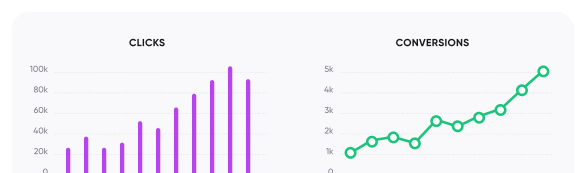
Digital agency
Easily manage a large number of client accounts in social networks

E-Commerce
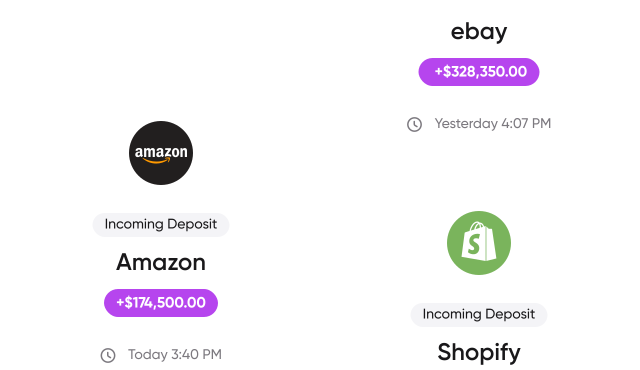
Scale your business in marketplaces: 4 accounts on Amazon, 3 on eBay, 7 on Shopify.
Create as many accounts as needed

Manage profiles 
with an AI agent
Connect Claude, Cursor, Codex or any other agent that supports MCP. It works with profiles, proxies, folders, tags, statuses and notes. You choose the access level: read only, change or delete.
Give tasks in plain words: “Create 50 Windows profiles and put them in the Farm folder” or “Launch the profiles with the Ready status and tell me which ones failed”.
- 66
- actions while the app is open
- 52
- through the cloud when the app is closed
- 3
- access levels to choose from


Interface designed  to make you comfortable

User-friendly tools for sorting and searching browser profiles
Group by niches, status and any other criteria. Use the layout, icons and color indication to quickly find browser profiles.

Manage groups of profiles instantly through mass actions
Everything you need: run a scenario, export cookies, assign tags, pass profiles to teammates, run them in the synchronizer and more.


Update fingerprints for multiple profiles at once
No more tedious one-by-one updates. Select any profiles you want, even all of them, and update them instantly.


Log in and easily switch between multiple accounts
Add several accounts and switch between them in a couple of clicks.


Pick an OS and the profile is ready
Pick Windows 10 or 11, macOS, Linux or Android, and a profile with a real fingerprint is ready in 1 click, no form and no settings. Save your own settings as a template and create profiles from it just as fast.


Deleted a profile by mistake? Get it back from the trash bin
Deleted profiles stay in the trash bin for 48 hours. Until then, you can bring any of them back in 1 click.

Use and flexibly customize
real  fingerprints

 Create profiles in 1 click
When creating a profile quickly, we use real fingerprints. So you don’t have to spend a long time setting up a profile every time before launching it
 Manage fingerprints flexibly
But if you want customization, no problem. Control 20 parameters and create your own unique fingerprint
 Use desktop and mobile fingerprints soon
Generate fingerprints for any operating system, including iOS and Android
 Device name spoofing
Change the device name to any desired value. The system, browsers, and websites see a correct and plausible name without default values or suspicious matches
 Webcam spoofing
We replace webcam parameters in the fingerprint. Websites and services receive accurate device data without exposing real specifications or inconsistencies during checks
 Enhanced fingerprint spoofing
We spoof WebGL, WebGPU, ClientHints and Voices and hide everything that shows an antidetect on screen when a site asks for verification.
Transfer and share browser
profiles within the team
- 2200
- teams work in Dolphin{anty} every day


Share profiles with your team and stay the owner
Give teammates access to a profile and choose what they can do: view, launch, share, edit or delete. The profile stays in your account.


Share profiles, proxies, and cookies with your team
No more agony when transferring data between users!


See who launched a profile and stop others' sessions
You can see that a profile is already running for your teammates. Need it? Close it for them in 1 click, and its data is kept.


Stop the same profile from launching twice
If a teammate already has the profile open, the second launch waits until the profile is closed everywhere. Sessions and cookies don’t overwrite each other.


Grant access to entire folders and fine-tune permissions
Profiles within a folder inherit its permissions, so you can set up permissions across your team quickly and flexibly


Set limits on profile creation for users
Restrict the number of profiles additional users can access


Install extensions for the whole team at once
Upload an extension once and share it with every teammate’s profiles. Nobody has to find and install it again.

Organize bookmarks into folders for each type of website
Use familiar browser tools to organize your workspace within profiles

Move your profiles  from other
antidetect browsers in 1 click
Dolphin{anty} finds other antidetect browsers on your device and moves your profiles over together with their cookies. No need to rebuild them.

Create automated
browser  scenarios
for multiple profiles
Farming, data collection, sign-ups: build a scenario from blocks without code and run it in several profiles at once. Available for Windows, Linux and macOS

Plug in your scripts 
and warm up profiles automatically

Launch profiles from your own scripts
Selenium, Puppeteer and Playwright connect to a profile through the Local API. For one-off tasks there are temporary profiles.
API documentation

Warm up profiles without manual work
Cookie Robot visits the sites on your list and collects cookies, so the profile is ready for launches or sign-ups. Up to 100 links at a time.


Repeat actions in several profiles at once
Run several profiles through the synchronizer, and every action in the main profile repeats in the others.

Transfer profiles to Dolphin{cloud} in a couple of clicks
No more need to manually transfer profiles or use extensions.
Profile transfer to Dolphin{cloud} works under the hood!


Fast, reliable, safe– just the way you  love it
Cloud synchronization of profiles, cookies and extensions
Work on any Windows, Mac or Linux device anytime, anywhere

Flexible API automation
Automate account and profile actions with our API

Your data is protected
Your information is always secure. Only you have access to your information

Local profile synchronization
Option to disable cloud sync and store profiles locally on your device
Users all over the world love Dolphin{anty}

Dmitry Medvedko, Owner CPA.LIVE
cpa.live addset.ruI’ve been working with Dolphin{anty} as a webmaster and media manager since the beta version was released. The Dolphin{anty} team are true professionals, and working with them and their product is a real pleasure. Recommended!

H0urma
@cryptxyrmaNot an advertisement, but a review of Dolphin.
Dolphin {anty} is the best anti-detect browser on the market, and believe me, I’ve tried all of them along the way.
Why the best?
This antik, thanks to intuitive functionality and optimization, copes with all the tasks assigned to it at times better than all its so-called competitors.
And here is a clear example:
At the last two seals, a direct competitor *without names, but if you can, Ads* simply does not bear and falls down. It’s not only about high load during the queue, there are cases when you just can’t open profiles during the seil, and this is a critical moment, in which Dolphin shows itself above all praise.
In less stressful situations Dolphin is also simply indispensable:
Automation with scenarios, which even a child can write (tested), thanks to scenarios constructor, has saved our team an insane amount of the most important of all possible resources – time.
Bottomline.
If you want to do everything you could possibly need an anti-detection browser for without breaking deadlines, choose Dolphin.

Moustache arbitrageur
@mustage_affiliate youtube.com/@usaffiliateWe have been using Dolphin{anty} for a little over a year, and at the moment, I am satisfied with everything. They always go out of their way to help and assist in solving difficult situations. Even when you need to automate certain actions through the API and you can’t figure it out, they send you a working piece of code in support. Unfortunately, competitors not only lack this kind of support, but many of them also lack adequate API documentation. Centralized management of bookmarks and extensions is still not implemented by some, Dolphin{anty} has had that feature the moment it was launched (if my memory serves me right). Profile tables, tags, statuses, are very convenient. The browser has quick response and profile launch. It takes just 1-3 seconds, and the profile is open and ready to work. As far as fingerprint handling is concerned, there are certainly some nuances, but they are tolerable. You can overlook these nuances, especially when it comes to working with fb, which, for the most part, doesn’t care if something gets exposed somewhere, one love.

BATALOV
@money_kotletaDolphin{anty} is an essential tool in my daily activities, specifically in multi-accounting.
Let me explain how Dolphin{anty} stands out from its competitors and why it is the go-to choice for me.
– Resource Efficiency: Dolphin{anty} has minimal resource consumption. This allows us to run a significantly larger number of profiles simultaneously! By prioritizing resource optimization, Dolphin{anty} ensures that we can maximize our productivity without straining our system.
– Scenario Automation: Managing 500+ accounts manually can be a daunting task. With the scenario builder, even a novice can effortlessly automate actions. This reduces the time spent on registration and account management by 10-fold, and requires only a single pair of hands!
With Dolphin{anty}, I can achieve remarkable efficiency and productivity in my Coinlist multi-accounting endeavors.

CrazyFB
@CrazyFB_chatThis website is simply amazing, and here’s why I recommend it:
- User-friendly interface: It’s easy to quickly add accounts, filter by tags, and other parameters.
- Security: You can link your account with two-factor authentication and keep it secure on your own PC.
- Functionality: All the necessary parameters for sorting, arrangement, and filtering are conveniently accessible.
- Performance: Whether you’re using a laptop or a desktop, this program supports and utilizes all its essential features. For any questions, the customer support team is always there to assist you, providing help at any time of the day.

Denis Denisenko
@+1LI1ZrhTTARmODJi youtube.com/@denYo13We started using Dolphin products from the moment they were released. The multitool was the first to appear on the market, followed by the antidetect browser. When working with Zuckerbergs social network, there is no better setup. The usability is very convenient, and the services are easily customizable – it takes just a few moments from installation to launching profiles. Another major advantage of the Dolphin project is the team’s openness to new improvements; the service is frequently updated and improved.

Early Berkut
@earlyberkutI have been using Dolphin exclusively for the past few months. Overall, it is very convenient and comfortable to use. It allows me to give browser access to my colleagues and work with them in the same profiles, which is very convenient.
An issue that my colleague sometimes encounters is with the extension. There are occasional glitches and we have to reinstall it. There are also some errors when closing the browser (Sync Error). But overall, these are the only errors I have encountered, and they are not critical. Regarding the “Scenarios” functionality, it is a great feature that can simplify work. However, it would be really awesome to have browser synchronization (like your colleagues have implemented). It would be very convenient to have actions replicated across different profiles. I would love to see this feature in Dolphin, as it would make work even easier.

Jack // PIRATE CPA
piratecpa.netDolphin{Anty} works perfectly with all popular platforms. Intuitive operation and ease of use is one of the main pluses. Most of our content to media resource is created on this browser. We strongly recommend the service for use, especially for beginners.

NoFomo
@nofomocryptoSuper Product: the ultimate AntiDetect Browser. With a user-friendly interface, unlimited access to 10 browsers without subscriptions or fees, and exceptional technical support, it’s the perfect choice for both beginners and experienced users. Rated 9.5/10, our browser provides a seamless browsing experience. Upgrade now and unlock limitless possibilities.

Sasha Chekulaev, owner FB Killa
fb-killa.proWe have been working with Dolphin for a number of years – not a partner, just a dream. It’s the perfect collaboration that we endlessly enjoy telling others about.
Will be useful
Things,  you
probably wonder about
How do the plans differ?
Can I buy more users and profiles?
Transfer a profile or share it: what is the difference and which to choose?
How many profiles can I create per month?
On how many devices can I work?
Are there discounts?
Can I change my plan or cancel the subscription?
Is Dolphin {anty} good for team work?
Is it possible to access the same profiles from different devices?
What settings should I set when creating a profile?
Is it possible to transfer profiles from other antidetect browsers?
Can I have, like, 500 profiles? It’s just that 1000 is a lot and 300 is not enough
What is the minimum period for which I can subscribe?
What is the correct way to add extensions?
Add extensions via the appropriate section in the Dolphin{anty} main menu.
DOLPHIN BLOG
Useful to read in one place

Make the most of your browser’s anti-detection capabilities
Sign up and get 3 profiles for free
Get free profiles Created with
 love