
In digital marketing, product development, and analytics, ad scraping is commonly used for competitor ad intelligence and market analysis. Saving a few creatives from the Meta Ad Library manually is easy enough, but this approach quickly becomes impractical once you need to work with large volumes of data.
Building your own Facebook Ad Library scraper is not a simple alternative either. 🥊 Meta actively makes automated data collection more difficult by blocking IP addresses after frequent requests, updating its anti-bot systems, and regularly changing page layouts. As a result, maintaining a custom scraper and constantly replacing proxies can take a significant amount of time, development resources, and money.
If you need to scrape large amounts of data from Meta, a dedicated tool such as Metapi.io can be a more practical option. The platform exports ads through an API in JSON or CSV format, including ad copy, direct links to images and videos, and delivery dates.
In this review, we take a closer look at Metapi.io, its main features, dashboard, the process of launching your first scraping job, and the available pricing plans.
Common Challenges When Scraping Facebook Ads on Your Own
To collect data from the Meta Ad Library, developers usually rely on the official API, ready-made scrapers on third-party platforms, or a custom-built Facebook ads scraper. In practice, each option comes with serious limitations:
📌 Limitations of the official Meta API. Meta provides its own Ad Library API, but it is primarily designed for political and social issue ads. Results are also limited to 25 records per page, which makes building large ad datasets through the official API difficult.
📌 Scripts break frequently. Facebook continuously makes scraping more difficult by introducing bot checks and changing page code. Frequent requests can trigger a 429 error and result in IP blocks. Custom scrapers can suddenly stop collecting data correctly, which means developers have to update the code whenever the platform changes.
📌 Third-party solutions such as Apify can be unstable. Ready-made scrapers on platforms like Apify can become expensive at scale, with pricing averaging around $2.40 per 1,000 rows. At the same time, around one-third of requests may fail because of technical issues. These tools may also return duplicate data or find only 5–10 ads even when dozens of active creatives are running on the advertiser’s Ad Library page.
📌 High development costs. Building a reliable Meta ads scraper from scratch can cost anywhere from $10,000 to $50,000. Even after launch, the project still requires ongoing investment in new proxies, troubleshooting, and developer time to keep the software working as Meta updates its systems.
How Metapi.io Works and What Data It Collects
Metapi.io works through a standard REST API and functions as a Facebook Ad Library API alternative for teams that need more flexibility than the official endpoint provides. You send a request with the required filters, and the platform returns data from the Meta Ad Library in JSON format or as a ready-to-download CSV file.
Search Parameters
The API supports the following filters:
- Keywords. Search for specific phrases in ad copy or headlines.
- Advertiser page. Scrape ads from a specific Fan Page using its name or Page ID.
- GEO. Filter ads by the countries where they are shown.
- Media format. Filter results by static image or video creatives.
- Ad status and delivery period. Search for active or inactive ads within a specified date range.
What Is Included in the Export
For every ad found, the platform can collect:
- Page data: Fan Page name, Page ID, and a direct link to the Facebook page.
- Ad copy: Primary text, headlines, descriptions, and CTA button text.
- Media: Direct download links for original-quality images and HD or SD video files.
- Ad delivery dates: The first and last dates when the creative was shown.
- Audience data: Impression statistics broken down by gender, age, and country.
Main Platform Features
- High throughput. The platform handles more than 1 million requests per day with 99.9% uptime. Users do not have to deal with CAPTCHAs, IP bans, or request-rate limits while collecting data.
- 2+ years of historical ad data. Facebook gradually removes inactive ads from standard Ad Library results. Metapi stores more than two years of historical data, making it possible to find creatives that stopped running long ago and are no longer available through the standard Ad Library search.
- Webhooks. Metapi can send data automatically with a delay of less than one second. You only need to specify the URL of your server, website, or bot. Once a new ad matching the required keywords or Fan Page appears, Metapi can immediately send the data to your database, email, or Slack workspace.
- JSON and CSV exports. Metapi.io supports both JSON and CSV. JSON responses can be used to integrate the platform with custom software and scripts, while CSV exports make it easy to download collected ads as a regular spreadsheet.
Dashboard Overview and Launching Your First Job
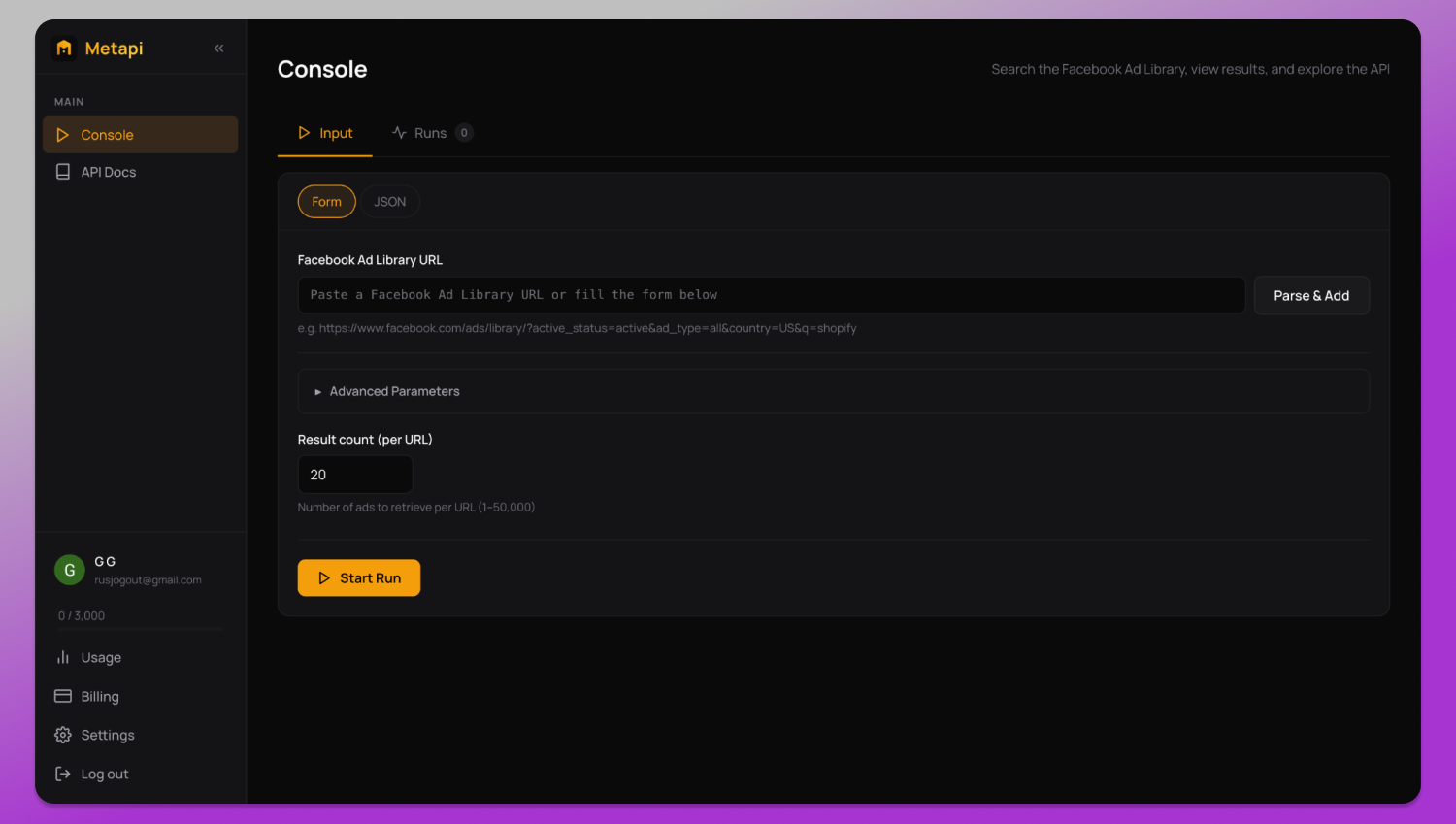
After registration, you are taken to the main dashboard. The menu on the left provides access to the console and the API Docs section. At the bottom, you can see your profile and current record allowance, along with the Usage, Billing, and Settings sections.
Starting a Scraping Job Through the Form
Ad collection is configured in the Input tab. There are two ways to launch a scraping job: through the visual form or by sending a JSON request.
To use the visual form, open the Form tab:
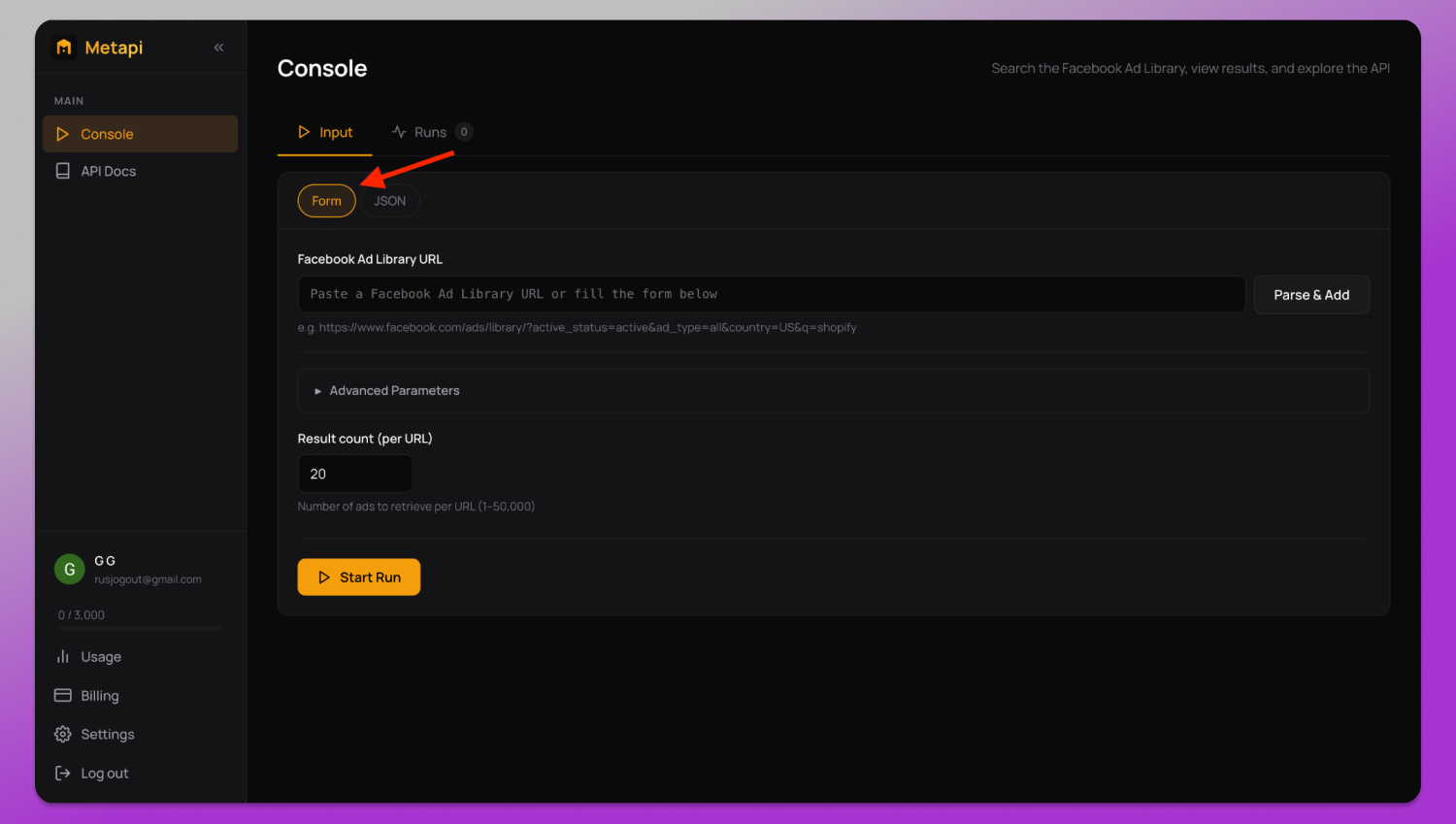
- Paste a Meta Ad Library URL with the required filters into the Facebook Ad Library URL field and click Parse & Add.
- In Result count (per URL), specify how many ads you want to collect. The platform supports from 1 to 50,000 creatives per URL.
- If you need additional filtering options, open the Advanced Parameters section.
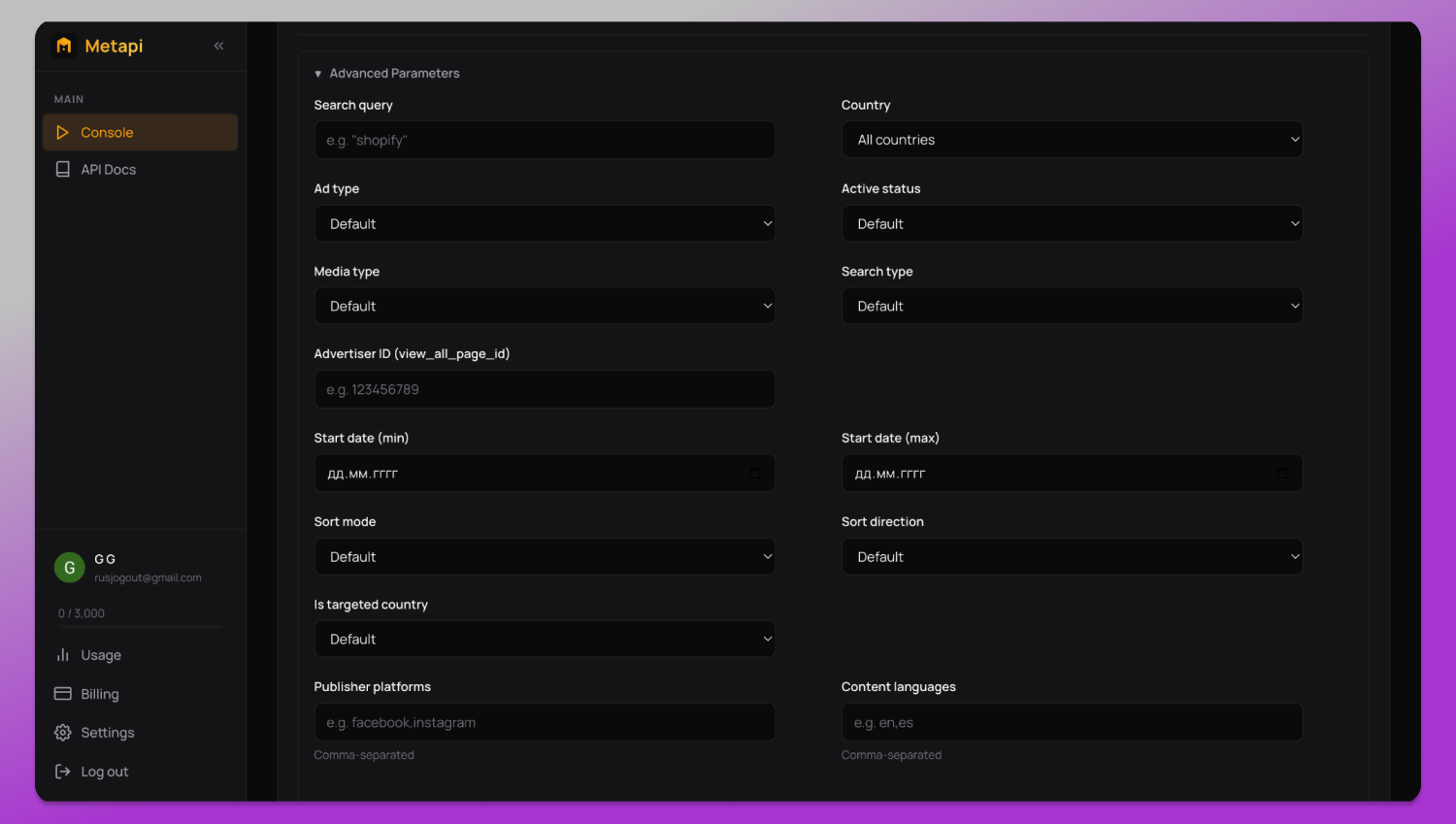
Once all fields are configured, click Start Run, and the platform will begin collecting the data.
Starting a Job with JSON
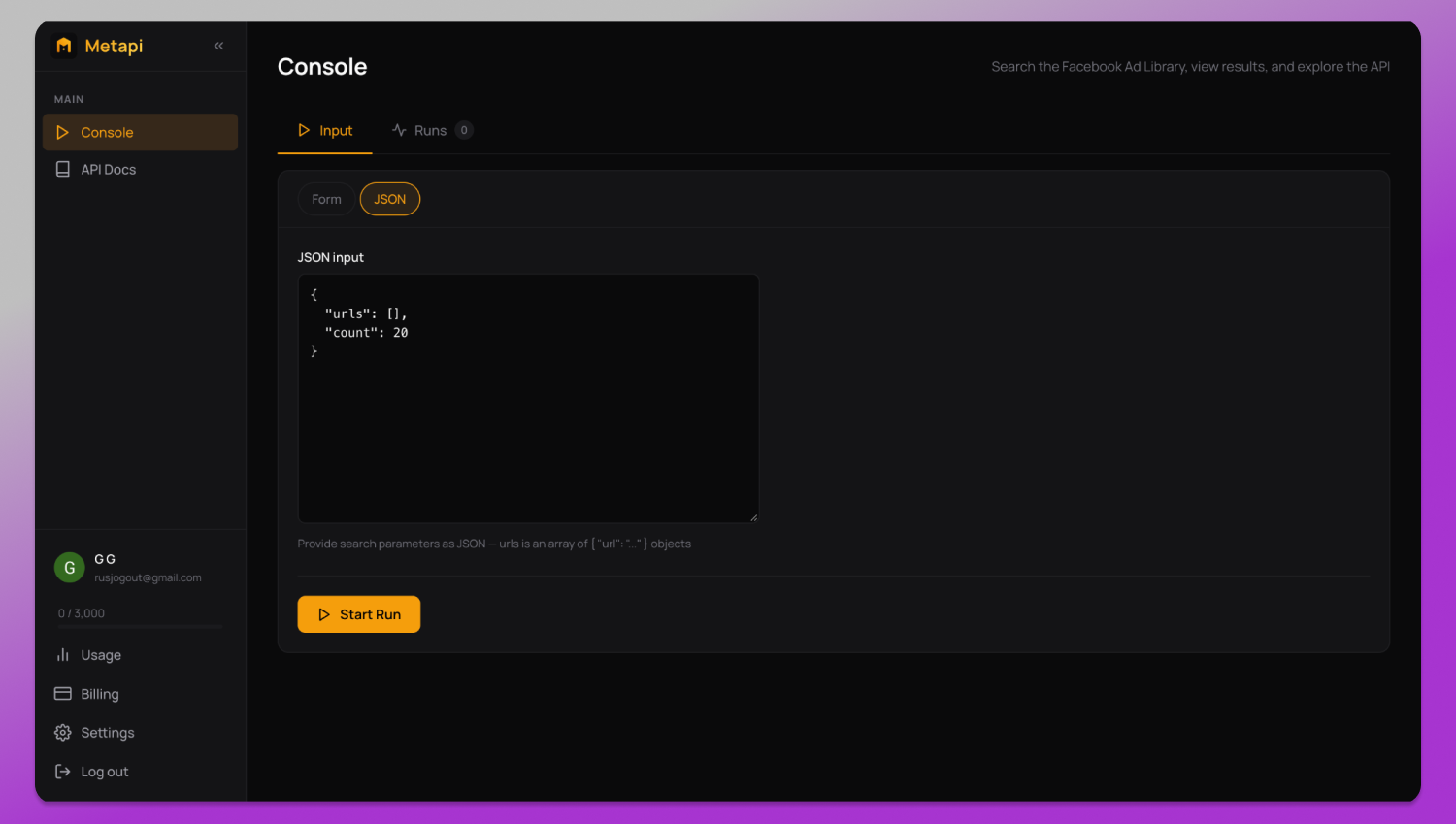
For large-scale ad collection, switch to JSON mode. Add the required Facebook Ad Library URLs to the urls field and set the maximum number of creatives to export using the count parameter.
Tracking Jobs and Exporting Ads
You can monitor scraping jobs and download completed results from the Runs tab.
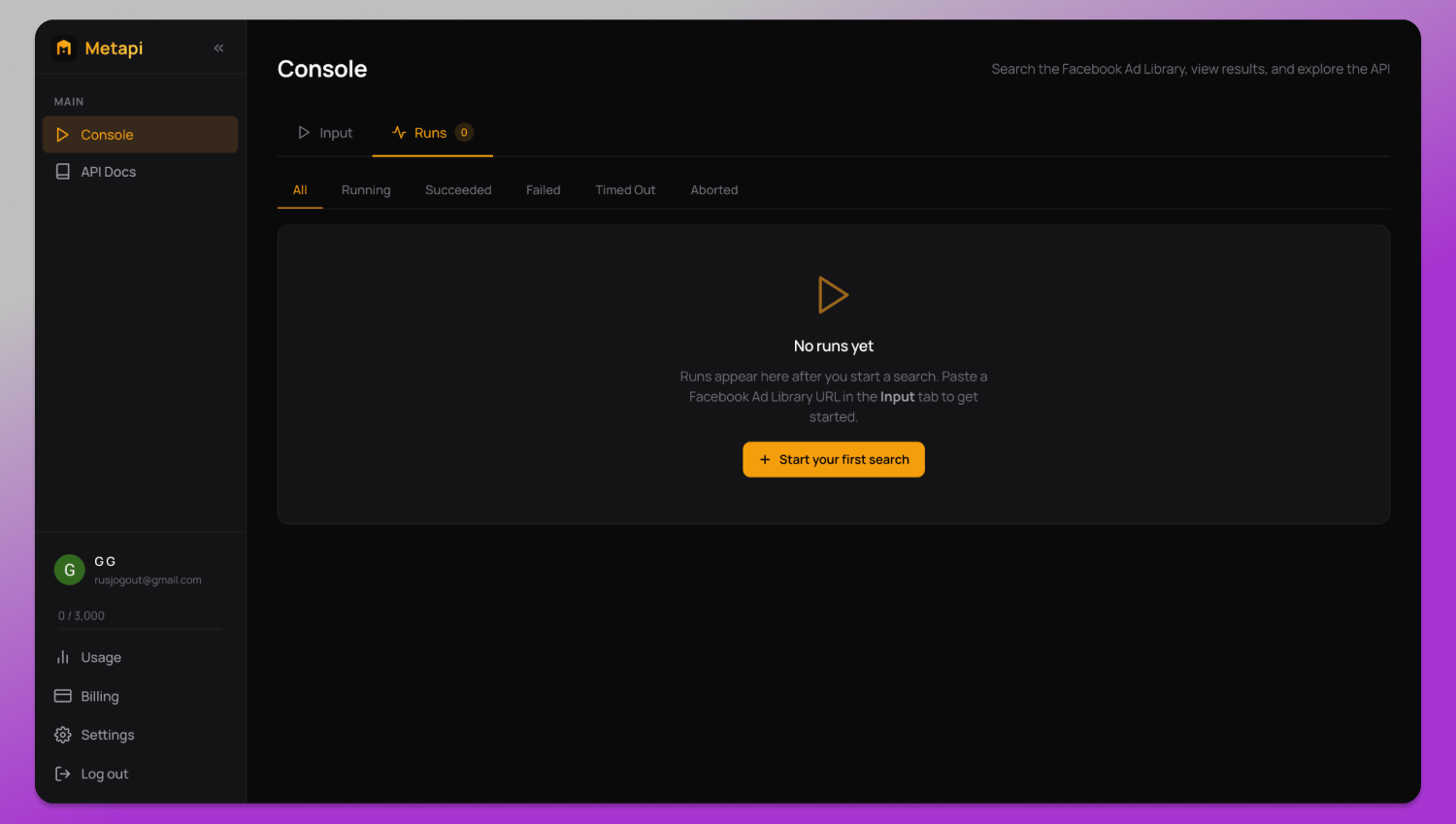
For easier navigation, jobs can be filtered by status:
- All — all runs;
- Running — jobs currently being processed;
- Succeeded — successfully completed jobs;
- Failed — jobs that ended with an error;
- Timed Out — jobs stopped after reaching the timeout limit;
- Aborted — jobs cancelled manually.
Completed files with collected ads can also be downloaded directly from this section.ми.
Usage Statistics and Record Consumption
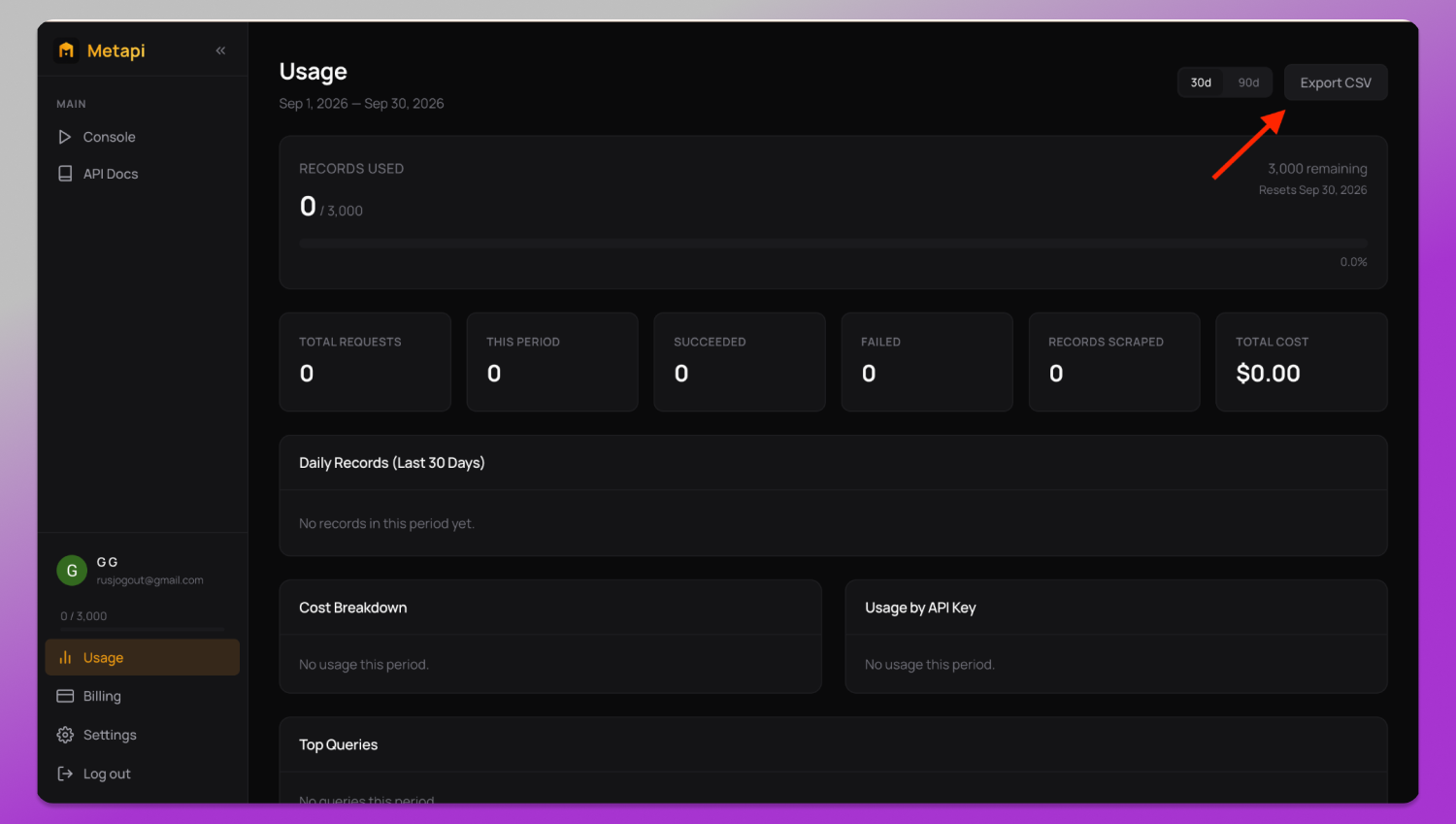
All analytics related to scraping activity and record usage are available in the Usage section.
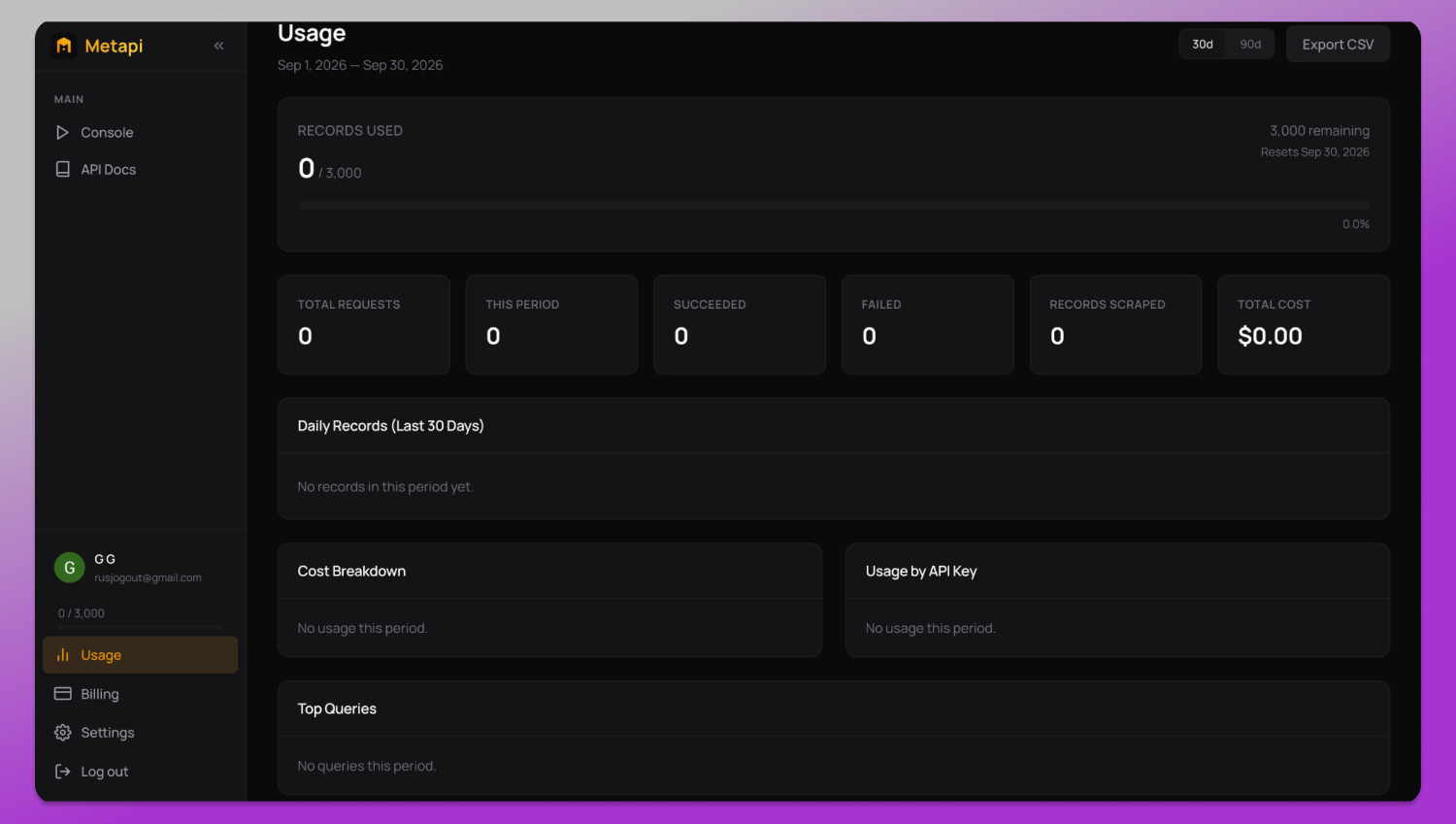
The Records used block at the top shows the remaining record allowance and the date when the limit resets. Next to it, you can see the main account metrics:
- Total requests — total number of requests sent;
- This period — number of requests made during the current billing period;
- Succeeded and Failed — counters for successful and failed jobs;
- Records scraped — actual number of ads collected;
- Total cost — total amount charged during the selected period.
Below these metrics are activity charts for the last 30 or 90 days, spending statistics, usage by individual API key, and a list of frequently used search queries.
A complete report can be downloaded as a CSV file using the Export CSV button in the top-right corner.
Generating API Keys and Setting Up Webhooks
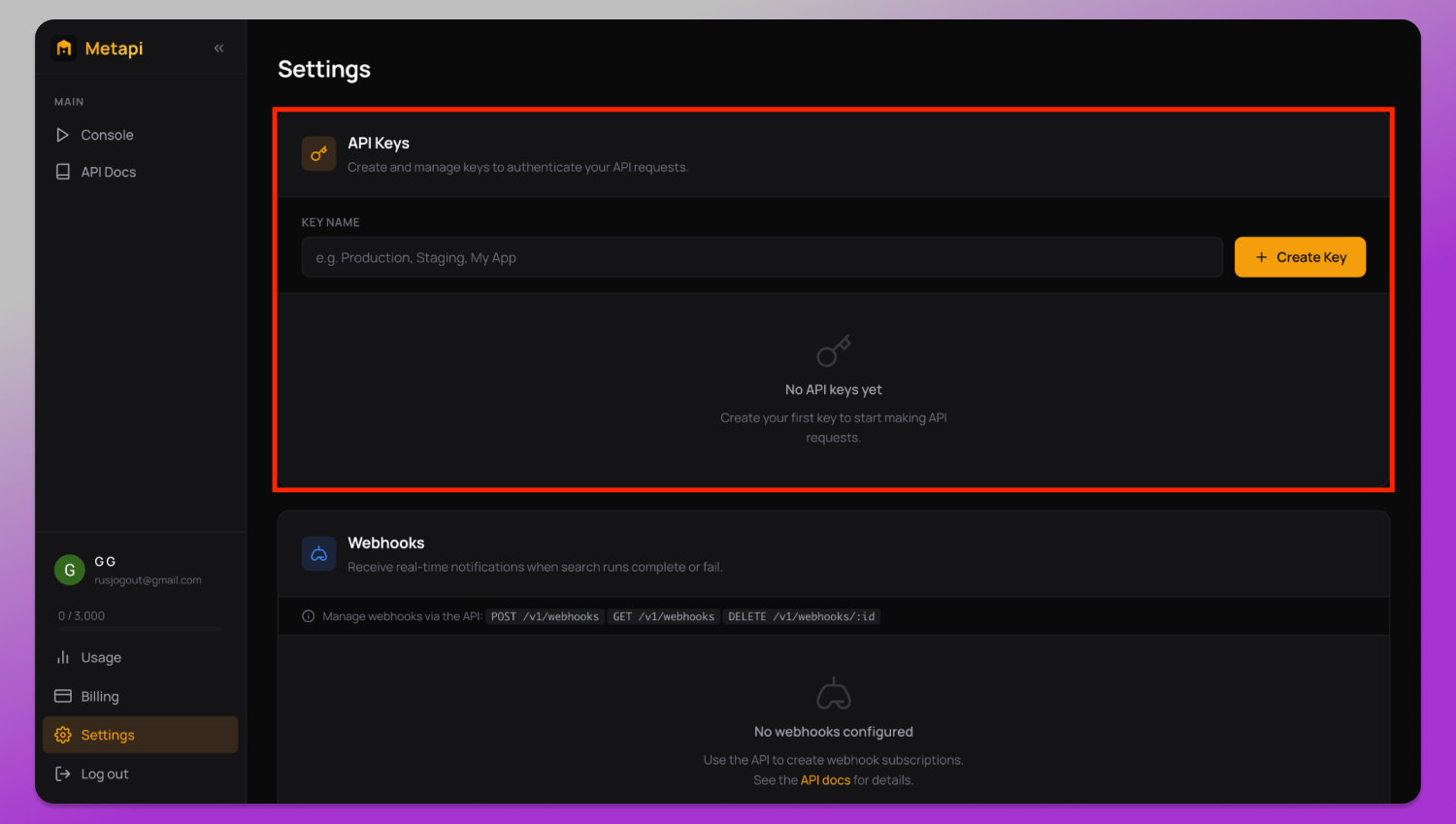
To connect Metapi with your own scripts or software, open the ⚙️ Settings section.
API access keys are created in the API Keys block. Enter a token name in the Key name field, for example, the name of a specific website or script, and click + Create Key. The newly generated key will immediately appear in the list.
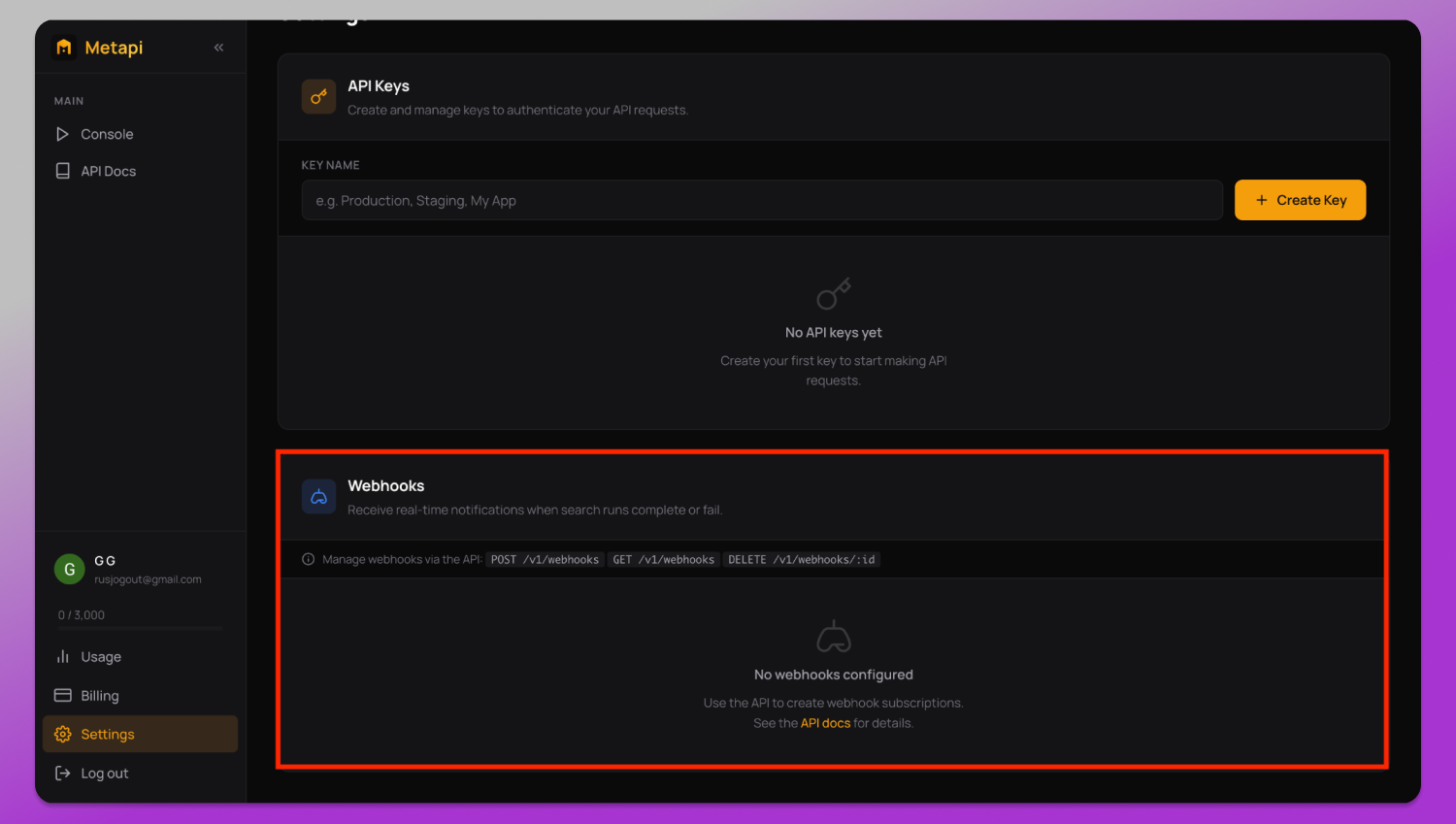
The Webhooks section is located below. It is used to send notifications when an ad scraping job has either completed successfully or failed.
There is no standard field in the dashboard for entering a webhook URL. Webhooks are configured directly through the API. To connect one, send a POST request to /v1/webhooks. The connected URL will then appear in the dashboard.
GET and DELETE methods are used to view or remove existing webhooks. Detailed integration parameters are available in the API Docs section.
Pricing Plans
Your current subscription and usage statistics are displayed in the 💳 Billing section.
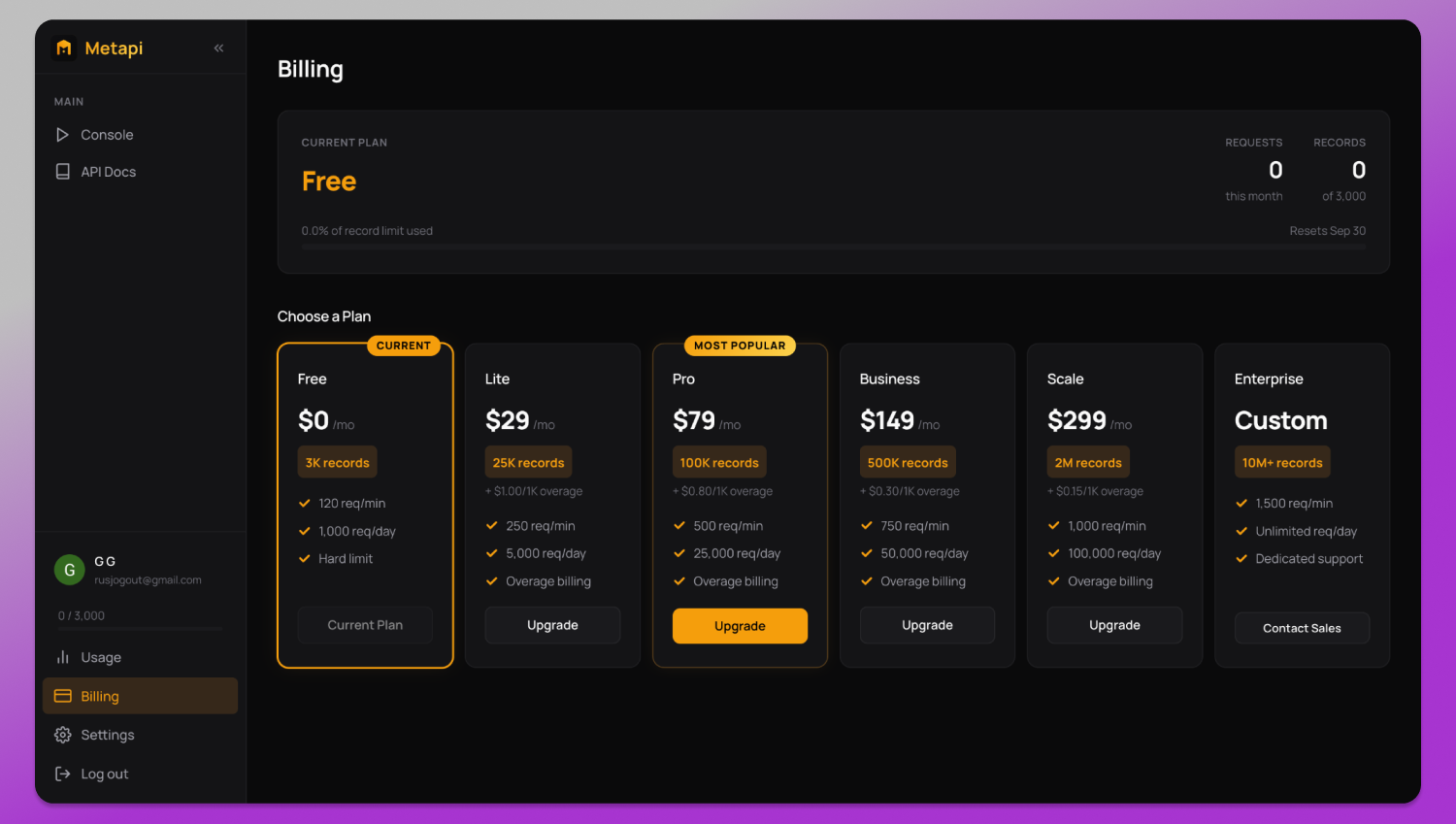
At the top, you can see your active plan, number of completed requests, and records used. Below that, Metapi offers several plans for different data volumes:
- Free — 3,000 records per month, with a limit of 120 requests per minute and 1,000 requests per day;
- Lite — $29/month for 25,000 records, with additional usage charged at $1.00 per 1,000 records;
- Pro — $79/month for 100,000 records, with additional usage charged at $0.80 per 1,000 records;
- Business — $149/month for 500,000 records, with additional usage charged at $0.30 per 1,000 records;
- Scale — $299/month for 2,000,000 records, with additional usage charged at $0.15 per 1,000 records;
- Enterprise — a custom plan starting from 10 million records, with an individual SLA and dedicated support.
FAQ
What is a Facebook Ad Library scraper?
A Facebook Ad Library scraper is a tool that automatically collects data from Meta’s Ad Library, including ad copy, images, videos, and delivery dates, without manual searches or the platform’s rate limits and anti-bot checks.
Is it legal to scrape the Facebook Ad Library?
The Meta Ad Library is a public tool Meta provides for transparency, and the data it shows is publicly accessible. Using a dedicated scraper such as Metapi.io to collect this public data through structured requests is generally considered legitimate, though users should review Meta’s terms of service and the regulations in their own jurisdiction.
How is Metapi.io different from Meta’s official Ad Library API?
Meta’s official API covers only political and social issue ads and returns just 25 records per page. Metapi.io works as a Facebook Ad Library API alternative that supports any ad category, returns up to 50,000 creatives per URL, and includes two years of historical data.
What data can I export with Metapi.io?
Page data, full ad copy, direct media links, delivery dates, and audience statistics by gender, age, and country, in JSON or CSV format.
Can I use Metapi.io for competitor ad intelligence?
Yes. Filtering by advertiser page, keyword, geography, and delivery status makes it a practical tool for competitor ad intelligence and campaign research, including ads that have already stopped running.
Does Metapi.io offer a free plan?
Yes, 3,000 records per month, a limit of 120 requests per minute, and no credit card required.
Can Metapi.io send real-time alerts for new ads?
Yes, through webhooks: new ad data is pushed to your server, database, or Slack workspace in under a second after a matching ad appears.
Conclusion
Scraping the Facebook Ad Library on your own can be both time-consuming and expensive. Frequent layout changes and IP blocks mean custom scripts require constant maintenance, which adds developer hours and ongoing spending on proxies and other infrastructure.
Metapi.io removes the need to build and maintain this infrastructure from scratch. The platform provides structured ad data that includes copy, direct links to creatives, and audience parameters, making it a practical tool for competitor ad research. Its archive covering more than two years also makes it possible to research competitor campaigns that stopped running long ago and have already disappeared from standard Facebook Ad Library results.
The platform is suited to marketing agencies, product teams, and analysts that need a stable stream of ad data without spending significant time on technical setup and scraper maintenance.
Metapi.io also offers a free plan with 3,000 records per month and no credit card required, making it possible to test the platform before moving to a paid subscription.