
Choosing an established LinkedIn account is one decision. Turning that purchase into an organized workspace is another. A useful setup makes it clear which account was selected, where its browser environment lives, and who is responsible for the next step.
📌 500Accs and 🚀 Dolphin Anty address different parts of that process. Account selection and delivery provide the starting point; browser profiles, statuses, and team permissions help organize the work that follows.
For a team preparing its workspace in 2026, the practical challenge is continuity. Listing details, delivery instructions, browser settings, and access responsibilities should stay connected instead of being scattered across messages and spreadsheets.
This guide shows 🧱 how to build that workflow, from reviewing a 500Accs listing to organizing the environment in Dolphin Anty. It describes a manual process rather than a native integration, with a concrete onboarding example and a short troubleshooting reference.
Understand what each product does
☝️ An account and a browser profile are separate things. The account contains platform-side information, including credentials, recovery settings, connections, messages, and account status. A browser profile contains the local working environment, including browser settings and stored session data.
500Accs offers established LinkedIn accounts for purchase, with published listings that let buyers review the advertised account characteristics. Its handover materials describe what is delivered. Dolphin Anty contributes the browser workspace, including separate profiles and tools for keeping their status and access organized.
The useful connection is operational: a confirmed order can be mapped to a clearly named browser environment and an assigned team member. That gives the team a repeatable way to move from selection to a documented workspace without assuming that account delivery automatically configures the browser.
LinkedIn prohibits account transfers and sharing under its rules. Neither purchasing an account nor using a browser tool removes those restrictions or guarantees continued access. Review those constraints before proceeding.
Choose the account and define the setup
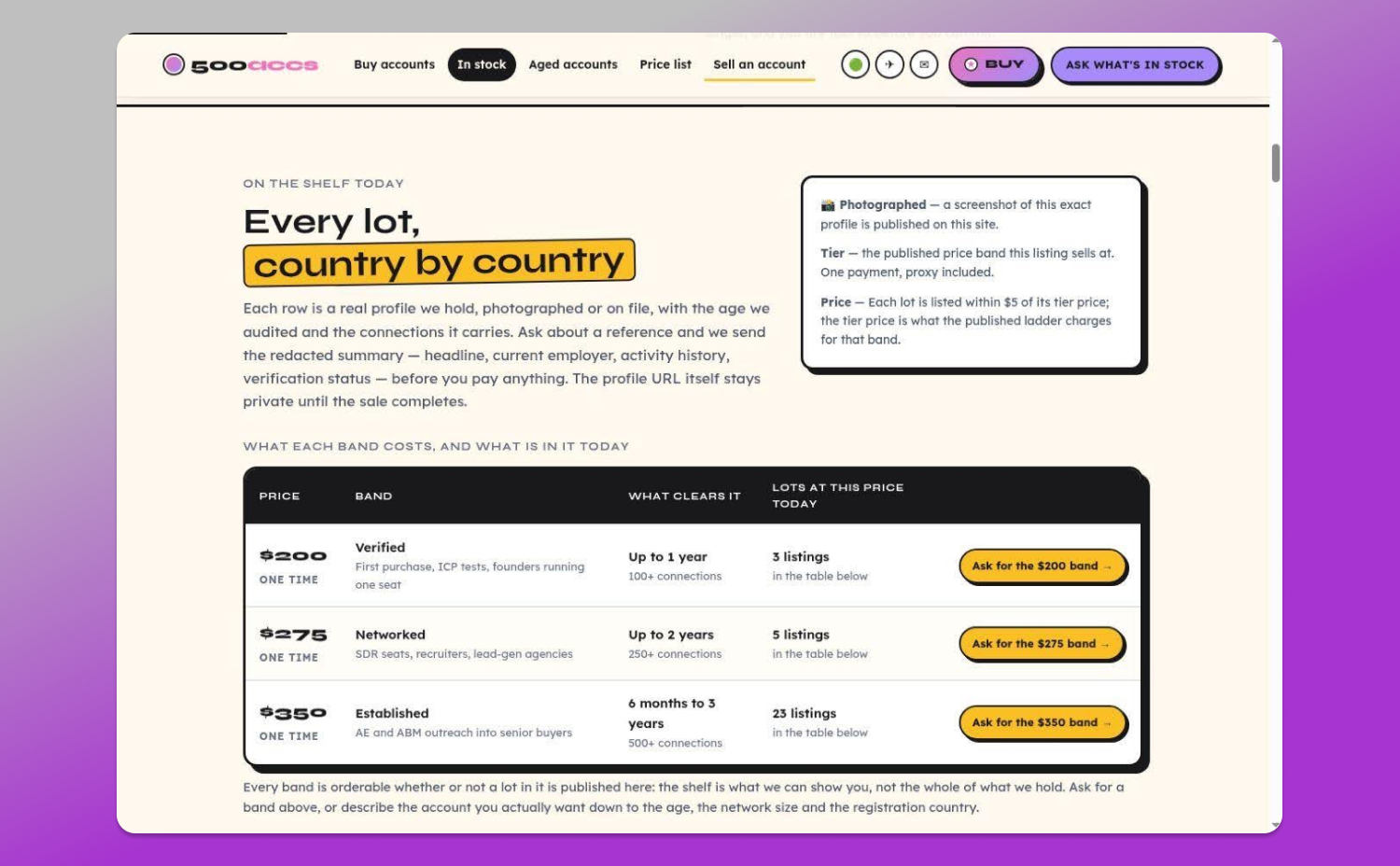
Start with the characteristics that matter to your intended work. Comparing account age, connection count, and the advertised category is more useful than choosing solely by headline price. Then translate the selected listing into a short, written setup brief.
When reviewing 🔥 500Accs, request written confirmation of the selected account’s advertised characteristics, delivery contents, and applicable terms. Keep that confirmation alongside an internal order reference.
The available account listings can help you prepare questions about account age, connection count, and the advertised category. Availability changes, so use the confirmed order rather than a saved screenshot as the final description of your purchase.
- Confirm the agreed account characteristics and purchase terms.
- List the credentials and recovery access included in delivery.
- Ask whether browser data or session files are provided.
- Confirm whether the supplied browser format works with Dolphin Anty.
- Identify who maintains any included proxy connection.
- Record the delivery contact and the agreed scope of assistance.
Confirm the supplied browser format before preparing your workspace. Browser products use different formats, and cookie import is different from a complete profile transfer. Clarifying compatibility early helps the team plan the right onboarding steps.
Turn delivery into a repeatable onboarding process
Schedule a short acceptance review before routine work begins. Keep the order confirmation, delivery checklist, and internal workspace reference together so the review follows a defined sequence.
Compare the delivered materials with the confirmed order. Mark each checklist item as reviewed, and record any questions under the internal reference. This creates a useful setup record without placing personal account details in general project documents.
Assign responsibility for the recovery channel and account security. A named owner makes it easier to maintain current access records and coordinate any later security changes.
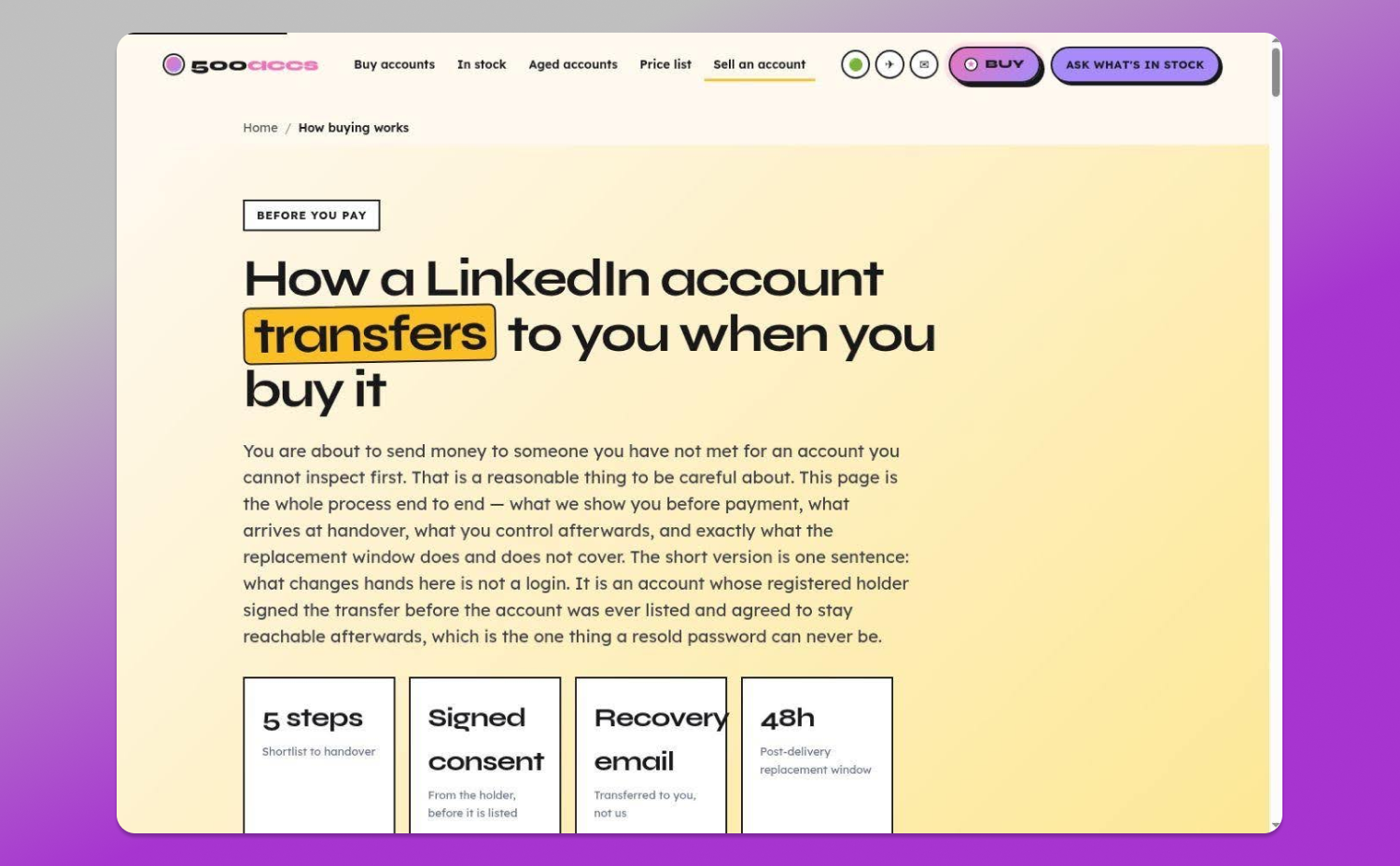
Read the account handover process and confirm which instructions apply to your order before changing security settings. If a required access method fails during delivery review, report it through the agreed support channel promptly.
The result should be a 🎯 documented starting point: the selected account, the reviewed delivery materials, the intended browser environment, and the person responsible for completing setup. This record also makes future maintenance easier to explain.
Store passwords, authentication secrets, and session files in restricted storage. Access material should not sit in a spreadsheet that every contractor can open.
Prepare the Dolphin Anty browser environment
Dolphin Anty lets users create separate browser profiles. Its official documentation explains profile creation, proxy configuration, and optional cookie import.
First confirm whether a compatible browser profile is included in delivery. If it is, coordinate the supported transfer process. Otherwise, prepare the new environment using the current product documentation and the configuration agreed for your order.
If you need a new profile, give it a neutral internal name such as LinkedIn Workspace 01. Avoid putting passwords, personal email addresses, or authentication information in its title.
Follow the current 📔 Dolphin anty profile setup guide. Confirm the appropriate operating system setting and review any supplied configuration with support when compatibility is unclear.
Keep advanced fingerprint settings aligned with the official guidance. A documented configuration is easier to maintain than one built through repeated experimentation, especially when several colleagues need to understand the same workspace.
Before saving, confirm that you are editing the intended profile. This is particularly important when several profiles have similar names and multiple onboarding tasks are happening together.
Confirm the network before marking the workspace ready
Include a 🔗 connection check in the acceptance review. Confirming that ordinary websites load gives the team a clear result for the network layer before it reviews account access.
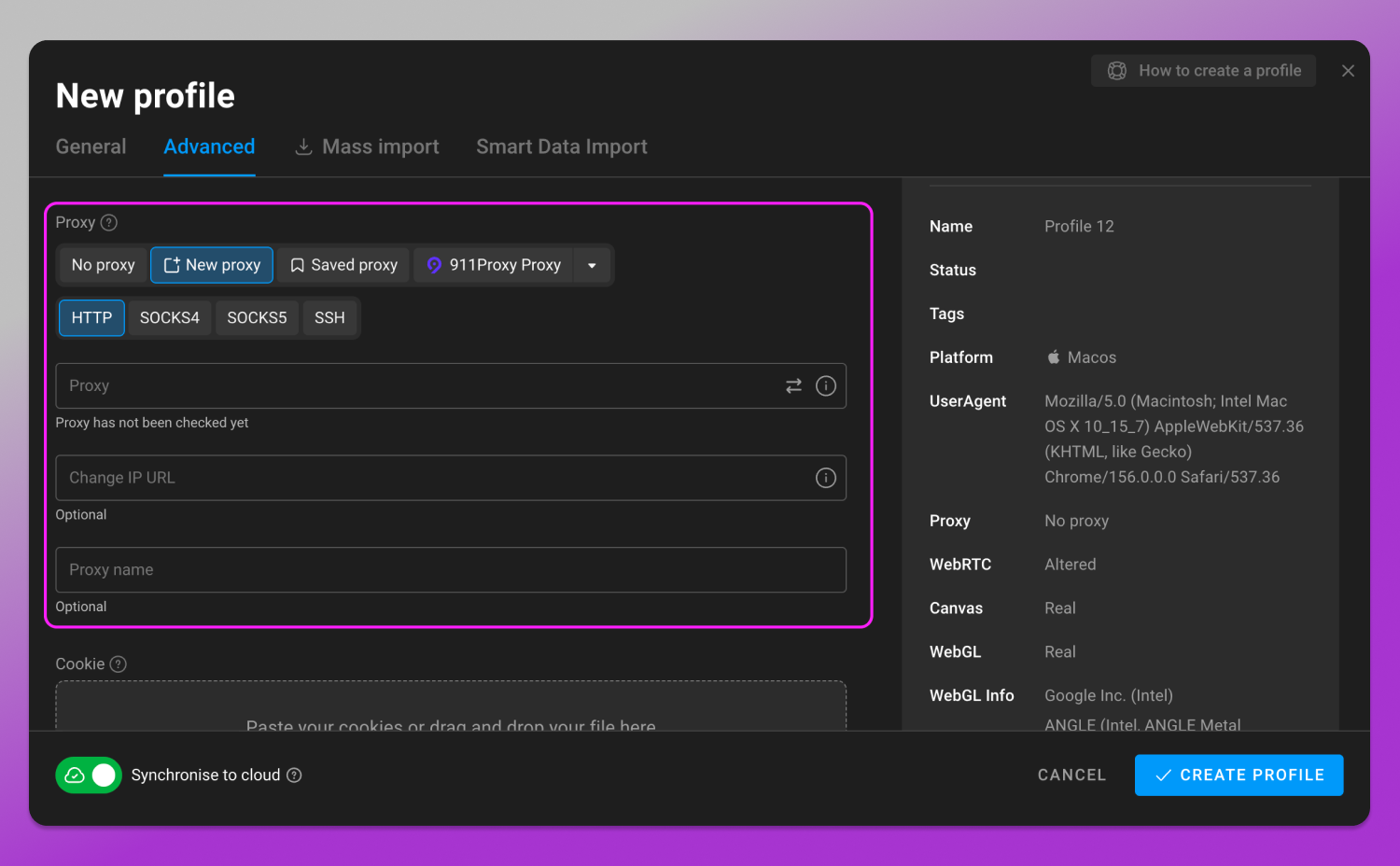
If your workflow uses a proxy, confirm its connection type, host, port, and authentication details with the provider. Enter them in the appropriate fields and check that the connection works before proceeding.
Document who maintains the connection and which service conditions apply. Where a proxy is supplied with delivery, clarify its ongoing arrangements in the order confirmation rather than assuming a separate charge or an unlimited service commitment.
Record the result under the workspace reference. If the connection needs attention, that observation points the next question toward the network configuration or provider, rather than unrelated account settings.
A useful acceptance record separates the checks: connection reviewed, browser environment identified, account access reviewed, and responsibility assigned. Each item answers a specific question for the next operator.
Handle session files as access material
Cookie files may contain authentication information. Treat them with the same care as other account access material.
Where session data is supplied, Dolphin Anty provides an import option described in its documentation. Confirm the supported format and keep recovery access documented separately, since sessions may expire or be revoked.
If session data is supplied, confirm the supported format and consult the current documentation. Do not paste cookie contents into unrestricted support chats or upload them to public conversion services.
Retain the original delivery files securely while completing the review. A protected original and a dated setup record make it easier to answer later compatibility questions.
Use demonstration environments for training screenshots. Live credentials, authentication codes, session contents, personal messages, and identifiable account information should never appear in an article or onboarding slide.
Make profile status easy to understand
Once the environment is prepared, organize it so another authorized colleague can understand its status without opening every profile.
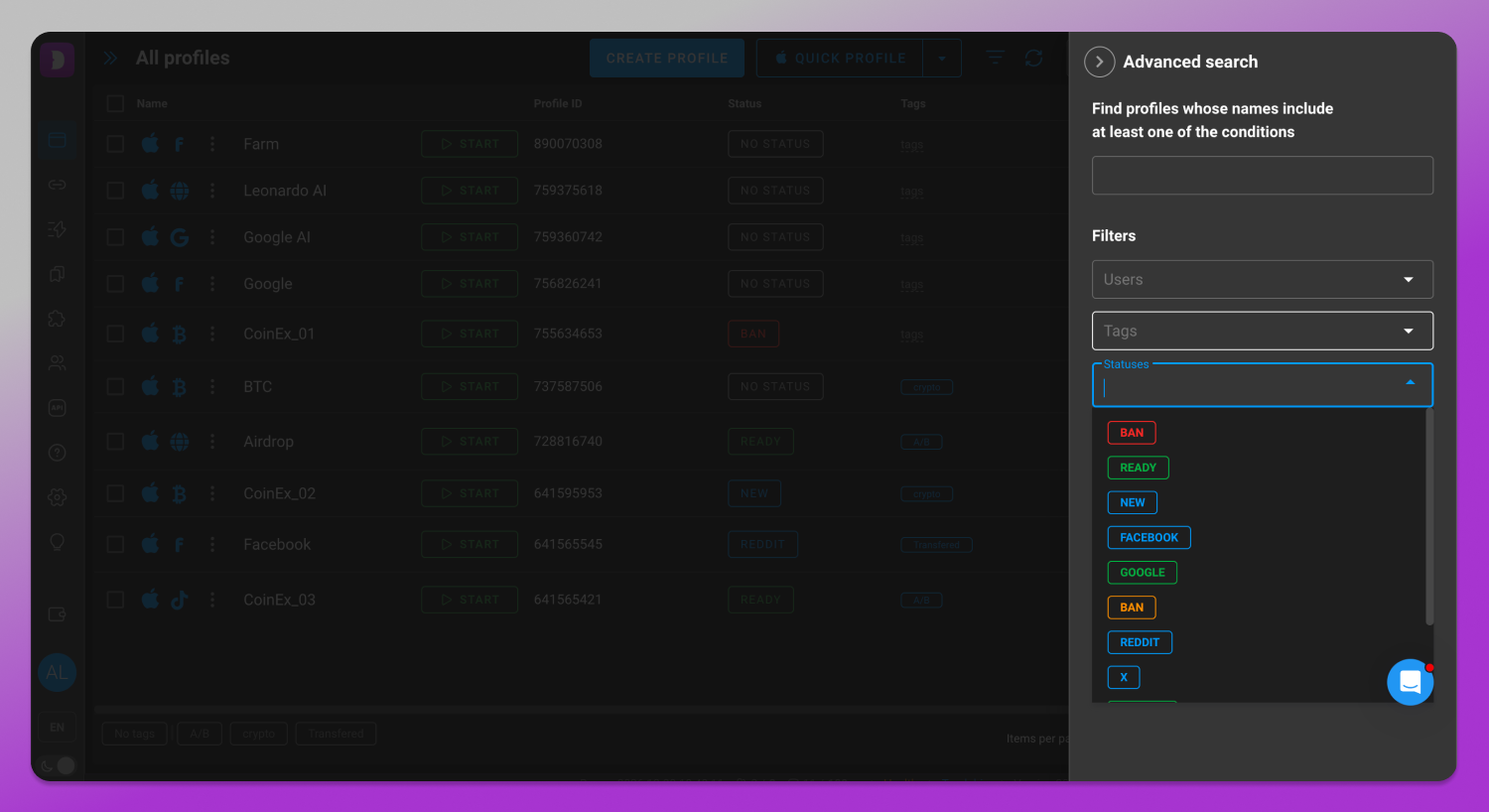
Dolphin Anty supports statuses, tags, notes, and filtering. Use those tools to show the stage of onboarding, the assigned operator, and the next planned action. A small, consistent vocabulary is usually easier to maintain than dozens of highly specific labels.
- Delivery review means the supplied materials are still being checked.
- Ready means the team’s acceptance checks are complete.
- Needs attention means an issue has a named investigator.
- Paused means routine work has stopped.
- Archived means the environment is no longer in use.
These are suggested labels, not automatically generated product states. Choose terms your team will understand consistently.
📋 Keep notes short and actionable. For example, Setup reviewed, assigned operator confirmed tells a colleague more than a generic completed label. Include the next review date where your workflow needs one, and store secrets outside the notes field.
Assign access and responsibility deliberately
Give each profile a 👨💻 named operational owner, even when several people contribute to the work.
Where the selected plan supports teamwork, use Dolphin Anty’s roles and profile access controls rather than circulating one shared application login. Check the current plan requirements before relying on a particular feature.
Document browser access and recovery responsibilities separately. Someone who can launch a profile does not necessarily need every delivery file or permission to change security settings.
Agree on a handover rule. The current operator closes the profile, records unresolved issues, and confirms who owns the next action. Avoid leaving responsibility implied by whoever last replied in a chat.
When a colleague leaves, review workspace permissions and any credentials or recovery material they could access. Removing browser permissions does not automatically address every other access path.
A practical example of moving from delivery to readiness
Consider a fictional onboarding example, not a customer case. A team selects a published account and assigns an internal reference, Workspace 01. The coordinator saves the written order, checks the delivery list, and confirms which browser format will be used.
The operator prepares the supported Dolphin Anty environment, reviews the connection, and records the outcome. The coordinator assigns the workspace owner and changes its status from Delivery review to Ready only after the checklist is complete.
If an item needs attention, the same record supports a focused investigation. Use the quick reference below to identify the first check without changing several unrelated settings at once.
| Observed symptom | First check | Avoid |
|---|---|---|
| No websites load | Proxy credentials and connection availability | Changing the account password |
| Password rejected | Correct account and current credential record | Repeated password guesses |
| Authentication code fails | Correct authenticator entry and device time | Sharing authentication secrets |
| Verification prompt | Official platform instructions | Creating another browser profile |
Keep support questions specific
A clear support request lets the relevant team answer the actual question. Use an internal reference, a description of the observed result, and a redacted screenshot when useful. Leave passwords, cookies, and authentication secrets out of the message.
👉 For example: Workspace 01 is in delivery review. The browser opens and ordinary websites load. We need confirmation of the supplied profile format before completing import. Please confirm the supported transfer method and the next setup step. This is an illustrative request, not a report of an actual incident.
That level of detail keeps the conversation tied to a decision. Account delivery, browser compatibility, and network maintenance may involve different contacts; the setup record helps route each question to the right person.
Offer for Dolphin Anty users
Use promo code Dolphin20 and receive 5% off every service at 500Accs.
Frequently asked questions
Is this a native integration?
No. This guide describes a manual workflow. It does not claim built-in account delivery or automatic synchronization between the products.
Can any supplied profile be imported?
Do not assume compatibility. Ask which browser and export format were used, then check the supported import options in Dolphin Anty.
Does account age determine campaign results?
No. Account age is one advertised characteristic to review, not a guarantee of results. Relevant targeting, appropriate communication, and platform constraints still matter, and browser configuration does not guarantee continued access.
What should happen when access fails?
Identify whether the failure concerns the connection, browser environment, credentials, authentication, or platform verification. Record the exact error before changing settings.