In 2026 simple methods of maintaining anonymity are no longer as effective as they used to be. Just spoofing your IP address may allow you to access the desired resource, but it will not protect you from tracking. Modern websites analyze dozens of user parameters, their browser and device forming a unique digital fingerprint. Even with a clean IP antifraud systems can easily detect inconsistencies and link sessions together.
An average user usually does not need this level of anonymity, but there are cases where it’s important to clearly understand what your digital fingerprint looks like and what signals it sends to security algorithms. For example, in affiliate marketing, web scraping, cybersecurity and other fields. That’s why professionals in these areas use 🛠 specialized diagnostic tools that allow them to see themselves through the eyes of a website and identify weak points in their setup in advance.
One of these tool is BrowserScan. It’s not just an IP checker, but a full-fledged digital fingerprint analysis service that helps evaluate its consistency and trustworthiness before launching a profile. Let’s have a closer look at BrowserScan features and pricing.
What is BrowserScan and Why Does It Matter in 2026?
BrowserScan is a specialized tool for analyzing a browser’s digital fingerprint. Its main purpose goes beyond simply displaying your IP address. It breaks down the full set of parameters websites use to identify users from network characteristics to the aspects of graphics rendering.
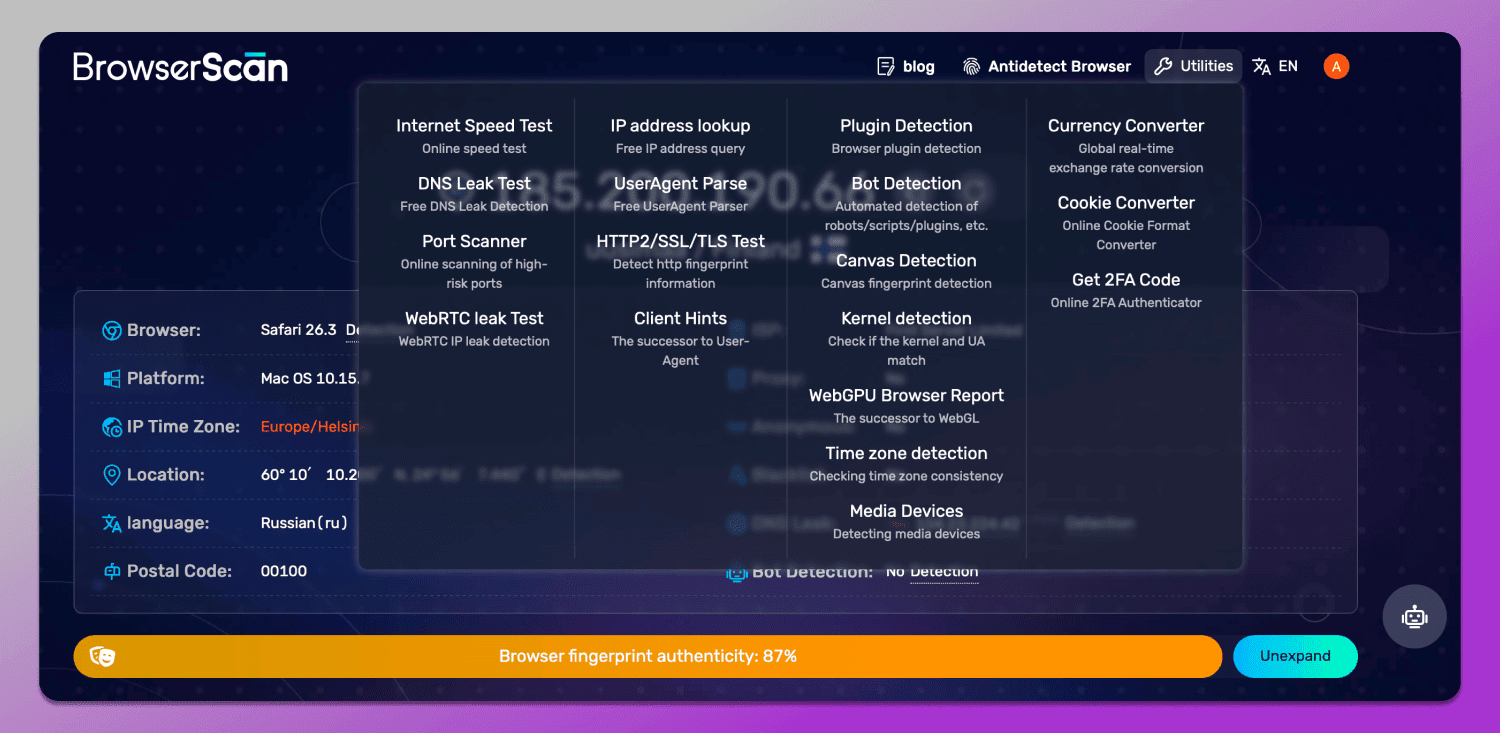
Essentially, it’s a diagnostic tool that lets you see how consistent and realistic your profile appears from an antifraud perspective. BrowserScan detects mismatches between parameters, highlights potential leaks and helps you understand which factors may lead to blocks. The final score is displayed as a percentage, along with an explanation of what’s missing.
The evolution of browser tracking technologies
In the early days, security systems were extremely simple, as the primary and only user identifier was the IP address. However, as they advanced, this was no longer enough. Users began widely adopting VPNs and proxies, forcing platforms to 🔎 make their tracking methods more sophisticated.
The next step was digital fingerprinting: a combination of device and browser parameters, including Canvas, WebGL, fonts, time zone, language, hardware characteristics and dozens of other signals. Modern systems go even further by incorporating behavioral factors such as mouse movements, typing speed and interaction patterns.
The main reason platforms continue to push these technologies forward is 🥊 the fight against multiaccounting. For services, maintaining a “one user — one account” principle is critical as it directly impacts the accuracy of advertising algorithms and, ultimately, their revenue. On top of that, multiaccounts are often used in gray hat and fraudulent schemes such as review manipulation, rating inflation, fake user registrations and traffic abuse.
That’s why the requirements for user uniqueness and authenticity keep increasing and inconsistencies in a fingerprint can quickly raise red flags.
Key Features of BrowserScan: More Than Just an IP Checker
Fingerprint Authenticity Score
As soon as you land on the BrowserScan website, a fingerprint authenticity test is automatically launched. In essence, this is the final score that shows how consistent all browser parameters appear from an antifraud perspective
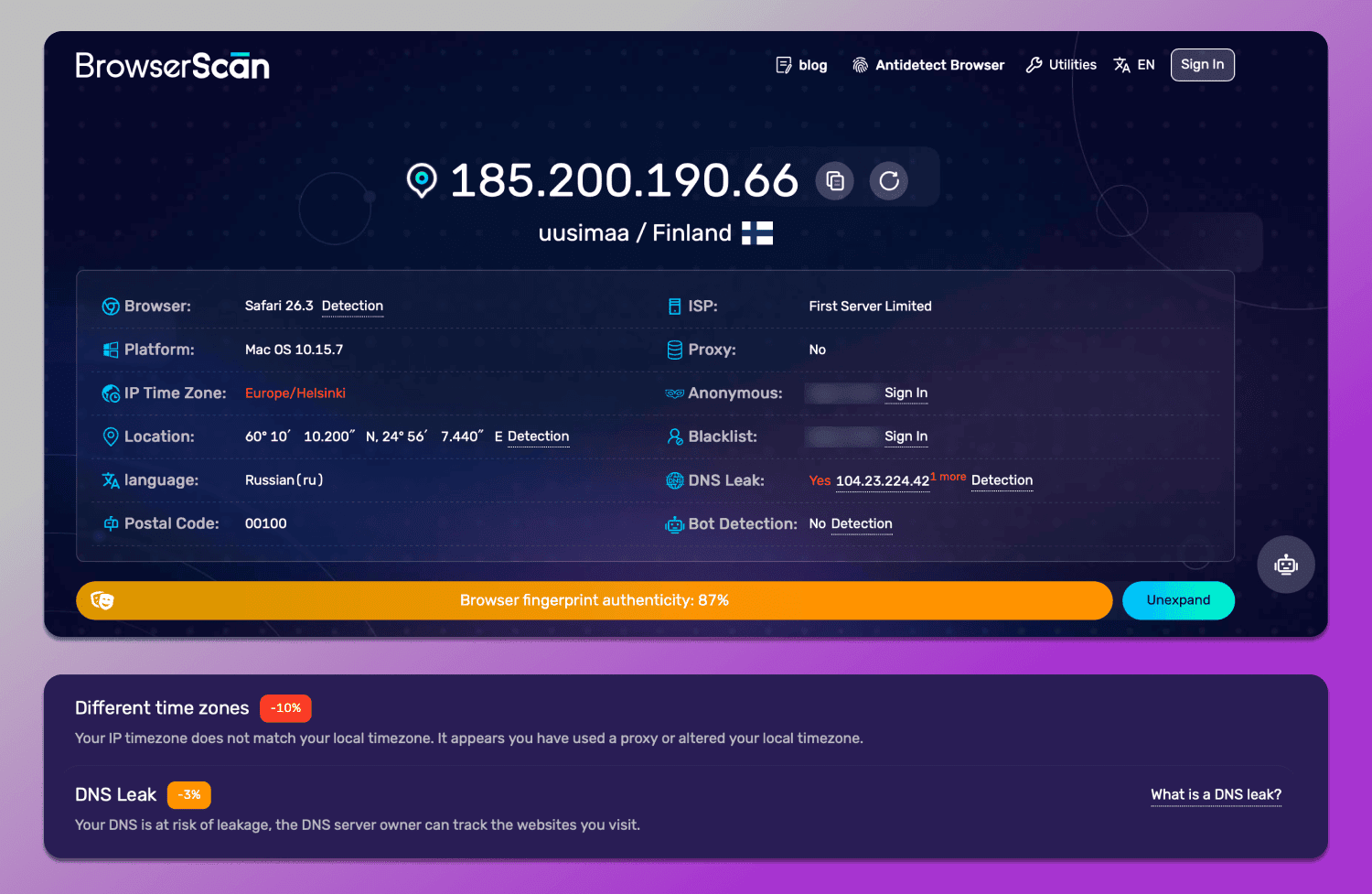
The score is not based on a single factor, but on a combination of them. The service analyses how logically the IP address, geolocation, time zone, system language and key hardware concurrency and browser specifications align with one another. For example, if your IP address is from one country but your time zone is in another, this will result in a lower score.
Advanced Leak Protection Tests: WebRTC, DNS, and IP
The next section checks for network leaks. These tests reveal whether your real IP address is being exposed through other channels.
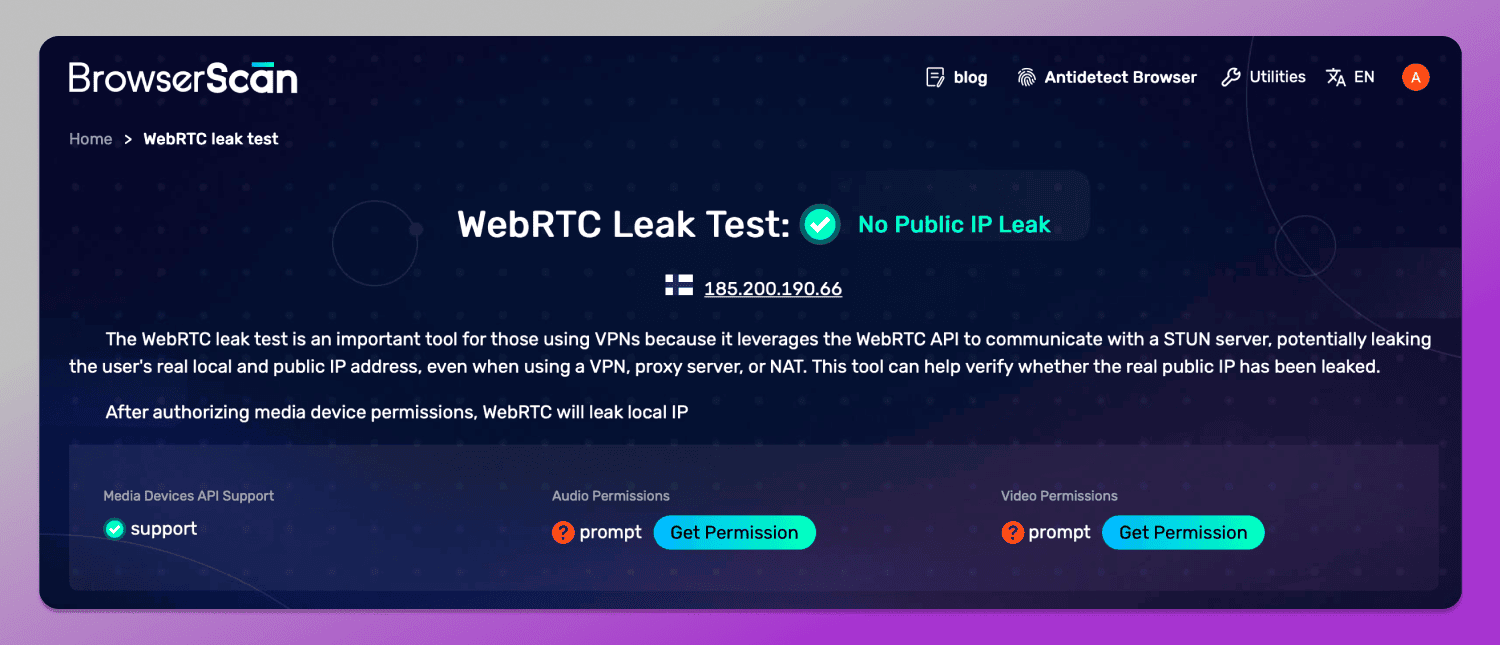
WebRTC is one of the most common sources of problems. Even when using a proxy, your browser may still transmit your local or real IP address via this protocol. If it is not disabled or is configured incorrectly, the website gains an additional means of identification. You can find this in the ‘Utilities’ section — ‘WebRTC Leak Test’.
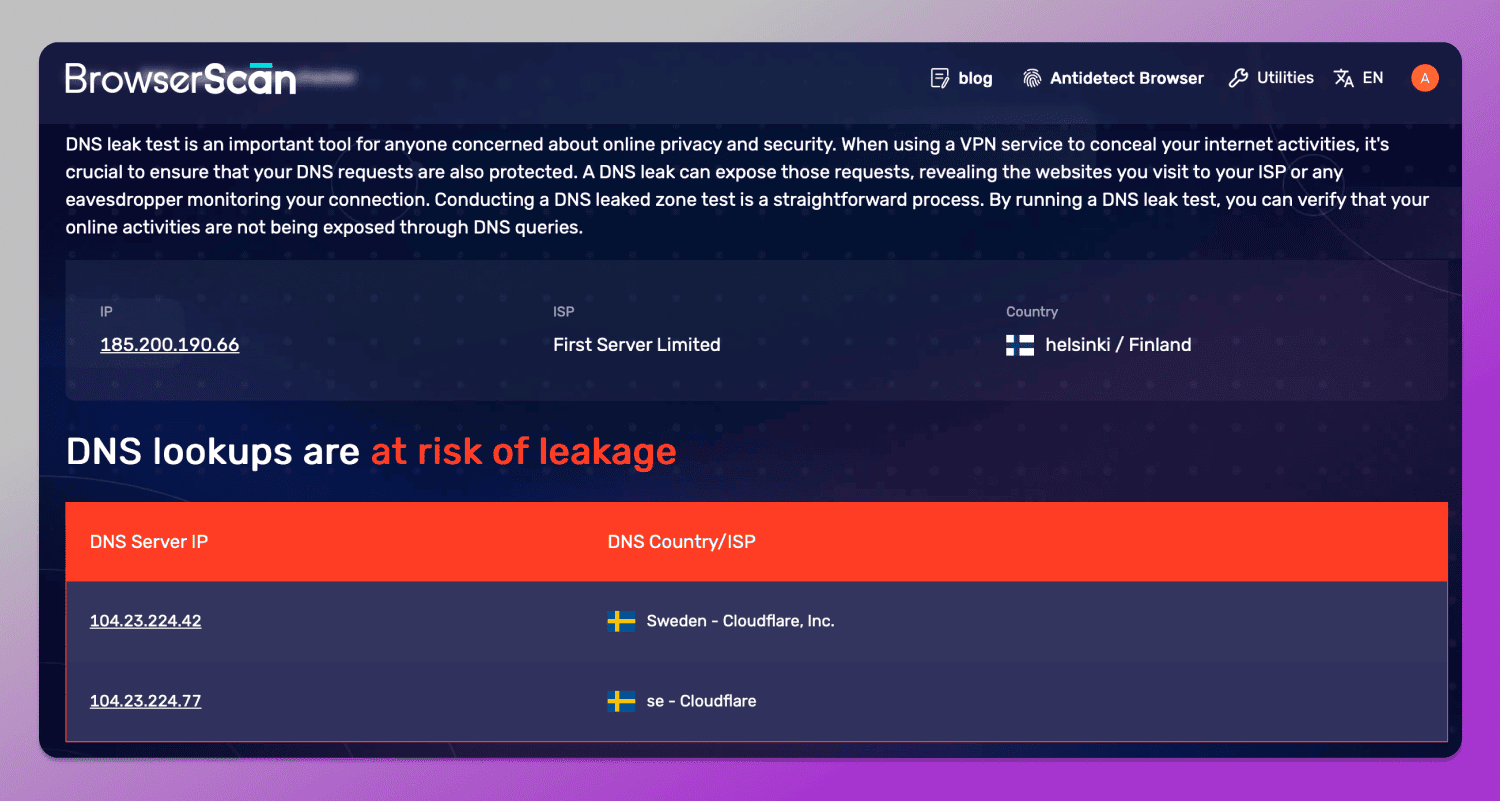
DNS leaks occur when requests to domains are routed via the user’s internet service provider rather than through a proxy. In these case, the antifraud system detects a discrepancy between the IP address and the DNS servers. You can initiate a check in the same place — ‘DNS Leak Test’.
BrowserScan also checks what IP fingerprint you leave online. When checking your network address, the service determines your IP geolocation, time zone, ISP and ASN, system language and user-agent, and also displays the proxy IP separately along with how it matches the other parameters.
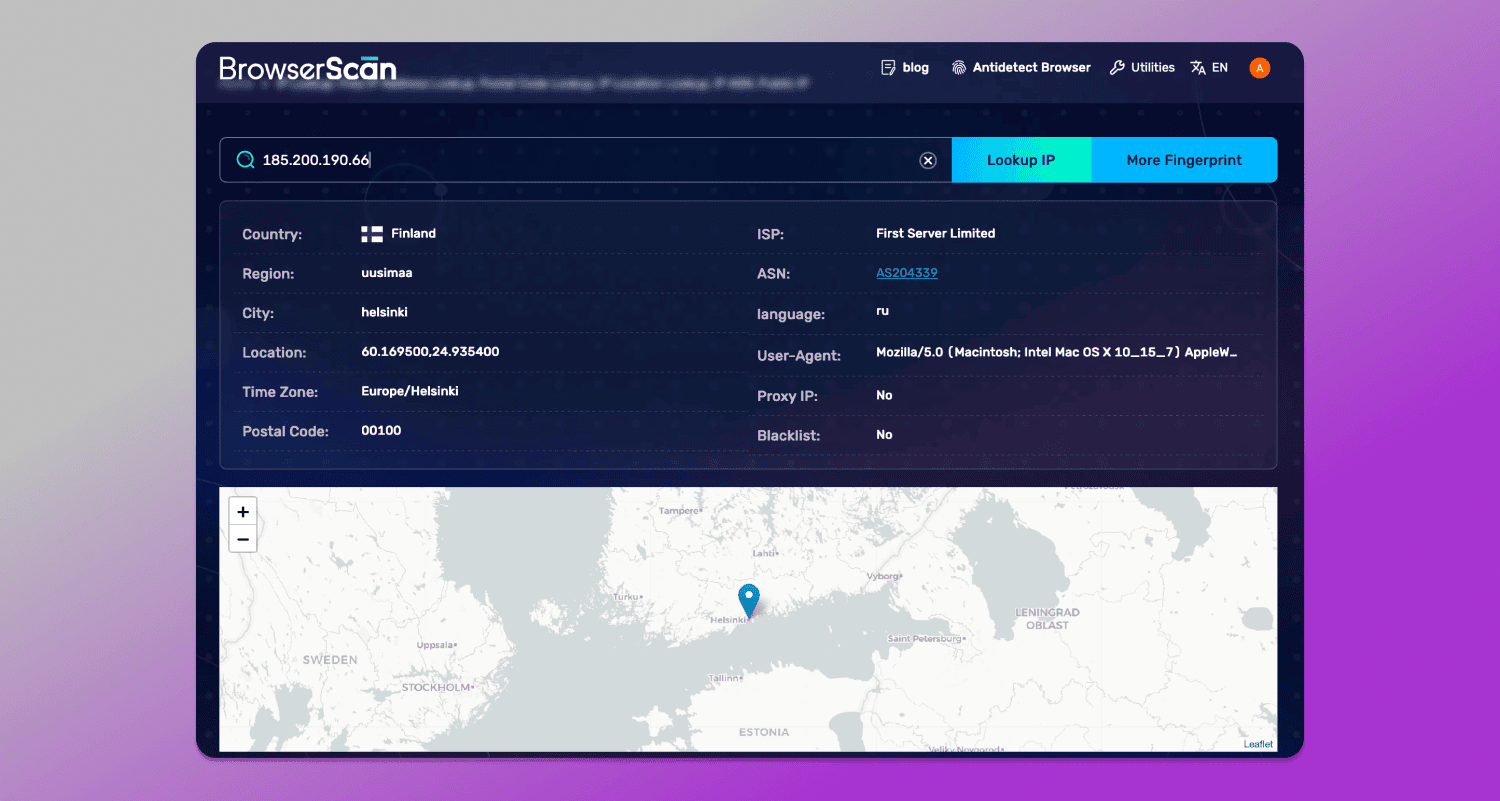
This is important in the context of data leaks: even if the proxy itself is functioning correctly, discrepancies between these data points could reveal the user’s actual location or, at the very least, raise suspicions among antifraud systems. Additionally, BrowserScan checks IP addresses against 📋 blacklists, which makes it possible to immediately determine whether they have previously been used in spam or fraudulent activity.
Hardware & Software Parameters: Canvas, WebGL, Fonts, Audio
The most important section is the BrowserScan fingerprinting test which is the analysis of the parameters that make up a device’s digital fingerprint.
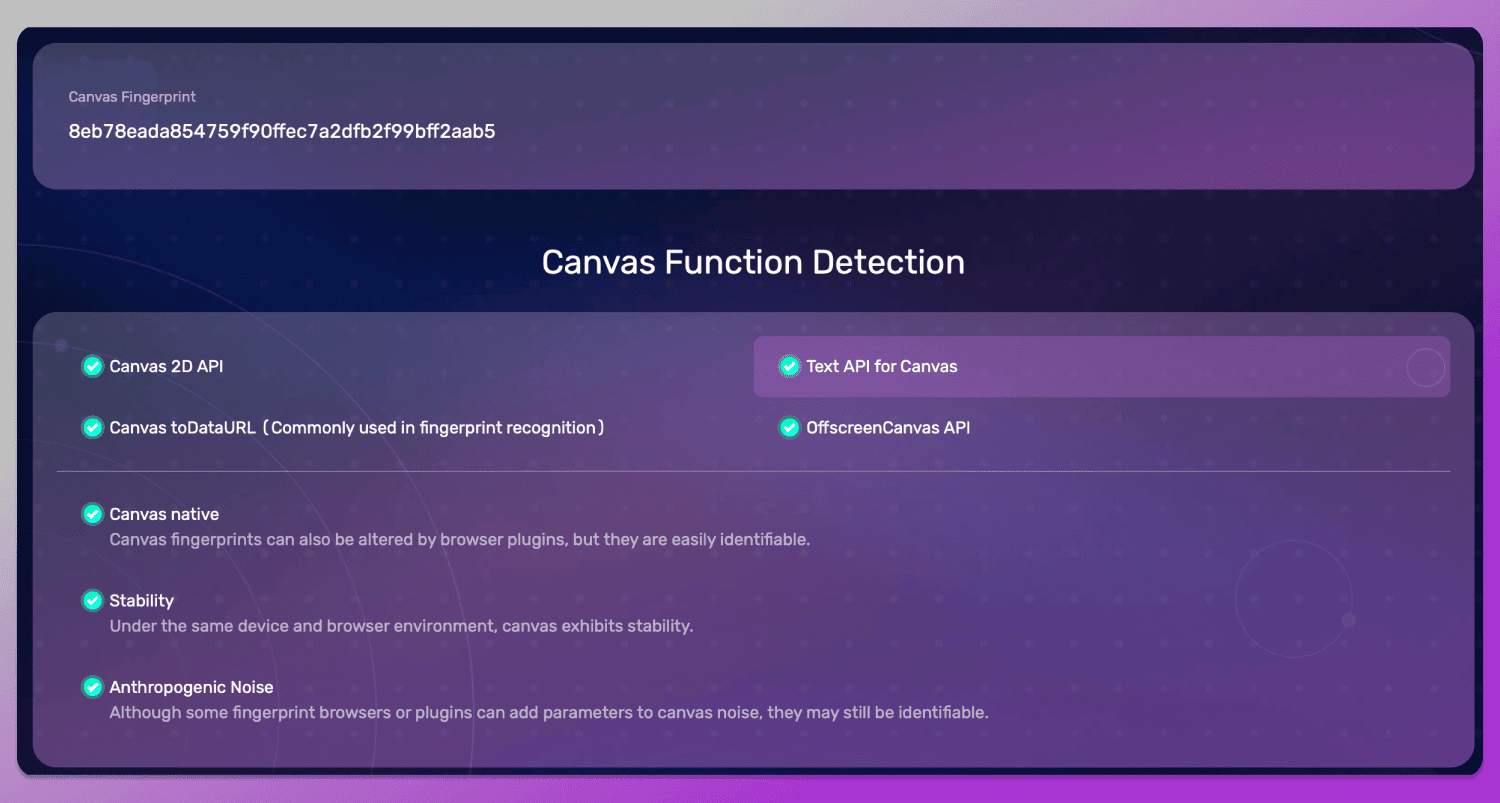
Canvas and WebGPU are responsible for rendering graphics and enable websites to obtain unique signatures that depend on the graphics card, drivers and operating system. Even minor differences in these parameters make the fingerprint distinctive.
The Canvas fingerprinting check is called ‘Canvas Detection’ and is fairly brief. The main thing is that everything works without any issues.
The ‘WebGPU Browser Report’ is also located in a separate section. This technology was developed as the successor to WebGL metadata check and provides new, more precise and in-depth access to the graphics card. This section contains a wide range of technical parameters from API support to graphics adapter specifications, device limits and the set of supported graphics functions and formats.
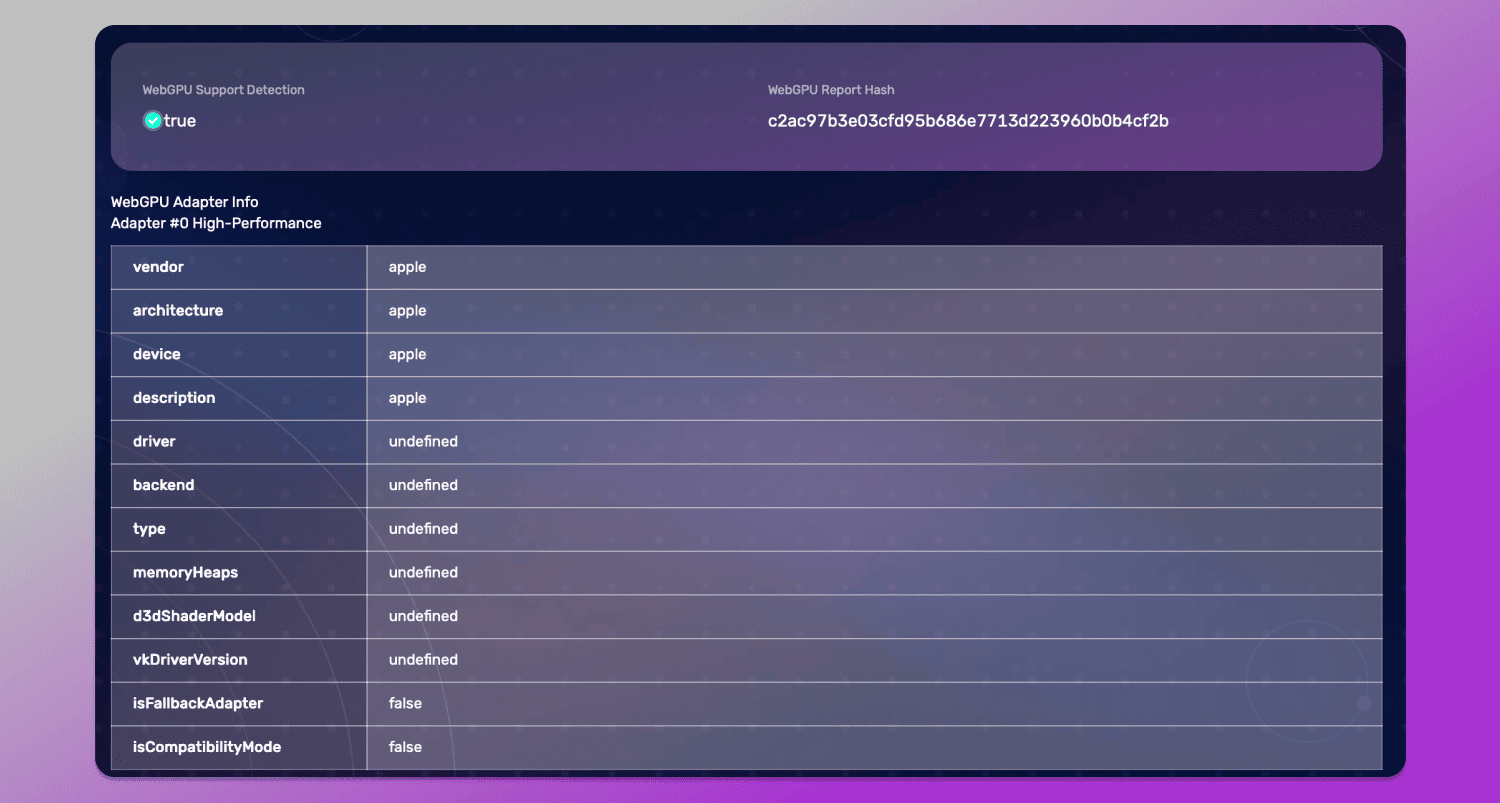
Despite the complexity of the structure, it is precisely this data that provides a fairly comprehensive picture of how the browser interacts with the graphics processing unit. It can be used to determine whether genuine hardware acceleration is being utilised, what type of GPU is available to the system and how comprehensive the support for modern graphics features appears to be.
Additionally, analysing WebGPU helps 👯 assess the device’s consistency: whether the adapter’s stated specifications match its actual capabilities, whether there are any signs of emulation or fallback mode and how natural the entire graphics stack looks in the context of the rest of the digital fingerprint.
Fonts are another important aspect of the digital fingerprint. You can find this at the bottom of the main page. The font set depends on the operating system and the software installed. Unusual combinations or an overly clean list may look suspicious, especially if they do not match the expected environment.
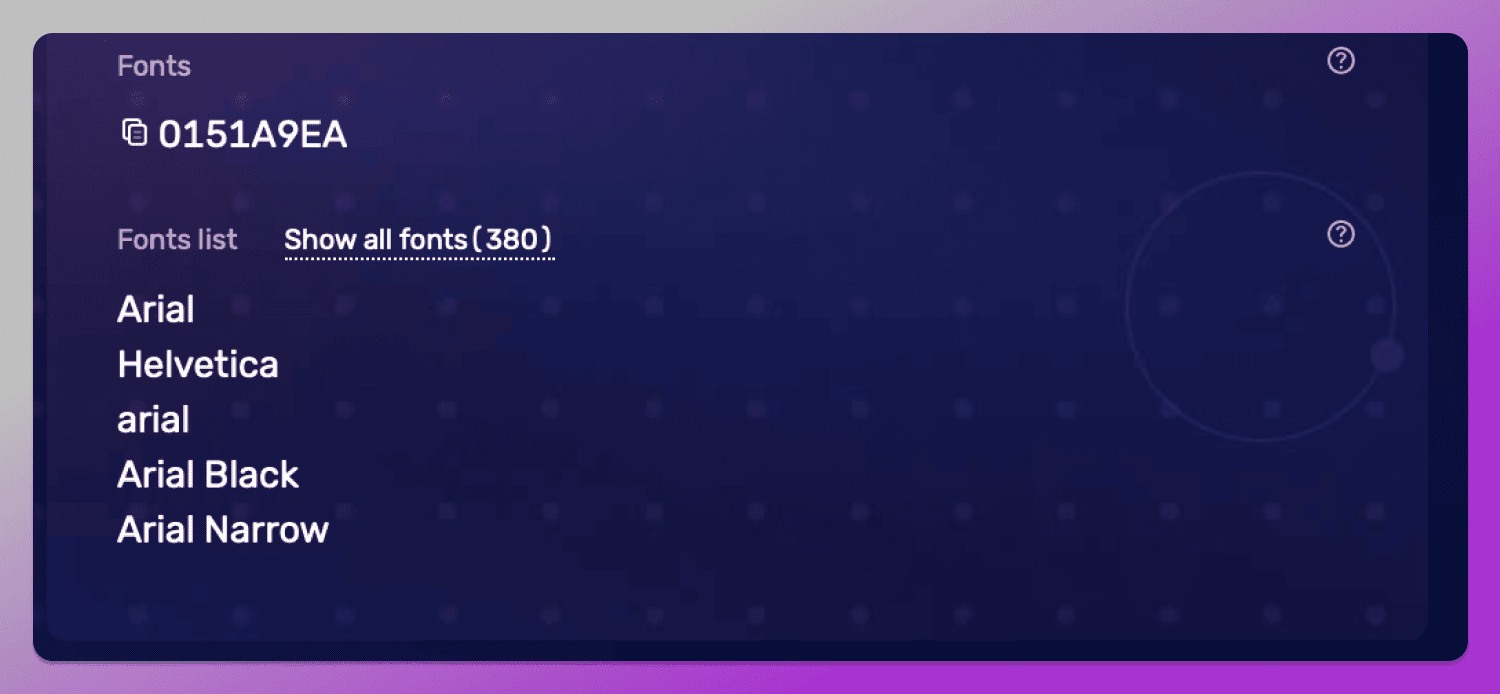
In addition to the font enumeration list, BrowserScan also displays their #️⃣ hash value, which looks like a combination of numbers and letters (0151A9EA in the screenshot above). On its own, it does not indicate which specific fonts are installed, cannot be decoded into a list and is used exclusively as a comparative signature for matching different sessions and identifying matches or anomalies.
The AudioContext fingerprint in BrowserScan is also presented as a hash, which is generated by analysing how the browser processes sound via the Web Audio API. For antifraud systems, this hash is important because it reflects the characteristics of the device’s audio stack, including the operating system, drivers and sound processing features. Even with identical browser settings, different devices can generate different audio fingerprints.
Consequently, this parameter is used as an additional layer of identification and environment integrity verification: if the audio hash does not match the other characteristics of the fingerprint or is repeated across different sessions, this may be considered a sign of multiaccounting.
BrowserScan for Professionals: Use Cases
In a professional setting, BrowserScan is used as a tool for pre-checking the digital environment before initiating any actions related to multi-accounting security, automation or working with platforms that have robust antifraud measures in place.
E-commerce and Affiliate Marketing
In e-commerce and traffic arbitrage, the key objective is to maintain the trust of platforms and advertising networks in your accounts. It is crucial that each profile appears to be a distinct, genuine user with no signs of multiaccounting.
BrowserScan helps you assess in advance how well a profile meets the expectations of antifraud systems. This allows you to identify weaknesses in the configuration before launching advertising campaigns and avoid situations where accounts are restricted or blocked right from the start.
Web Scraping and Automation
In web scraping and automation tasks, the main challenge lies in security systems that actively distinguish between bots and real users. Even minor discrepancies in the user fingerprint can lead to restricted access or blocked requests.
Using BrowserScan allows you to test the environment in advance and understand how resilient it is to antibot filters. This helps you adjust browser or proxy settings before launching large-scale operations.
Cybersecurity Research
In cybersecurity, BrowserScan is used as a tool for analysing methods of digital user identification. It enables researchers to investigate exactly which parameters are used to construct a fingerprint and how they are combined into a single recognition model.
This is particularly important when studying antifraud systems, as it helps to understand the logic of the detector and assess the resilience of various browser configurations to modern tracking methods.
Dolphin Anty: The Gold Standard for a 100% Authenticity Score
In practice, the BrowserScan check reveals not only configuration errors but also the overall integrity of the digital environment. It was precisely to meet these requirements that the antidetect browser 🚀 Dolphin Anty was developed, where the key objective is to generate the most trustworthy and consistent fingerprint possible rather than randomly generated parameters.
Why Dolphin Anty is the best solution?
The main advantage of Dolphin Anty is that it ✅ uses real device fingerprints rather than artificially generated configurations that may contain inconsistencies. This reduces the likelihood of discrepancies being detected between system parameters and makes the profile more similar to that of a real user.
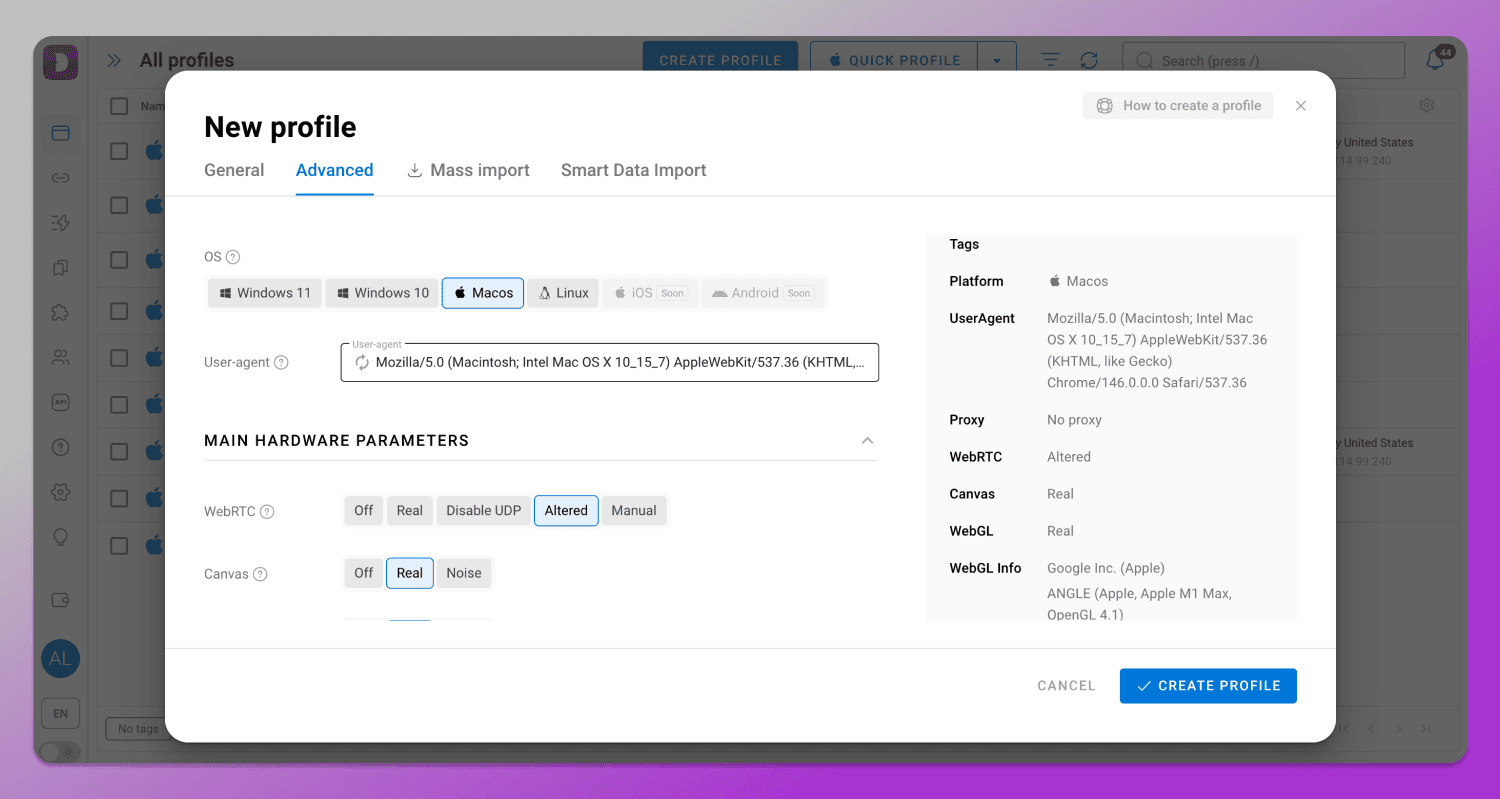
When creating a profile, over 20 key settings including Canvas, WebGL, WebGPU, Audio and others used in modern systems are automatically adjusted and synchronized. Furthermore, each setting has a tooltip explaining what it affects.
Key Advantages for Professionals
Dolphin Anty is widely used by professionals, as it offers its users a range of useful features.
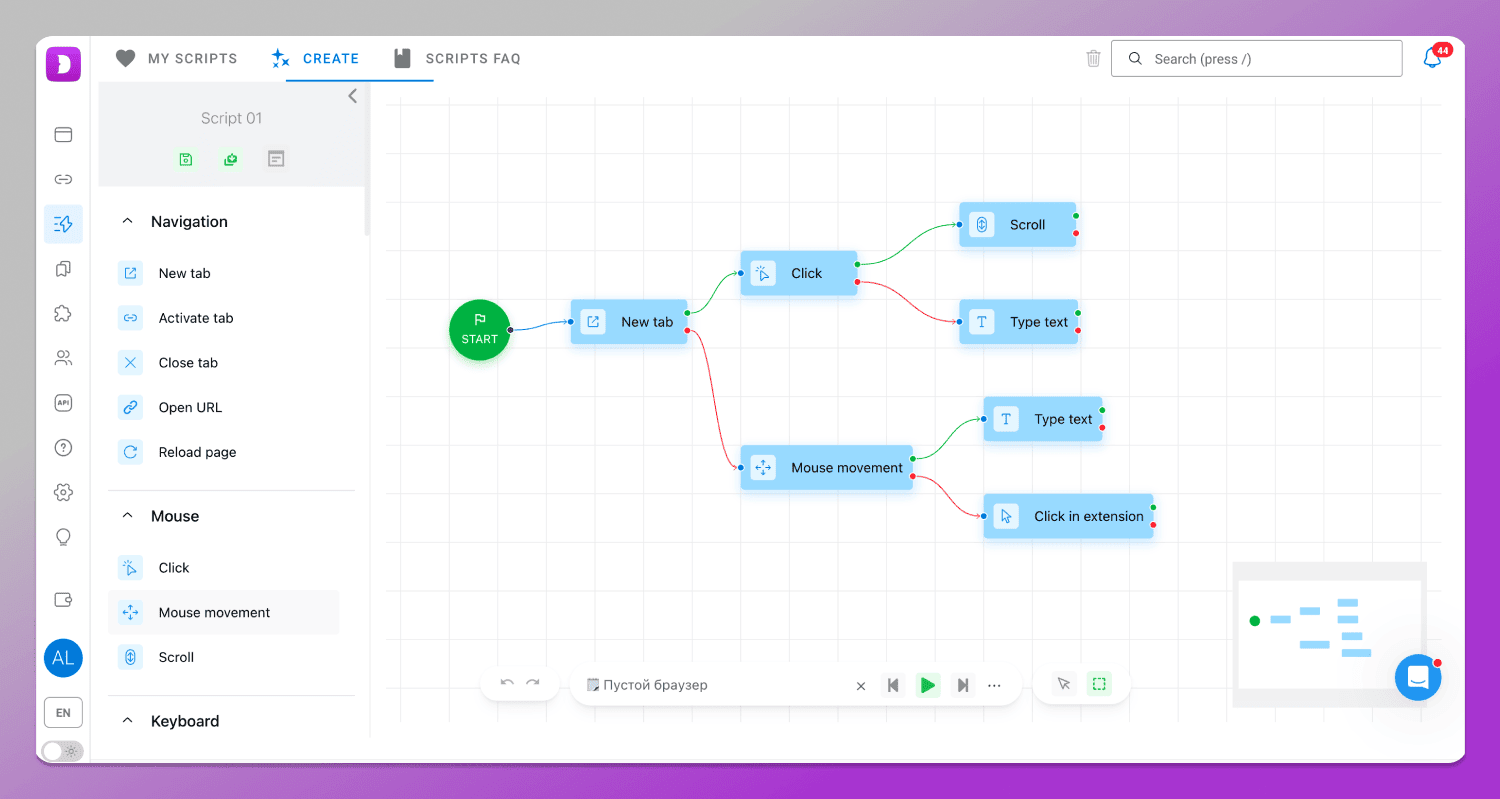
The first thing worth knowing about is 🔄 automation. It features scenarios that allow you to define a sequence of actions and run them in profiles, ensuring that standard tasks are carried out: logging into accounts, warming up, navigating between pages, clicking, filling in forms and so on. Everything is configured on an interactive map which requires no programming skills.
🍪 The cookie robot automatically collects cookies for your profile. It visits specified websites in the background and builds up a browsing history, which is then saved in your browser profile. This is necessary so that, the next time you log in, the website recognises the session as a more natural and established one, rather than a completely new login.
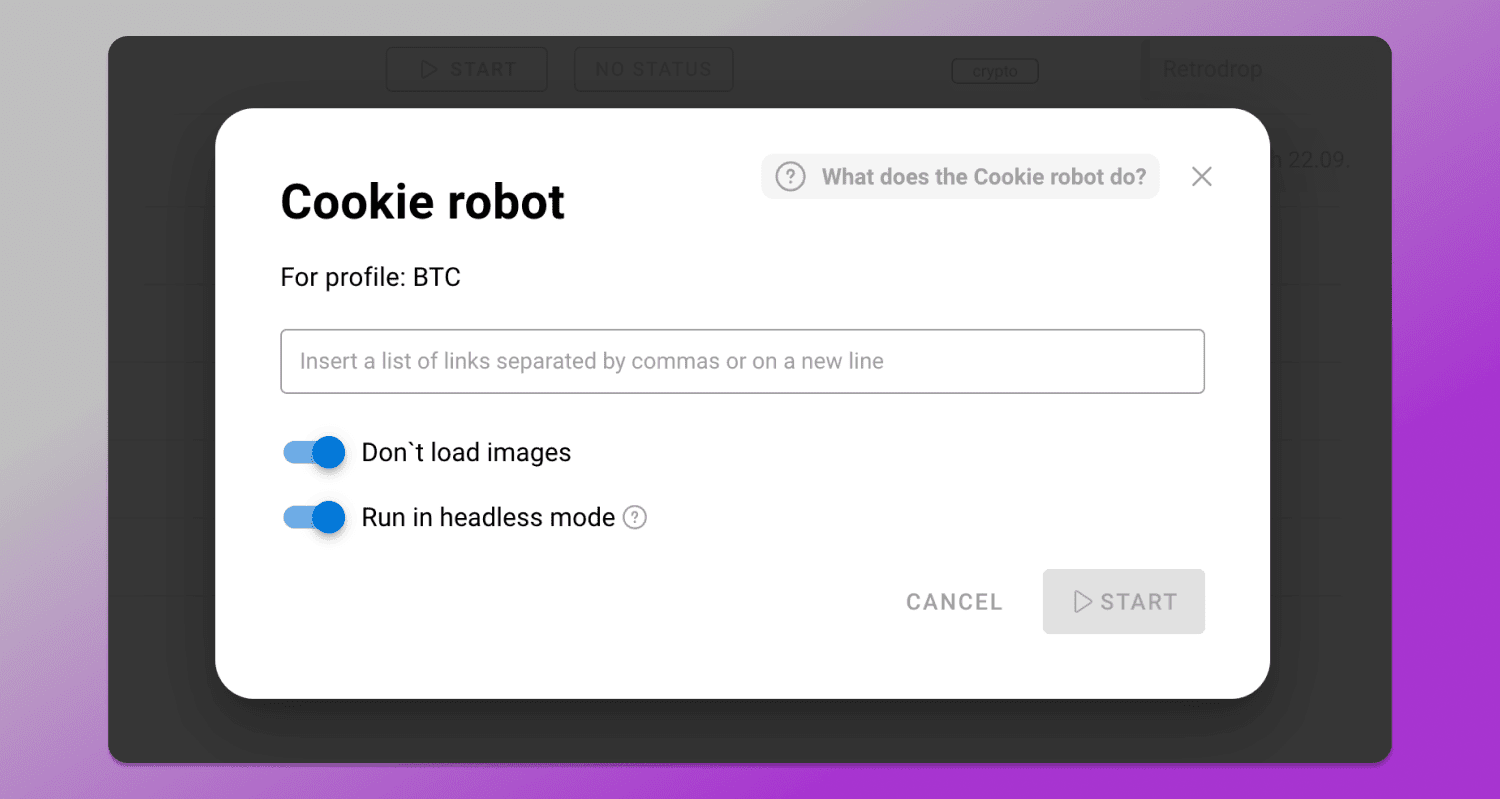
To launch the robot, tap the three dots next to the profile and select Cookie Robot.
🔗 Proxies are required to ensure that each profile operates via a separate IP address. This is important because, even with a correctly configured digital fingerprint, inconsistencies at the network level can raise suspicions among antifraud systems.
In Dolphin Anty proxies can be added when creating a profile or in a separate section where they are stored in a general list. Proxies can also be added in bulk. The process is the same: you need to fill in the credentials in the required format and click the ‘Connect’ button. The proxy will be checked for functionality immediately.
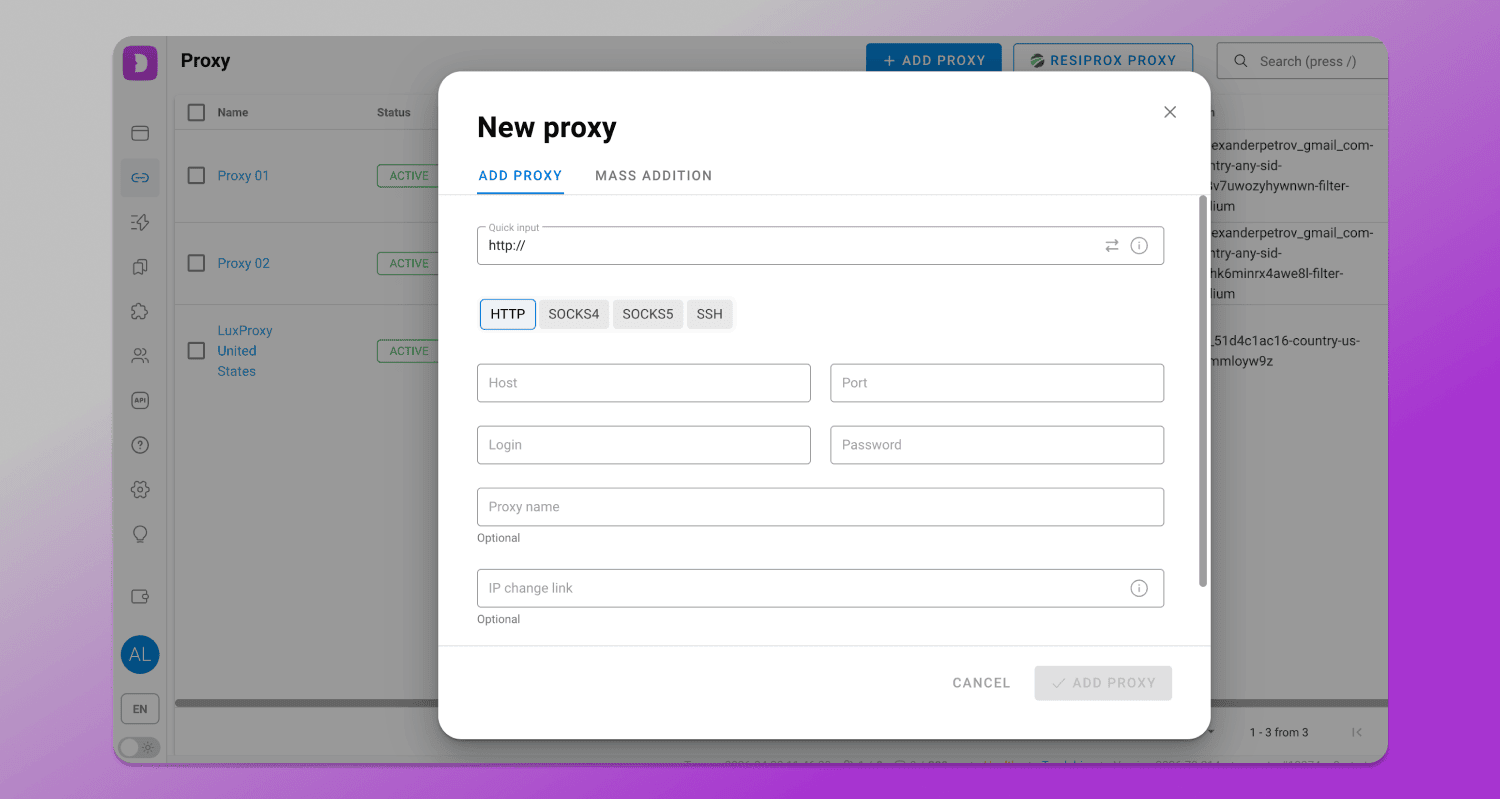
There is also one-click 🔁 proxy rotation. This allows you to change IP addresses automatically or manually without having to reconfigure the profile. This can be useful when working on dynamic tasks that require regular session refreshes or load management across different IP addresses.
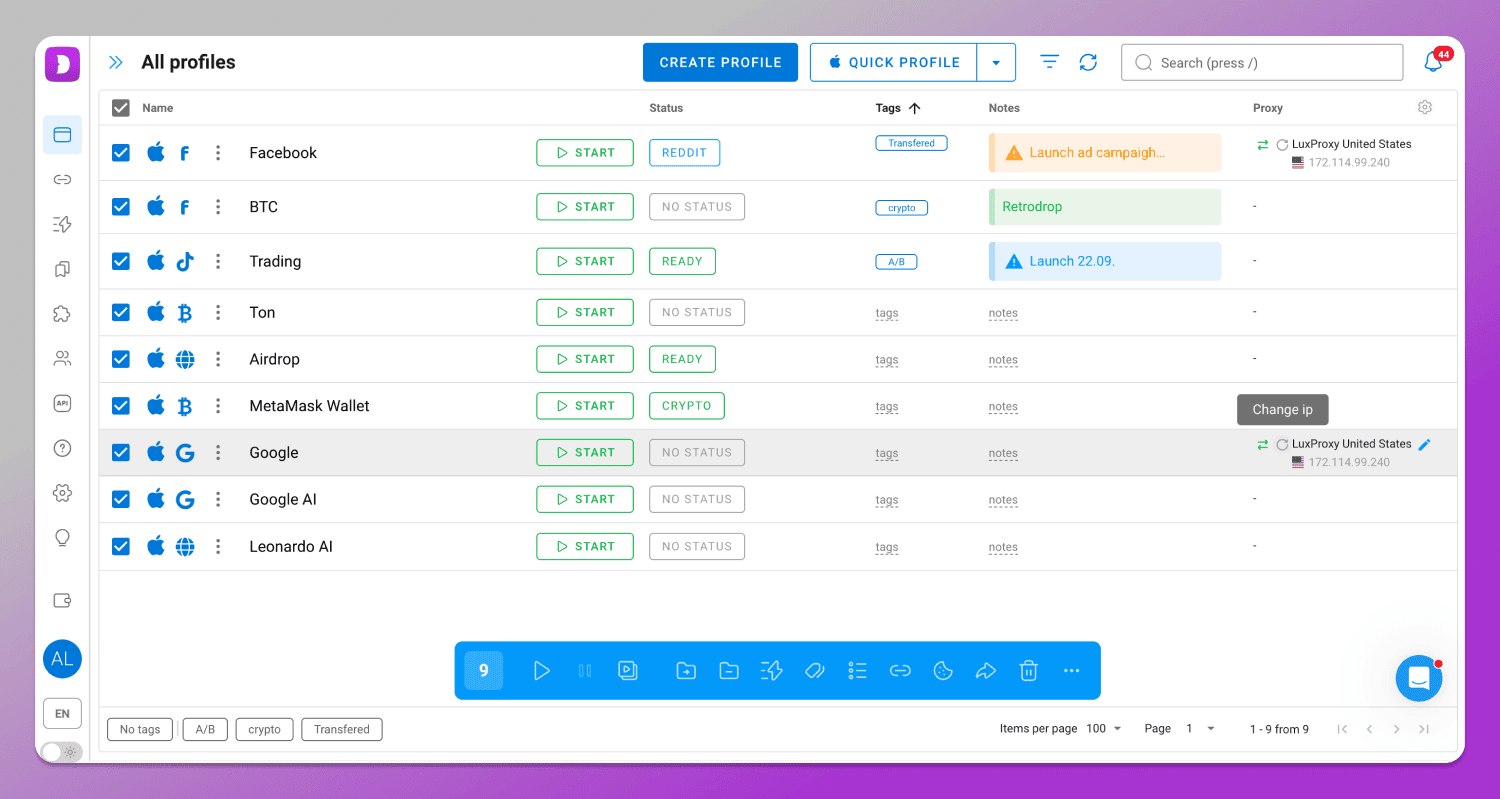
You can also automatically assign proxies to profiles sequentially, randomly or according to specified rules which simplifies scaling and reduces the number of manual errors. To do this, select the relevant profiles and click ‘Change proxy’ in the bulk actions panel that appears at the bottom.
It is also worth noting the 👨💻 team collaboration features which include roles (admin, team lead, user) and a system for sharing profiles among team members.
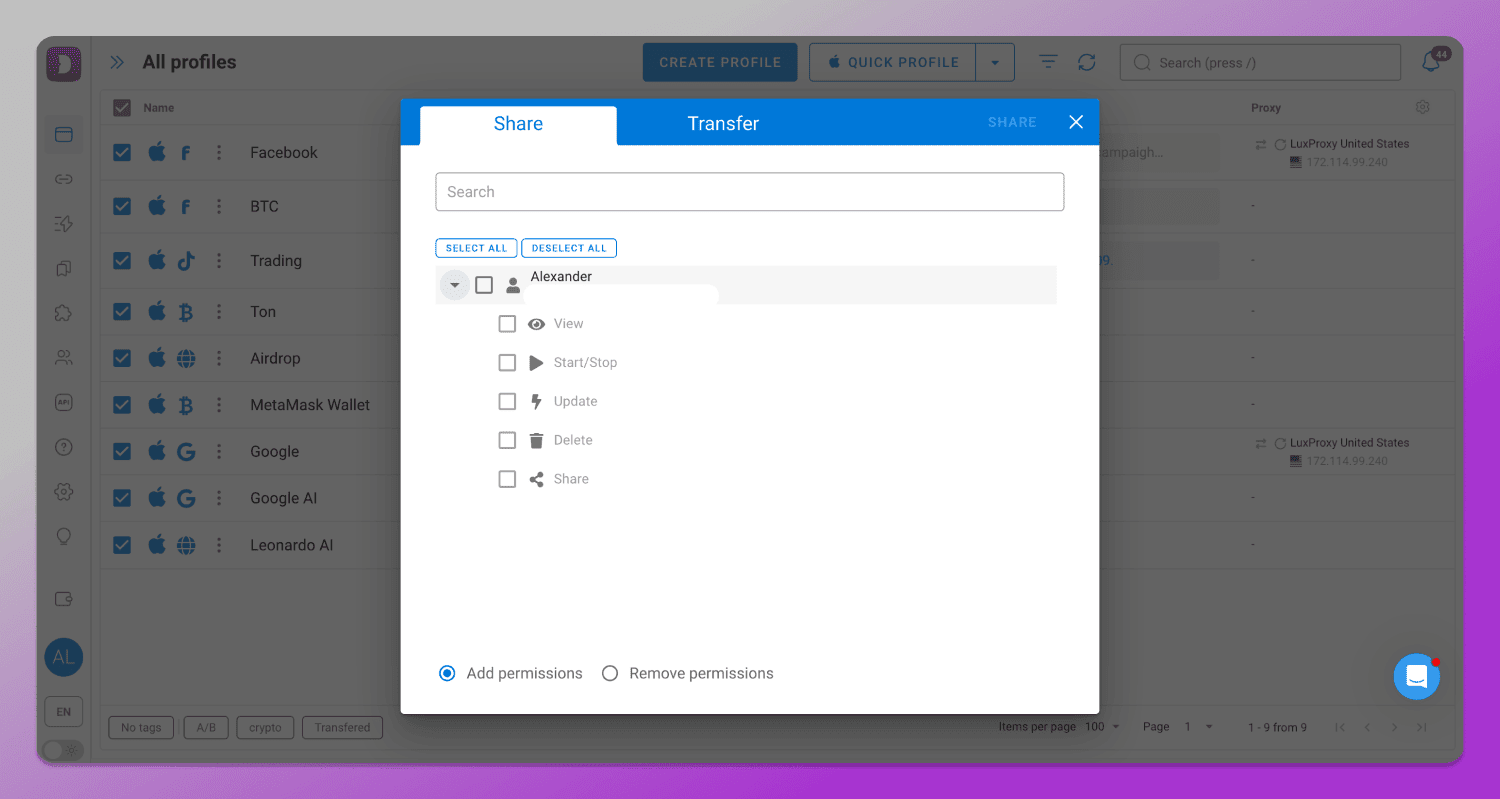
If you select ‘Share’, you can specify what the other user is allowed to do within the profile. In other words, you retain control over it. If you select ‘Transfer’, the profile will be fully handed over to the other user. All of this allows you to share responsibility and organise workflows more effectively.
Efficiency at Scale
Another advantage of Dolphin Anty is the ability to create and launch profiles in bulk without losing control over their quality. This directly impacts the speed of media buyers and operators, for whom it is important to scale campaigns quickly without having to manually configure each environment.
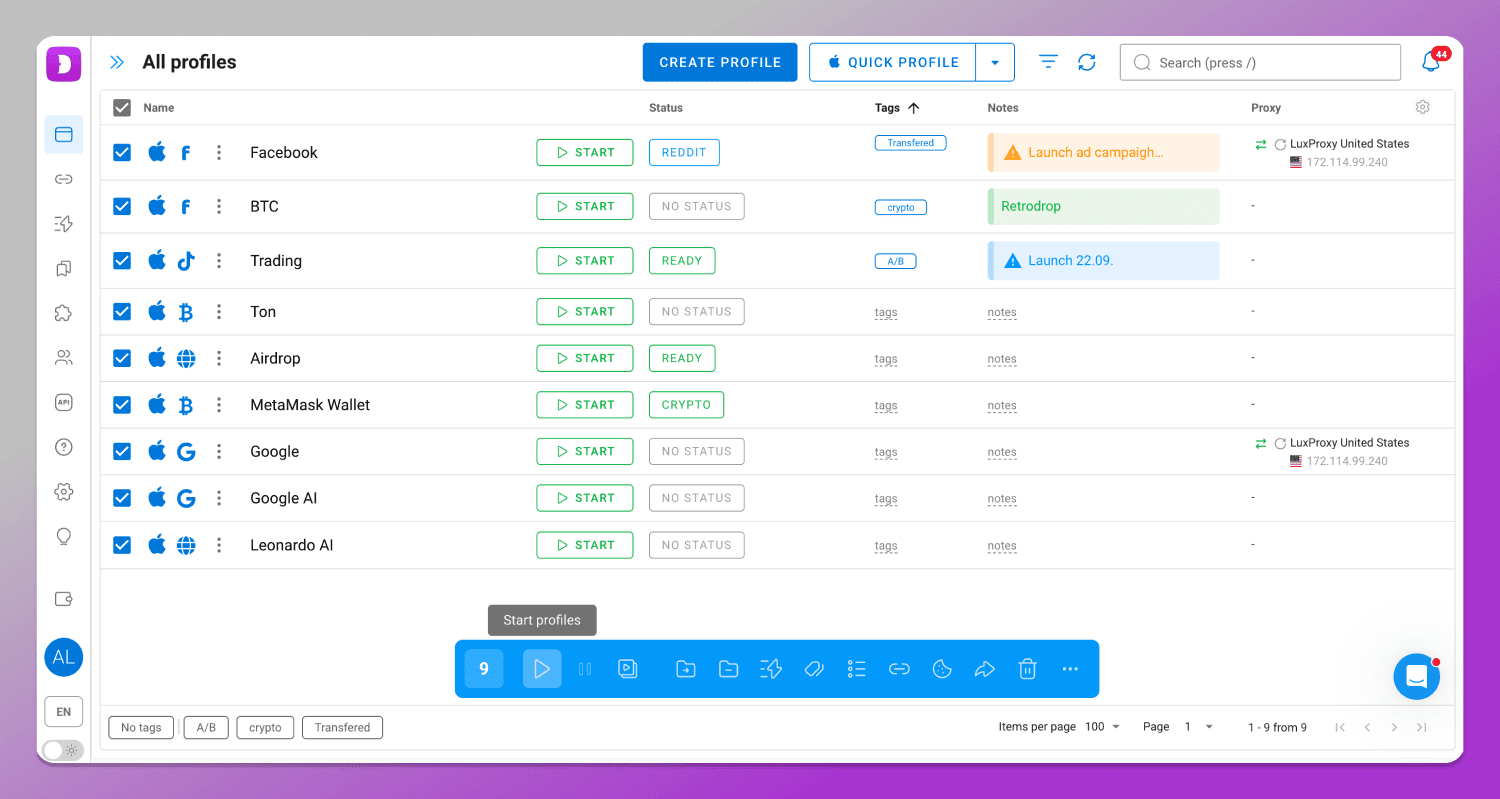
Simply select the profiles and click the ‘Start profiles’ button in the bulk actions panel.
Step-by-Step: Testing Dolphin Anty via BrowserScan
You can complete the verification process in three simple steps.
Step 1. Create a profile. To do this, click the ‘Create Profile’ or ‘Quick Profile’ button (for one-click creation) and enter the basic details: operating system, device type and key fingerprint characteristics. Dolphin Anty immediately generates configurations that do not conflict with one another. It is recommended that you only change them if you know exactly what you are doing.
Step 2. Adding a proxy. Now you need to connect a proxy which will form the network level of the profile. It is important that the IP address matches the geolocation, system language and time zone. In Dolphin Anty this happens automatically. Such consistency reduces the risk of discrepancies which may be flagged as suspicious by antifraud systems.
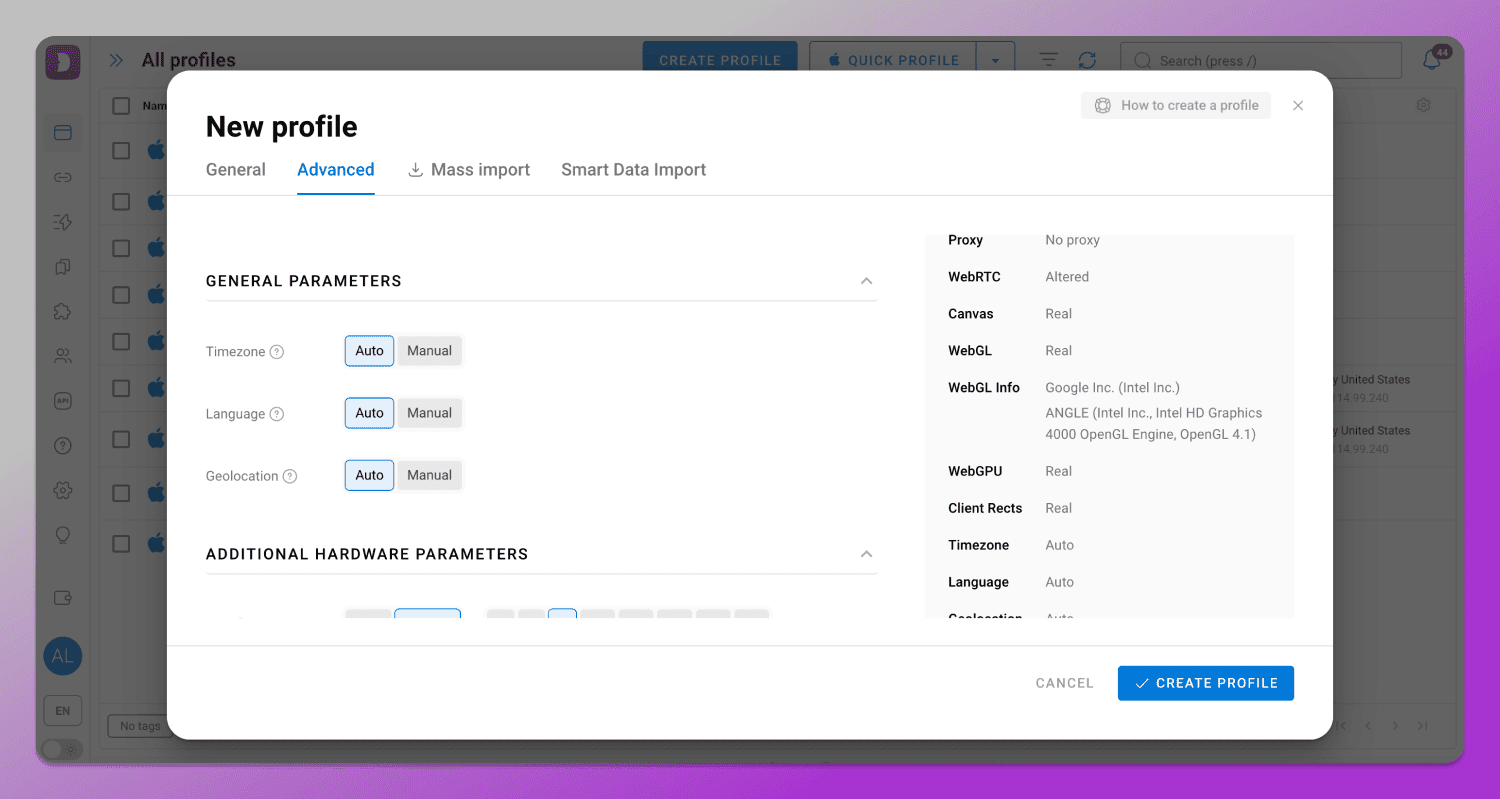
Tip: It is best to choose a SOCKS5 proxy as this type of connection offers better protection against DNS leaks.
Step 3. Check via BrowserScan. Once configured, the profile launches and opens BrowserScan.
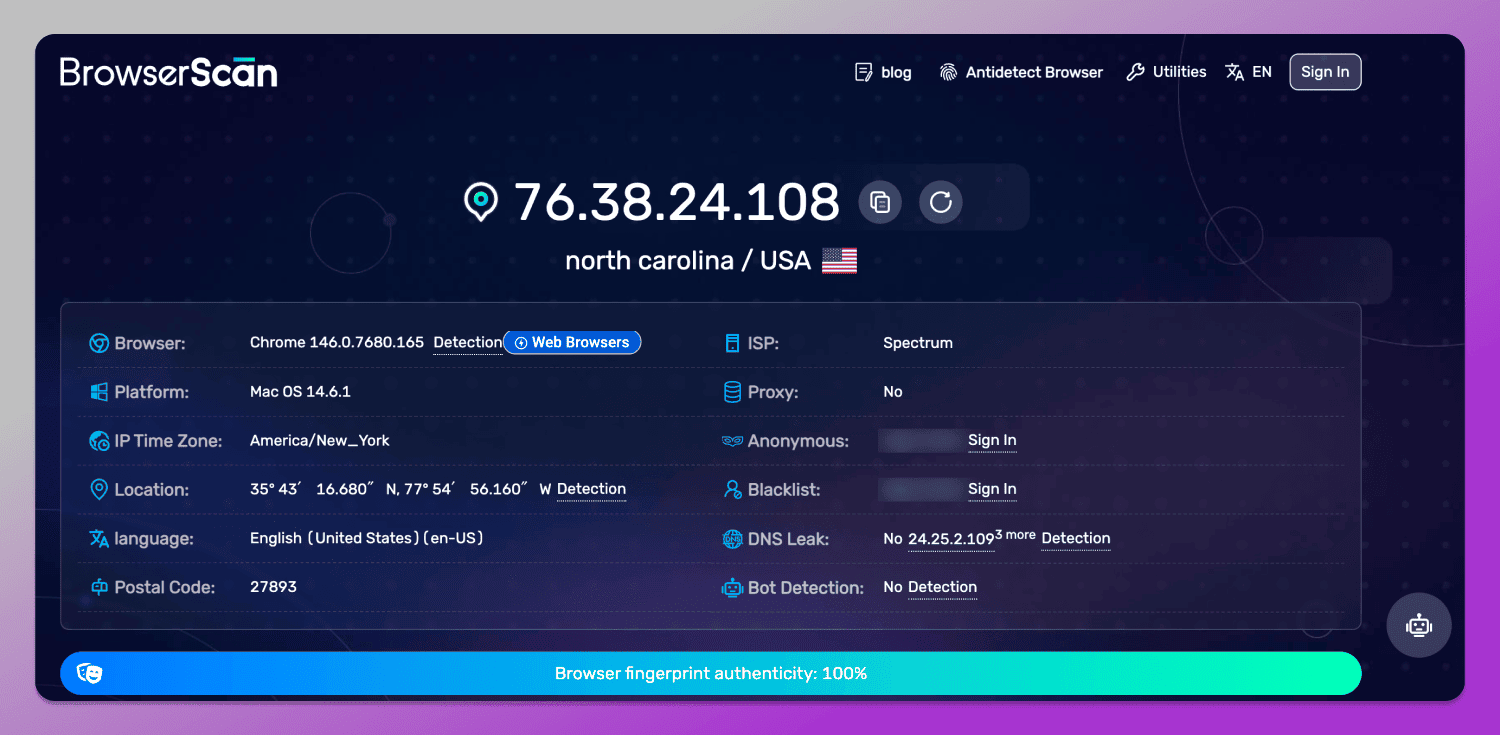
It is clear that the check has been passed and the fingerprint raises no suspicions.
BrowserScan vs. Competitors: Who Wins in 2026?
There are many fingerprint checking solutions on the market and that is why the best browser fingerprint checker 2026 is difficult to choose. Each has its own logic and depth of analysis, so a 100% result with one service does not mean the profile will look just as good with another. Let’s compare three popular tools: BrowserScan, Pixelscan and Cover Your Tracks.
| Parameter | BrowserScan | Pixelscan | Cover Your Tracks |
|---|---|---|---|
| Main focus | Fingerprint consistency | Fingerprint consistency | Privacy and tracking |
| Depth of analysis | High (many parameters) | High (many parameters) | Medium (tracker and uniqueness evaluation) |
| IP & proxy check | Yes, including leaks and geo consistency | Yes, including leaks and geo consistency | Limited |
| Consistency check | Yes | Yes | No |
| Interface usability | Very simple | Very simple | Very simple |
| Target audience | Arbitrage specialists, multi-accounting | Arbitrage specialists, multi-accounting | Regular users |
| Scan speed | Fast | Fast | Fast |
| Practical value | For quick checks | For quick checks | More educational |
When we compare BrowserScan vs Pixelscan, we can say that they are similar: they are designed to analyse digital fingerprints in the context of antidetection. They analyse the consistency of settings, identify weaknesses in a profile and help determine how suitable it is for multiaccounting. The difference between them lies more in the presentation and depth of individual checks than in the concept itself.
Cover Your Tracks, on the other hand, is different. It is more focused on privacy and tracking, showing how unique a user is. However, it does not provide a complete picture.
Pricing and Accessibility
In 2026, BrowserScan remains 🆓 a completely free tool with no fees or subscriptions. Most checks, including IP analysis, WebRTC, Canvas, WebGPU and overall fingerprint consistency are available immediately upon visiting the site without registration. However, some features require you to create an account, for example, checking an IP address against spam databases.
Pros and Cons: A Balanced View
Like any tool, BrowserScan is not a one-size-fits-all solution and has its own strengths and weaknesses.
✅ Pros:
- In-depth analysis of the digital fingerprint with a focus on parameter consistency, proxy and VPN validation;
- Completely free access with no restrictions;
- Suitable for real-world tasks as affiliate marketing tool for multiaccounting and automation;
- Quick to get started with no registration required.
❌ Cons:
- Some features require you to create an account;
- The interface of some tests looks cluttered due to the amount of technical data;
- You need to know how to interpret the results.
Thus, BrowserScan in 2026 is an essential step in checking a digital fingerprint and anti-detect browser testing tool. It does not guarantee that you will avoid bans, but it allows you to identify vulnerabilities in advance and minimise risks. When used in conjunction with 🔥 Dolphin Anty, it becomes part of your workflow rather than a one-off check.
FAQ
Is BrowserScan safe to use?
Yes, basic checks can be run without registration and the service does not require data submission for standard analysis.
Why is my BrowserScan authenticity score low?
In most cases, the issue lies in parameter mismatches: IP address, timezone, system language, or device characteristics. This is typical when using low-quality proxies or incorrect profile configuration.
Can BrowserScan detect anti-detect browsers?
Yes, the service is specifically designed to evaluate how well an antidetect browser masks parameters and whether there are any inconsistencies in the fingerprint.
Does BrowserScan store my personal data?
BrowserScan may collect technical information during usage, including IP address, browser type, operating system and other parameters necessary for its functionality. This data is used for diagnostics, service improvement and abuse prevention. At the same time, the service states that it does not sell user data or use it to identify individuals.
How often should I run a scan?
It is recommended to run a test every time you change your proxy, profile settings, or browser environment.