
In 2026, digital anonymity is no longer something abstract. Earlier it was enough just to hide your IP address using a proxy or VPN. But today websites 🔎 analyze dozens of parameters: from browser settings and time zone to GPU characteristics and Canvas rendering behavior. As a result, each user gets their own digital fingerprint — a unique profile that can be used to track them even without cookies.
To understand exactly what data websites collect about you, the dedicated services are used for analyzing digital fingerprints. One of the most well-known is Pixelscan. It is considered a benchmark among competitors: it is used by media buyers, advertising specialists, antidetect browser developers and anyone working with multiaccounting. This is because it doesn’t just show your IP and geolocation, but simulates how a website sees a user, identifying inconsistencies that appear suspicious and may lead to blocks, checks or reduced trust from platforms.
In this review, we discover how Pixelscan works, what the scan shows, why statuses like Inconsistent appear and how to configure your fingerprint to pass checks without risks.
What is Pixelscan.net? An Overview of the 2026 Version
Pixelscan is an online service for digital fingerprint analysis that shows how websites perceive a user. Its main purpose is to identify inconsistencies at the network and device levels that may reveal the use of a proxy, VPN or fingerprint spoofing tools.
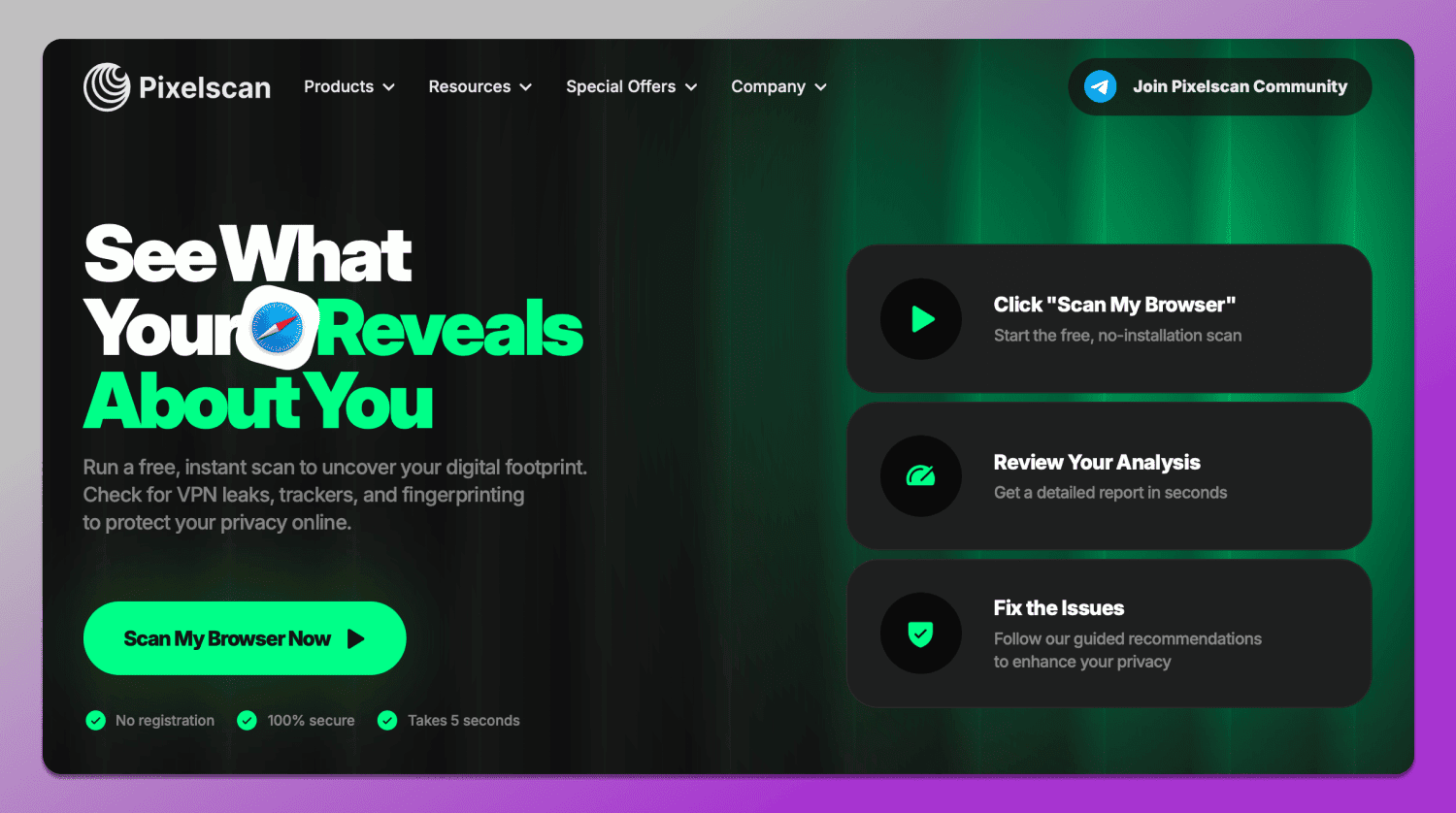
Unlike basic checkers, Pixelscan combines several types of tests, providing a more complete picture. Within the service you can find both general checkers and specialized tools.
Checkers include:
- Digital fingerprint analysis shows which parameters are visible to websites: OS, geolocation, proxy, masking methods, automated behavior, user agent, date and time, language, hardware, screen resolution and fonts.
- IP address check identifies the IP itself, geolocation and connection type.
- Blacklist check shows whether the IP is listed in databases of suspicious addresses.
- Bot detection analyzes behavior and signatures across 73 parameters typical of automated tools.
- VPN and proxy detection identifies IP masking via VPN or proxy.
Tools available on the site include:
- DNS Leak Test checks whether DNS requests are leaking outside the proxy or VPN exposing the real location.
- WebRTC Leak Test determines whether the browser reveals the real IP via WebRTC even with anonymization enabled.
- Location check compares IP, system settings, and browser data to detect geographic mismatches.
This set allows Pixelscan browser fingerprint check not just to display individual parameters, but to assess how realistic and clean a user appears to bypass anti-fraud systems 2026.
Decoding the Results: Consistent vs. Suspicious Status
After running a check in Pixelscan, the user doesn’t just get a list of parameters, but an overall evaluation of their digital fingerprint from a website’s perspective. The fingerprint can receive a status of ✅ Consistent or ❌ Inconsistent, which directly affects the level of trust from platforms. Here is our Pixelscan consistent status guide.
Consistent is the normal state of a digital fingerprint. This status means that all key parameters are aligned: the IP address matches the geolocation, the system time raises no concerns, the browser language corresponds to the region and the hardware characteristics appear realistic.
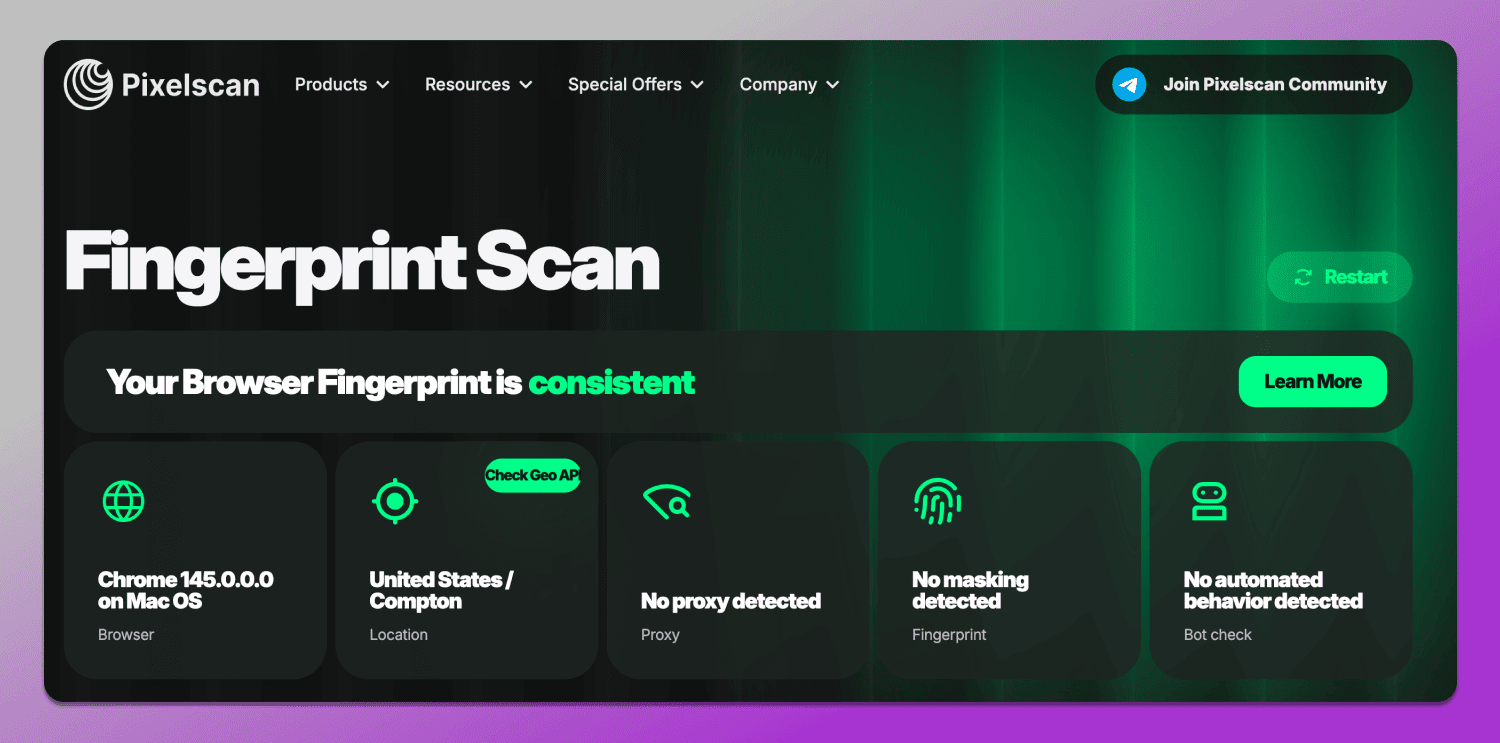
Simply put, the user looks like a regular person using their own device without obvious signs of fingerprint spoofing. This is exactly the kind of result considered safe for working with advertising platforms, marketplaces and any services that use antifraud systems.
Inconsistent is a signal that there are mismatches in the configuration. This status appears when Pixelscan detects contradictions between parameters.
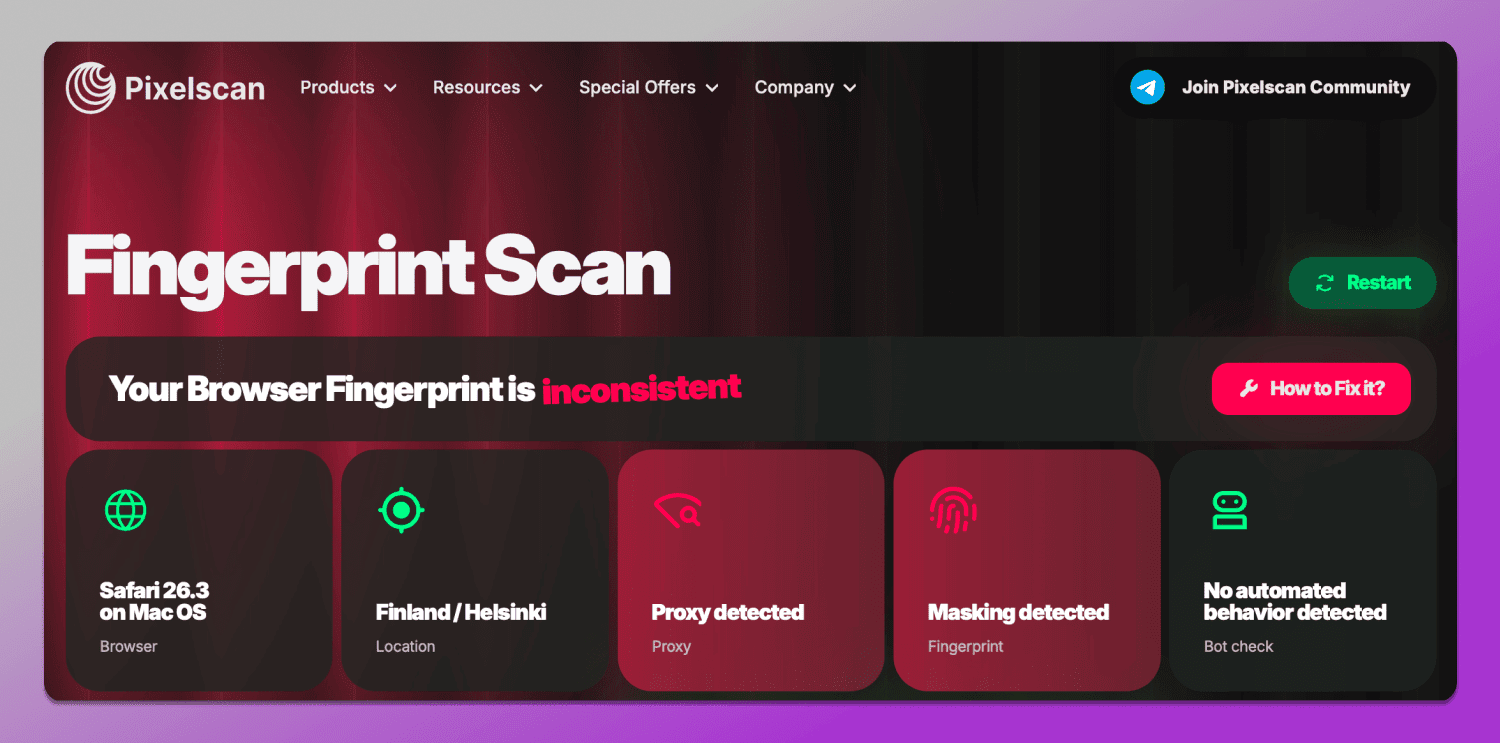
For example:
- The IP points to one country, while the system language is set to another;
- The time zone does not match the geolocation;
- WebGL or Canvas return unusual values;
- The proxy is detected as a server-type or has been used before.
It’s important to understand that separately these mismatches are not always critical. However, when combined they form a suspicious profile that antifraud systems interpret as potentially risky.
🤔 Why is this a problem? Because modern platforms (especially advertising and social networks) don’t look for direct evidence of violations. Instead, they operate on probabilities. And an Inconsistent status in Pixelscan automatically lowers the trust level of an account.
Possible consequences include:
- Additional checks and CAPTCHAs;
- Verification requests;
- Feature restrictions;
- Reduced effectiveness of ad campaigns;
- Shadow banning of the profile;
- Account suspension.
So, when working with Pixelscan the goal is not just to get a passing result, but to achieve a fully consistent profile. Even minor discrepancies that seem insignificant can, in reality, trigger antifraud systems.
Deep Dive into Pixelscan’s Key Detection Modules
To accurately determine how consistent a user profile appears, Pixelscan breaks the analysis into several layers. Each of them is responsible for a specific part of the digital fingerprint from hardware characteristics to the network environment. It is the combination of this data that allows the service to detect even subtle inconsistencies.
Hardware and Graphics (Canvas, WebGL, Audio)
Information related to these parameters is shown in the Hardware section and reflects how a device processes graphics and audio. Websites use this data like AudioContext fingerprinting to build a unique fingerprint, since even identical devices can produce slightly different results.
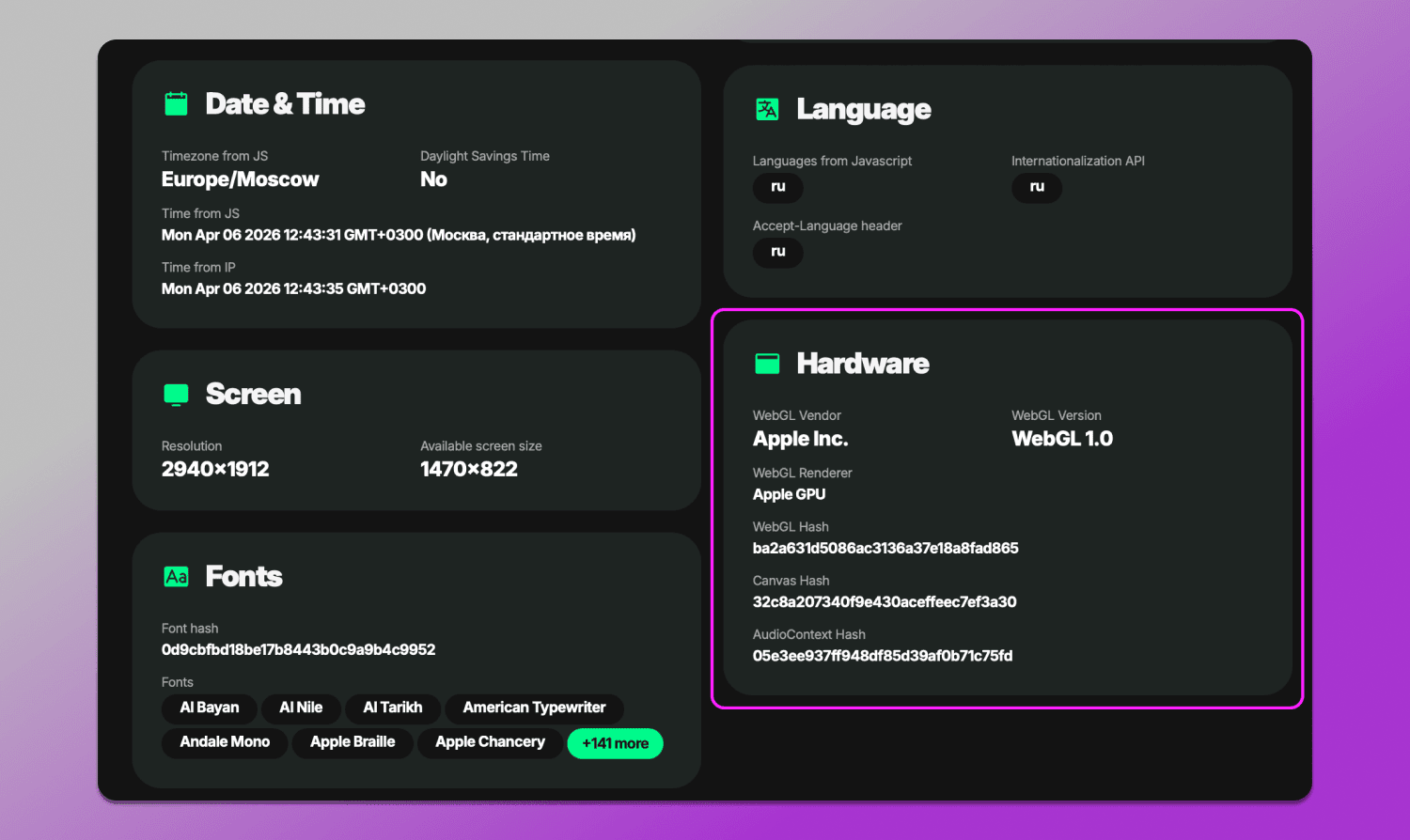
Hardware fingerprinting audit in Pixelscan includes so-called hash values such as Canvas Hash, WebGL Hash, and AudioContext Hash. These are compressed digital fingerprints of rendering results. They do not carry easily interpretable information on their own, but are used to verify the stability and consistency of the environment. Under normal conditions these values should remain stable and match the declared device characteristics. If a hash frequently changes or does not align with other parameters like the GPU or OS, it is treated as a sign of fingerprint spoofing and may lead to an Inconsistent status and failure of WebGL and Audio Context check.
Software and OS Environment Consistency
This section evaluates the overall logic of the system: how plausibly the browser, operating system and user settings fit together.
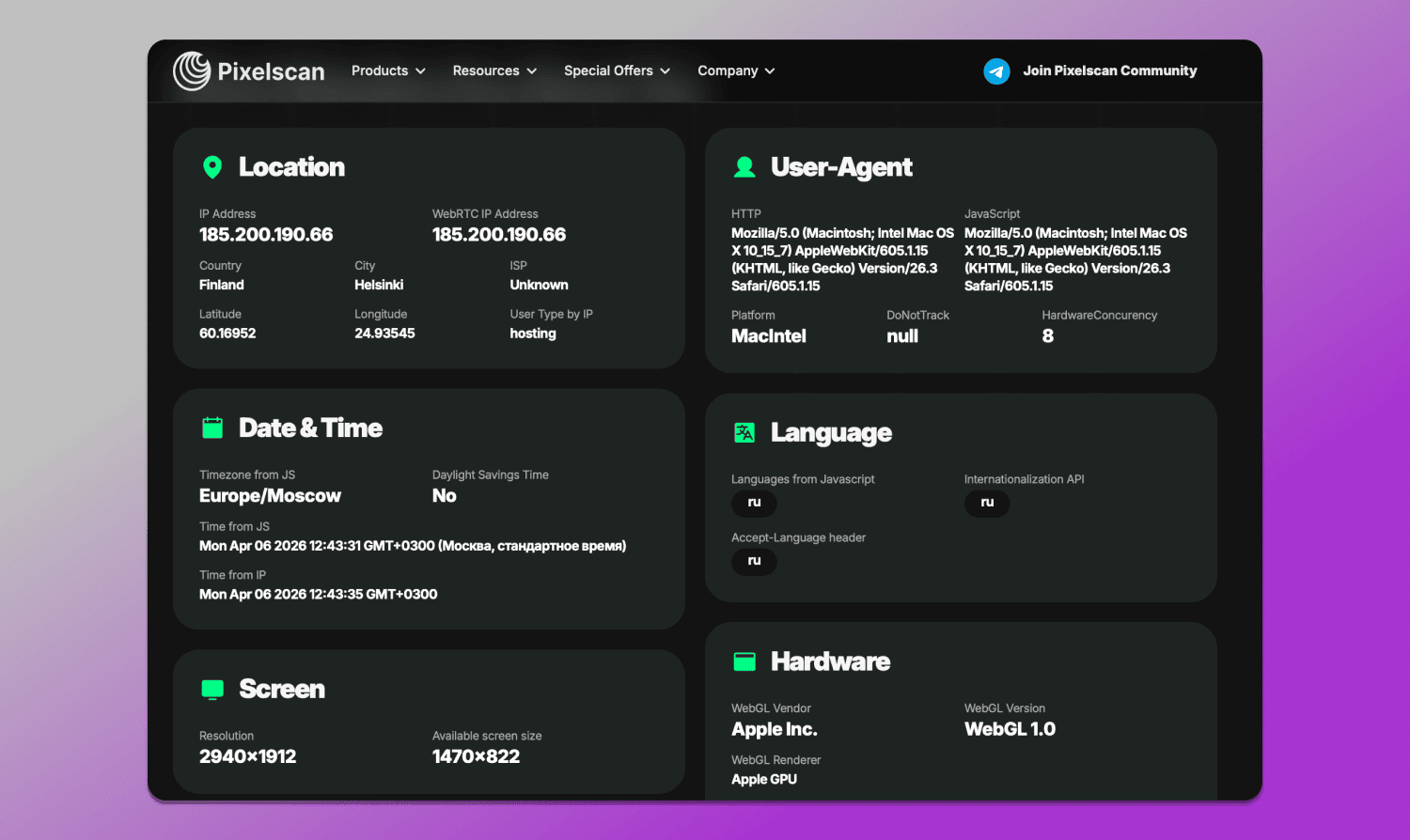
Pixelscan analyzes:
- Geolocation;
- User-Agent: browser and OS;
- Language and time zone;
- Screen resolution and device parameters;
- Font list and system components.
The main goal is to ensure that all these parameters appear as a coherent whole. For example, if a user claims to be using Windows and Chrome from Germany, but at the same time has English language settings, Asian fonts,and a US time zone, this immediately raises suspicion.
Network Integrity: IP, DNS, and Proxy Scoring
For checking IP and DNS, there are 🛠 dedicated tools. They can be found under the Products tab: IP Address Check, VPN Check, and DNS Leak Test. These modules are responsible for analyzing the network — one of the most sensitive elements of a digital fingerprint.
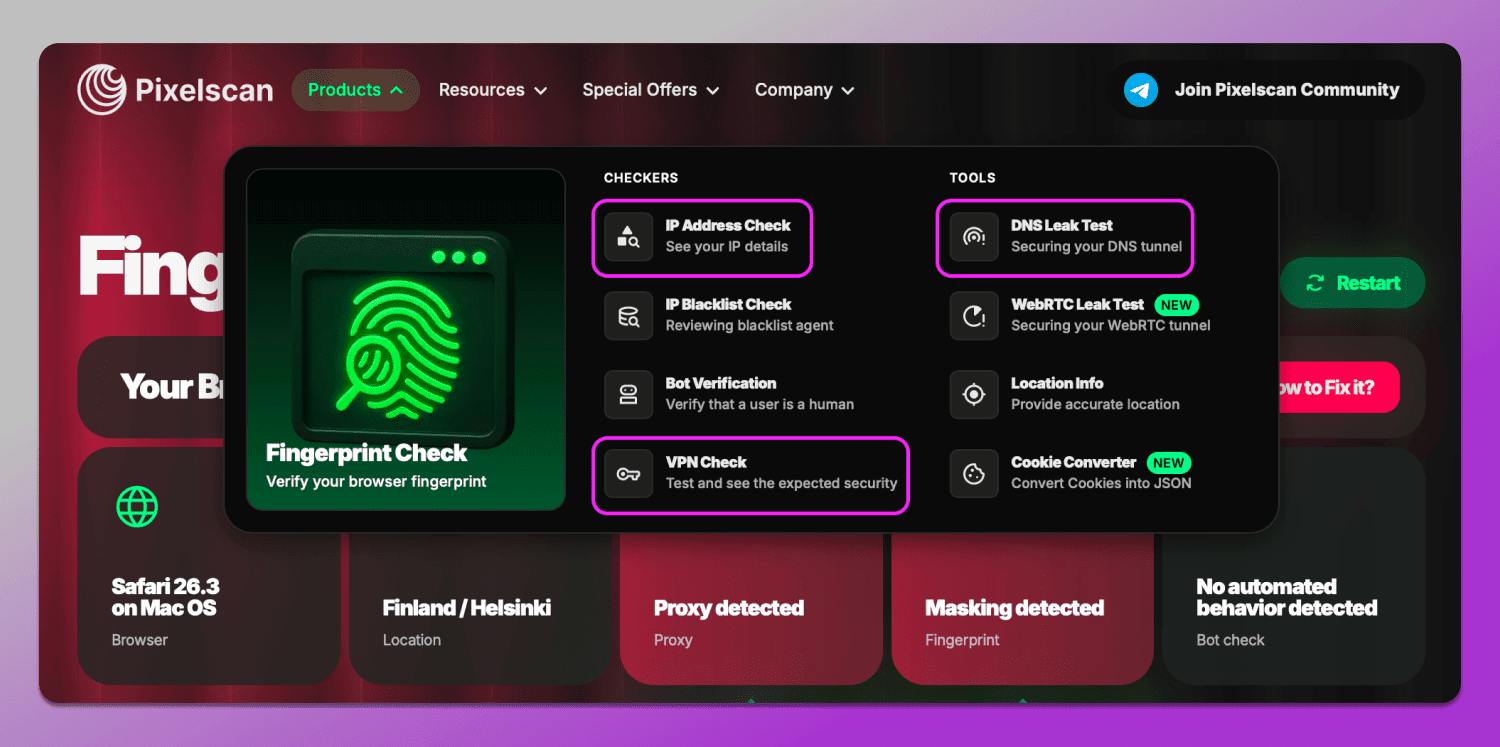
Pixelscan IP and proxy leak test checks:
- IP address type: residential, mobile or data center;
- Whether the IP matches the geolocation and system settings;
- Presence on blacklists;
- DNS servers and potential leaks;
- Indicators of VPN or proxy usage.
Special attention is given to proxy quality. Even if an IP appears clean on the surface, it can still be revealed by indirect signals: instability, DNS mismatches or characteristic server signatures.
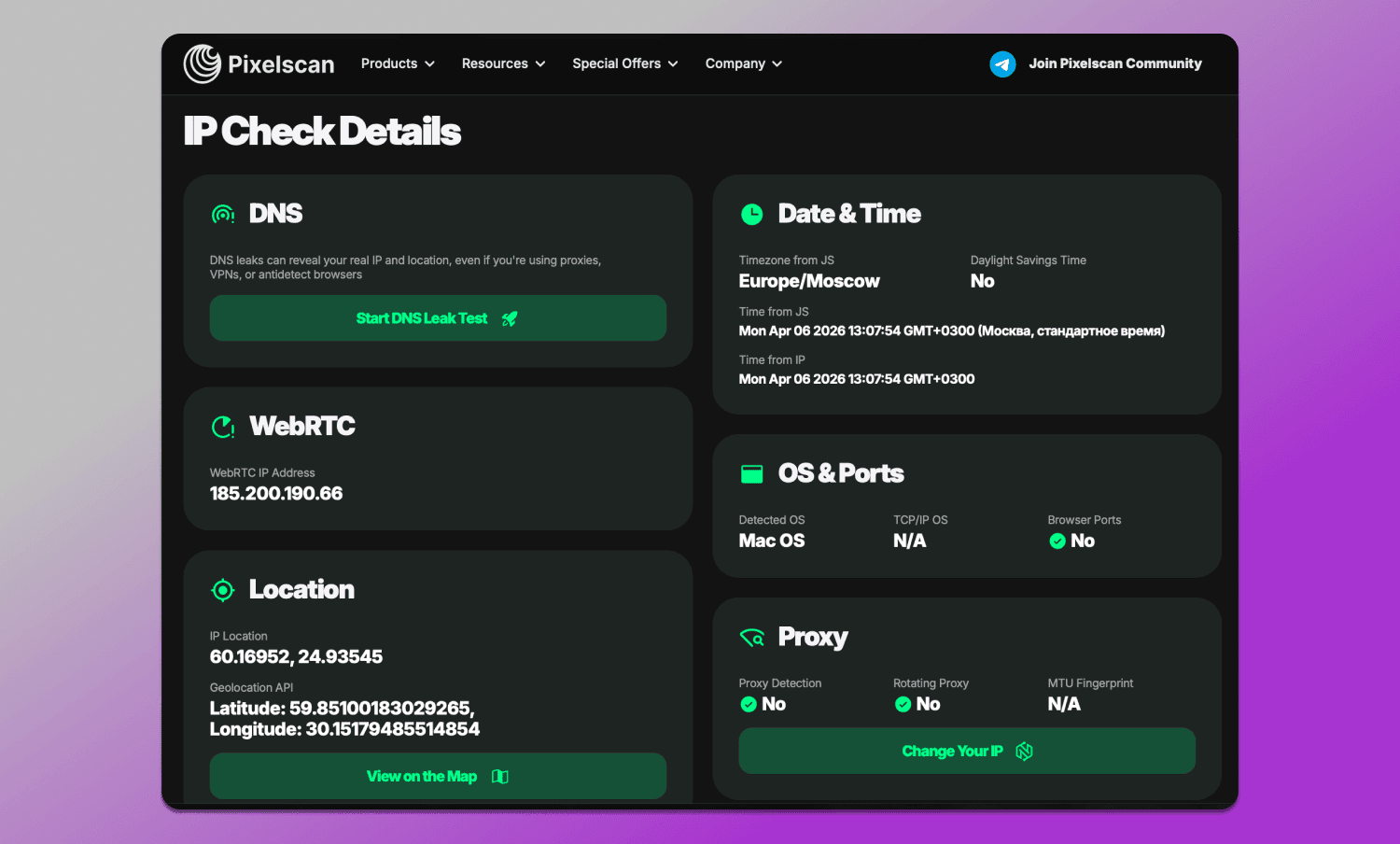
As a result, the network layer is often the main reason for receiving an Inconsistent status, especially when using cheap or free proxies.
Why You Fail the Pixelscan Test (And How to Fix It)
If Pixelscan shows an Inconsistent status, it is almost always caused not by a single issue, but by a combination of factors. The service detects mismatches between parameters and interprets them as risk, even if each of them individually seems insignificant.
One of the most common reasons is 🔗 Proxy detected. This means that the IP being used is identified as a proxy or VPN. In most cases, the issue lies in the quality of the source: server IPs, public proxies or already exposed IP ranges are quickly added to spam databases. The solution is straightforward: use higher-quality options such as residential proxy for Pixelscan and follow the “one proxy — one account” rule.
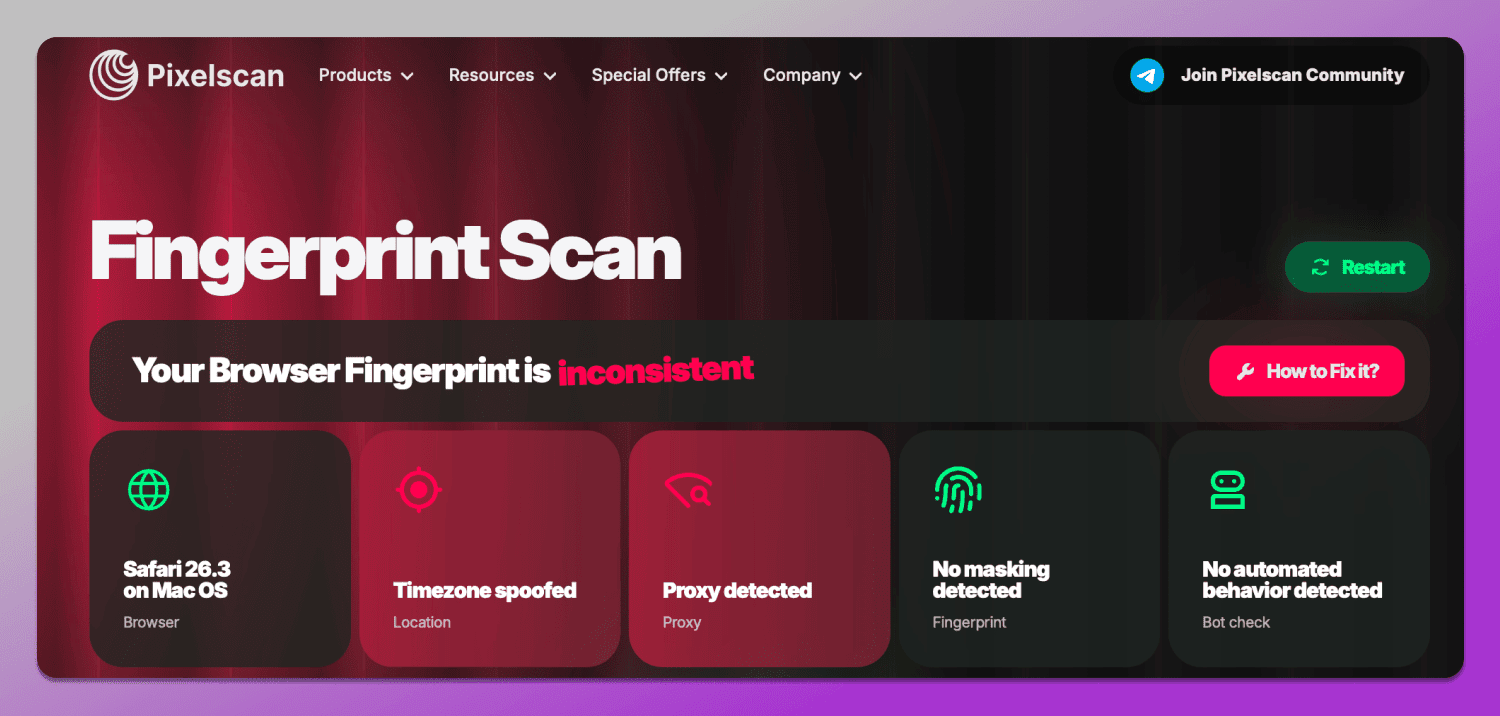
Another common issue is 🌏 geographical mismatch. When the IP points to one country, while the browser language, time zone or system settings indicate another, it immediately reduces trust. This can be fixed with simple synchronization: all parameters should logically correspond to the selected location.
A separate type of error is related to the 💻 hardware layer, such as hardware noise mismatch. It occurs when Canvas, WebGL or Audio fingerprints behave unnaturally: they change too frequently, appear overly uniform or do not match the declared device characteristics. This is usually the result of improper antidetect browser configuration or manual randomization. In such cases, it is important to use realistic profiles and avoid unnecessary noise.
Another frequent issue involves ⛲ DNS, WebRTC leaks and IP masking. Even when using a proxy, the browser may still transmit real data through alternative channels. This can expose the real IP or ISP despite anonymization. The solution is to disable or properly configure WebRTC as well as use proxies that handle DNS requests correctly.
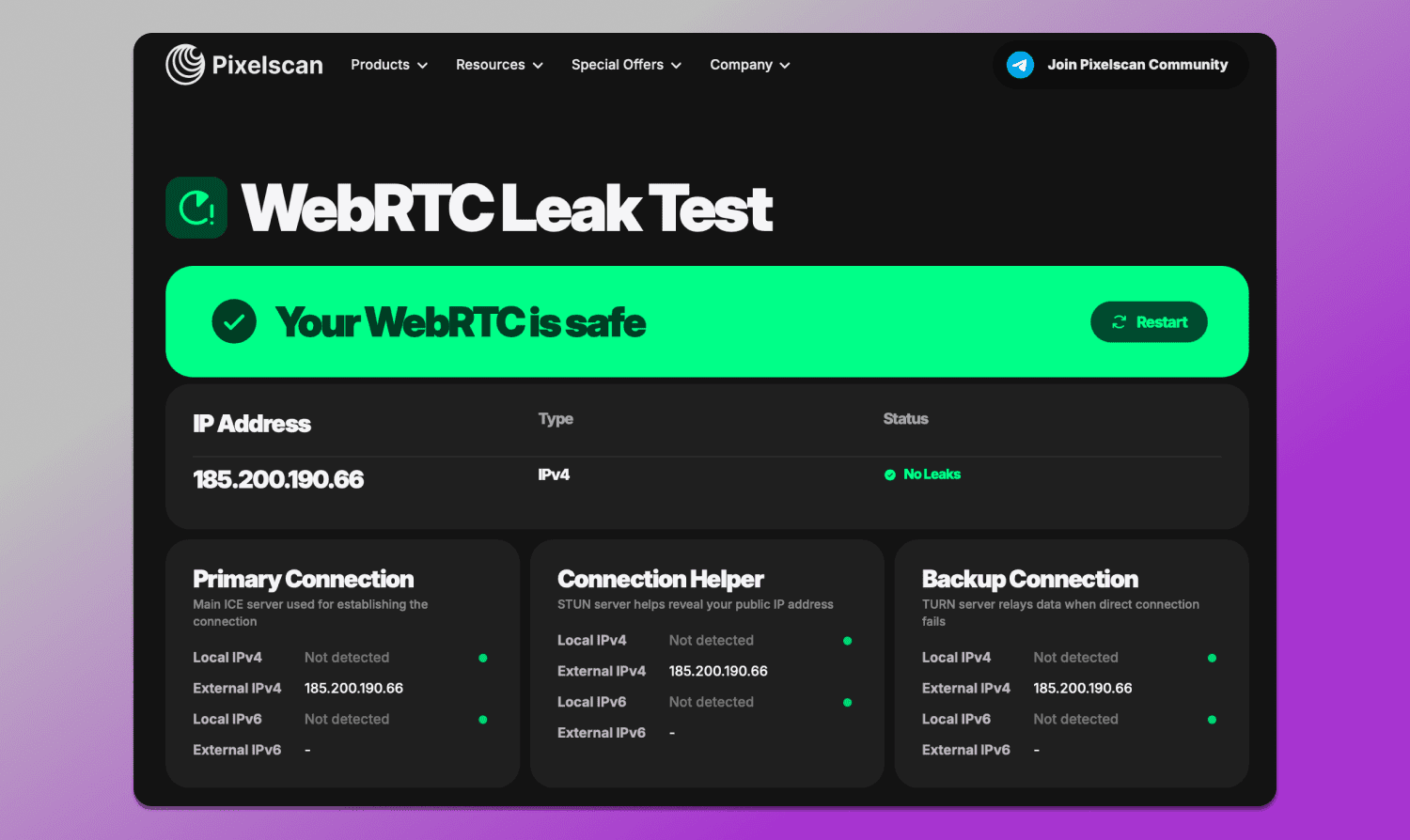
Another issue is 🤒 fingerprint instability. If parameters change from session to session, for example, a different hash or varying system values, it looks like bot-like behavior. Ideally, a profile should be stable and repeatable.
Pixelscan evaluates not individual settings, but their consistency. The main goal is not just to hide data, but to make the entire system appear as a real device from a specific location.
Best Anti-Detect Browsers to Pass Pixelscan in 2026
Even if basic checkers show the desired result, this does not guarantee that the profile will appear consistent to platforms. In 2026, antifraud systems analyze not individual parameters, but their combination: device, browser, network,and user behavior. That’s why 🥷 antidetect browsers are used for multiaccounting and stable Pixelscan results. They are tools that allow managing digital fingerprints, browser profiles and session isolation. In use case scenarios, this means each account runs in a separate environment that appears as a real device with unique, non-conflicting characteristics.
About Dolphin Anty
🚀 Dolphin Anty is one of the most widely used antidetect browsers for multiaccounting across various fields where it is required. Its core purpose is to create isolated profiles, where each one is perceived by websites as a separate user with its own device, fingerprint, cookies and network environment.
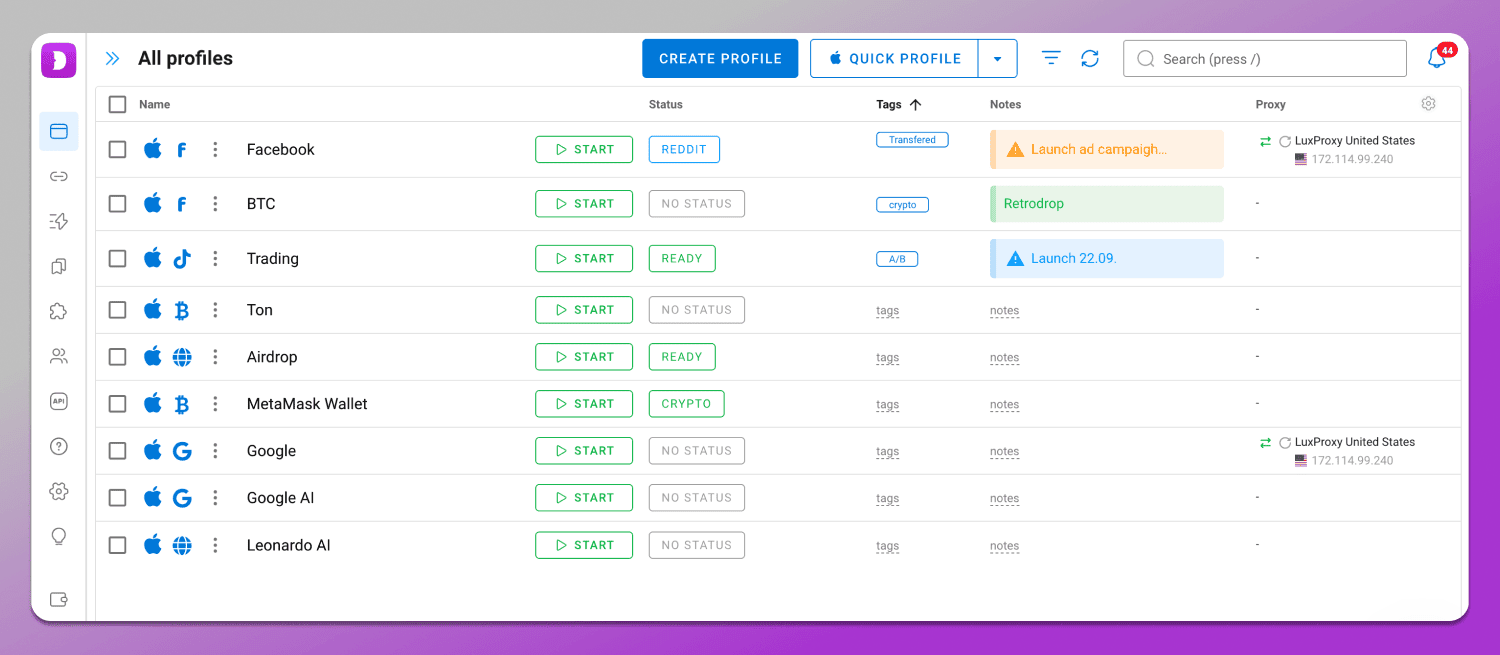
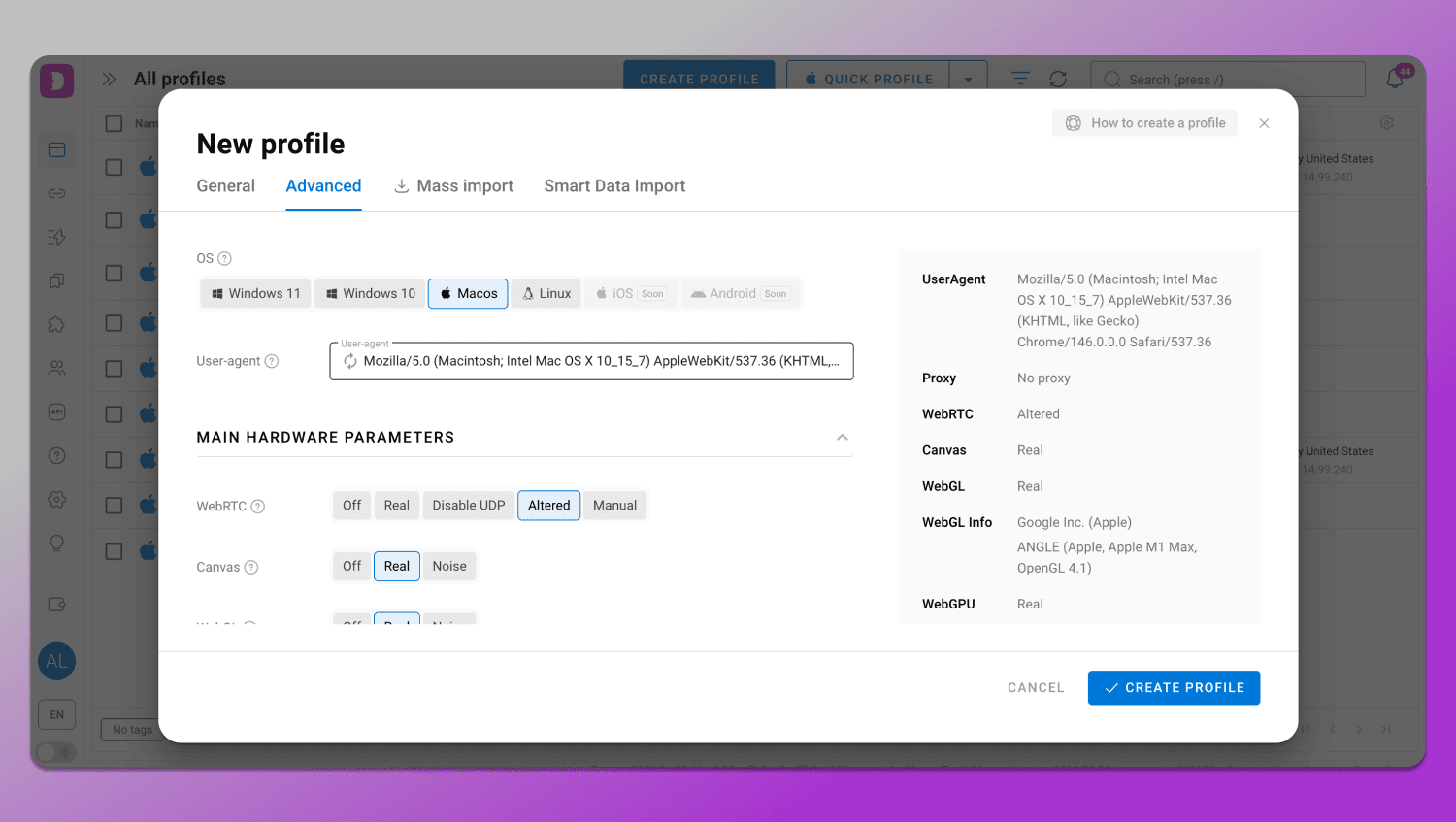
The main advantage of Dolphin Anty as an antidetect browser for Pixelscan is that all profiles are initially created ☝️ with a consistent set of characteristics. The antidetect browser selects parameters in a way that they logically align with each other: Canvas API and WebGL metadata, user-Agent strings and browser headers, language, time zone, system settings and Media devices spoofing. This reduces the risk of common mistakes that cause Pixelscan to show an Inconsistent status.
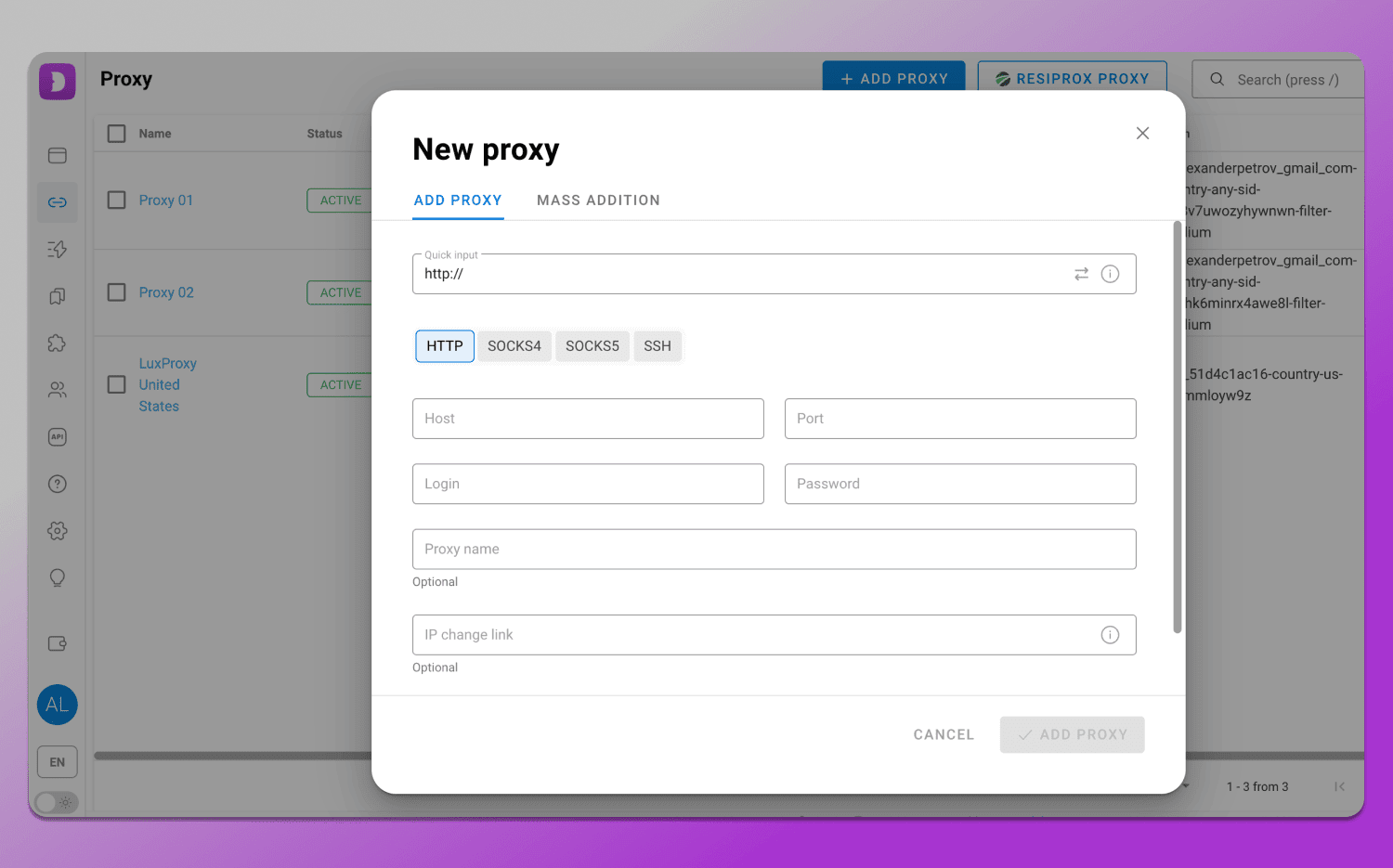
Particular attention is given to network configuration. 🔗 Proxies are integrated directly into the profile, ensuring that the IP address, DNS and other parameters do not conflict with each other. This is important because even a high-quality IP can be flagged if the other settings do not match its geolocation.
At the same time, Dolphin Anty 👍 addresses issues related to leaks and fingerprint instability. WebRTC, geolocation and system settings are synchronized with the IP while DNS leak protection helps to avoid discrepancies that are typically detected during checks.
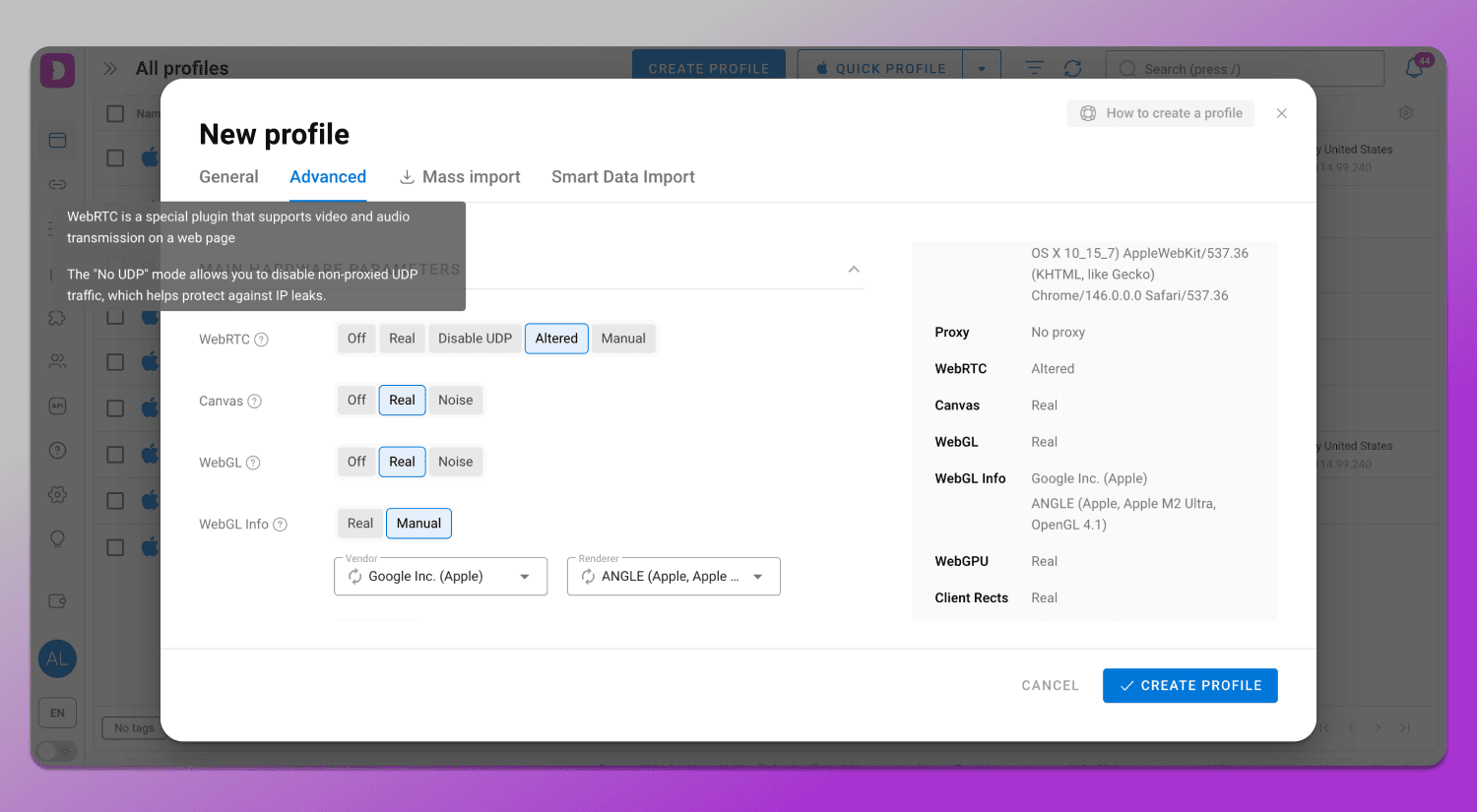
Achieving a Consistent status is possible when all environmental parameters are logically aligned with each other. How to pass Pixelscan check? Dolphin Anty helps set up such a configuration in a few steps:
- Profile creation. A new profile is created in Dolphin Anty, where a digital fingerprint is generated with consistent browser and device parameters.
- Proxy connection. A proxy is assigned to the profile so that the IP matches the selected geolocation and does not conflict with other parameters.
- Parameter synchronization. Language, time zone and geolocation are configured in line with the IP, preferably in auto mode, to eliminate mismatches that Pixelscan identifies as signs of spoofing.
- Pixelscan check. After launching the profile, a check is performed. With proper configuration, the system detects no leaks or conflicts, and the digital fingerprint appears consistent, receiving a Consistent status.
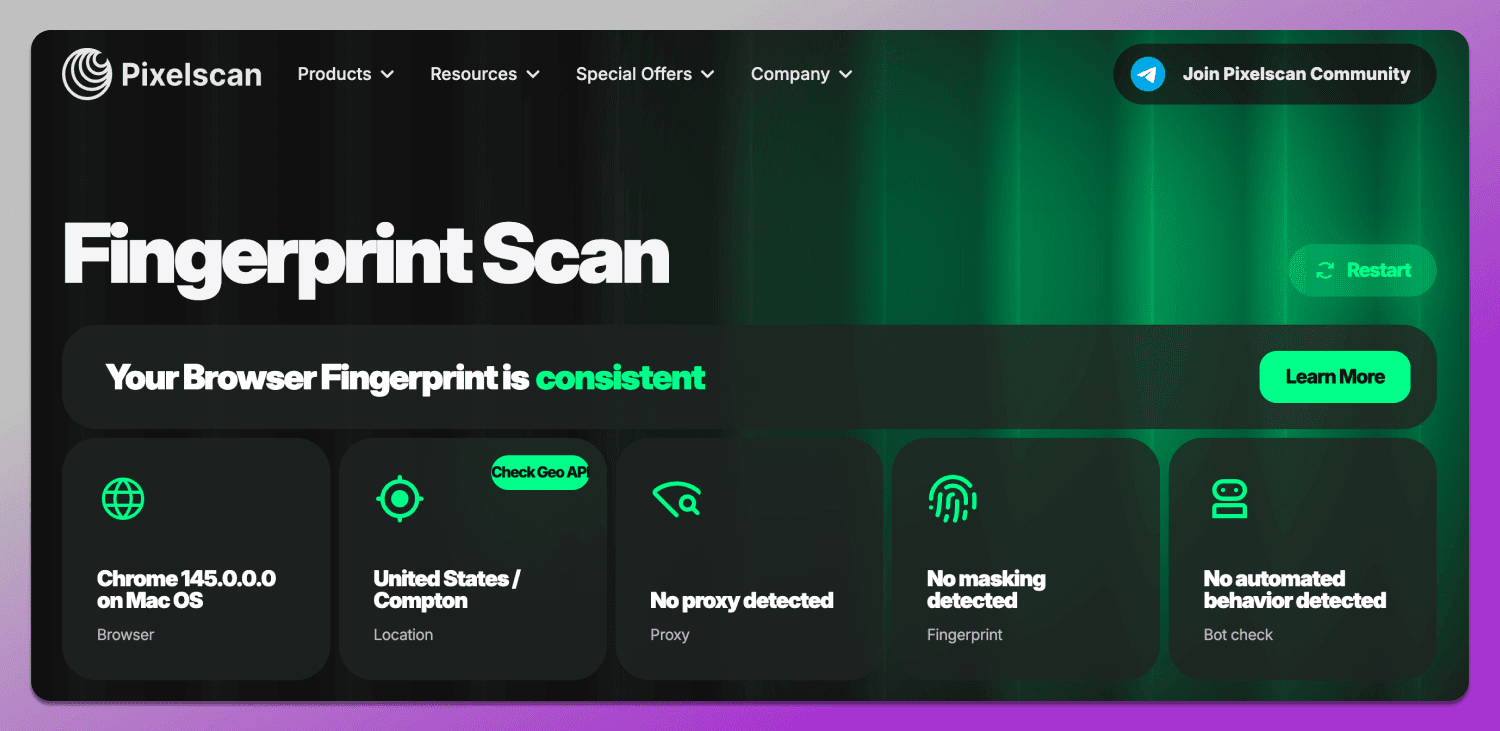
This browser anonymity test 2026 was successfully completed in Dolphin Anty using a proxy and from a location outside the United States.
As a result, the user gets not just a masked profile, but a stable environment in which the digital fingerprint appears realistic. This approach allows passing Pixelscan checks without issues and reduces the risk of account blocks when working with platforms.
Pixelscan vs. Competitors: A Comparative Analysis
There are many tools on the market for analyzing digital fingerprints and network parameters, each designed for different tasks. The table below compares Pixelscan and its alternatives: Whoer.net, BrowserLeaks and CreepJS across key criteria.
👉 Read BrowserLeaks Review here.
|
Tool |
Main Purpose | What It Checks |
Level of Detail |
| Pixelscan | Quick consistency assessment of environment | IP, network parameters, browser fingerprint, inconsistencies | Medium |
| Whoer.net | General anonymity diagnostics | IP, DNS, WebRTC, geo, browser metadata | Medium |
| BrowserLeaks | Technical fingerprint analysis | Wide range of raw browser data (Canvas, WebGL, APIs) | Deep / technical |
| CreepJS | Fingerprint uniqueness testing | Tracking and identifying fingerprint identifiers | Medium |
Pros and Cons: Is It Still the Best Fingerprint Checker?
In 2026, Pixelscan remains one of the most popular tools for quick digital fingerprint assessment, but its value is better understood in context rather than as a perfect verification tool. It has strengths, but also limitations that should be considered.
On the one hand, Pixelscan is convenient because it ✅ combines multiple analysis layers in a single interface: from IP and network parameters to Canvas, WebGL and their consistency. It helps quickly identify common configuration mistakes and see how the environment appears from a website’s perspective. This makes it a useful tool for initial diagnostics and profile quality control.
On the other hand, Pixelscan ❌ does not cover all antifraud mechanisms and does not always fully reflect how major platforms behave. Some checks are simplified, and the final score does not account for behavioral signals and complex models that modern platforms use. Therefore, a Pixelscan result alone should not be considered the sole criterion for determining whether a profile is ready for use.
In summary, Pixelscan is a digital fingerprint checker for multi-accounting and identifying basic issues, but it should be used as part of a broader verification system rather than as a standalone solution.
Best Practices for Staying Anonymous in 2026
The key principle is overall environment consistency. A digital fingerprint should resemble a real device where IP, geolocation, language, time zone, and hardware parameters do not contradict each other. It is equally important to maintain profile stability and avoid abrupt changes that may be interpreted as signs of automation or spoofing.
Proxy quality also plays a critical role in multi-accounting safety: the network layer must align with the rest of the profile settings, otherwise even a correctly configured fingerprint may raise suspicion.
For convenient management of such configurations, it is better to use antidetect browsers such as 🔥 Dolphin Anty, which allows users to create and configure profiles, manage proxies and maintain parameter consistency. This simplifies working with multiple accounts and reduces the risk of configuration errors.
FAQ
Why does Pixelscan show my IP as «Suspicious» even with a clean proxy?
Even a clean proxy can raise suspicion if it is a datacenter one, has a poor reputation or has been used by many users. Inconsistencies may also appear if the IP does not match other parameters such as language, time zone, DNS or browser fingerprint.
What is the difference between «Consistent» and «Masked» fingerprints?
Consistent means all environment parameters are logically aligned. Masked usually indicates an attempt to hide data, for example, using a proxy or VPN, while the parameters themselves may still be valid but not always fully natural.
How does Pixelscan detect WebRTC leaks in 2026?
The service checks whether the browser transmits real network data via WebRTC mechanisms. Even when using a proxy or VPN, leaks can expose the local or public IP if WebRTC is misconfigured or not restricted.
Does Pixelscan support API integration for bulk checks?
Pixelscan is primarily designed for manual checks via its interface. For automation or large-scale analysis, users typically rely on third-party solutions or combine multiple tools.
Why is my browser version flagged as inconsistent?
This happens when the browser version does not match other environment parameters or appears outdated/unusual for the given operating system. Inconsistencies can also arise when using modified browser fingerprints.
Pixelscan vs. CreepJS: Which tool is more accurate in 2026?
The tools serve different purposes. Pixelscan focuses on overall environment consistency, while CreepJS is more oriented toward fingerprint uniqueness and identification. In most cases, they are used together rather than as direct replacements.
Can Pixelscan detect mobile emulators on a desktop?
No, Pixelscan does not currently have a dedicated checker for such detection.
How does «Hardware Noise» in antidetect browsers affect Pixelscan results?
Hardware Noise introduces artificial variation in the fingerprint. If the noise level is too high or appears unnatural, it can lead to inconsistencies and increase the likelihood of an Inconsistent status.
Does Pixelscan check for passive fingerprints like TCP/IP Stack?
Pixelscan mainly works with browser and application-level parameters. Passive network parameters like TCP/IP Stack Fingerprinting can be seen in the OS & Ports block, but only as available/not available status.