
CreepJS is one of the strictest and even somewhat paranoid tools for testing a browser’s digital fingerprint. Created by the GitHub developer abrahamjuliot, the project was originally designed to demonstrate just how inconsistent digital fingerprints can be. Unlike other checkers that simply assign a score, CreepJS focuses on detecting inconsistencies and literally tries 🤥 to catch the browser “lying” via exposing logical contradictions within the fingerprint.
This approach is exactly why CreepJS browser fingerprinting check is considered a kind of stress test for any setup. Where most services show a perfect result, this one can still uncover issues. As a result, the user gets a detailed report highlighting which specific parameters of their digital environment might give them away.
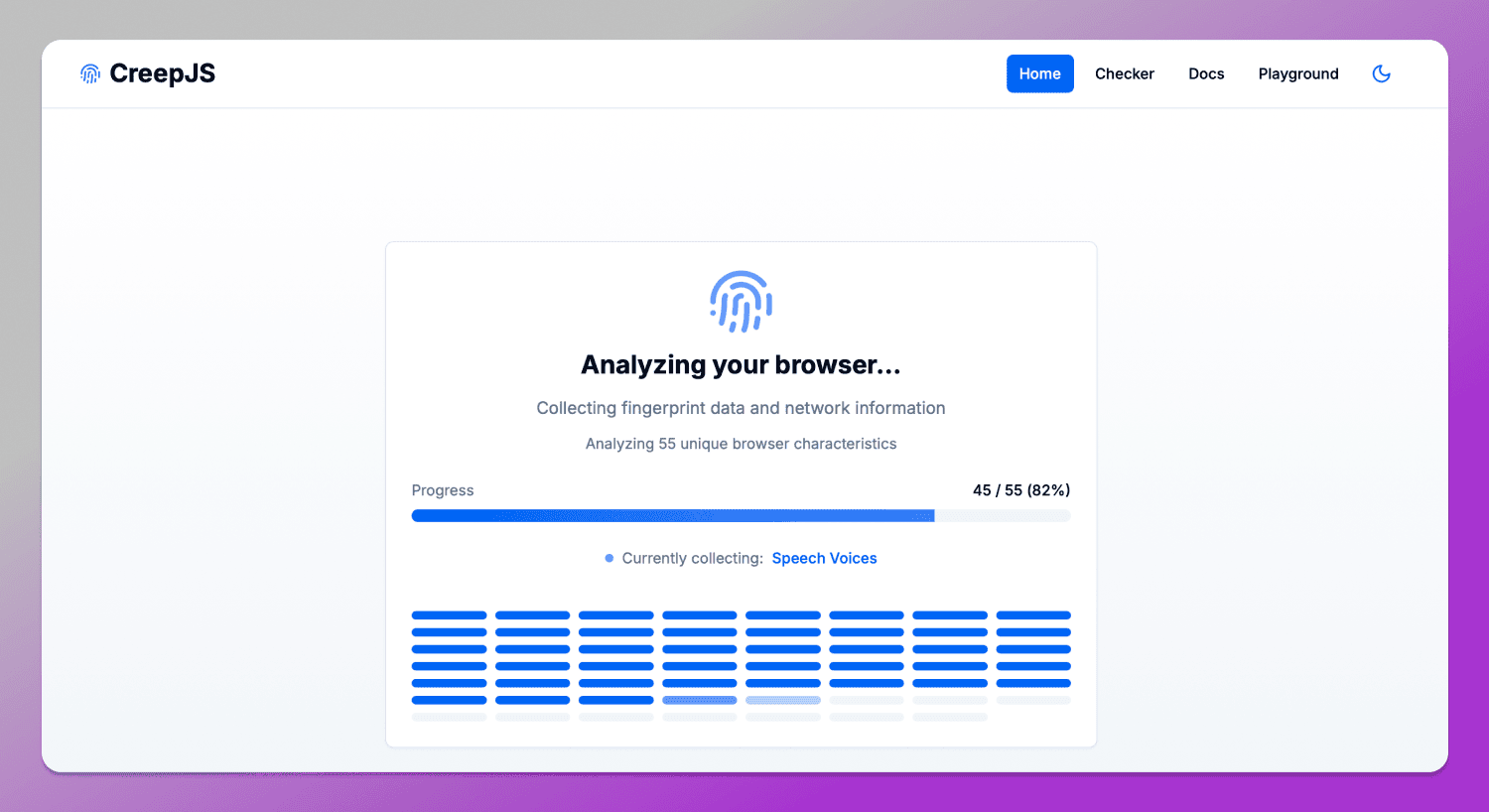
Let’s discover how to pass CreepJS test, how it works in practice, what issues it can detect even in a seemingly perfectly configured browser and have CreepJS trust score explained.
How Creepjs Works: Beyond Simple Fingerprinting
Unlike other services that simply collect browser parameters and generate a fingerprint score, CreepJS goes deeper. It checks how 👯 consistent this data is with itself. The service correlates dozens of signals from different sources from basic browser properties to more advanced ones and identifies not just mismatches, but indicators of how unique a user is. These kinds of deviations in behavior and fingerprint structure are what CreepJS flags as “lies” — inconsistencies within the fingerprint that can expose you to antifraud systems.
In practice, this means the analysis isn’t limited to recording values. CreepJS evaluates how this data behaves across different contexts: through JavaScript APIs, within the browser environment and in interaction with the system. As a result, even formally correct parameters can increase fingerprint uniqueness and raise the likelihood of tracking.
For example, this becomes visible in test results within sections like Privacy Leakage Assessment and Tracking & Uniqueness.
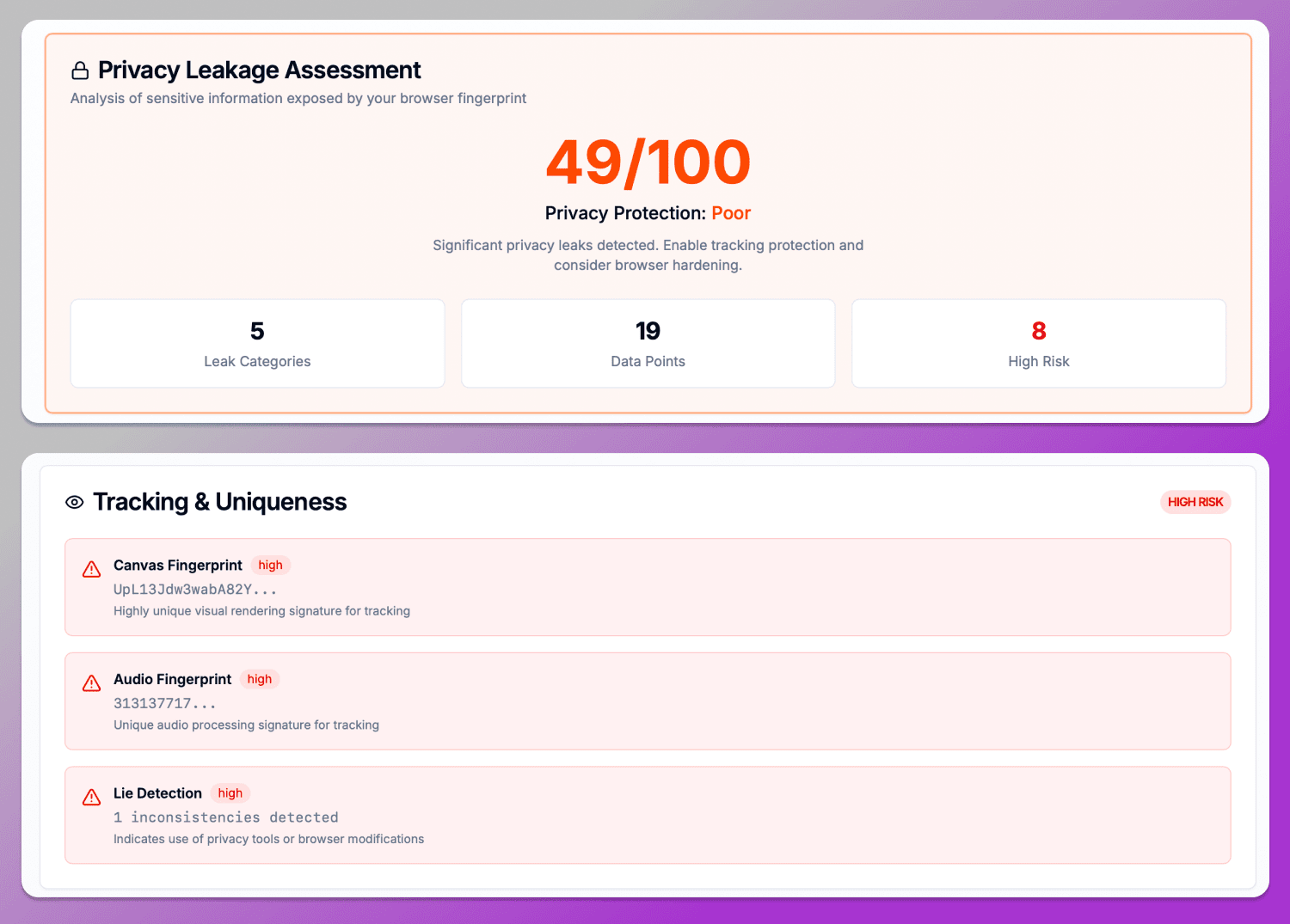
Let’s clarify what this means. Parameters like Canvas Fingerprinting, Audio Fingerprinting and WebRTC are generated via JavaScript APIs and directly contribute to device identification. CreepJS analyzes not only the raw values, but also indirect signals: rendering stability, audio delays (Audio Base Latency) and characteristics of network APIs. In this context, the final CreepJS Lie Detection flag should not be seen as an error, but rather as an indicator of a non-standard or modified environment that will almost certainly attract the attention of security algorithms.
A similar approach is applied to system fonts and rendering. In the Installed Fonts section, 11 unique fonts are detected serving as a clear indicator of fingerprint uniqueness.
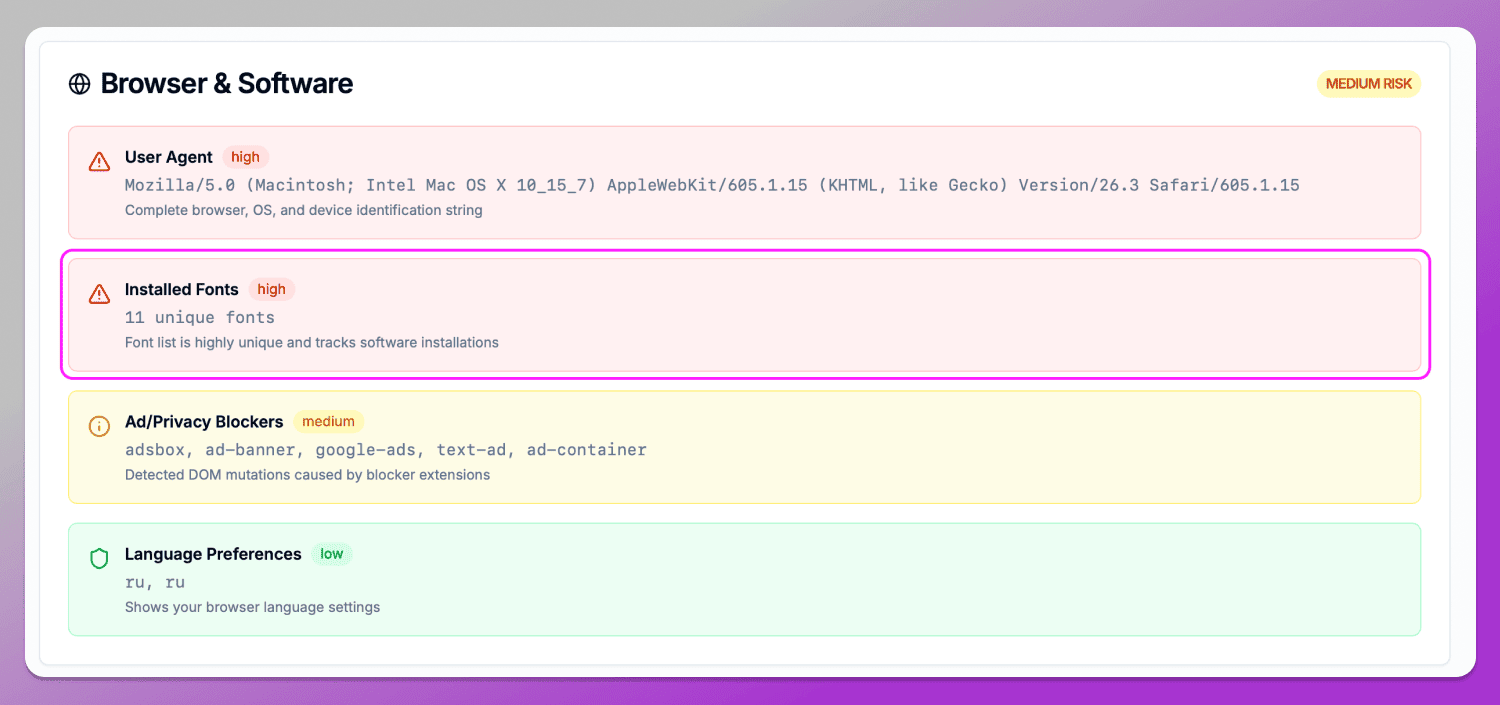
The rarer the combination of fonts, the easier it is to distinguish this browser from others. In some cases, this can indicate an artificial environment especially when the parameter set deviates from typical platform configurations.
Key Features of CreepJS in 2026
The core value of CreepJS lies in the fact that it doesn’t just provide a final score. It breaks the profile down into separate groups that can be analyzed individually and manually verified.
Trust Score and Entropy Score
One of the key CreepJS metrics is an evaluation of how ❄️ unique your browser is compared to other fingerprints. In the Fingerprint Uniqueness Analysis section, you can see the uniqueness percentage along with the level of similarity to other fingerprints.
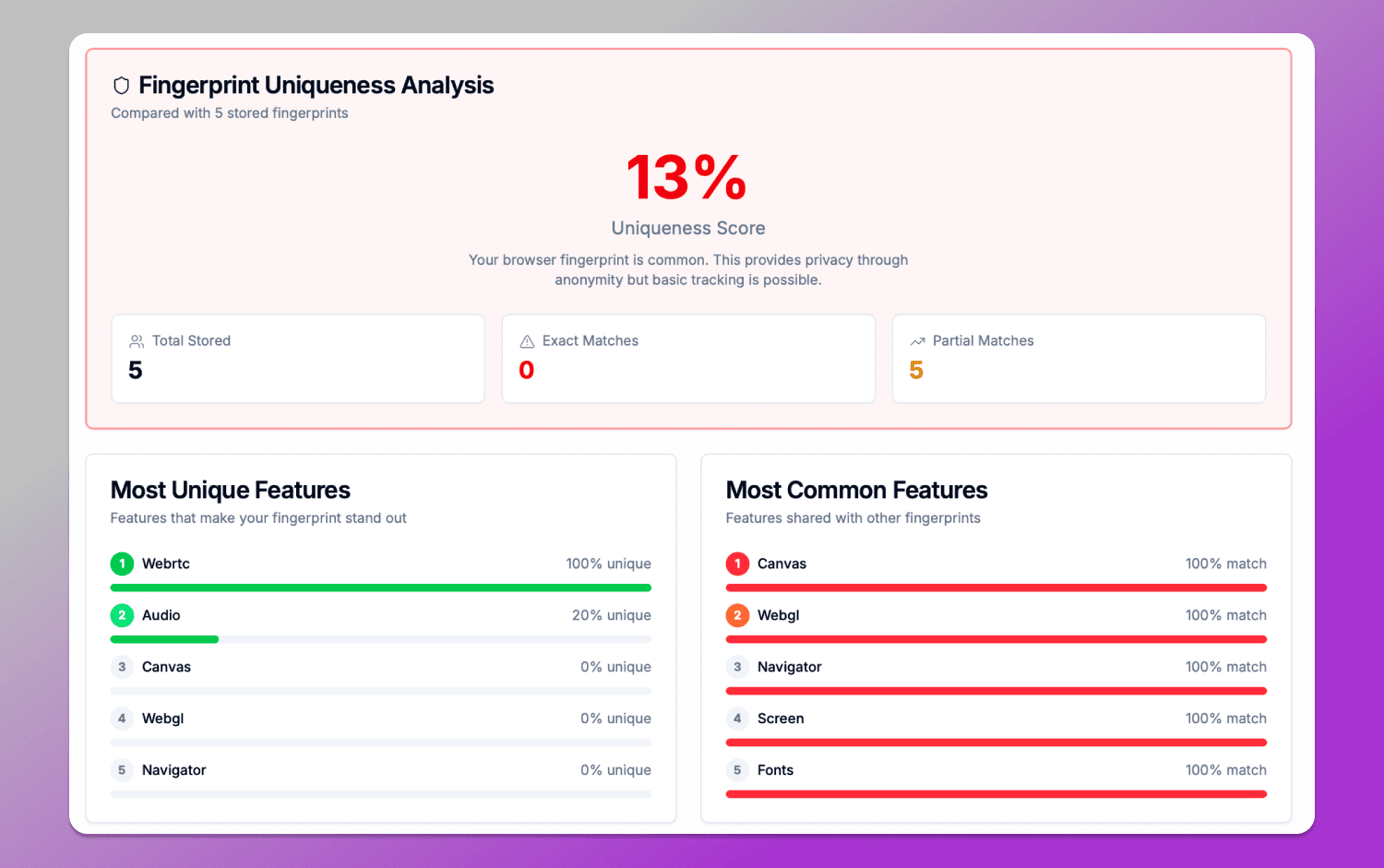
For example, in the screenshot results you can see:
- Uniqueness Score: 13%;
- Full and partial matches with other fingerprints;
- The most unique and the most common parameters.
The fingerprint analysis indicates that the browser falls into the category of fairly typical configurations as it doesn’t stand out much compared to others.
At the same time, the Most Unique Features and Most Common Features sections show that WebRTC and Audio contribute significantly to uniqueness, while Canvas, WebGL, Navigator and Fonts fully match other profiles. This demonstrates that user identification is built on a combination of signals.
Bot & Automation Detection
CreepJS automation detection is often used to check whether a browser is running ⚙️ automation tools, including Playwright, Puppeteer and Selenium. In such cases, the system doesn’t look for the framework name directly as it analyzes behavioral and technical artifacts typical of automation, such as:
- WebDriver traces;
- Headless browser signals;
- Event loop anomalies;
- Inconsistencies in rendering and API responses.
In our example, this is reflected in the Anti-Fingerprinting Detection section, which did not detect any signs of such tools.
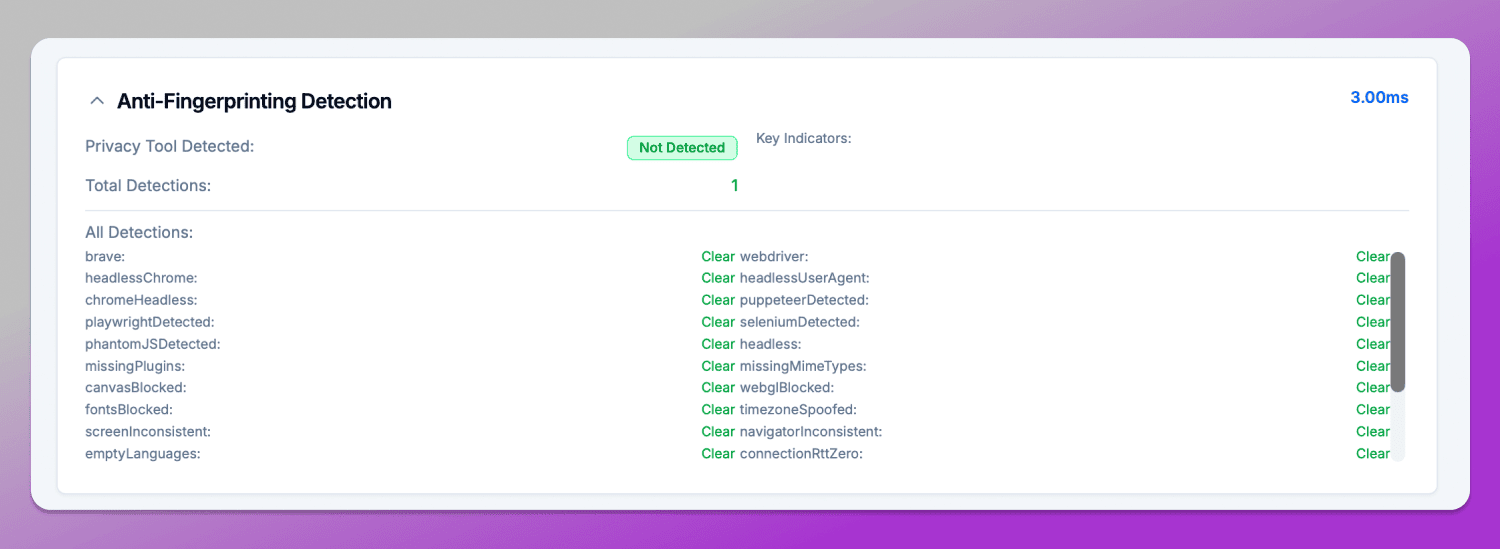
All key automation-related indicators including webdriver, headlessChrome, puppeteerDetected, playwrightDetected and seleniumDetected are marked as ✅ Clear. This means the environment does not exhibit behavioral patterns typical of automated scenarios.
Hardware and API Probing
One of the strongest parts is the 🔎 Explore Individual Fingerprints section, which is used to check browser leaks CreepJS. Each technique is presented as a separate module with a detailed technical description, a link to GitHub, and an explanation of how it is used in real-world tracking.
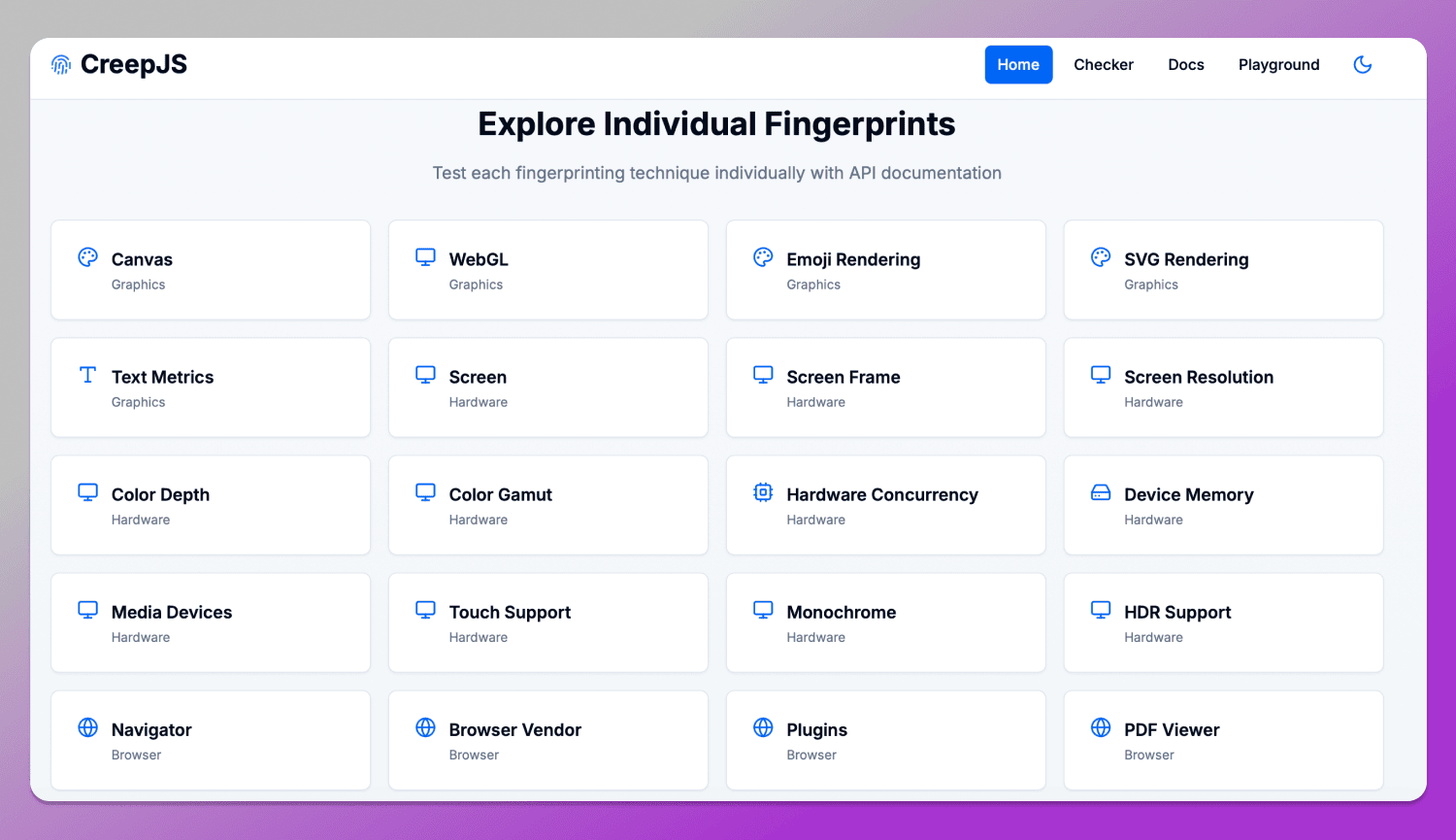
For example, when opening Hardware Concurrency, you can find an explanation of how navigator.hardawareConcurrency works: what the number of logical CPU cores represents, how these values are interpreted and why this parameter is closely tied to the device class and its performance. In the CreepJS interface, this is accompanied by a note that such data is often used to estimate device type and can serve as a stable identifier in long-term tracking.
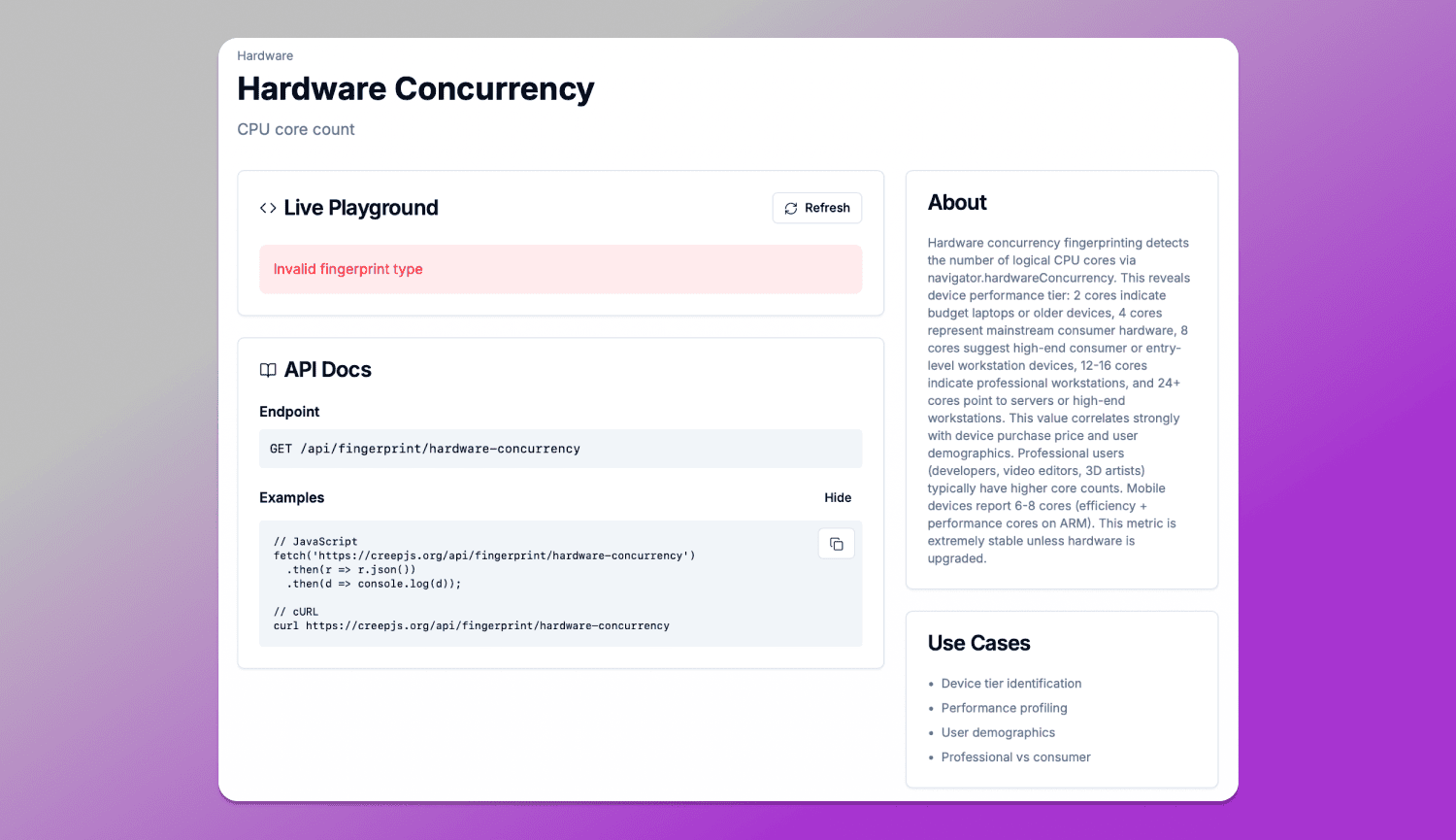
The key feature of this section is that it shows not just the parameter value, but its role in the fingerprint. Each element is accompanied by an explanation of how exactly it can be used for user identification and why such characteristics are difficult to modify without side effects for the browser or the system.
CreepJS vs FingerprintJS vs BrowserLeaks: Which is Better?
There are many services on the market for analyzing digital fingerprints and it’s important to understand that they serve different purposes. One shows how websites see you, another is used for commercial user identification and a third acts as a set of diagnostic tests for detecting browser leaks. Let’s compare CreepJS with other popular tools.
👉 Read BrowserLeaks Review here.
| Criterion | CreepJS | FingerprintJS | BrowserLeaks |
|---|---|---|---|
| Core purpose | Fingerprint analysis, signal consistency | Commercial user identification | Browser leak testing |
| Approach | Deep JS tests, entropy, lie detection | Signal collection, server-side correlation | Separate independent tests |
| Depth of analysis | Very high | High | Very high |
| What it shows | Full fingerprint structure and inconsistencies | Stable user identifier | Individual parameters: IP, Canvas, WebRTC leaks, etc. |
| Metrics | Uniqueness, leak risk | Risk signals | No unified scoring model |
| Practical use | Anonymity, anti-detect, configuration audits | Anti-fraud, business tracking, identification | Leak diagnostics and in-depth technical fingerprint analysis |
| Transparency | Full: shows what the fingerprint consists of and what can be improved | Partially hidden | Fully open, but fragmented |
CreepJS is a research tool that doesn’t just collect browser data as it verifies its consistency and shows how unique and trackable a user is.
FingerprintJS is a commercial solution designed for businesses, focused not on privacy but on stable user identification across sessions and websites by combining browser signals, behavioral data and server-side analytics.
BrowserLeaks is a simpler diagnostic tool that displays individual parameters but does not combine them into a unified analysis model.
How to Achieve a High Trust Score on CreepJS
A high 📈 Trust Score in CreepJS is achieved through overall consistency of the browser profile. The system evaluates not so much the raw parameter values as their logical coherence with each other.
One of the key factors is the alignment of 🌏 geolocation, timezone and language settings with the IP address in use. If the IP points to one country while all other parameters indicate another, this immediately creates inconsistencies that reduce the profile’s trustworthiness.
The correct 💻 alignment of hardware parameters is equally important, especially GPU and WebGL rendering. The graphics stack should look natural for the declared platform: mismatches between the operating system, drivers and WebGL vendor often result in “lies” status in CreepJS.
Ultimately, a high Trust Score is not the result of spoofing, but the outcome of a consistent digital environment where all browser and device signals do not contradict each other.
Common Detection Signals: Why Your Browser Fails
CreepJS identifies a set of small inconsistencies that, when combined, form a suspicious profile. These signals are what lead to a lower Trust Score or the appearance of “lies” in the report.
In the Lies Detection section, located at the bottom of the page, all detected inconsistencies in browser behavior are listed. If the issue is related to differences between JavaScript execution contexts, it appears as a general inconsistency or as a more specific API/behavior mismatch.
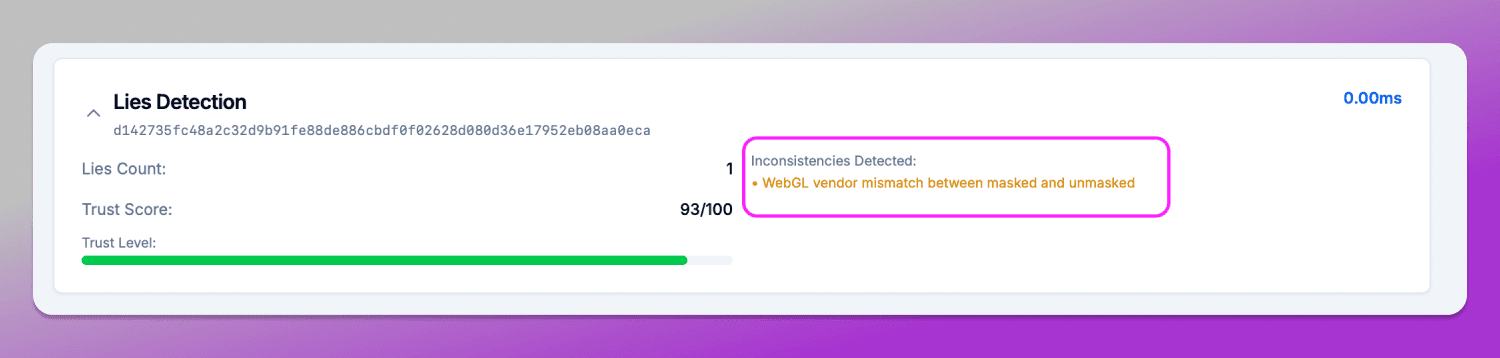
Another reason for failing the check is called iframe inconsistency. It occurs when the browser behaves differently inside an iframe compared to the main window, for example, differences in API responses, available properties or rendering results. This parameter can be found in the Anti-Fingerprinting Detection section.
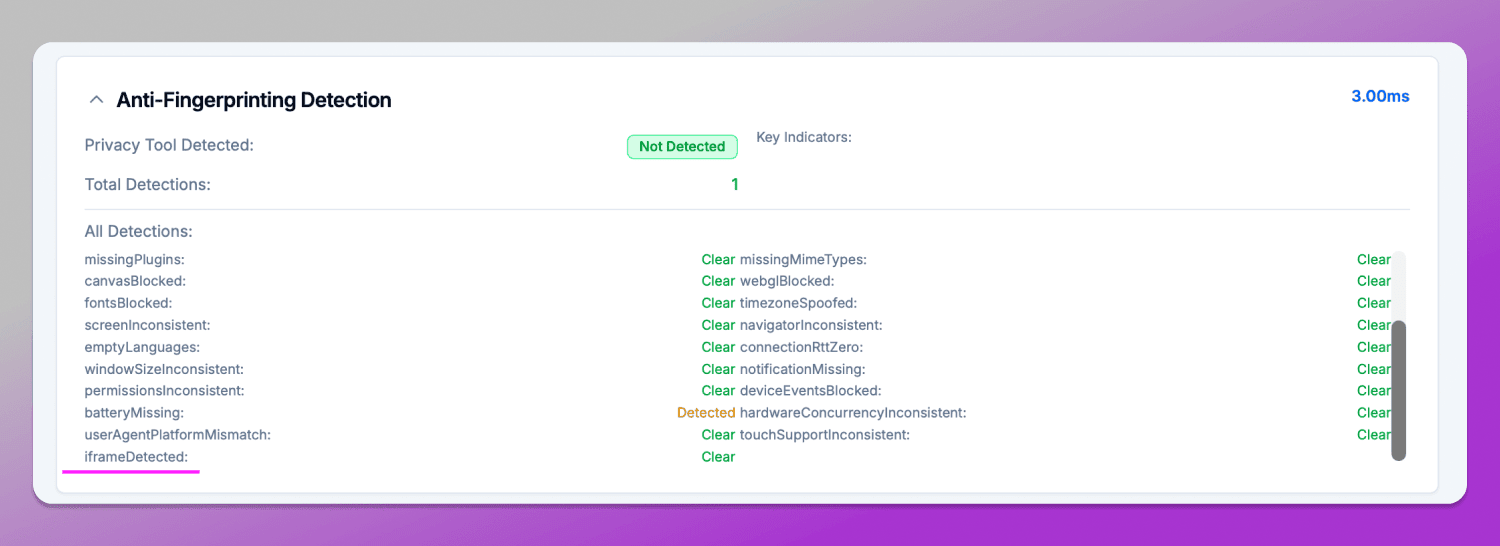
Such discrepancies are interpreted by CreepJS as a violation of environment integrity, since in a real user browser these contexts are expected to remain synchronized.
In general, these issues do not necessarily mean that the browser fails to maintain anonymity, but they do indicate that its behavior deviates from the expected model, which leads to a reduction in trust.
Best Anti-Detect Browsers for CreepJS in 2026
By 2026 the antidetect browser market is already well established, consisting of several key players designed for fingerprint spoofing and isolation. These tools are used for multiaccounting, affiliate marketing, testing and other workflows where user identification matters.
The core idea behind all such solutions is the creation of separate browser profiles with unique and consistent sets of characteristics: Canvas, WebGL, Audio, Fonts and others. However, the level of implementation and realism of these modifications varies significantly.
Among the most well-known solutions are anti-detect browsers Dolphin Anty, GoLogin, Octo, AdsPower. All of them aim to spoof the fingerprint, but they differ in depth and stability of implementation.
Testing Dolphin Anty in CreepJS: Can the Stealth Browser Hide the «Lies»?
🚀 Dolphin Anty is an antidetect browser that allows users to create and manage isolated profiles with spoofed parameters that form a digital fingerprint. As a result, each profile appears as a separate user with its own set of characteristics, including Canvas, Audio, WebGL and other fingerprinting signals.
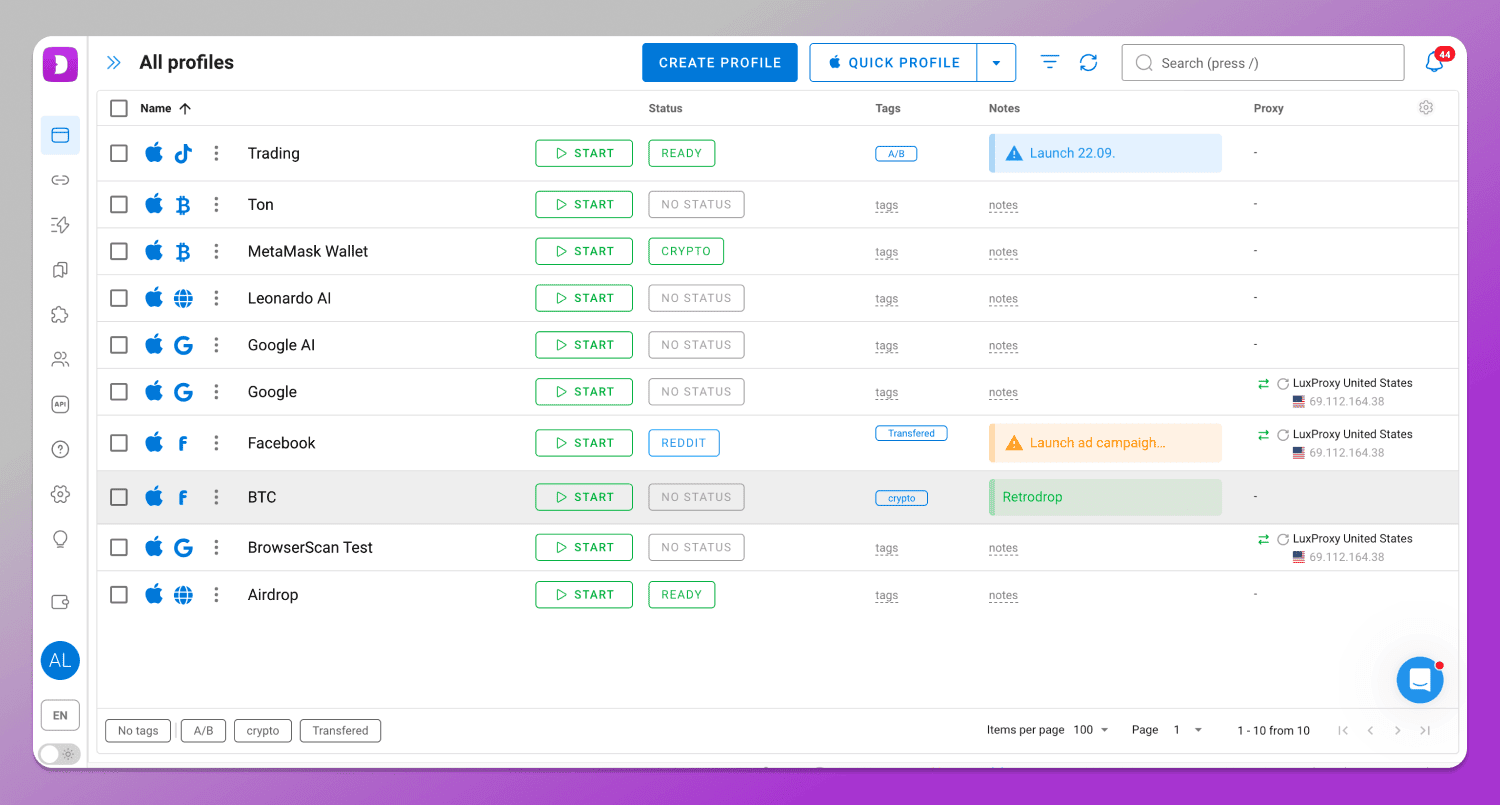
To evaluate the quality of such spoofing, it is enough to create a profile in Dolphin Anty and launch the CreepJS anti-detect browser test. This browser fingerprinting analyzer will check fingerprint consistency across different parameters and then generate a final score.
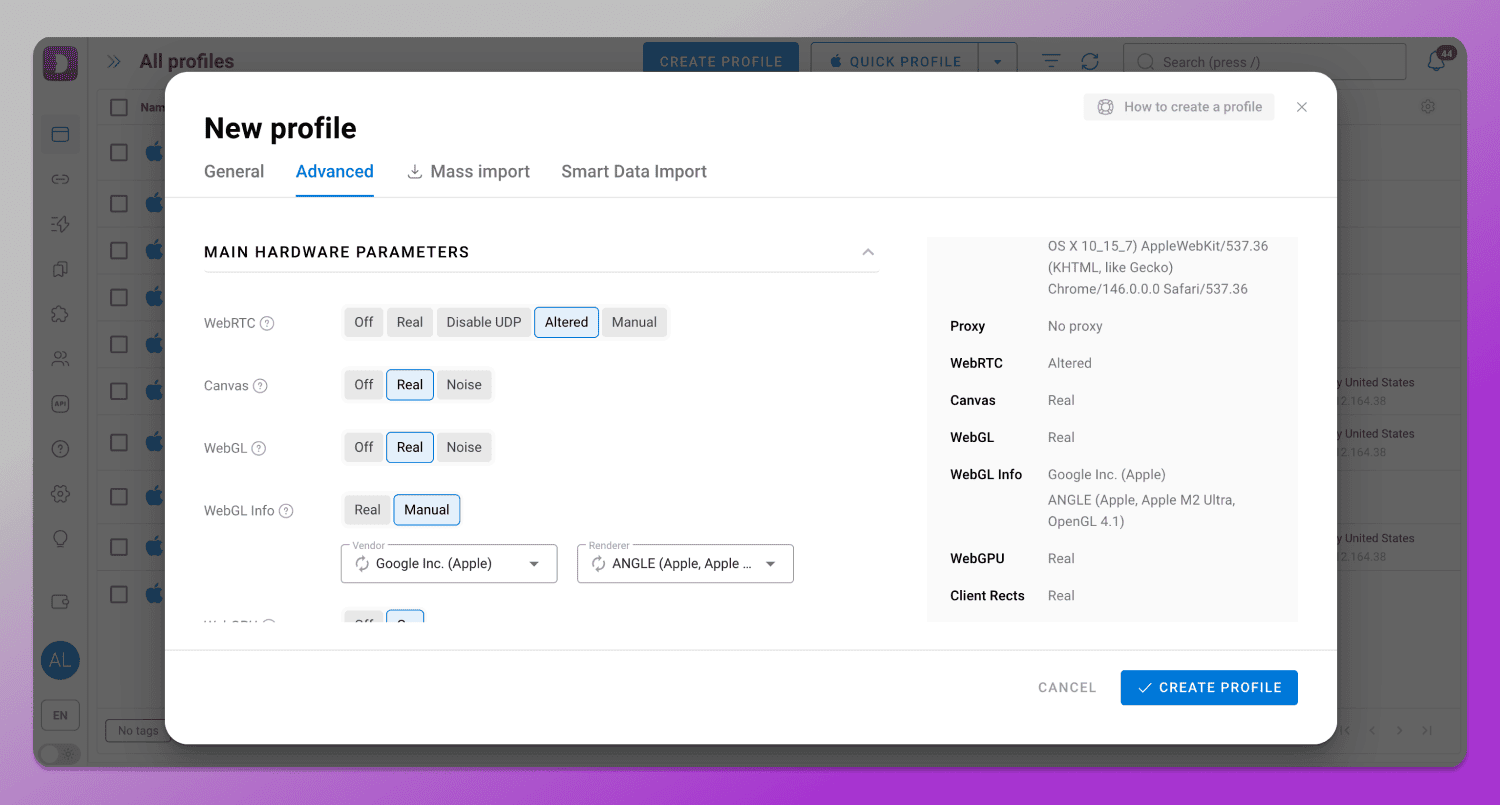
In Dolphin Anty, a large number of browser profile parameters can be configured. In the default setup the profile typically appears consistent and does not contain obvious contradictions, while users also have access to manual settings for more fine-grained customization of the fingerprint.
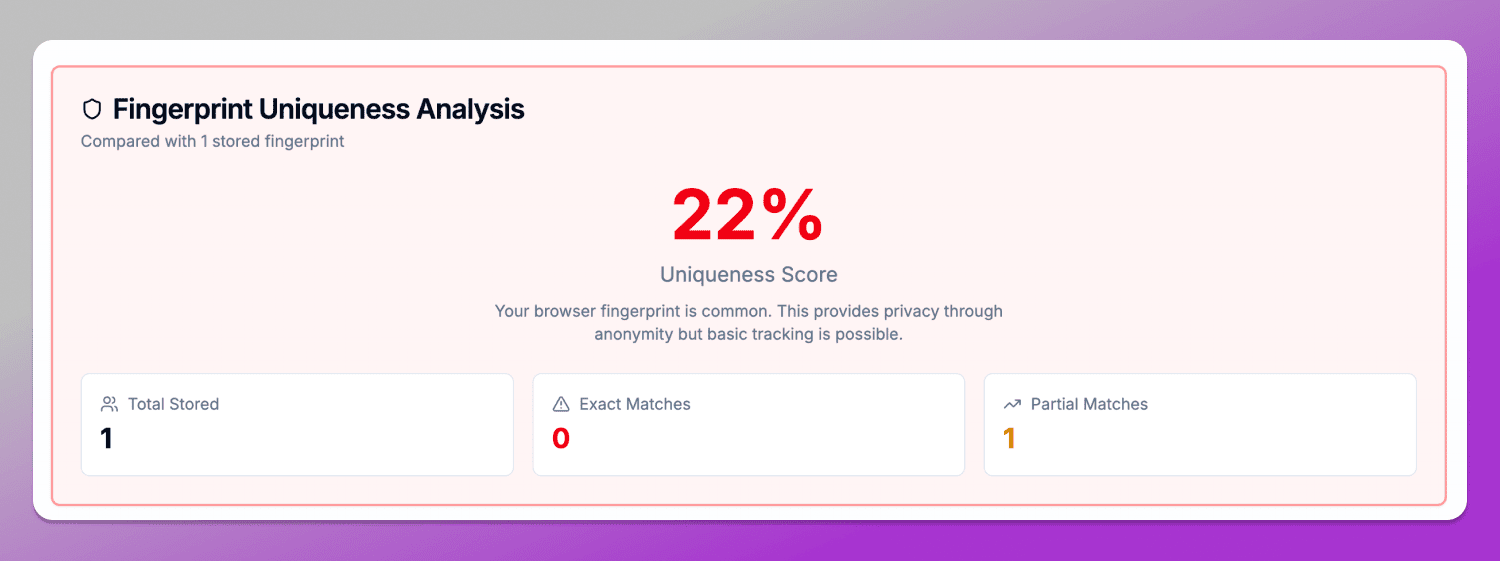
What is Creepjs score? It is the uniqueness score, for example 22%, as in this case means that the profile is close to common configurations, which reduces its distinctiveness among other users. However, the level of uniqueness always depends on the specific combination of parameters and the environment in which the profile is used.
At the same time, any changes in the fingerprint may appear during testing not as direct errors, but as noise or “lies” (inconsistencies). For example, Canvas or WebGL vendor and renderer spoofing may correctly return the expected value, but still create inconsistencies with other system parameters such as GPU, fonts or rendering. In such cases, CreepJS does not detect the tool itself, but instead flags deviations from normal fingerprint behavior.
Thus, CreepJS, when used together with Dolphin Anty, acts not as a detector of a specific anti-detect browser, but as a browser profile integrity verification system. It evaluates how natural the fingerprint appears, regardless of whether it was generated by a real device or assembled using an antidetect browser.
Conclusion
If you work with multiaccounting, maintain privacy or simply want to understand how your browser appears from the perspective of tracking systems, it makes sense to run real profiles through CreepJS and see where inconsistencies arise. And for practical multiaccounting workflows, there is 🔥 Dolphin Anty.
FAQ
Is CreepJS safe to use?
Yes, CreepJS is an open tool for analyzing browser fingerprints that runs locally in the browser. It is not a tracker and does not collect user data on a server in the traditional sense. Its main purpose is to show what signals your browser exposes to websites and how consistent they are.
Why does CreepJS say I am «lying»?
The term “lies” in CreepJS does not mean that the user is actually spoofing something. It is a technical term for Prototype Lies — situations where the behavior of JavaScript objects, APIs or the environment does not match the expected model of a clean browser. For example, if different contexts (main thread and isolated environments) return inconsistent data, the system flags this as a “lie” within the fingerprint.
Can I get a 100% trust score?
In real-world conditions, to bypass Creepjs detection is almost impossible. Even on standard browsers, the Trust Score rarely reaches a perfect value because modern fingerprinting systems use dozens of independent signals: GPU, WebRTC, fonts, audio, timing and API behavior. Any small inconsistency or rare parameter combination can reduce the final score.
What is the official CreepJS URL?
The official project is available on the CreepJS GitHub official page https://github.com/abrahamjuliot/creepjs and on the website https://creepjs.org/.
Does CreepJS track my personal data?
No. CreepJS is not designed to collect personal data or track users. It analyzes device and browser characteristics locally, directly in the browser, in order to show what signals are available to websites and how unique and consistent they are.