👣 A digital fingerprint is not a single parameter, but a combination of browser and device characteristics: browser and operating system versions, screen resolution, language, time zone, available fonts, hardware characteristics, Canvas, WebGL, WebRTC, and other signals. Most of these parameters prove little on their own, but their combination can distinguish one browser from many others.
A large-scale study, based on 4,145,408 fingerprints from 1,989,365 browsers, examined 216 attributes. It found that more than 81% of the attribute combinations were unique, while around 91% of the parameters remained unchanged even after almost six months. This means that a browser fingerprint is stable and unique enough for websites to use it to recognize the same device across different sessions.
This is why anti-detect browsers are used when working with multiple accounts. They create independent browser profiles with separate cookies, local storage, and sets of technical parameters, reducing the likelihood that different accounts will be linked through the same digital fingerprint. Each profile can also be assigned its own proxy, allowing work environments to remain isolated. However, it is important to understand that while this infrastructure is essential for multi-account operations, it does not cover the entire workflow, especially when Telegram is involved.
What an Anti-Detect Browser Does—and Does Not—Control
When a user opens Telegram and signs in through a browser, an 🐬 anti-detect browser matters because it creates the required environment. However, when work is performed through the official application or dedicated software, an anti-detect browser alone is not enough, because the boundaries of what it can influence are quite clear.
An anti-detect browser ⬇️
| Controls | Does not control |
| Login environment | Account history |
| Digital fingerprint | Registration quality |
| Cookies and storage | Telegram sessions |
| Profile proxy | Account restrictions |
| Profile isolation | Task workload and results |
A digital fingerprint primarily describes the connection environment. It does not reveal whom the user messages on Telegram, which authorization is being used, when the session was created, which errors the API returns, or whether the account is restricted.
If the environment has been prepared correctly, the source of the problem must be sought after authorization—within the lifecycle of the Telegram account itself.
Telegram’s Own Data: App, Device, and Session
Telegram officially states that, for security purposes and to combat spam and abuse, it may collect metadata including the IP address, the devices and Telegram applications used, and the history of username changes. When collected, this data may be stored for up to 12 months. Telegram also states that it may use automated algorithms to analyze cloud chats in order to counter spam and phishing.
This wording matters. It shows that Telegram’s operation does not end with checking the browser environment. The platform has its own application and account data, which is not stored inside the anti-detect browser and is not determined solely by the browser fingerprint.
📌 Registration sets an account’s initial conditions. The number and its history, the registration region, the method used to receive the code, additional checks, device parameters, the sequence from registration to subsequent logins, and the setup and retention of 2FA all form the baseline from which the account begins operating.
Two accounts opened in equally clean profiles may still have completely different initial conditions.
Telegram’s official Spam FAQ separately addresses cases in which a person has just registered, has not yet sent any messages, but has already received a restriction. Telegram explains that this may be caused by the previous activity of the phone number’s former owner or by the use of certain virtual and VoIP numbers that trigger a stricter system response.
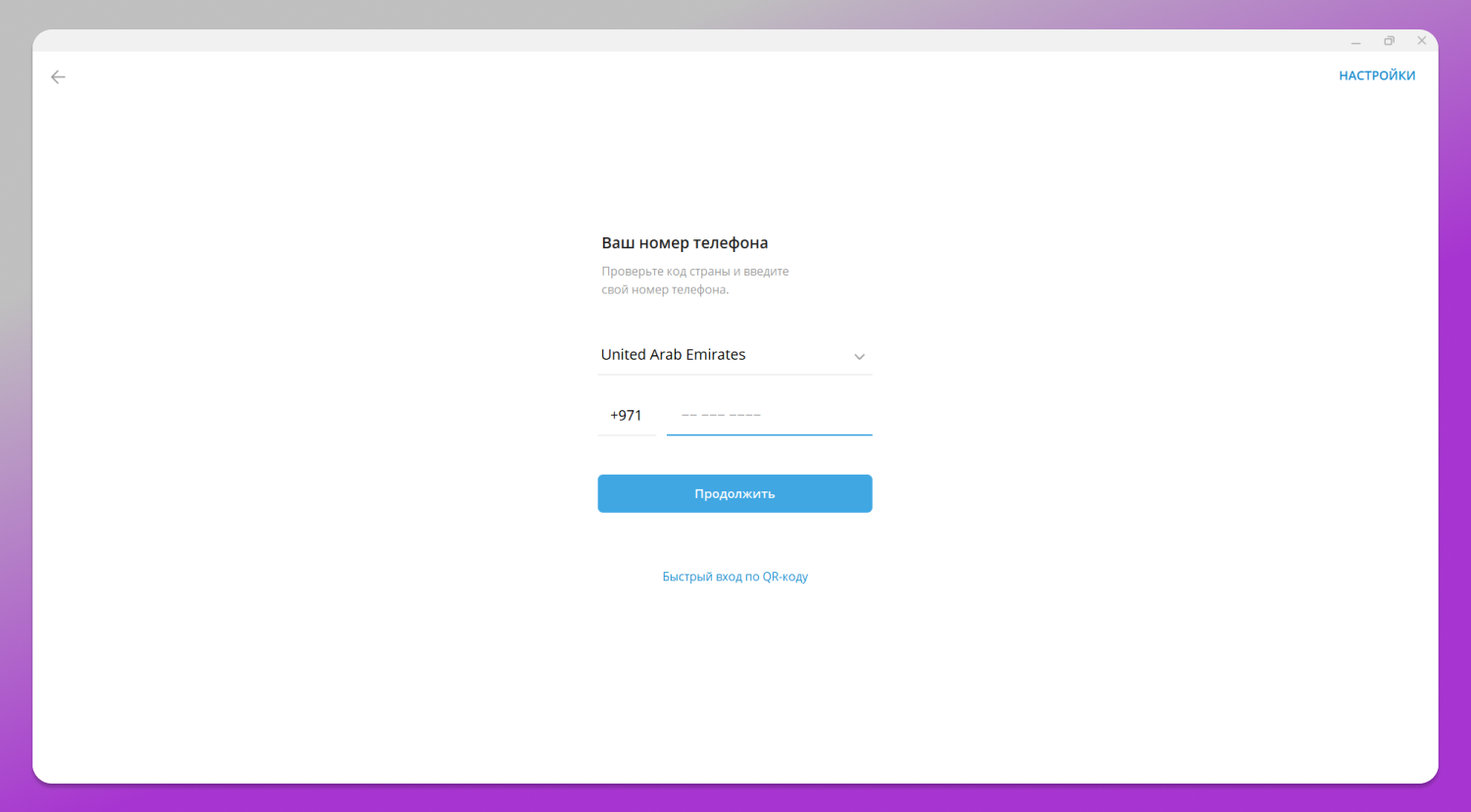
📌 The session links registration to subsequent work. After successful authorization, Telegram associates the account with the client’s cryptographic key—auth_key_id. Subsequent API requests made with this key are performed on behalf of the authorized user. A saved session is not an ordinary settings file; it contains the data needed to continue authorized work without requesting another code.
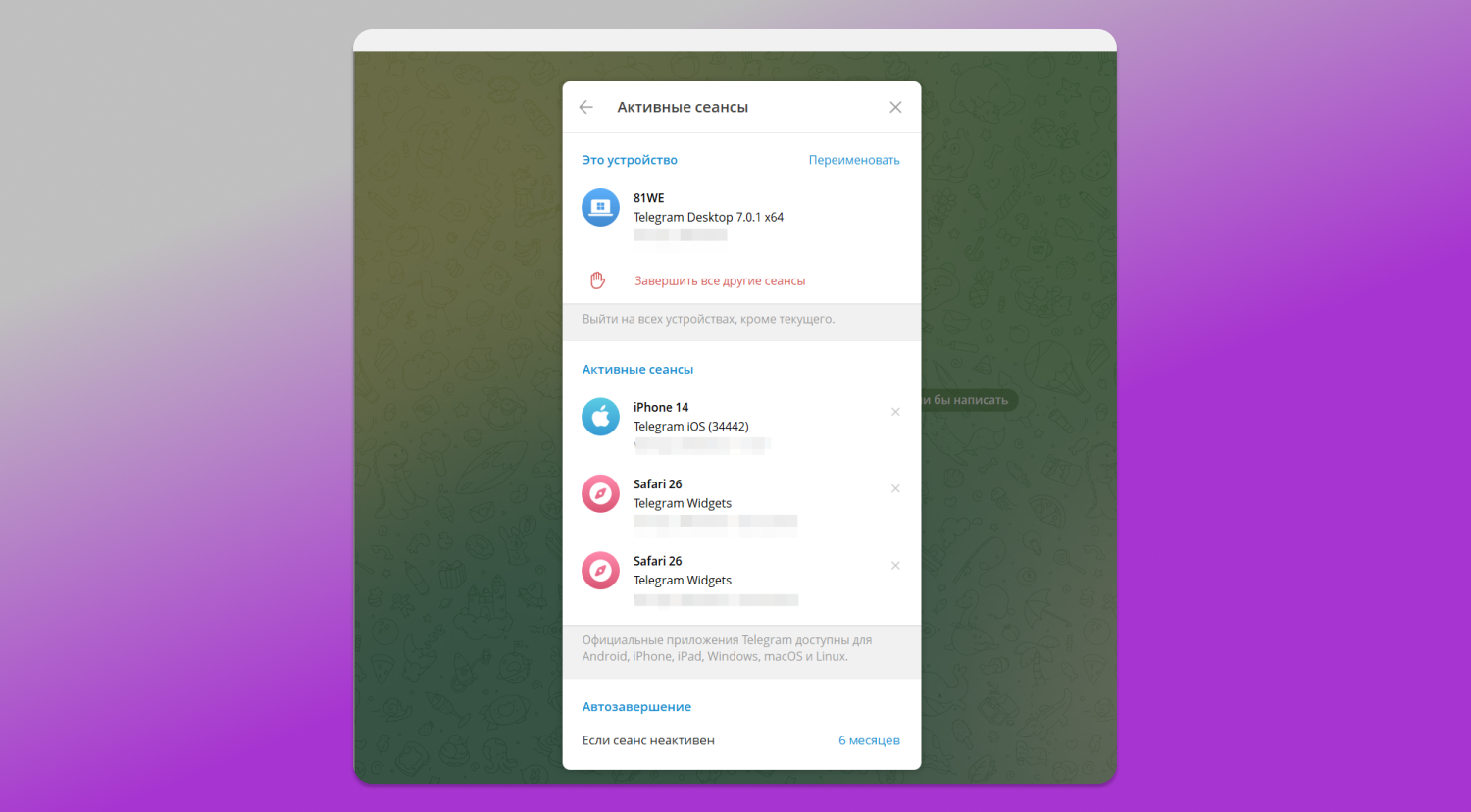
For every active authorization, Telegram stores the device model, platform, system version, API ID, application name and version, creation date, time of last activity, last known IP address, and the country and region determined from that IP.
📌 After login, the behavioral layer begins. The actions the account performs, how repetitive they are, how quickly they are repeated, whom messages are sent to, whether previous conversations or contacts exist, whether complaints arise, and which errors Telegram returns all contribute to the behavioral profile.
An anti-detect browser creates the browser environment from which Telegram Web or a related service is opened. However, the Telegram session itself contains its own data set: application, device, system version, IP address, region, creation date, and last activity. A clean browser profile therefore cannot replace the management of Telegram authorizations.
The login environment may be clean, but that does not answer the main operational question: is this specific account ready for this specific task right now?
Types of Telegram Restrictions and Their Symptoms
In everyday user language, the word ban is often used for entirely different situations. Telegram’s official documents distinguish at least temporary anti-spam restrictions, a frozen account, technical flood restrictions, and a full account ban.
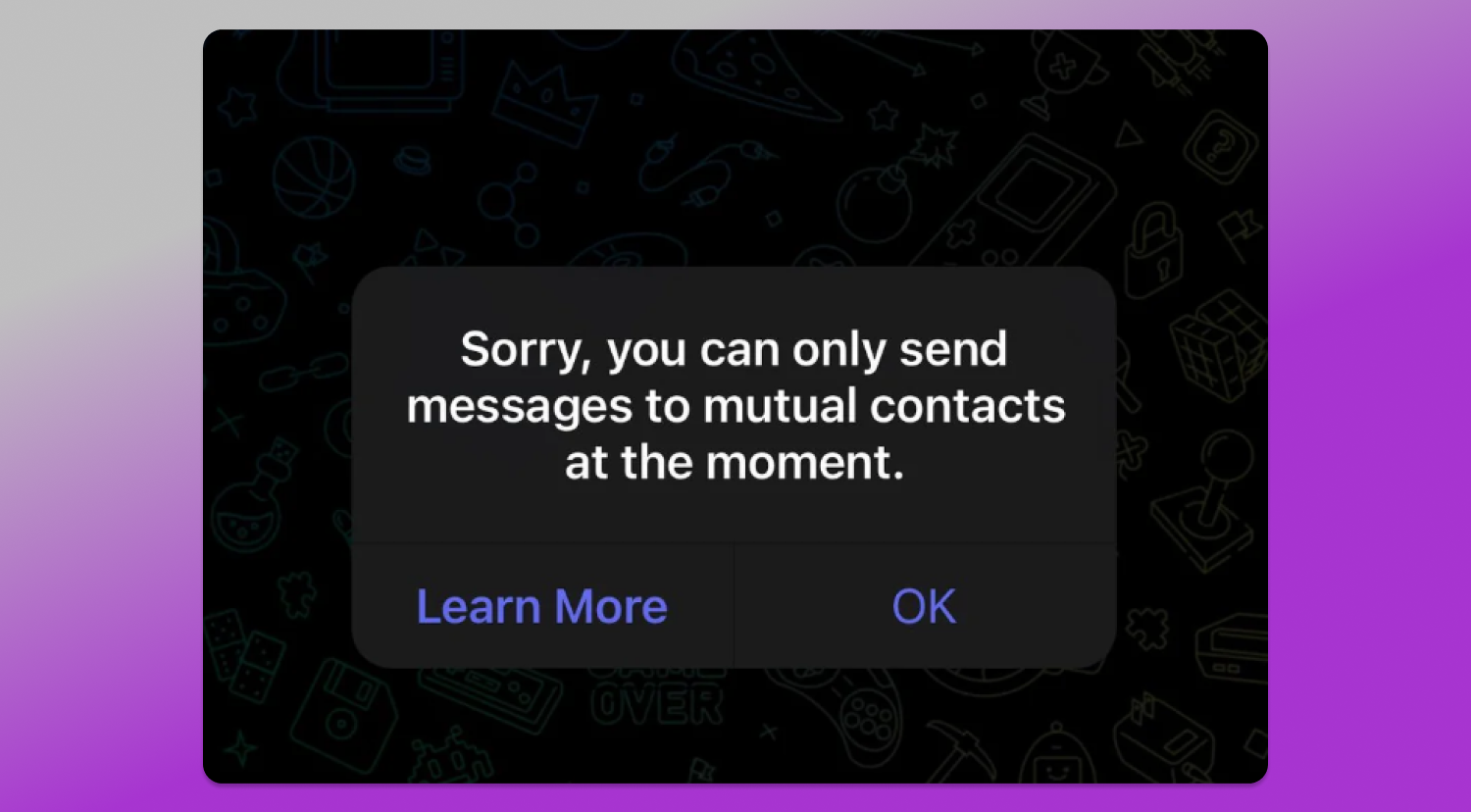
An anti-spam restriction does not necessarily remove every ability to communicate. Telegram states that a restricted user can message people who already have the user’s number saved in their contacts and can also reply to people who message first.
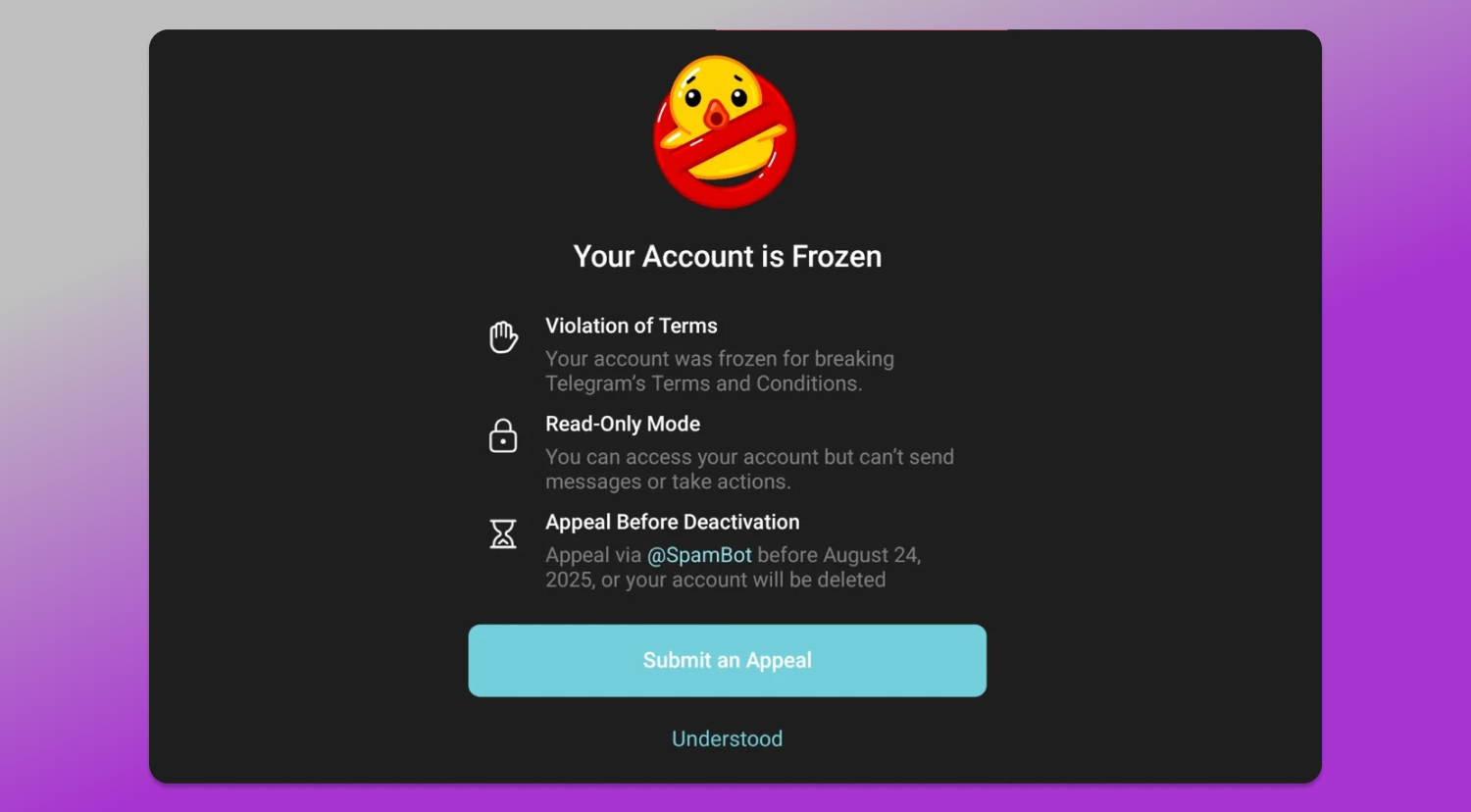
A frozen account is in a different state: the user can read conversations but cannot send messages or publish content. The decision can be appealed through the official @SpamBot bot.
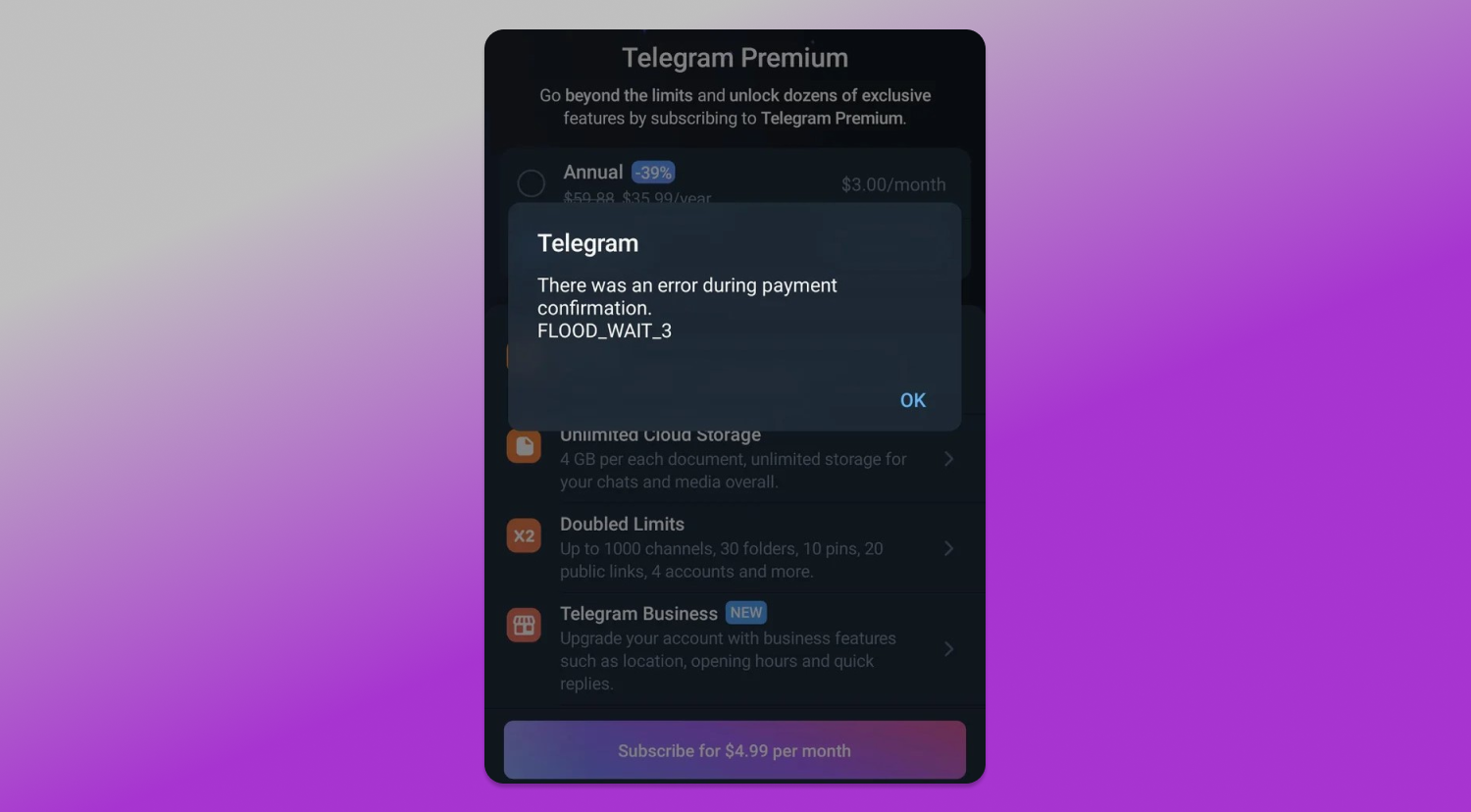
FLOOD_WAIT_X is a server-side API error. It means that the permitted number of attempts to call a specific method with certain parameters has been exceeded, and the client must wait X seconds. It is not necessarily equivalent to a user-facing spam restriction or a full account ban.
In addition, a specific request may fail because of permission or availability errors. For example, the message-sending method documents separate conditions in which the user is restricted in the chat, text messages are prohibited in the chat, or photos, videos, documents, stickers, and other content types are not allowed.
What the operator sees and what it may mean ⬇️
| Symptom | What it may mean | What to check |
| Messages are not sent | A restriction or recipient-side error | Account status and error text |
| One account stops the task | A local limit or damaged session | Logs, session, and previous workload |
| A new account does not start working | A registration or contact-related check | Number, geolocation, code, and account status |
| Some accounts work while others do not | Different initial conditions | Check each account separately |
Do not look for a universal catalog of «cause → guaranteed solution». The same visible symptom may require checks at several different layers.
A single account can still be investigated manually. When there are dozens or hundreds of accounts, diagnostics becomes an operational problem rather than merely a technical one.
Scaling Losses: From Five to One Hundred Accounts
Let us compare two scenarios.
1️⃣ Five accounts. The operator can still open each account manually, check messages, review its status, remember which proxy was used, stop a problematic session, and record the result in a spreadsheet.
2️⃣ One hundred accounts. Systemic losses begin: restricted accounts remain in active tasks, one account is assigned too many actions, the same user is repeatedly included in several tasks, results are stored in different files, proxies are changed without a shared logic, the operator does not know where the previous task ended, errors are discovered only after numbers, proxies, and time have already been consumed, and some data is lost together with a blocked session.
In Telegram discussions, users regularly look for ways to keep more accounts active at the same time. This is not evidence of Telegram API restrictions. It does, however, confirm the operational problem: as the number of accounts grows, the standard switching interface stops providing a clear overview of the state of the entire system.
This leads to a logical question: which layers must the system control so that the operator can see the account’s entire path?
Five Layers of Control in Multi-Accounting
Layer 1. Work environment. Profile isolation, cookies, local storage, digital fingerprint, and team access. This is where the anti-detect browser operates.
Layer 2. Network. A separate proxy, geolocation, IP stability, the absence of unexpected overlaps, and connection quality and speed. Telegram stores the IP address, country, and region of an active authorization.
Layer 3. Account and session. The number, registration, parameters, 2FA, session format, active authorizations, and the account’s current status.
Layer 4. Actions and workload. The assigned task, number of threads, operating speed, repetition patterns, error handling, removal of problematic accounts, and workload redistribution. The relevant references here are the Spam FAQ, the Privacy Policy, and the FLOOD_WAIT documentation.
Layer 5. Data and result control. The databases used, duplicate removal, completed actions, errors, the result for each account, final statistics, and preparation for the next task.
Diagram:
Environment → Network → Account → Actions → Result
❗ Each layer has its own risks. A clean fingerprint covers the first layer. A good proxy covers the second. Restrictions, lost sessions, overloaded accounts, and chaotic results arise in the next three layers.
The Role of Telegram Soft Expert in the Infrastructure
Telegram Expert is a centralized layer for managing Telegram accounts, sessions, tasks, and results.
The division of roles is as follows: the anti-detect browser separates work environments, proxies separate network connections, and Telegram Expert controls the status and operation of accounts inside Telegram.
These are two compatible layers of the same operational infrastructure, not applications that are technically integrated with each other.
The following sections cover only the Telegram Expert functions that address the problems across the five layers described above.

Checking and Sorting Accounts Before Launch
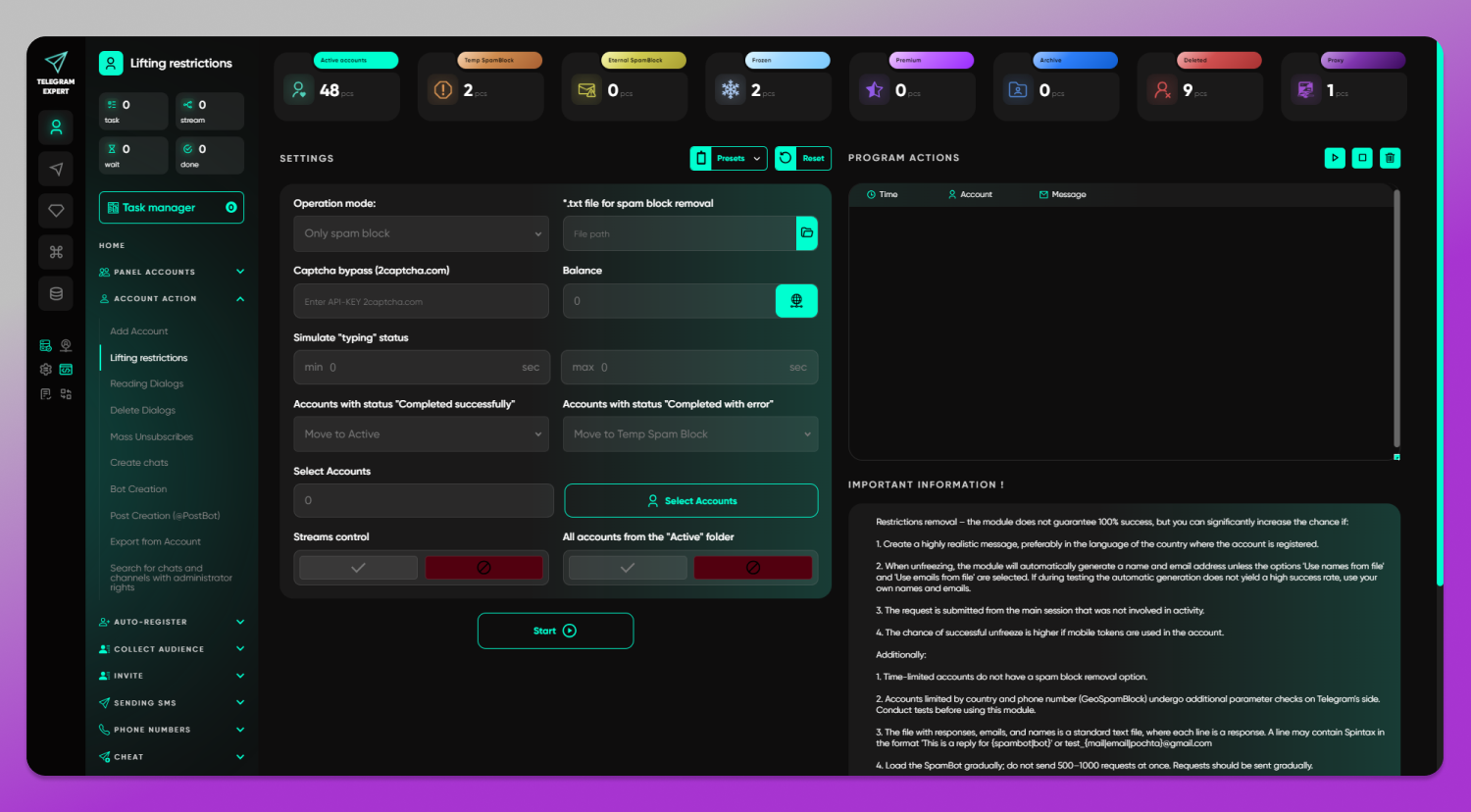
In a manual workflow, the operator often learns about a restriction only after a campaign has already started. Telegram Expert addresses this through a unified account panel, selection and grouping tools, bulk checks, and automatic distribution into folders.
Folders for storing accounts include active, temporary spam restriction, permanent spam restriction, frozen, archive, deleted, and, when needed, Premium.
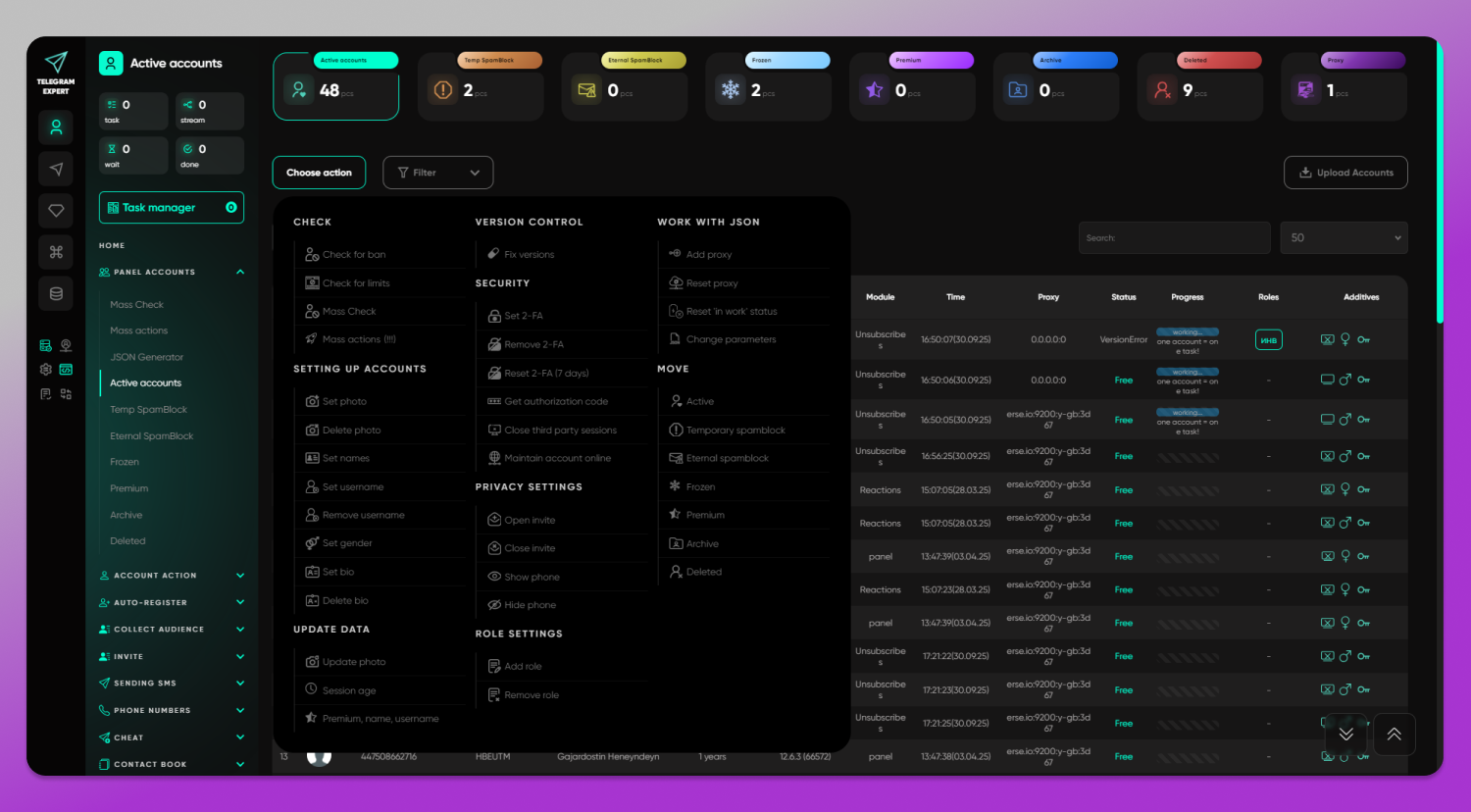
How it works in practice: the team imports the working pool and starts a check. Telegram Soft Expert determines the status of the accounts. Problematic accounts are separated from active ones. Only the prepared group is included in the new task.
Result: the operator does not spend proxies, databases, or time on accounts that can no longer complete the task.
Registration, Parameters, Sessions, and Proxies in One Place
Accounts are often created, stored, and launched in different tools. As a result, the operator loses information about the origin of the session and its current configuration.
⚙️ Registration becomes a manageable process. Telegram Expert works with physical SIM cards, connected SMS services, different code-delivery methods, waiting-time settings, geolocation, 2FA, bulk tasks, and number filtering.
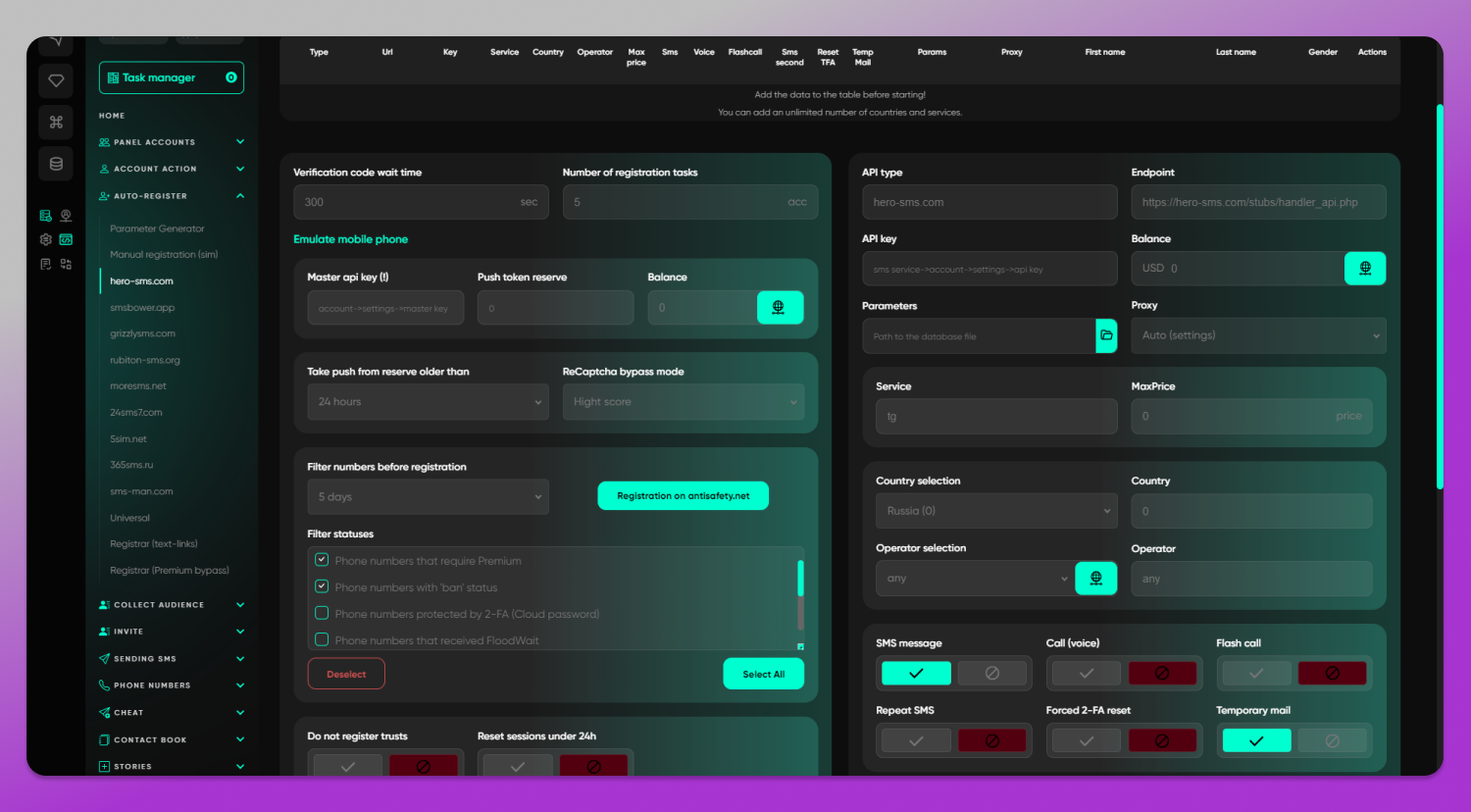
The system preserves the sequence between registration and the account’s subsequent use.
Parameters do not have to be assembled manually for every session. The parameter generator lets the operator specify the device, application version, system data, language settings, time zone, and data for import and conversion.
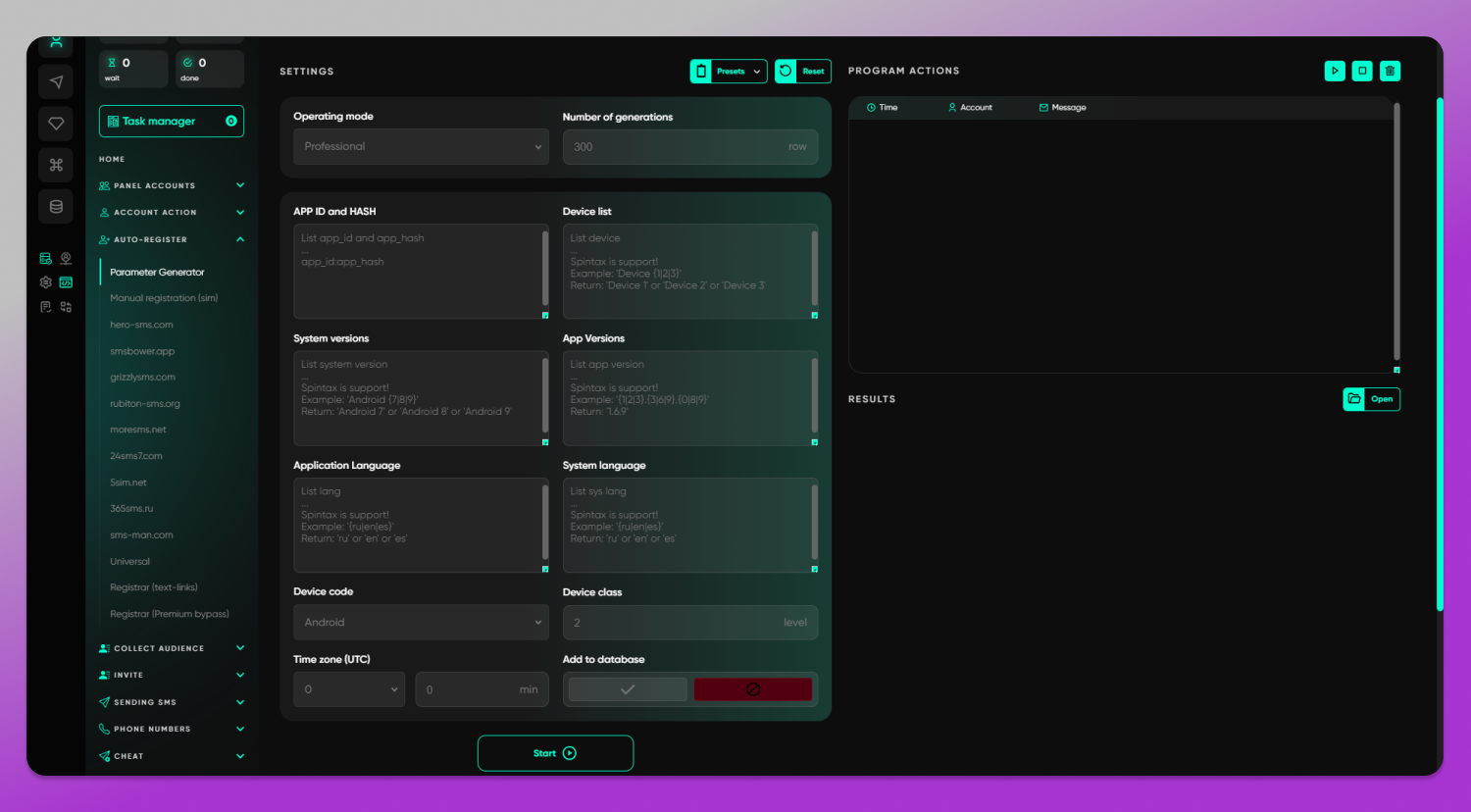
Sessions can be stored and converted centrally. Session, TData, conversion, duplication for the required clients, JSON creation or recovery, and 2FA management are all available in one place.
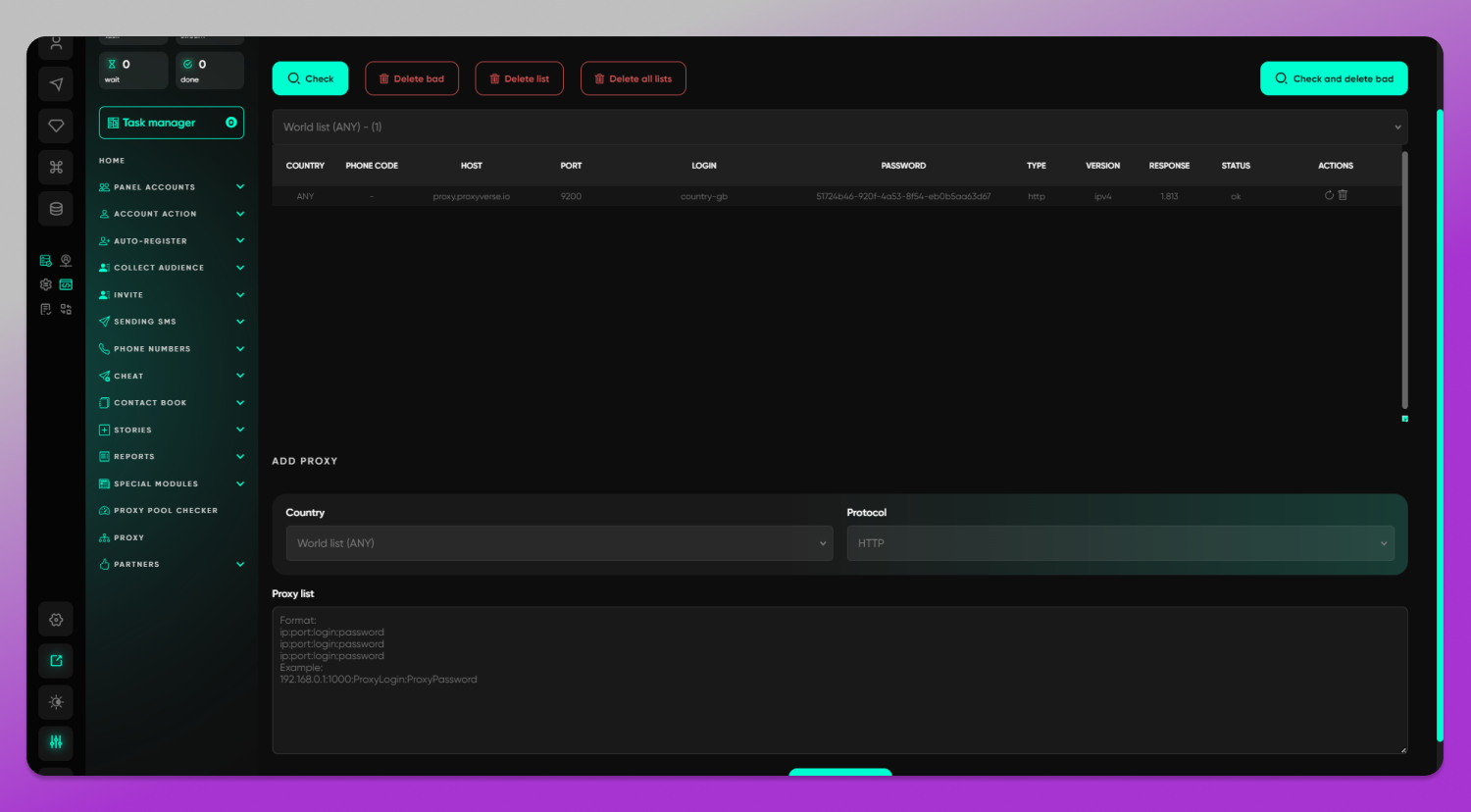
🔗 Proxies are checked before work begins: addition and initial validation, response speed, unavailable connections, overlapping IP addresses within the pool, and assessment of actual proxy uniqueness.
Controlling Context While Tasks Are Running
A standalone script can usually perform an operation, but it does not know the account’s current status, what the account has already done, who has already been processed, when the task should stop, or where the result should be saved.
Telegram Soft Expert lets the operator 🔥 select a specific group of accounts, control the number of threads, perform bulk actions, distribute accounts across tasks, read existing conversations, work with contacts, collect a relevant audience, exclude one database from another, clean and merge databases, send messages through existing conversations or contacts, handle errors, and save results.
A step-by-step workflow:
- The team selects a verified pool of accounts.
- Defines the task type.
- Sets the workload.
- Uploads the prepared database.
- Excludes users who have already been processed.
- Starts the task.
- Receives a separate result for each account.
- Problematic accounts are removed from further work.
Reports and Data After Task Completion
In many manual setups, results are scattered across script logs, spreadsheets, text files, session folders, and operator messages.
Telegram Expert provides a 📋 report generator, statistics databases, result merging, an action calculator for each account, tracking of mailings and invites, storage of successful and unsuccessful results, and preparation of data for the next launch.
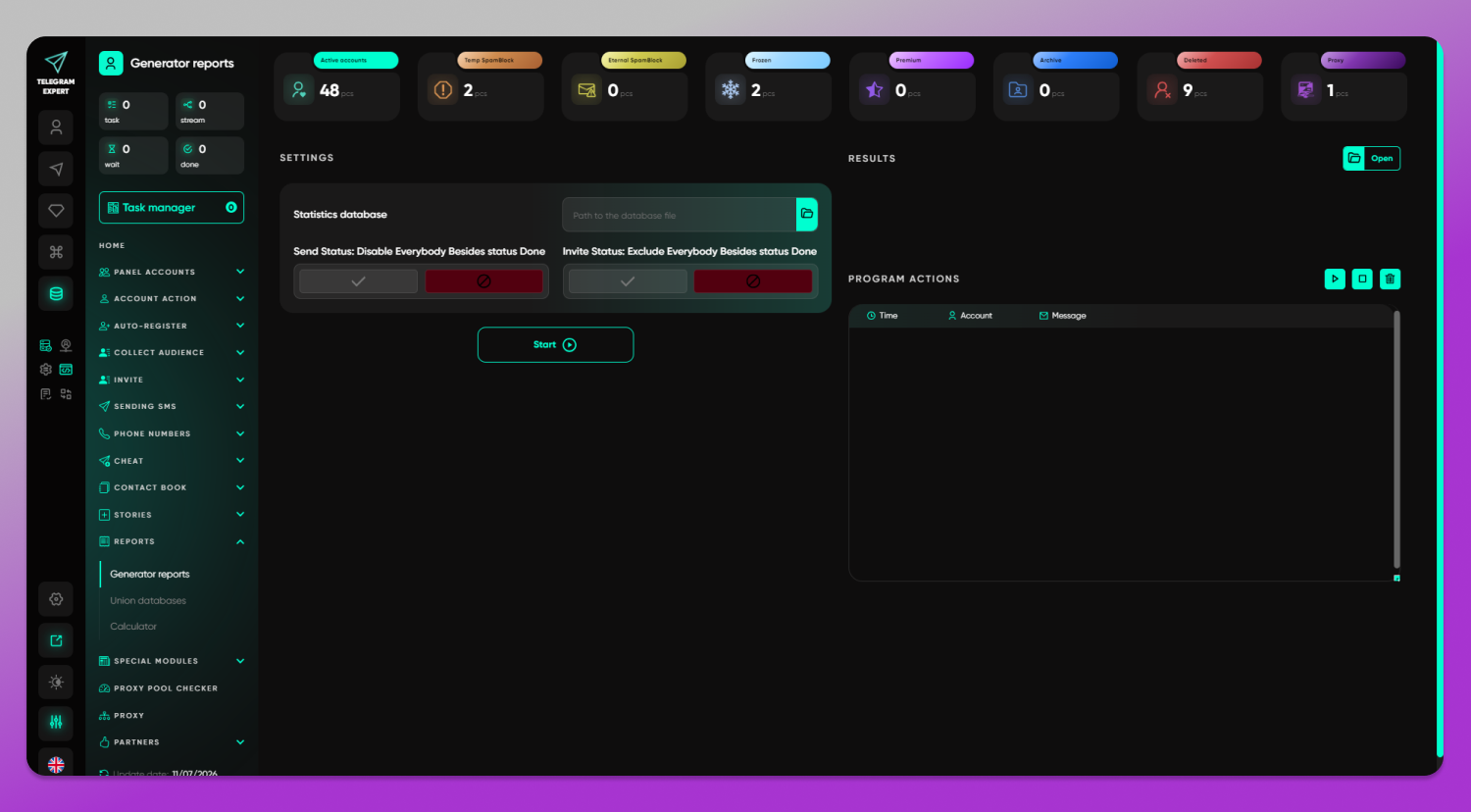
The infrastructure becomes manageable only when the team can reconstruct the chain: which account used which connection, which task it performed, and how that task ended.
Complete Setup: Anti-Detect + Proxies + Telegram Expert
Step 1. The anti-detect browser separates work environments. A separate profile, separate cookies, separate local storage, a consistent digital fingerprint, and access for the appropriate employee.
Step 2. The profile receives a separate network connection. A proxy is assigned, geolocation is checked, obvious overlaps are excluded, and stability is assessed.
Step 3. Telegram Expert receives the account and its session. The account is registered or imported, parameters are saved, 2FA is checked, the status is determined, and the account is placed in the appropriate group.
Step 4. The working pool is checked before launch. Restricted accounts are excluded, proxies are checked, sessions are converted into the required format, and duplicates are removed from the database.
Step 5. Telegram Soft Expert performs and controls the task. Accounts are selected, the workload is set, the required module is launched, and errors and results are recorded.
Step 6. A report is generated after completion. Successful actions, errors, the result for each account, a new database for the next stage, and the accounts that should be temporarily excluded are all recorded.
Visual diagram:
Anti-detect → Isolated work environment → Proxy → Separate network connection → Telegram Expert → Account → Session → Check → Task → Result
Who Needs This Infrastructure—and Who Does Not
Suitable for:
- teams working with dozens or hundreds of Telegram accounts;
- agencies;
- owners of multiple projects and communities;
- operators who need centralized status visibility;
- teams that use Session or TData;
- specialists who need to combine registration, proxies, tasks, and reports;
- projects where manual checks have already become a bottleneck.
Not needed for:
- a user with one personal account;
- a team for which the standard Telegram client is sufficient;
- those expecting a «never get restricted» button;
- those who do not intend to control the quality of numbers, proxies, databases, and workflows;
- those who treat an anti-detect browser or automation as a substitute for the platform’s rules.
Telegram Expert does not make accounts invulnerable. It gives the operator what a collection of disconnected clients and scripts cannot provide: visibility, consistency, control, and data for decision-making.
Conclusion
A properly configured anti-detect browser remains important. It simply cannot control what happens to an account after login. Telegram is a complex ecosystem with its own rules, risks, and technical restrictions. A clean digital fingerprint does not automatically make a Telegram account ready for any activity.
Sustainable operation requires connecting environment isolation, proxies, account status, sessions, workload, and results. All five layers—from the work environment to result control—must operate as a single system.
Telegram Expert covers three of the five layers: account and session, actions and workload, and data and result control. Combined with an anti-detect browser and high-quality proxies, it provides a complete infrastructure for professional work in Telegram.
Would you like to centralize your Telegram accounts, check the current pool, and bring sessions, proxies, and tasks together in one interface? Visit the Telegram Expert page and see what systematic work looks like instead of chaos.
Хотите централизовать Telegram-аккаунты, проверить текущий пул, объединить сессии, прокси и задачи в одном интерфейсе? Переходите на страницу Telegram Expert и посмотрите, как выглядит системная работа вместо хаоса.