
Almost everyone has run into a mandatory sign-up just to download a resource or try a service — followed shortly after by an inbox flooded with newsletters. Temporary email solves that kind of situation: a disposable email address, built to last only a short while, that protects your main inbox.
This 📋 guide covers what it is, how to create one, where it gets blocked, and where its real limits lie.
What is a temporary email and how does it work?
Definition and the address lifecycle
📩 A temporary email — disposable or self-destructing — is a short-lived address, generated automatically by a free service, with no prior sign-up. After a set period, the inbox self-destructs, and nothing that reached it can be recovered. That window varies a lot between services, and there’s no single industry standard: Guerrilla Mail keeps the inbox active for about 60 minutes, extendable manually by refreshing the page; 10 Minute Mail starts at 10 minutes, with the option to add more time by clicking to reset the countdown before it hits zero; and Temp Mail also defaults to short windows (the brand itself grew out of the “10-minute” concept), but offers a paid tier (starting around $10/month or $60/year) that extends retention and lets you save important messages for longer. Beyond these three, other services in the category keep inboxes alive for up to 24 hours, 8 days, or even a few months — the only reliable way to know is to check the countdown timer or the retention policy shown on the site itself before you use it.
How to create a temporary email, step by step
Creating an address takes seconds: you open the service’s site and a random email is already waiting. You copy it, paste it into the sign-up, and follow messages in the interface itself, with no login or password. Customization varies by service: Guerrilla Mail lets you edit the username and pick from several different domains, all without registering — just click on the address shown on screen; 10 Minute Mail offers no customization at all, hands you a fixed random address, and only lets you extend the remaining time; and Temp Mail generates an automatic address on the free tier, but reserves custom domains and creating multiple simultaneous addresses for its paid plan.
What it’s actually good for
Avoiding spam and testing services without committing
The most common use is signing up on websites, downloading free resources, or unlocking content that demands an email, without handing your main inbox to a wave of communications. The second is evaluating a platform before subscribing, without tying your real address to the trial.
Here’s the catch people discover too late: if the trial goes well and you want to keep the account, it stays tied to an inbox that no longer exists. Without access to the signup email there is no password recovery, and support usually can’t fix it either.
One-off privacy and technical testing
On forums, one-time downloads, and low-stakes sign-ups, a disposable address reduces your exposure to databases that could be leaked or resold. On product teams, it shortens the testing of sign-up flows and automations without creating dozens of real accounts.
The real limits of temporary email
Where it gets blocked at the source
Many services maintain lists of known disposable domains and ❌ reject the sign-up outright. That’s standard on platforms using email as part of identity verification. Banks, brokerages, crypto exchanges, identity-verification providers, and government portals block almost universally, driven by know-your-customer (KYC) regulatory requirements. PayPal is frequently cited as one of the most aggressive blockers, reportedly rejecting the large majority of newly launched disposable domains within about 48 hours of their appearing. Social platforms vary more: services that struggle more with fake accounts and harassment, such as X and Instagram, tend to block more strictly; smaller communities and forums tend to be more permissive. Beyond that, any service built around a free trial or referral program also tends to block, because the business model depends on each address representing one unique person.
What it does not solve
This is the most important point in the guide: temporary email solves the email verification step only. There is no such thing as a no phone verification email trick here — a disposable email has nothing to do with phone or SMS checks, and social platforms and financial services usually require phone confirmation as an extra layer.
It isn’t anonymity either. The service hosting the inbox logs access metadata, and the received message is often visible to anyone who opens the same address, since many of these tools are open-access.
Privacy and data protection
Prevention is not repair
Temporary email works before the problem: it reduces how many databases receive your real address. For what has already been collected, the instrument is different. Frameworks such as the GDPR in Europe and comparable state-level laws in the US give you the right to request access, correction, portability, and deletion of your data, plus withdrawal of consent.
How to exercise your rights in practice
The request goes to the company’s data protection contact, usually listed in its privacy policy. The most effective combination is using disposables for low-risk sign-ups and exercising your rights where your real address has already been handed over.
When NOT to use a temporary email
There are situations where a disposable address is risky:
- Bank accounts, digital wallets, and financial services — account recovery depends on a real, permanent email.
- Accounts you plan to keep — losing the signup email can mean losing the account for good.
- Services holding sensitive data or purchases under warranty — receipts, returns, and recovery all depend on inbox history.
How to choose a temporary email service
The most frequently cited free disposable email services include Temp Mail, Guerrilla Mail, and 10 Minute Mail, with differences in interface, inbox duration, and address customization. Before choosing, check whether messages remain accessible to anyone who types the same address, and what the privacy policy says about received content.
When the problem stops being the email and becomes the browser
A disposable address solves one side of a sign-up: the inbox. The other side stays open. Anyone who tests products, serves clients, or works in digital marketing piles up dozens of sign-ups in the same browser, and legitimate accounts end up sharing cookies, cache, and fingerprint — which is where crossed sessions and unwarranted platform restrictions come from.
🔥 Dolphin Anty handles that second side by creating a separate browser for each account. Every profile gets its own fingerprint across more than 20 parameters, plus isolated proxy and cookies: a sign-up made in one profile never crosses with the one next to it.
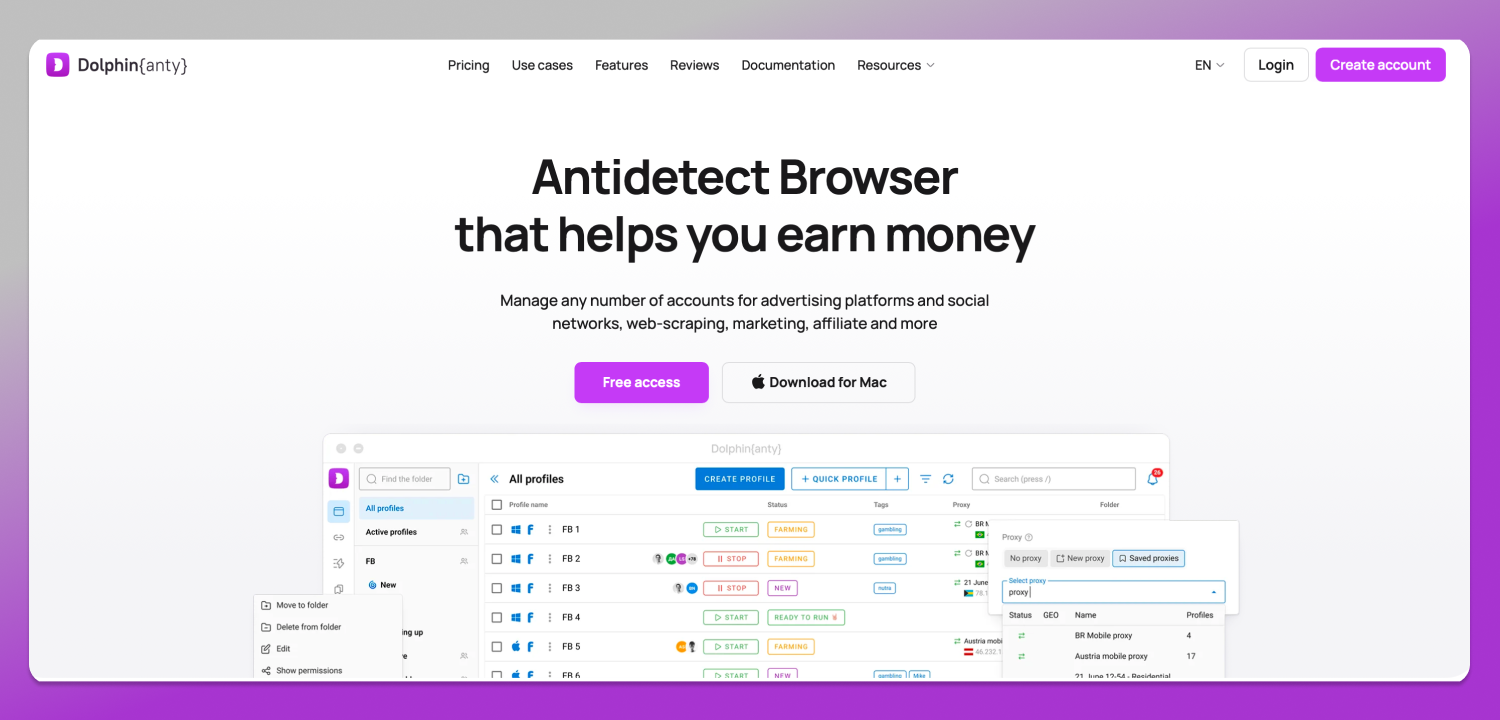
In practice, instead of depending on inboxes that expire, each account lives in a stable environment. Teams get user management with individual permissions; repetitive tasks get API automation. Signing up unlocks 5 free profiles, no card required.
Comparing the options most used for this kind of work:
- Dolphin Anty — the best pick for anyone managing multiple accounts. Free $0 (5 profiles), Starter $10/month (20 profiles), Base $89/month (100 profiles), Team $159/month (300 profiles), Enterprise $299/month (1000 profiles), and Custom with unlimited profiles on request. Runs on 64-bit Windows, macOS (Intel and M-series chips), and Linux (AppImage, .deb, and .rpm).
- Multilogin — Free forever with 5 profiles, deleted after 7 days, Pro at $11/month (10 profiles) or $85/year, and Business starting at $89/month (300 profiles). Requires Windows 10+, macOS 14 Sonoma+, or Ubuntu 22+, 64-bit only; Apple Silicon M1–M4 is supported, Windows on ARM is not.
- Native browser profiles — free for separating personal sessions, but with no dedicated fingerprint, per-profile proxy, or team controls.
Safe usage best practices
- Use a disposable email only for low-risk sign-ups where losing access carries no real consequence.
- Never point the password recovery of an important account at a temporary address.
- Save any code, receipt, or activation link you may still need somewhere outside the inbox.
- For accounts you intend to keep, use a permanent secondary email dedicated to sign-ups.
Frequently asked questions
Is using a temporary email illegal?
No. Creating a disposable address is legal, and these services operate openly. What can carry consequences is breaking a platform’s terms of service, such as opening duplicate accounts or repeating free trial periods. In those cases, the risk is having the account banned.
Can messages be recovered after the inbox expires?
No. The destruction is permanent, and these services keep no backup of the content received. If there’s a confirmation code, a receipt, or an activation link that you may still need later, copy everything somewhere else before closing the browser tab.
Does a temporary email work for SMS verification?
No. It covers the email confirmation step only. Sign-ups that ask for a mobile number still require a valid phone, and no disposable inbox gets around that step. Social platforms and financial services usually combine both verifications in the same opening flow.
Why do some sites reject my disposable address?
Because they maintain lists of known disposable domains and block the sign-up automatically. It’s standard practice on regulated services that need to identify the customer — banks, brokerages, crypto exchanges, and government portals — and also on any platform whose business depends on one address per person, such as free-trial or referral programs. When the domain is on that list there is no workaround: only a permanent address completes the sign-up.
What’s the alternative when I need to keep the account?
A permanent secondary address, created only for sign-ups and kept separate from your personal email. It keeps the main inbox clean and preserves password recovery. Anyone running several work accounts can also add a browser with isolated profiles, such as Dolphin Anty.
Conclusion
Temporary email is useful for protecting your main inbox during one-off, low-risk sign-ups, but it has clear limits: it doesn’t replace SMS verification, it doesn’t guarantee anonymity, it gets blocked precisely where identity verification is demanded, and it should never carry an account you intend to keep.