
Most multi-account users already know that each account should have its own isolated browser environment. However, some still find their accounts restricted or banned even after separating fingerprints, cookies, and browser data. One common reason is often overlooked: the IP address.
If multiple accounts share the same IP, platforms may link them together and identify them as being operated by the same user. On stricter platforms, this can increase the risk of account restrictions or even bans. This is where IPcook comes in. IPcook is a proxy provider offering different proxies, helping users assign different IP addresses to different accounts.
This 📋 review covers IPcook proxy types, features, and current pricing. It also shows the full setup process from account registration and proxy purchase to proxy configuration in Dolphin Anty.
IPcook at a Glance
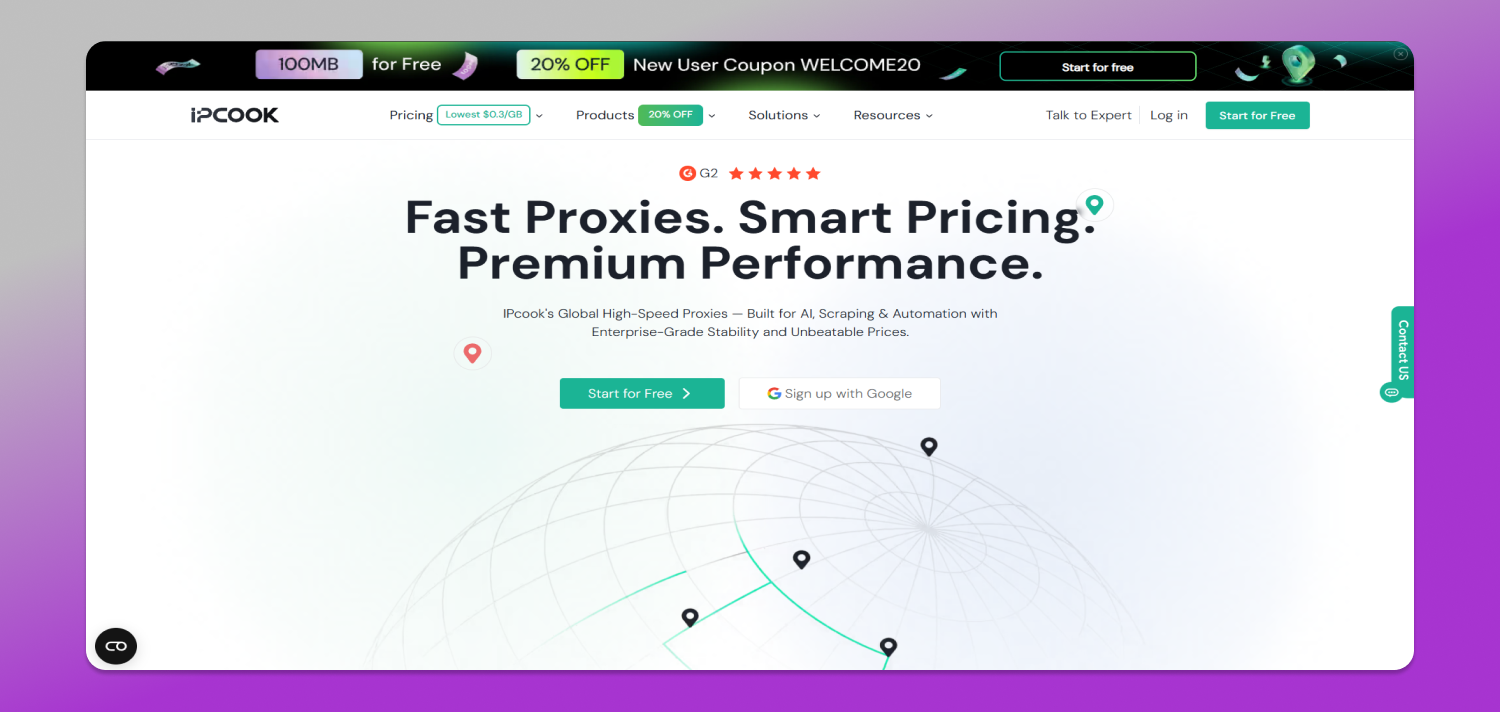
🔗 IPcook is a proxy provider for users who need access to IP addresses in different locations or need separate network connections for different online tasks. Its product range covers residential proxies, static ISP proxies, and datacenter proxies.
The 3 products serve different needs. Residential proxies give users more control over location and IP rotation. ISP proxies provide static connections for tasks that need the same IP for longer periods. Datacenter proxies focus on fast, scalable connections at a lower cost per IP. This range gives more flexibility to users, especially those using 🚀 Dolphin Anty. Instead of assigning the same proxy type to every profile, users can match the network setup to each profile’s purpose.
Key Features of IPcook Proxies
Beyond its range of proxy types, IPcook boasts many features that make its performance incredible for all users. Let’s take a closer look at how IPcook excels in different aspects.
55M+ IPs Across 185+ Locations
IPcook provides access to more than 55 million IPs across 185+ locations. This wide coverage gives users more flexibility when they need to assign proxies from specific countries or regions to different Dolphin Anty profiles. It is especially useful for workflows that require location-specific browsing or account management.
Fast Response Times Under 0.5 Seconds
Response times of under 0.5 seconds help support faster and smoother browsing. For users managing multiple Dolphin Anty profiles, this can reduce delays when opening websites, switching between accounts, or handling everyday browsing tasks.
Unlimited Traffic for ISP and Datacenter Proxies
ISP and datacenter proxies come with ♾️ unlimited traffic and bandwidth, so users do not need to track traffic usage or worry about traffic-based charges. This makes them suitable for longer sessions or profiles that require regular network access.
Flexible Pricing Options
Different proxy types come with 💳 flexible pricing models. Residential proxies support pay-as-you-go and monthly plans, while ISP and datacenter proxies can be purchased in small quantities, allowing users to start with just 1-9 IPs before scaling their setup.
HTTP and SOCKS5 Support
IPcook supports both HTTP and SOCKS5 proxy protocols. You can choose the protocol that fits your needs. When setting up a profile in Dolphin Anty, select the same proxy protocol. This makes the setup process easier and supports different browsing tasks.
Residential Traffic Does Not Expire
Purchased residential proxy traffic has no fixed expiration date. You can buy traffic based on current needs and keep any unused balance for later, which is convenient for projects with irregular proxy usage. This also holds true for monthly subscriptions. Any unused traffic from the current month will ⭐ automatically roll over to the next month, so you don’t have to rush to use it all up before the month ends.
Up to 10 Free Sub-Accounts with Residential Plans
Residential proxy plans support up to 10 free sub-accounts. These sub-accounts can help users separate proxy credentials, traffic, and projects more clearly. For teams or users managing multiple Dolphin Anty profiles, this structure can make proxy organization and access management easier.
IPcook Pricing Plans
IPcook uses different pricing structures for residential, ISP, and datacenter proxies. Residential plans are traffic-based. ISP and datacenter proxies, on the other hand, are priced per IP with flexible durations from 5 to 360 days. ISP and datacenter proxies, on the other hand, are priced per IP with flexible durations from 5 to 360 days.
Residential proxies are available through pay-as-you-go and monthly plans. Both ISP and datacenter proxies support 1 IP purchase, making them suitable for users who want to start with a single Dolphin Anty profile before scaling up. While orders of 10 IPs or more support usage periods as short as 5 days for greater flexibility.
You can use the promo code DOLPHIN20 to receive 20% off an IPcook proxy purchase.
Residential Proxy Pricing
Residential proxies are priced based on traffic volume. Higher-volume plans reduce the cost per GB, while enterprise users can request custom pricing.
| Plan | Traffic | Price per GB | Package Total |
| Basic | 1 GB | $3.20/GB | $3.20 |
| Advanced | 25 GB | $2.40/GB | $60 |
| Small Enterprise | 1,000 GB | $0.80/GB | $800 |
| Enterprise | Custom | From $0.30/GB | Custom |
ISP Proxy Pricing
ISP proxies are priced per IP. The table below shows the 30-day rates currently displayed in the IPcook dashboard. Buying more IPs lowers the cost per IP.
| Quantity | Price per IP / 30 Days | Estimated Total |
| 1 IP | $2.4 | $2.4 |
| 10 IPs | $1.455 | $14.7 |
| 50 IPs | $1.426 | $72 |
| 100 IPs | $1.411 | $141 |
| 200 IPs | $1.382 | $276 |
Datacenter Proxy Pricing
Datacenter proxies follow the same quantity-based model but come at a lower cost per IP. The prices below are also based on a 30-day period.
| Quantity | Price per IP / 30 Days | Estimated Total |
| 1 IP | $1.92 | $1.92 |
| 10 IPs | $1.164 | $11.7 |
| 50 IPs | $1.141 | $57 |
| 100 IPs | $1.129 | $114 |
| 200 IPs | $1.106 | $222 |
Why IPcook Fits Dolphin Anty Workflows
📌 Dolphin Anty separates browser profiles, but each profile also needs its own network connection to stay truly independent. If multiple profiles share the same proxy, they may still appear to come from the same network even when their fingerprints, cookies, and storage are different.
IPcook helps solve this by making it easier to assign a separate proxy to each Dolphin Anty profile. This creates a clear one-profile, one-proxy structure, so users can quickly see which connection belongs to which profile and replace or troubleshoot a proxy without affecting the others.
The setup is also easy to keep consistent. IPcook supports HTTP and SOCKS5 and provides proxy credentials in a standard format, making it straightforward to transfer connection details into Dolphin Anty. Users can also match the proxy location to the profile’s target region and control how long a session keeps the same IP.
For users managing many profiles, this structure is easier to scale. Proxies can be organized through sub-accounts, helping teams separate credentials, traffic, and responsibilities while keeping the overall workflow easier to manage.
How to Set Up IPcook Proxies in Dolphin Anty
Since IPcook and Dolphin Anty work well together for separating browser and network identities, the next step is to connect them. The setup has two stages. First, prepare the proxy in IPcook. Then, add the proxy credentials to a Dolphin Anty browser profile.
Step 1: Create an IPcook Account
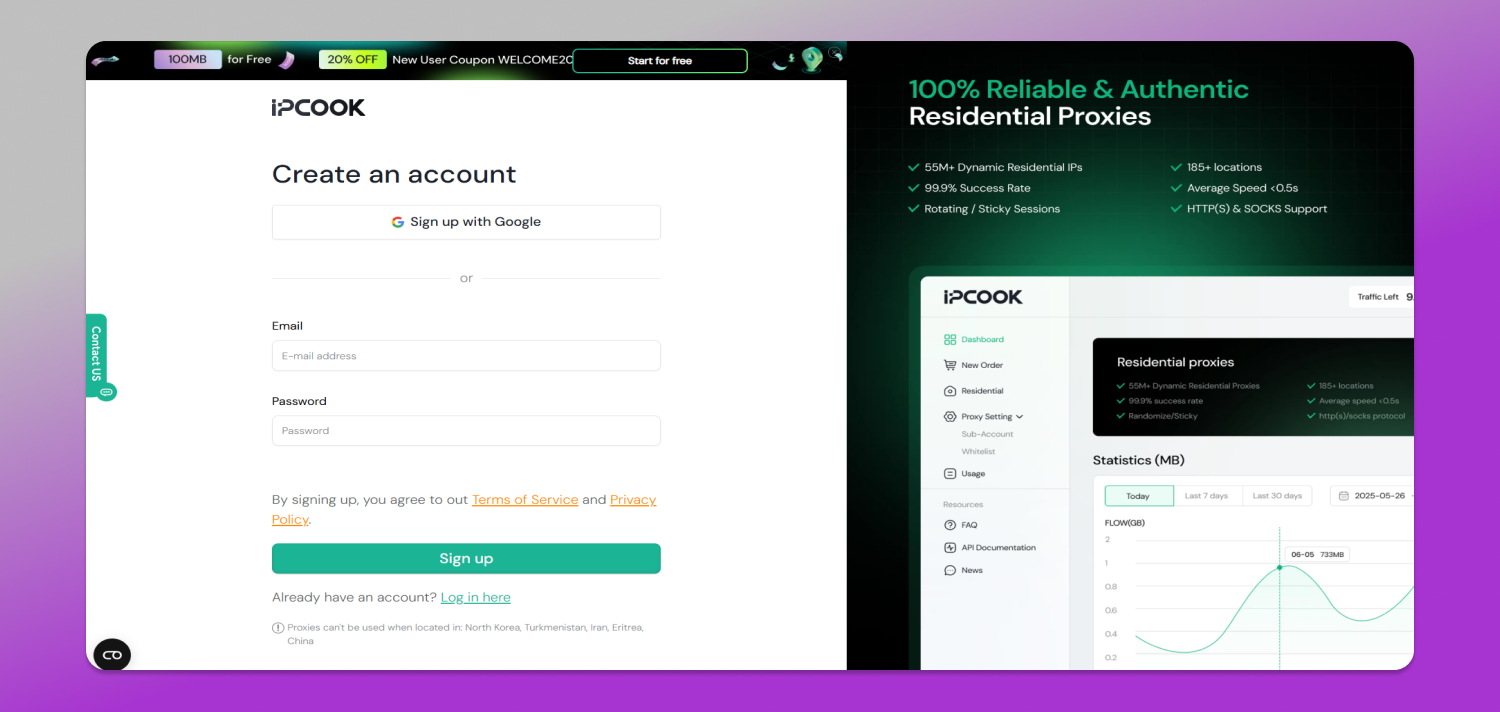
Go to the IPcook official website and click Start for Free. New users can also claim 100 MB of free residential proxy traffic. Create an account with your email address or Google account.
Step 2: Choose a Plan and Complete the Purchase
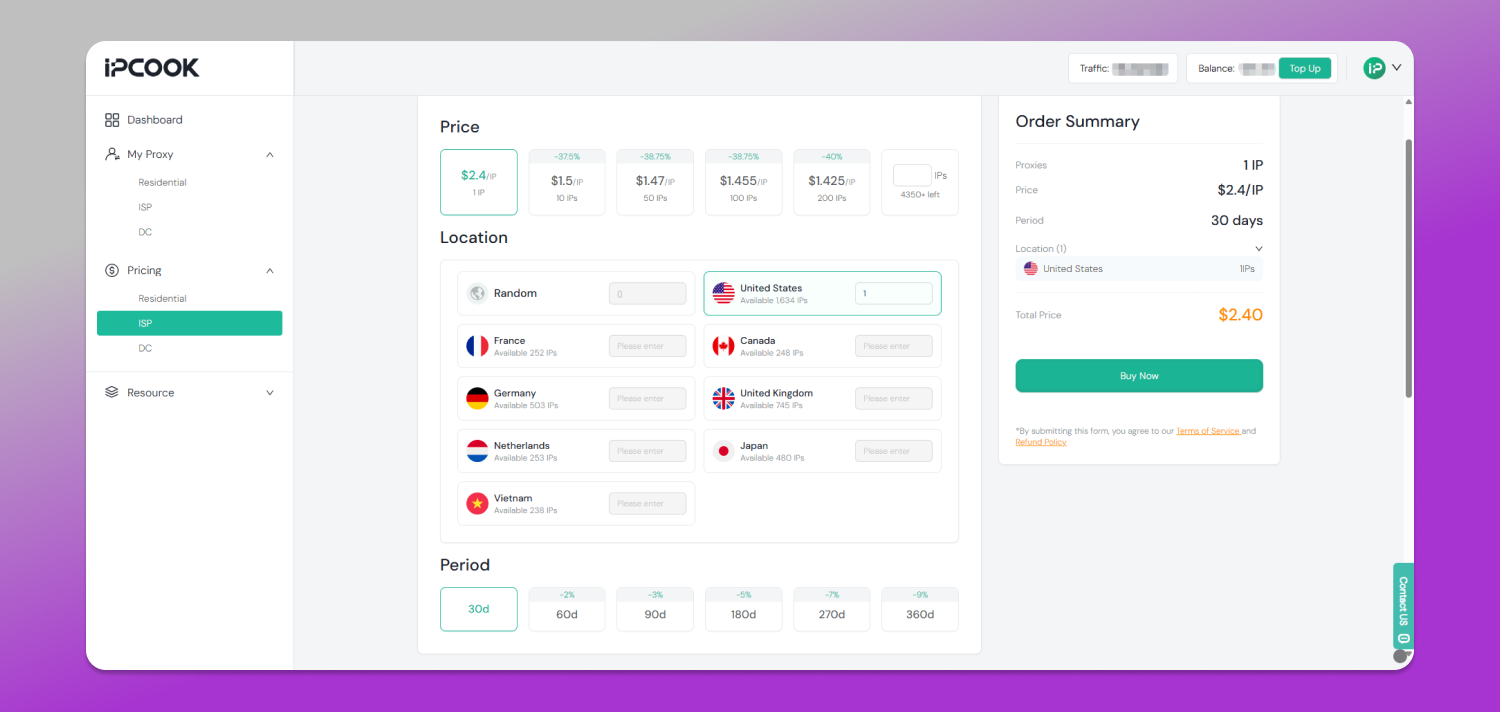
Open Pricing and select Residential, ISP, or DC. Choose the proxy type you need for your task. For residential proxies, select the required traffic. For ISP and datacenter proxies, select the location, number of IPs, and period. Review the order and continue to pay.
Step 3: Get Your IPcook Proxy
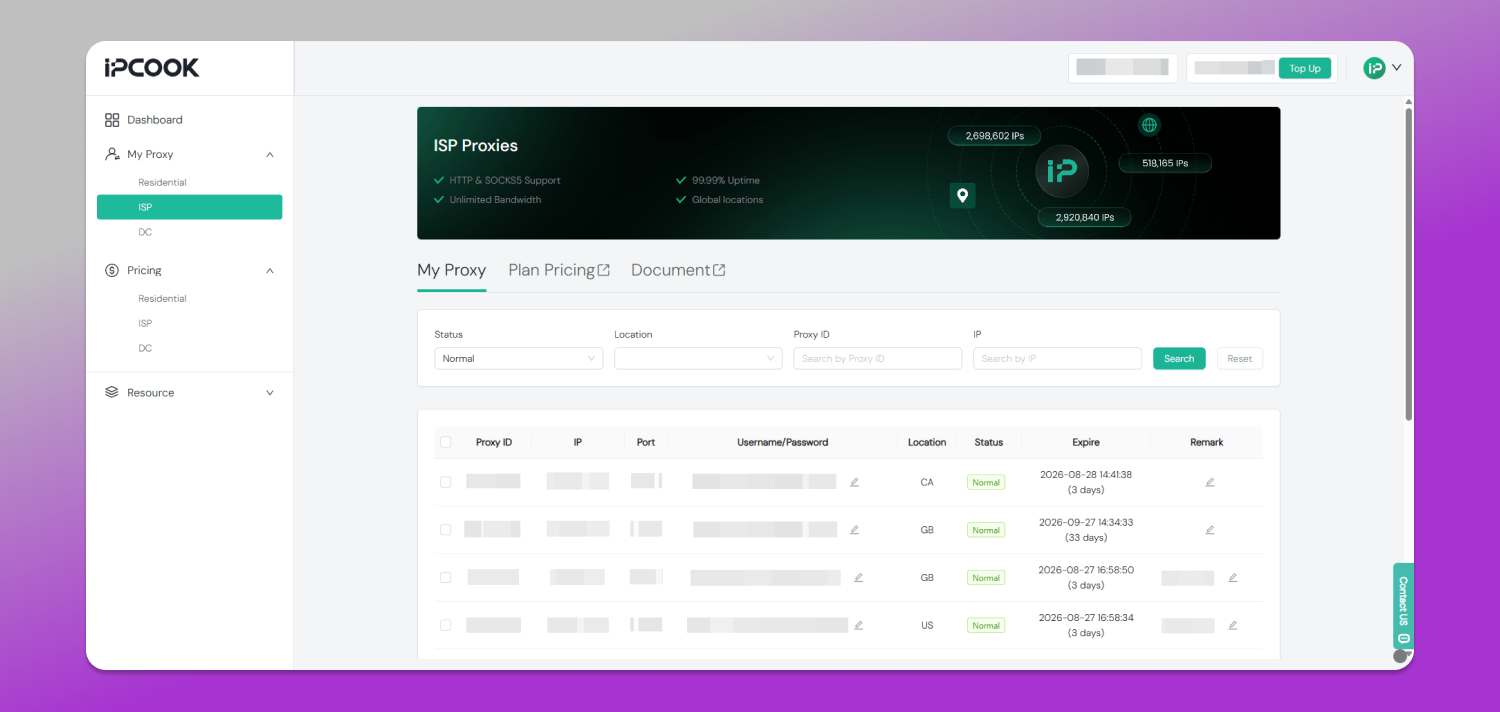
After the purchase, open My Proxy in the IPcook dashboard. Find the ISP proxy you want to use and copy its IP address, Port, Username, and Password.
Step 4: Register and Install Dolphin Anty
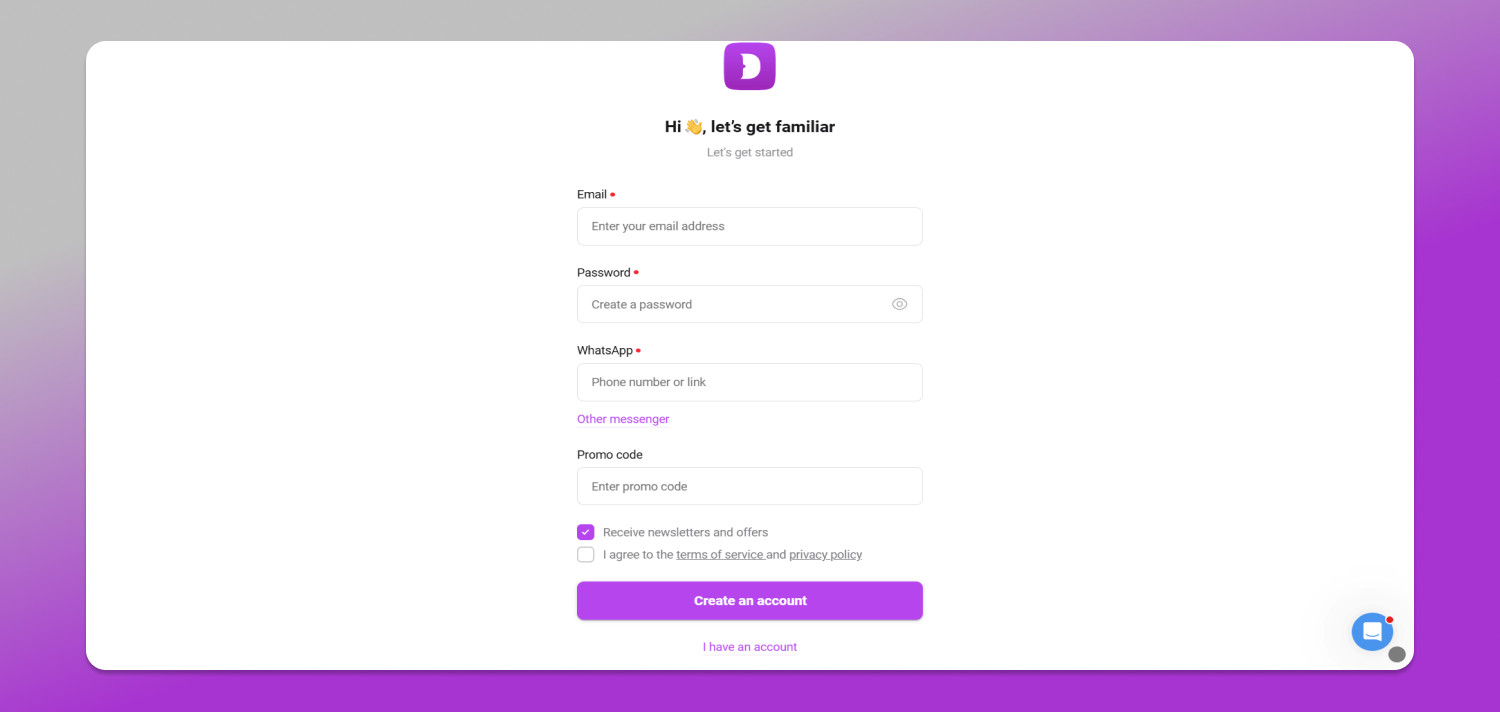
If you are new to Dolphin Anty, create an account on its website and download the desktop application. Install the application and log in. If you already have Dolphin Anty, open the application and continue to the next step.
Step 5: Create a Browser Profile
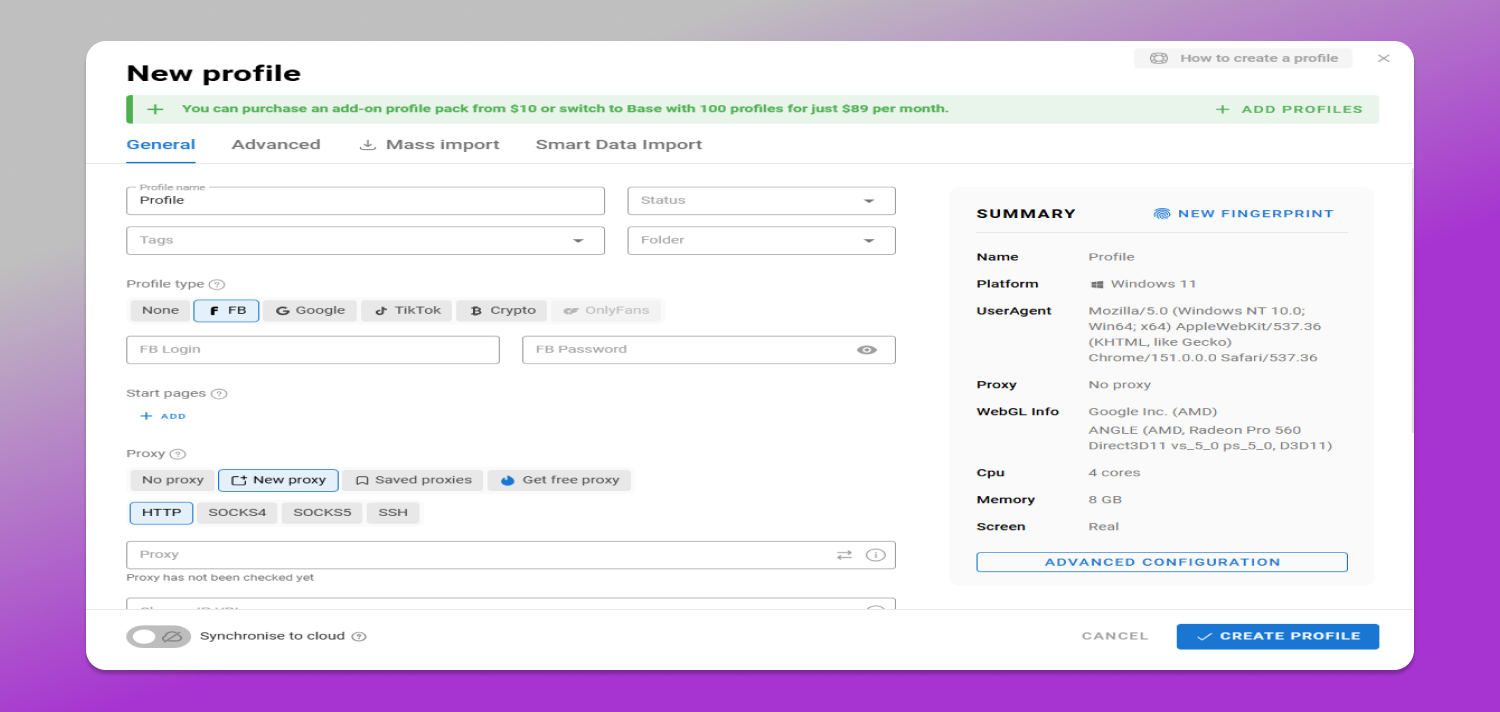
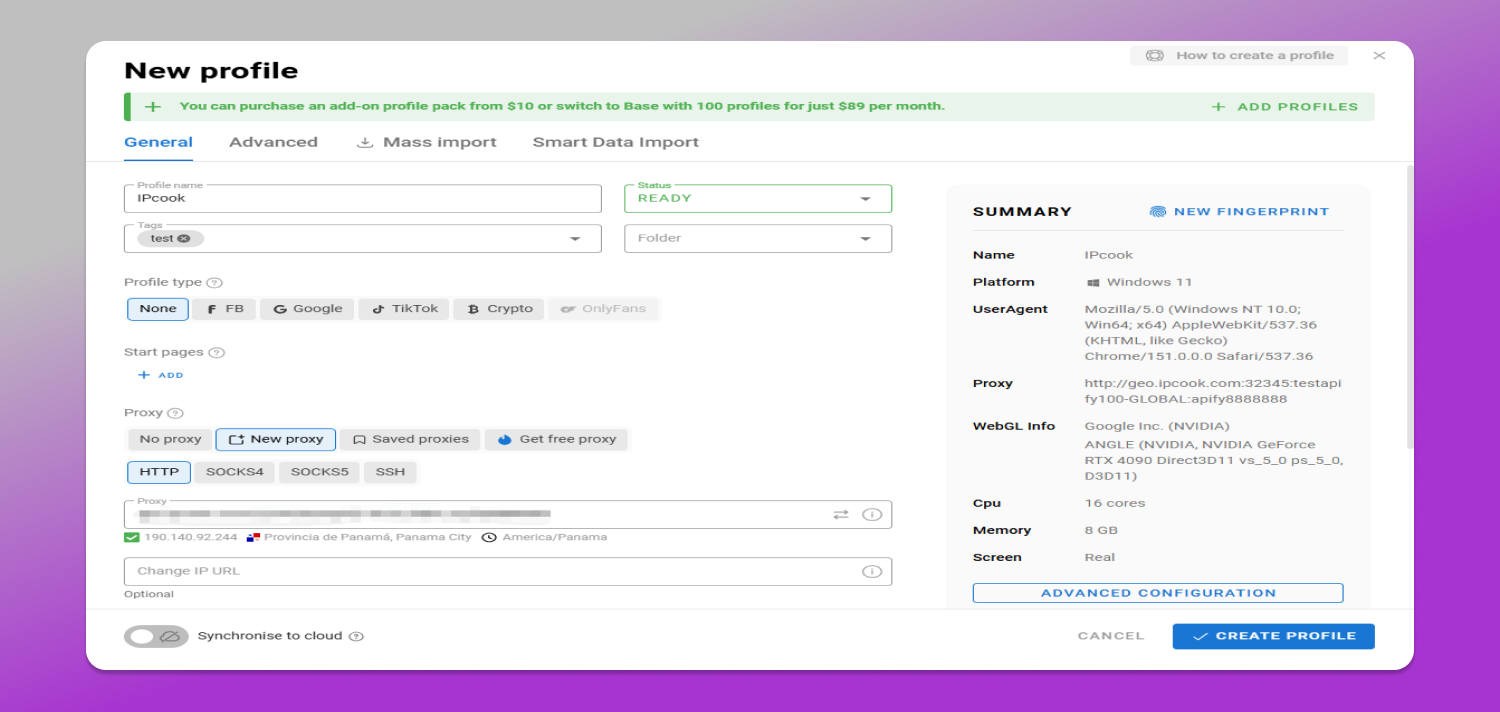
Open Dolphin Anty and go to the Browser Profiles section. Click CREATE PROFILE to start a new browser profile setup.
Step 6: Add the IPcook Proxy
In the profile settings, find the Proxy section and select New Proxy. Choose the protocol that matches your IPcook proxy, typically HTTP or SOCKS5. Copy the proxy details. You can generate the proxy in a supported format such as HOST:PORT:USER:PASS and paste it directly into Dolphin Anty. A successful connection should display the proxy IP, location, and time zone. Review these details to make sure the proxy is using the expected location. Once everything is correct, click CREATE PROFILE to save the browser profile.
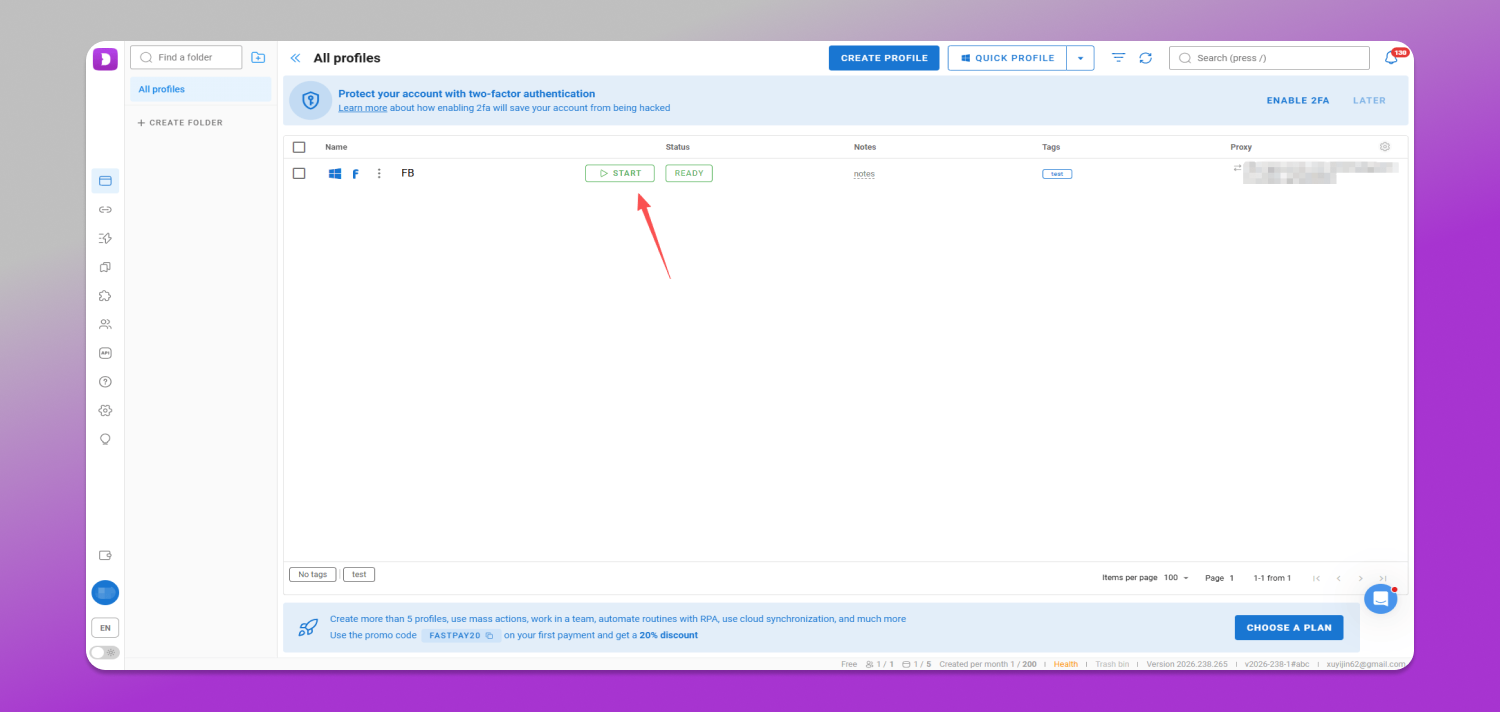
Step 7: Check the Connection and Start the Profile
Find the new profile in your browser list and click START to launch it with the IPcook proxy enabled.
Final Verdict
IPcook is a flexible proxy solution for Dolphin Anty users who need better control over the network identity of each browser profile. With residential, ISP, and datacenter proxies, users can choose between location flexibility, stable sessions, and cost-efficient static IPs. Its setup with Dolphin Anty is simple, while features such as short response time, broad location coverage, HTTP/SOCKS5 support, and flexible session options make it suitable for various use cases.
Overall, IPcook is a practical choice for building a more organized 📁 Dolphin Anty proxy setup. Get started with IPcook and connect your first proxy to Dolphin Anty today.