
To avoid getting blocked when managing many accounts, you will need proxies.
Proxy001 offers 200+ countries/regions and over 100 million real residential IPs. It gives you clean and real IP resources.
But a clean online identity also needs a safe device environment.
This article shows you how to use Proxy001 and Dolphin Anty together. This combination helps you manage many accounts and automate online tasks smoothly.
What is Proxy001?
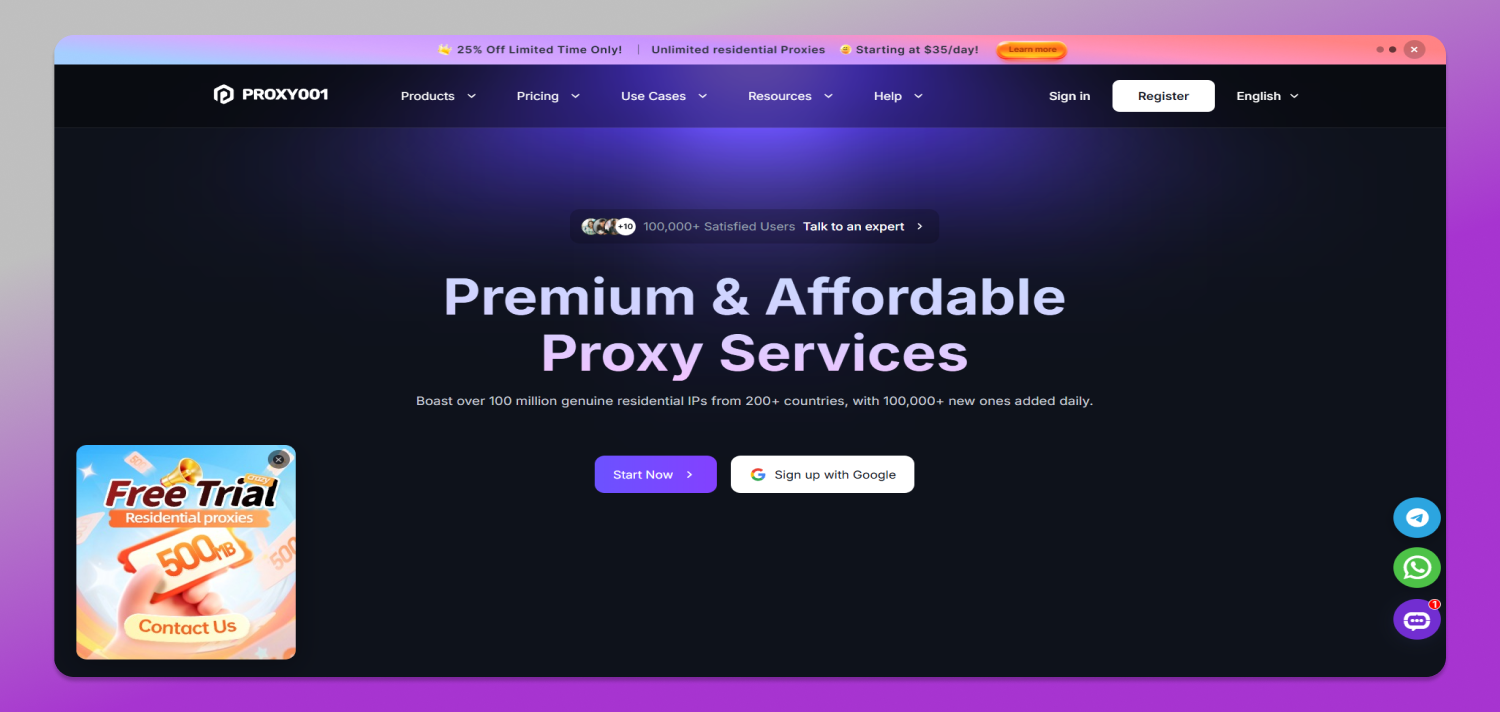
Proxy001 is a leading provider of high-quality residential proxy IPs. It has over 100 million real residential IPs and adds more than 100,000 highquality residential IPs every day. It helps you browse 🥷 anonymously and protect your privacy.
It supports HTTP(S)/SOCKS5 protocols. It also supports authentication by username/password, API, or IP whitelist. It is easy and fast to set up.
Proxy001 offers dynamic, static, unlimited, and datacenter proxy plans.
It works well for data collection, ecommerce, marketing, and many other uses.
Proxy001 Plans and Key Features
1.Proxy001 has a complete product lineup to fit different business needs:
- Dynamic residential proxy: from $0.55/GB, pay by traffic, and the traffic never expires.
- Static residential proxy: from $2.9/IP/month, with unlimited traffic.
- Unlimited residential proxy: $35/day, you can choose 1001000 Gbps bandwidth. Special users can get custom plans.
- Static datacenter proxy: $1.9/IP/day.
- Static shared proxy: $0.6/IP/month.
2.Proxy001 has these 💪 strengths:
- Available in 200+ countries/regions.
- 99.9% uptime, average delay below 0.3s, IP success rate above 98.9%.
- Supports HTTP(S) and SOCKS5.
- Allows targeting by country, city, and ISP to meet local access needs.
- Supports many payment methods.
- Offers API and SDK that work with popular tools like Python, Node.js, Puppeteer, and Selenium. Integration is simple.
Why Do You Need the “Proxy001 + Dolphin Anty” Combination?
💡 Using only a fingerprint browser or only a proxy is not enough to beat today’s antifraud systems.
If you only use a fingerprint browser: all browser profiles have different fingerprints, but they all use the same IP address. Platforms can easily see that all accounts come from the same source and link them together.
If you only use a proxy: your IP addresses are different, but your browser fingerprints (like Canvas, WebGL, timezone, fonts) are the same. Platforms check both IP and fingerprint together. One layer of disguise is easy to detect.
Only when you combine both can you truly isolate accounts. Each Dolphin Anty profile gets a unique digital fingerprint and a separate Proxy001 proxy IP.
Then, each account looks like a completely different real user to the platform.
Applicable Scenarios
This combination 🎯 covers virtually all scenarios for multi-account management and automated data harvesting:
- Crossborder ecommerce:operating multiple storefronts on platforms like Amazon, Shopify, and other marketplace matrices.
- Social media matrix management : handling numerous accounts on TikTok, Instagram, Facebook, and more.
- SEO rank tracking:monitoring keyword rankings across different regions and search engines.
- Competitor data scraping :largescale collection of competitor product listings, pricing, and reviews.
- Ad verification:checking the actual display and placement of digital ad campaigns.
- AI dataset collection: gathering vast amounts of training data for machine learning and AI model development.
How to Set Up Proxy001 in Dolphin Anty
You only need a few simple steps to quickly add Proxy001 to Dolphin Anty. Here is how:
Get your proxy info from Proxy001
Go to the Proxy001 website and log in to your account.
Go to the control panel. Choose the proxy type that fits your task:
- Residential proxy: for large data collection or tasks that need IP rotation.
- Static residential proxy: for longterm account logins or social media management.
- Unlimited residential proxy: for AI training or very large data collection.
- Static shared proxy: lowcost basic IP, good for cheap bulk tasks.
- Static datacenter proxy: for normal browsing and lowrequirement bulk access.
Pick your proxy parameters and generate proxy credentials (IP:port:username:password). Check the Proxy001 help pages for details.
Open Dolphin Anty
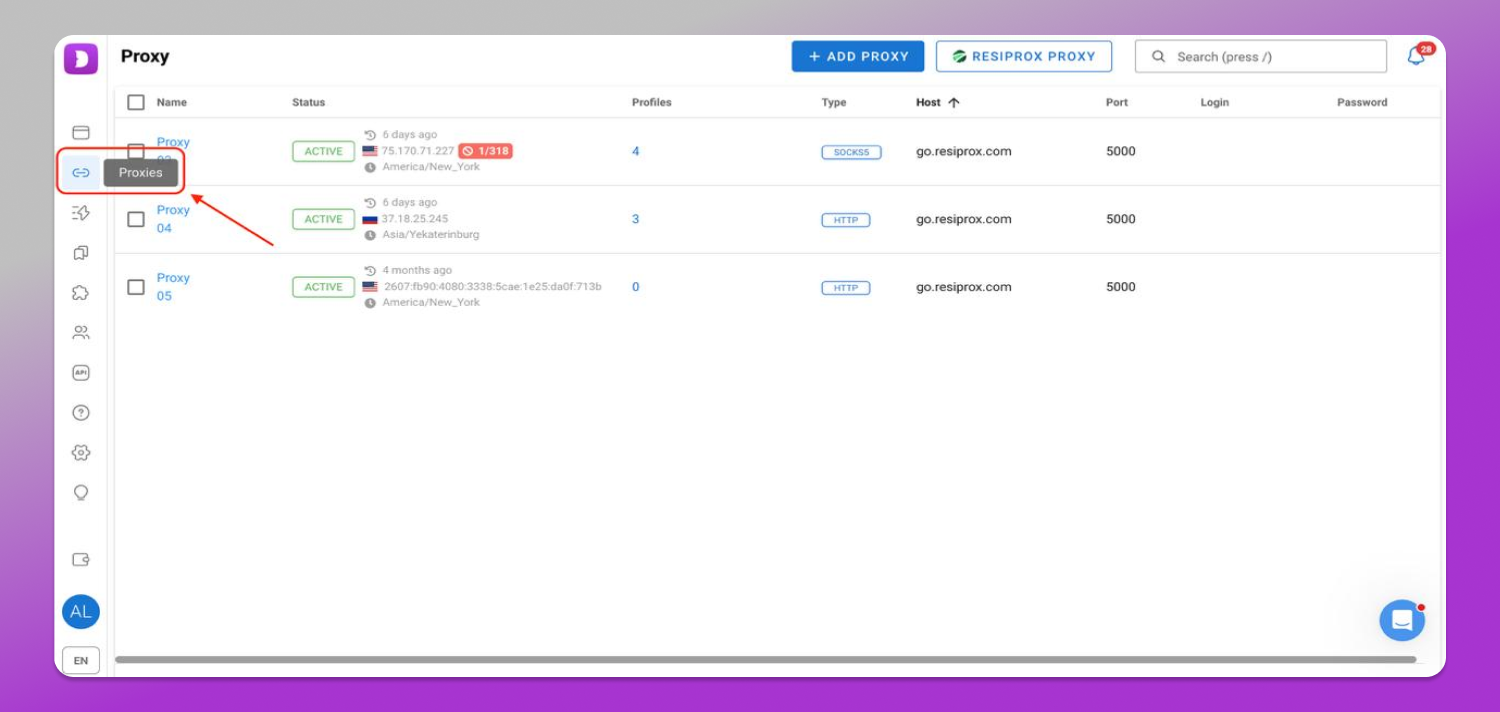
1. Sign up or log in to 🚀 Dolphin Anty. After login, click the “Proxies” icon on the left menu.
2. Click the “ADD PROXY” button. In the new page, enter your Proxy001 details.
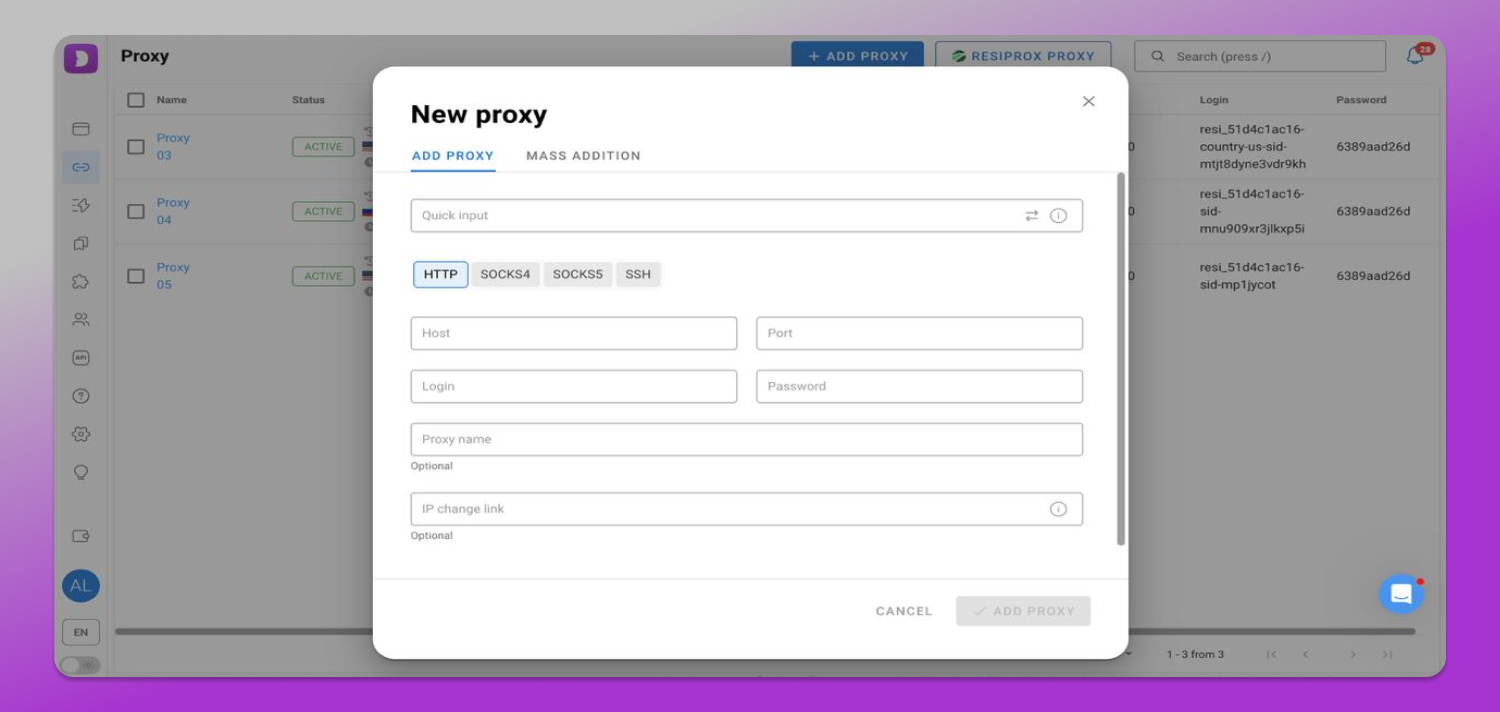
3. After adding, click the “Check connection” button to test if your proxy works. Also check that the location matches what you chose in Proxy001.
4. If the proxy test fails, check these points:
- Is the proxy host correct?
- Is the port correct?
- Are the proxy username and password correct?
- Does the selected protocol match your Proxy001 proxy type?
- Is your Proxy001 plan still active?
- Does your local network or firewall block the connection?
5. When you create or edit a profile in Dolphin Anty, go to the proxy dropdown menu and pick your verified Proxy001 connection. Save the profile and click “Start” to launch your secure session right away.
Special Offer for Dolphin Anty Users
To help you truly test how well Proxy001 and Dolphin Anty work together, we have a special gift for 🔥 Dolphin Anty users – 500 MB of free residential proxy traffic.
What can you do with 500 MB?
- Create enough test profiles to cover registration, login, and daily actions.
- Check if the IPs are fast and reliable.
- Use all protocols (HTTP/HTTPS/SOCKS5) and access 200+ countries/regions.
Why do we give you this offer?
We know that switching proxy providers can cost time and has risks.
Instead of asking you to pay first and then test, we let you🔝 try the whole process for free – from setting up proxies and creating fingerprint environments to daily operations.
You can test everything before you decide to buy.
How to get it?
- Register a Proxy001 account (or log in if you already have one).
- After login, contact online customer support.
- The support team will add 500 MB of test traffic to your account. It will work right away.