
Downloading Instagram photos is easy, but not every route is safe. There are two scenarios: recovering your own images, which is always allowed, and saving other people’s photos, which depends on the use that follows.
The short answer, for your own library, sits in the app: Settings → Accounts Center → Your information and permissions → Download your information. For a single image, the post menu is enough.
What copyright law says about downloading photos
The 👨⚖️ legal side is left out of most tutorials, and it is what separates the harmless download from the real problem.
Copyright covers public photos too
Every photograph is protected by copyright from the moment it is created, and the author is whoever pressed the shutter — being public changes nothing. In Brazil, for instance, it is Law 9.610/98, and most countries have an equivalent rule. Saving for personal use is low-risk; reposting without permission, even with credit, is use of someone else’s work; using it commercially without a license is the most delicate scenario.
Likeness rights when people appear in the shot
If the photo shows an identifiable person, likeness rights come on top, requiring the subject’s consent for commercial use. The photographer’s permission does not replace that of whoever appears. Downloading transfers none of those rights.
The official method: download your information from Instagram
For your own photos, the official route is the most complete one and the only one that returns original quality.
Step by step in the app menu
- Open Instagram and go to Settings.
- Tap Accounts Center.
- Select Your information and permissions.
- Choose Download your information.
- Set the profile, content type and date range, confirm, and wait for the notice that the file is ready.
The request applies to each account linked to the Accounts Center. The timeframe varies quite a bit with the size of your library: most requests are ready somewhere between a few minutes and 48 hours, but accounts with a lot of content — years of photos, videos, and messages — can take longer, and there are occasional reports of cases stretching past a week. Once Instagram notifies you the file is ready, the link typically stays available for about 4 days before it expires; if that happens, you have to request it again.
What is inside the archive
The package holds far more than the feed: published photos and videos, archived stories, messages, comments and profile data. Check that the media folders are complete as soon as the file arrives and keep a copy off the phone.
How to download a single Instagram photo without waiting for the archive
For one image only, requesting the whole library is overkill.
- 📱 On mobile: open the post, use the post menu and send the image to your gallery.
- 💻 On desktop: open the photo in your browser, right-click and choose “Save image as.”
There is also a setting that saves every published photo to the gallery at original resolution, but only from the moment you switch it on. It lives under Settings and privacy → scroll to the content and media section → Archiving and downloading → turn on “Save Original Photos” (and, if you want the same for stories, turn on “Save story to camera roll” right below it too). The exact menu path shifts slightly between app versions, but the setting’s name — Archiving and downloading, with the Save Original Photos toggle — stays consistent.
Third-party tools and bulk downloading
This is where most guides get it wrong. ❌ No external bulk-download tool is authorized by Instagram: automated collection breaks the Terms of Use and can cost you the account.
Sites that download from a post link
The mechanics are always the same: you paste the address of a public post and the site returns the file. It is still someone else’s content, obtained outside the flow the platform intends.
Dedicated apps: what to check before installing
One real example in this category is 👉 4K Stogram, a desktop app (Windows, macOS, and Linux) that bulk-downloads photos, videos, stories, and highlights by username, hashtag, or location, and can also pull from private accounts — provided you already follow that profile and log into the app with your own account. It has a limited free version and paid one-time-license plans priced roughly between $15 (Personal) and $45 (Pro), plus a cheaper annual option. The catch, and it applies to this or any similar tool: logging into your real account inside a third-party app is exactly the kind of access Instagram’s Terms of Use do not authorize, and the risk sits with whoever uses it, not with whoever built the software.
If you are going to test one anyway, three checks limit the damage: refuse any app that asks for your real Instagram password outside an official login flow; read recent reviews, not old ones; and be suspicious of permissions unrelated to downloading.
When the library belongs to several accounts
Anyone running Instagram for several clients repeats the same job: the official download is requested account by account, always with that account’s session open.
One request at a time, without mixing sessions
The Accounts Center only groups the profiles linked to it, so each client requires a separate request. Rotating through those logins in the same browser repeats cookies, session and fingerprint — that is what makes one account look tied to another.
One browser profile per managed account
An antidetect browser like 🚀 Dolphin Anty covers that point: each account stays in its own environment, with a fingerprint across more than 20 parameters and proxy and cookies isolated per profile. Because the sessions stay open in parallel, you can track several requests at the same time.
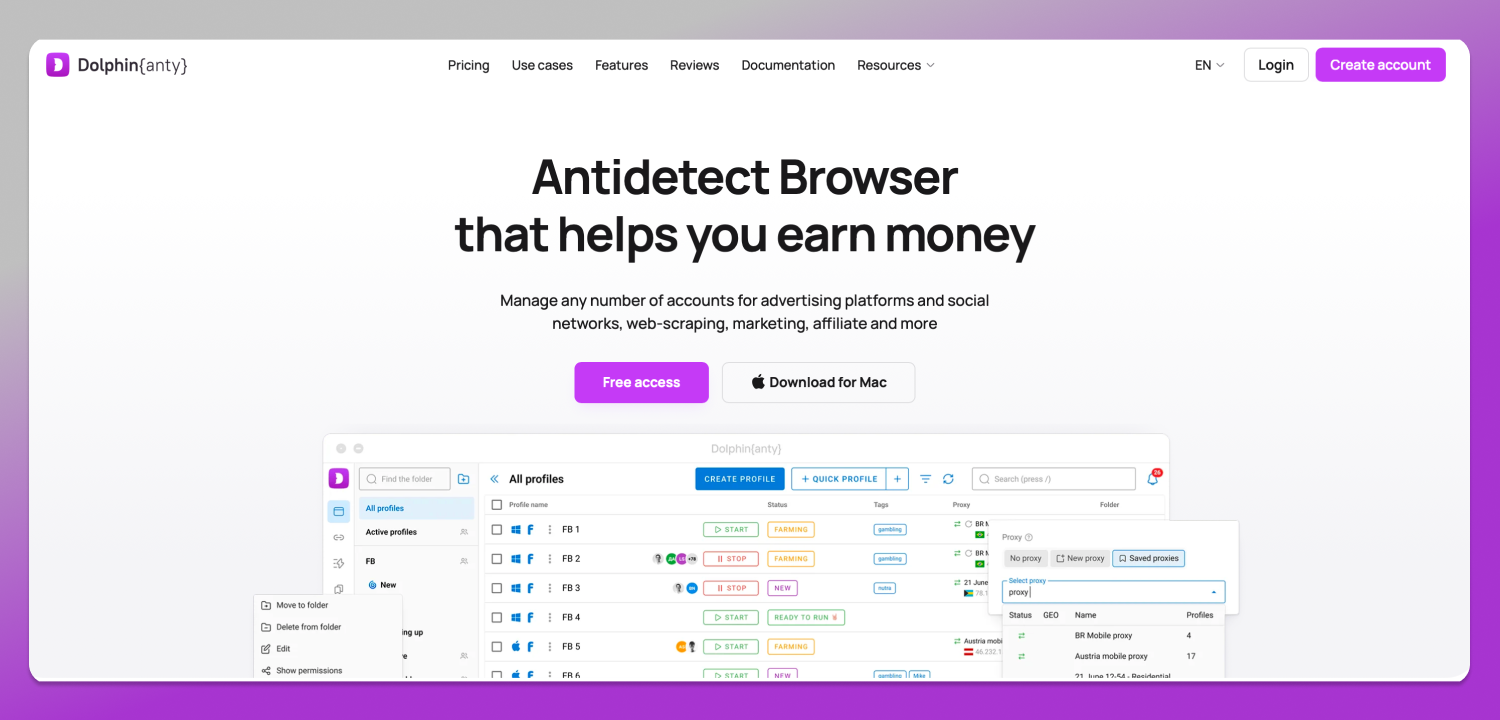
In an agency, team management in Dolphin Anty, with per-user permissions, lets you delegate the download without handing over the client’s password, and API automation covers the volume. Signing up gives you 5 free profiles with no card; paid plans start at Starter, $10/month for 20 profiles.
Backup routine: how often to download
Account suspension, hijacking and losing the registered email happen without warning, and what you published only exists inside the platform. Requesting the full download every few months settles it.
Frequently asked questions
How do I download all my Instagram photos at once?
Through the official data download request inside the Accounts Center. The platform assembles a single package with the profile’s library and notifies you once it is available. It is the only route that delivers everything at original quality, with no extra app.
How long does Instagram take to release the file?
Usually somewhere between a few minutes and 48 hours. Accounts with a very large history of photos, videos, and messages can take longer, and the link stays available for about 4 days after it’s ready before expiring.
Can photos be saved to my gallery automatically?
Yes. Under Settings and privacy → Archiving and downloading, turn on “Save Original Photos” so every post you publish goes straight to your device’s storage the moment it goes live. Turn it on beforehand rather than afterwards: it governs what comes next, never what has already been published.
Can I download photos from private accounts?
Not through legitimate means, unless you already follow the account and use an app that respects that relationship, such as 4K Stogram. Services promising to bypass that block without following the profile usually exist to harvest passwords or install malicious code. If you really need the image and don’t follow the account, ask the author for it.
Is downloading an Instagram photo illegal?
Saving an image for private reference creates no liability. The problem shows up in the use: publishing it as your own, selling it or placing it in an advertisement without the author’s permission amounts to misuse of a protected work and can end in a lawsuit.
Why can’t I save a photo from Instagram?
Usually because the profile is closed and you are not on the approved list, or because the post carries a sharing restriction. App version glitches and temporary blocks triggered by too many requests also account for some of the cases.
Conclusion
For what is yours, use the official download: complete, free and at original quality. For what belongs to others, separate saving from using. And if that library is spread across client accounts, an independent browser profile per account, which is what 🔥 Dolphin Anty provides, keeps every request in its own place.