
Updated: 21.04.2026
Disclaimer: You’re reading a comparison review of antidetect browsers on the Dolphin Anty blog. This material is based on feedback and reviews from real users who have worked with us before or are still working with us. We’ve done our best to present the information as objectively as possible, relying solely on facts, so you can make an informed decision.
Thinking about switching to 🚀 Dolphin Anty from AdsPower but still unsure? To help you decide, we’ve put together a comprehensive review comparing both antidetect browsers. AdsPower is a solid product on the market, but user feedback about it varies. Which of those opinions are accurate? You’ll find out in our article.
📣 If you are already considering switching from AdsPower to Dolphin Anty, now is the perfect time: use the promo code ADSPOWER21 to get a 21% discount. You can activate it via the link.
AdsPower: Summary
AdsPower is one of the market leaders in terms of feature variety and profile management. It allows you to create browser fingerprints that not only pass checkers, but also perform well in use case scenarios. This is backed by numerous positive reviews. The platform also includes automation tools and extensive options for configuring digital fingerprints.
💻 Available on: Windows, macOS, Linux;
🇬🇧 Languages: English, Ukrainian, Russian, Portuguese, Spanish, French, Italian and more;
🔗 Website: adspower.com;
💰 Pricing: from $0;
🏁 Trial: up to 5 profiles can be used for free.
You can download AdsPower from the official website.
Dolphin Anty: Summary
Dolphin Anty is a product developed by the Dolphin team. It not only helps maintain a high level of anonymity online, but also offers a wide range of useful features for organizing your workspace. Most of the functionality available in AdsPower is also available here, with some aspects implemented in a more user-friendly way. In addition, Dolphin Anty includes unique tools that are not commonly found in other solutions on the market.
💻 Available on: Windows, macOS, macOS(M), Linux;
🇬🇧 Languages: Russian, Ukrainian, English, Spanish, Portuguese and Vietnamese
🔗 Website: dolphin-anty.com;
💰 Pricing: from $0;
🏁 Trial: up to 5 profiles can be used for free.
🏆 Recognized as one of the top antidetect browsers by various rankings and affiliate marketing conferences. Why is that? We are going to take a closer look by comparing Dolphin Anty and AdsPower in detail. Let’s get started.
Profile Management
The first thing users usually notice is how the workspace is organized. The interfaces of Dolphin Anty and AdsPower are quite similar: profiles are arranged in lists and columns that can be added, removed and rearranged. Menu tabs for more advanced settings are located on the left.
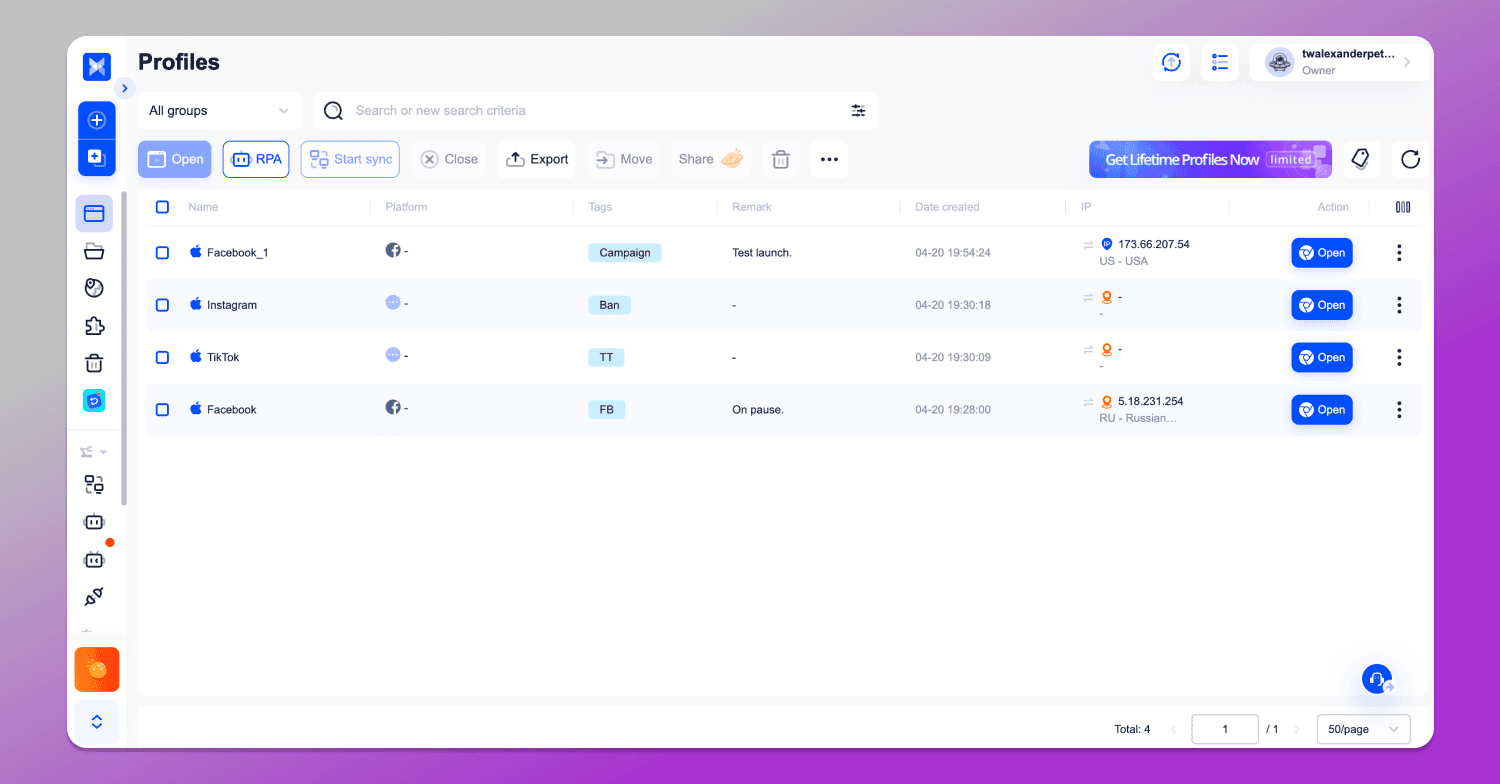
AdsPower interface.
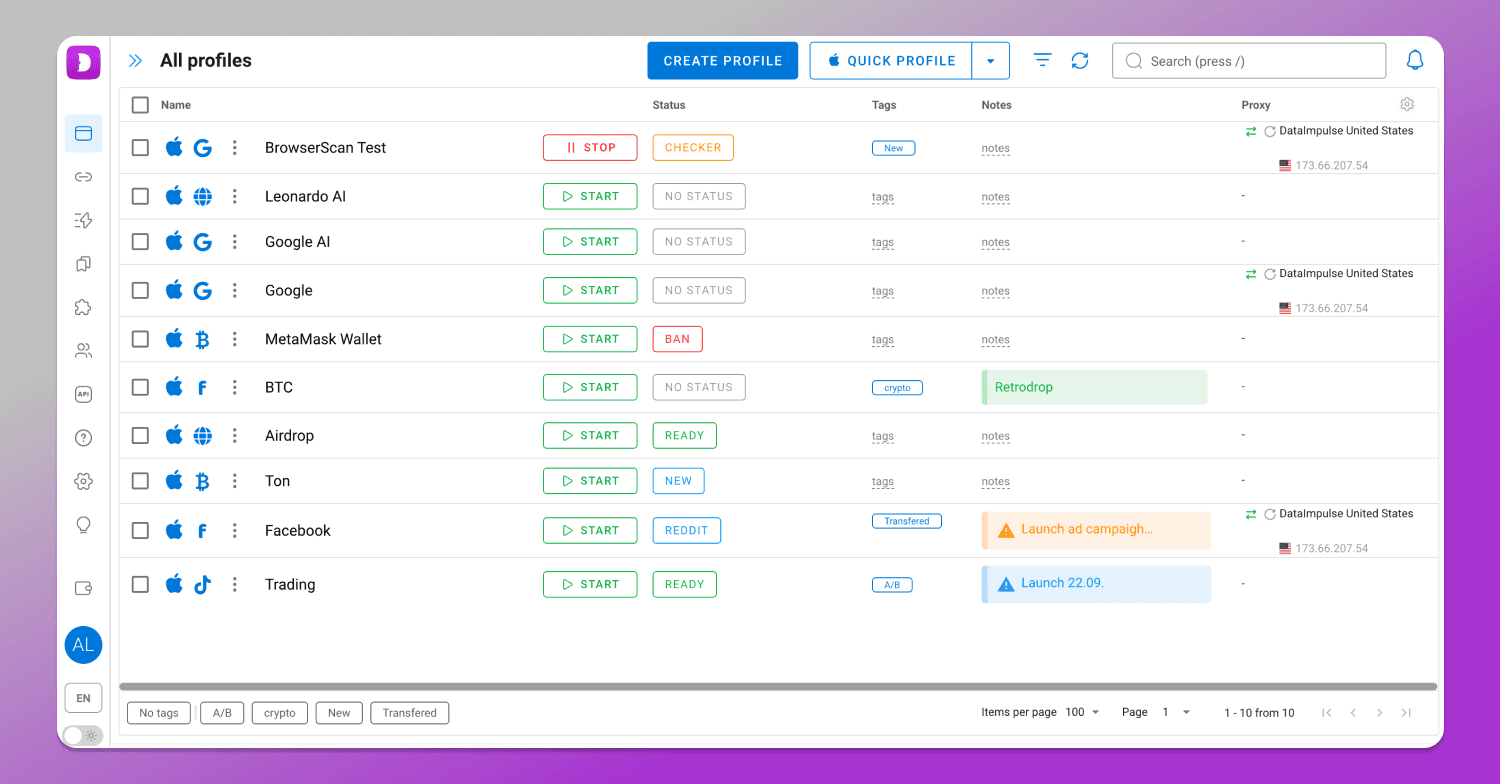
Dolphin Anty interface.
However, as usual, the differences are in the details.
Notes 📝
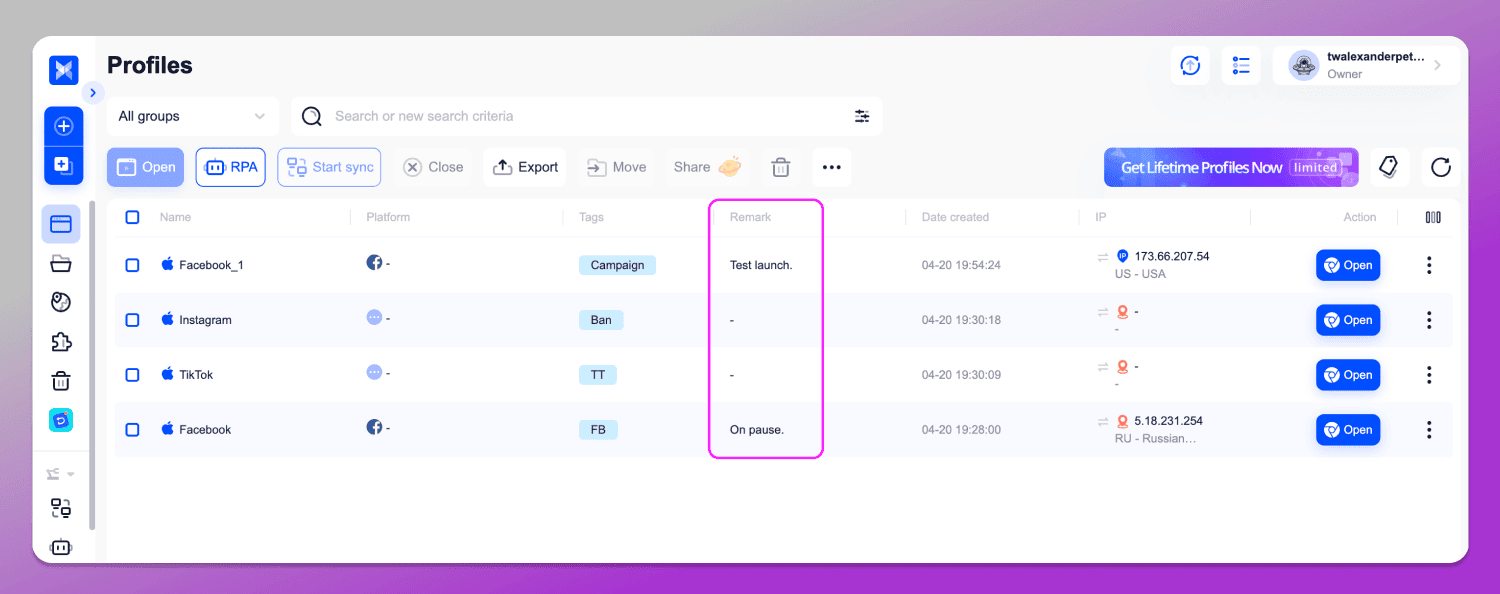
Both antidetect browsers allow you to create notes/remarks for storing important information related to a specific profile. In AdsPower, however, they are limited to plain text only.
In Dolphin Anty, notes can be highlighted with colors and icons for better visibility and clarity.
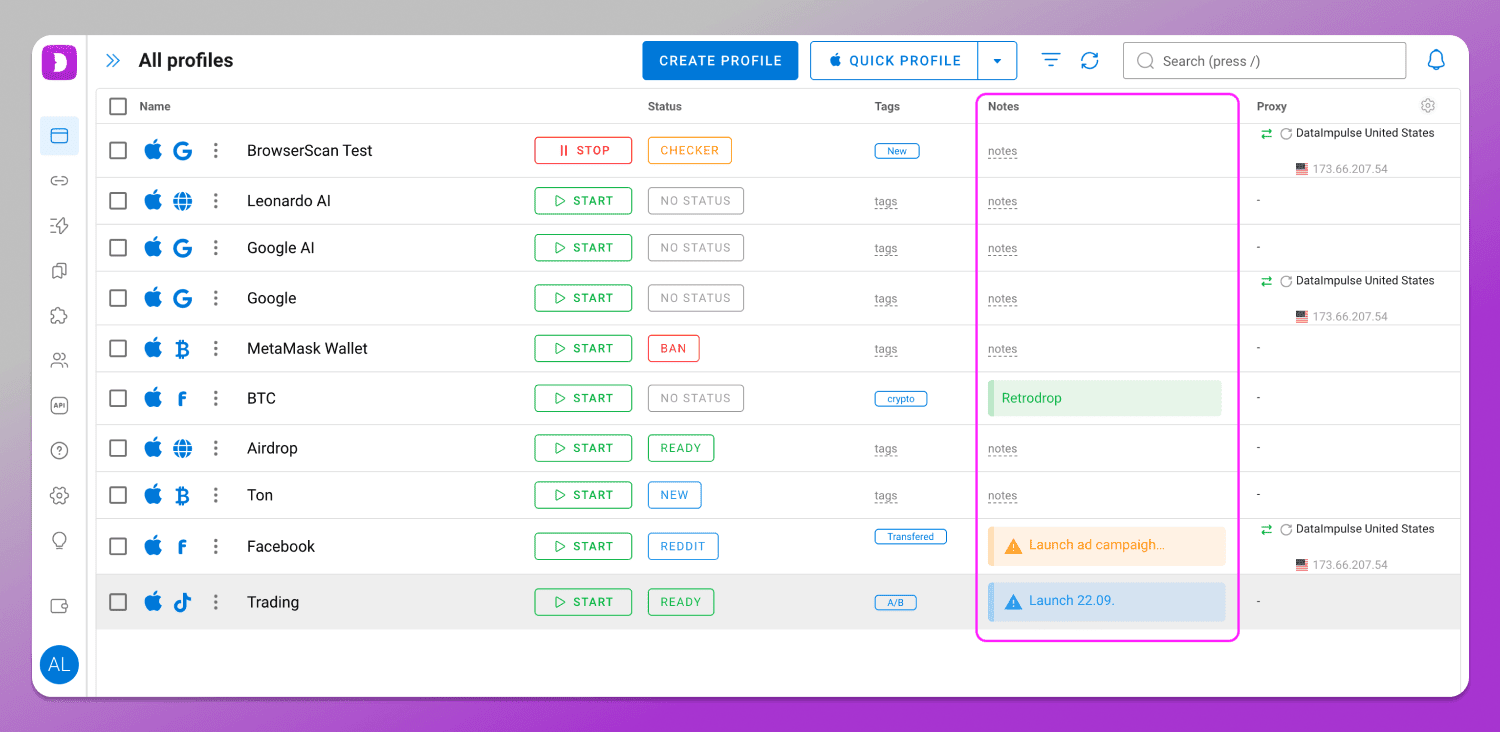
This approach makes it easier to quickly find the right profile without having to read through everything.
Tags #️⃣
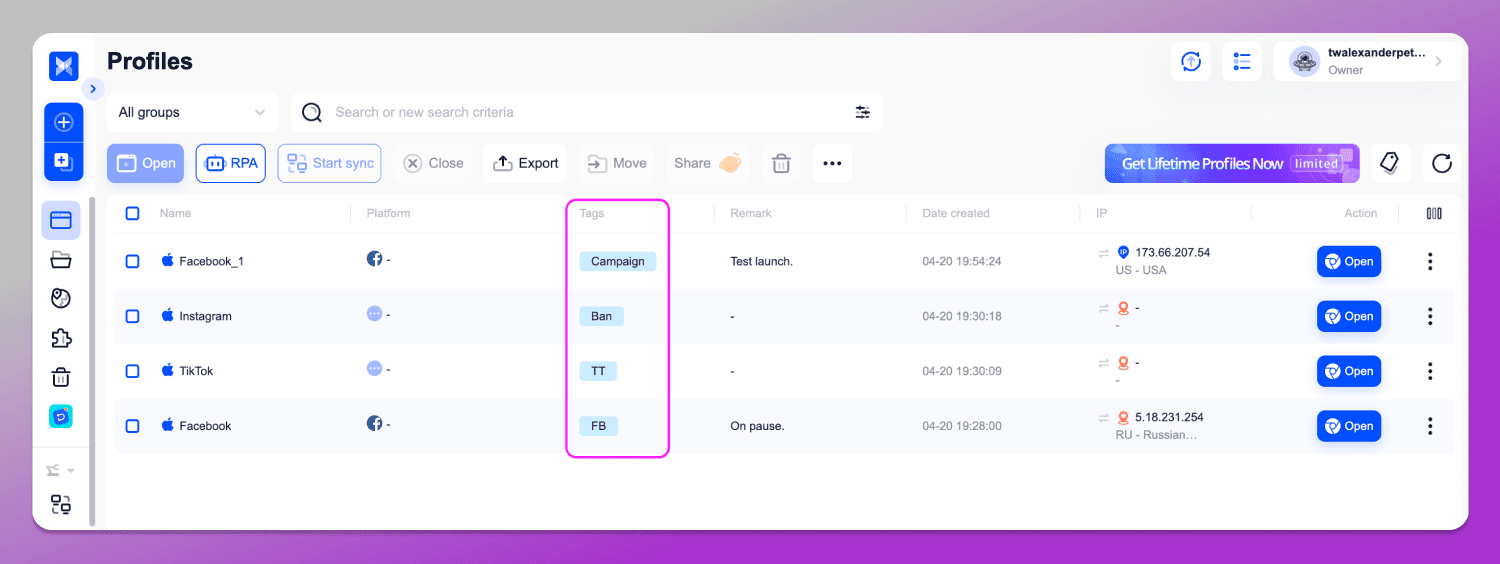
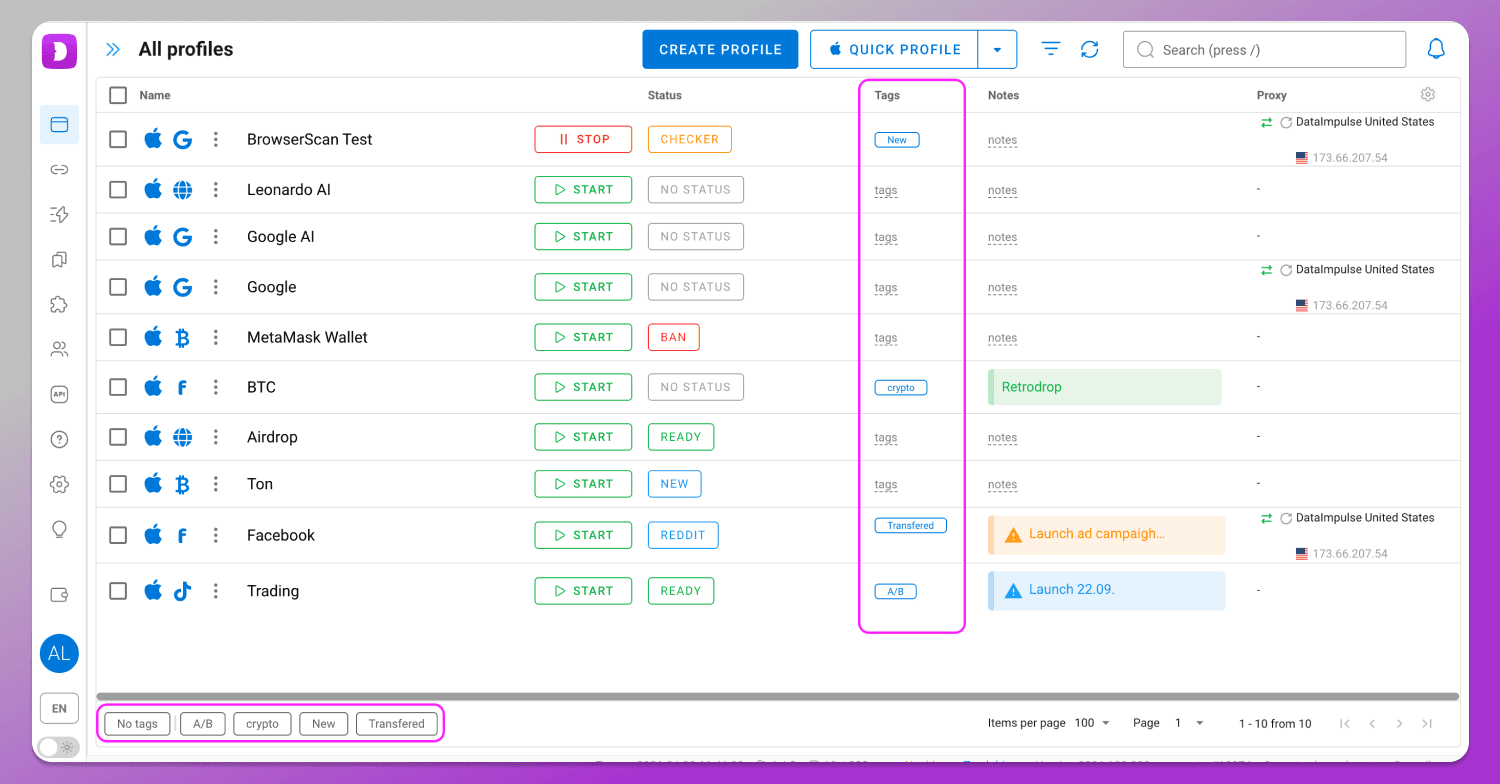
Both antidetect browsers allow you to add an unlimited number of tags. However, in AdsPower you can’t filter profiles by clicking on a tag.
In Dolphin Anty, all tags are also displayed in the lower left corner — click on any of them and you’ll instantly see the list of profiles they’re assigned to.
Filters 🔍
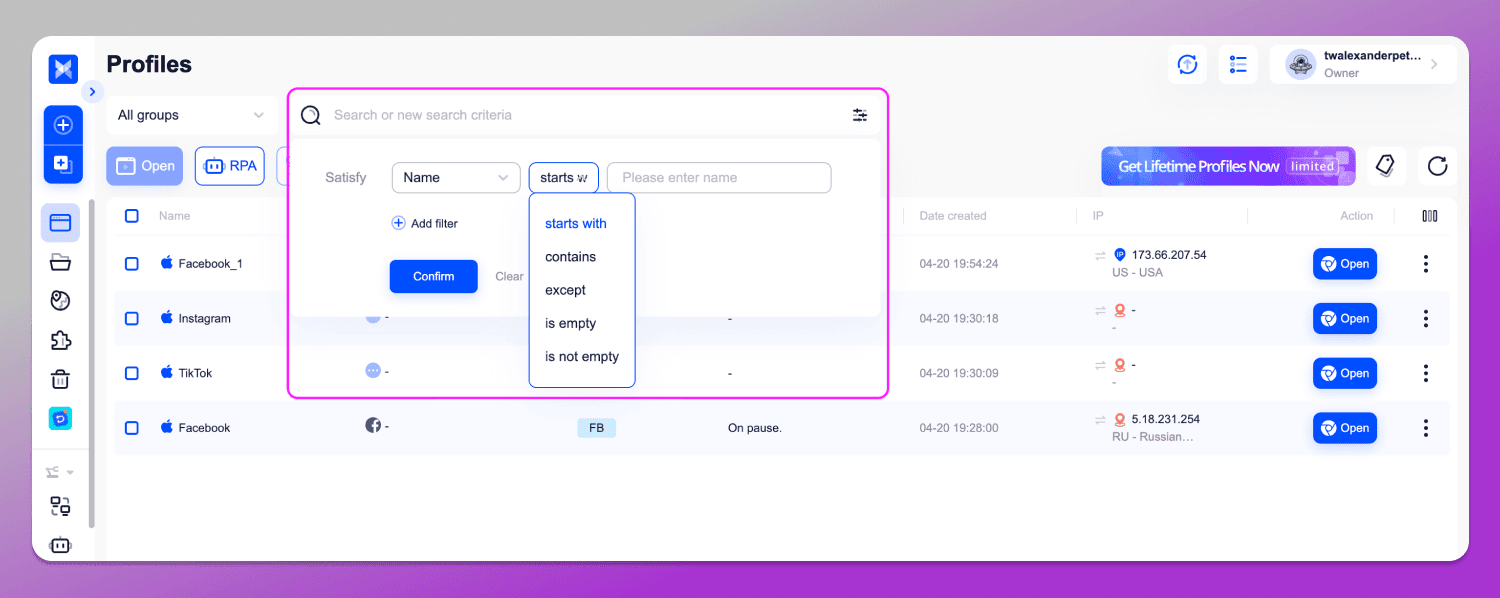
Filters in AdsPower are both a strength and a weakness at the same time. The search system is more advanced compared to Dolphin Anty, but it is also more complex to use. If you enter even a single character in the wrong field, you may not get the expected results.
First, you need to open the filters, add a search criterion,and select one of the operators such as “starts with”, “contains”, “does not contain” and so on. Only after that can you enter your query. If you want to filter by multiple parameters, you have to repeat the same steps for each one.
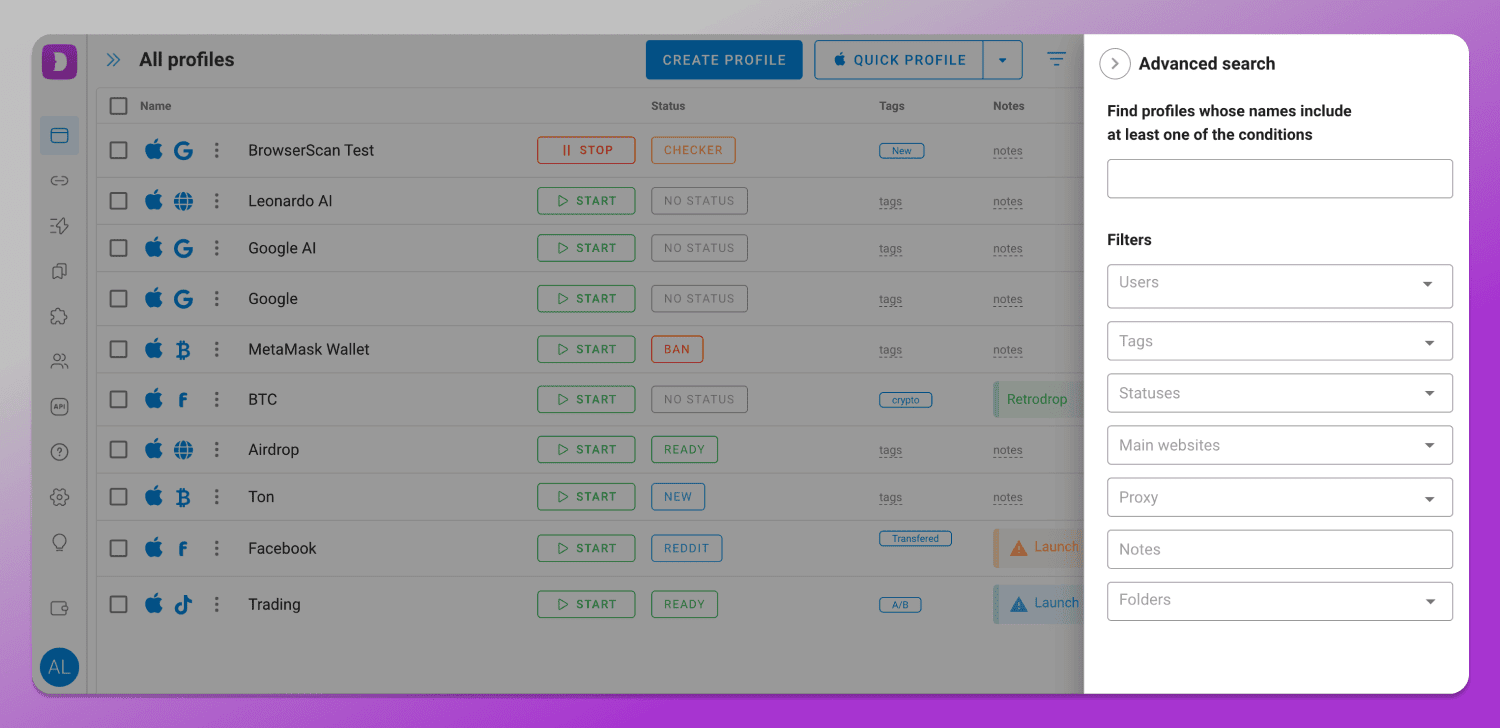
In Dolphin Anty you simply open the filters section and select the ones you need right away — filtering parameters are immediately available based on the list of profiles. There’s no need to enter anything manually. Disabling filters also takes just a couple of clicks.
Proxy IP Rotation 🔄
You can change the proxy IP in an AdsPower profile in two ways.
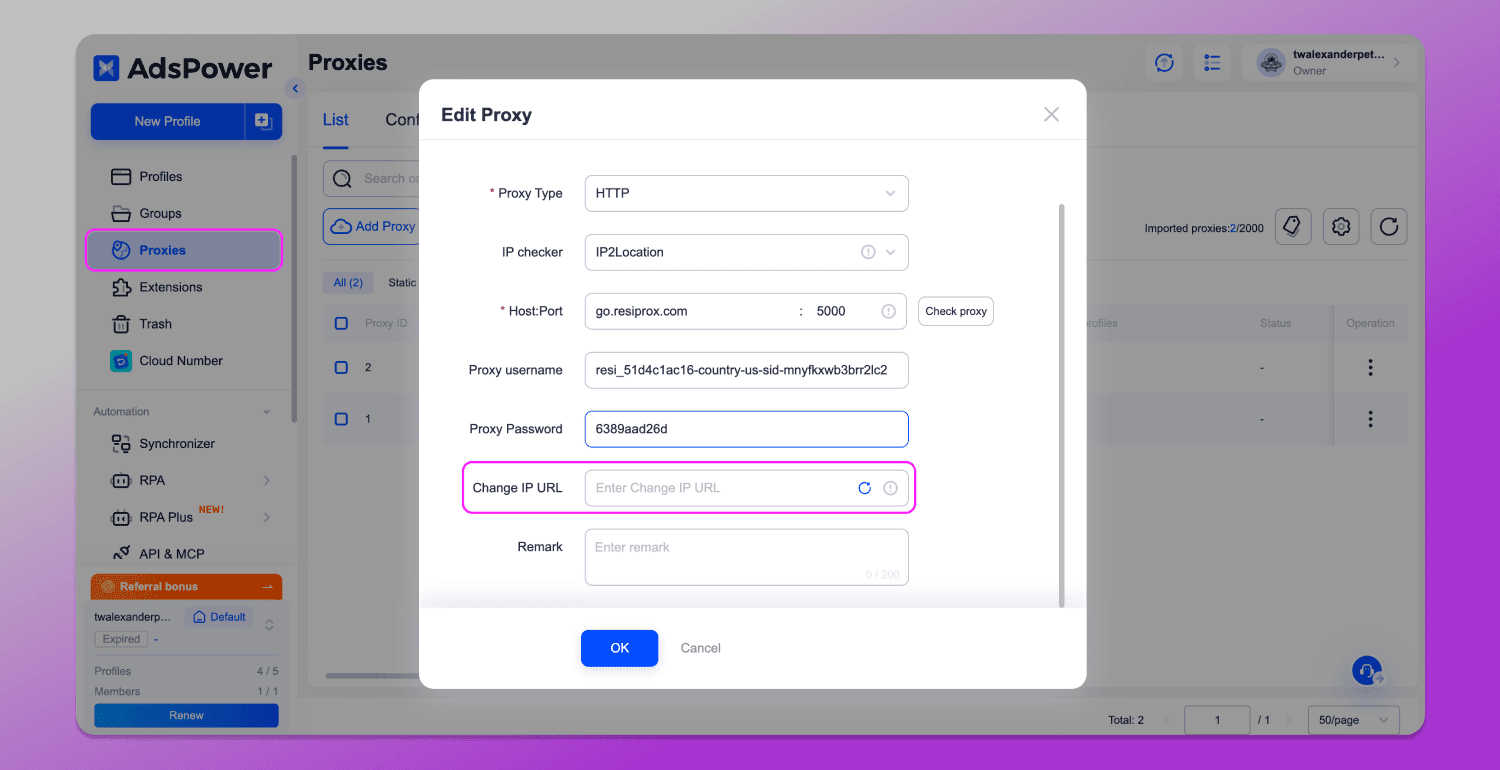
Method 1: Go to the proxy section and find the one linked to the account. Then paste the link and click the circular arrow button.
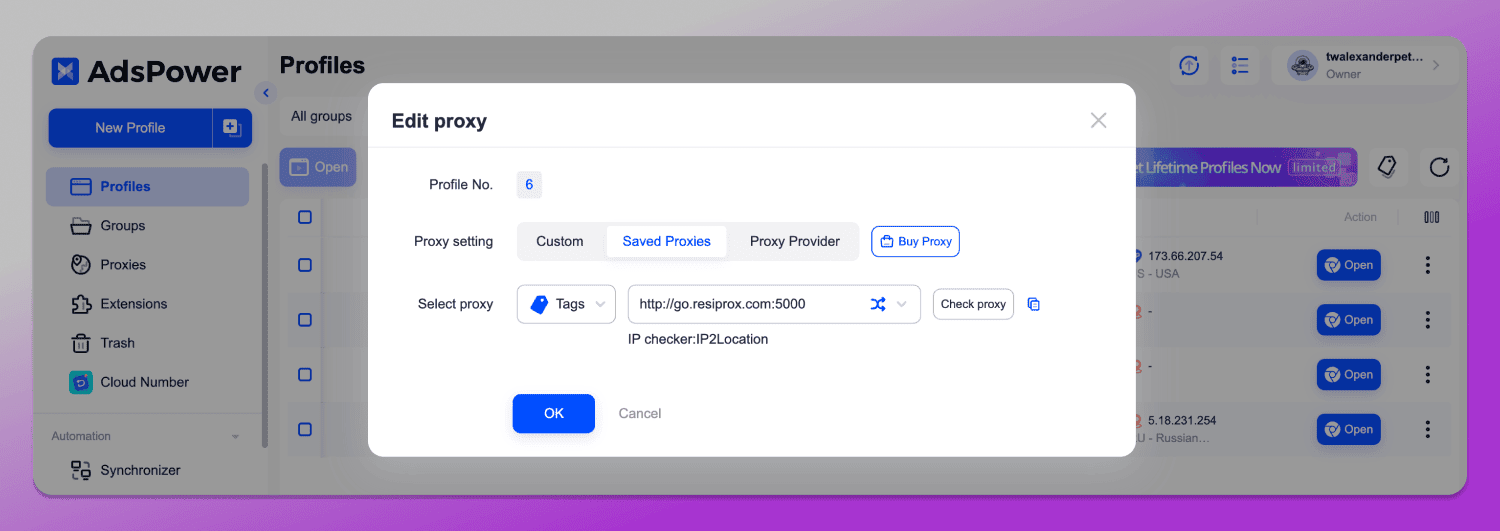
Method 2: Click the three dots at the end of the row and select “Edit proxy”. This will open a new menu.
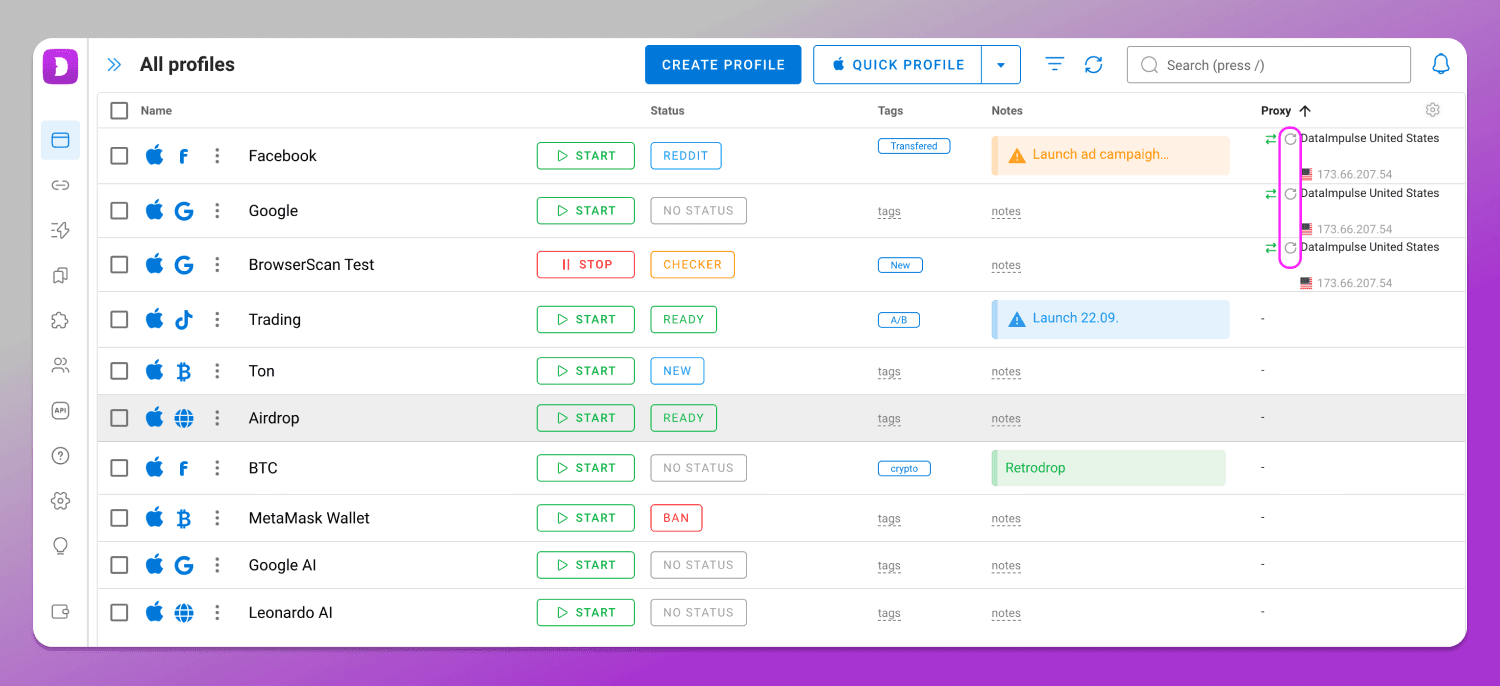
In Dolphin Anty to rotate the proxy IP, you simply click the corresponding icon directly in the profile row.
Other Differences
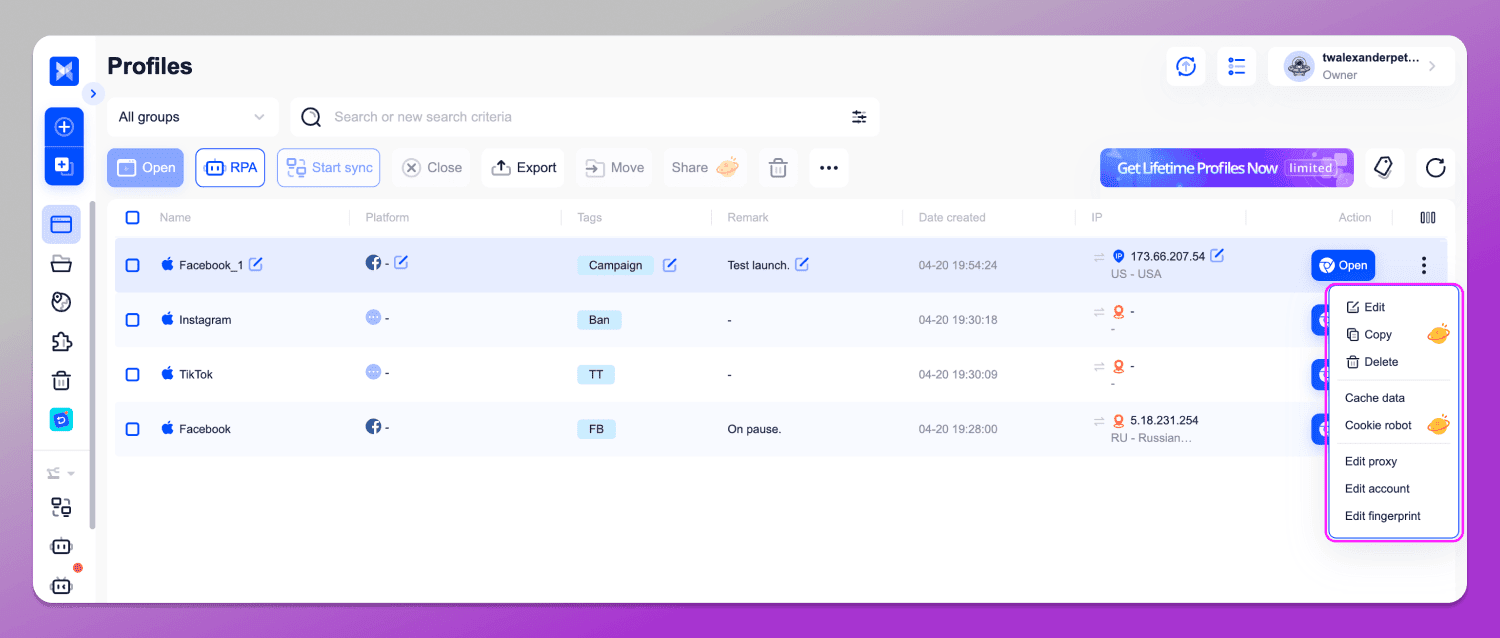
To edit a profile in Dolphin Anty, you need to click the three dots next to its name and select “Edit”. To edit the proxy, you simply click on its name. In AdsPower, the three-dot menu is located at the end of the row, meaning you have to ➡️ move your cursor to the far side of the screen each time.
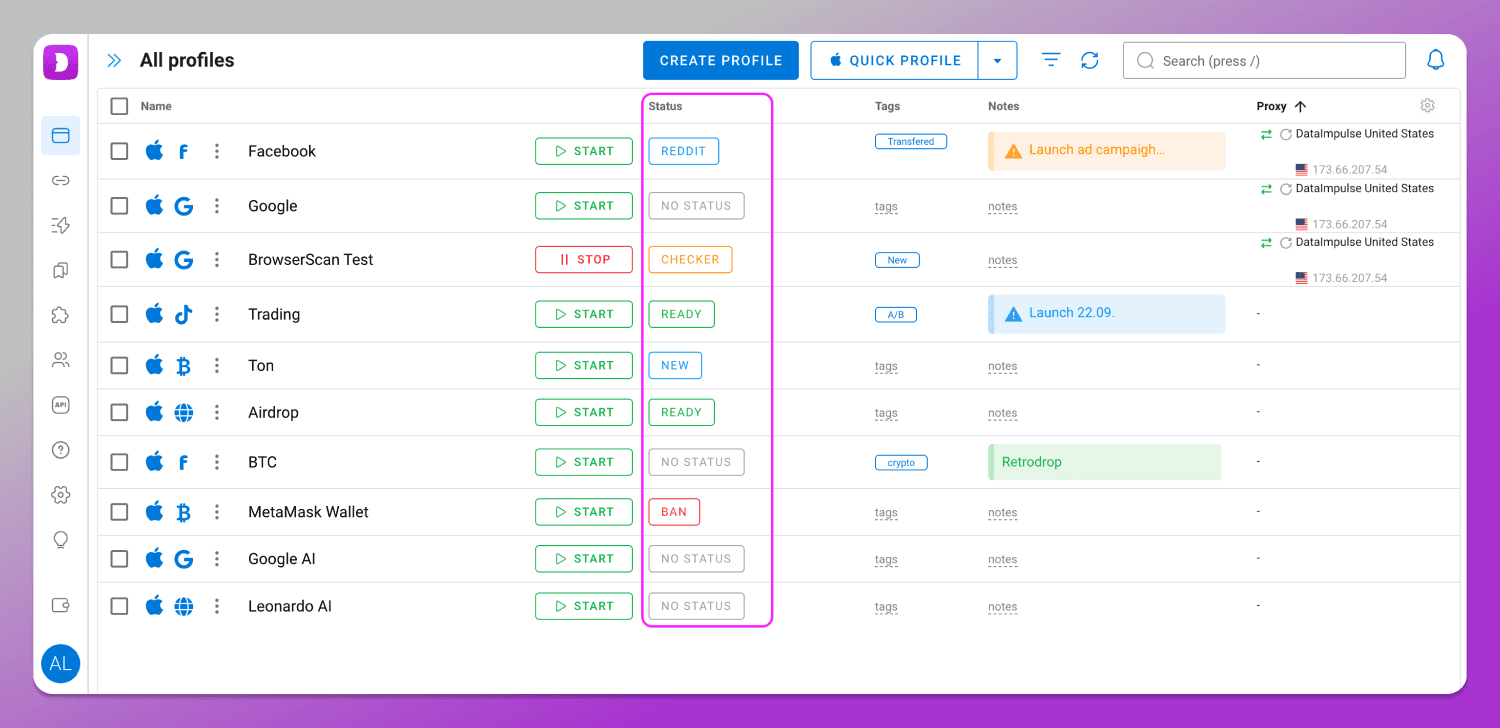
In Dolphin Anty, in addition to tags and notes, there are also Statuses, which further simplify navigation between profiles. They can be added directly in the main menu and customized with different colors.
Cookie Robot and profile copying (both with fingerprint randomization and without) are available in Dolphin Anty on the free plan, while in AdsPower they are only available on paid plans.
In AdsPower profiles cannot be sorted freely, whereas in Dolphin Anty you can sort them not only by name, but also by notes, tags, statuses and more.
In addition, unlike Dolphin Anty, pop-up windows in AdsPower do not close when you click on an empty area. You have to explicitly click either a confirmation button or a cancel one. It’s a small detail, but it doesn’t really save time.
Automation ⚙️
AdsPower allows you to automate routine processes. However, its automation system is complex to learn and it’s difficult to understand without reading documentation.
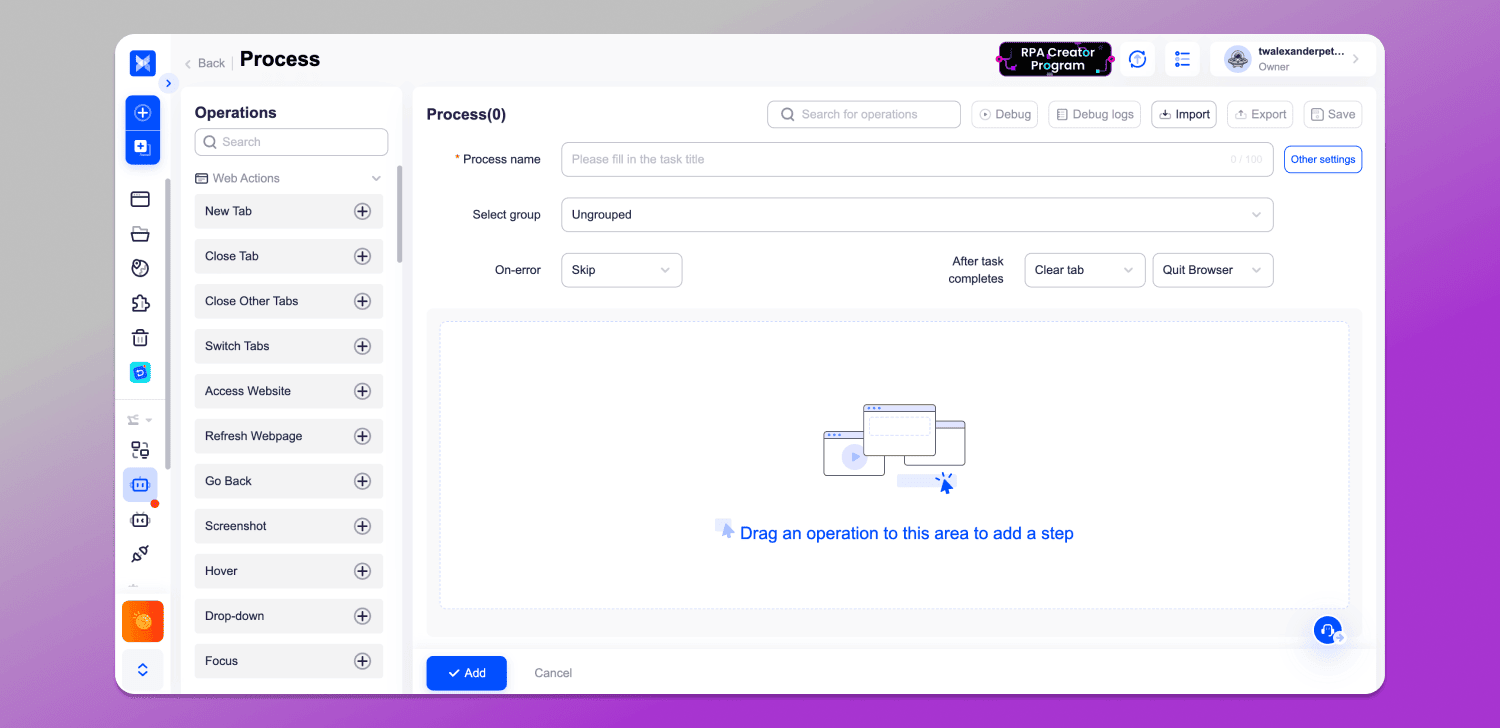
The situation is further complicated by the fact that AdsPower has two automation menus: RPA and RPA Plus (marked as “New”). The difference between them and their practical value for users is not clearly explained and there are no helpful hints. On top of that, the workspace for building automation scenarios is 🤏 quite small as nearly half of the screen is taken up by non-essential fields that cannot be hidden. This becomes especially inconvenient when you need to build complex, branching workflows.
Automation in Dolphin Anty ✅ is structured in a simpler way. The scenario workspace is much larger and is conveniently implemented through an interactive flow map. Space is saved thanks to a well-organized menu on the left, and the parameters of each action can be adjusted by right-clicking on it. These settings don’t need to be moved into a separate top panel, which keeps the workspace more compact. Next to the main area there is also a section for saving created automation templates and action sequences.
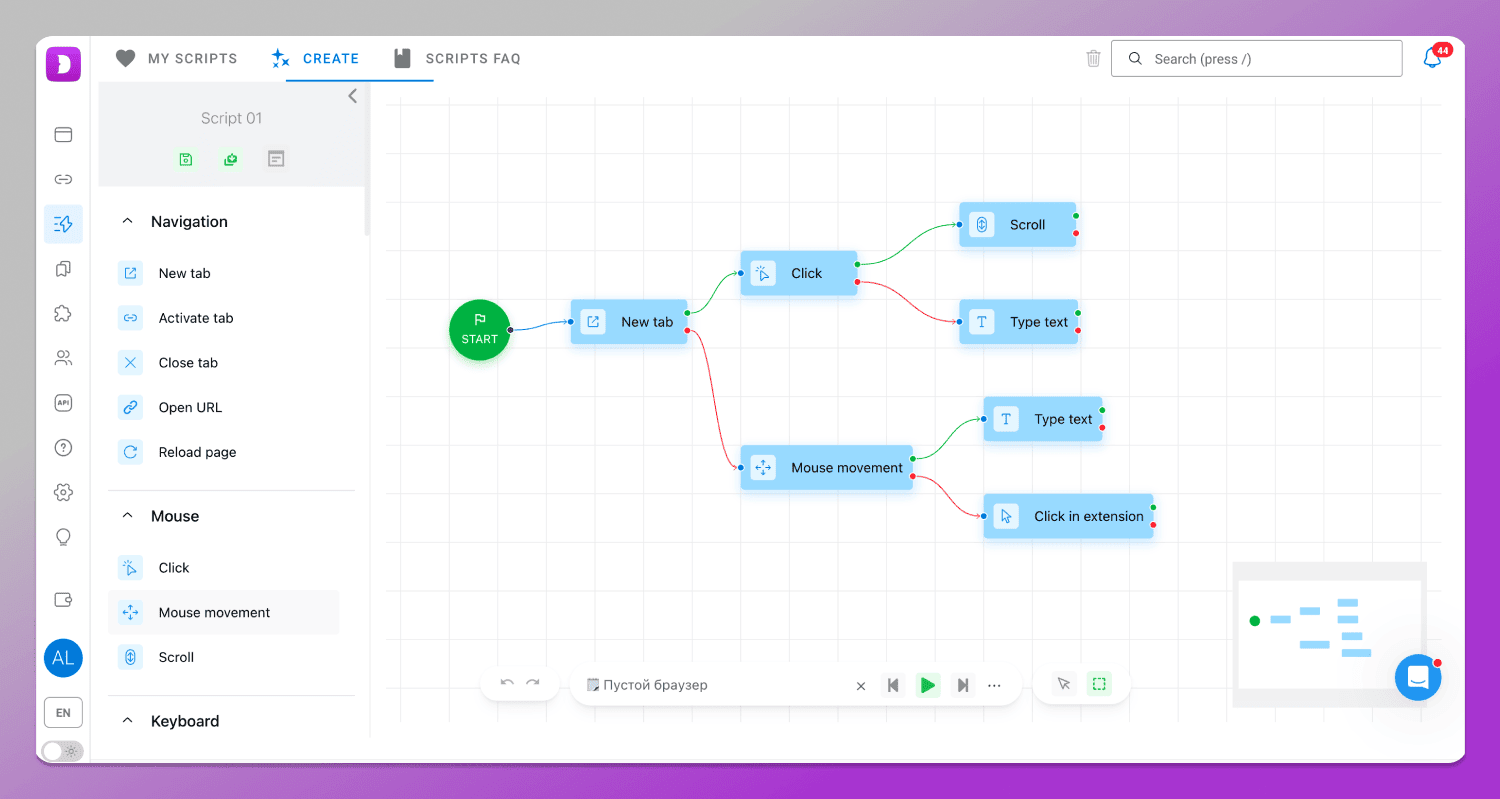
Thanks to the large workspace and compact blocks, you can fit a fairly complex scenario on a single screen.
Support Service 👨💻
AdsPower is primarily oriented toward the 🇨🇳 Chinese market, so support in other languages is available, but responses may be delayed. And at the time of writing this article, the live support chat didn’t even open.
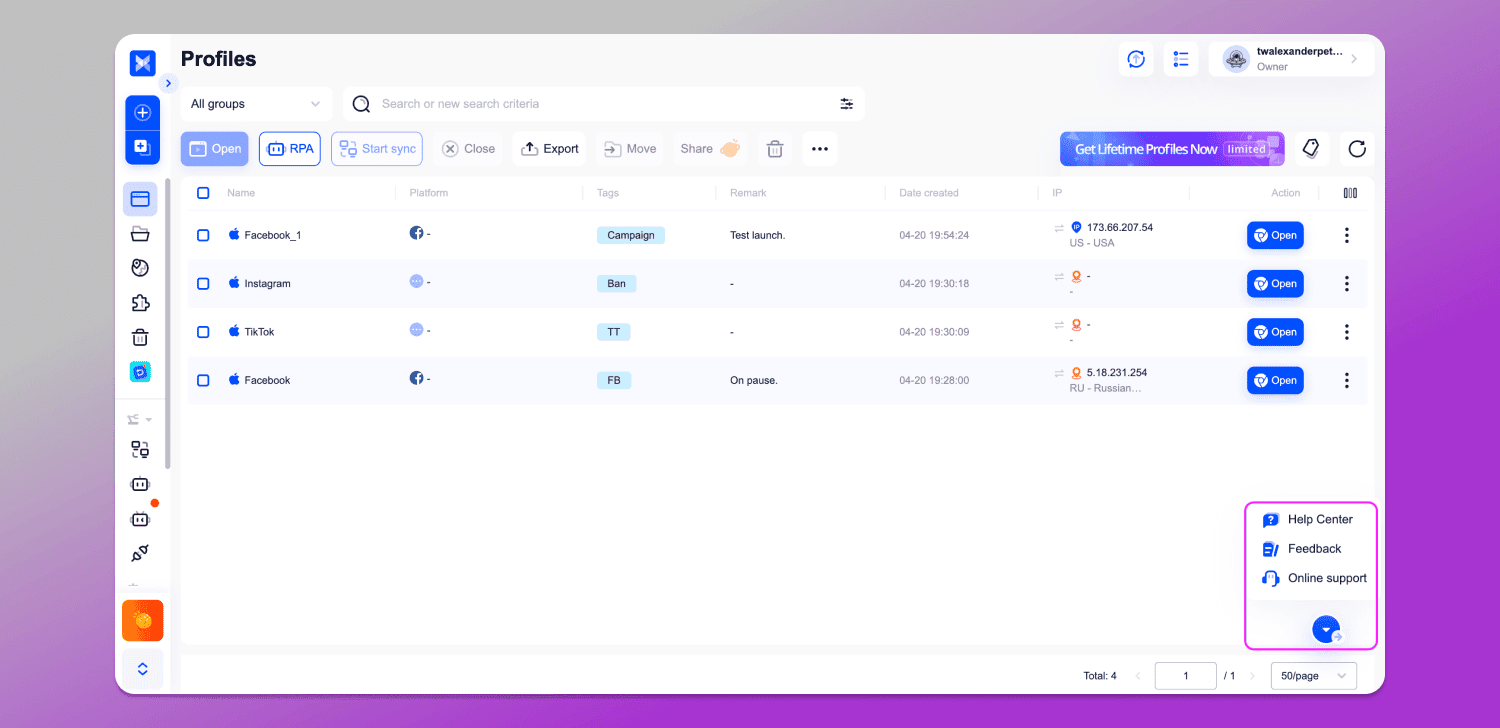
In Dolphin Anty support is responsive and typically replies within 5–10 minutes on average.
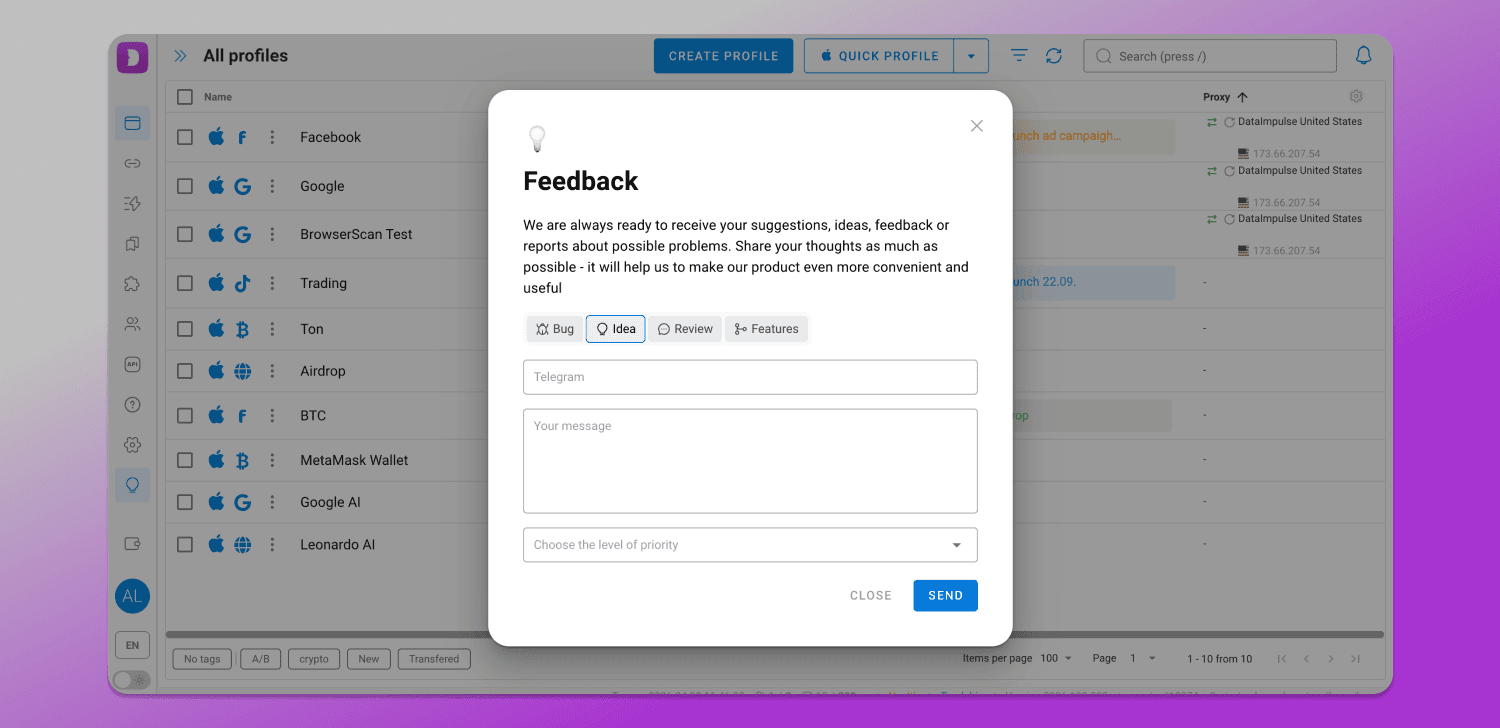
In addition, the interface translation into other languages is done automatically which can sometimes lead to inaccuracies or questions.
Chromium Core Updates
The developers of Dolphin Anty update the Chromium core ✅ more frequently and promptly. As a result, fingerprints are less likely to look suspicious to antifraud systems and ad accounts tend to last longer and get banned less often.
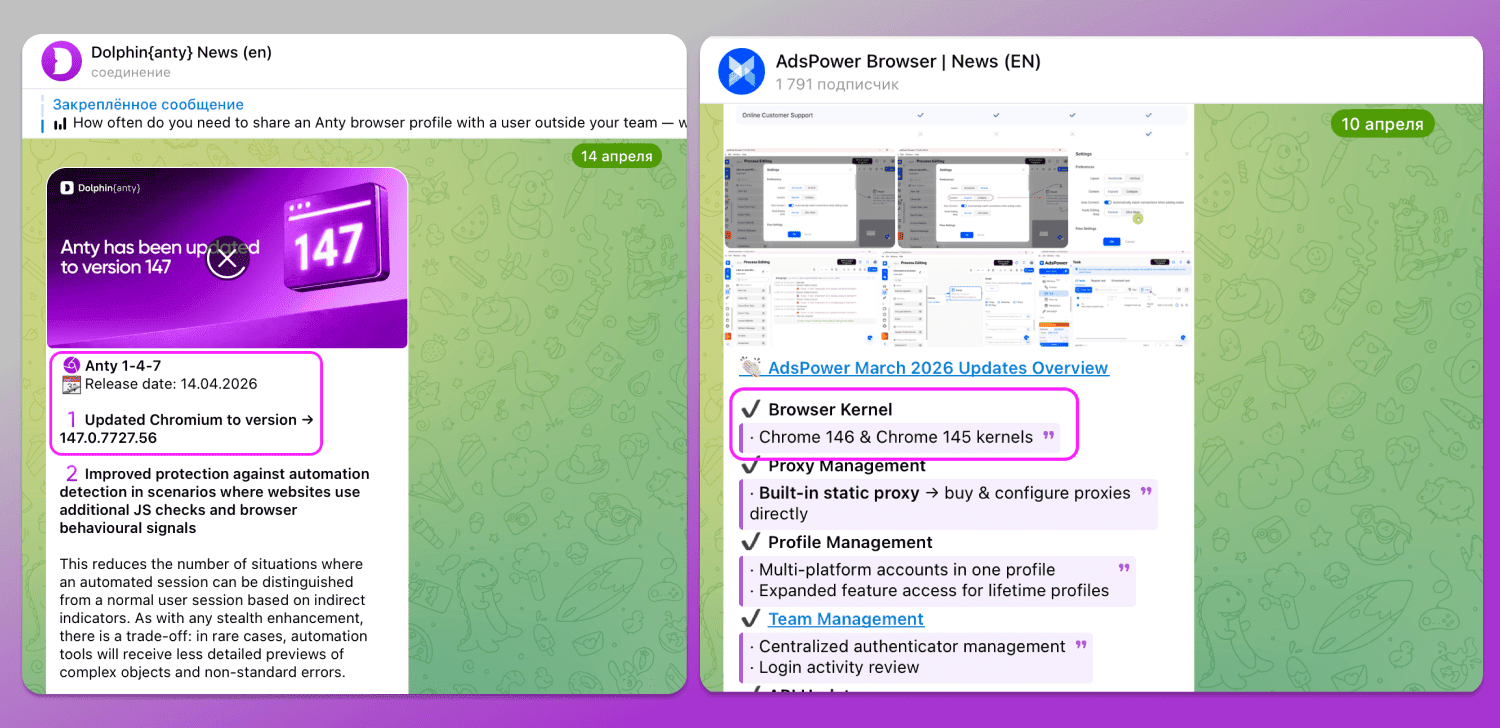
As of April 2026, Dolphin Anty has updated its core to Chromium 47, while AdsPower is on version 146.
What AdsPower Lacks? ❌
AdsPower is a highly functional browser, but there are a few features it doesn’t include.
Smart Paste
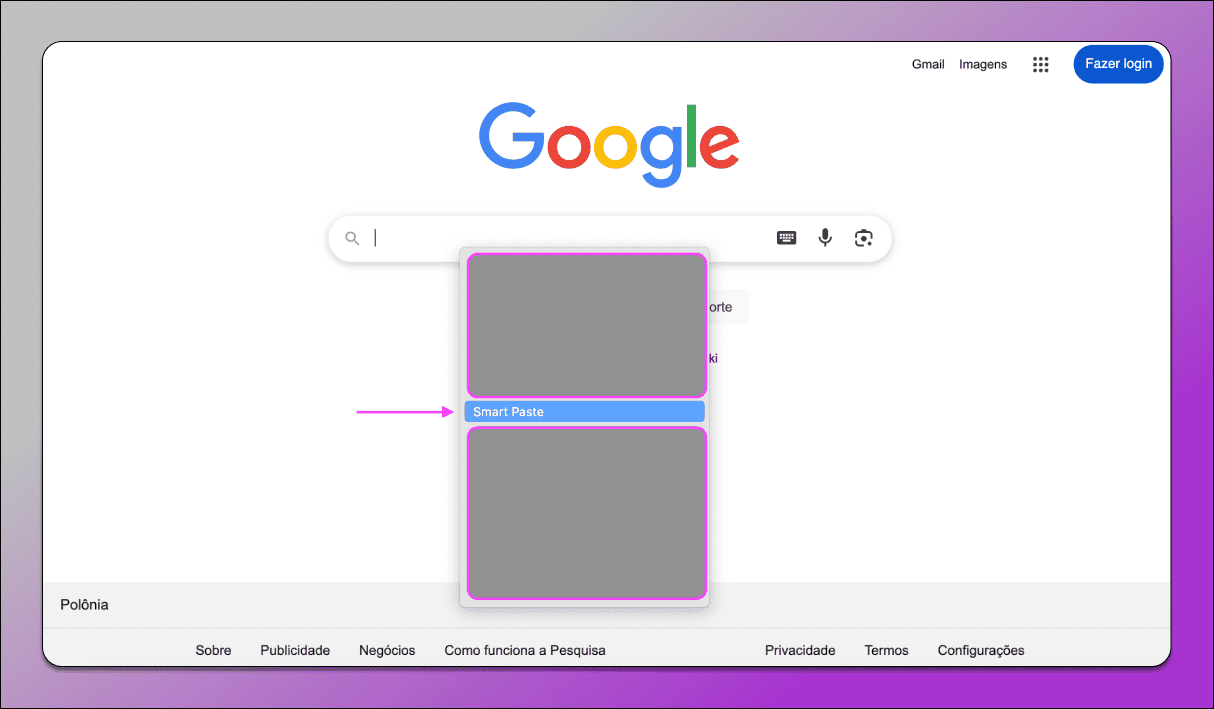
AdsPower does not have a smart input feature. In Dolphin Anty, Smart Paste works like this: you copy text and when you paste it, the browser simulates typing it letter by letter. This tends to look less suspicious to antifraud systems as typing logins, passwords or copies resembles human behavior more than automated actions.
Default Bookmarks
In AdsPower you can add profile types and there are even more of them than in Dolphin Anty. However, when you open a specific profile type, for example Facebook, you’ll find that it only includes the login page of the social network. Everything you need for work has to be added manually.
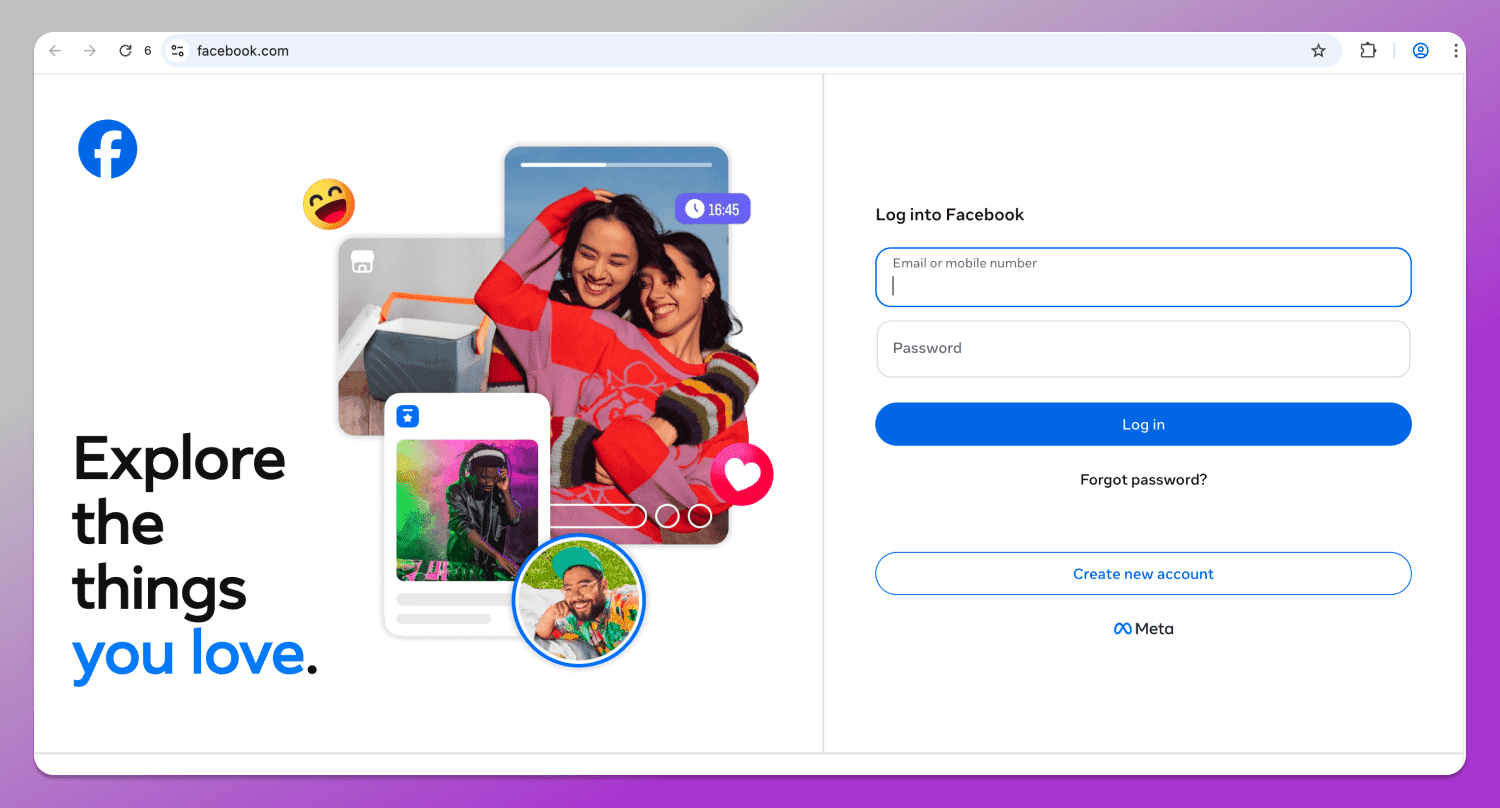
Browser opened via AdsPower — no bookmarks.
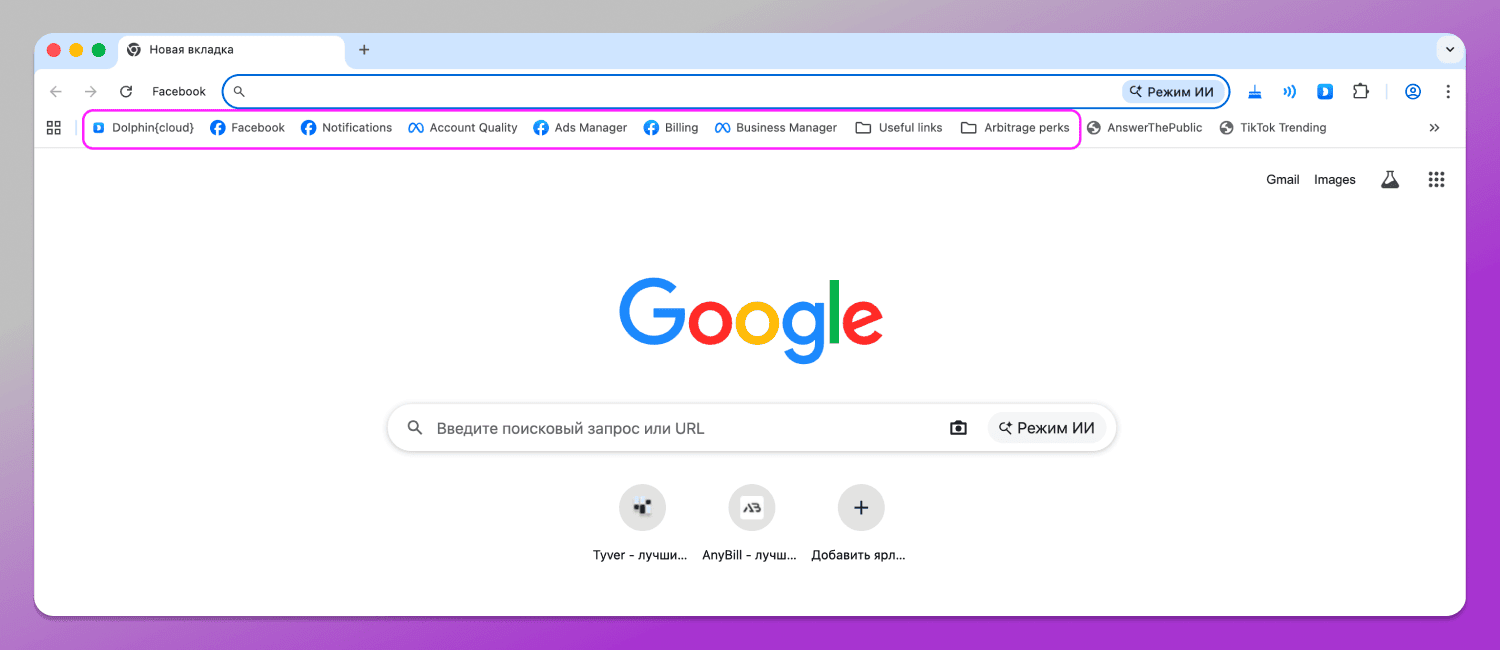
In Dolphin Anty, each profile type comes with pre-added useful bookmarks. You don’t need to add them manually.
Branded Multitool
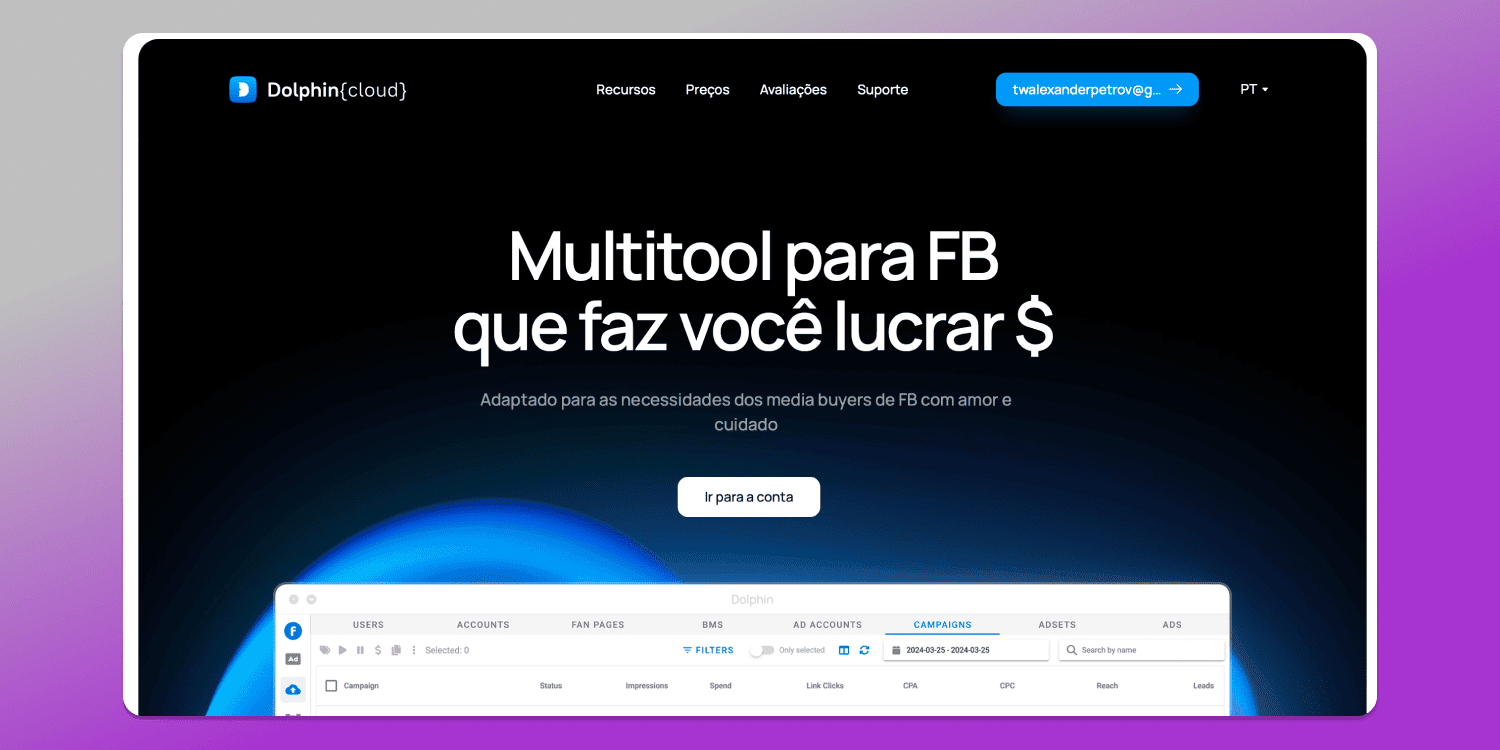
AdsPower does not have its own built-in multitool, so it needs to be integrated with third-party services. Dolphin’s developers, on the other hand, offer their own ad automation system ☁️ Dolphin Cloud, which integrates easily with the antidetect browser and does not require any external tools. It includes everything needed for large-scale ad launches not only on Facebook, but also on Google and TikTok.
API
Like many other antidetect browsers, AdsPower supports automation via API using tools such as Selenium and Puppeteer. Dolphin Anty supports not only these tools, but also the more advanced Playwright automation framework.
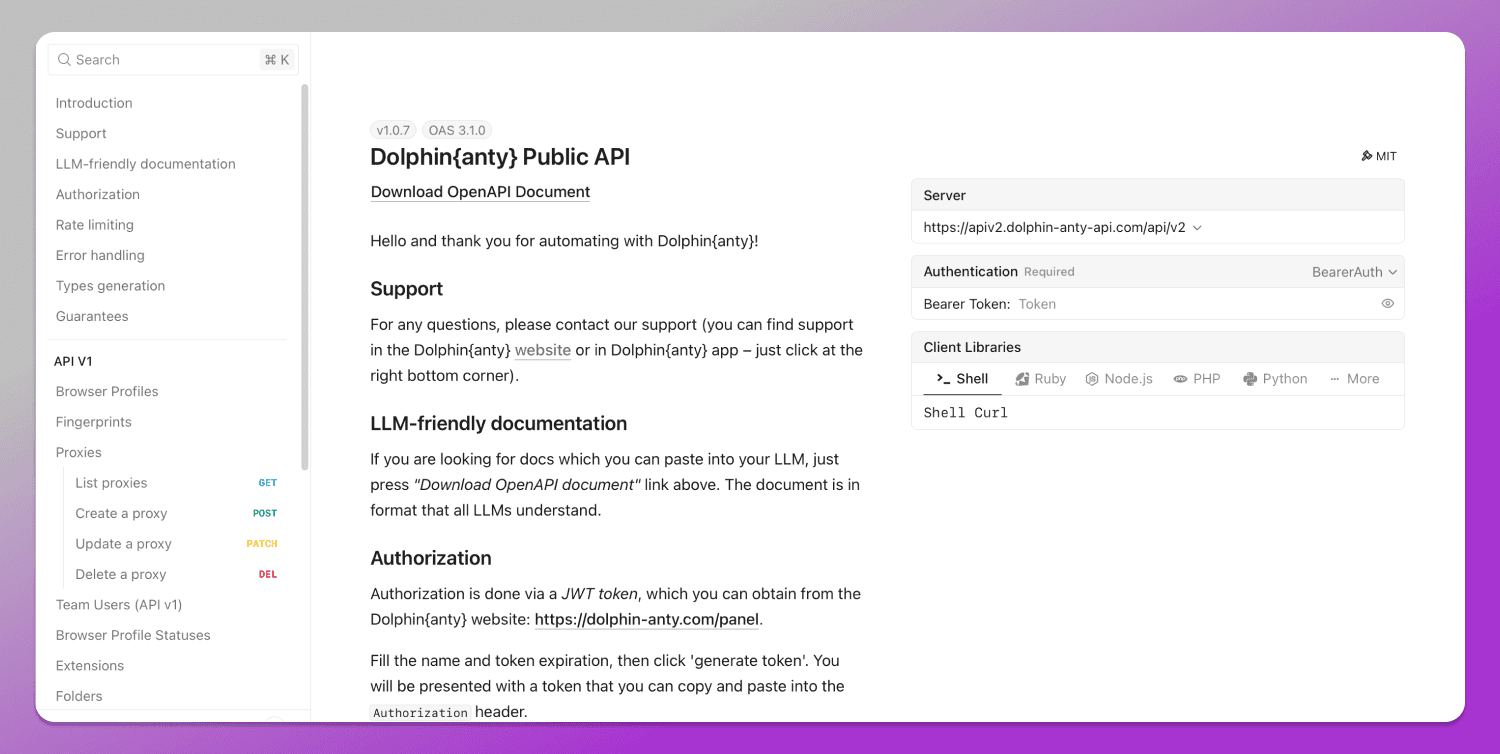
🗂️ The documentation is available here.
Pricing 💲
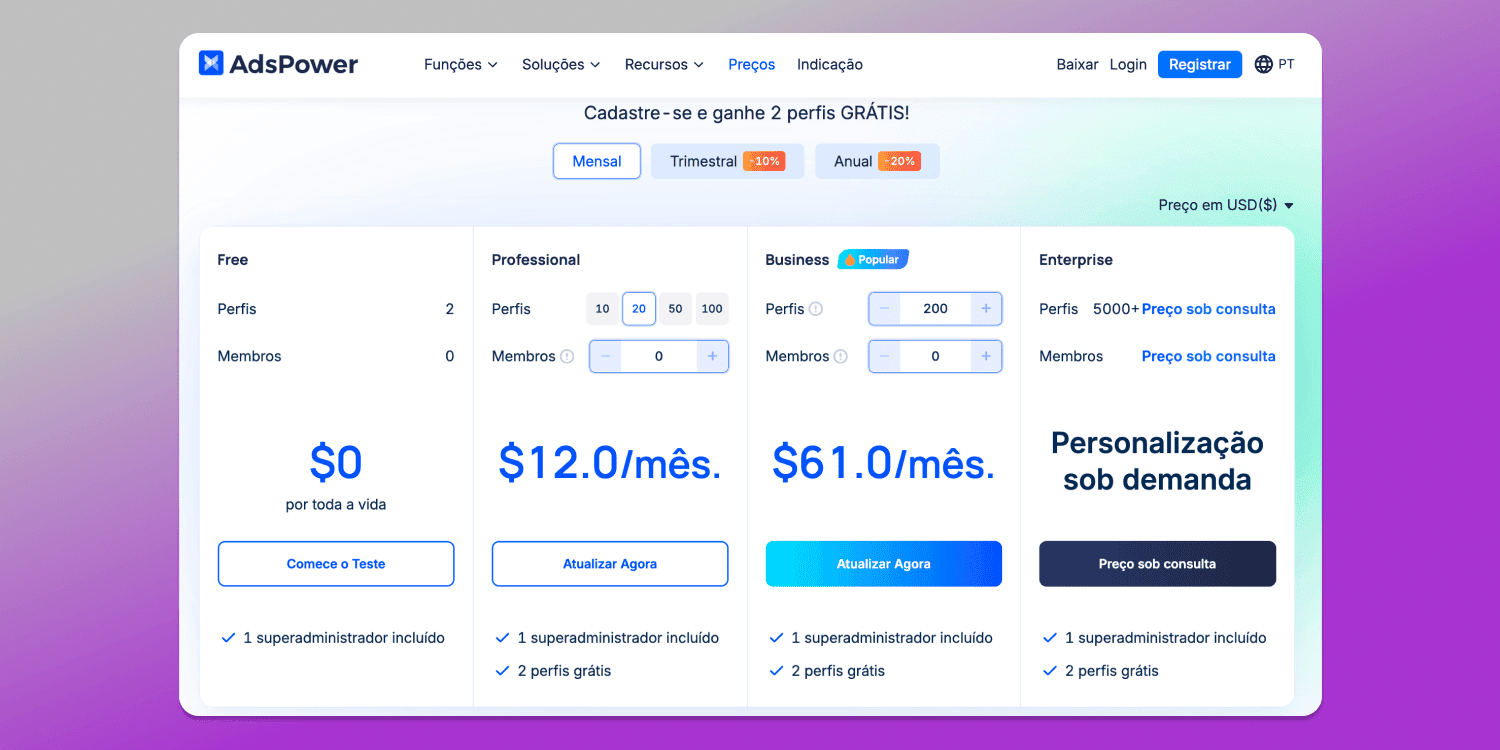
Subscription cost plays an important role when choosing a product. AdsPower offers the following pricing plans.
Pricing of Dolphin Anty.
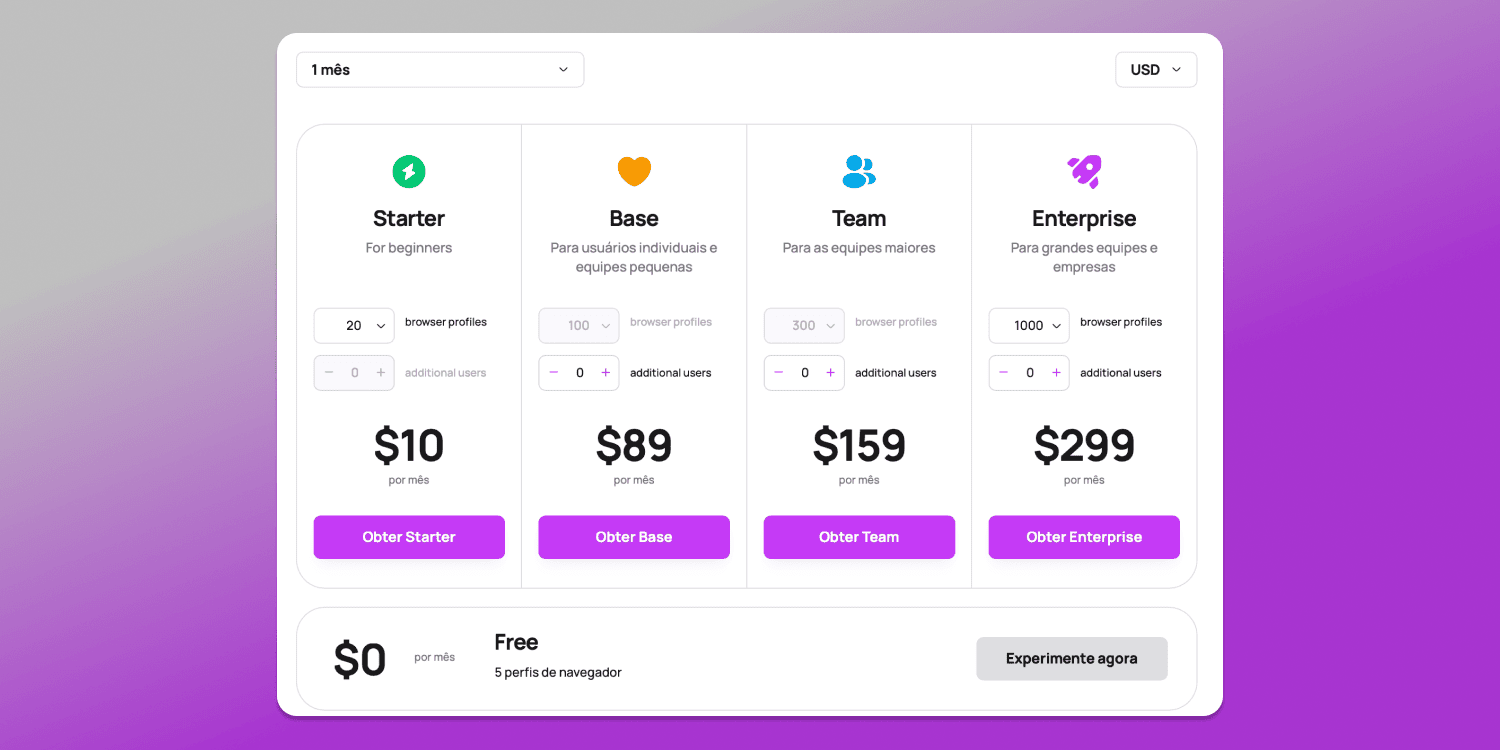
If to compare, AdsPower’s entry-level Professional plan costs $12 and provides 20 profiles. Dolphin Anty, on the other hand, offers the same 20 profiles for $10.
In addition, all paid Dolphin Anty plans include proxy providers with free traffic, which can also reduces overall costs.
Comparison Table
Below is a side-by-side comparison of the browsers in table format.
| AdsPower | Dolphin Anty |
|---|---|
| Some actions require more clicks | Actions (launching, filtering, navigation) are faster and simpler |
| Notes support text only | Notes can be color-coded and include icons for easier navigation |
| Tags can be added, but cannot be used directly for filtering | Tags are clickable and allow quick filtering of profiles |
| Filter system takes more time to learn | Filters are available immediately and applied in a few clicks without manual input |
| Proxy IP change requires separate steps and menus | Proxy IP can be changed directly from the profile list |
| Editing profiles and proxies requires navigating through separate interface sections | Quick access to editing directly from the profile list |
| No profile status system | Statuses are available with customization and color coding |
| Profile copying and cookie tools are available only on paid plans | Profile copying and cookie robot are available even on the free plan |
| Automation is functional but requires learning and is split into multiple modules | Automation is more visual, with a convenient workspace and editor |
| Support is available in multiple languages but may be slower to respond | Support responds faster and is more focused on quick assistance |
| Chromium core updates are released regularly | Chromium updates are delivered more promptly |
| No Smart Paste feature | Smart Paste is available |
| After profile creation, bookmarks must be configured manually | Useful bookmarks are already included in profiles |
| No built-in ad auto-launch system | Integration with Dolphin Cloud for ad campaign automation |
| Supports Selenium and Puppeteer | Supports Selenium, Puppeteer, and Playwright |
| Starting price: $12 for 20 profiles | Starting price: $10 for 20 profiles + additional bonuses |
Conclusion
In the end, both antidetect browsers offer a similar set of core features and cover the main tasks. The difference mainly comes down to approach and attention to detail: Dolphin Anty puts more focus on usability, workflow convenience and additional features that become noticeable in everyday use.
Also, 🏆 Dolphin Anty received the award for Best Antidetect Browser at the Affiliate Space Awards by Conversion Club.

And numerous polls within user communities also confirm the popularity of Dolphin Anty.
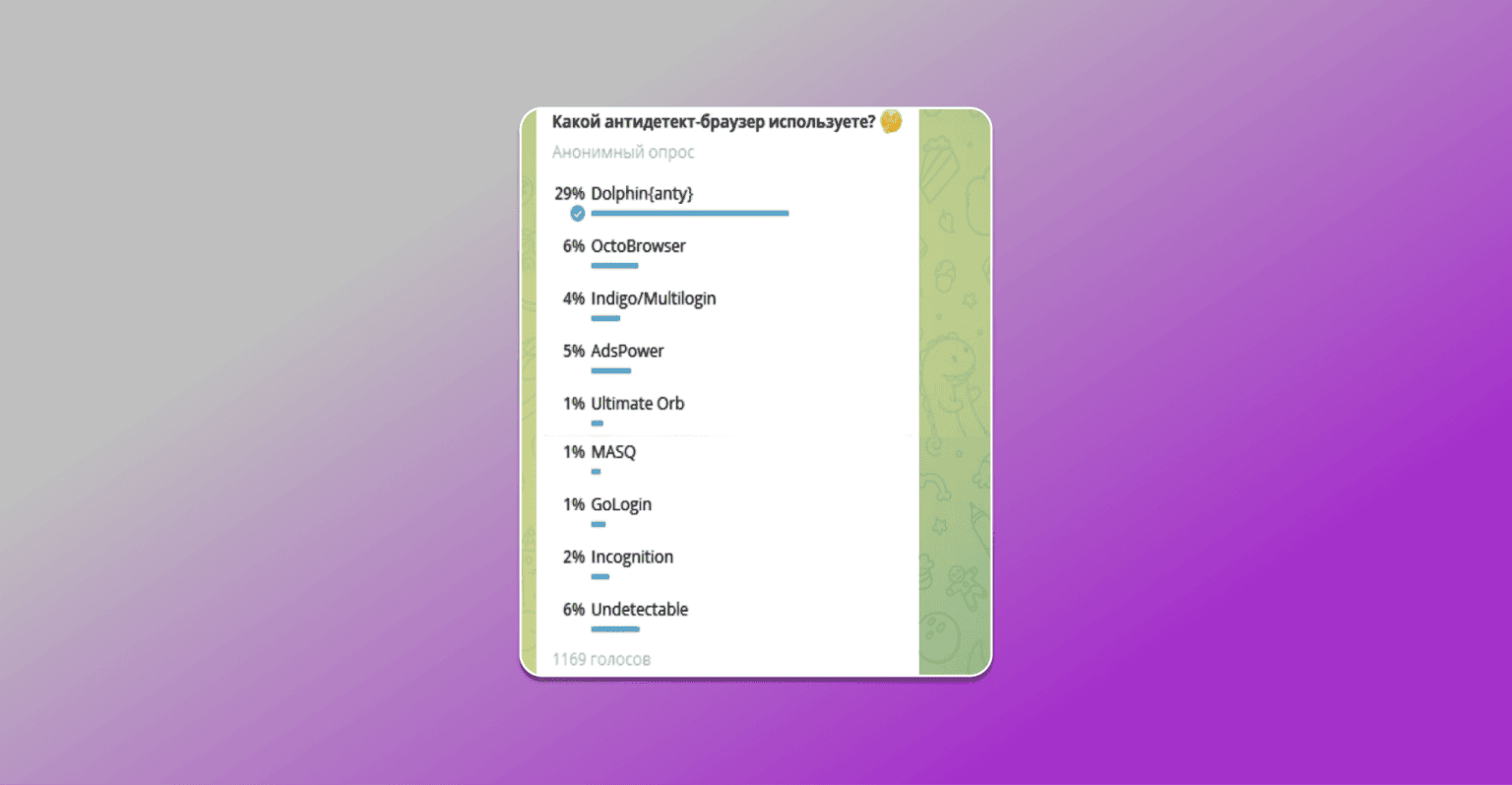
Dolphin Anty often has a higher rating on review aggregators as well.
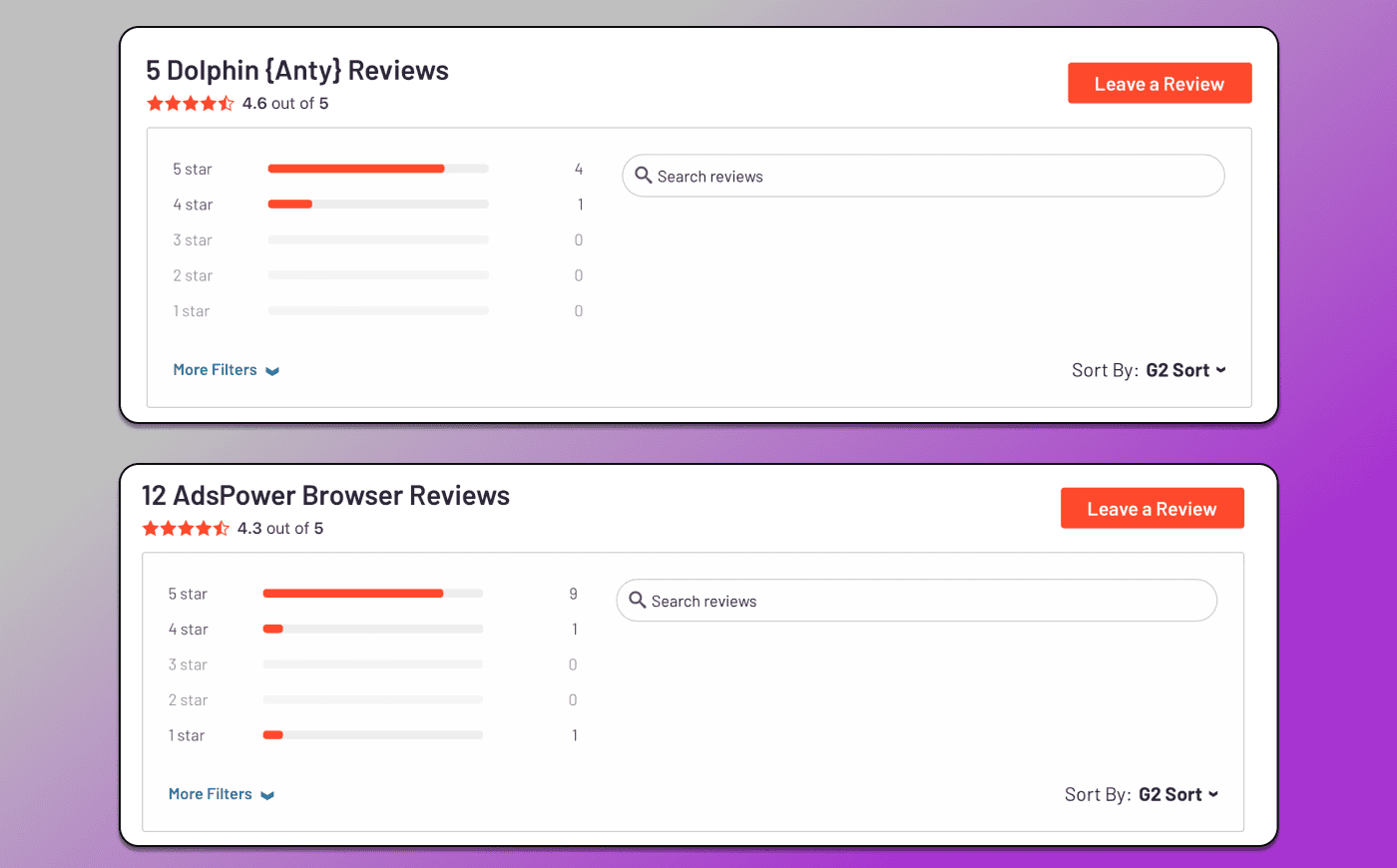
At the same time, 🔥 Dolphin Anty continues to regularly introduce new features. You can explore them completely for free: just visit the website, download the installer and try it yourself.