
Learning how to use Multilogin means repeating the same sequence every time: create the browser profile, choose the system it will simulate, connect a dedicated proxy, match timezone and language to that proxy, review the fingerprint, and only then log in.
Installing it is the easy part; what trips most people up is that first profile setup, where the mistakes that end in bans start.
What Multilogin does in practice
Each profile behaves like a browser on a different computer: its own fingerprint, its own cookies and local storage, and a proxy of its own. Platforms cross-reference that fingerprint with your IP and cookies — two accounts sharing one fingerprint are the same person.
System requirements and compatibility
Multilogin runs on Windows 10 or later, macOS 14 Sonoma or later, and Linux Ubuntu 22 or later, always 64-bit, with at least 4 GB of RAM and 1 GB of free disk space. Apple Silicon chips M1 through M4 are compatible; Windows on ARM is not.
Before you create the first profile
Half the problems are solved outside the software. Decide which country the access should come from, buy dedicated proxies — one per profile — and set a naming pattern, such as “ClientA-Instagram-US”. Without a proxy, every profile leaves through the same IP.
Step by step: how to use Multilogin for your first profile
With the proxy bought and the name set, the rest takes under five minutes in the dashboard.
Steps 1 to 3: create, pick the system, connect the proxy
- Create a new profile using your standardized name, identifying client, platform and country.
- Choose the operating system and browser the profile will simulate, favoring combinations that are common in the proxy’s region.
- Set up the dedicated proxy and run the dashboard’s connection test before saving; if it returns a different country, fix it there.
Steps 4 to 6: consistency, fingerprint, first login
- Adjust timezone, language and geolocation so they match the proxy. A US proxy with a Brazilian timezone and language is easy to spot.
- Review the fingerprint. Canvas, WebGL, fonts and WebRTC get unique values automatically; confirm they are active and never reuse the same set across two profiles.
- Save and launch the profile. Browse for a few minutes before logging in, and use that profile for that account only.
After saving: warm-up and daily routine
❗ A saved profile is not yet a safe account. Browse in it before the first login, then return the next day through the same profile and proxy. After that the routine never changes: always open the account through its own profile, and close it from the dashboard to save cookies and session.
Using Multilogin with multiple profiles day to day
Anyone can configure one profile; 👀 the trouble starts at the tenth. Group them by client, platform or status — testing, warming up, live — using folders and tags, and record who owns each profile.
Common mistakes when setting up a profile
Bans rarely come from a technical failure of the browser, but from small details that produce contradictory signals.
The five mistakes that get accounts banned
- Mismatched timezone and proxy location.
- Reusing the same proxy across several profiles — it cancels the isolation.
- Switching proxies too often on one profile — sudden location changes draw attention.
- Skipping the warm-up — using a brand-new account aggressively on day one triggers alerts.
- Using one profile for different accounts — an old cookie is enough to link them.
Multilogin or Dolphin Anty: which one to use
🔥 Dolphin Anty is the most direct alternative for anyone managing several accounts who wants to test everything before paying: its own per-profile fingerprint across more than 20 parameters, isolated proxy and cookies per profile, team management with per-user permissions and automation through an API. The free plan gives 5 profiles with no credit card, and it runs on 64-bit Windows, macOS (Intel and M-series) and Linux as AppImage, .deb and .rpm.
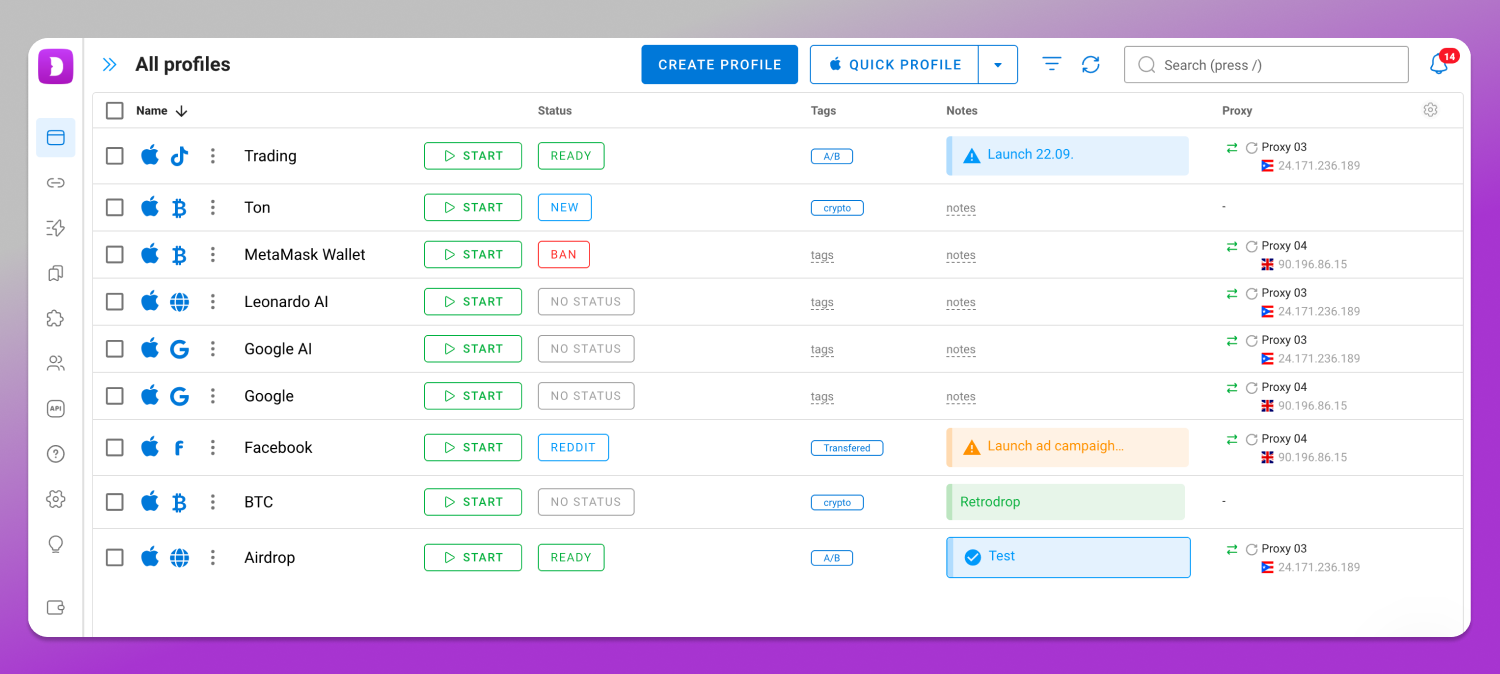
Multilogin, one of the most established tools in the category, also has a Free forever plan, but with one condition that changes everything: the 5 free profiles are deleted after 7 days. There the free tier is for sampling the interface, not for keeping an operation running.
Plans and pricing side by side
| Tier | Dolphin Anty | Multilogin |
| Free | $0, 5 profiles | Free forever, 5 profiles deleted after 7 days |
| Entry | Starter $10/mo, 20 profiles | Pro $11/mo or $85/yr, 10 profiles |
| Mid | Base $89/mo, 100 profiles | Business $89/mo, 300 profiles |
| Volume | Team $159/mo (300), Enterprise $299/mo (1000), Custom unlimited | — |
At the entry tier prices nearly tie, but the profile gap is already large: Dolphin Anty’s Starter delivers twice the profiles (20) for the same price as Multilogin’s entry Pro (10). At the mid tier, Dolphin Anty’s Base delivers 100 profiles for what Multilogin’s Business already includes 300 for — that’s the point where the comparison flips in Multilogin’s favor, since its entry-level Business plan ($89/month) already comes with 300 profiles, triple what Dolphin Anty’s Base offers at the same price. Worth noting: Multilogin’s Pro tier also comes in higher levels (50 and 100 profiles, at higher prices), and Business scales past 300 profiles as needed, at a proportionally higher cost.
Frequently asked questions
Do I need to touch the fingerprint manually?
No. Multilogin generates its own Canvas, WebGL, font and WebRTC values for each profile at the moment of creation. Editing them is only worth it when you need to imitate a specific device. The dangerous mistake is reusing one set of values across two profiles.
Does Multilogin have a free version?
Yes, the Free forever plan offers 5 profiles at no cost. The catch that matters is that they are deleted after 7 days, so the plan works for getting to know the tool, not for sustaining an ongoing operation without a paid subscription.
Why was my account banned even with a dedicated proxy?
A dedicated proxy only fixes the IP. If timezone, language or geolocation point to another country, the signal stays contradictory. Add an immediate login on a brand-new account and the ban arrives anyway, however correct the rest of the setup is.
Do I need a proxy for every profile?
It is not technically mandatory, but it is strongly recommended. Without a dedicated proxy, all profiles share one IP address, and that is precisely one of the signals platforms rely on to associate several accounts with the same human operator.
How many profiles can I run at once?
It depends on the memory available on your machine and on your subscription tier. Each open profile consumes resources like a separate browser instance, so the practical limit of the hardware usually appears before the commercial limit of the plan.
How many profiles come with Multilogin’s Pro and Business plans?
The entry-level Pro, at $11/month, includes 10 profiles (higher Pro tiers exist with 50 and 100 profiles, at higher prices). The entry-level Business plan, starting at $89/month, already includes 300 profiles, and scales further as the operation needs, with a proportional price increase.
Conclusion
Setting up the first profile is less about clicking buttons and more about consistency: proxy, timezone, language and fingerprint all telling the same story. If you are still choosing, the free plan from 🚀 Dolphin Anty lets you build that workflow at no cost.