
The Multilogin download comes with a quirk: the installer is not public on the site. You have to create an account and pick a plan — the Multilogin free plan works — before the download link appears inside the dashboard.
There are 👣 six steps: account, email confirmation, plan, download, installation and login. Below, each one, with the official requirements, the common errors and the alternative most people compare.
What you need before the Multilogin download
You need an 📧 email you can verify, a 64-bit machine that meets the requirements, and a chosen plan. The Multilogin app is an antidetect browser: isolated profiles, each with its own fingerprint, cookies and proxy.
Why the installer is not public
The link only appears in the dashboard once the account exists and a plan is selected, the free one included: the commercial decision comes before the technical one. Searching for it elsewhere leads to third-party sites, risky for a program that stores account sessions.
Official requirements to install Multilogin
✅ Check your machine first: many installation freezes come from an outdated system or an incompatible architecture.
Supported systems, hardware and chips
Multilogin runs on Windows 10+, macOS 14 Sonoma+ and Linux Ubuntu 22+, always on 64-bit — there is no 32-bit build. The minimum is 4 GB of RAM and 1 GB of free disk space. Apple Silicon M1 to M4 chips are supported; Windows on ARM is not. To check your version: winver on Windows, Apple menu → “About This Mac” on macOS, lsb_release -a on Ubuntu.
Multilogin download and install, step by step
The first step is the slowest; the other five take minutes.
Steps 1 to 3: account, plan and download link
- Create the account on the official site with an email you can verify; that confirmation is what unlocks the dashboard.
- Pick the plan. With no plan selected, the download button does not appear. The Multilogin free plan, Free forever, includes 5 profiles, deleted after 7 days; Pro costs $11 a month (10 profiles) or $85 a year, and Business starts at $89 a month (300 profiles).
- Select your operating system in the dashboard: Windows, macOS or Linux, always the 64-bit build. On a Mac with an M-series chip, take the Apple Silicon build, not the Intel one.
Steps 4 to 6: installer, login and first profile
- Download and run the installer. Let the download finish before opening the file; a half-downloaded file is a common cause of error. Follow the wizard to the end — the app fetches additional components on first launch.
- Sign in with the same account from step 1. The desktop app does not work disconnected from the dashboard: the login is what validates your plan and unlocks the profiles you paid for.
- Create your first profile with proxy, timezone and language consistent with each other. A Brazilian proxy with a New York timezone gives the mismatch away on the first check.
Installing on Windows, macOS and Linux
On Windows, right-click the file and choose “Run as administrator”. If SmartScreen warns that the app is unrecognized, use “More info” and “Run anyway”.
On macOS, drag the app into the Applications folder. If Gatekeeper blocks it, go to System Settings → Privacy & Security and click “Open Anyway”.
On Linux, install the package the dashboard offers for Ubuntu 22 or later, with administrator rights. Distributions outside the Ubuntu line have no official support.
Common problems installing Multilogin
The same reports come up again and again, and almost always get solved without a support ticket.
Antivirus, firewall and administrator permissions
Programs that alter fingerprint parameters frequently trigger antivirus heuristics. Confirm the file came from the official dashboard before creating a manual exception. On corporate networks, installation stalls until IT clears the executable.
When the app will not open after installing
Check your system version against the requirements above and uninstall any previous desktop agent before opening the new one. If the program freezes on the login screen, the block is usually in the network firewall or proxy.
Alternative: installing Dolphin Anty
🚀 Dolphin Anty is the most direct alternative for anyone managing several accounts who wants to test before paying. Each profile gets its own fingerprint, generated across more than 20 parameters, with isolated proxy and cookies, so two accounts opened on the same machine share no signals that would link them. Add to that team management with per-user permissions and API automation for creating and running profiles.
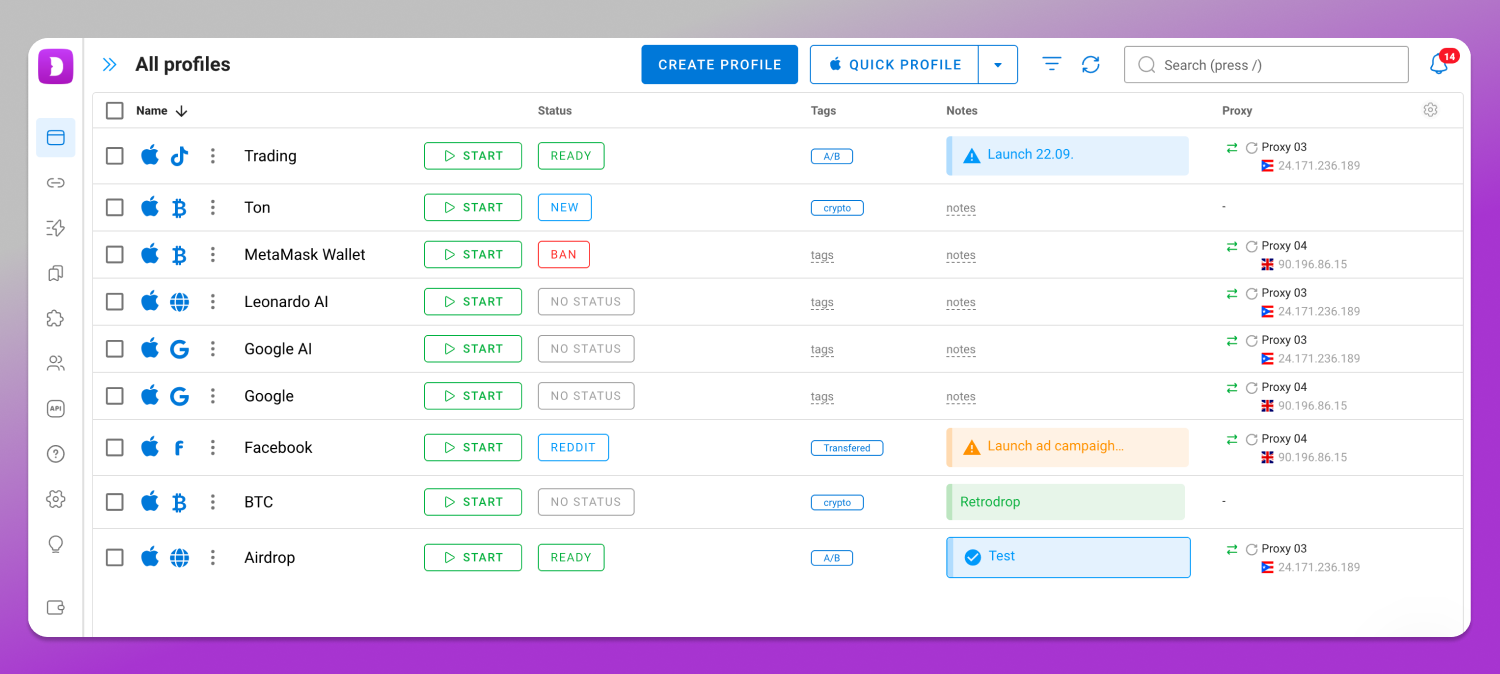
The second difference is the entry point, which is exactly what this guide is about: Dolphin Anty gives 5 free profiles at sign-up, no card and no deletion deadline. The installer covers 64-bit Windows, macOS on Intel and M-series chips, and Linux in AppImage, .deb and .rpm.
How to install Dolphin Anty
The path is the same as for any desktop application, with 🔝 no payment step in the middle: create the free account, confirm your email, pick the file for your system in the download area, run it and sign in.
Plans and pricing side by side
| Tier | Dolphin Anty | Multilogin |
| Free | $0, 5 profiles | Free forever, 5 profiles deleted after 7 days |
| Entry | Starter $10/mo, 20 profiles | Pro $11/mo or $85/yr, 10 profiles |
| Mid | Base $89/mo, 100 profiles | Business $89/mo, 300 profiles |
| Volume | Team $159/mo (300), Enterprise $299/mo (1000), Custom unlimited | — |
At the entry tier, Dolphin Anty already delivers twice the profiles for the same price (20 versus the entry Pro’s 10). At the mid tier the comparison flips: Multilogin’s entry-level Business ($89/month) already comes with 300 profiles, triple the 100 that Dolphin Anty’s Base offers at the same price — there, only Dolphin Anty’s Team, one price tier up, matches that same volume. The difference that holds at every tier is the free plan, whose profiles Multilogin deletes after 7 days, versus Dolphin Anty’s Free plan, which has no deletion deadline.
Frequently asked questions
Do I need to pay to download Multilogin?
No. You need an account with a plan selected, and Free forever counts, because the link lives inside the dashboard. There is no open installer on the site itself. Confirm your sign-up email first, since the dashboard only grants access after that verification step.
Does Multilogin work on Linux and on Macs with M chips?
Yes to both, with conditions attached. Linux support covers Ubuntu 22 or later, and Apple Silicon M1 to M4 chips are compatible with the app. The relevant exception is Windows on ARM, which has no support, along with any 32-bit system.
What should I do if the Multilogin download button does not appear?
Two causes cover almost every case: the sign-up email has not been confirmed yet, or no plan has been selected. Fix both inside the dashboard, refresh the page and the link appears. Never look for the installer on third-party sites.
Why does my antivirus block the Multilogin installer?
Applications that modify fingerprint parameters tend to trigger security heuristics even when they are perfectly legitimate. Always download from the official dashboard and only then create the antivirus exception. If the file came from elsewhere, delete it and start again.
Is there a free Multilogin alternative to test first?
Dolphin Anty gives 5 free profiles at sign-up, with no card and no deletion deadline, which lets you build the entire workflow before deciding anything. That is the most practical difference against Multilogin’s free plan, whose profiles disappear after 7 days.
How many profiles come with Multilogin’s Pro and Business plans?
The entry-level Pro, at $11/month, includes 10 profiles (higher Pro tiers exist with 50 and 100 profiles, at higher prices). The entry-level Business plan, starting at $89/month, already includes 300 profiles, and scales further as the operation needs, with a proportional price increase.
Conclusion
The Multilogin download is simple; what stops most people is discovering that the account and the plan come before the file. Follow the six steps in order. If you are still deciding, the 🔥 Dolphin Anty free plan costs only the time of the installation.