
An anti-tracking browser deliberately stops advertising and analytics networks from joining your actions on one site to your actions on another. Three moves do the work: it cuts third-party cookies, partitions storage so each site gets its own sandbox, and restricts the APIs that produce a browser fingerprint. That is the blocking strategy. It has an opposite that almost nobody puts in the same article: substitution, where the browser answers every question a site asks, just not with your real values.
The price of blocking shows up fast. At the strictest level the “Sign in with Google” button starts failing, the payment iframe at checkout renders blank, the embedded player says content unavailable, and a cart empties itself between two pages. Those are not exotic bugs. They are the direct consequence of cutting third-party state, and people are searching right now for how to switch Enhanced Tracking Protection back off.
What blocking does and does not do:
- Does: stop third-party cookies from carrying an ID across sites, and keep each site’s storage separate from every other site’s.
- Does: strip tracking parameters from links, block known tracker domains from filter lists, and refuse or distort fingerprinting API calls.
- Does not: hide your IP address, which is a tracking signal on its own.
- Does not: make you anonymous. It makes you unlinkable across sites, which is a narrower and more useful goal.
- Does not: make you look ordinary. It usually does the opposite, and that is the paradox this article is built around.
At the end there’s a table matching a task to a strategy, because “which browser is best” is the wrong question. The answer depends on whether you are protecting one person or separating many accounts.
How Cross-Site Tracking Actually Works
First-Party vs Third-Party: Why the Same Cookie Behaves Differently
A cookie has no inherent type. What matters is context. When a shop sets a cookie on its own domain, it’s a first-party cookie in a first-party context: your session, your cart, your language choice. The same technology becomes a third-party cookie when the page loads a resource from another domain (an ad slot, a metrics beacon, a social widget) and that domain sets a cookie of its own.
Its value to the network is that it stays the same across every site carrying that network’s code. Your shop visit and your news-site visit report the same identifier to the same server. That’s cross-site tracking in one sentence, and killing the third-party context is why every vendor attacked it first.
Storage partitioning generalizes the idea, because cookies were never the only place to keep an ID: localStorage, IndexedDB, cache entries and service workers all work. Partitioning gives each top-level site its own copy, so a widget embedded on two sites can no longer recognize itself, and evercookie tricks lose most of their power.
Pixels, Scripts and ID Syncing Between Networks
A tracking pixel is a one-pixel image request whose only job is to make your browser talk to a server. The image is irrelevant; the request carries the referring page, your user agent, your IP, and whatever cookie the network holds. An analytics script does the same with more detail: scroll depth, clicks, form focus, time on page.
Then comes the part that surprises people. Networks do not each keep an isolated profile of you. They reconcile. Cookie syncing, or ID sync, is a background handshake where network A redirects your browser to network B with A’s identifier in the URL, and B stores the pairing. A profile built by an ad exchange gets matched against one held by a data broker, and activity inside Meta Ads is reconciled with what Google Ads or TikTok Ads recorded. Cross-device linking ties a phone to a laptop through logged-in accounts.
What Actually Gets Collected
Vague paranoia produces bad configuration decisions, so be precise. A third-party tracker collects the URL you’re on, the URL you came from, timestamps, your IP, your user agent, screen dimensions, language and timezone, plus whatever interaction events the site’s script sends. Over time that becomes behavioral profiling. It does not include your password manager, your files or your other tabs. The threat is bounded, and treating it as unbounded is how people build a configuration so extreme it defeats itself.
What Browsers Block Out of the Box
Two families run through every implementation. List-based protection blocks requests to domains on a curated tracker list. Algorithmic protection watches how a domain behaves across sites and restricts it with no list entry required. Most browsers use both.
Firefox: Enhanced Tracking Protection and Total Cookie Protection
Firefox ships Enhanced Tracking Protection on by default, with selectable levels and a custom mode for choosing categories individually. Read the standard level precisely, because it is often described wrongly: it blocks social media trackers, cross-site tracking cookies, cryptominers and fingerprinters. Other third-party cookies are not blocked at all — they are isolated. That is Total Cookie Protection, the storage-partitioning piece: each site gets its own cookie jar, so a tracker embedded on many sites holds a separate, useless cookie in each instead of one shared identifier.
Safari: Intelligent Tracking Prevention and Link Tracking Protection
Intelligent Tracking Prevention is the flagship algorithmic approach: Safari blocks third-party cookies outright by default, and ITP works on top of that: it classifies domains by how they behave across sites and restricts the lifetime of the first-party storage they can still reach. Link Tracking Protection targets tracking parameters appended to URLs, which survive even when cookies are gone because the identifier travels in the link. Apple sets both the storage lifetimes and the list of parameters it strips, and revises them from release to release, so treat them as moving values documented on Apple’s own platform pages rather than fixed numbers you can plan around.
So yes, Safari restricts trackers by default, without a filter list. That’s not the same as making you untrackable.
Chrome: Third-Party Cookies and Privacy Sandbox
Chrome’s position on third-party cookies has changed more than once, and the latest move is a reversal rather than a deprecation. On April 22, 2025 Google stated that “we have made the decision to maintain our current approach to offering users third-party cookie choice in Chrome, and will not be rolling out a new standalone prompt for third-party cookies.” Third-party cookies stay, the announced removal did not happen, and parts of the Privacy Sandbox program are being wound down. Which individual APIs from that program are still shipping and which have been retired changes on Google’s own developer pages, so check there rather than assuming the set you read about last year. You can still block third-party cookies yourself in Chrome’s own settings.
One frequent search needs correcting: there is no “Enhanced Tracking Protection” in Chrome. ETP is Mozilla’s name, and Chrome’s equivalent controls sit in its own privacy settings under different names.
Do Not Track and Global Privacy Control: What a Request Means vs What a Block Means
Do Not Track sends a header politely asking sites not to track you. Nothing enforces it, adoption collapsed, and browsers have been retiring the toggle. Treat it as a historical artifact.
Global Privacy Control is the same idea with a legal spine. Under California’s CCPA as amended by the CPRA, a GPC signal counts as a valid opt-out of the sale or sharing of personal information, and businesses in scope are expected to honor it. That’s California law, not a global rule, and the distinction matters because readers of this topic sit across the US, UK, EU and Southeast Asia. In the EU the GDPR and the ePrivacy Directive are the operative instruments, which is why a consent banner meets you on every European site; the UK runs a parallel regime under the UK GDPR. A signal is a request that law may make binding. A block needs no cooperation.
Blocking the Fingerprint: Noise, Refusal, and Why They Are Not the Same
Cookies are the easy half. A browser fingerprint is assembled from things a page measures without storing anything: canvas rendering output, WebGL renderer and vendor strings, AudioContext results, installed fonts, screen resolution and color depth, timezone, language list, WebRTC-exposed addresses. Collect enough and the result recognizes a returning visitor with no cookie at all.
Browsers respond in three different ways, and that difference matters more than any product comparison.
Noise. The browser returns a real-looking value with small randomized distortion on each call. Canvas comes back with a handful of pixels altered; AudioContext returns a waveform sum shifted in the last decimal places; the font list is answered from a standard set. The site gets an answer, gets a different answer next time, and cannot build a stable ID from it.
Refusal. The browser declines: canvas readback returns blank, WebRTC is disabled, the API throws. Effective against that probe. Also loud. A visitor whose canvas API refuses to respond is, by that fact alone, a very unusual visitor.
Uniformity. Every user reports identical values: rounded window sizes, one timezone, a fixed font set, a single user agent. This is the Tor Browser and Mullvad Browser approach, and it works within its own crowd only.
Each trades something. Noise costs realism in rendering-dependent apps. Refusal costs functionality. Uniformity costs comfort, and its protection is only as strong as the number of people doing the same thing.
Blocker Extensions: Ad Blocking Is Not Anti-Tracking
An ad blocker and an anti-tracker overlap without being the same tool. Ad blocking is cosmetic and commercial: hide the banner, block the creative. Anti-tracking is about identity: stop the request that carries an ID, whether or not anything visible was attached. Filter lists reflect the split, with EasyList targeting advertising and EasyPrivacy targeting tracking and analytics domains. Running one without the other leaves a gap.
Extensions carry two costs people rarely price in. The first is permissions: a content blocker sees everything the tab sees, by design, which is a lot of trust in a codebase that updates automatically and can change hands.
The second is that extensions are themselves fingerprintable. Injected elements, blocked resources a page can detect, altered DOM, accessible extension files: a page probes for all of it. Six privacy extensions do not add up to six times the privacy. They add up to a signature, and the combination you installed is rarer than any one of them. Free anti-tracking extensions are useful; installing all of them is the mistake.
One platform change decides what a blocker can do in Chrome at all. Manifest V2 extensions were switched off in Chrome from version 138 on July 24, 2025, and on August 31, 2026 they are removed from the Chrome Web Store. Manifest V3 blockers work through a declarative rules API instead of inspecting every request as it goes out, which is why uBlock Origin Lite is the MV3 build available on Chrome. Firefox keeps supporting the older model. If a filtering setup you relied on quietly stopped working in Chrome, this is usually the reason.
The Uniqueness Paradox: The Harder You Block, the Easier You Are to Recognize
Here’s the step-by-step version, because as an aphorism this changes nobody’s behavior.
Start with a plain, updated Chrome on Windows at default settings. Millions share that configuration. Your anonymity set, the crowd of users indistinguishable from you on the measured attributes, is enormous, and no fingerprint drawn from it identifies you personally.
Now harden. Switch to a browser with single-digit market share and the set shrinks by an order of magnitude. Set protection to its strictest level: sites detect that specific requests were blocked, and it shrinks again. Install four or five privacy extensions and the combination is detectable and rare. Disable WebRTC and canvas readback: refusal is a measurable, unusual state. Add a non-standard font set and a timezone that doesn’t match your IP range.
Every step increases protection against the thing you were worried about, and every step shrinks the crowd you’re hiding in. Push far enough and the set contracts from millions to thousands, then dozens, and in extreme cases to something close to one. You end up unmistakably identifiable because of how hard you tried not to be. Maximum blocking and minimum visibility are separate axes, and optimizing the first wrecks the second.
That’s the honest answer to “which anti-tracking browser is the most untraceable.” None of them. There is no browser that cannot be tracked, and the most aggressive blocker is rarely the least noticeable client on the network.
Check It Yourself: What the Testers Show
The measurement tools are public and free. Cover Your Tracks from the EFF reports how many bits of identifying information your configuration leaks and how many browsers share your fingerprint. CreepJS is harsher, flagging inconsistencies and detectable spoofing rather than measuring entropy alone. Pixelscan, BrowserLeaks, BrowserScan and Whoer cover overlapping ground, with BrowserLeaks reporting parameters one API at a time.
Run several configurations through the same tester back to back: a stock browser, a hardened browser with privacy extensions, and an antidetect profile. The numbers move in directions most people do not expect.
Read the report rather than the headline verdict. What matters is how much identifying information the tester attributes to your setup, how large the crowd it says you share a fingerprint with is, whether any attribute is flagged as inconsistent with the others, and whether the tool detects spoofing rather than just measuring entropy. A configuration that comes back “unique” and “inconsistent” at once is in a worse place than a plain one that comes back ordinary, and that reversal is the point of running the comparison yourself.
What Breaks — and How to Fix It Without Turning Protection Off
Every failure below has one root cause: an embedded component from another domain needed state in a third-party context and didn’t get it. Knowing which component and which state separates a targeted fix from giving up.
Sign in with Google / Apple and Other SSO Flows
Single sign-on bounces you to an identity provider and back, and OAuth flows often need the provider’s cookie readable in a third-party context, especially in-page variants that render the login inside an iframe. Block that context and the button does nothing, spins, or returns you logged out. Full redirects survive more often, which is why the same account signs in fine on one site and fails on another.
Payment Widgets and 3-D Secure Iframes
Checkout pages routinely embed the payment provider in an iframe on another domain, and 3-D Secure adds a second embedded step run by the bank. Both keep state across the handoff. With third-party storage blocked, you get a blank payment frame, an authentication step that reloads endlessly, or a payment that looks successful while the merchant never gets confirmation. This is the failure most likely to cost real money.
Embedded Players, Maps and Support Chats
Video players enforcing age or subscription checks, map widgets holding preferences, and chat widgets keeping conversation history all depend on their own storage in a third-party context. Blocked, they degrade differently: the player shows a generic error, the map loses your saved state, the chat forgets you between pages. Annoying rather than expensive, but frequent enough to erode patience with protection.
Shopping Carts and Session Cookies
Carts and sessions usually run on first-party cookies and survive tracking protection untouched. When they don’t, two culprits dominate: the shop runs its cart on a separate subdomain or a hosted checkout elsewhere, or an over-broad rule catches the site’s own session cookie. If sessions drop on one site while everything else works, look at that site’s architecture, not the browser’s defaults.
The Rule: Per-Domain Exceptions, Not Global Off
Institutions hit this too. Some university and enterprise portals still publish support pages telling their users to enable third-party cookies, because the learning platform or intranet suite behind the login will not work otherwise. An organization instructing its own people to lower their browser defenses measures how deeply embedded third-party state still is.
The rule that follows is simple, and almost nobody applies it. When something breaks, add an exception for that one domain and leave everything else alone. Every major browser supports per-site exceptions. Switching protection off globally to fix one checkout page trades a permanent site-wide loss for a single-site convenience, and you will never switch it back on.
Where Anti-Tracking Ends and Antidetect Begins
Everything above solves one problem: keeping one person from being followed across sites by advertising networks. A different problem looks similar and shares almost none of its mechanics: keeping many working accounts separate so a platform does not conclude they belong to the same operator.
Blocking does not solve that one. Clearing cookies barely helps, because linking rarely depends on cookies alone; the fingerprint, the IP address, the timezone and the behavioral pattern carry more weight. Hardening actively hurts here. A blocked-everything configuration is the anomaly account security systems escalate on, and if every account you run shares it, the shared rarity becomes the link.
Separation inverts the logic. Each account gets its own environment that answers normally, with values that stay consistent across sessions and differ between profiles, plus its own proxy, timezone and language settings that agree with each other and with the network route.
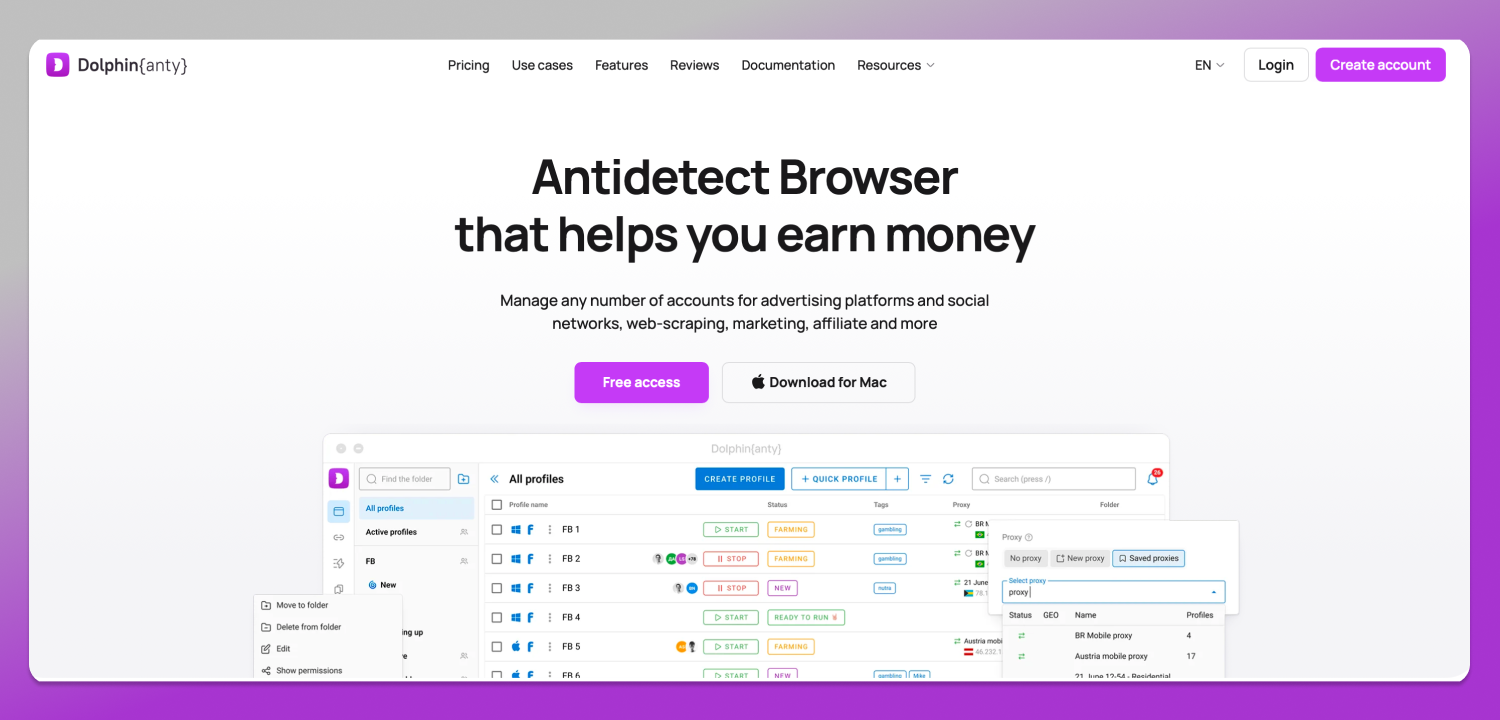
That’s the mechanism Dolphin Anty implements. It runs its fingerprint parameters as a coordinated set per profile, so a profile presents as an ordinary Chrome installation rather than a browser with canvas disabled and WebRTC missing. Each profile carries its own proxy and timezone binding, and teams split access rights across operators. Desktop only: Windows, macOS and Linux.
Stated plainly, because this gets blurred constantly: Dolphin Anty does not block trackers. It substitutes the fingerprint and isolates profiles. Different jobs. If your goal is less advertising surveillance on personal browsing, tracking protection in a mainstream browser is the tool. If it’s keeping client accounts from being associated with one another, isolation is the tool, and blocking works against you.
A concrete version: an SMM agency hardens the browser its team uses for client work, strict protection everywhere, and starts getting logged out of ad accounts and hit with security verification on login. The environment reads as anomalous, and every operator shares that same environment. Separate profiles with ordinary-looking, consistent fingerprints and dedicated proxies address it. A stricter blocker makes it worse.
Neither approach grants anonymity or protects an account from enforcement. Compliance with Meta’s advertising policies, the Amazon Seller Code of Conduct, X’s rules and the personal data law applicable in your jurisdiction stays with the operator. Plans and profile allowances change, so check the current plans on the 📌 Dolphin Anty pricing page.
Task → Strategy: Which Approach Fits What
| Task | Strategy | What it gives you, and what it doesn’t |
| Personal privacy, less advertising surveillance | Blocking (ETP/ITP, content blockers, privacy-focused browsers) | Cuts mass advertising and analytics tracking. Makes your configuration rarer, and breaks some embedded functionality. |
| Keeping many working accounts separate | Substitution plus profile isolation | Each profile looks ordinary and stays consistent. Guarantees nothing about account survival, and does not override platform rules. |
| Anonymity from governments or law enforcement | Neither one | Said directly: this article’s subject does not address that threat model. Browser-level tools are the wrong layer. |
Pick the row that matches your task before picking a tool. Most bad configurations apply row one’s instincts to row two’s problem.
Frequently Asked Questions
Is there a web browser that doesn’t track you?
Several collect no telemetry themselves and block third-party trackers by default. That’s not the same as being untrackable: your IP address, your fingerprint and your logged-in accounts still identify you to the sites you visit.
Which browser has the least tracking?
There is no browser that cannot be tracked. Browsers built for uniformity, like Tor Browser and Mullvad Browser, work by making every user report identical values rather than by hiding anything. The trade is real: fixed window sizes, forced timezone, slower browsing, frequent breakage. Firefox at strict protection and Brave with Shields take the other route, blocking selectively and leaving the browser usable day to day.
Does Safari actually protect you from trackers?
Yes, by default and without a filter list. Intelligent Tracking Prevention classifies domains by cross-site behavior and restricts their storage, and Link Tracking Protection strips tracking parameters from URLs. That cuts cross-site linkage substantially, but it does not hide your IP address or prevent fingerprinting.
What happens if third-party cookies are blocked?
Cross-site advertising tracking mostly stops working, and so do some things you wanted: embedded SSO buttons, payment and 3-D Secure frames, chat widgets, embedded players. Ordinary logins keep working, since those run on first-party cookies.
How do I check if my browser is monitored?
Run it through Cover Your Tracks, CreepJS, BrowserLeaks or Pixelscan. They report how unique your fingerprint is, which APIs leak identifying data, and whether trackers are blocked. CreepJS also flags spoofed values, the test that matters if you’re deliberately altering parameters.
Does DuckDuckGo really not track you?
Its search does not build a personal search history profile, and its browser blocks third-party trackers by default. Ads on the results page stay contextual to the query. A meaningful reduction in tracking, not an anonymity guarantee.
Does any of this apply to phones?
This article covers desktop browsers; mobile protection follows different rules, and 🔥 Dolphin Anty is a desktop product for Windows, macOS and Linux.