
Anti-Detect Setup & Warm-Up Guide for 2026
If you run multiple accounts on Facebook, Google, TikTok, or LinkedIn through Dolphin Anty, you already know the browser does its job. Unique fingerprints, isolated profiles, no cross-contamination between tabs. The problem most multi-accounters hit isn’t the browser. It’s what gets loaded into it.
Fresh accounts created inside a Dolphin profile still 🌱 look fresh to Meta. Aged accounts farmed without proper device consistency still link together. The browser handles the technical isolation. The account itself decides whether platforms see a trustworthy long-term user or a new profile that just appeared and started running ads.
🚀 Dolphin Anty is an anti-detect browser for multi-accounting and affiliate marketing. 🔥 AccsZone is a marketplace for verified and aged social media accounts used in anti-detect browser workflows. This guide covers how those two pieces connect in practice: proxy matching, profile setup, the warm-up flow that keeps accounts alive past the first 48 hours, and the common failure patterns that burn accounts before they generate a single conversion.
Why account quality matters as much as browser quality
Dolphin Anty spoofs WebGL, Canvas, WebRTC, device name, and dozens of other fingerprint signals that platforms use to detect multi-accounting. That part is solved. What Dolphin can’t fake is the account’s behavioral history. A profile registered yesterday with no friends, posts, or login history triggers reviews regardless of how clean the fingerprint looks.
Meta’s anomaly detection runs on layered signals: device fingerprint (handled by Dolphin Anty), IP and geo consistency (handled by proxies), account behavioral history (handled by the account itself), and action timing patterns (handled by you). Get one wrong and the other three don’t matter. Most account losses in 2026 come from quality issues at the account source, not at the browser layer.
What AccsZone is and how the inventory differs
AccsZone is a social media account marketplace covering 40+ platforms: Facebook, Instagram, Gmail, LinkedIn, TikTok, Twitter/X, Reddit, Telegram, WhatsApp, dating apps, and finance accounts. The platform produces inventory in-house using country-specific IPs, real phone numbers for SMS verification, and managed mobile proxy infrastructure during registration. Each account passes activity and device-consistency checks before going into the catalog.
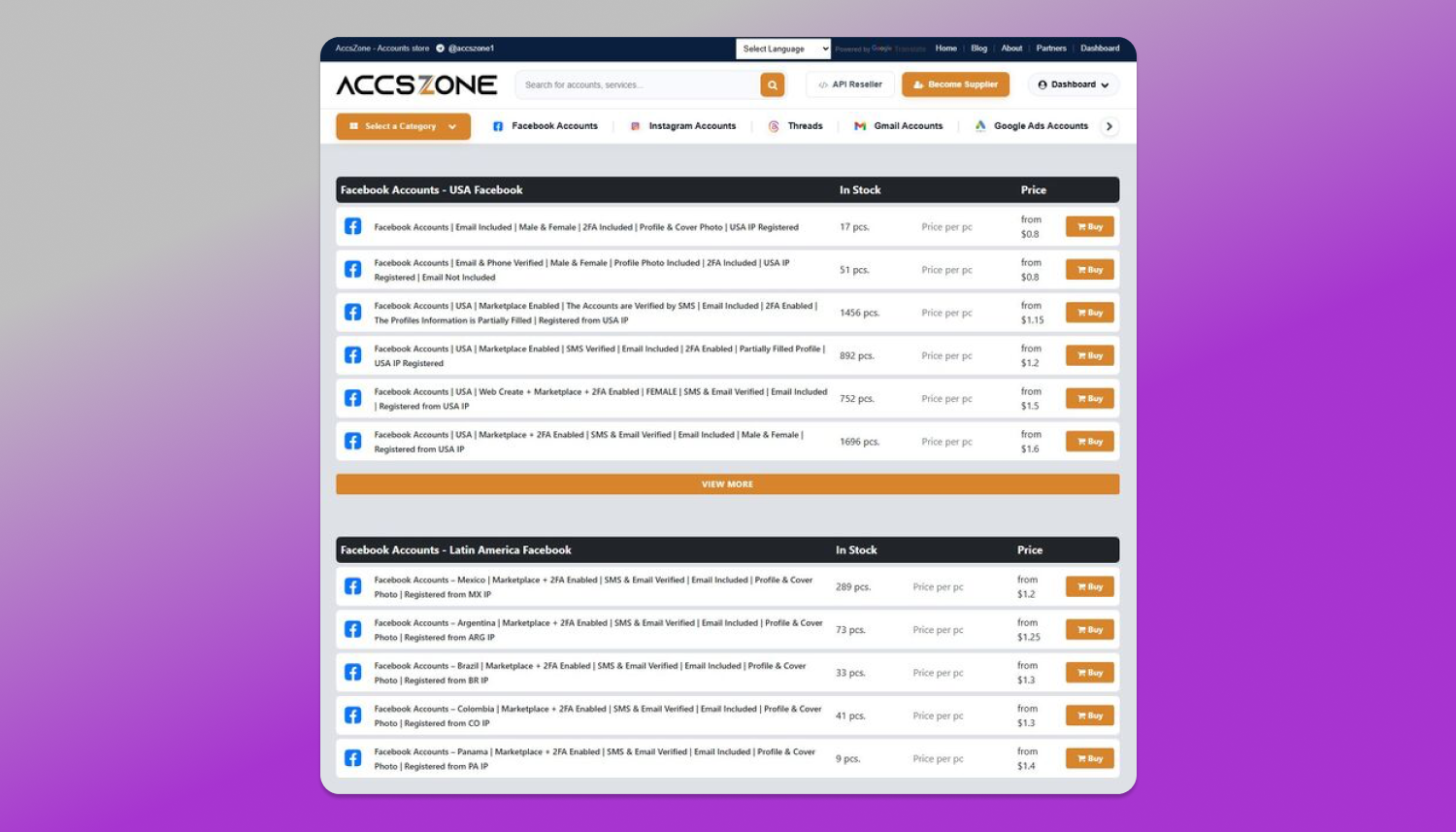
For Dolphin Anty users specifically, the relevant catalog sections are:
- Facebook PVA accounts (from $0.80/piece). Phone-verified, ready for Marketplace and basic ad work.
- Facebook Marketplace-enabled with 2FA (from $1.15/piece). Pre-warmed for posting, SMS active.
- Facebook Business Manager-activated (from $0.75/piece). BM ready for direct ad spending.
- Aged USA Facebook 2007–2015 (from $700/piece). Premium tier, 1000–2000 real friends, original Gmail access.
- Aged Gmail with SMTP and YouTube linkage. Needed for account recovery chains.
- Aged LinkedIn with connections. For B2B outreach workflows.
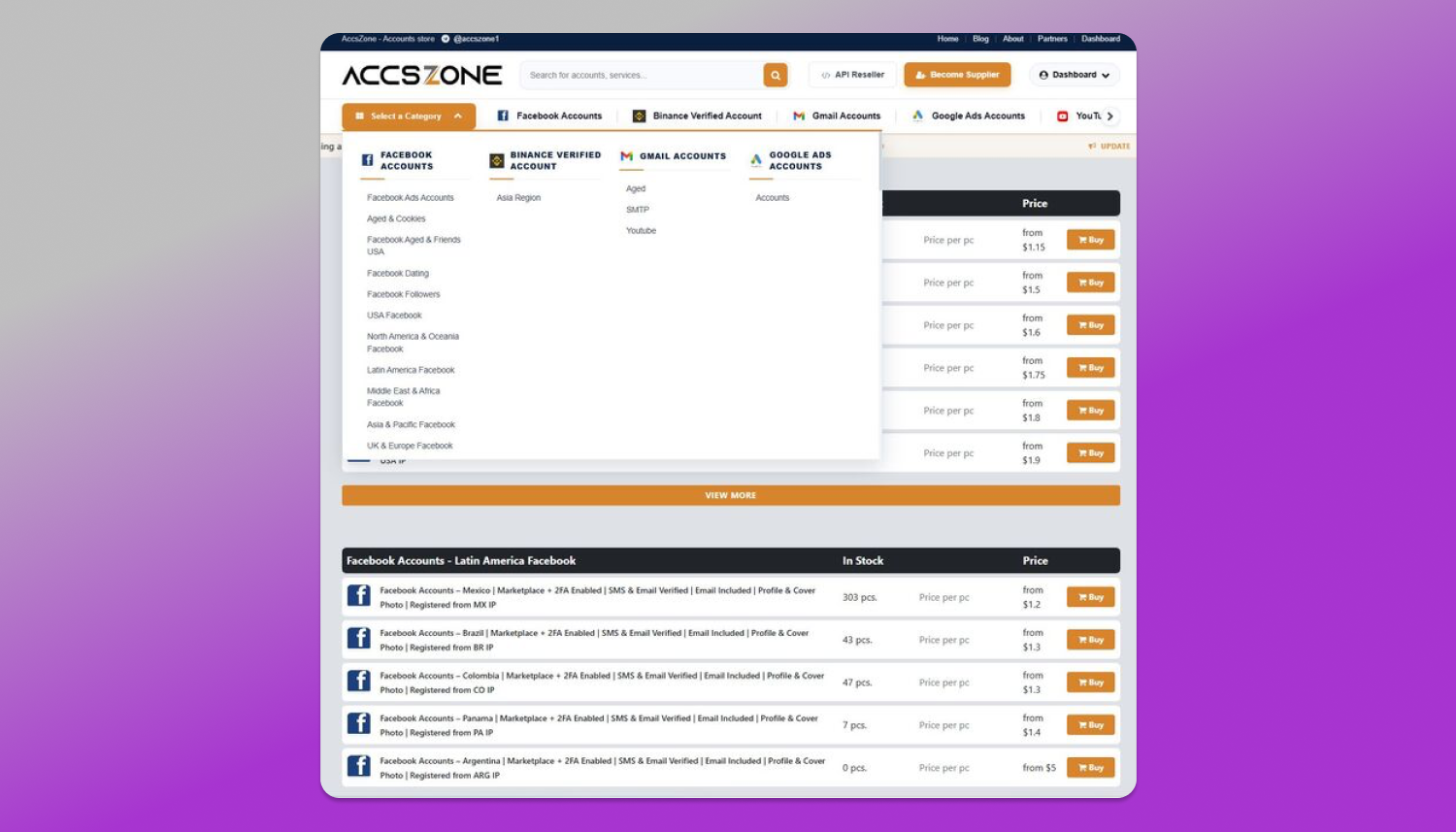
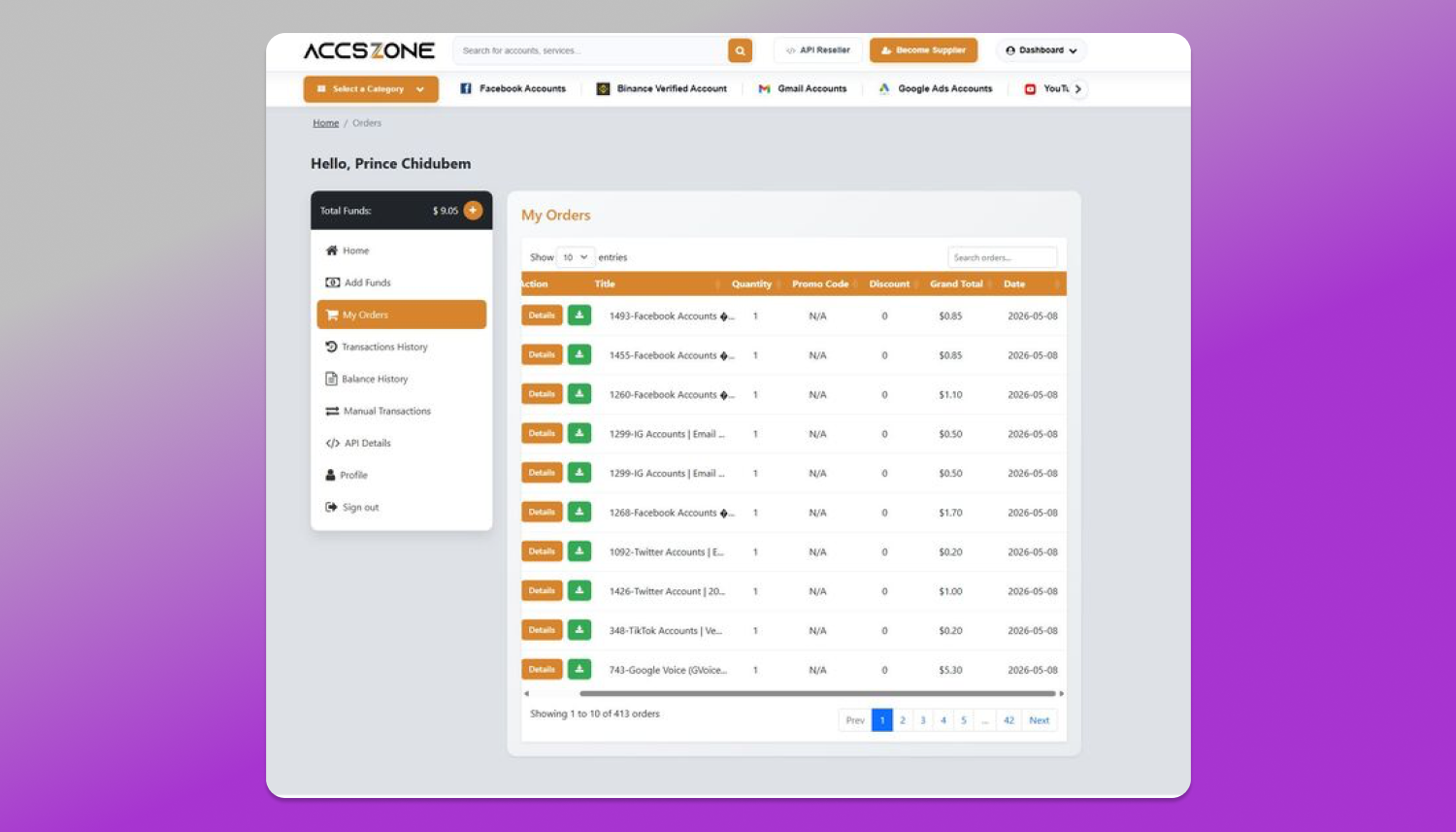
Delivery is automated and instant. Checkout supports crypto through Cryptomus alongside card payments.
Setting up a Dolphin Anty profile with an AccsZone account: step by step
The integration is straightforward, but the order matters.
Step 1: Match the proxy to the account region. Before creating the profile, get a mobile or residential proxy from the same country the account was registered in. AccsZone marks the registration country on every listing. A USA Facebook account needs a USA proxy.
Step 2: Create a new Dolphin Anty profile. In the profile creator, set the OS, timezone, and language to match the account’s region. For a USA account, that’s typically Windows 10/11, America/New_York or America/Los_Angeles timezone, en-US language. Let Dolphin auto-generate the WebGL, Canvas, and WebRTC fingerprints. Don’t override unless you know exactly why.
Step 3: Attach the proxy to the profile. Use Dolphin Anty’s native proxy menu. Test the connection inside the profile (check IP, timezone, WebRTC leak) before logging in.
Step 4: Load the account credentials. Open the profile. Navigate to the platform (facebook.com, linkedin.com, etc.). Log in using the credentials provided in the AccsZone delivery email. Do not paste passwords from a clipboard manager. Type them manually or use Dolphin’s built-in credential manager.
Step 5: Verify the account with the included recovery email. AccsZone delivers account credentials with the original email access (Gmail, Yahoo, Outlook depending on the order). The first login may trigger a verification email. Open that email inside the Dolphin profile, not in a separate browser.
Step 6: Change the password and recovery email. After verifying, update the password and add your own recovery email. Wait 5 to 10 minutes of light browsing first. Sudden recovery changes immediately after login look like account takeover behavior.
Step 7: Enable 2FA on your own authenticator. Disable the seller’s SMS-based 2FA if active and switch to an authenticator app like Authy or Aegis. This protects against the seller recovering the account through SMS reset later.
The first 48 hours: warming the account inside Dolphin Anty
This is where most preventable bans happen. The account just changed devices, the IP changed, the fingerprint changed. Even if everything was set up correctly, the platform’s anomaly system is watching the next 🕓 24 hours closely.
Inside the Dolphin Anty profile, do these things in order:
- First hour. Browse the feed. Like 3 to 5 posts. Watch a video for 30 to 60 seconds. Click into Marketplace if it’s a Marketplace-enabled account and scroll listings. No posting, no friend requests, no ad campaign launches.
- Hours 2 to 6. Visit the profile settings page. Update the bio with something neutral. Add a profile picture if there isn’t one. React to 5 to 10 more posts across the feed.
- Hours 6 to 24. Light passive activity. Open the profile two or three times for 10 to 15 minutes each. React to posts. Send one or two messages if you have warmed contacts. Do not launch ad campaigns yet.
- After 24 hours. Begin actual work. For ad accounts, start with a small daily budget ($5 to $10) and scale up over the first week.
Common mistakes when using bought accounts in anti-detect browsers
Three ❌ failure patterns account for most issues when integrating bought accounts with anti-detect browsers:
- Geo mismatch. USA account logged in through a German IP. Meta flags this immediately. Fix: always match proxy country to account registration country. AccsZone lists country on every product.
- Same fingerprint across multiple accounts. Loading 10 accounts into 10 Dolphin profiles but accidentally using the same Canvas or WebGL fingerprint on several. Fix: let Dolphin auto-generate each profile’s fingerprint. Don’t clone profiles.
- Immediate aggressive behavior. Buyer logs into a fresh-bought account and launches an ad campaign in the first 10 minutes. Fix: warm-up routine described above. No exceptions, no shortcuts.
Why this combination works for scaled operations
Dolphin Anty handles the device-side problem. AccsZone handles the account-side problem. Together they cover the two main vectors platforms use to detect multi-accounting: device linking and account history gaps.
For solo operators running 10 to 50 accounts, this setup runs on Dolphin’s Base plan ($89/month, 100 profiles) paired with bulk AccsZone orders. For teams running 100 to 300 accounts, Dolphin Team plus AccsZone’s API reseller program handles the workload without manual intervention.
The math favors quality. A $89 Dolphin subscription plus $1.15 Marketplace-enabled accounts means 100 accounts cost $204 total to set up. The same 100 accounts at $0.30 from a low-quality seller cost $30 upfront but burn 60% within 48 hours, leaving 40 working accounts. 🔝 Quality accounts pay back in survival rates.
If you already use Dolphin Anty, you can browse AccsZone’s Facebook PVA and aged account catalog at accszone.com.
Exclusive offer for Dolphin Anty users
AccsZone is offering a special promo code for the Dolphin Anty community.
Promo code: DOLPHIN15
15% off any AccsZone order over $50. Valid on Facebook, Instagram, Gmail, LinkedIn, TikTok, and all 40+ product categories. Use at checkout on accszone.com. Code valid through the end of 2026.
For bulk orders over $500, contact AccsZone support directly through live chat for custom pricing.
Quick reference: the multi-accounting stack
For 📌 Dolphin Anty users, the typical stack is: Dolphin Anty as the anti-detect browser, mobile proxies for IP consistency, and AccsZone accounts as the verified account source.
Browse the full catalog at 🔗 accszone.com. Crypto payment supported through Cryptomus. 24/7 human support handles replacement requests.
FAQ
Is it safe to use bought Facebook accounts in Dolphin Anty?
Yes, when both pieces are set up correctly. Dolphin Anty provides the device-level isolation through unique fingerprints and isolated profiles. The account itself needs to come from a quality source with verified registration, country-matched IP history, and original email access. AccsZone accounts include those signals by default. The remaining risk factor is operational discipline: proxy matching, warm-up routine, and avoiding aggressive behavior in the first 24 hours after login.
How long should I warm up a new account in an anti-detect browser?
Industry-standard warm-up is 24 to 48 hours of light passive activity before any aggressive action like ad campaign launches. Fresh PVA accounts need a full 48-hour warm-up. Pre-warmed and aged accounts from quality sources can begin work after 24 hours of passive activity inside the Dolphin profile. Use Dolphin Anty’s Synchronizer to automate the warm-up routine across multiple profiles consistently.
What’s the difference between cheap PVA accounts and aged accounts?
Cheap PVA accounts are recently created profiles that passed initial phone verification but have no behavioral history. They cost $0.30 to $1 per piece and have high burn rates without careful warm-up. Aged accounts are profiles registered months or years ago with consistent login history, friend connections, posts, and reactions. Aged USA Facebook accounts from 2007 to 2015 with 1000+ real friends sit at the premium end ($500 to $700 per piece) and carry the highest trust signals.
Which proxies work best with Dolphin Anty and AccsZone accounts?
Mobile proxies (4G/5G) from carrier-grade IPs carry the strongest trust signals because they share IPs with real consumer mobile traffic. Residential proxies are a strong second choice when mobile isn’t available for a specific region. Datacenter proxies should be avoided for account-quality-sensitive operations because Meta and other platforms identify them quickly. Match the country to the account’s registration country listed on AccsZone’s product page.
The right account in the right Dolphin Anty profile through the right proxy is the foundation of any sustainable multi-accounting operation.