🥷 An antidetect browser is a specialized browser built for multiaccounting. It lets you run dozens or even hundreds of isolated profiles on a single device while making websites treat them as completely separate users. Today these tools are widely used across affiliate marketing, e-commerce, crypto, SMM and other niches.
That naturally raises a question: why not just create multiple accounts in a regular Chrome or Firefox browser?
The issue is that 🙅 major platforms are strongly against multiaccounting and actively work to detect it. Social networks, ad platforms, marketplaces and crypto services all try to prevent spam, fraud, limit bypassing and repeated signups after bans. That is why they continuously improve the way they identify linked accounts, even when users rotate IP addresses.
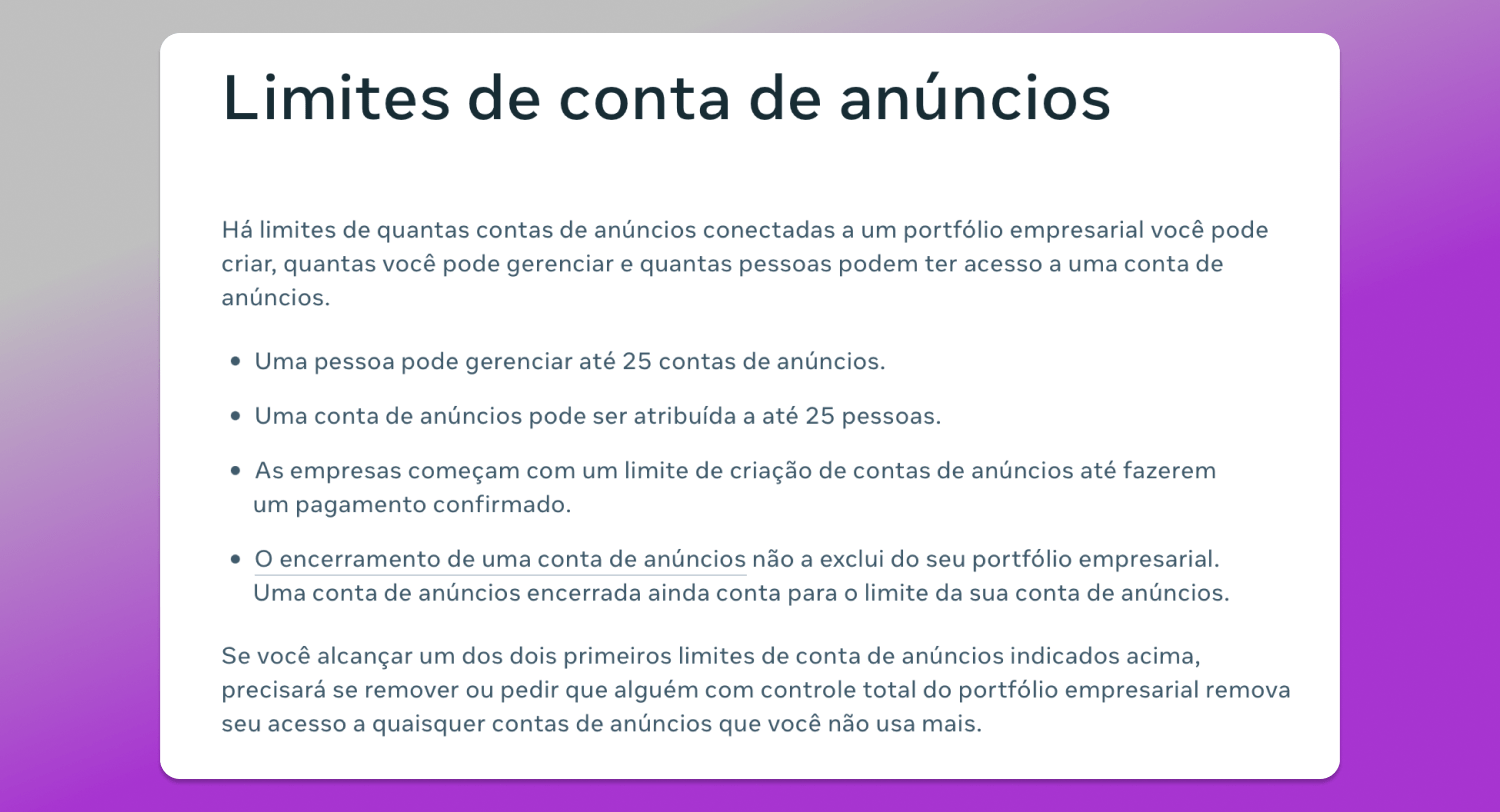
If a platform detects that multiple profiles are being managed by the same person, some of those accounts may end up restricted or banned.
This is exactly the problem an antidetect browser is designed to solve. It creates isolated browser profiles with unique digital fingerprints, making every account appear as a separate user with its own device and browsing environment.
How Platforms Detect Linked Accounts
Modern platforms do not rely on IP addresses alone. Antifraud systems analyze dozens of signals at the same time, including the operating system, browser version, GPU, system language, timezone, WebGL, Canvas, WebRTC, screen resolution, installed fonts and many other device characteristics.
Together, these parameters create a 🦶 device digital fingerprint. While individual values may be shared by millions of users, the overall combination is often unique enough to identify a specific device.
👉 That is why simply changing an IP address is not enough. The IP may change, but the browser and device fingerprint stay the same. From an antifraud perspective, it looks suspicious when the “same user” suddenly jumps from Europe to Latin America within seconds.
An antidetect browser solves this by creating fully isolated profiles, each with its own fingerprint. To the platform these profiles look like completely different users operating from separate devices and environments.
How Does an Antidetect Browser Work?
The core of an antidetect browser is a profile management environment. Users create separate browser profiles and configure their digital fingerprints before launching them. Once opened, these profiles work like regular browser windows and usually look almost identical to Chrome with the same tabs, extensions, bookmarks and familiar interface.
At the same time, a quality antidetect browser does not simply randomize parameters. All fingerprint values need to be ✅ logically consistent with each other and with the hardware they imitate. If incompatible settings are combined, antifraud systems can quickly spot the inconsistencies. That is why reliable antidetect browsers generate realistic, internally consistent fingerprints that look natural to platforms.
A few years ago antidetect browsers were mostly associated with affiliate marketing and media buying. Today that has changed. Restrictions have become stricter across almost every major platform: social networks, marketplaces, ad networks, crypto exchanges and many other services are now far more aggressive when it comes to detecting multiaccounting.
As a result, antidetect browsers have gradually evolved into standard work tools. And this is not always about bypassing restrictions or doing anything illegal.
In affiliate marketing and advertising antidetect browsers are used to launch campaigns, test funnels and scale offers. Media buyers constantly work with large numbers of ad accounts, Business Managers, fan pages and advertising dashboards. Without proper profile isolation entire account farms can get wiped out after the first restriction or ban.
In crypto antidetect browsers help separate wallets, accounts and user activity across different profiles. This is especially important for airdrops, testnets and bonus campaigns where users need to complete tasks, access platforms from multiple accounts and participate as different users. Many of these platforms analyze device fingerprints and connection data, and if the system detects overlaps between accounts rewards may simply be revoked.
In e-commerce antidetect browsers are widely used by sellers managing multiple stores, working across different regions, or operating several storefronts at the same time. In many cases, different geos require separate accounts and separate entry points. For example, one store may target Europe, while another focuses on the US or local markets with different shipping, currency and logistics requirements. On top of that, different marketplaces and sales models often require separate product categories or brand structures to avoid mixing audiences and to maintain cleaner analytics. In setups like these, multiaccounting becomes less about bypassing limits and more about separating business operations.
Another major use case is SMM. When marketers manage multiple client accounts, the biggest issue is often convenience rather than access itself. Using a regular browser means constant logouts, repeated sign-ins, account mixups and the risk of accidentally posting from the wrong client profile. An antidetect browser solves this through isolated environments where every client account runs separately. As a result, switching between profiles takes just a few seconds.
How Does the Dolphin Anty Antidetect Browser Work?
One of the most popular antidetect browsers on the market today is 🚀 Dolphin Anty. It is a good example of how modern antidetect solutions are built and what functionality they provide.
The browser itself runs on the Chromium engine, so visually it feels almost identical to regular Chrome. But under the hood, users get a full-scale profile management system designed specifically for multiaccounting.
Profile Creation
When creating a profile, users can configure a wide range of fingerprint parameters. In Dolphin Anty there are more than 50 available characteristics, including User-Agent settings, WebGL and Canvas fingerprints, WebRTC configuration, system language, timezone, screen resolution, operating system and device information, along with various hardware and network-level parameters. There are even less common fields available, such as the device name.
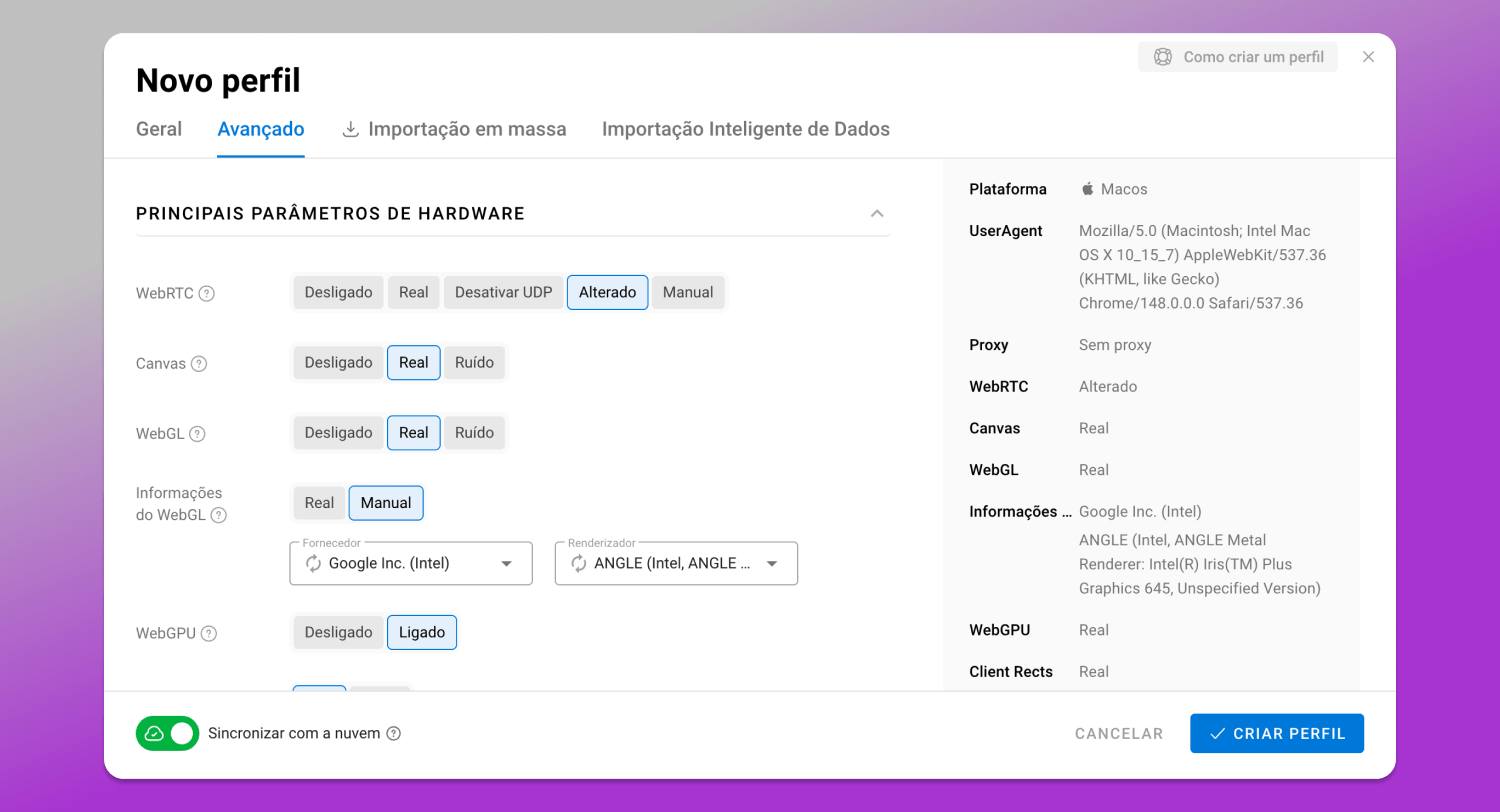
In manual mode users configure key fingerprint parameters themselves, tailoring profiles to specific tasks. This approach is recommended only if you fully understand how to build a consistent and believable fingerprint.
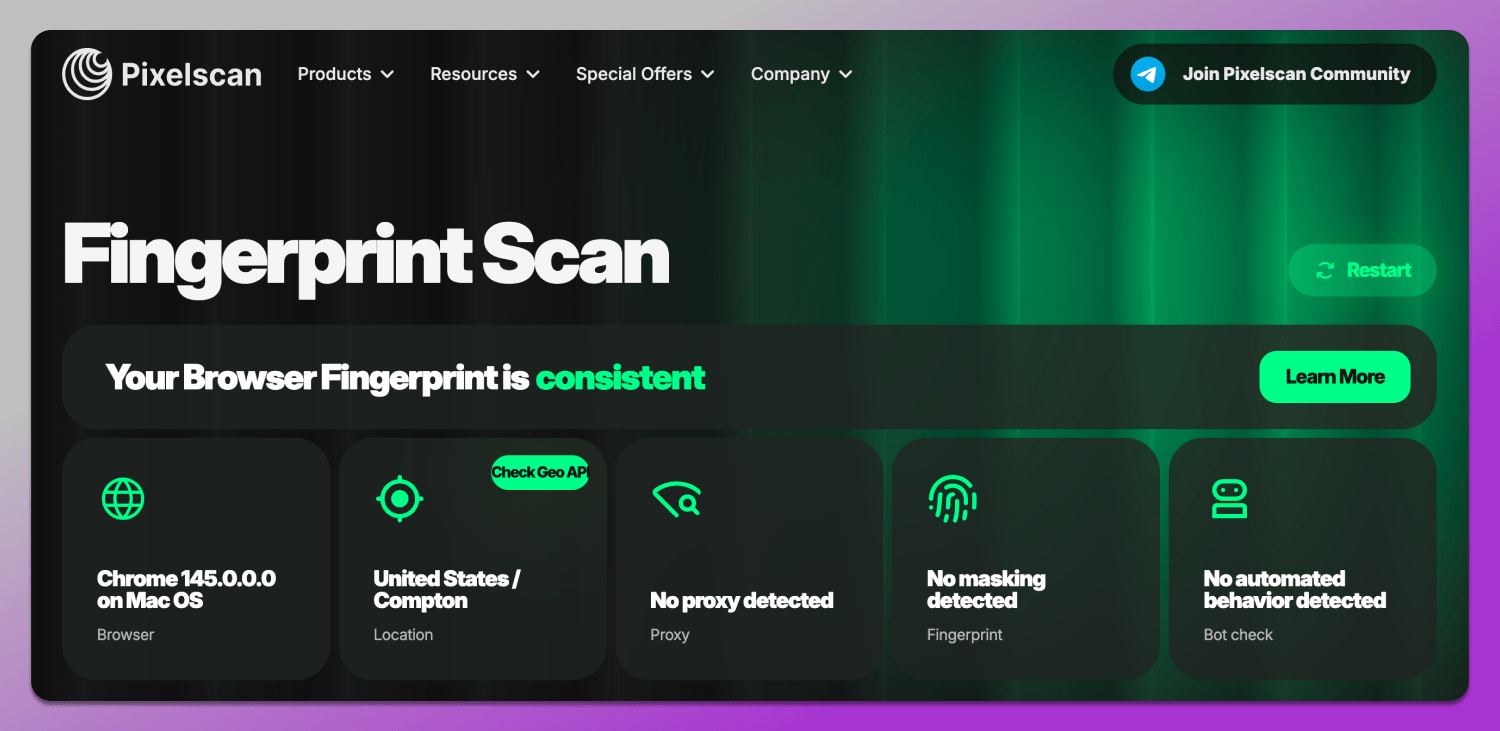
With automatic generation Dolphin Anty creates fingerprints where all parameters are matched without unrealistic combinations. As a result, the profile looks like a real, internally consistent device configuration. This helps profiles appear as regular users to platforms and successfully pass popular fingerprint checkers such as BrowserLeaks and Pixelscan.
For faster setup Dolphin Anty includes a separate “Quick Profile” feature that creates a fully ready-to-use profile in a single click with no manual configuration required. If needed, any fingerprint can later be randomized further or adjusted for specific tasks.
Profile Management
Once the number of profiles starts growing, convenient ⛵ navigation becomes essential. In Dolphin Anty profile management is one of the core parts of the platform.
To keep everything organized, the browser uses 📁 folders. They allow users to separate accounts by projects, teams, geos, traffic sources or any other workflow structure. For example, profiles for Facebook Ads, TikTok campaigns, crypto activity and other tasks can all be stored separately.
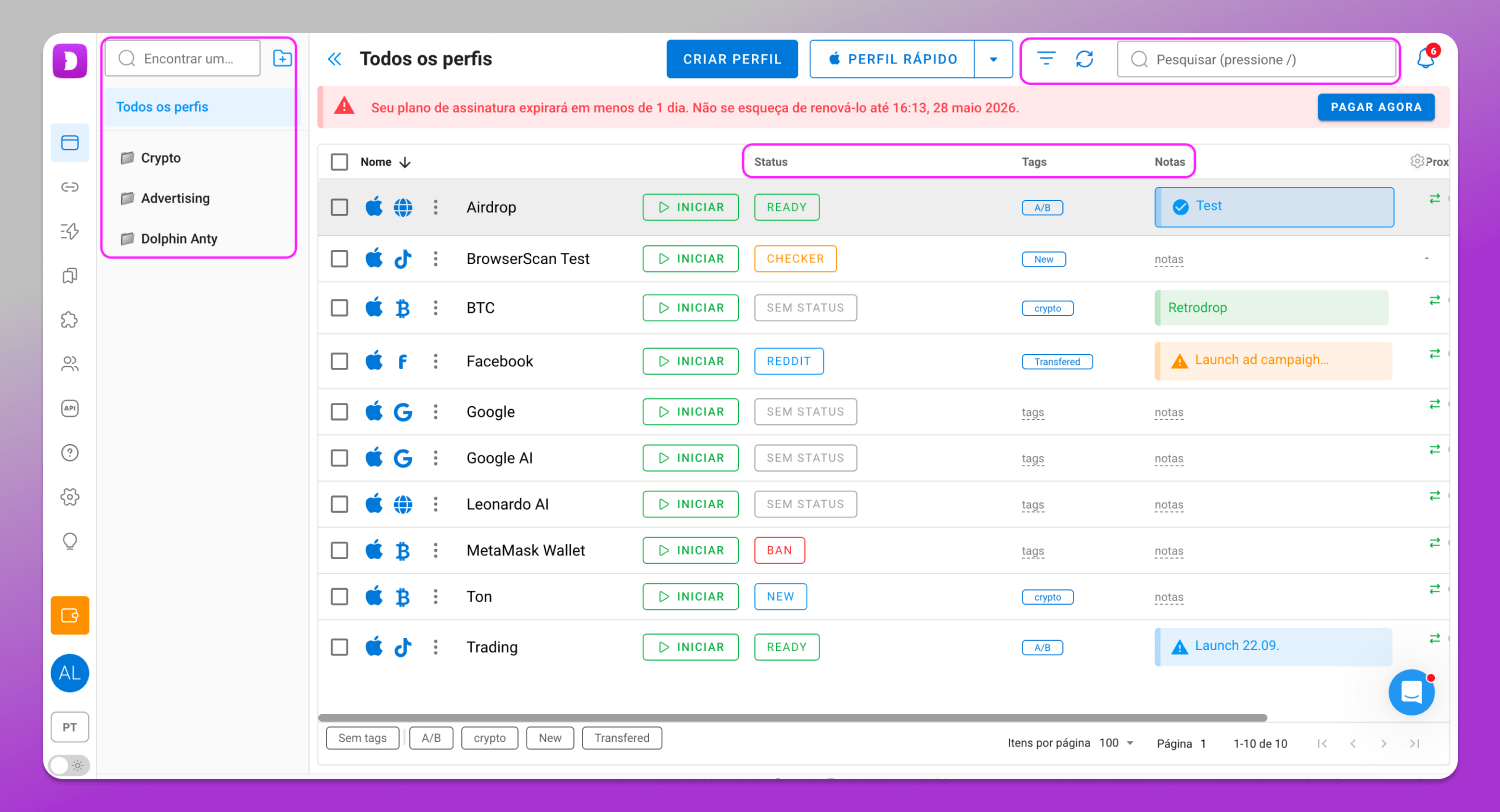
For internal notes there’s a 📋 notes feature. It’s typically used to store operational details such as account data, setup specifics, launch notes, spend-related comments, connected services or any other information that needs to stay accessible at a glance.
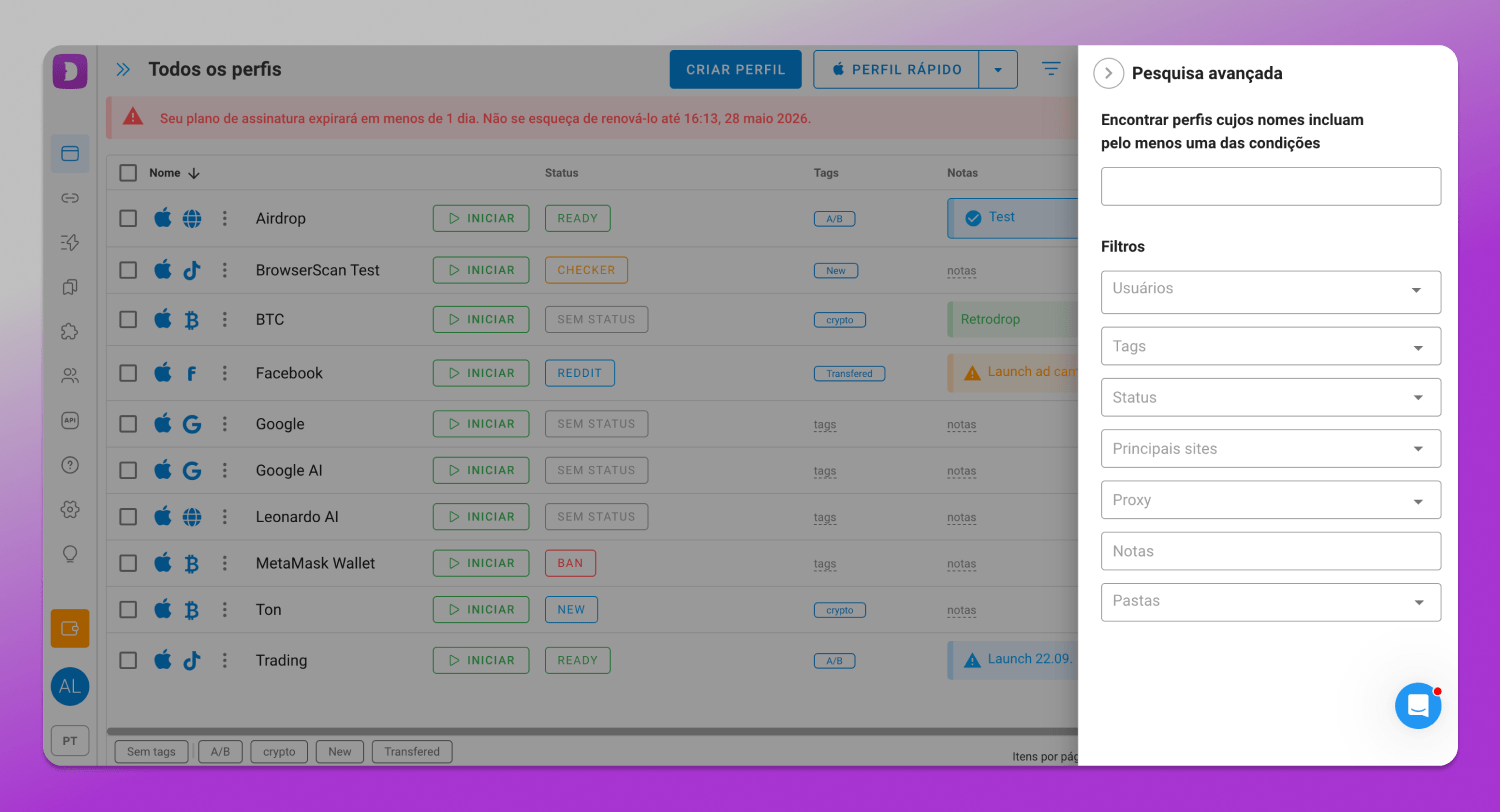
When the number of accounts grows significantly, 🔎 search and filters become essential. They allow users to find specific profiles within seconds using tags, statuses, proxies, names, folders and other parameters without manually scrolling through long lists.
There are also dedicated sections for managing start pages, extensions and bookmarks. This makes it easier to pre-configure profiles for specific workflows and tasks.
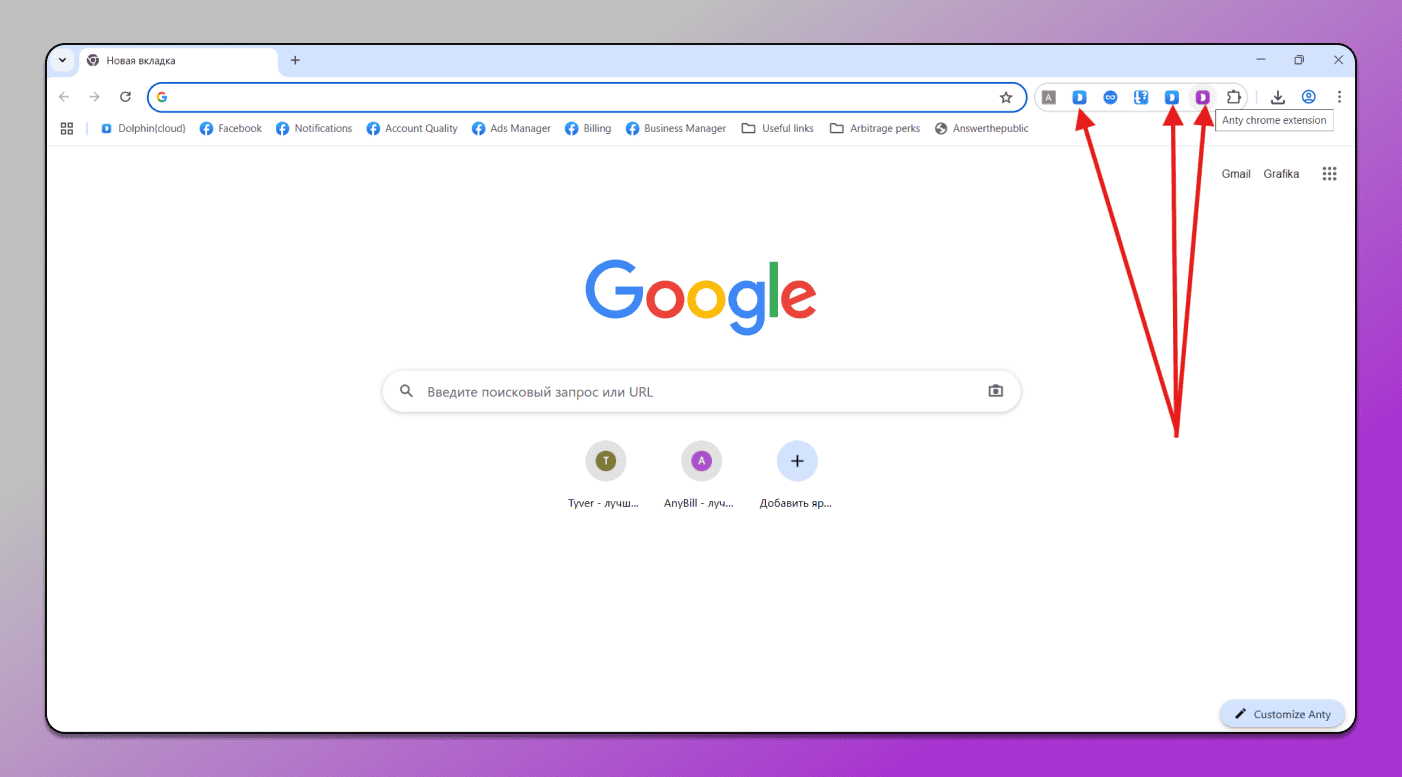
For example, you can preconfigure a set of services, ad accounts or work tools so they are automatically added to specific profile types.
Proxies
🔗 Proxies are a key part of the digital fingerprint. Dolphin Anty provides several ways to manage them.
Proxies can be added directly during profile creation. In this case, they are immediately bound to a specific profile and used from the moment it is launched.
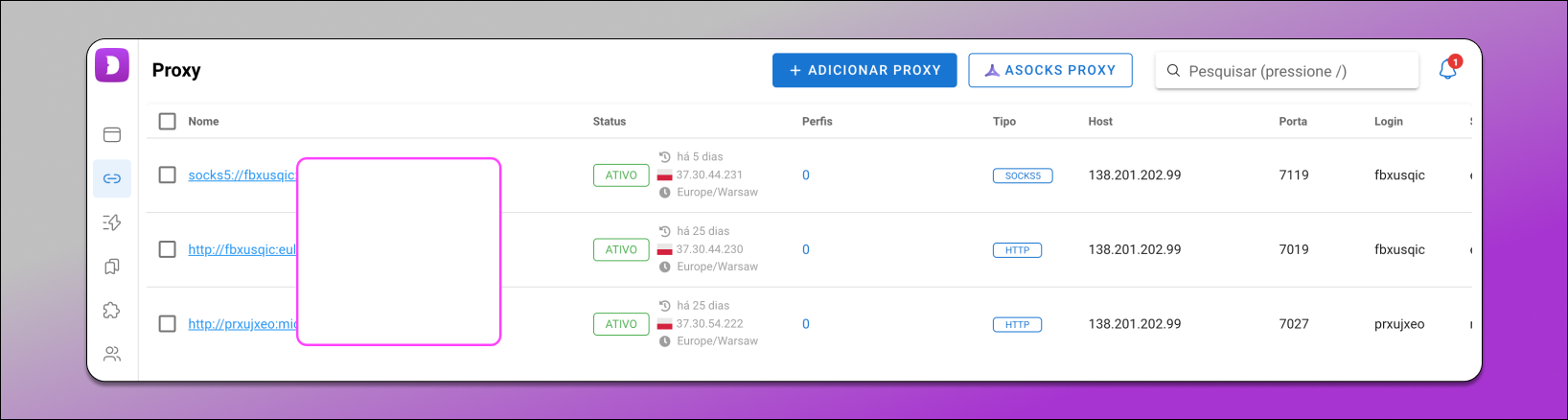
Proxies can also be added in advance through a dedicated menu section. There they are stored in a shared list, making them easier to manage and reuse across different profiles.
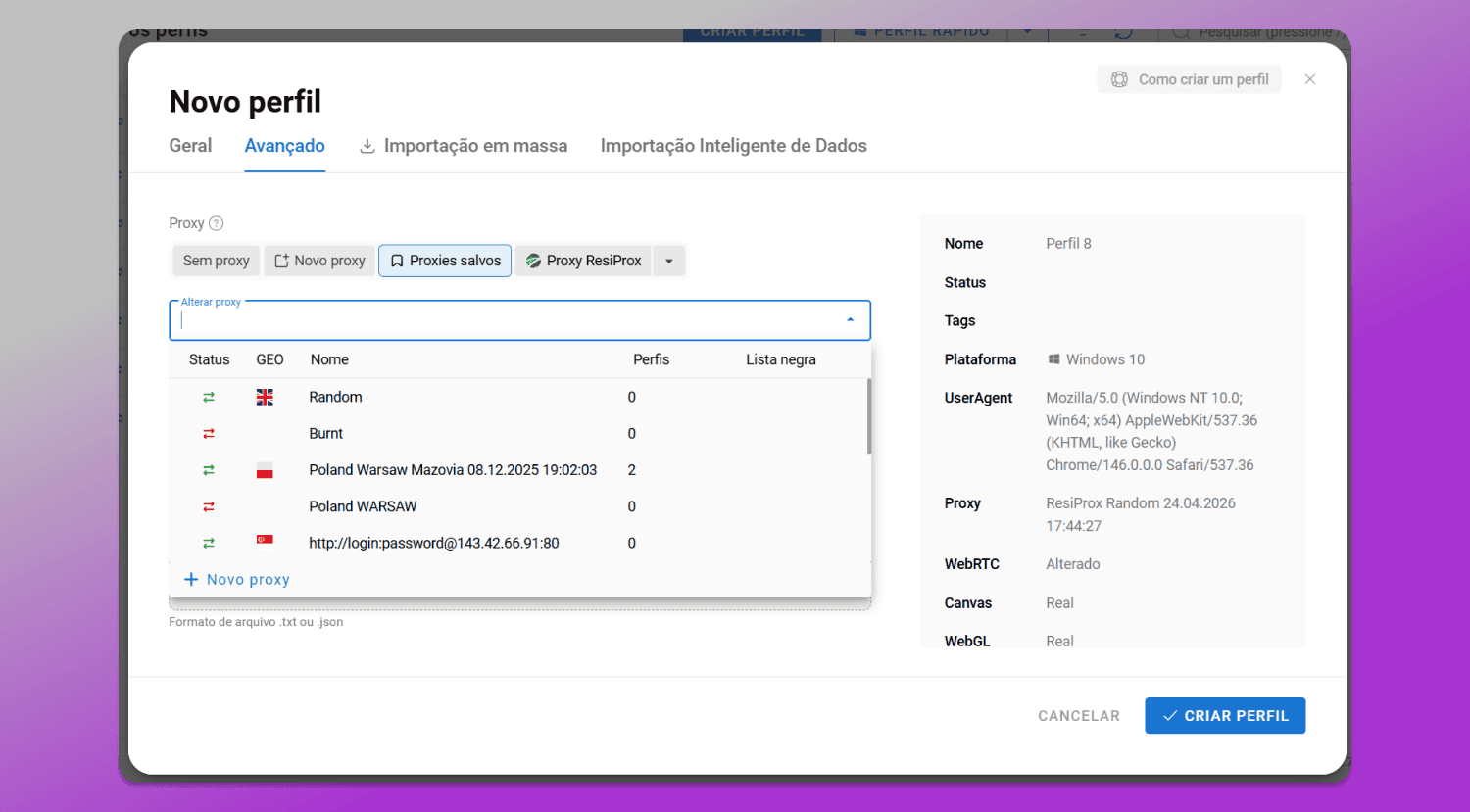
From there proxies can be assigned to profiles either during creation via a dropdown list or later distributed across existing accounts.
Proxy assignment also comes with multiple options: manual selection, random distribution or rule-based allocation, for example, assigning a proxy to every Nth profile.
Automation
As workflows scale repetitive tasks can quickly become a bottleneck. That’s why modern antidetect browsers include ⚙️ automation features.
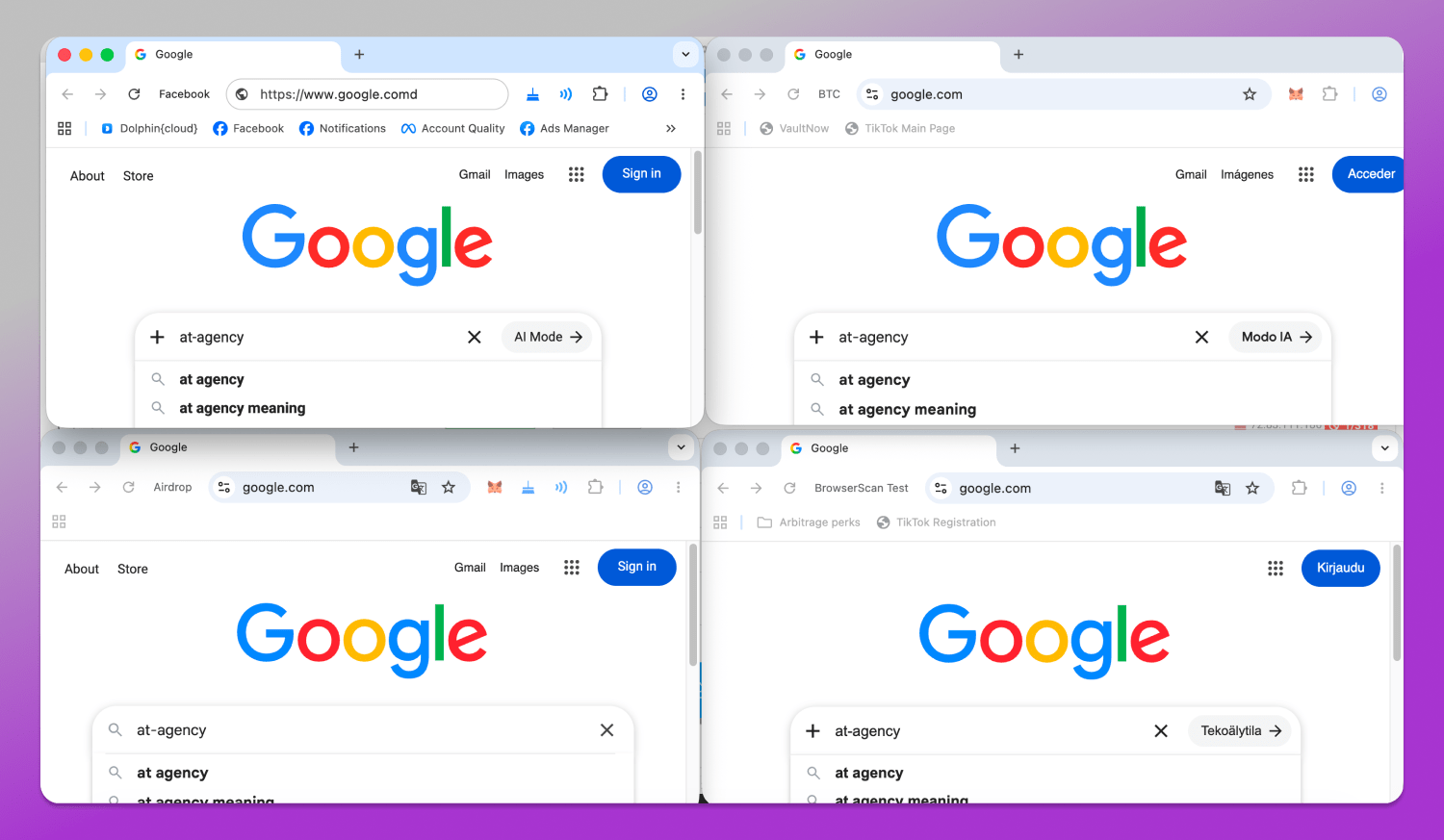
Dolphin Anty includes a 🔄 synchronizer that mirrors actions from one profile across others. This is especially useful for account farming or warming up multiple profiles in parallel.
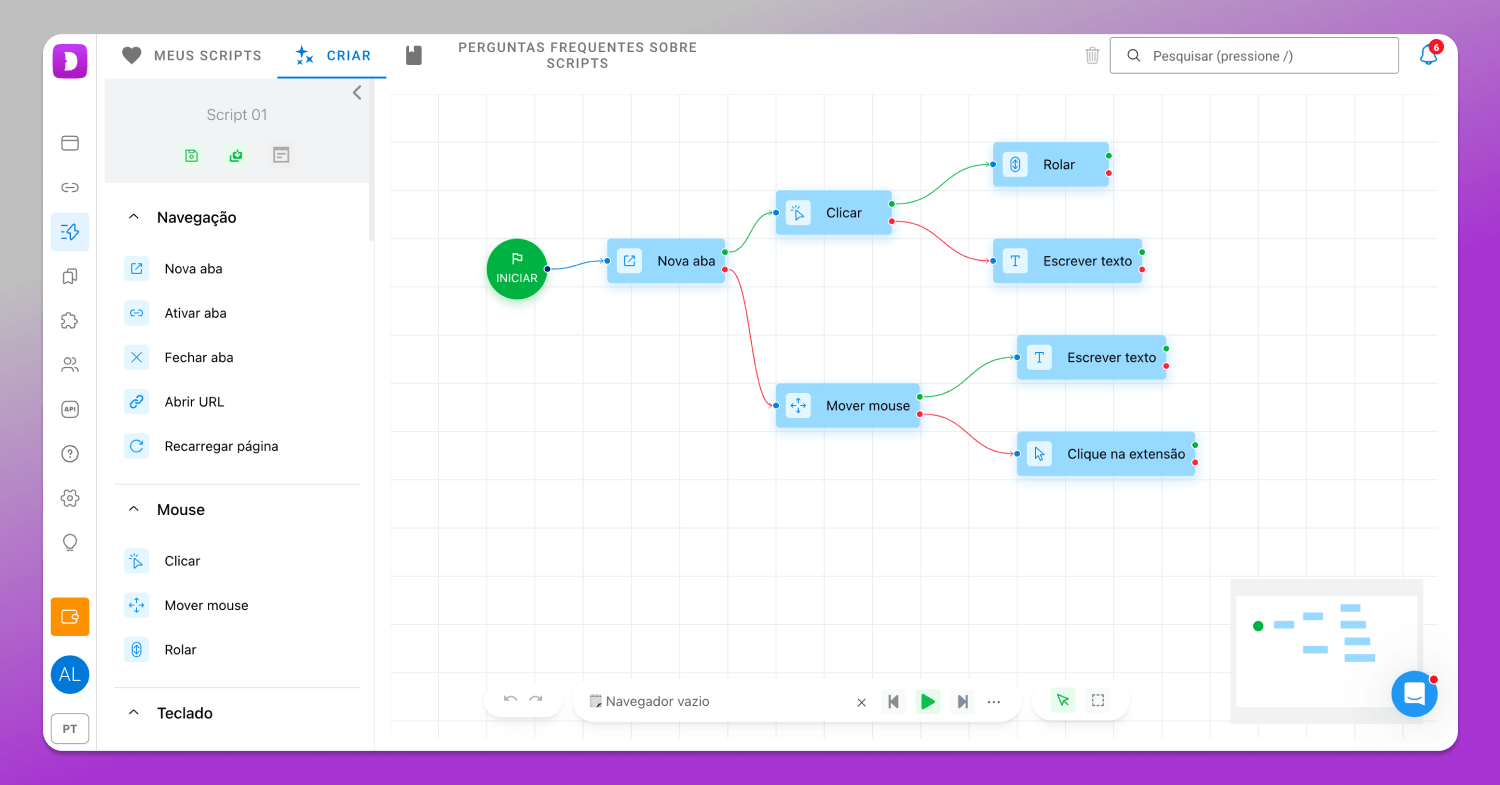
There are also 📹 scenarios — a sequence builder for automated actions that can be executed inside profiles. With its help users can automatically open pages, scroll feeds, simulate user behavior, click through links, attach cards and handle other repetitive tasks.
🤖 The cookie robot is used to prepare profiles before work starts: it collects cookies and helps make accounts look more natural to antifraud systems.
Are There Free Antidetect Browsers?
Fully free antidetect browsers do exist, but they are usually treated with caution. Developing this type of software is expensive: the browser needs constant updates, adaptation to changes in antifraud systems and ongoing maintenance of its core and fingerprint database. That’s why most serious solutions are subscription-based.
To make the decision easier, Dolphin Anty offers a free plan with five profiles and no time limits or credit card requirements. It’s enough to get familiar with the system and test basic functionality. For beginners, this is especially useful as you can try it out and quickly see whether an antidetect browser fits your workflow.
Conclusion
An antidetect browser is no longer niche software for a small group of specialists. Today, it’s a tool for anyone 💲 making money with accounts, advertising, traffic or online platforms. Its main purpose is to create isolated, realistic environments for each profile so platforms cannot link them together.
That’s why modern antidetect browsers like 📌 Dolphin Anty combine several functions in one place: browser profile management, digital fingerprint control, proxy handling, automation tools and team features. The result is not just a browser, but a full infrastructure for scaling multiaccount workflows.