
Updated: 12.05.2026
Disclaimer: You’re reading a comparison review of antidetect browsers on the Dolphin Anty blog. This material is based on feedback and reviews from real users who have worked with us before or are still working with us. We’ve done our best to present the information as objectively as possible, relying solely on facts, so you can make an informed decision.
Which antidetect browser 🤔 should you choose — Dolphin Anty or Multilogin? Both solutions are well known on the market and widely used by professionals across different fields including affiliate marketing, crypto and e-commerce. Over the years they have built a strong reputation as reliable tools for multiaccounting and profile management.
However, when choosing an antidetect browser, there are many factors to consider. It’s not just about the level of anonymity, but also ease of use, workspace organization, task automation and extra features for everyday work.
Let’s take a closer look at how 🚀 Dolphin Anty and Multilogin differ and what unique advantages each of them offers.
📣 If you are already considering switching from Multilogin to Dolphin Anty, now is the perfect time: use the promo code MULTILOGIN21 to get a 21% discount. You can activate it via the link.
Multilogin: Summary
Multilogin was developed in Estonia. Like many software products from Europe, it effectively handles its core task: spoofed digital fingerprints look natural, don’t raise suspicion and successfully pass checks from all major fingerprint testing tools.
💻 Available on: Windows, macOS, macOS(M), Linux;
🇬🇧 Languages: Russian, English, Chinese, Brazilian Portuguese, Vietnamese;
🔗 Website: https://multilogin.com/ru-ru/;
💰Pricing: from €9/month;
🏁 Trial: not available.
The registration process with Multilogin can feel fairly complicated for a new user. To download the installer, you need to create an account first, choose a subscription plan and pay for it. Only after that can you download the app.
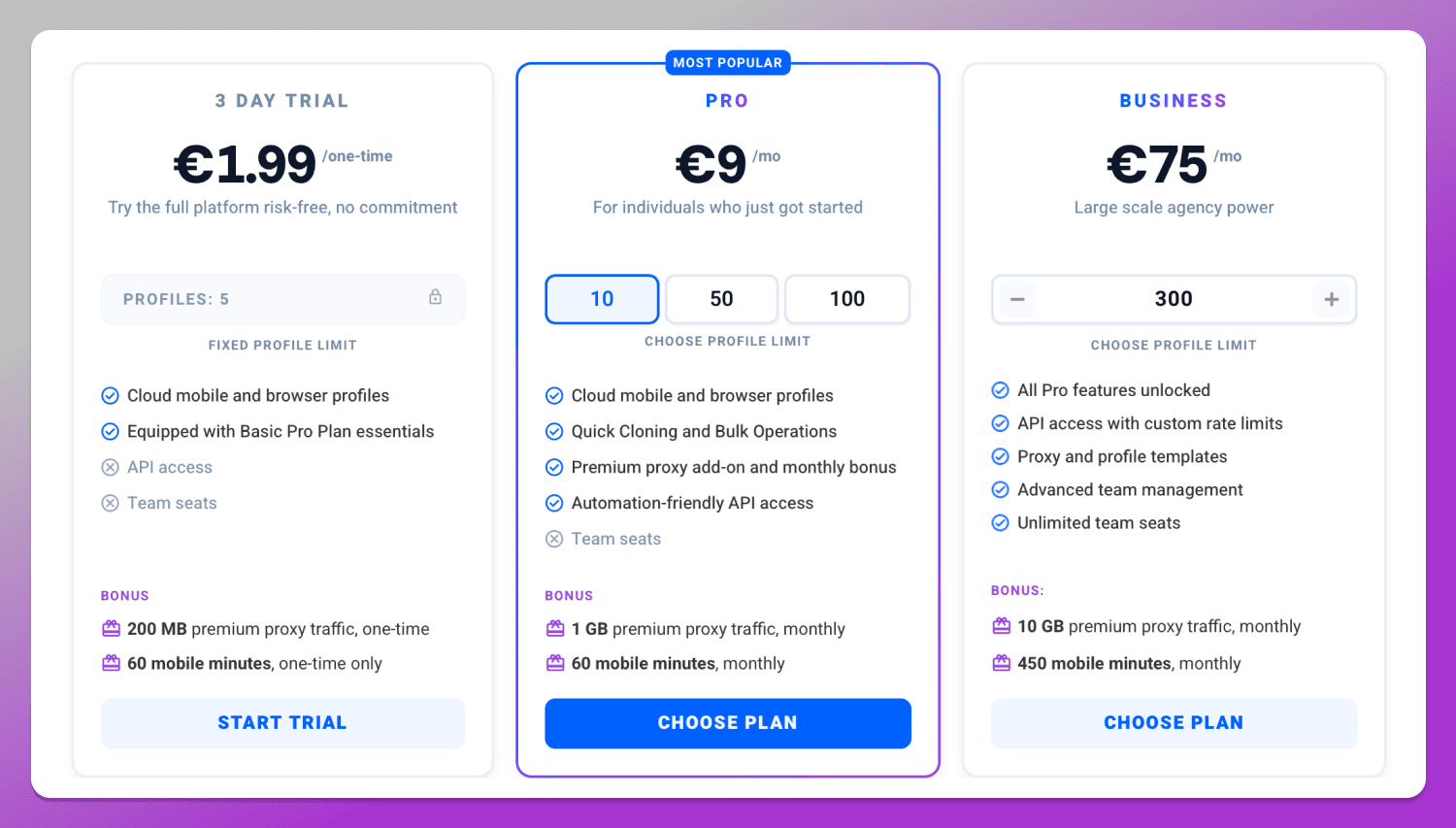
❌ Multilogin does not offer a free trial at all. Instead, it provides a “paid trial for €1.99 lasting 3 days,” which may be less convenient for users who want to test the service first without payment or linking a card. In practice, however, the final cost can be higher due to transaction fees and charges from your payment wallet. In our case, the total price of the “€1.99 trial” came to $8 — almost four times higher than the advertised amount.
Dolphin Anty: Summary
🐬 Dolphin Anty is a solution developed by the Dolphin team that offers a full set of tools for profile management, automation, team collaboration and its own multitool for Facebook. The antidetect browser also includes additional features, and some of them are implemented in a more practical way than with many competing solutions.
💻 Available on: Windows, macOS, macOS(M), Linux;
🇬🇧 Languages: Russian, Ukrainian, English, Spanish, Portuguese and Vietnamese
🔗 Website: dolphin-anty.com;
💰 Pricing: from $0;
🏁 Trial: up to 5 profiles can be used for free.
🏆 It is also the top antidetect browser according to rankings from many affiliate marketing platforms. But to understand why, let’s compare Dolphin Anty and Multilogin in practice.
Workspace
The workspace is the first thing a user notices, since it determines how comfortable the browser is to use.
Interface and Profiles
Both Multilogin and Dolphin Anty present the interface in a table format: profiles are displayed as a list of rows, while editable parameters are organized into columns. This is a standard approach for most antidetect browsers. The menu sections in Multilogin are located at the top, while in Dolphin they are placed on the left side. The icons are intuitive and switching between sections doesn’t raise any difficulties. Columns can be added or removed depending on user needs and their width can also be adjusted.
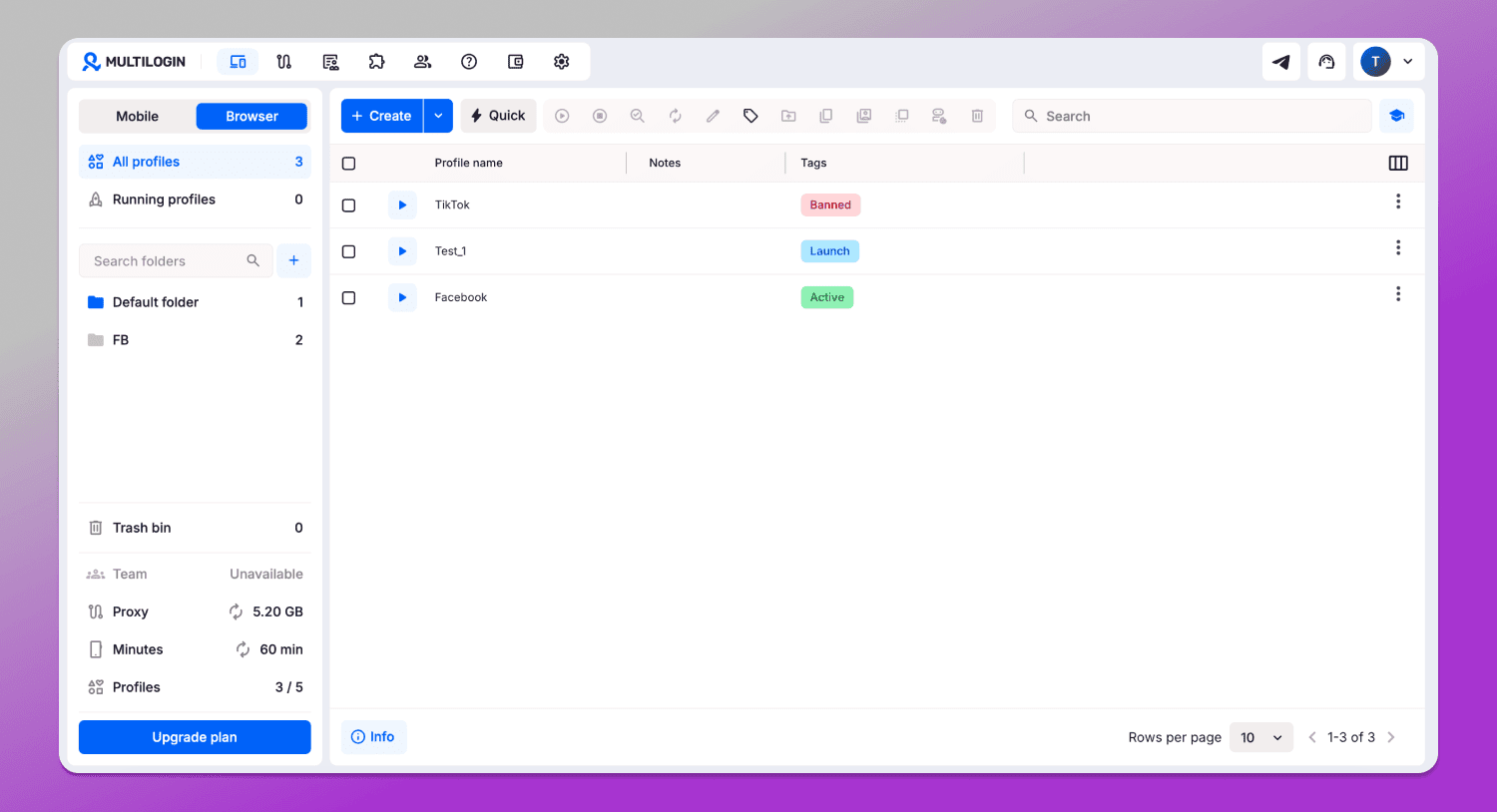
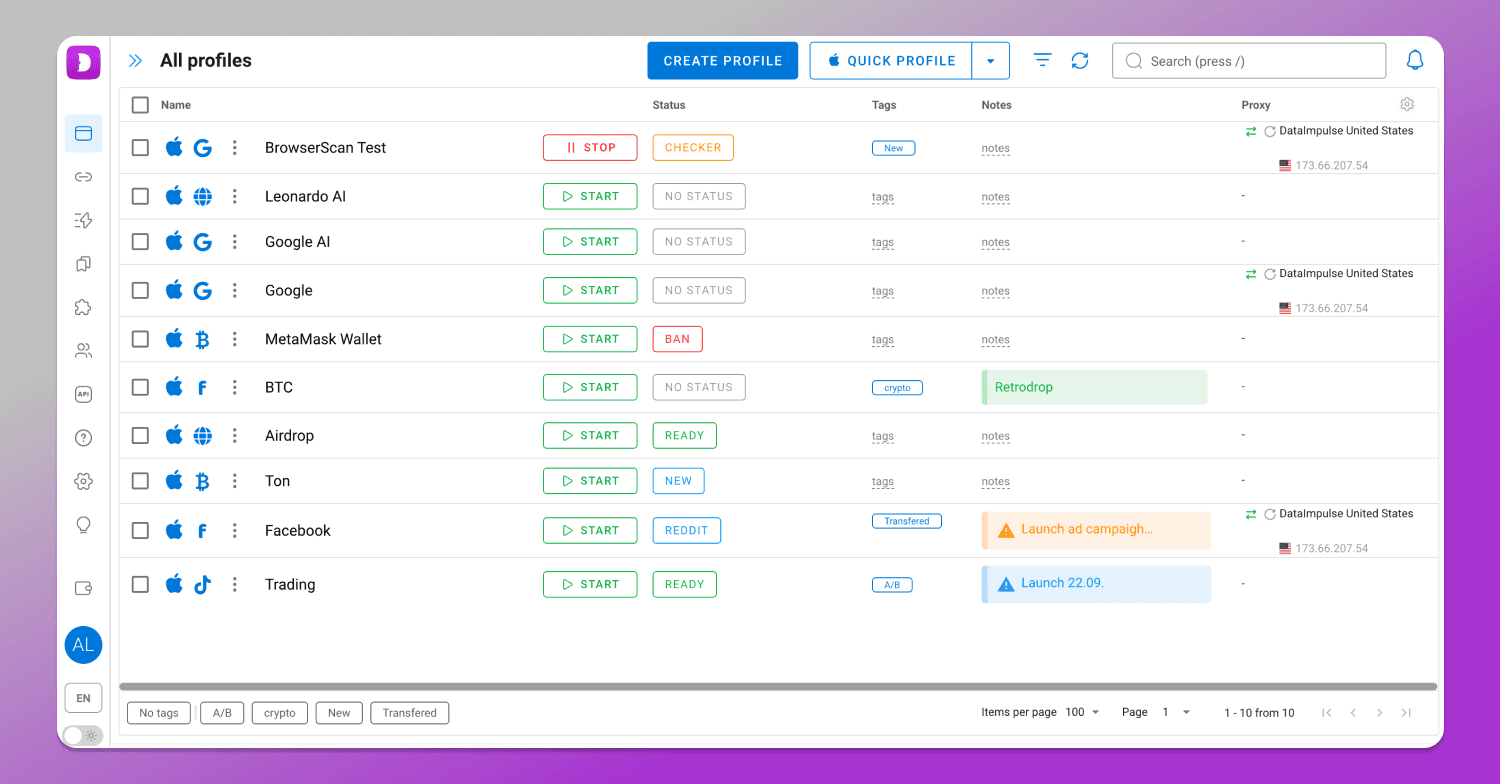
Despite the similarities in the interface, there are also differences that affect overall usability.
In Multilogin the large panel on the left cannot be hidden to free workspace up, whereas in Dolphin Anty it can. On smaller screens this difference can be quite important.
Additionally, Multilogin allows you to create two types of profiles: mobile and browser. However, if you switch to another menu section and then return to the profile list, you will always land in the mobile profiles section even if you haven’t created any. These extra clicks don’t make the interface feel more user-friendly.
Sorting, Filtering and Profile Search
Situations where you need to work with all profiles at once are relatively rare, for example, when there are only a few of them. More often you need a specific set of profiles. The ability to work with their groups is therefore essential.
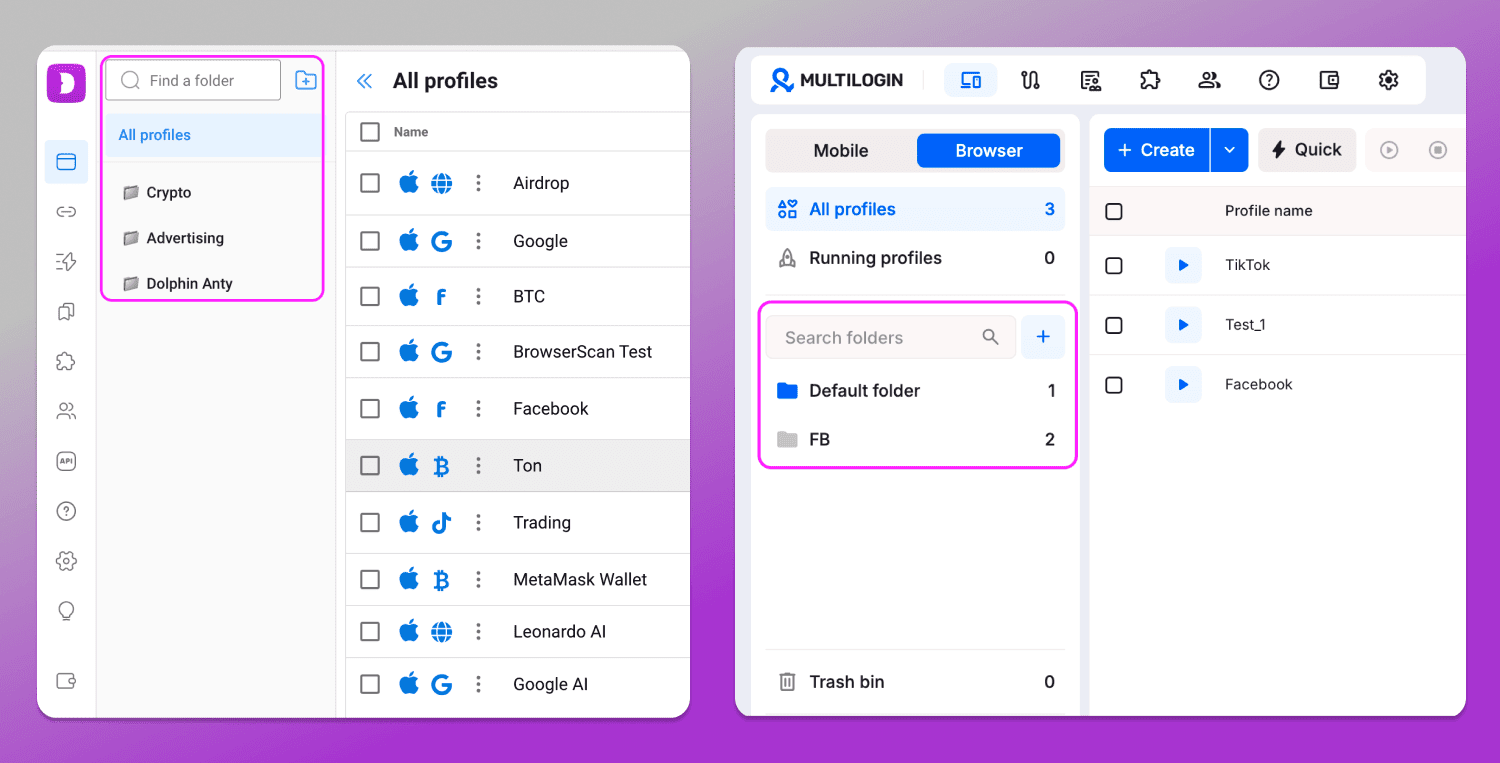
In both Multilogin and Dolphin Anty, profiles can be 📁 organized into folders either during creation or afterward. You create a folder, select the profiles and assign them, for example, by projects or areas of activity.
In Multilogin profiles can only be sorted by name, while in Dolphin Anty you can sort them by name, status, proxy and tags.
At the same time, Multilogin offers more extensive filtering options. To view profiles of a specific type, you simply hover over a parameter and a filter appears. For example, with tags, it works like this.
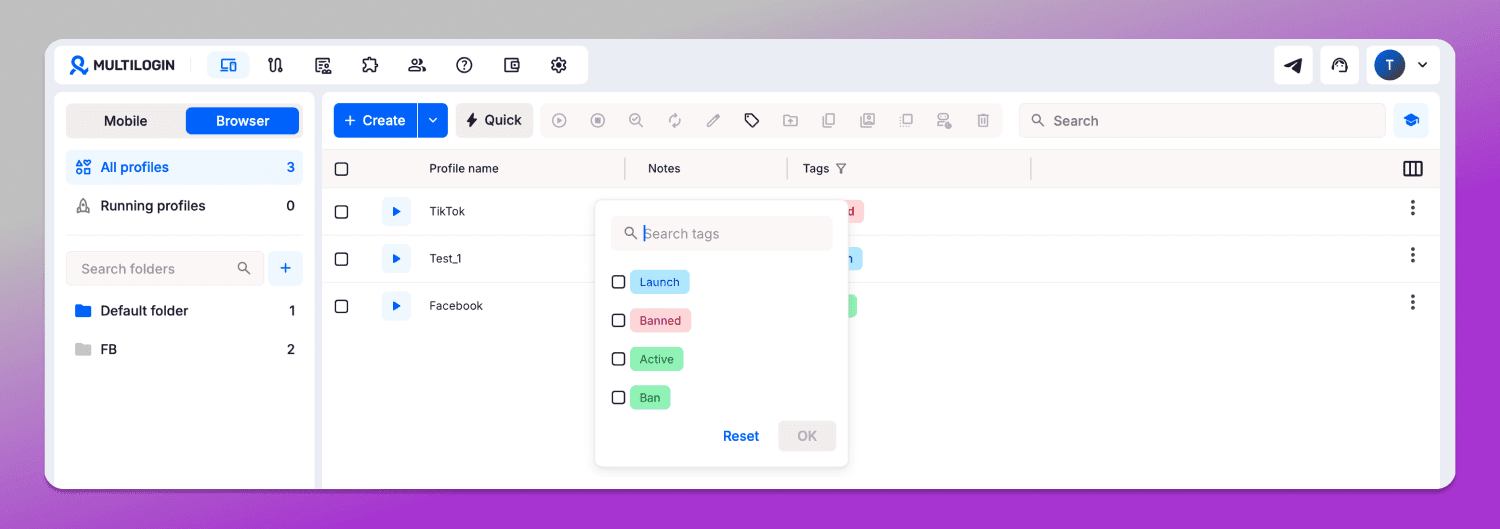
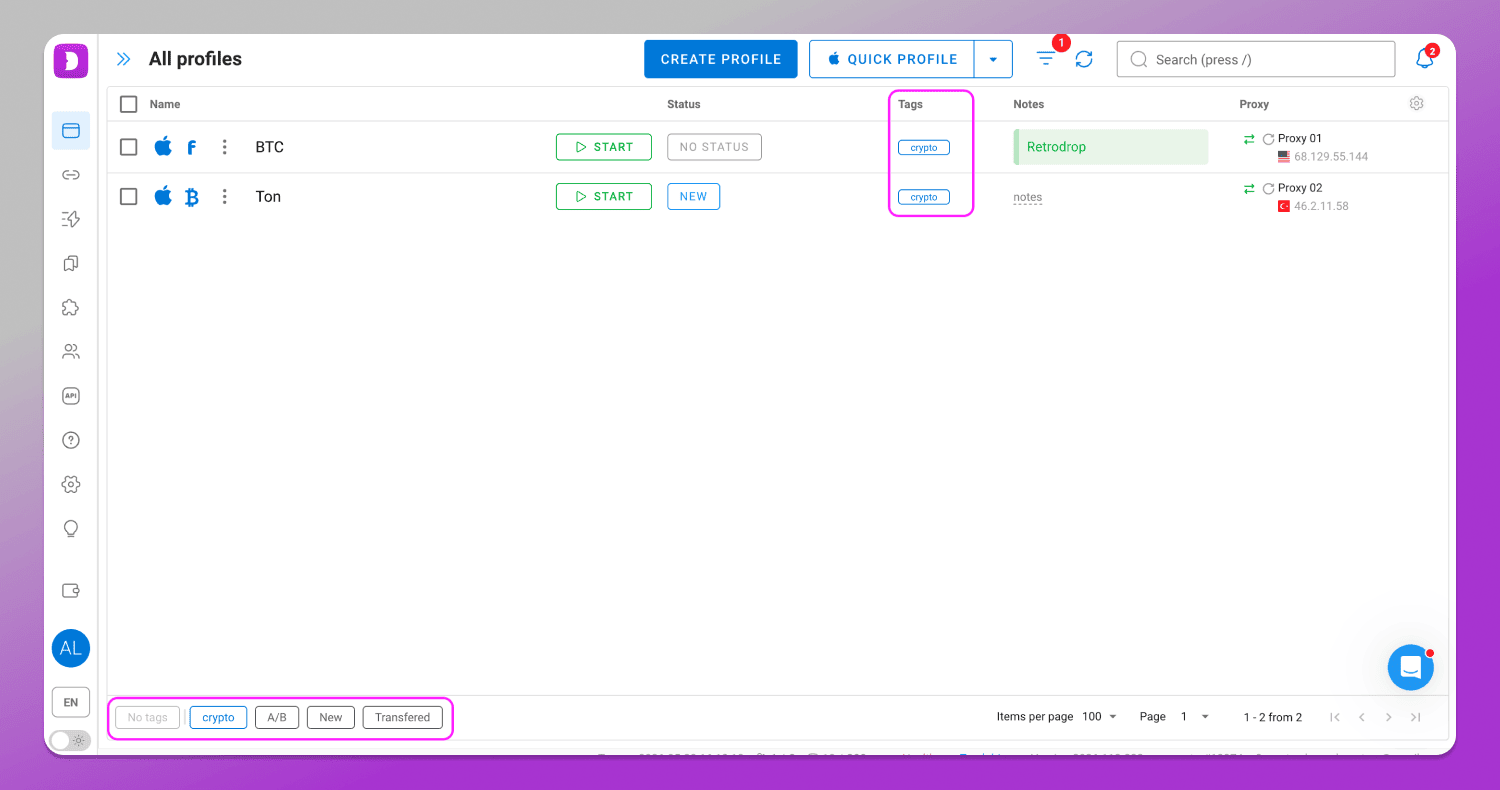
In Dolphin Anty, the tag filtering system works a bit differently. When you add a new tag, it appears as a row in the bottom-left corner. To select profiles with a specific tag, just click on it. The idea is the same, but 👍 it takes fewer clicks.
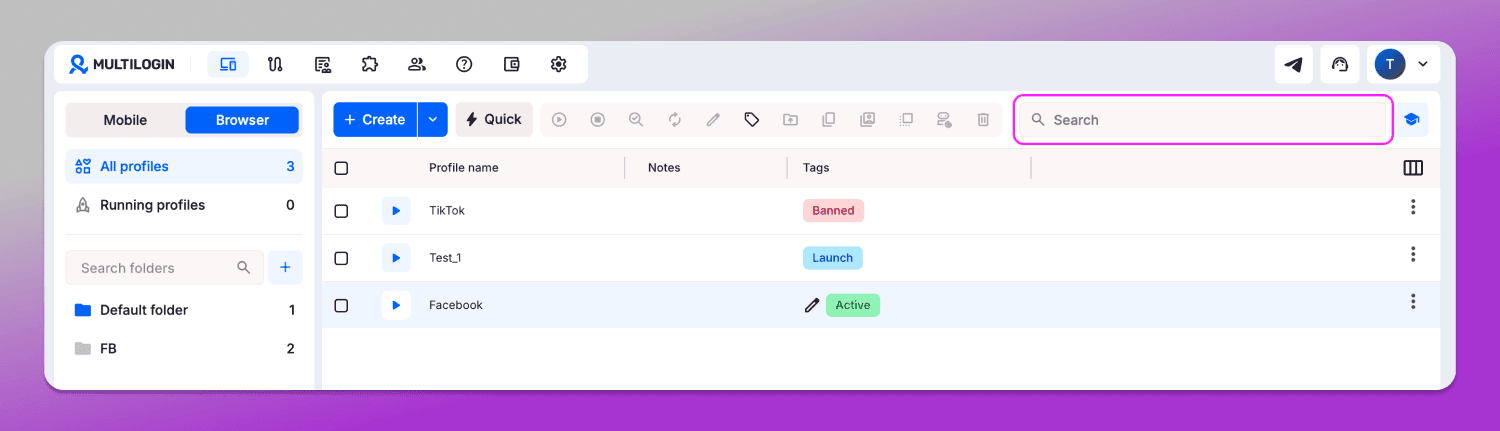
As for finding a specific profile, in Multilogin you can search 👉 only by name. There are no other search parameters available.
Dolphin Anty offers a 🔎 more advanced search system. You can look for profiles not only by name, but also by users, tags, statuses, main websites, proxies, notes and folders.
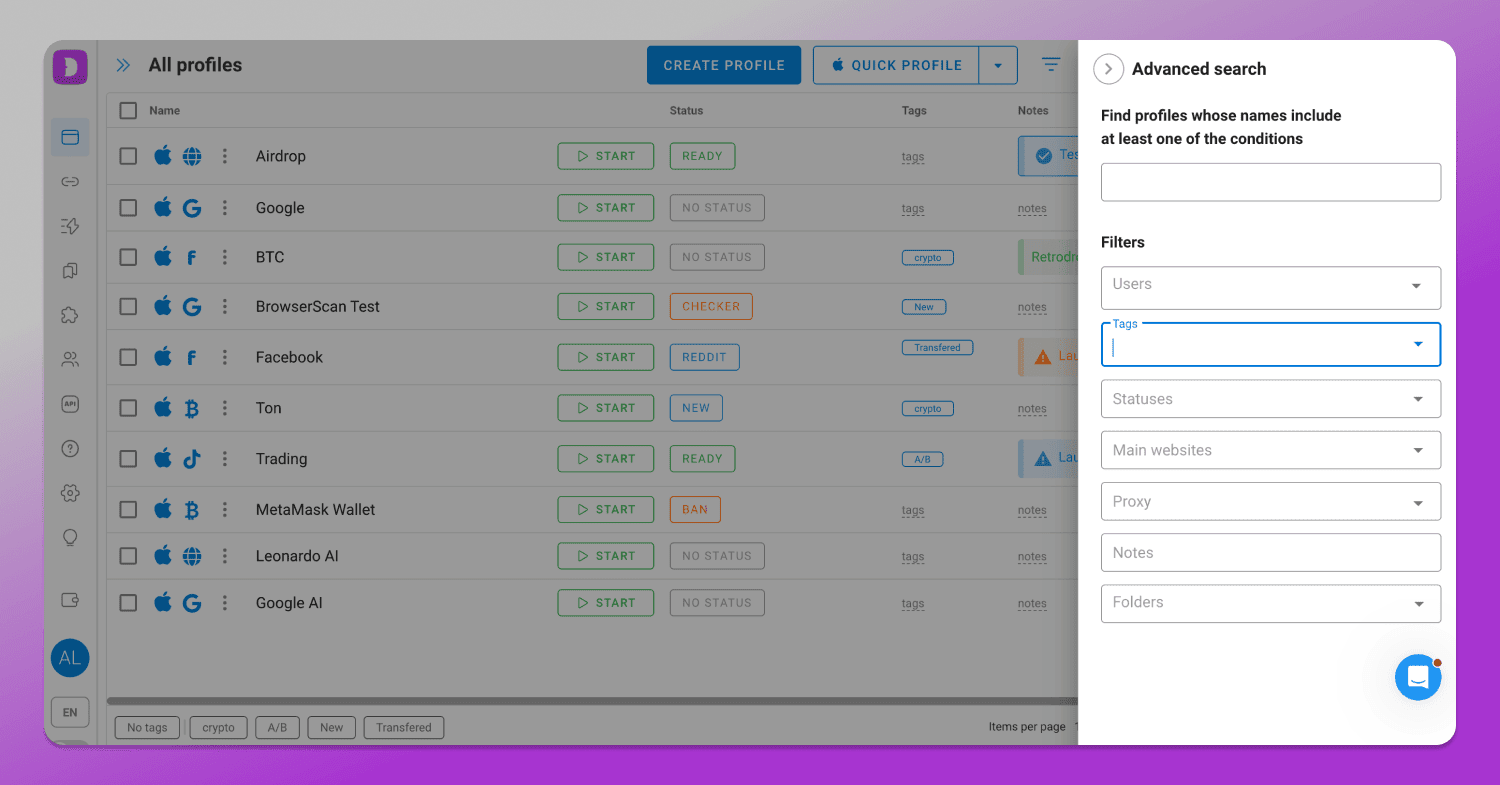
Thus, the ability to select the right profiles and their groups ✅ in Dolphin Anty is not only more extensive, but also implemented in a more convenient way.
Working with Profiles
What you can or cannot do with profiles directly affects your workflow efficiency. So the more functionality available, the better.
Creating Profiles
The profile creation process is quite similar in Multilogin and Dolphin Anty. You click the “Create” or “Create profile” button, depending on the platform, and move to the digital fingerprint configuration menu. There are many parameters and each of them comes with a short description.
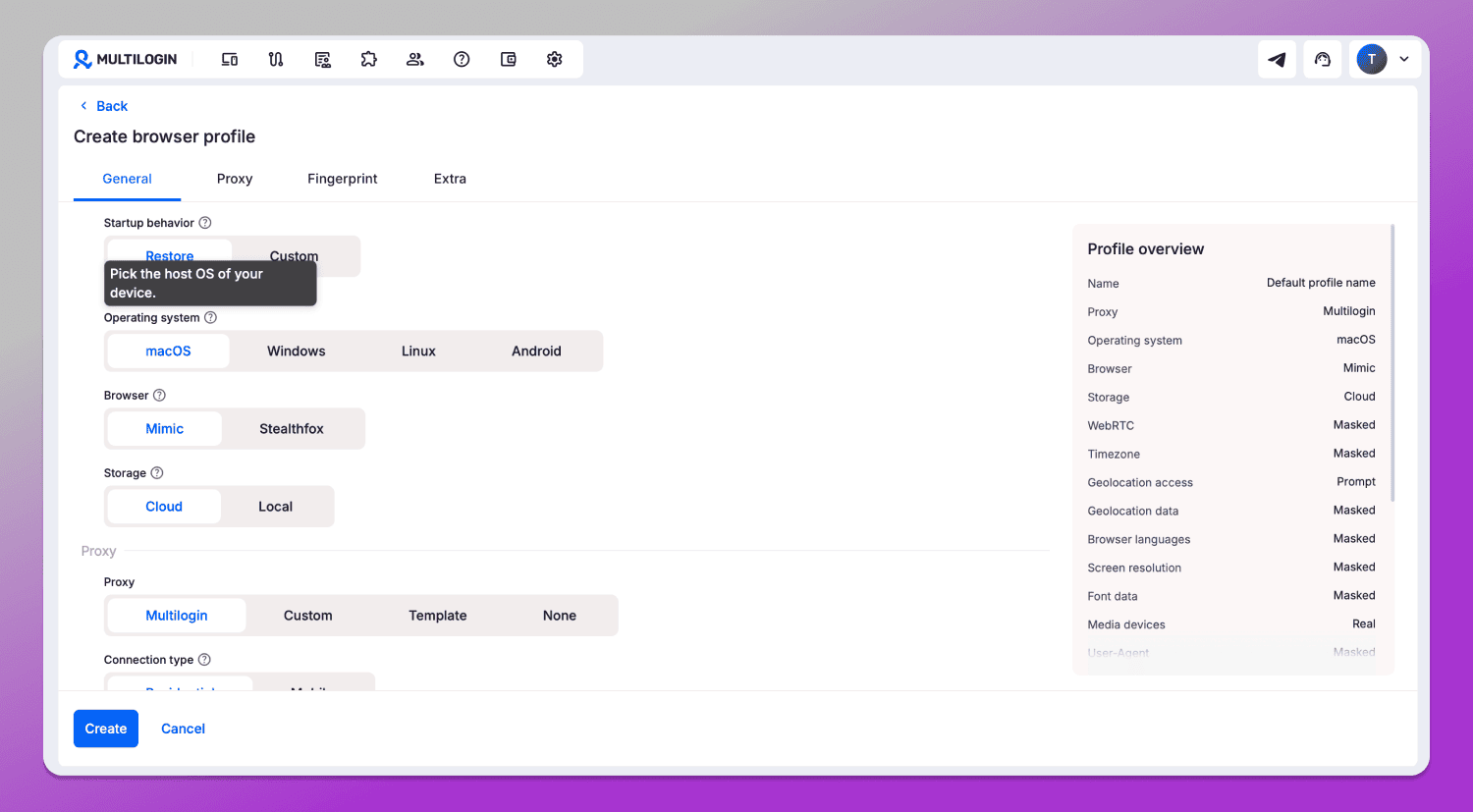
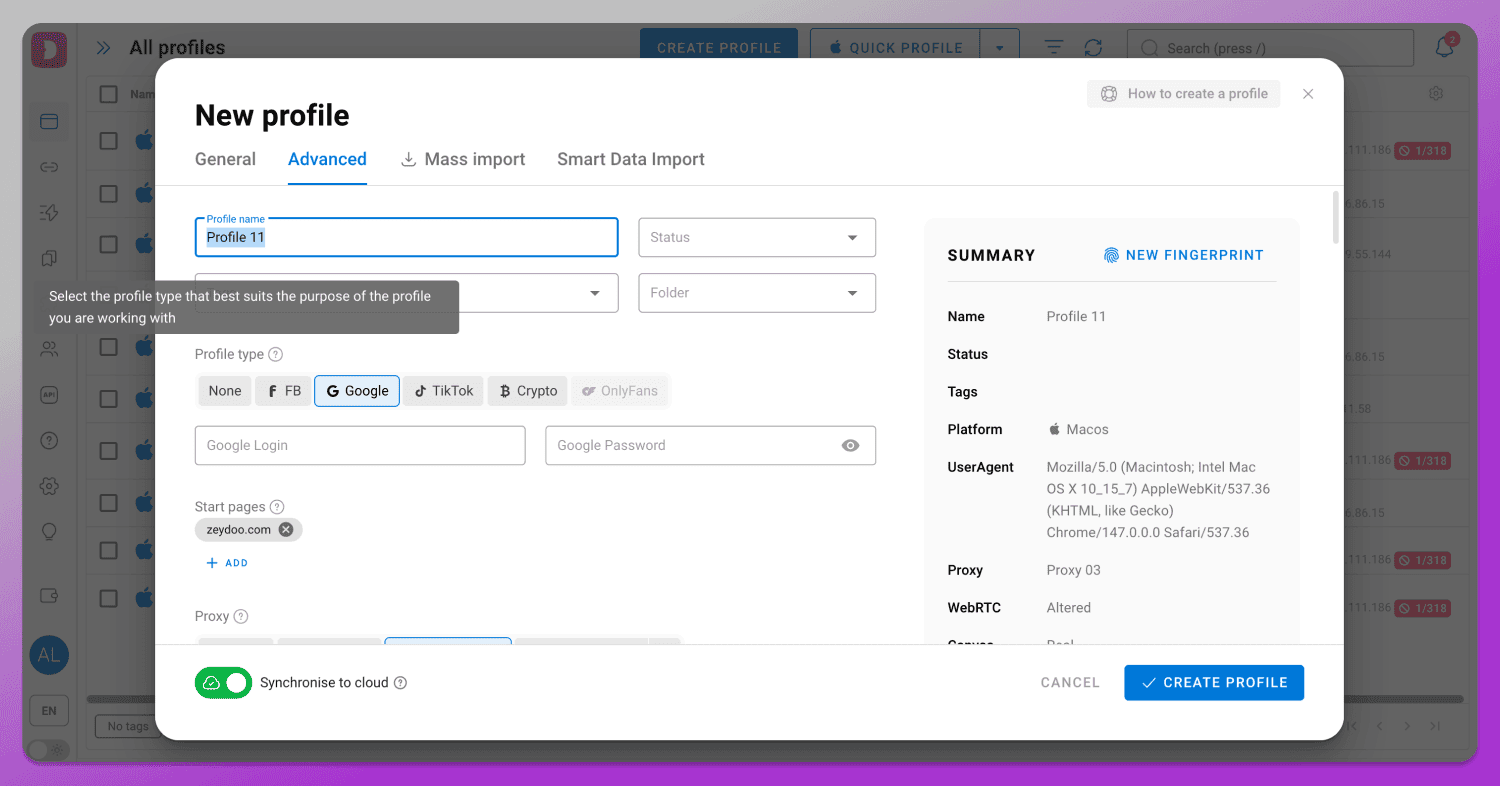
Fingerprint settings in Multilogin are divided into Profile, Proxy, Fingerprint and Extra, while in Dolphin Anty they are split into General and Advanced sections. Overall, it’s still easy to find the required parameter. On the right side there is a profile overview panel. In Dolphin Anty, you can also change the fingerprint directly from there using the “New fingerprint” button.
However, there are some differences. The first is the profile type. In Dolphin Anty you can choose a profile type to pre-configure it. For example, if you select a Facebook profile type, useful bookmarks will be added automatically, tailored specifically for working on that platform.
The second difference is that some unique fingerprint parameters are available only in Dolphin Anty, such as device name. This can be useful on platforms with strong antifraud systems. By the way, this parameter is missing not only in Multilogin, but also in other competitors.
Profile Management
After creating a profile in Multilogin, you can edit it later depending on your needs.
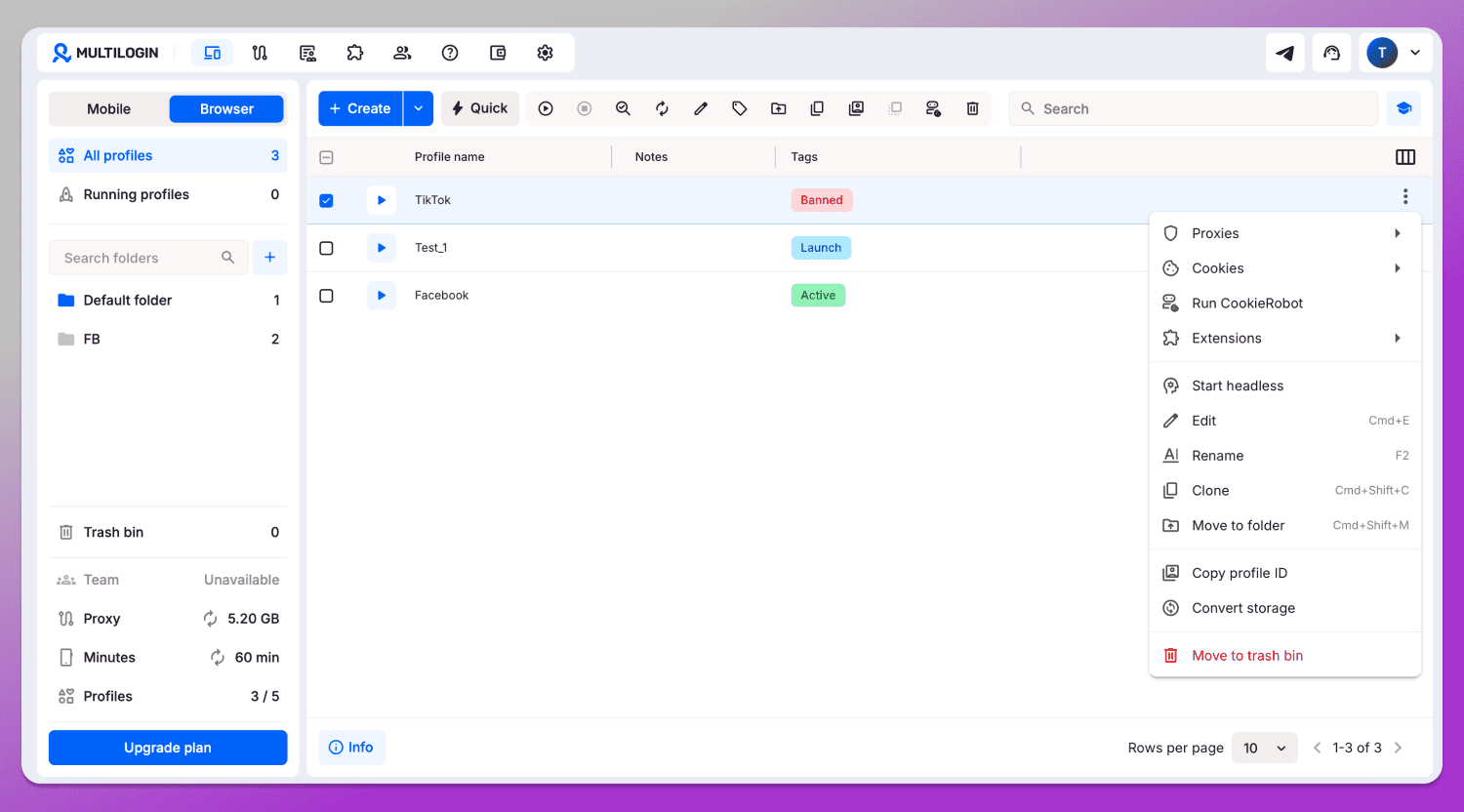
So, the list of available actions includes:
- Changing proxy settings;
- Adding cookie files and launching a bot;
- Installing extensions;
- Running in headless mode;
- Editing parameters and renaming;
- Cloning profiles;
- Adding to a folder;
- Copying ID;
- Switching storage between cloud and local, and vice versa.
In Dolphin Anty, this list is even more extensive.
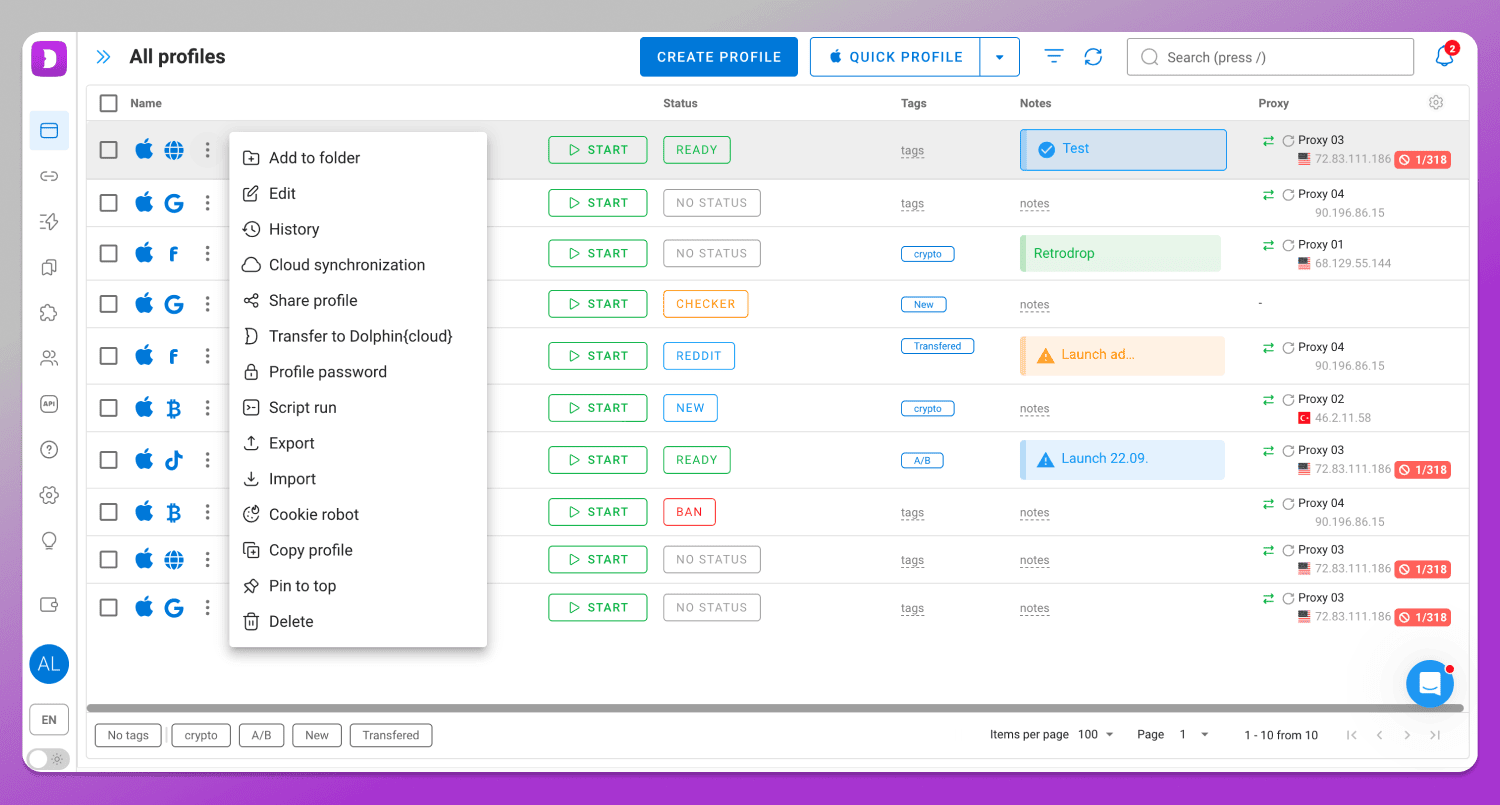
- Profile history;
- Share profile;
- Transfer to Dolphin Cloud;
- Profile password protection;
- Run a script;
- Pin a profile to top.
Another difference is that in Dolphin Anty the profile context menu is located next to the profile name, rather than at the end of the row as in Multilogin. This means you don’t have to 🖱 move your mouse across the screen every time you want to perform an action.
Bulk Actions with Profiles
Both browsers support bulk profile management. In Multilogin the bulk actions panel is fixed at the top and becomes active when the user selects multiple profiles.
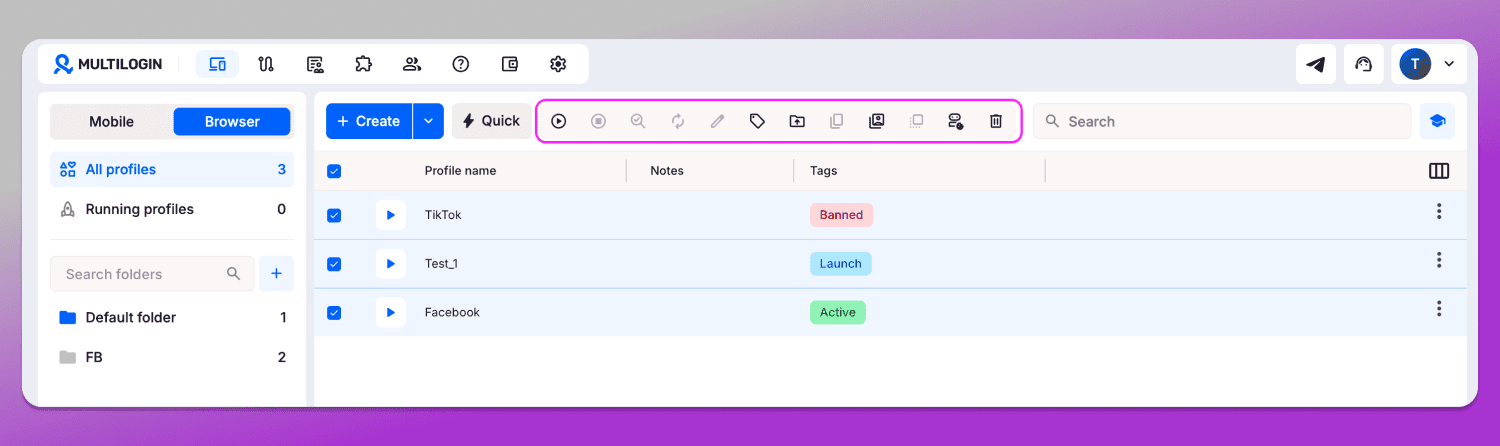
You can launch profiles, stop them, check proxies, update IPs, set tags, move profiles to folders, copy IDs and also run the cookie robot, but only for up to 10 profiles at a time. The panel also oddly includes buttons for editing and duplicating profiles, even though these actions can only be performed on individual profiles.
In Dolphin Anty the bulk actions panel is not fixed in the interface in order to keep it cleaner and less cluttered. Instead, it only appears when the user selects profiles.
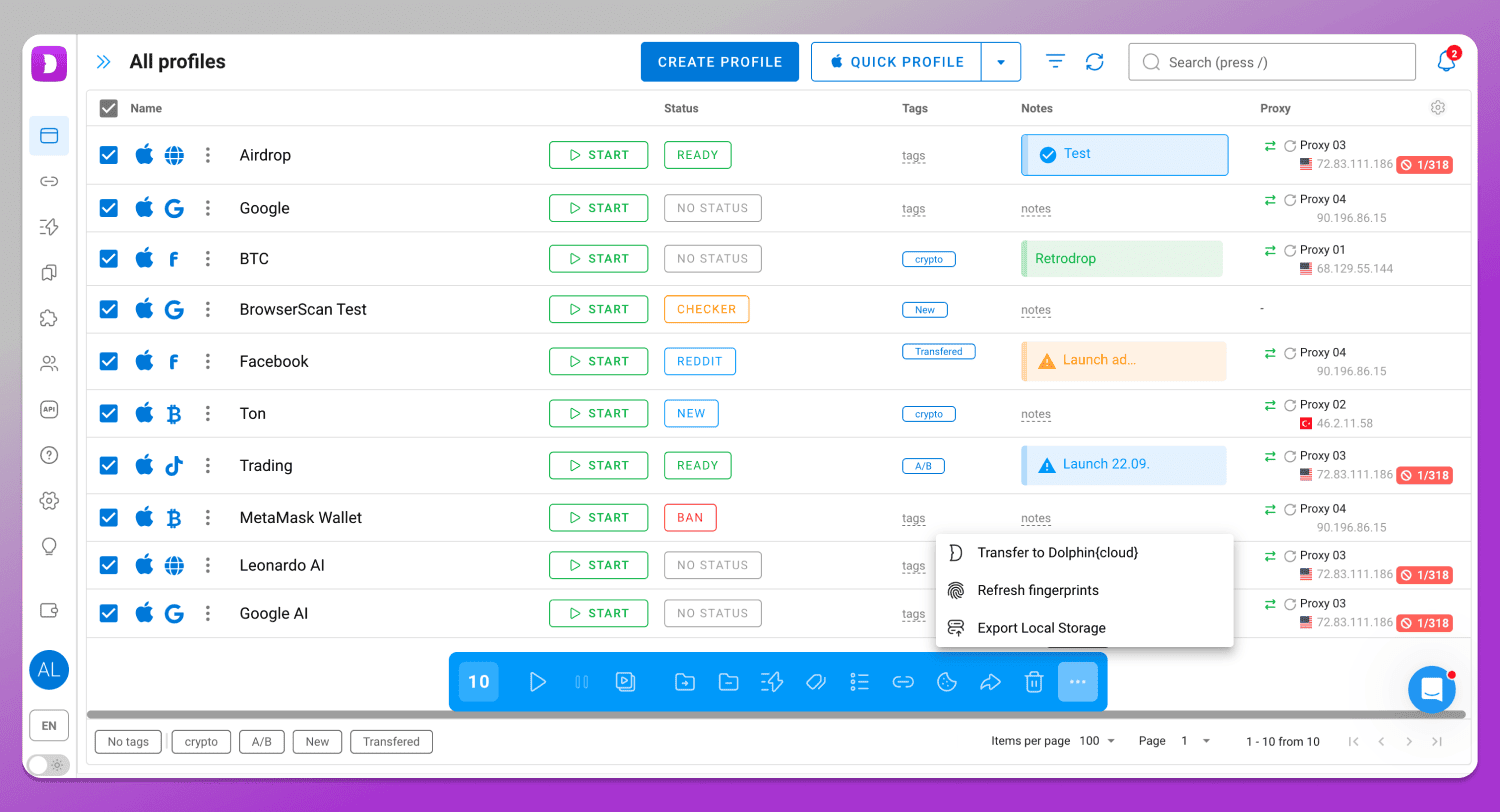
In addition, only truly “bulk” actions are grouped here:
- Launching and stopping profiles;
- Running the synchronizer and scenarios;
- Moving to a folder;
- Removing from a folder;
- Setting tags and statuses;
- Changing proxies;
- Exporting cookies;
- Transferring profiles;
- Deleting profiles;
- Transferring to Dolphin Cloud;
- Updating the digital fingerprint;
- Switching storage type.
It’s clear that this ✅ functionality is also more extensive in Dolphin Anty.
Copying profiles
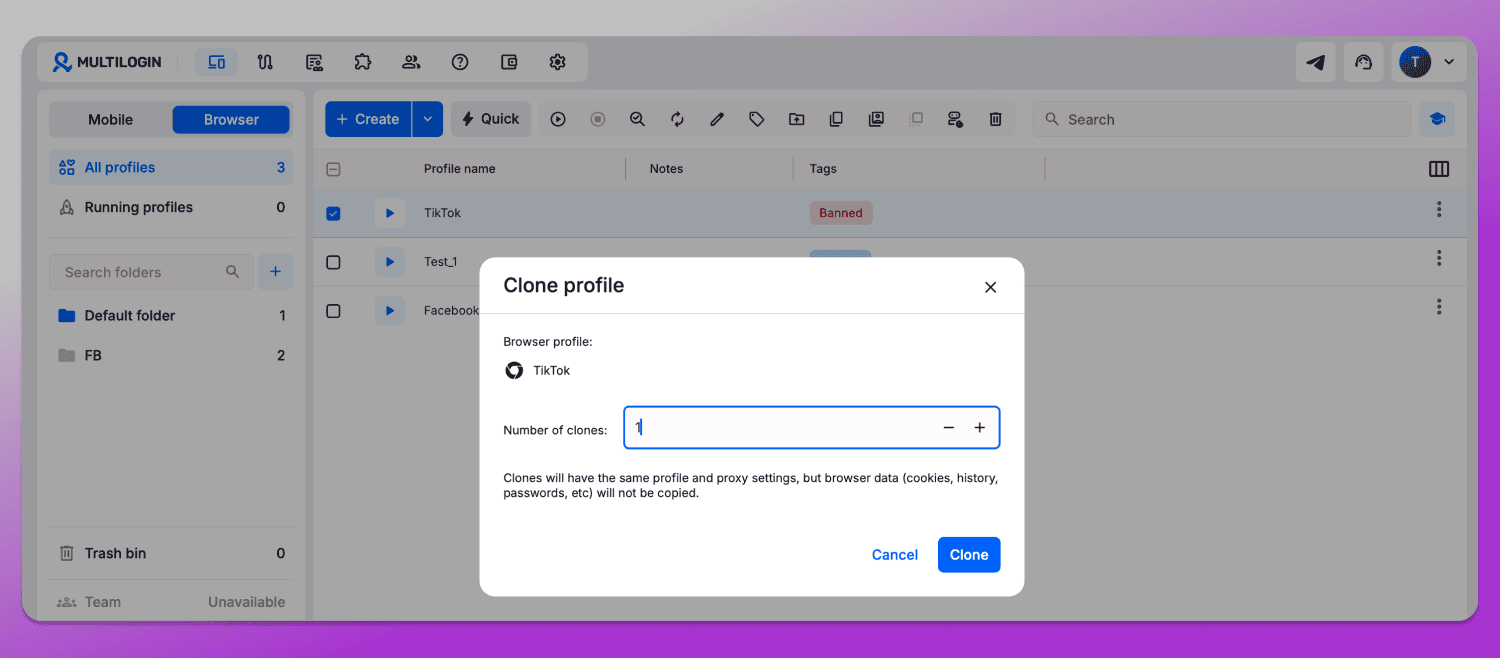
In Multilogin profiles can be copied in any quantity. Settings and proxies from the original one are preserved, while the initial profile data (cookies, history, passwords, etc.) is not transferred. At the same time, the browser fingerprint remains identical, which in many cases will likely require manual spoofing.
In Dolphin Anty you can not only clone a profile, but also randomize the fingerprints in each copy. If you need to keep the same set, you can simply turn off the corresponding toggle.
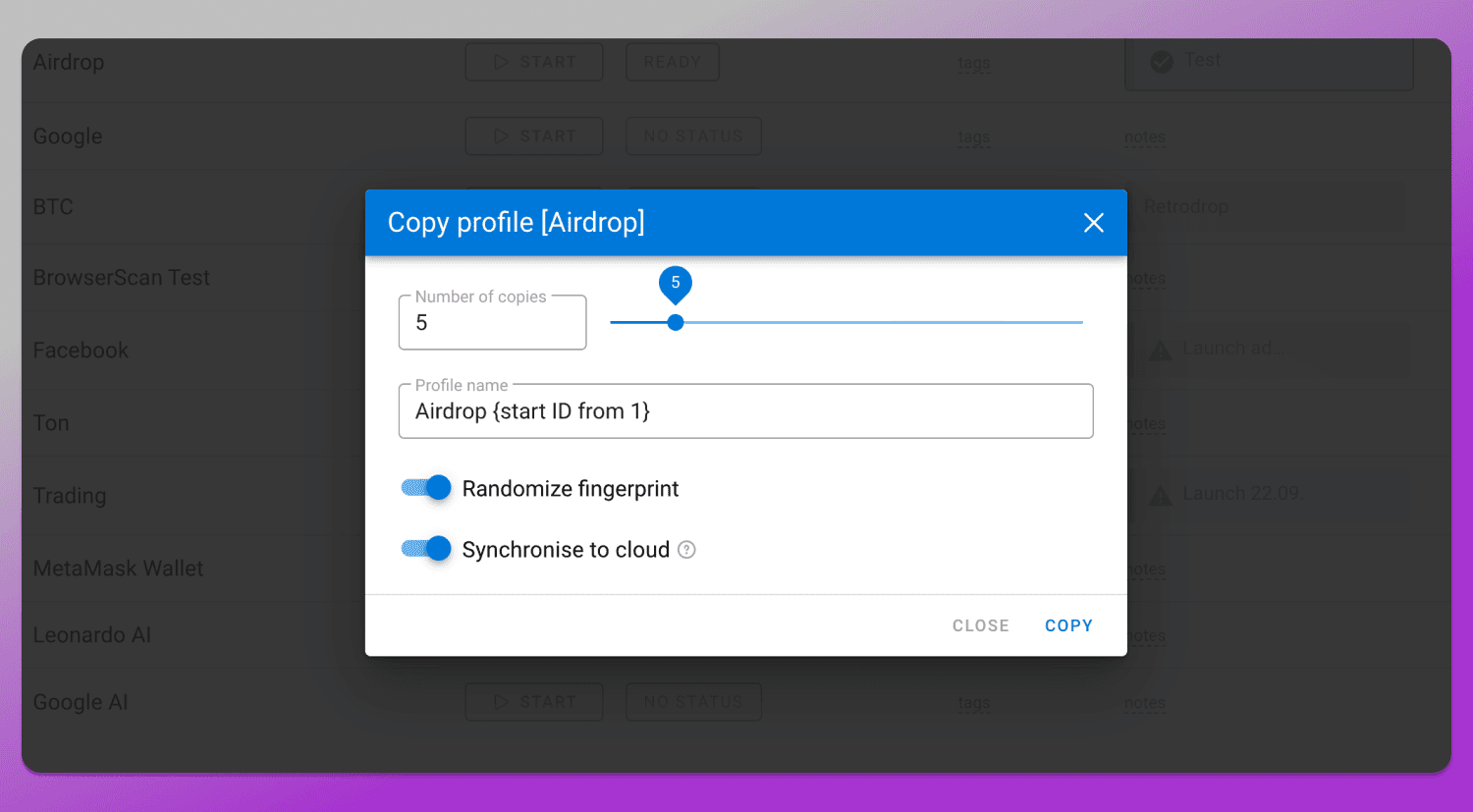
In addition, profiles can be synced to the cloud instantly.
Extensions
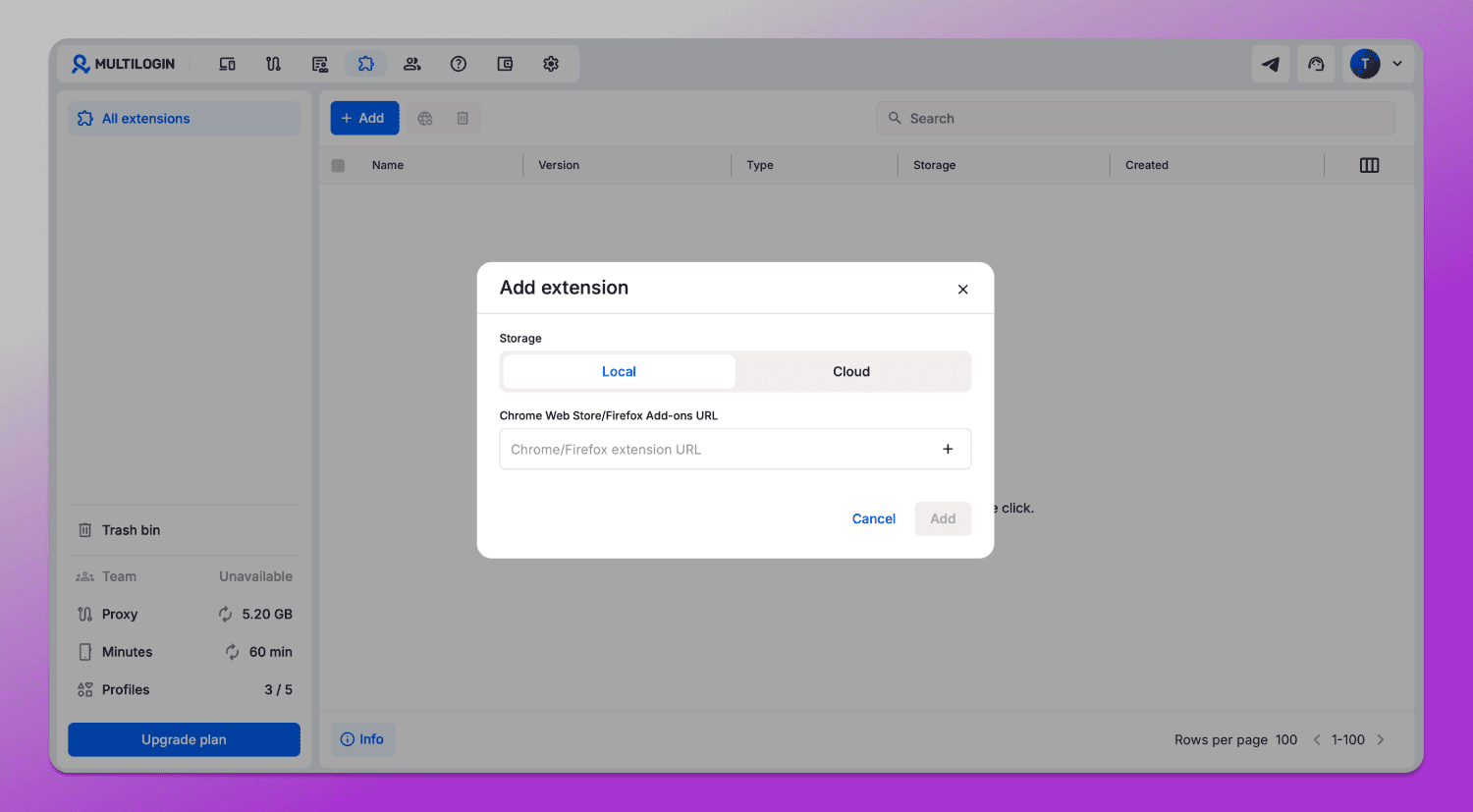
Multilogin supports extensions. You can add them either during profile creation or later in a separate menu section by pasting a link from the Chrome Web Store.
In Dolphin Anty the same functionality is available, with the difference that extensions can be added ✅ not only via a link, but also as a file.
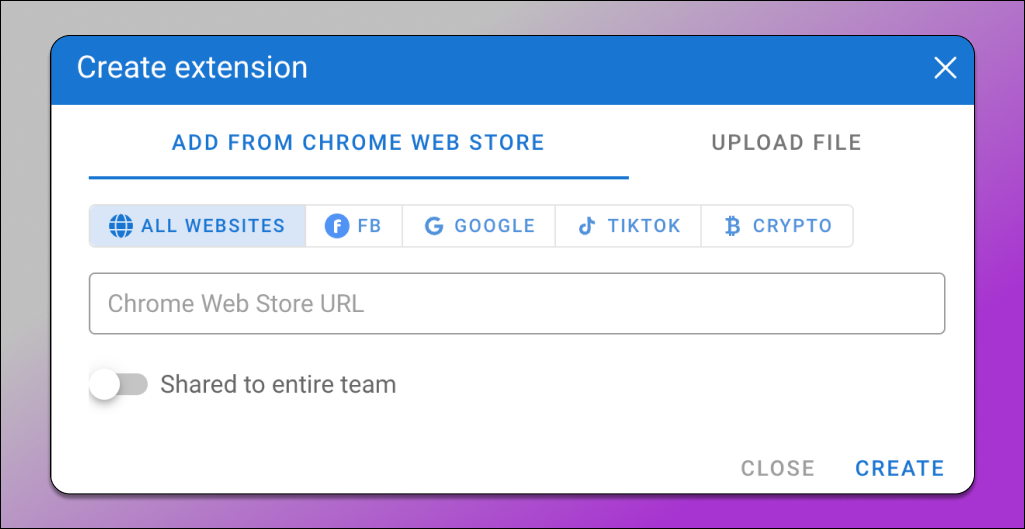
This can be useful when you need an extension that isn’t available in the store.
Proxy
Multiaccounting is impossible without proxies, so their management should be as functional and convenient as possible. And here 🤒 Multilogin starts to struggle.
The browser includes a separate section called “Proxy templates”, where proxies can be added either one by one or in bulk.
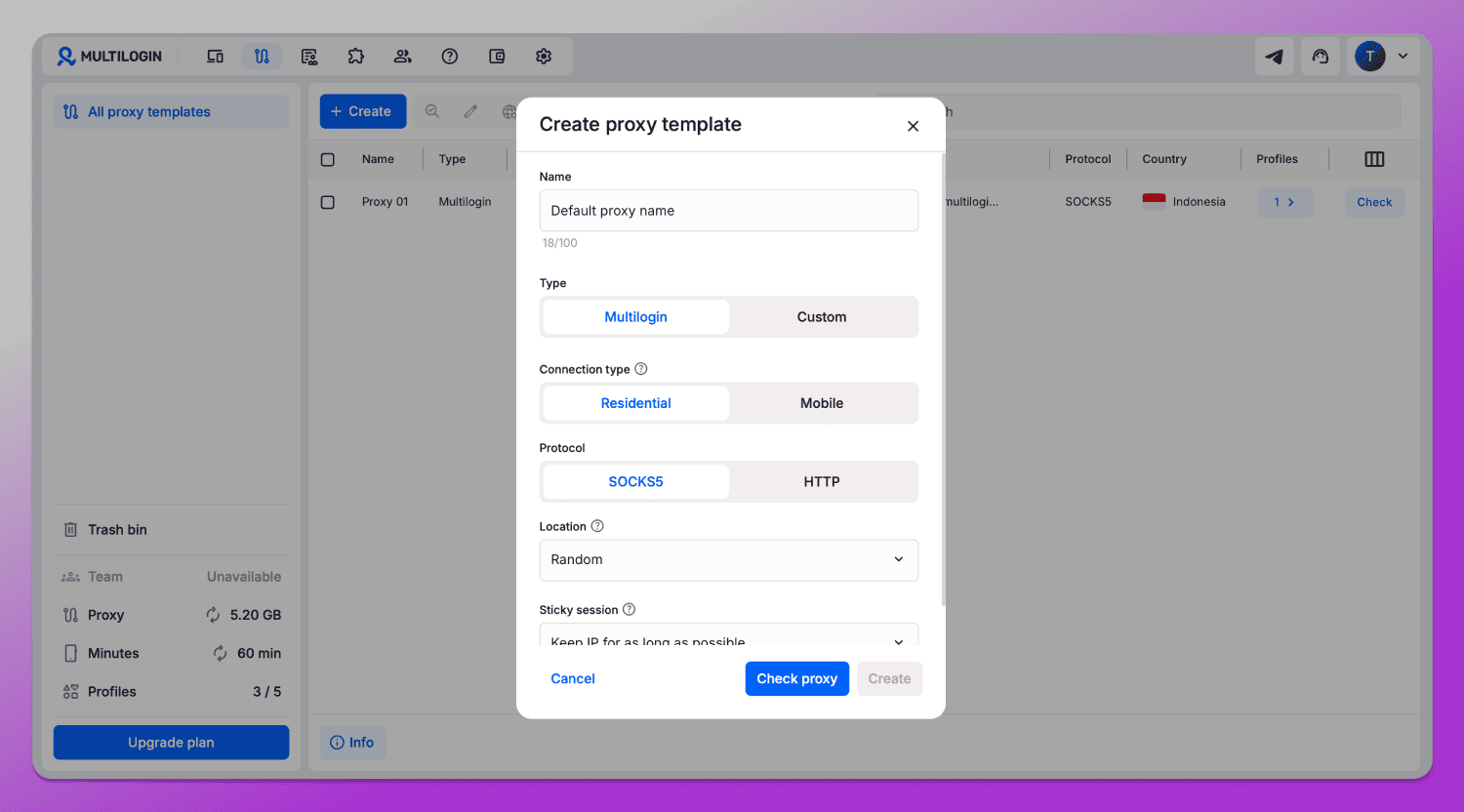
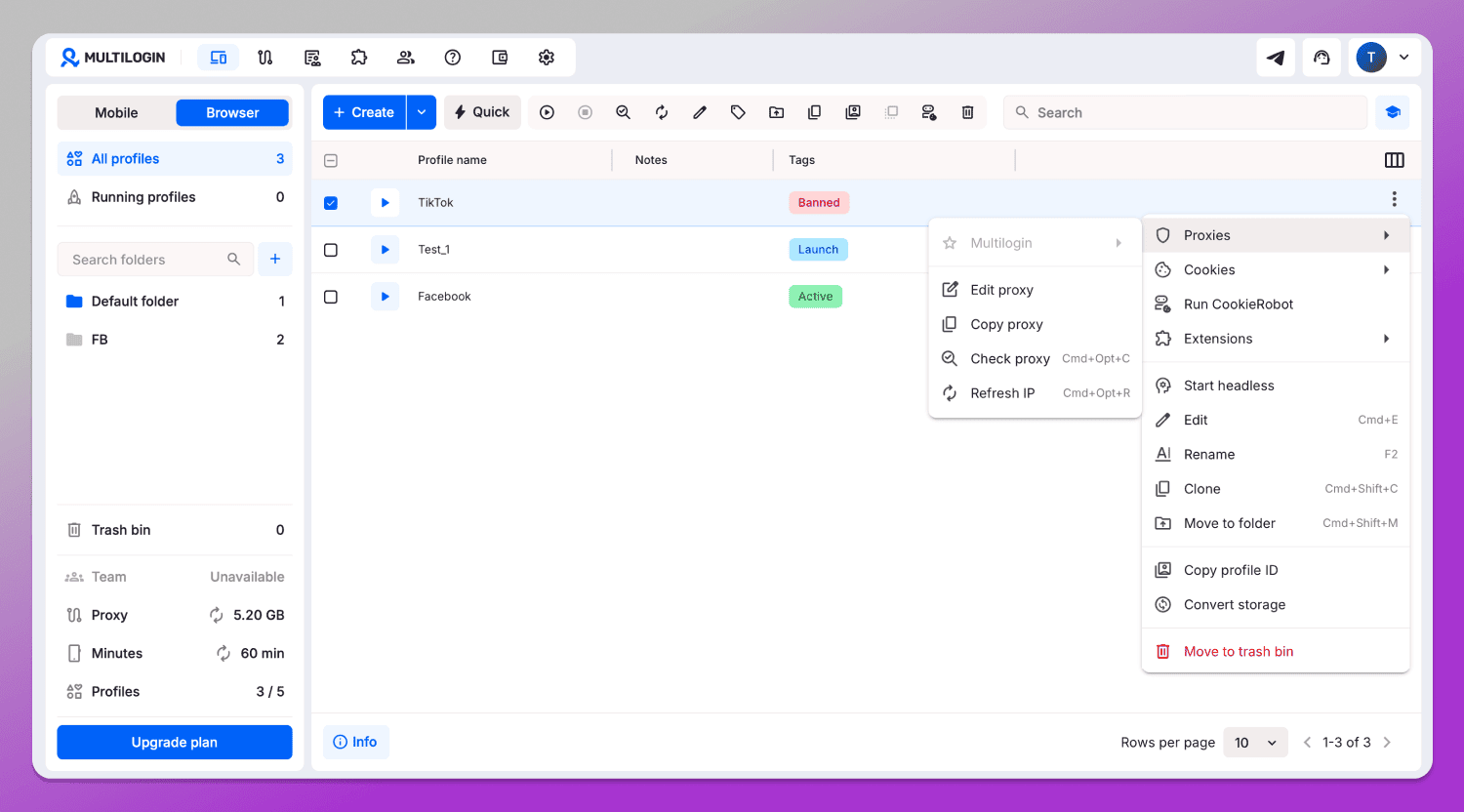
Proxies from templates can be assigned to profiles during creation. However, 🤷♂️ the profile list does not display any information about connected proxies at all. This is a rather odd decision, because it becomes impossible to remember which profile is linked to which geo or even whether a proxy is connected at all. Checking each profile manually would take a significant amount of time.
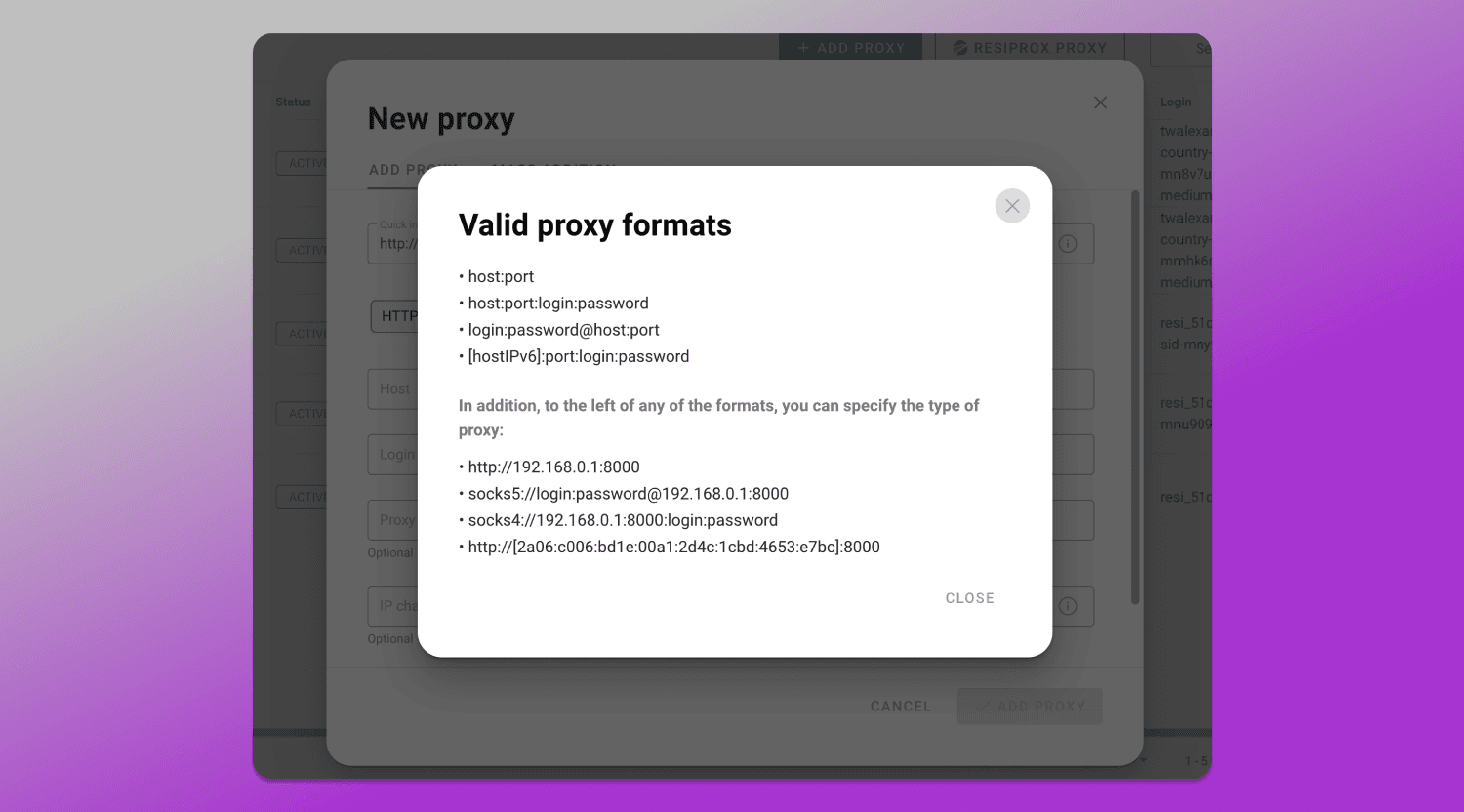
In Dolphin Anty, there is also a dedicated proxy section where proxies can be added 🔗 both individually and in bulk without any limitations. There are multiple input formats available, which makes it easier to enter data regardless of how the provider supplies it. In addition, there is a “Quick input” option, where the data is automatically distributed into the appropriate fields.
When connecting a proxy to a profile, ✅ all the details appear in the “Proxy” column, where you can also instantly test the connection, change the IP and edit the proxy in one click without switching to other sections.
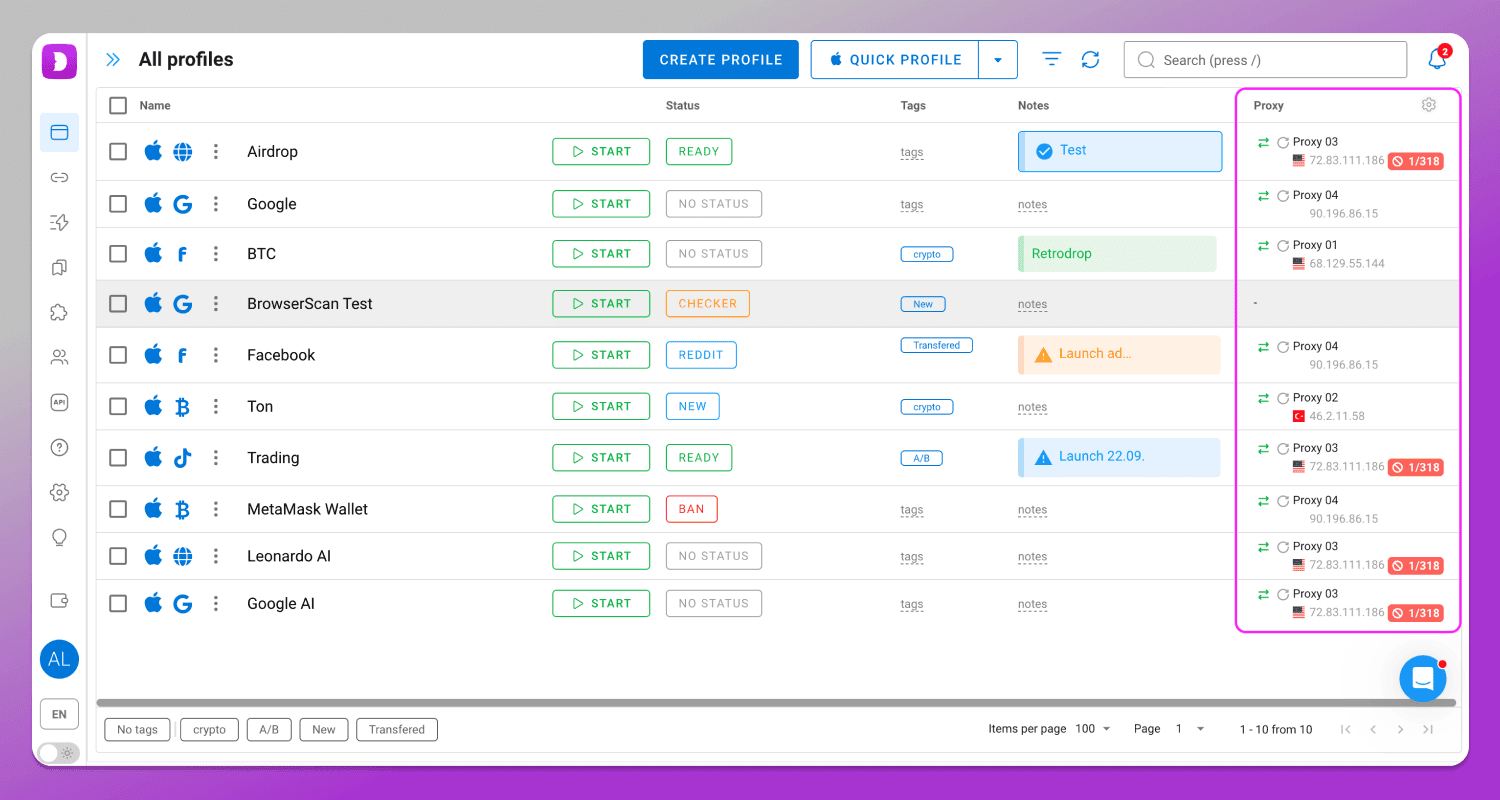
With such clarity and level of detail, there’s also nothing to memorize.
What Multilogin is Missing
Despite Multilogin and Dolphin Anty sharing many similar features, the way they are implemented often works against Multilogin. On top of that, Dolphin Anty offers a range of capabilities that its competitor simply doesn’t have.
Scenarios
📹 Scenarios are sequences of actions that the browser performs automatically without your involvement. They are created using an interactive map with no coding skills required.
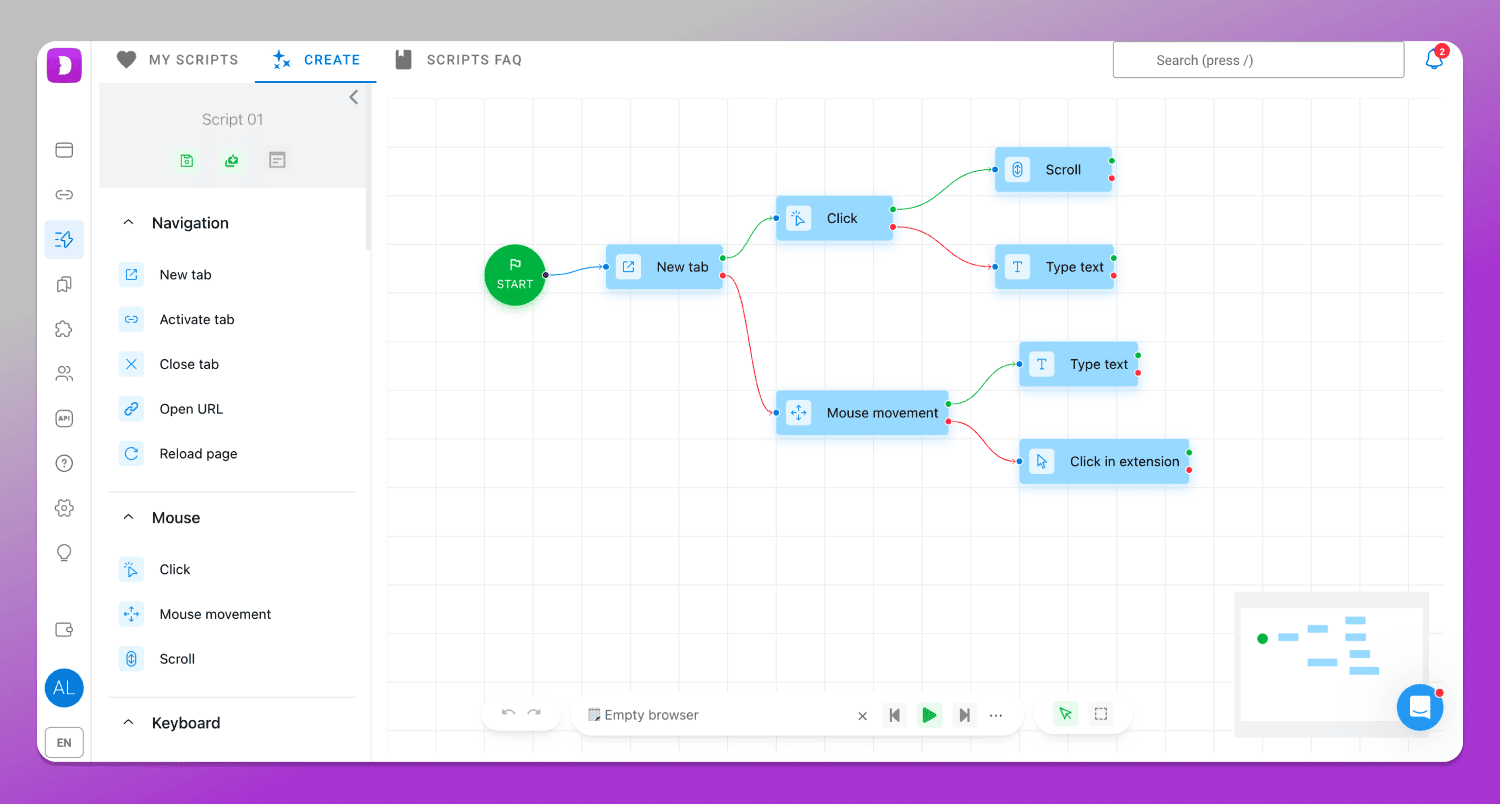
Thanks to scenarios, you can automate account warming, user behavior on websites, data collection as well as other routine tasks that take a lot of time.
Synchronizer
🔄 Synchronizer allows you to run multiple browser profiles, while actions in the main window are mirrored across all the others: clicks, search queries, page scrolling, text input and more.
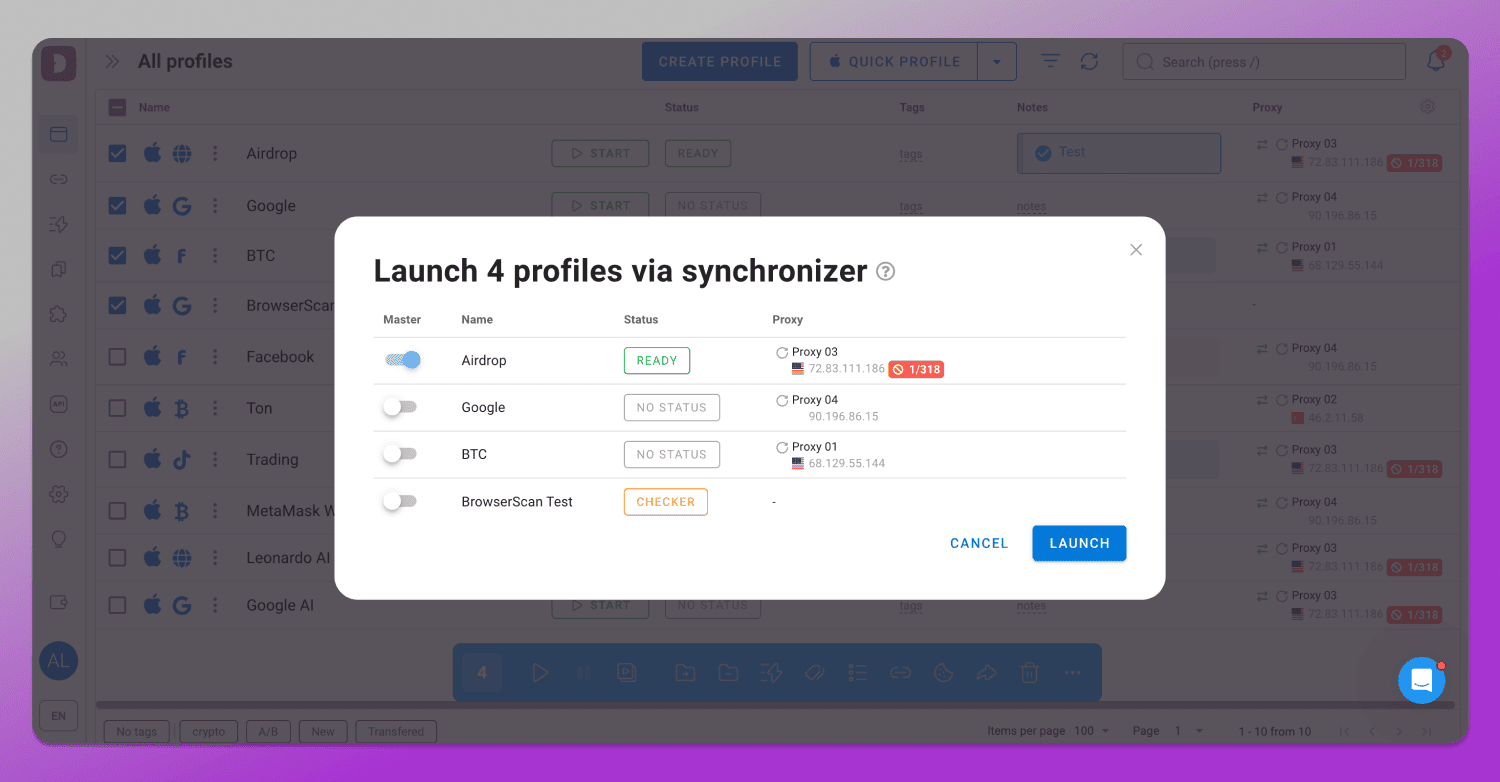
This feature is useful for actions that cannot be automated. For example, when you enter unique text, click on moving elements or extract text or visual information.
Integration with Dolphin Cloud
☁️ Dolphin Cloud is a cloud-based automation platform used when working with Facebook and ad accounts. The service allows you to run scenarios in the cloud, remotely manage advertising campaigns and automate part of daily operations. It is suitable for affiliate teams, media buying and specialists working with a large number of accounts.
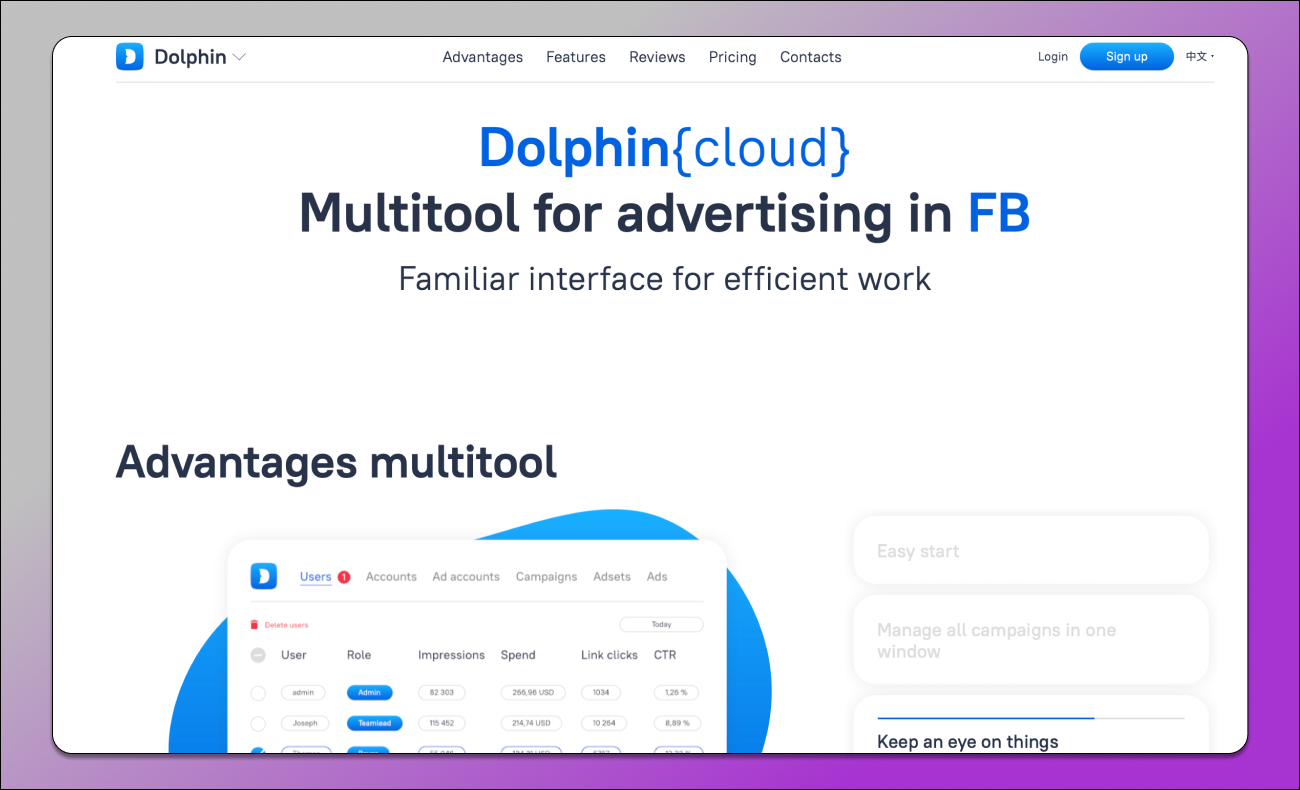
One of the key features of Dolphin Cloud is its cloud-based format. Users get tools for automating Facebook Ads and related tasks without needing to set up server infrastructure themselves or use separate software.
Statuses
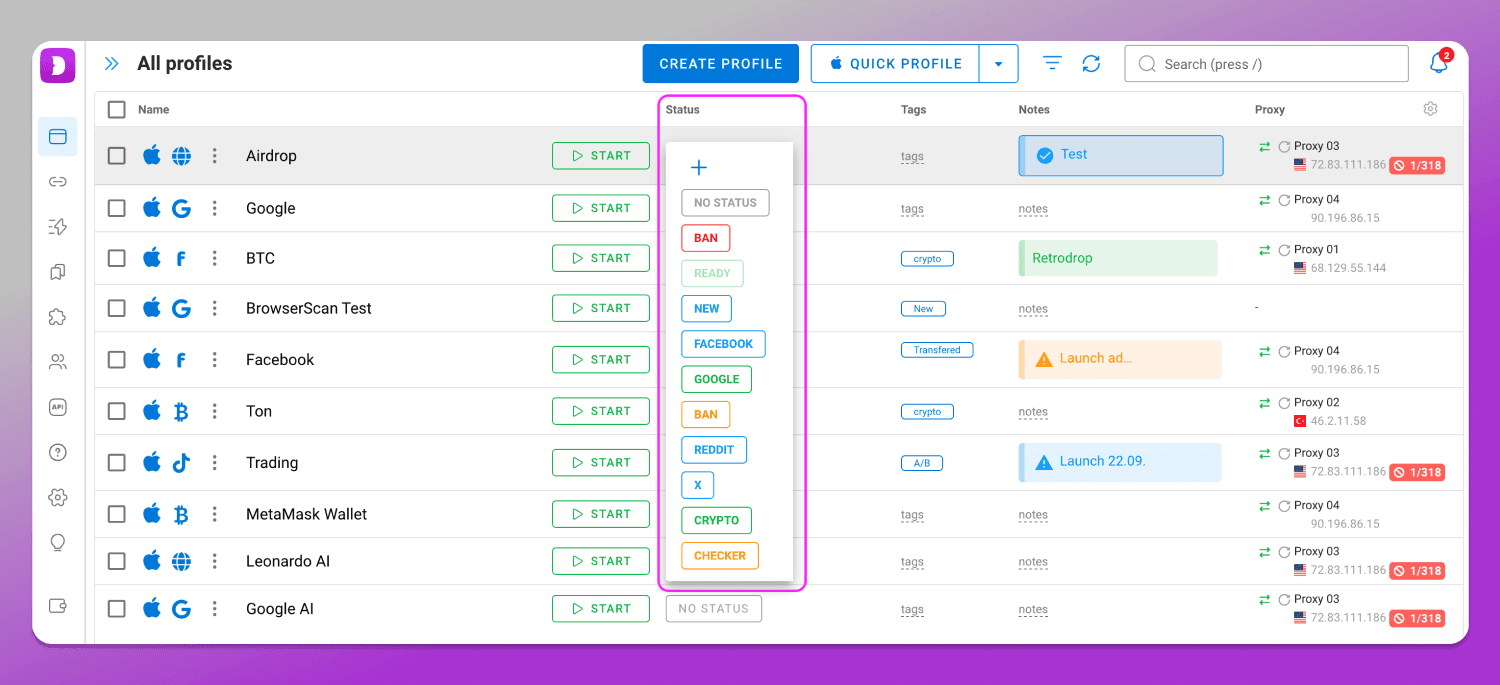
Statuses are short notes that help you quickly understand the state of your account within a profile. When assigning statuses, you can use different colors and custom text, which makes navigation in large lists much easier.
Bookmark Manager
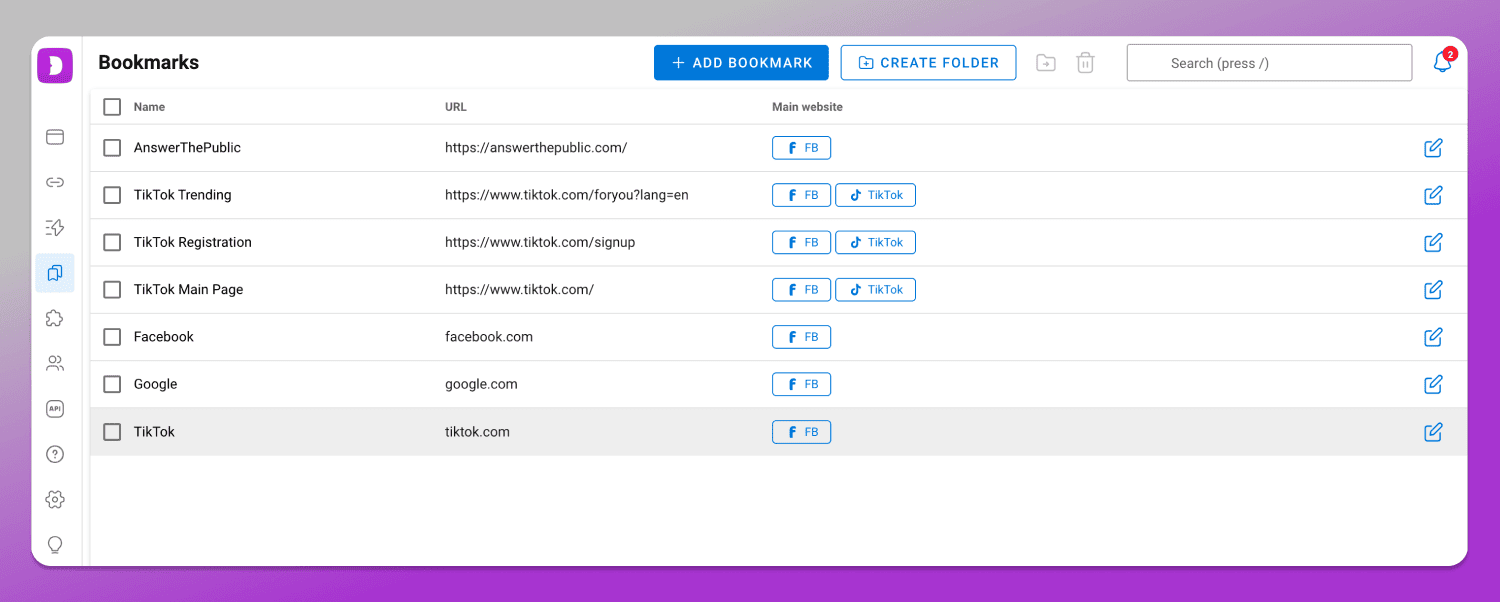
In the Bookmarks section you can add bookmarks and assign them to specific websites. They will be automatically added to a profile when you select its type.
Subscription Cost
Multilogin pricing starts from €9 per month. For this price, you get access to 10 profiles. To use a larger number of profiles, you need to pay extra. As we already noted at the beginning of the review, 🙅 there is no way to test the browser for free at all.
Dolphin Anty subscription pricing starts at $10 for 20 profiles on the Starter plan, which is already twice as cost-effective. Within the same plan, the number of profiles can be increased up to 60.
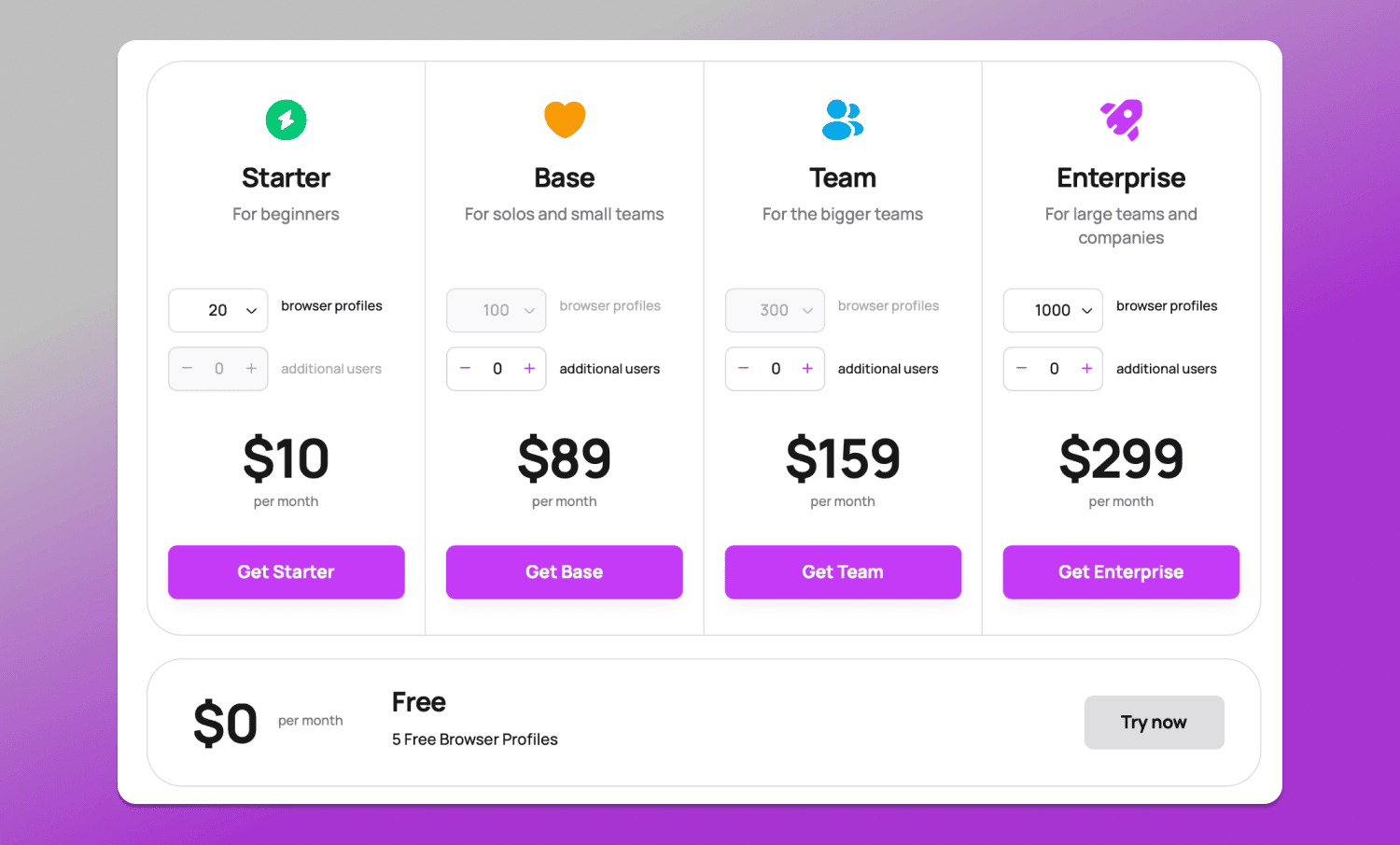
In addition to paid plans, Dolphin Anty also offers a 🆓 free plan with 5 profiles, unlimited usage time and no need to link a bank card.
Comparison table
For clarity, let’s summarize the antidetect browsers in a final comparison table.
| Parameter | Multilogin | Dolphin Anty |
|---|---|---|
| Free plan | No | Yes, 5 profiles with no time limit |
| Trial access | Paid trial €1.99 for 3 days | Available, no card required |
| Download distribution | After registration and plan payment | After standard registration |
| Profile search | By name only | By name, tags, statuses, proxies, notes, folders, and more |
| Profile types | No | Profiles for specific tasks and websites |
| Quick fingerprint change | No | Yes |
| Profile actions | Standard set | Extended set: history, password, transfer, scenarios, pinning |
| Profile copying | Without fingerprint randomization | With fingerprint randomization |
| Extension installation | Via link | Via link and file |
| Proxy management | Limited | Full proxy manager |
| Quick IP change | No | One click |
| Automation scenarios, synchronizer | No | Yes |
| Multi-tool integration | No | Yes, Dolphin Cloud |
| Profile statuses, bookmarks | No |
Conclusion
Both browsers remain viable solutions for multiaccounting and profile management, however their approach to functionality and usability differs. Multilogin covers the basic needs, while 🔥 Dolphin Anty places a stronger emphasis on interface flexibility, automation, scalability and additional tools for everyday work.
Overall, Dolphin Anty appears to be a more feature-rich and practical option. In addition, the full-featured free plan allows you to test the browser and make a final decision before scaling up.