In this section we’ll go over how to delete and restore profiles, as well as how the 🗑 Trash Bin works. Unused profiles clutter your workspace, so it’s best to remove them — they can be distracting and make navigation harder. This is especially true for test browser profiles that will eventually be deleted anyway.
However, in some cases, you may need to 🔄 regain access to a deleted profile — for example, to recover cookies, passwords or links from the browsing history. That’s when the Trash Bin comes in handy: deleted profiles are stored there.
In 🚀 Dolphin Anty, you can delete profiles one by one or in bulk. Similarly, you can restore them either individually or all at once.
Deleting a Single Profile
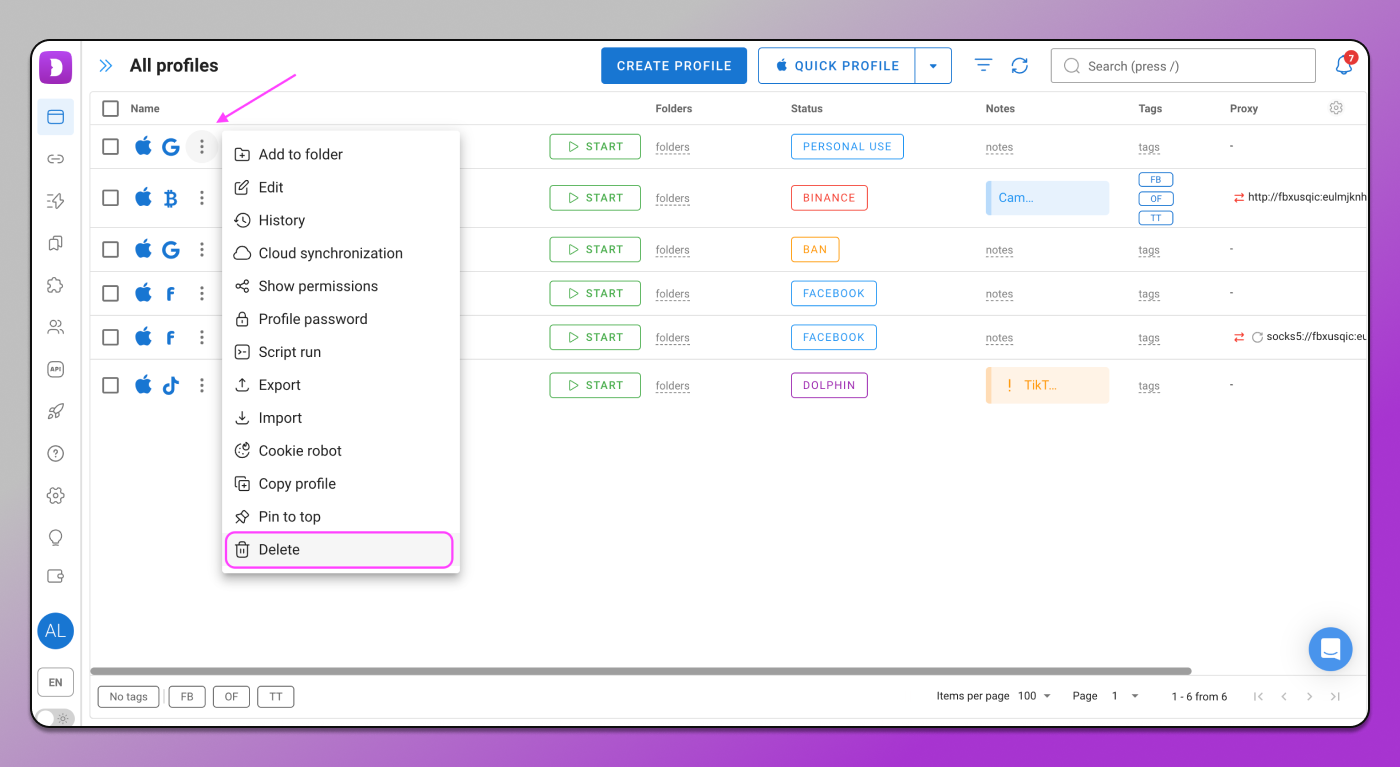
To delete a profile, hover over the three dots next to it in the profile list and click “Delete”.
A ❗ warning will appear, letting you know that the profile will be moved to the Trash and permanently deleted in 🕓 48 hours.
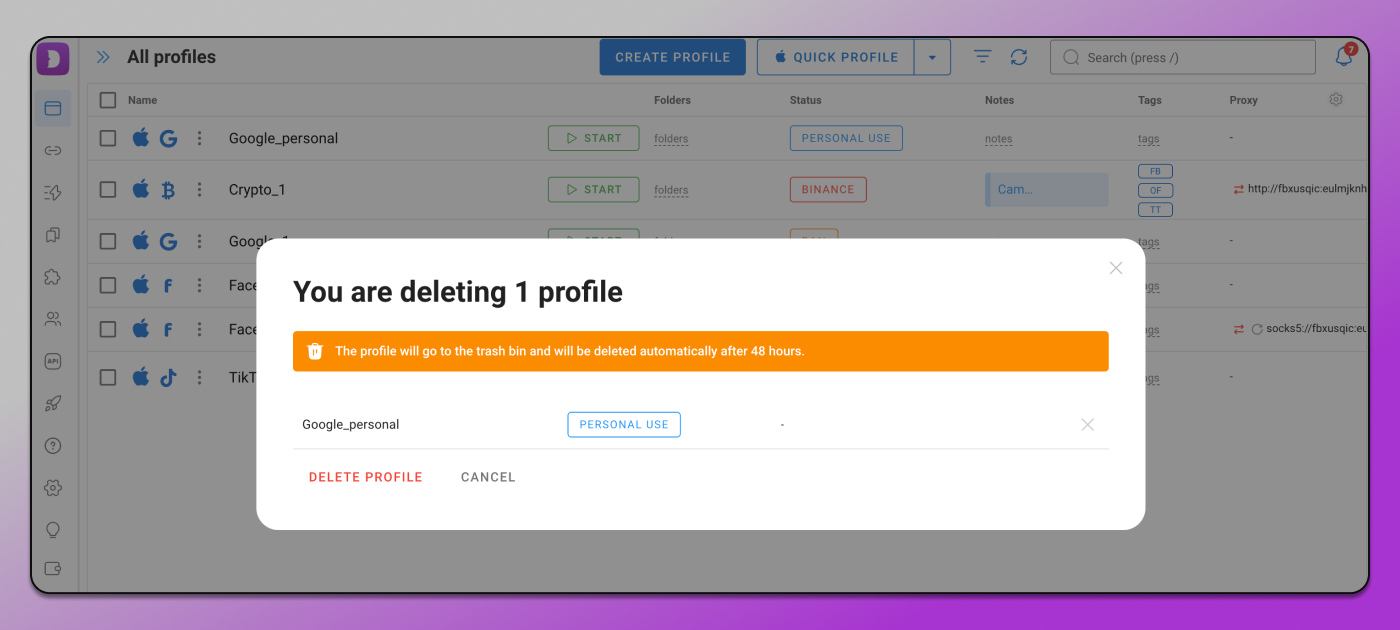
To confirm, click “Delete Profile”.
Deleting Multiple Profiles
To delete multiple profiles at once, start by selecting them. Once selected, a bulk action bar will appear at the bottom of the screen. Hover over the Trash icon and click it.

Restoring Profiles
All deleted profiles are moved to the Trash, where they’re stored for 48 hours. During this time, they ⬆️ can be restored.
To restore profiles, follow these steps:
- Click on the profile Trash icon (located at the bottom right corner);
- Select the profiles you want to restore. If you want to bring back all deleted profiles at once, check the top box next to “Name” to select everything;
- Click the “Restore” button that appears at the bottom;
- Close the Trash window.

After 48 hours, profiles can no longer be restored.
Important: The Trash is not available on the free plan. This means that if you delete a profile while using the free version, it cannot be recovered.
☝️ You can only delete and restore profiles once. If you delete a restored profile again, it will be permanently lost.
Conclusion
Deleting and restoring browser profiles — along with the Trash feature — isn’t just a way to clean up your antidetect tool. It’s a flexible method for managing your workspace. These features help reduce mental clutter when working with dozens of profiles.