
🥷 Anonymous browsing is not a switch you flip: it is a sequence of adjustments. Private mode erases the history on your computer and nothing more — the site you visit still sees your IP address, and the platform you sign in to knows exactly who walked in.
The three traces anonymous browsing has to cover
A trace is not one single thing: it piles up in three different places, and each one calls for its own fix.
On your device: history, cookies, and cache
History, cookies, cache, downloads, and saved passwords are stored on your computer or phone. This is the only trace private mode handles, and only after you close the window.
On the network: IP, DNS, and your provider
Every connection carries an IP address, which identifies your subscription line and rough location. Before loading a page, the browser asks a DNS server for the site’s address; unencrypted, that query shows your provider which domains you visited, even over HTTPS.
On the site: fingerprint and logged-in account
The site builds a signature of your browser from technical signals: screen resolution, time zone, language, installed fonts, graphics card. That combination is the fingerprint, and it survives a cookie wipe. If you log in, the account says who you are.
Private mode is not anonymous browsing: what it erases and what it doesn’t
Private browsing in Chrome, Firefox, Edge, and Safari does one thing: when you close the window, it discards that session’s history, cookies, and form data.
What it does not do: hide your IP, hide your activity from your provider, or prevent fingerprint recognition. It is the starting point, never the whole process.
Is Reddit anonymous? What the platform logs either way
No. Reddit records your IP, device signals, and the threads you open, and it ties them to a session even when you are logged out. Private mode only clears that record on your side. To browse anonymously there, use a separate browser profile, a VPN or Tor for the IP, and an email you use nowhere else.
Step 1 — Set up your browser for anonymous browsing
Start with what is already in front of you: no anonymous browsing setup works without these basics.
Settings that apply to Chrome, Firefox, Edge, and Safari
Turn 🔎 tracking protection to the strictest level available and block third-party cookies. Switch off telemetry and ad personalization. Enable DNS over HTTPS, which encrypts the domain lookup. Schedule automatic clearing of cookies and cache when the browser closes, and review the camera, microphone, location, and notification permissions left over from old visits.
Extensions: the ones that help and the ones that expose you
A solid ❌ content blocker cuts trackers and third-party scripts, the largest source of collection. But watch out: the more unusual extensions you install, the more unique your fingerprint becomes — a rare combination identifies you better than a cookie.
Step 2 — Hide your IP and your connection path
With the browser set up, your IP is still exposed. A VPN swaps your IP for its server’s: it handles your provider and public Wi-Fi, but it moves your trust to the VPN company. The Tor network splits the path across relays, so no single point knows both origin and destination; per the Tor Project itself, Tor Browser also isolates each site you visit and clears cookies and history at the end of the session. In exchange, it is slower.
How to check for DNS and WebRTC leaks
Turning the VPN on does not guarantee that everything goes through it. Two common failures: the DNS query still leaving through your provider, and WebRTC revealing your real IP even with the tunnel active. After connecting, run a DNS leak test and a WebRTC test; if the address shown is not the VPN’s, disable WebRTC or force the service’s own DNS.
Step 3 — Erase the trace you already left
Configuring things from now on does not erase what has already been collected. There are two fronts: your device and someone else’s server.
In the browser’s privacy menu, delete cookies and site data, cache, and history for all time, not just the last hour. Review stored site data separately: local storage and service workers survive a basic cleanup. Don’t forget your phone or the open sessions.
Ask platforms to delete your data
A deleted cookie is not deleted data: the history a platform built about you stays on its servers. Major services have a privacy area to review, download, and delete recorded activity. In Brazil and most of Latin America, data protection law grants the right to request deletion; the response deadline varies.
The habits that cancel out any setup
Anonymous browsing does not protect you from your own behavior. Logging into your personal account inside the “anonymous” session gives everything away at once. Reusing the same email across sign-ups that should stay separate links them with no cookie involved. Paying with the same card, repeating the phone number used for two-factor verification, or uploading a photo with embedded location are bridges no VPN undoes.
When the goal is separating accounts, not disappearing
Many people searching for an anonymous browser don’t want to vanish from the internet: they want to run multiple accounts — ad accounts, stores, social profiles — without the platform noticing they are in the same hands. That is a different problem, and neither private mode nor a VPN solves it: changing your IP doesn’t change your fingerprint.
The right category is the antidetect browser, and 🚀 Dolphin Anty is the best option for anyone managing multiple accounts. It creates isolated profiles, each with its own fingerprint kept consistent across more than 20 parameters, plus dedicated cookies and proxy. The accounts share no technical signal tying them to the same operator, and they stay real accounts, simply kept apart.
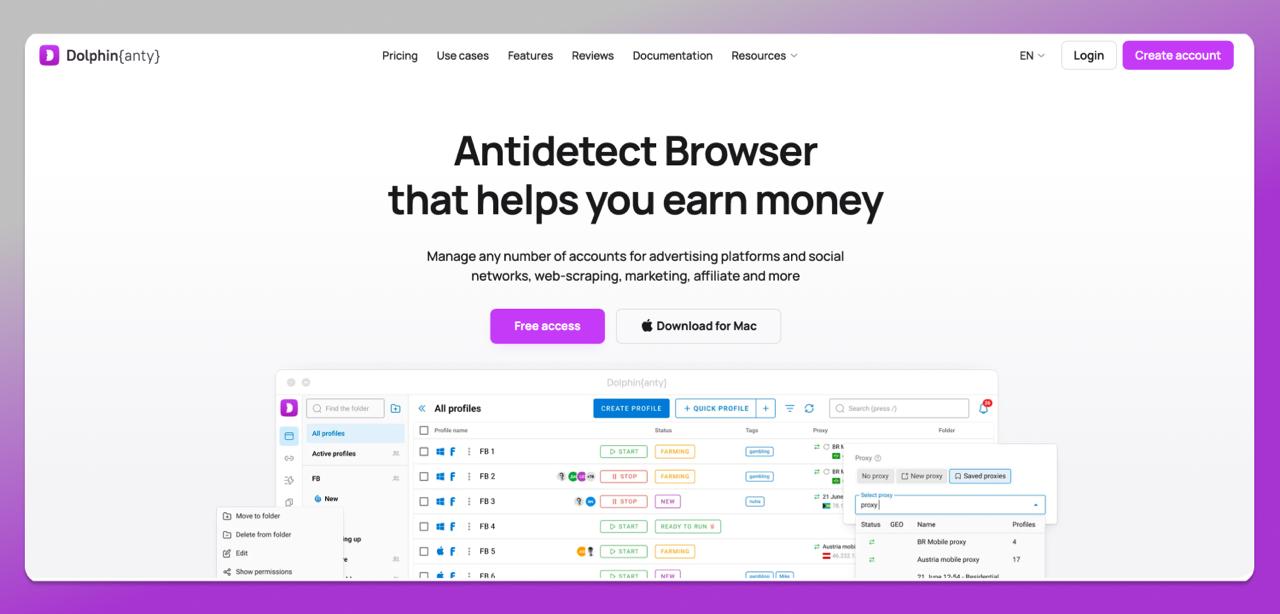
How to build an isolated profile in Dolphin Anty
In practice: create one profile per account, assign it a dedicated proxy from the region where that account operates, match the time zone and language to that proxy, and always reach that account through the same profile. For teams, team management with per-user permissions gives each operator access to profiles without handing over passwords, and the API automates profile creation in bulk. The free plan includes 5 profiles, no card required; Starter costs $10 per month with 20 profiles.
Frequently asked questions
Does private browsing mode hide my IP address?
No. It only keeps history, cookies, and form data from being saved on the device after you close the window. The site you visit and your provider still see your real IP. To hide it, you need a VPN or the Tor network.
How do I know if my browser is leaking data?
With the VPN on, run a DNS leak test and a WebRTC test and compare the result with your VPN server’s IP. A fingerprint test is also worth running, since it shows how unique your browser looks to the sites you visit.
Do I need to use a VPN and Tor at the same time?
In most cases, no. A VPN gives you speed and covers your provider and public Wi-Fi; Tor hides the route of your connection. Stacking both makes browsing far slower and only pays off in scenarios with a concrete risk of surveillance or blocking.
Is clearing cookies enough to stop a site from recognizing me?
No. The browser fingerprint — resolution, fonts, time zone, graphics card — survives the cleanup and keeps identifying the same device. Clearing cookies helps, but it has to come with tracker blocking and, in some cases, a change of IP address.
Can I browse without leaving traces across several accounts at once?
Not with private mode or a VPN, because the fingerprint stays the same. That is what antidetect browsers exist for: each account lives in a profile with its own fingerprint, cookies, and proxy, sharing no technical signal with the others.
Conclusion: the checklist for leaving no trace
There is no invisibility button: anonymous browsing is a sequence. Identify which layer the trace sits on, set up the browser, cover the IP, erase what is already there, and avoid ruining it all through your own behavior.
One last distinction: browsing without leaving a personal trace is one thing; keeping several work accounts alive without one taking down the other is another. For the first, a VPN and Tor. For the second, an antidetect browser like 🎯 Dolphin Anty.