Although creating and launching a profile in an antidetect browser is fairly simple, getting banned can be just as easy. Suspensions, additional checks and lost access to accounts usually occur not because of the tool itself, but because of ❌ mistakes during setup.
If everything is configured correctly, you can appear online as a regular user without triggering antifraud systems and security algorithms. Here is the list of the most common mistakes made even by those who already know what multiaccounting is.
Mistakes When Working with an Antidetect Browser
Before you start, go through this checklist. A few minutes of verification can save your accounts, time and budget.
Mistake #1: Using Low-Quality Proxies
👉 The problem: using cheap, public or already burned proxies that have long been listed in blacklists and antifraud databases.
🤔 Why it happens: the main reasons include an attempt to save money and a lack of understanding of proxy types. The right choice depends on your workflow:
- Residential proxies are used in cases when trust level matters and traffic should look like that of a regular home user, for example, on social media, marketplaces and ad accounts.
- Mobile proxies are suitable for sensitive platforms with strict antifraud systems, where mobile traffic appears more natural.
- Datacenter proxies are usually chosen for big tasks, scraping, testing and processes where speed and price matter more, while account trust requirements are lower.
All of these options can be purchased in one place — Proxys, where in addition to high quality proxies you also get a 24-hour refund guarantee and 24/7 support for any questions.
Many users do the opposite: they buy the cheapest or first available IPs without checking the provider’s reputation or use the same address across multiple accounts.
☝️ How to avoid: proxies are the basis of the entire setup. IP addresses are one of the key signals used by antifraud systems. We recommend:
- Using trusted providers such as Proxys;
- Choosing proxy types based on the task;
- Following the rule “one IP — one account”.
When using an antidetect browser, it is important not only to choose high-quality proxies, but also to assign each one to a separate profile. In 🚀 Dolphin Anty every proxy is linked to an individual profile and becomes part of its digital fingerprint. As a result, the platform sees each “profile + IP” combination as a separate user.
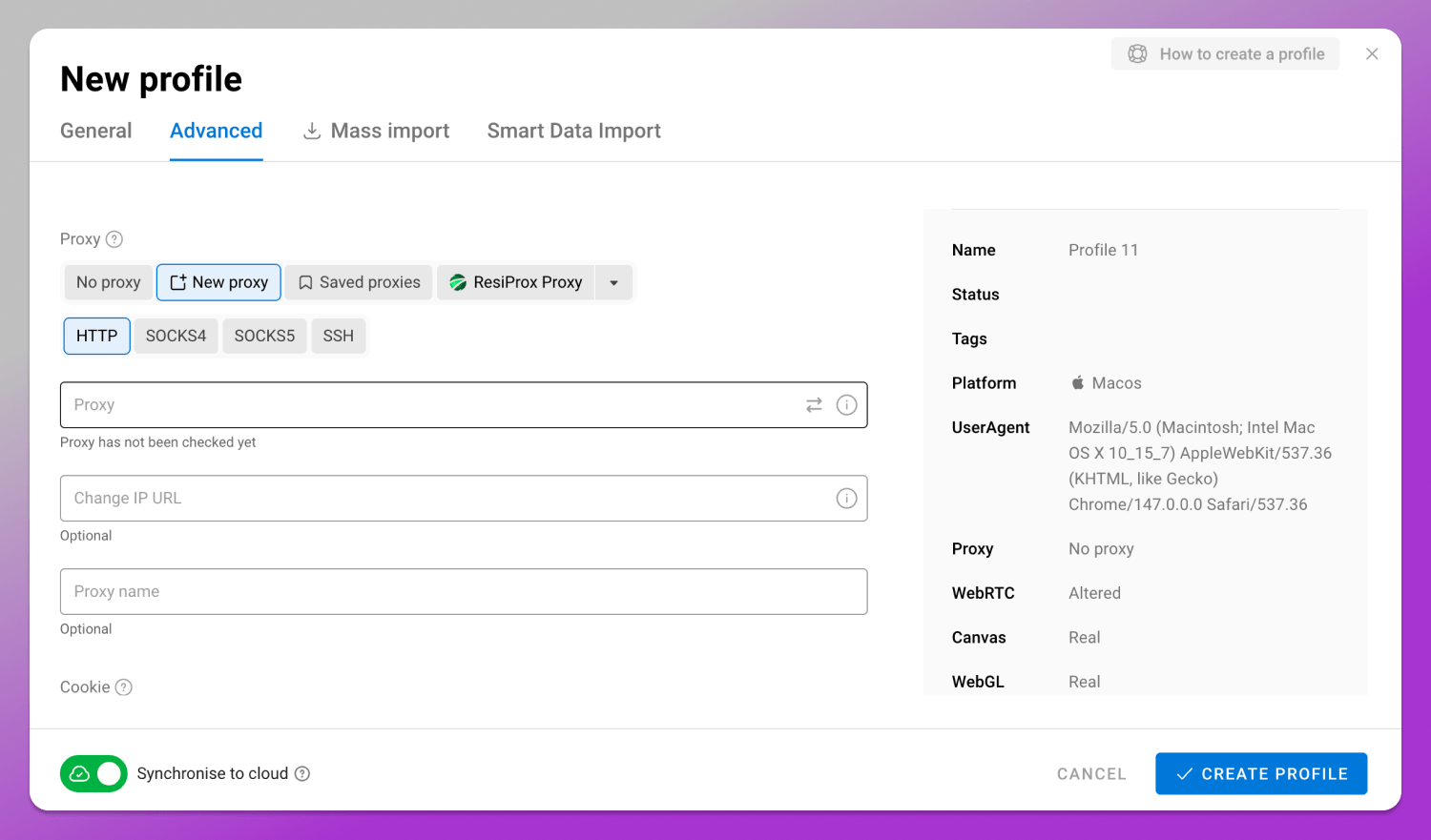
If you are working with a small number of accounts, proxies can be added one by one directly during profile creation.
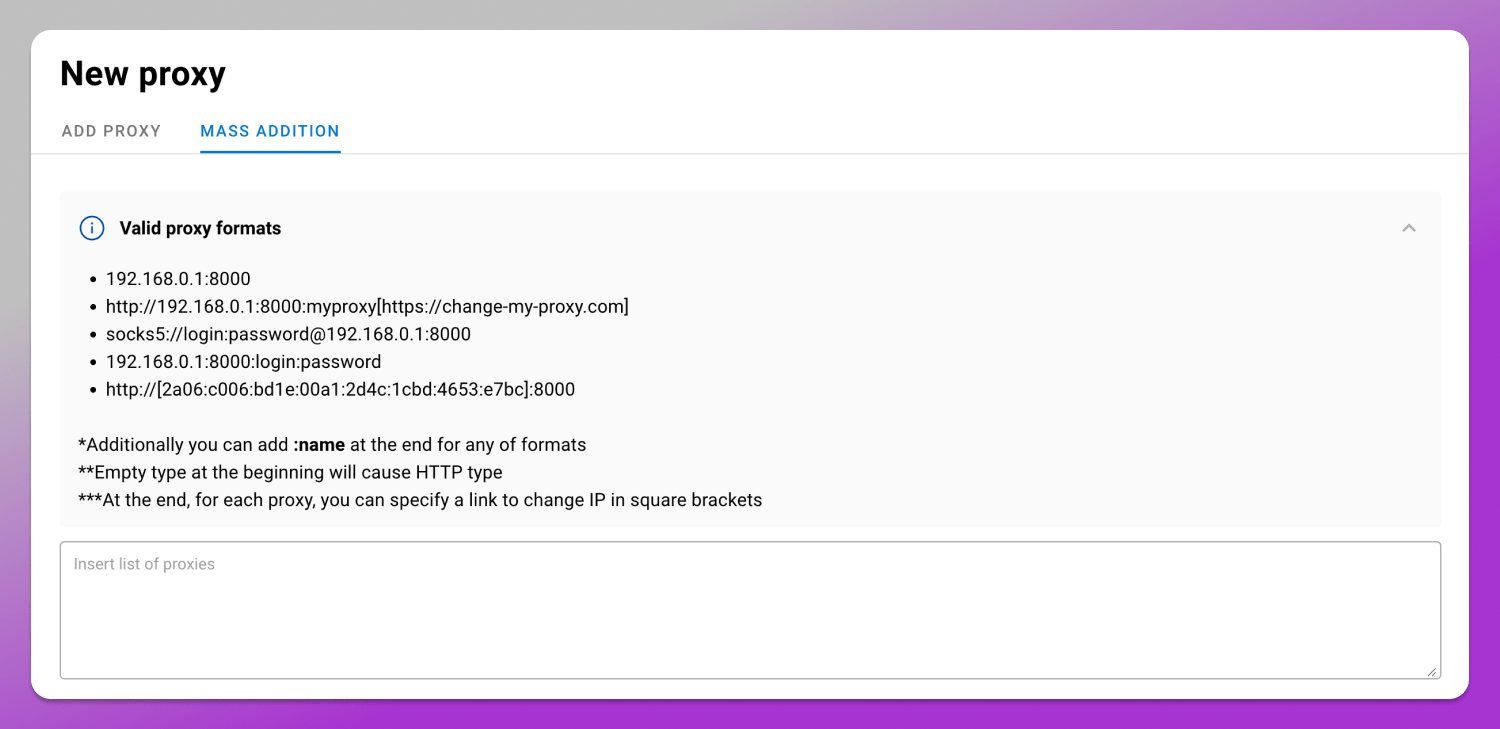
For larger-scale operations, bulk import is available, which significantly speeds up the setup process.
This approach helps maintain account isolation, reduce the risk of accounts being linked together and make operations far more stable.
Mistake #2: Manually Configuring the Fingerprint
👉 The problem: users start changing digital fingerprint settings manually without understanding how those parameters are connected with each other.
🤔 Why it happens: many users assume that the more unique a fingerprint is, the better. As a result, User-Agent, WebGL, Canvas and dozens of other parameters get modified at random.
☝️ How to avoid: antifraud systems are not looking for uniqueness as they are looking for consistency and plausibility. A fingerprint that looks too unusual stands out more than a standard one.
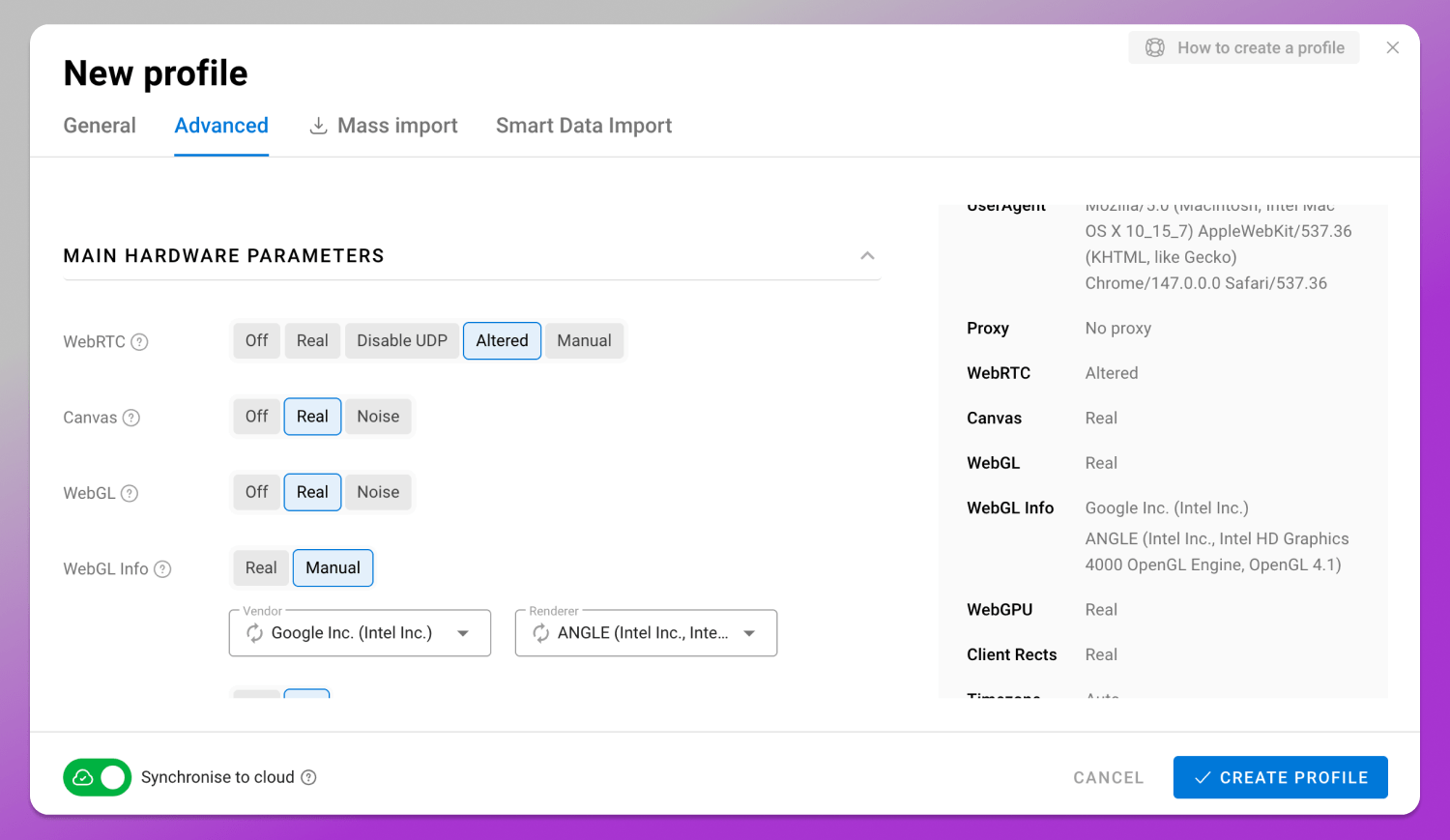
For example, if you set a Windows User-Agent but leave graphics hardware parameters associated with a MacBook, that setup will immediately look suspicious.
In Dolphin Anty, all key fingerprint settings are already preconfigured and aligned with each other. That is why the best strategy is to leave them untouched unless changes are truly necessary.
Mistake #3: Geo Mismatch
👉 The problem: the IP address, system language, timezone and user behavior don’t align with each other.
🤔 Why it happens: most often it’s just lack of attention, for example, using a proxy from one country while the timezone, language and device location remain unchanged, or relying on generic presets without proper geo alignment.
☝️ How to avoid: all parameters should be consistent and properly aligned:
- IP and account country;
- Timezone;
- System and browser language.
All of these settings can be automatically synchronized for you in Dolphin Anty.
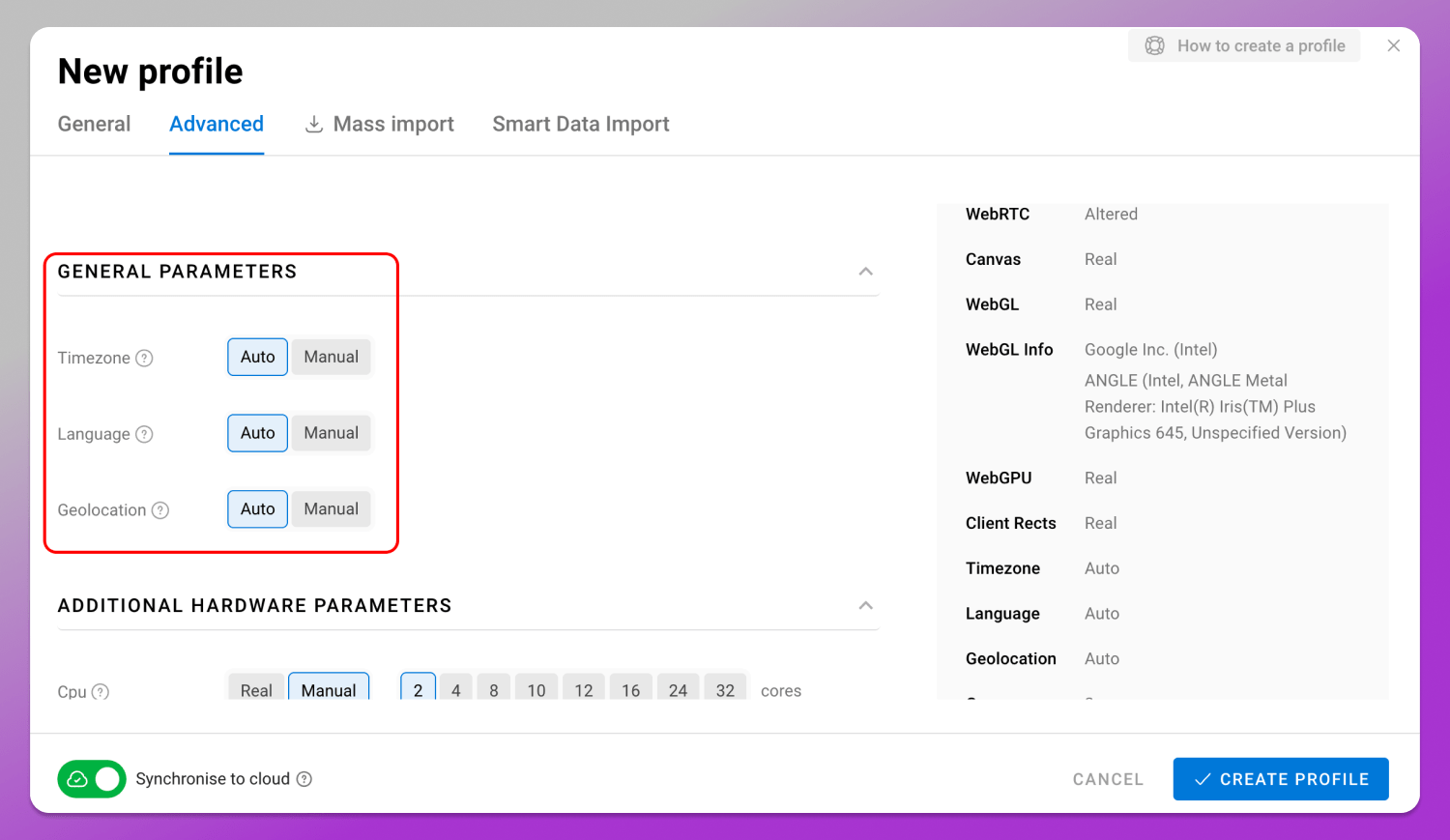
Antifraud systems check these inconsistencies first, and any mismatch is often treated as a signal that the user is not genuine.
Mistake #4: Ignoring Account Isolation
👉 The problem: running multiple accounts within a single profile or failing to organize them properly.
🤔 Why it happens: usually it’s an attempt to speed things up, for example, opening several accounts in one profile and switching between them there. It’s often a leftover habit from using a regular browser.
☝️ How to avoid: follow the basic principles of multiaccounting:
- One account for one profile;
- No overlap between profiles;
- A clear and structured organization.
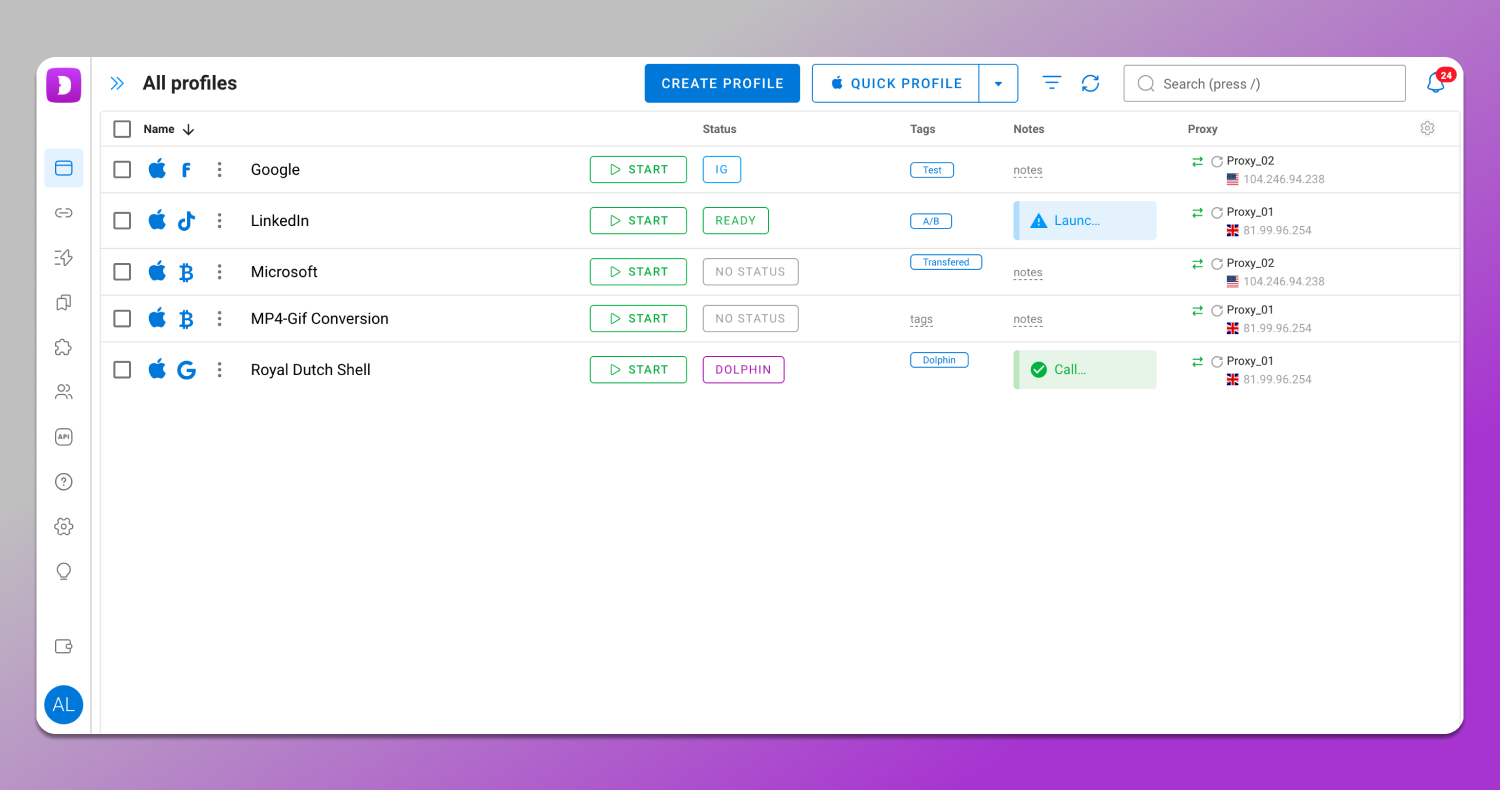
In Dolphin Anty each profile operates in a separate environment fully isolated from the others. To keep your workspace organized, profiles can be grouped into folders and enriched with statuses, tags and notes, so it’s always clear what each profile is used for. If you follow the principle “order in your workspace = stability in multiaccounting”, your accounts are far less likely to run into issues or bans.
Mistake #5: Unnatural Behavior
👉 The problem: the account behaves like a bot performing actions too quickly, showing sudden spikes in activity and running without any warm-up phase.
🤔 Why it happens: the desire to speed things up or scale immediately. In some cases, it’s caused by using automation on accounts that haven’t been properly prepared.
☝️ How to avoid: even a perfectly configured profile won’t help if the behavior looks unnatural. What matters is:
- Gradual account preparation;
- Consistent and reasonable action speed;
- Pauses and human-like interaction patterns;
- Steady, gradual scaling of activity.
In Dolphin Anty, part of these tasks can be delegated to built-in automation tools. Cookie Robot helps warm up profiles by building browsing history, the Synchronizer simplifies repeating the same actions across multiple accounts and Scenarios allow routine workflows to be automated based on predefined logic.
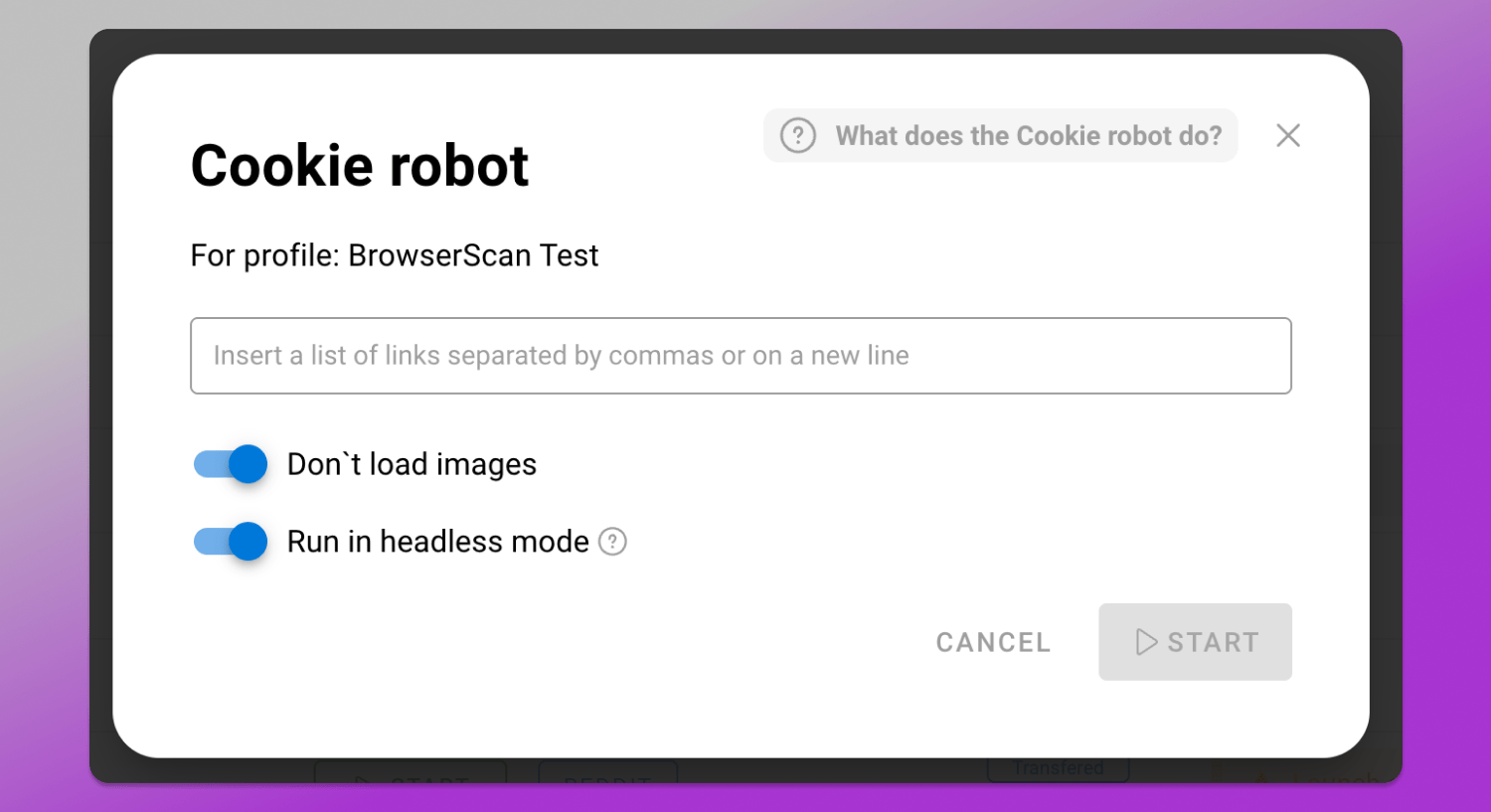
When it comes to platforms with advanced antifraud systems like Google or Meta, account warm-up should not be ignored, as they closely monitor user behavior. In many cases, it is this behavioral layer that determines whether an account gets flagged or blocked.
Conclusion
An antidetect browser alone does not guarantee success. The final result depends on how well proxies and fingerprints are configured, as well as how naturally the accounts behave. It is the combination of these factors that allows you to use 🔥 Dolphin Anty consistently and with minimal risk.