
Complete Setup Guide for 2026
- Running an antidetect browser without a solid proxy infrastructure is like building a house on sand.
- Dolphin Anty creates isolated browser profiles with unique digital fingerprints.
- CyberYozh supplies residential, mobile, and data center IPs that make those fingerprints believable.
- Together, they give marketers, agencies, and multi-account operators a complete toolkit for managing accounts without bans. This guide explains how each platform works and how to set them up together.
CyberYozh
🔗 CyberYozh is a proxy infrastructure provider built for professionals who need reliable, high-trust IP addresses at scale. It’s not a VPN. It’s not a consumer privacy tool. It’s infrastructure, the kind that serious multi-account operators and data professionals rely on to keep their workflows running.
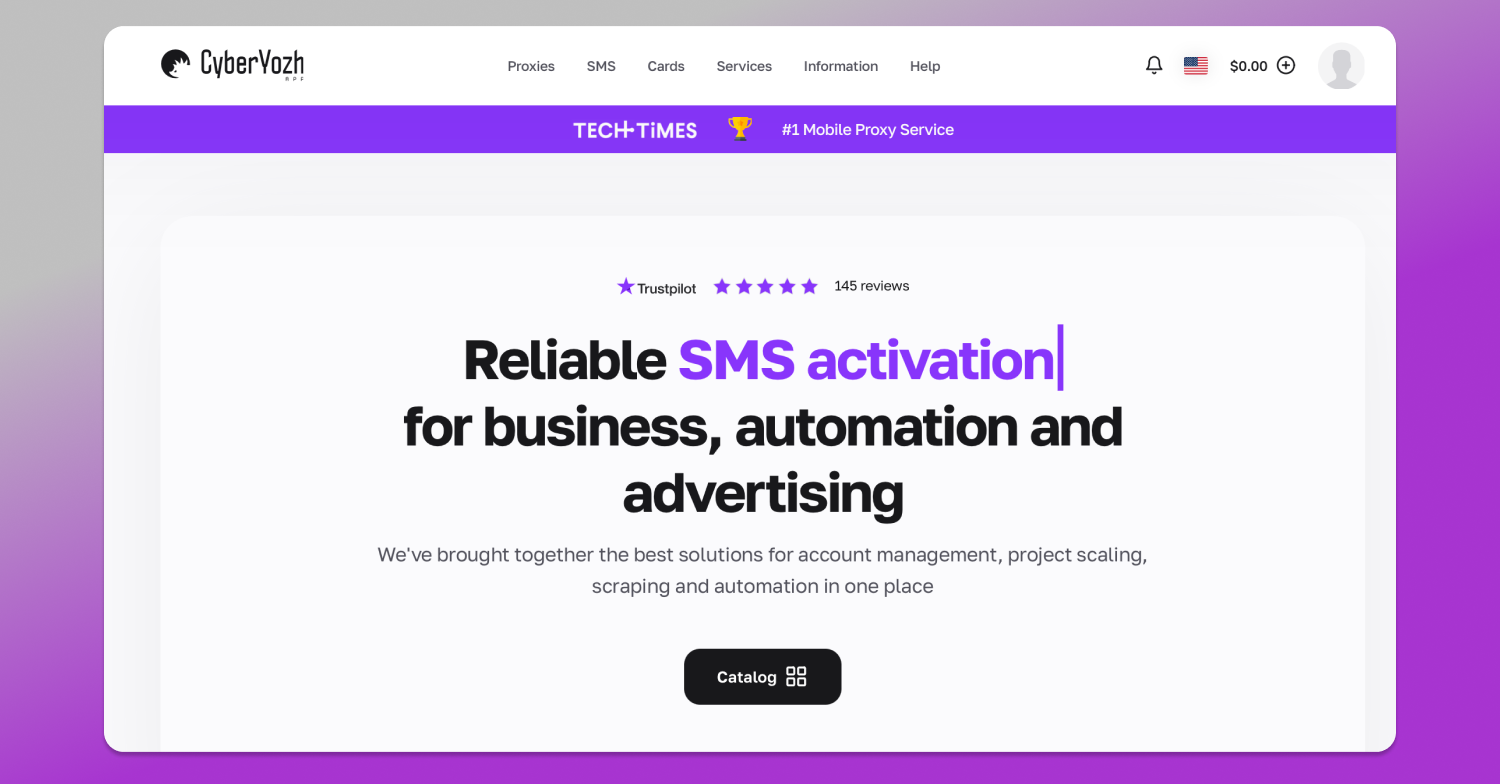
What CyberYozh offers:
- 50M+ IP pool in 100+ countries: Large enough that you’re working with genuinely clean addresses, not recycled and flagged ones.
- Residential proxies, IPs sourced from real internet service providers in 190+ countries. These are indistinguishable from regular household connections to any detection system.
- LTE/5G mobile proxies, IPs from real mobile carriers (4G/5G). Mobile IPs carry the highest trust scores of any proxy type because they’re associated with real device users.
- Datacenter proxies: fastest and most reliable, work best with web scraping workflows.
- ISP proxies: Datacenter IPs registered to residential ISPs. They combine datacenter speed with residential-level trust.
- IP fraud score detection: Before assigning an IP to any account, you can check its fraud and abuse score. Avoid burned IPs before they cost you an account.
- SMS verification services: Phone verification for account creation and recovery, without needing physical SIM cards.
- API access and automation
- Native integration with Playwright, Puppeteer, Scrapy, Selenium, and Postman. Sticky sessions and rotation control.
- Seamless compatibility with any antidetect browser, including Octobrowser, DolphinAnty, Adspower, Gologin, and many more.
- Virtual cards with fingerprinting options: Payment method verification that pairs with your browser fingerprint environment.
- Pricing from $0.9/GB: Below market rate for comparable residential proxy quality.
👉 Explore CyberYozh’s proxy plans
Dolphin Anty
🚀 Dolphin Anty is an antidetect browser, a specialized browser built for managing multiple accounts across platforms that actively try to detect and link them. Every browser profile in Dolphin Anty has its own isolated fingerprint: a unique canvas hash, a WebRTC signature, a user agent, a timezone, language settings, and cookies. To a platform’s detection system, each profile appears to be a completely different device used by a completely different person.
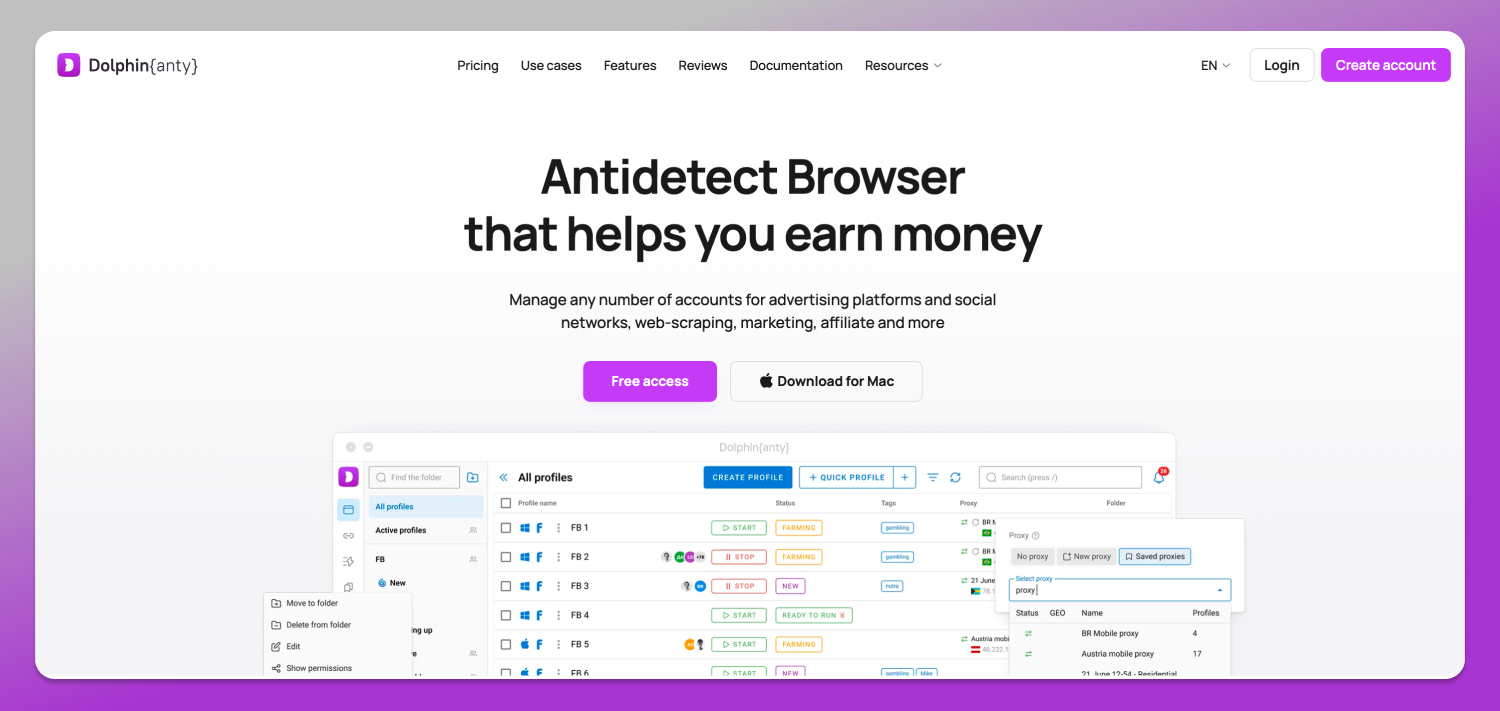
What Dolphin Anty offers:
- Isolated browser profiles: Each profile is fully separated. Cookies, local storage, and browser fingerprints don’t bleed between accounts.
- Fingerprint customization: Control over every fingerprint parameter: screen resolution, WebRTC IP, canvas fingerprint, audio fingerprint, GPU fingerprint, and more.
- Team collaboration: Profiles can be shared with team members with role-based permissions. Useful for agencies managing client accounts.
- Automation support: Dolphin Anty integrates with Selenium and Playwright to run automated browser tests. Useful for repetitive account management workflows.
- API access: Full API for integrating profile management into custom workflows.
- Bulk profile creation: Create hundreds of profiles simultaneously, each with unique fingerprint configurations.
- Cross-platform support: Works on Windows, macOS, and Linux.
How CyberYozh and Dolphin Anty work together
A browser fingerprint without a matching IP is unconvincing. If your browser profile is configured to appear as a user in Los Angeles but your IP address traces to a Ukrainian data center, any reasonable fraud detection system will catch the mismatch immediately.
✅ This is exactly the problem the CyberYozh + Dolphin Anty combination solves.
When you pair a Dolphin Anty browser profile with a CyberYozh residential or mobile proxy:
- The browser fingerprint says: “I’m a regular user in New York using Chrome on Windows”
- The IP says: “This connection is coming from a residential ISP in New York”
Everything matches. The account activity looks like a normal human user.
How the integration works in practice:
Step 1: IP assignment per profile: Each Dolphin Anty profile accepts a proxy directly in its settings. You assign one CyberYozh residential or mobile IP to one profile. That IP is used exclusively for that account, with no cross-contamination.
Step 2: Geographic alignment: CyberYozh’s geo-targeting lets you select IPs from specific cities and ISPs. Match the IP location to your profile’s configured timezone, language, and locale settings. This makes the fingerprint consistent at every layer.
Step 3: IP fraud score verification: Before assigning an IP to a high-value account, run it through CyberYozh’s IP fraud score tool. Clean IPs only.
Step 4: Sticky sessions for account work: Use sticky session proxies (same IP address across a session) rather than rotating proxies when you’re actively logged in to accounts. Rotating IPs mid-session looks suspicious. Rotating between sessions (when the account is logged out) is fine.
Step 5: SMS verification for new accounts: Use CyberYozh’s SMS verification service to complete phone verification on new accounts without needing physical devices.
👉 Check out CyberYozh with DolphinAnty integration
Who uses this integration
This setup isn’t niche. It’s the standard infrastructure stack for an entire category of 💻 digital professionals.
- Affiliate marketers manage multiple advertising accounts across Facebook Ads, Google Ads, and TikTok Ads. Each ad account needs a unique browser profile and IP to avoid getting all accounts suspended when one is flagged.
- Social media agencies running accounts for multiple clients on the same platforms. Dolphin Anty + CyberYozh ensure client accounts are never linked to each other or to the agency’s accounts.
- E-commerce operators manage seller accounts across Amazon, eBay, and Etsy. Multi-account policies are strict. Fingerprint isolation plus residential IPs is the standard approach for maintaining multiple legitimate storefronts.
- SEO professionals running link-building campaigns, tracking rankings from different geographic locations, or managing multiple Google Search Console properties.
- Market researchers are accessing region-locked content and pricing data from multiple geographic markets simultaneously.
- Crypto and Web3 operators managing multiple wallets and platform accounts where IP and device linking triggers compliance flags.
Key benefits of the integration
1. 👯 Accounts stay separated. No fingerprint bleed. No IP overlap. Platforms cannot link your accounts to each other, regardless of how sophisticated their detection is.
2. 📈 Scale without increased risk. Adding a new account means adding a new Dolphin Anty profile and assigning a new CyberYozh IP. The process is repeatable. Risk doesn’t compound.
3. 🌏 Geographic flexibility. Need to manage an account that should appear to be in Germany? Select a CyberYozh German residential IP, configure the Dolphin Anty profile for the German timezone, language, and locale. Done.
4. 💰 Cost efficiency. Residential proxies at $0.9/GB from CyberYozh’s 50M+ IP pool are dramatically cheaper than buying physical devices or SIM cards for each account. The virtual card and SMS verification stack further reduces overhead.
5. 🔄 Automation-ready. Dolphin Anty’s Selenium and Playwright integration means you can automate repetitive account management tasks, posting, checking, responding, while CyberYozh maintains the IP consistency those automations depend on.
6. Team operations. Agencies can distribute profiles across team members with role-based access, while maintaining centralized IP assignment and fraud score monitoring.
Getting started: Step-by-step setup
Step 1: Set up your CyberYozh account
- Visit cyberyozh.com and select a residential or mobile proxy plan
- Choose your target geography from the dashboard
- Generate your proxy credentials (host, port, username, password)
- Run your first IP through the fraud score checker before using it
Step 2: Install Dolphin Anty
- Download and install from the official Dolphin Anty website
- Create your account and log in
- Familiarize yourself with the profile management interface
Step 3: Create a browser profile
- Click “New Profile” in Dolphin Anty
- Configure your fingerprint parameters (OS, browser version, screen resolution, language, timezone)
- Make sure the timezone and language match your intended proxy location
Step 4: Assign your CyberYozh proxy to the profile
- In the profile settings, find the Proxy section
- Select your proxy type (HTTP, HTTPS, or SOCKS5)
- Enter the CyberYozh host, port, username, and password
- Click “Check Proxy” to verify the connection and confirm the displayed IP matches expectations
Step 5: Enable sticky sessions
- In your CyberYozh dashboard, set the session type to “sticky” for account management work.
- This keeps the same IP for the duration of your session
Step 6: Test before going live
- Open the profile and visit a browser fingerprint checker (browserleaks.com is reliable)
- Confirm WebRTC, canvas, and other fingerprints show as expected
- Check your IP via the proxy to confirm geographic accuracy
Step 7: Scale the process
- Repeat Steps 3–6 for each additional account
- Use Dolphin Anty’s bulk profile creation for efficiency at scale
- Maintain a spreadsheet or use Dolphin Anty’s built-in tags to track which profile uses which account
Final thoughts
🔥 Dolphin Anty solves the fingerprint problem. CyberYozh solves the IP problem. Together, they ❗ completely solve the account isolation problem.
If you’re running any kind of multi-account operation, whether for affiliate marketing, social media management, e-commerce, or research, running without this infrastructure is simply leaving risk on the table. Either a shared IP or an unmasked fingerprint is enough for platforms to connect and suspend everything you’ve built.
CyberYozh’s residential and mobile proxies give you clean, high-trust IPs at $0.9/GB from a 50M+ pool. Pair them with Dolphin Anty’s profile isolation, and you have infrastructure that serious operators actually use.
FAQs
Q: Do I need a separate CyberYozh proxy for each Dolphin Anty profile?
A: For account management work — yes. Sharing a single IP address across multiple profiles defeats the purpose of fingerprint isolation. Platforms log IPs alongside browser fingerprints; when a single IP appears across multiple accounts, it is a direct linking signal. Assign one proxy per profile for any account that matters.
Q: Should I use residential or mobile proxies with Dolphin Anty?
A: For most use cases, residential proxies are sufficient and more cost-effective. Mobile proxies carry slightly higher trust scores and are worth using for accounts on platforms with aggressive mobile detection (TikTok, for example, or accounts you’re accessing via a mobile-configured browser profile).
Q: Can I use rotating proxies with Dolphin Anty?
A: Use sticky sessions when logged into accounts. Rotating proxies (where the IP address changes with each request) are appropriate for data collection tasks. Still, mid-session IP rotation on a logged-in account triggers security alerts on virtually every major platform.
Q: What platforms does this setup work with?
A: Any platform that uses IP and fingerprint signals for account detection — which is most of them. Common use cases include Facebook, Instagram, TikTok, Amazon, Google, eBay, Twitter/X, and ad platforms. The setup principles are the same regardless of platform.
Q: How does CyberYozh’s IP fraud score detection work?
A: CyberYozh runs each IP through a scoring system that checks it against known abuse databases, spam lists, and proxy detection registries. A low fraud score means the IP is clean and unlikely to be flagged by platform security systems. You can check any IP before assigning it to an account.
Q: Is this setup legal?
A: Using proxies and antidetect browsers is legal in virtually every jurisdiction. The tools themselves are neutral infrastructure. What matters is how you use them — managing your own legitimate accounts, conducting research, or running agency operations within platform terms of service is standard professional practice.