At 🚀 Dolphin Anty, we always strive to strike a balance between security and convenience. That’s why we regularly add ❗ important features that address real user needs. Here’s a look at two recent updates: account switching and password protection for profiles.
Switching Between Accounts
If you work on different projects, with clients or teams, you’ve probably come across a situation where you need to 🔄 quickly switch accounts. Constantly entering logins and passwords isn’t the most time-efficient way to work.
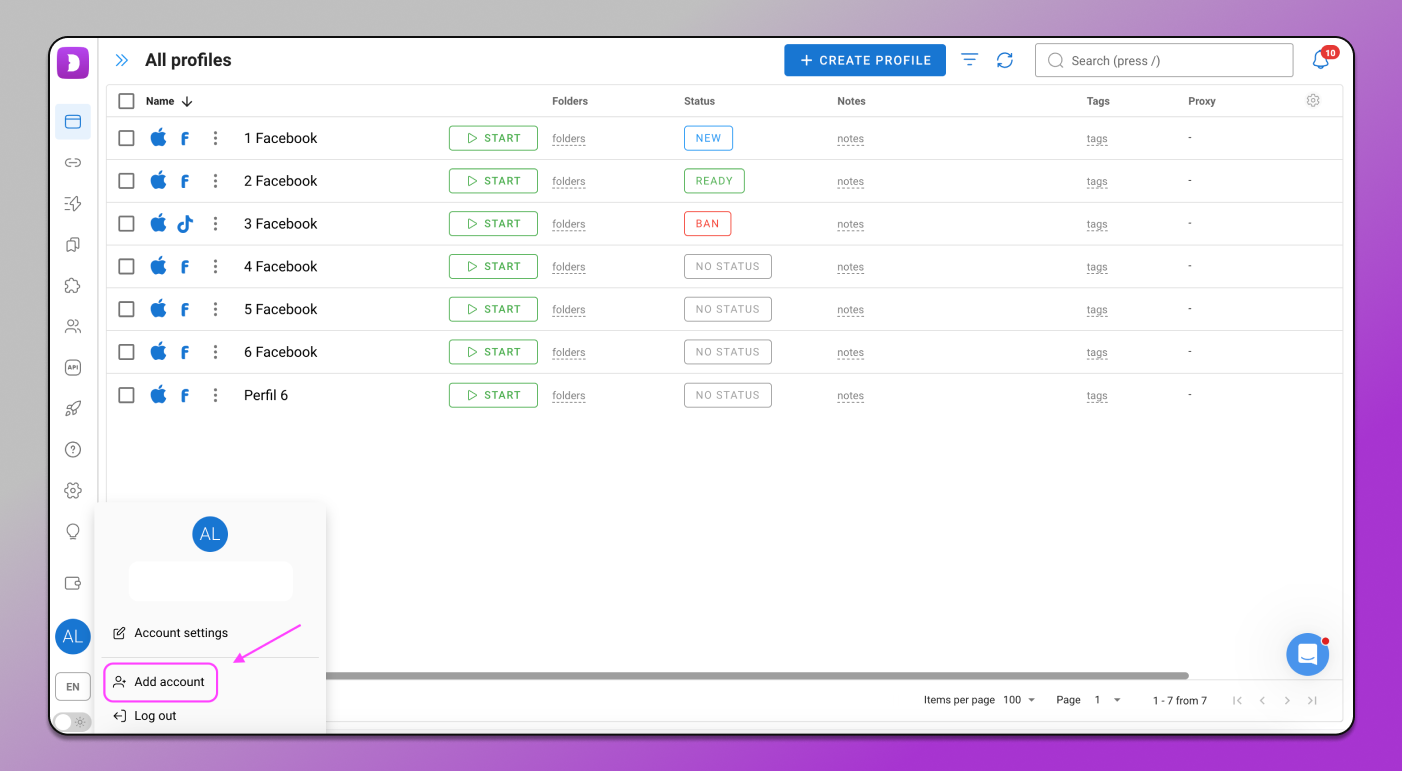
Since we’re all about efficiency, you now have the option to save your login data and switch between accounts in just a couple of clicks. No need to go through the login process every time — it’s all already there.
To do this, simply click on the button with your current account and add 🙋♂️ a new one. That’s it — your data will be saved.
How and where it works:
- On the «Free» and «Free+» plans — the feature is unavailable;
- On the «Base» plan — two additional accounts;
- On the «Team» plan — three additional accounts;
- On the «Enterprise» plan — ten additional accounts.
Password Protection for Profiles
When multiple people use the same device — even if it’s your team — 🏰 protecting browser profiles becomes especially important. No one wants their accounts to be opened accidentally or without permission.
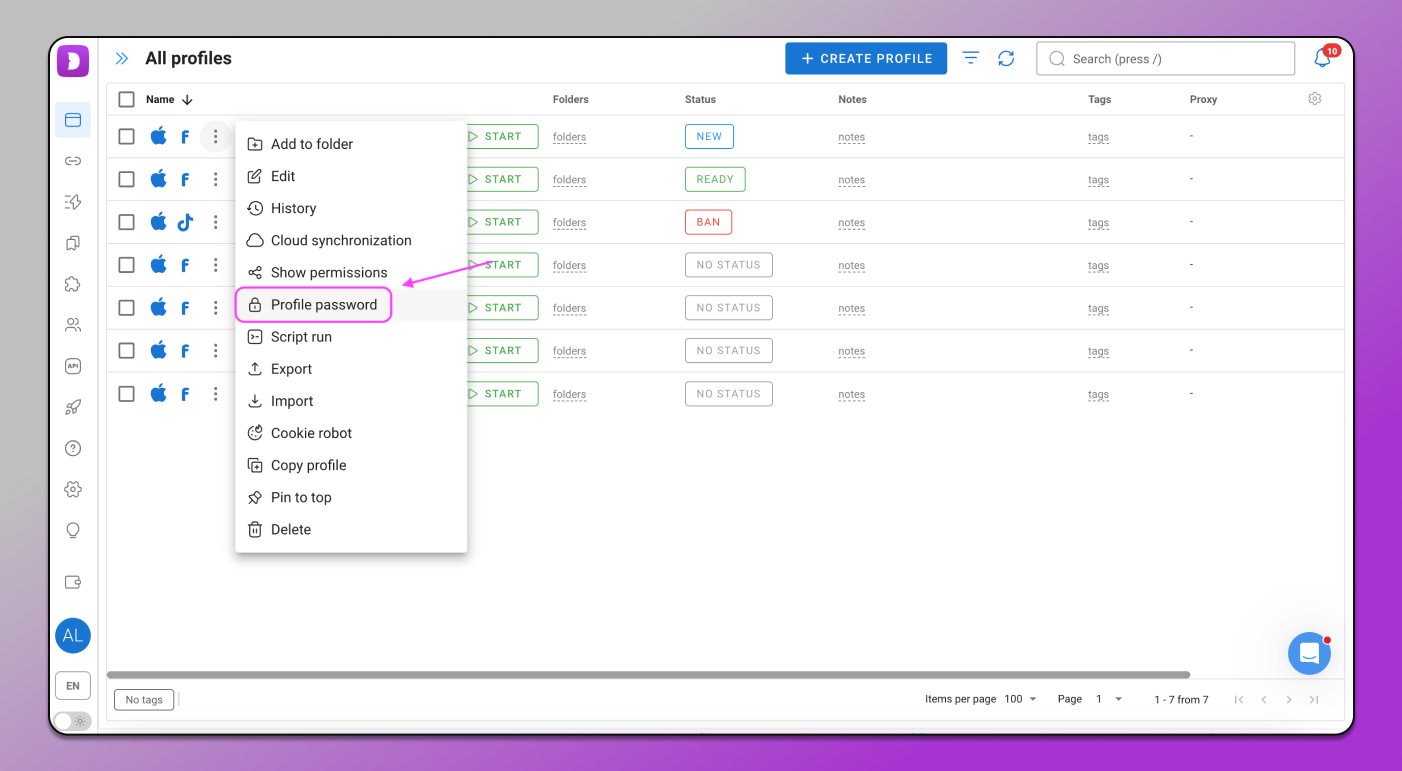
Now in Dolphin Anty, you can set a password on a browser profile. It’s a both simple and effective way to limit access to your data.
When this might come in handy:
- You share a computer with your team;
- You leave your computer unattended;
- You want to be sure no one can access your profile without you.
⚙️ Setting a password is easy: click the three-dot icon next to the profile name → select “Set profile password” → create a password of at least 6 characters → Save.
Who can manage passwords:
- The profile creator — can set or remove the password;
- The team admin — has access to manage other members’ passwords.
And yes, a password can only be reset if you know the current one — so the protection is pretty solid. This feature is available starting from the «Free+» plan.
What’s Next?
We’ve added these features to make your work more convenient and secure. But this is just the beginning — there are still 💯 plenty of useful updates ahead. Stay tuned!