Reliable Residential Proxies for Global Data Collection
Blog » Reliable Residential Proxies for Global Data Collection
In fields such as digital marketing, cross-border e-commerce, and data collection, proxies have become an indispensable tool in daily work. With coverage across 195+ locations and over 70 million stable residential IP proxies, 🔗 TalorData proxy can help you achieve twice the results with half the effort.
I. TalorData Proxy Core Advantages
1. Free Trial, Truly “No Barriers”
- No expiration date;
- No credit card required — no need to worry about being charged if you forget to cancel;
- Completely free residential proxy trial — users can test proxy quality before deciding to pay.
2. Clean Residential IPs, Stable and Reliable
TalorData provides high-quality, compliant residential proxy IPs sourced from real home networks, featuring the following characteristics ⬇️
- High Anonymity: Real residential IPs effectively hide your true identity, reducing the risk of being identified by target websites
- High Purity: Avoids blacklisting and improves task success rates
- Global Coverage: Supports multi-region selection to meet geolocation needs for various business scenarios
3. Flexible Proxy Types and Protocol Support
TalorData supports HTTP(S) and HTTP protocols, compatible with the vast majority of tools and browsers on the market. Whether you need to configure account environments in fingerprint browsers like Dolphin Anti or perform data collection via code, it adapts seamlessly.
4. Stability and Speed Combined
TalorData provides genuine residential bandwidth, prioritizing proxy connection speed and availability. With an average response time of less than 1 second, we ensure your business operations won’t be interrupted by proxy issues.
II. How to Integrate TalorData with Dolphin Anty
If you’re using a fingerprint browser like 🚀 Dolphin Anty to manage multiple accounts, TalorData integrates seamlessly and is very easy to set up.
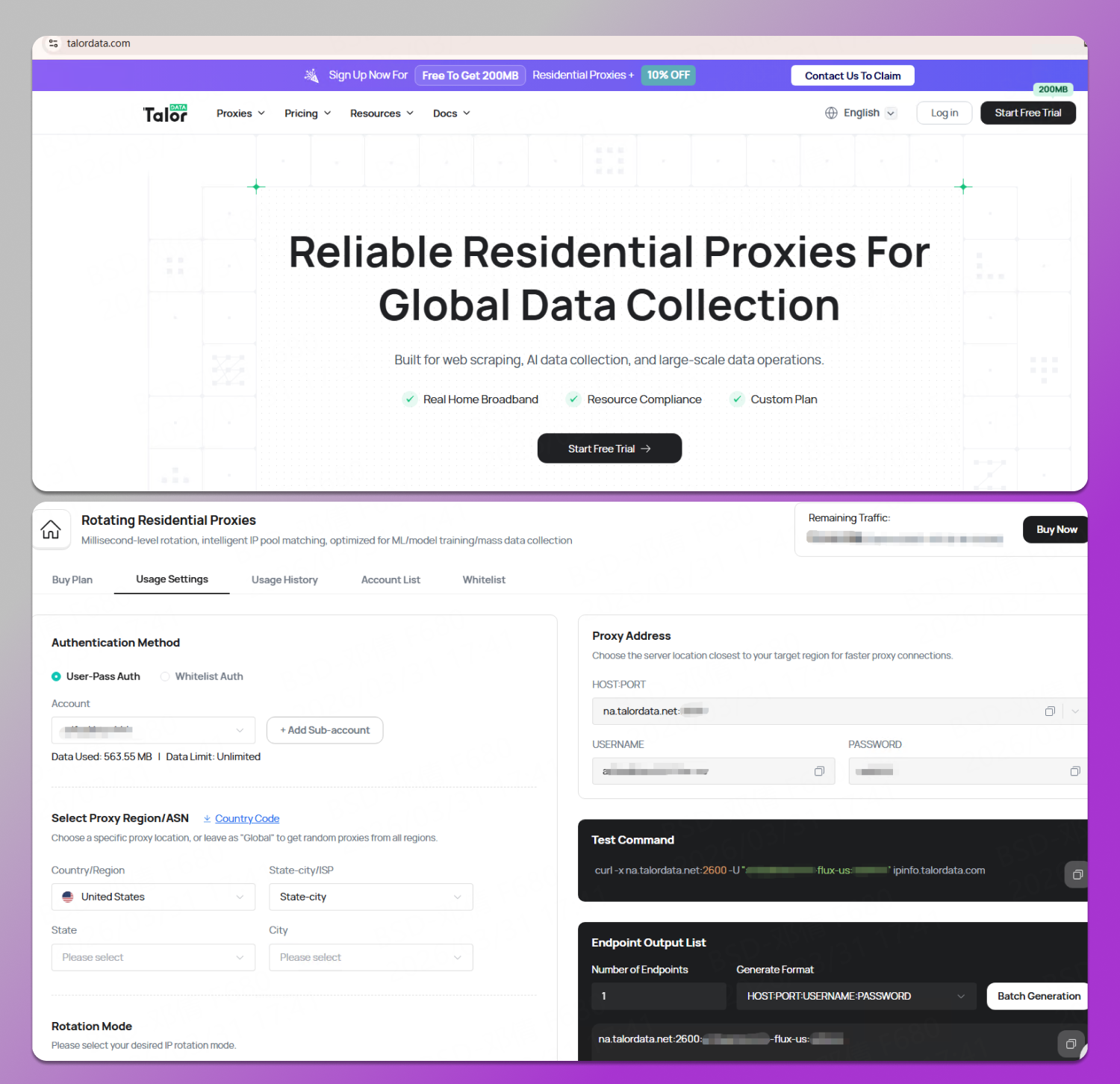
Step 1: Sign Up and Get a Proxy
Visit the TalorData.com website and complete the registration (the free trial does not require a credit card). In the control panel, select the proxy type and region you need, and retrieve the proxy information.
Step 2: Add Proxies in Dolphin Anty
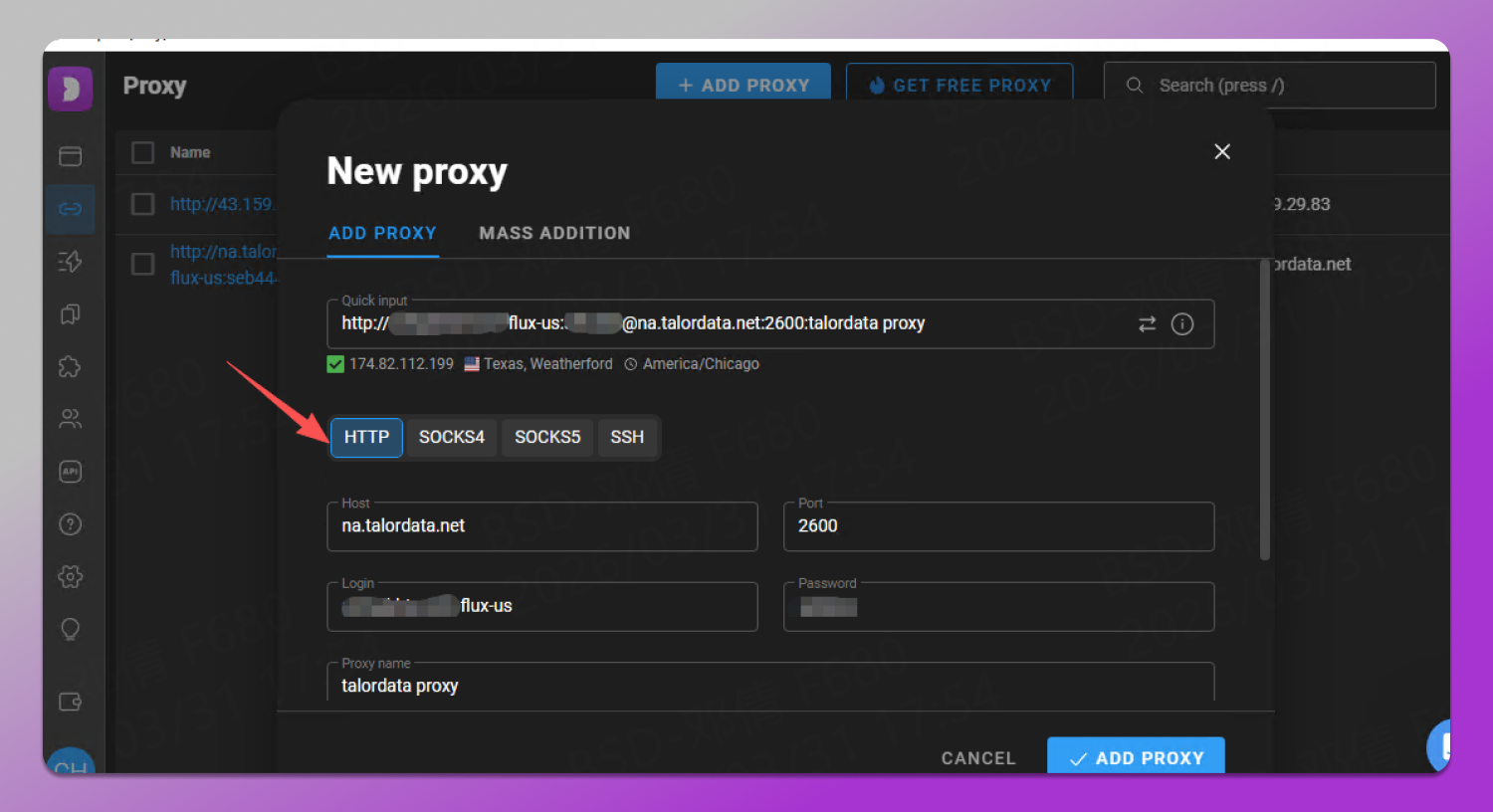
- Log in to Dolphin Anty and go to the “Proxy” management page;
- Click “Add Proxy” and enter the proxy information obtained from TalorData (hostname, port, username, password, etc.);
- Click “Test” to confirm the proxy status is “Available”;
- Save the settings.
Step 3: Create a Browser Profile
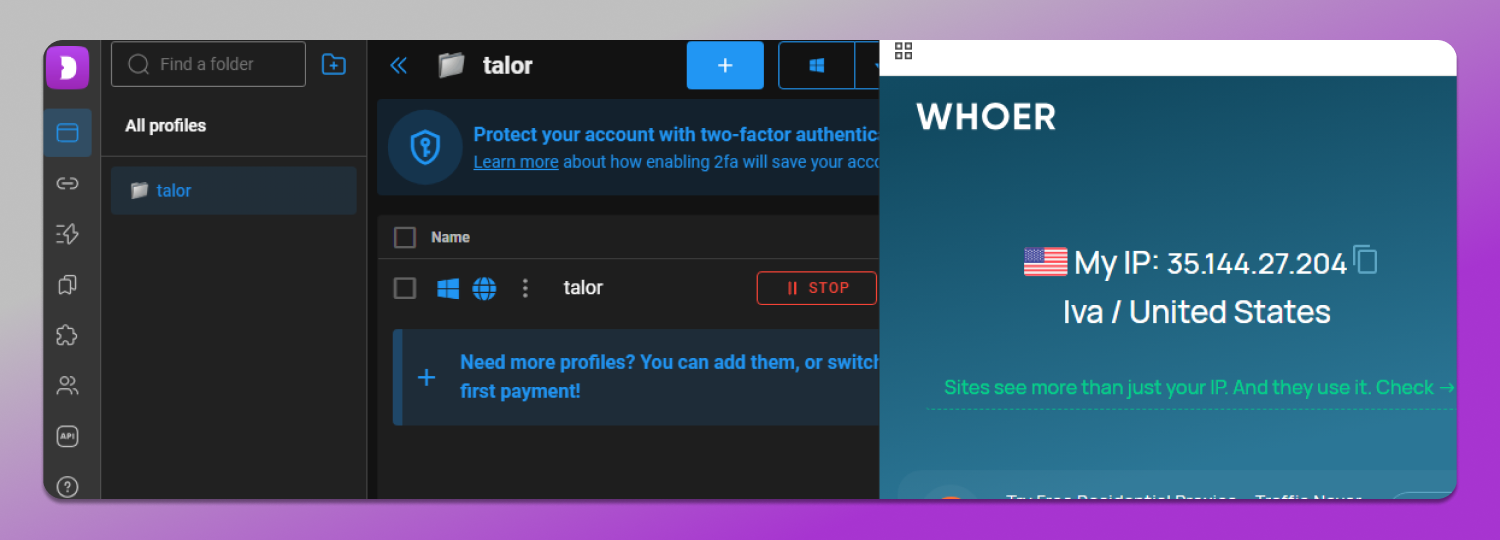
- When creating or editing a profile, select the proxy you just added;
- After completing other settings, save the profile to launch the browser environment using this proxy;
- The entire process takes only a few minutes, allowing your Dolphin Anty profile to run on a clean residential proxy.
III. Pricing and Discounts: Get High-Quality Proxies at a Lower Cost
TalorData offers 💳 flexible pricing plans to meet the needs of different users.
Use the exclusive promo code Dolphin to enjoy a 10% discount.
Rotating Residential Proxies:
- 2GB — $1.98
- 10GB — $8.50
- 300GB — $210
and more…
Starts at $0.58/GB
Static Residential Proxies:
- Starting at $3/IP
Whether you’re an individual managing a small number of accounts or a business conducting large-scale data collection, you’ll find a suitable plan. Combined with a risk-free free trial, this is definitely a choice worth trying.
IV. Summary
When choosing a proxy service, we often face several ✅ key considerations: Is the IP clean? Is the connection stable? Is the price reasonable? Is it easy to use? TalorData delivers satisfactory results in all these areas.
If you’re looking for a reliable residential proxy service, why not start with TalorData’s free trial? Use the code “Dolphin” to get a 10% discount and let your business run more efficiently in a stable, clean proxy environment.