Browserleaks Review 2026: The Ultimate Guide to Testing Your Digital Privacy
Blog » Browserleaks Review 2026: The Ultimate Guide to Testing Your Digital Privacy
In 2026 online privacy is no longer limited to simply spoofing your IP address. Even when using a VPN or proxy, websites can still 🔎 identify users through their digital fingerprint, which includes a wide range of parameters from browser settings to graphics rendering features. Modern tracking systems, enhanced by AI algorithms, aggregate this data into a unified profile to combat multiaccounting and other violations.
That’s why standard VPNs and proxies no longer guarantee anonymity. They only mask the network layer, while additional analysis takes place at the browser and device levels. As a result, users fail to maintain privacy because their configuration remains unique and easily traceable by anti-fraud systems.
This is where Browserleaks comes in as a comprehensive diagnostic tool. It allows you to check browser fingerprinting in 2026 and see what data you actually expose to websites, where leaks occur and how consistent your digital fingerprint appears. After reading this guide you’ll clearly understand whether the system sees you the way you intend or not and how to hide digital fingerprint.
What is Browserleaks.com: a 2026 Perspective
👉 Browserleaks is a browser anonymity checker for diagnosing data leaks and analyzing digital fingerprints. Unlike most popular checkers it was originally built as a technical tool that shows the real parameters your browser sends to websites.
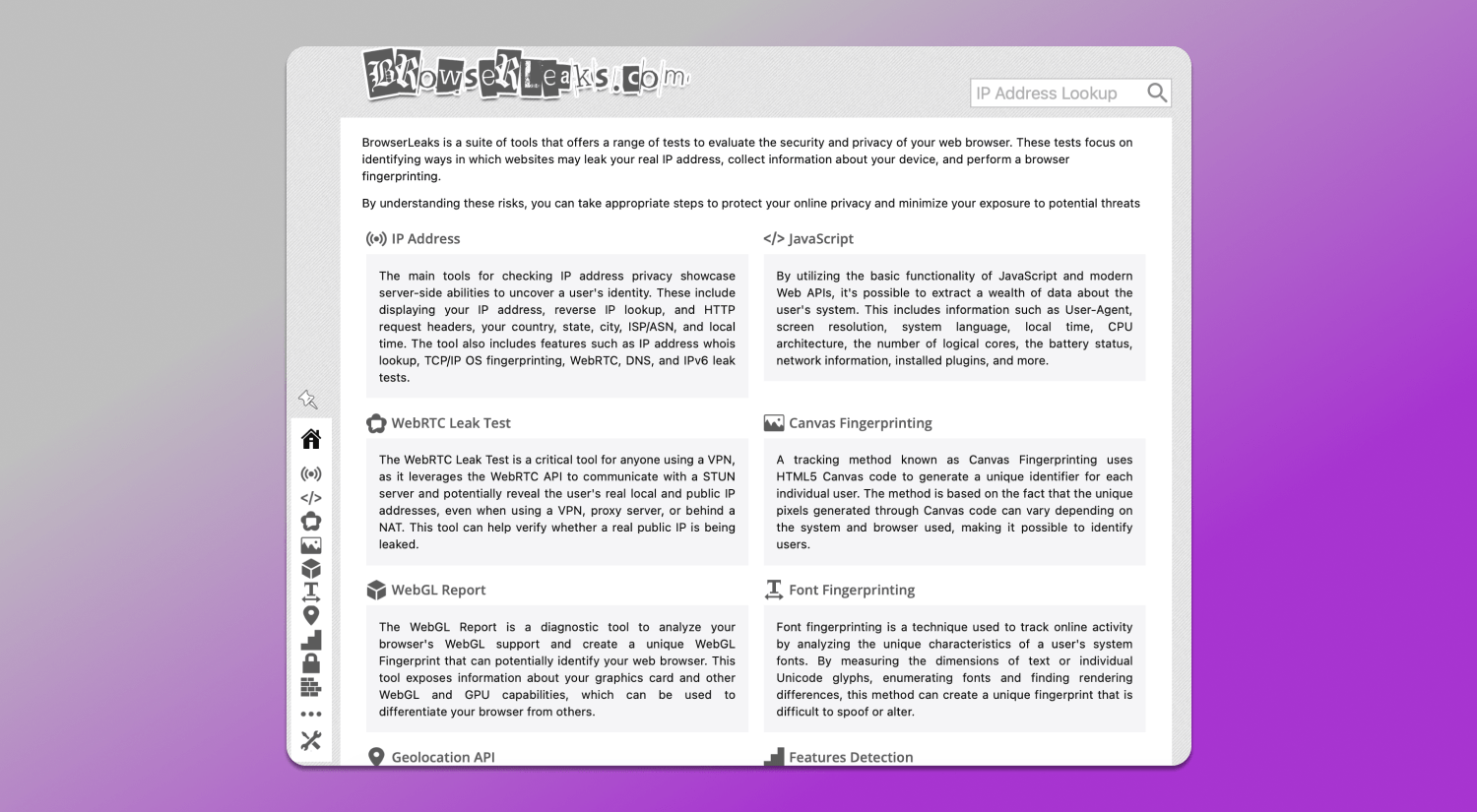
The service existed long before the rise of multiaccounting. Initially, it was used by developers and security specialists to test browsers, network configurations and compliance with web standards. Over time, as tracking technologies evolved, it became widely used by marketers, affiliates and privacy experts to understand the root causes of bans.
The main reason Browserleaks is still considered the gold standard lies in its neutrality and accuracy. Unlike competitors such as Whoer or BrowserScan, it doesn’t simplify results into a single score or “anonymity level.” Instead, it provides a detailed analysis of multiple fingerprint parameters that impact security: IP address, WebRTC, Canvas, WebGL, TLS signatures and more.
This approach requires 🤓 a deeper technical understanding from the user, but it delivers a realistic picture. Instead of vague ratings like “good”, “average” or “bad” you get specific insights: where inconsistencies exist, which parameters stand out and what exactly can be used to identify you.
In 2026, when tracking systems analyze combinations of parameters rather than isolated values, this level of detail becomes critical. Browserleaks doesn’t try to reassure users with scores. Instead, it shows how websites see the real you. That’s why it remains an essential tool for anyone working with anonymity and multiaccounting.
Deep Dive into Browserleaks Diagnostic Tools
To understand how websites identify users, it’s not enough to look at a single parameter. Modern tracking always relies on combinations including network, browser and hardware characteristics. Browserleaks breaks fingerprint analysis into separate areas and shows exactly where leaks or inconsistencies occur.
IP Address & WebRTC Leaks
Many users believe that using a VPN or proxy is enough to hide their real IP. However, modern websites analyze not only the IP itself, but also related network parameters available on the server side. The 🛠 IP check section in Browserleaks reflects this layer, showing what information a website can obtain when processing a request.
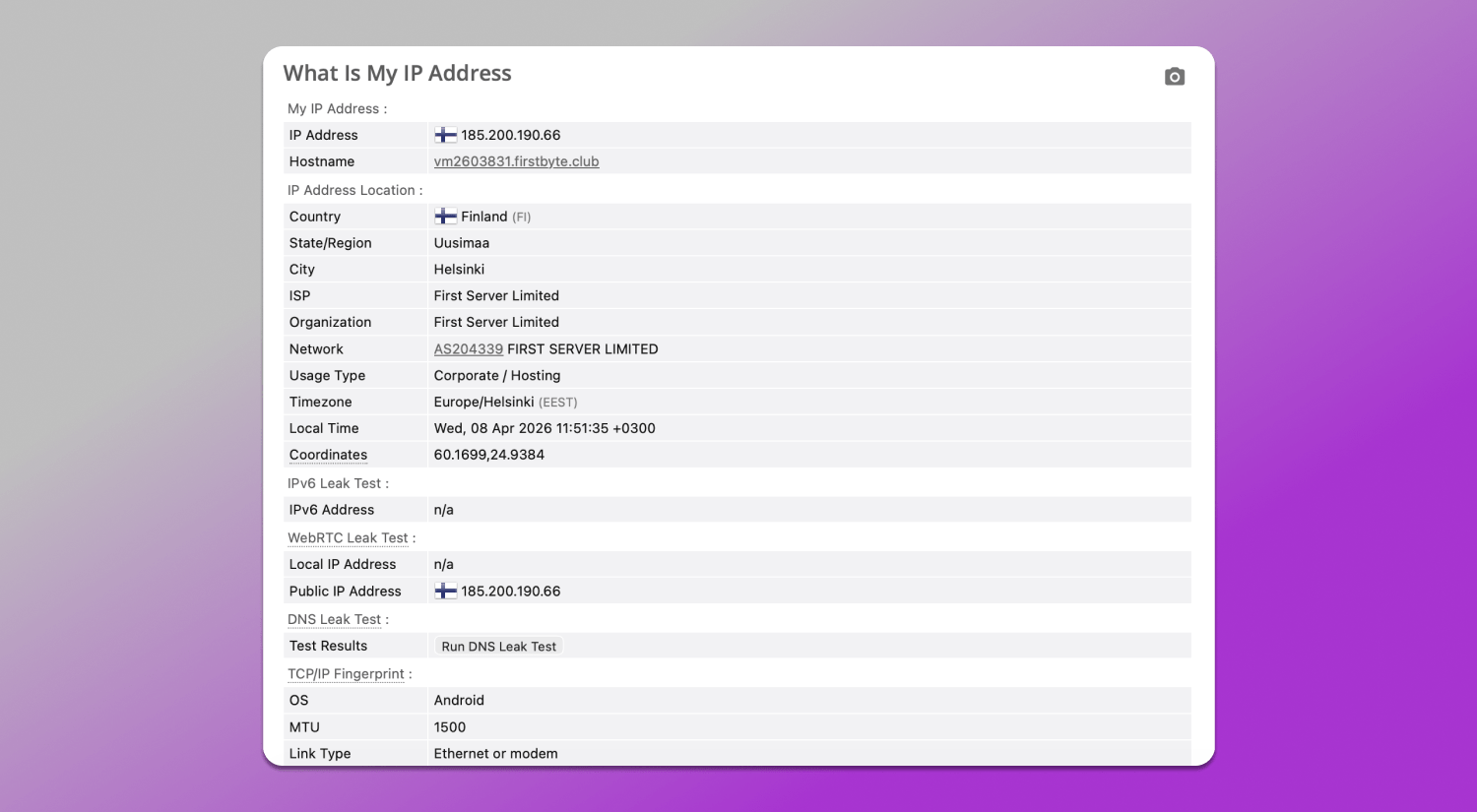
Browserleaks allows you to check IP address and location leaks and the test result displays not only your current IP address, but also geolocation (country, region, city), ISP, HTTP headers, system time, IPv6 and TCP/IP stack fingerprinting details. These data points are analyzed not separately, but together: the server compares them and evaluates profile consistency. For example, mismatches between IP geolocation and system time or inconsistencies in ISP location may indicate anomalies in the setup.
Another key element is WebRTC. This technology enables direct browser-to-browser communication but uses STUN servers to determine network addresses. As a result, your browser may expose real IP addresses, including local and public ones, even if traffic is routed through a VPN or proxy. This creates WebRTC leaks.
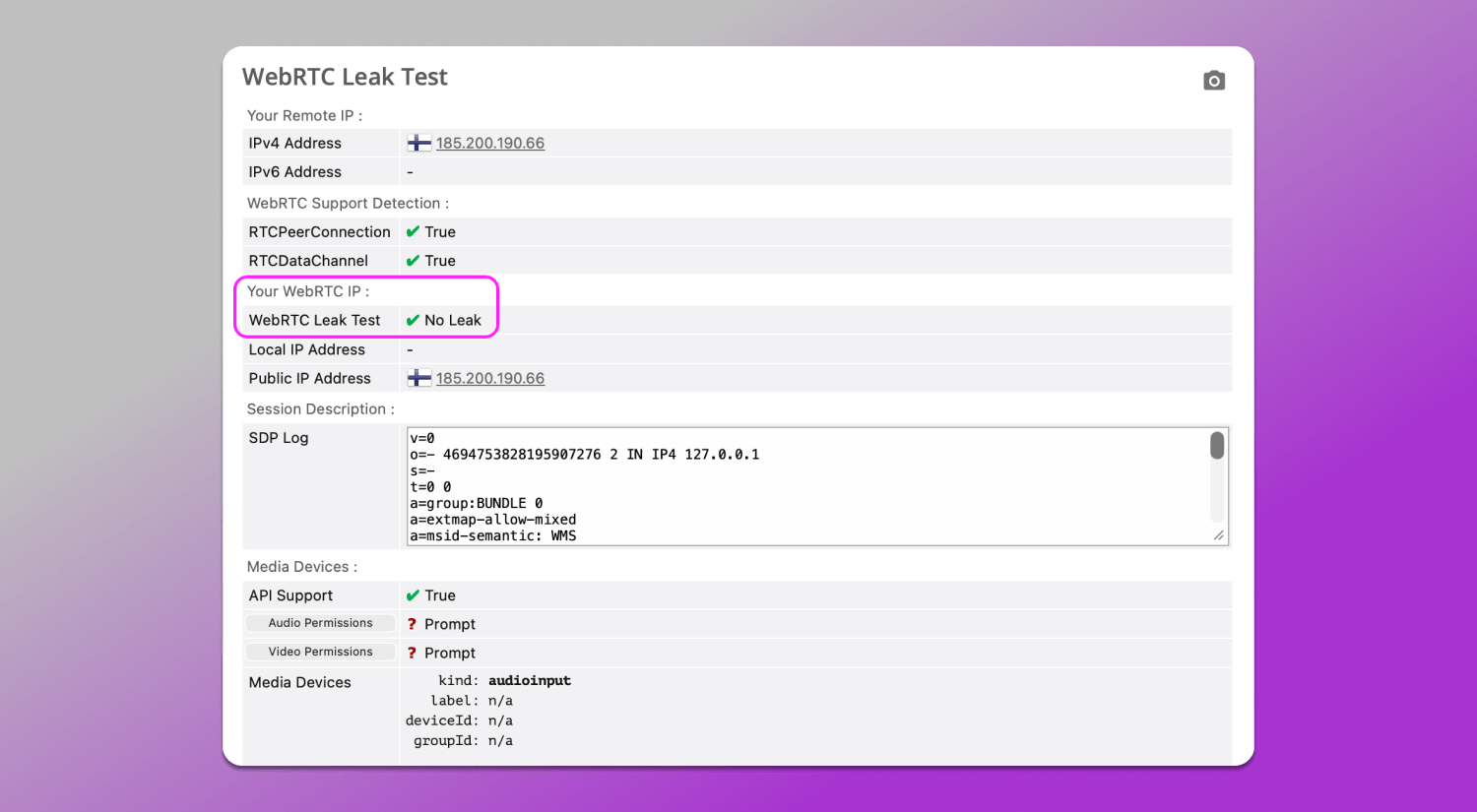
Browserleaks’ WebRTC Leak Test online checks 💻 which IPs are returned through these requests and compares them to those visible via HTTP. If both proxy and real IPs appear, it means part of the traffic bypasses your spoofing setup. In our case, no leaks are detected.
Mastering Fingerprinting: Canvas, WebGL and Audio
Even with a fully hidden and consistent IP, users can still be identified through other device, system and environment characteristics. Browserleaks offers three core fingerprinting tests that show how websites extract additional data about your setup. They are used to assess the profile’s uniqueness and consistency.
📌 Canvas. The browser silently 🎨 renders an image (text, shapes, fonts), then extracts the result. The output depends on your GPU, drivers, OS and even font settings. Small differences in these parameters lead to slightly different results, allowing devices to be distinguished. High uniqueness means the fingerprint is rare among tested profiles.
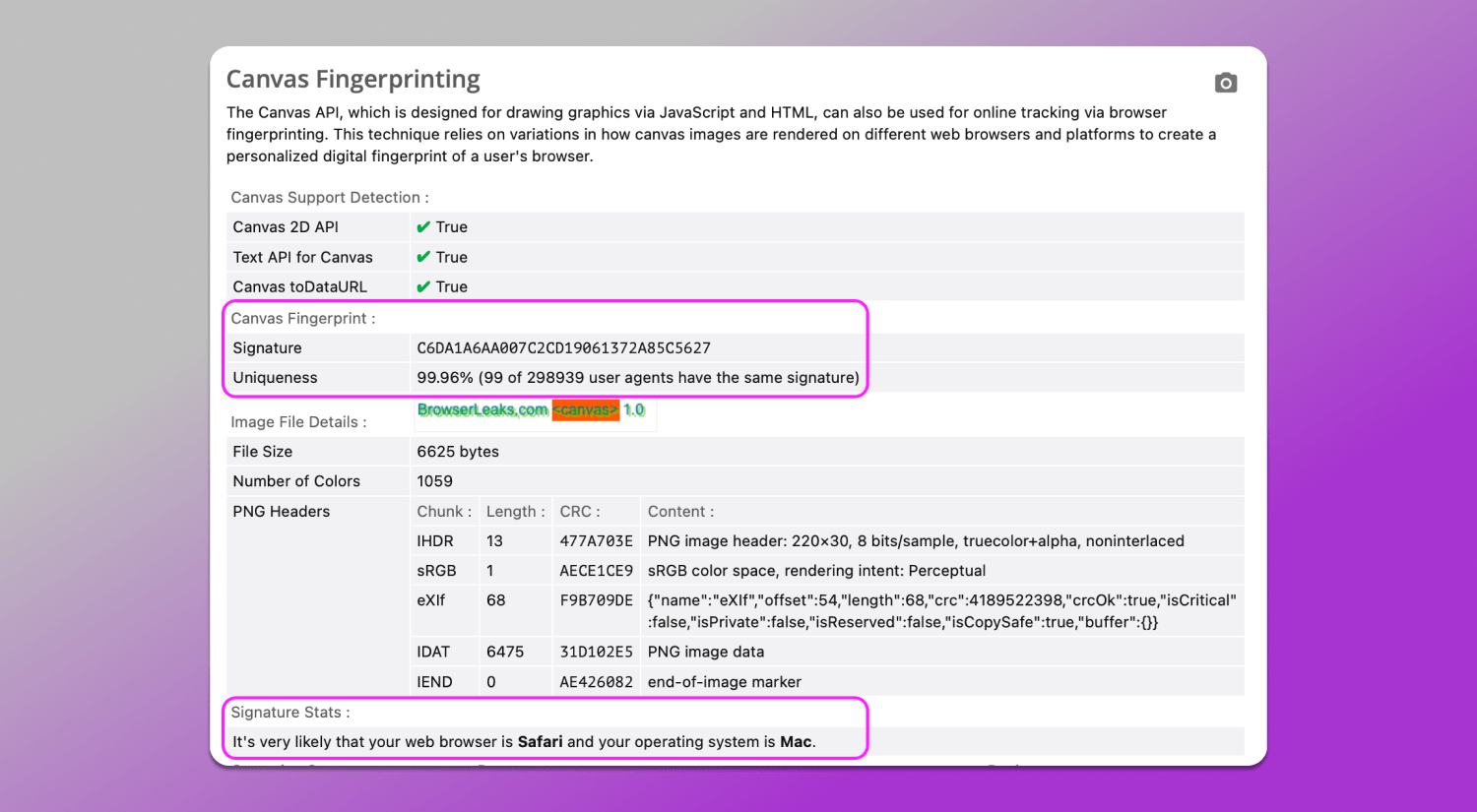
In our case (screenshot above) the Canvas entropy test matches a native Safari configuration on macOS. The signature and uniqueness level fall within expected behavior in this exact environment and statistical distribution aligns with typical Mac and Safari profiles. The service also correlates this with other parameters and identifies it as a standard Apple environment.
📌 WebGL. WebGL is an interface that provides access to GPU-related characteristics and operating behavior. It can indirectly reveal the graphics card model, driver version and rendering pipeline. It adds a hardware layer, which is difficult to unify.
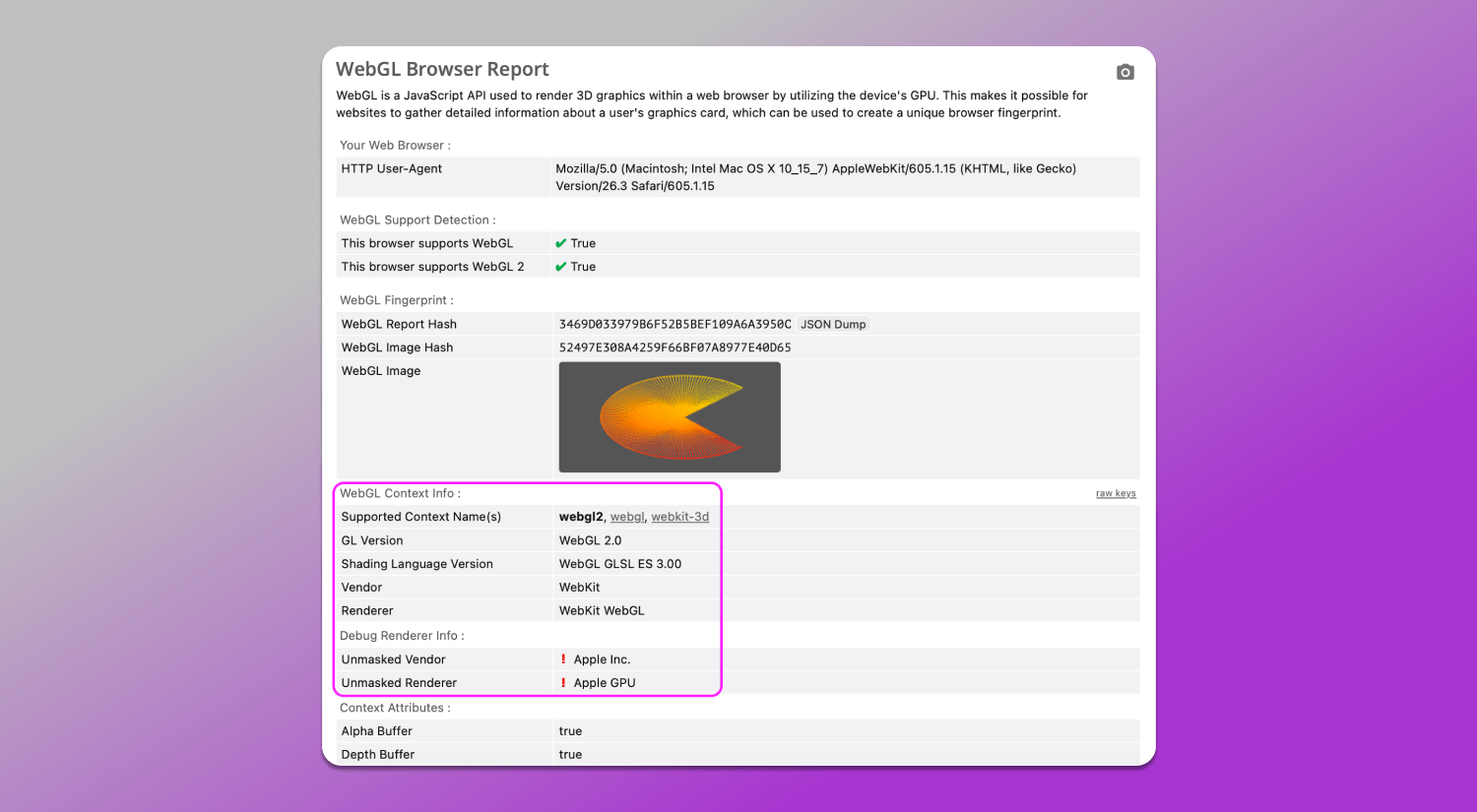
The WebGL fingerprinting analysis above looks correct and shows no signs of spoofing. WebGL values align with the declared Safari User-Agent on macOS and match a typical Apple device setup. From the fingerprint’s point of view, there’s no conflict between browser, graphics stack and hardware, which is indicating a consistent and realistic profile.
📌 Audio (WebAudio API). This test evaluates how the device processes sound signals. The browser runs generated audio through a processing chain and returns a numeric result influenced by hardware and drivers. Even similar devices can produce slightly different outputs.
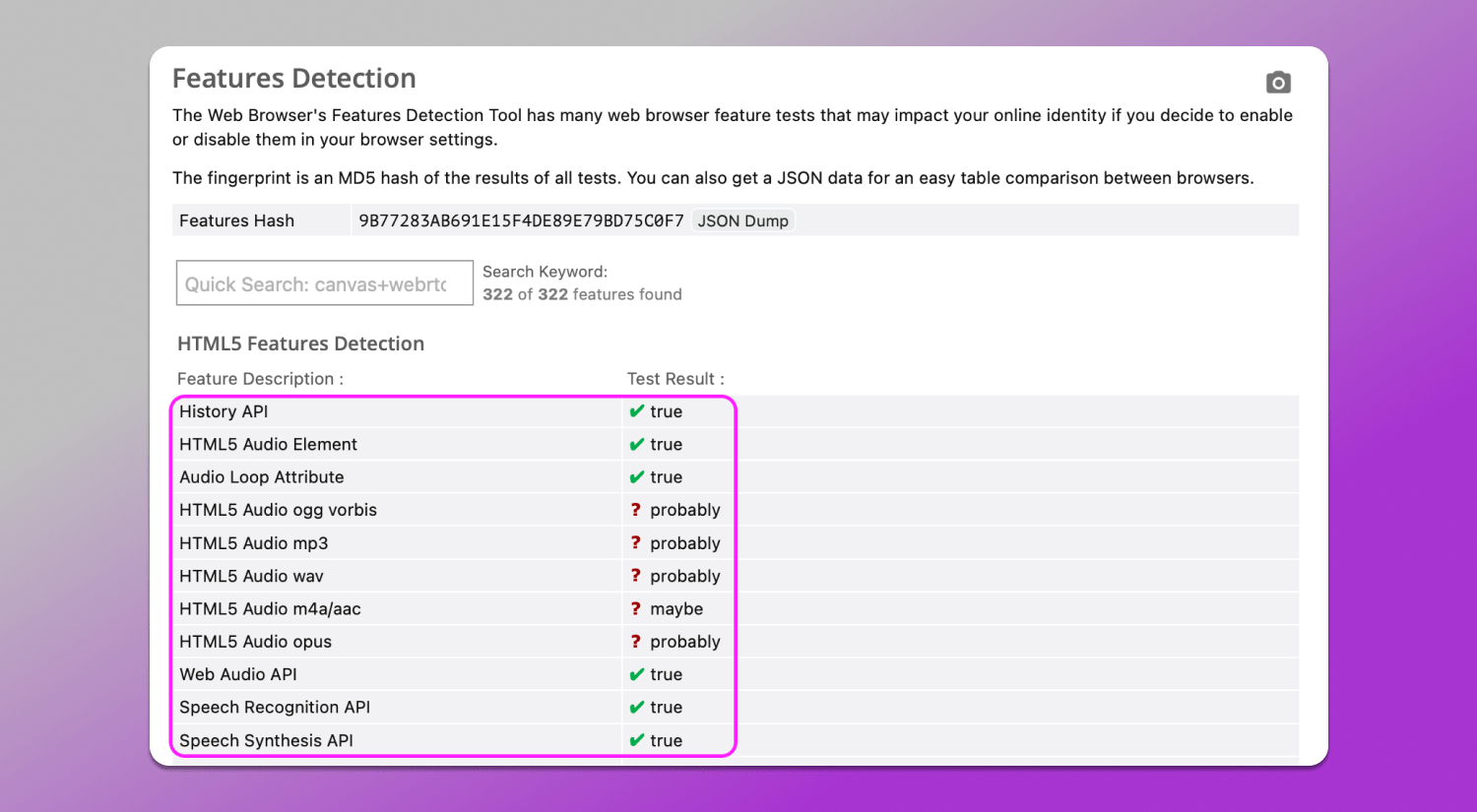
The results indicate full browser support for standard HTML5 audio and Web Audio API features, with no restrictions or disabled functionality.
Key indicators here include lines that support:
- History API, HTML5 Audio Element and Web Audio API are all marked as available (true), which is consistent with any modern browser;
- Support for various audio formats (ogg, mp3, wav, opus and others) is shown as probably/maybe, which is also considered a normal result of automated testing and does not indicate any issue.
From a fingerprinting perspective, this means that the browser’s audio stack operates in a standard mode and does not show signs of artificial limitations or non-standard configuration. Such results are typically considered consistent with a regular environment and do not make the profile stand out.
Features Detection and Client Hints
In the ⚙️ Features Detection section the browser’s available capabilities are tested at the level of API, CSS, JavaScript and multimedia. In our profile the set of supported features looks typical for a modern browser on macOS: HTML5, Canvas, WebGL, Web Audio, WebRTC, ES6+ and most modern CSS features .
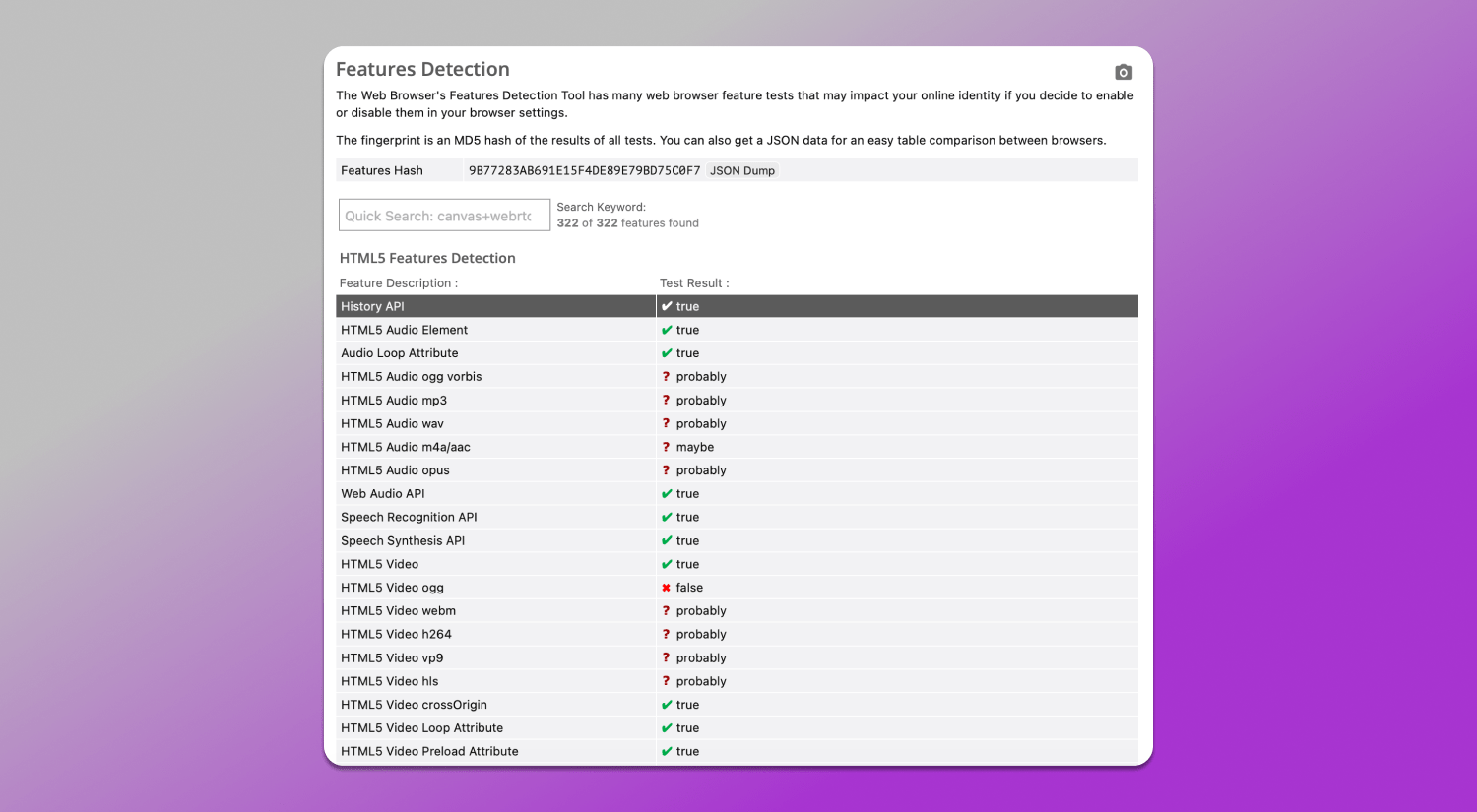
Some features are marked as unavailable, such as certain video formats, some outdated APIs or rare CSS capabilities. This is not due to anomalies but rather due to the specifics of a particular WebKit implementation and platform. The key point here is that the set of parameters looks consistent and matches a real environment without contradictions.
Browser Client Hints is a mechanism that allows the browser to send additional device characteristics via HTTP headers and the JavaScript API instead of the classic User-Agent. The corresponding test can be found in the More Tools section.
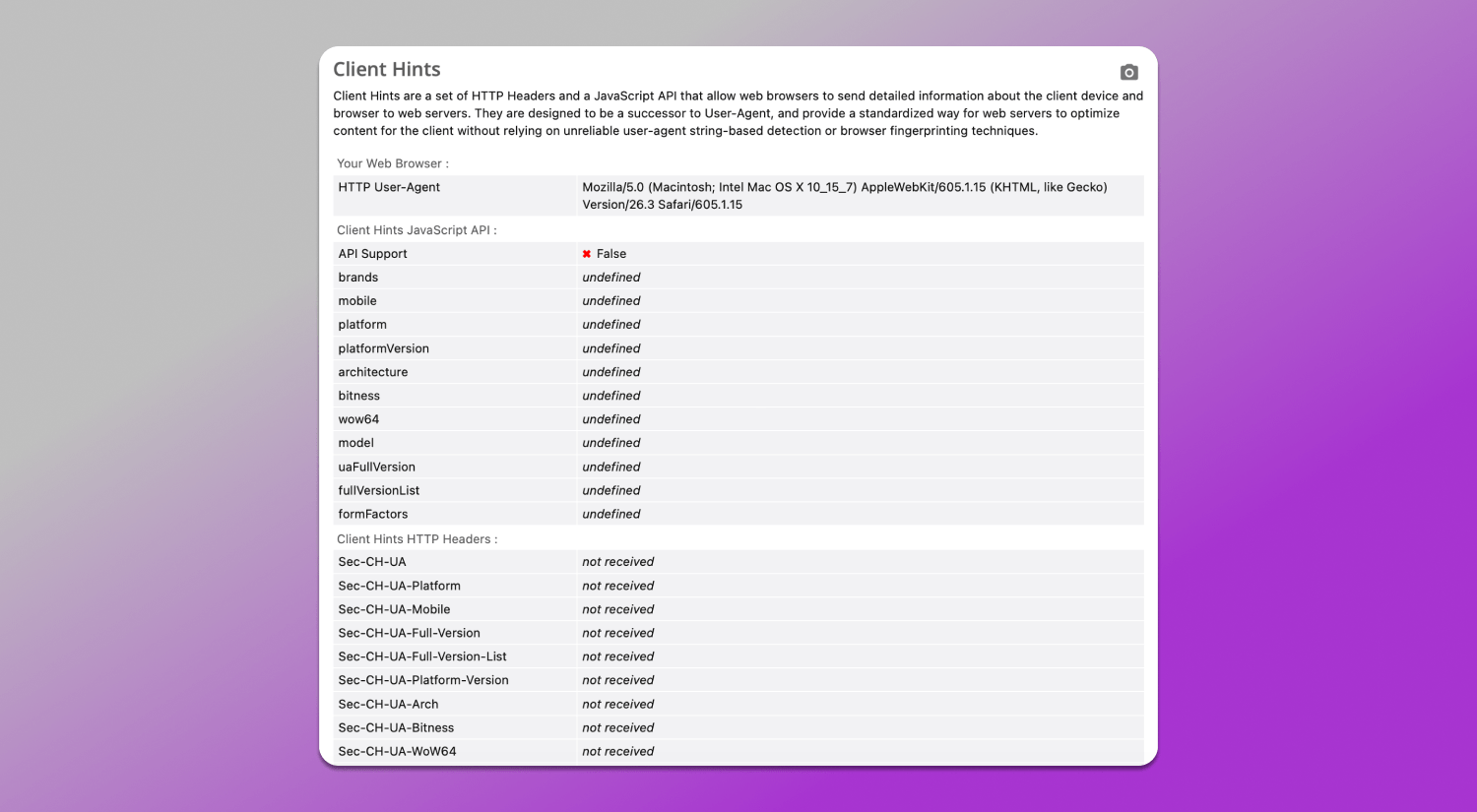
In our case, the Client Hints API is not supported and the corresponding HTTP headers are not transmitted. This means the website only receives the basic User-Agent without extended signals about the platform, architecture, device parameters or network.
This behavior is typical for Safari: the browser limits Client Hints exposure and does not reveal digital identity through additional details, maintaining a more restricted identification model.
SSL/TLS and JA3/JA4 Fingerprints
SSL/TLS Client Fingerprint (JA3/JA4) is the network layer where a secure HTTPS connection is established. Even without JavaScript data the browser transmits TLS handshake parameters: protocol versions, cipher suites, extensions and key groups. Based on these parameters a network fingerprint is formed.
JA3 and JA4 are ways to represent such a fingerprint:
- JA3 is a classic TLS client hash based on handshake parameters;
- JA4 is a more modern and detailed version that takes into account additional features and connection structure.
These fingerprints allow evaluating whether the browser matches the declared environment, the specifics of the TLS stack and its implementation and the presence of atypical or modified connection parameters.
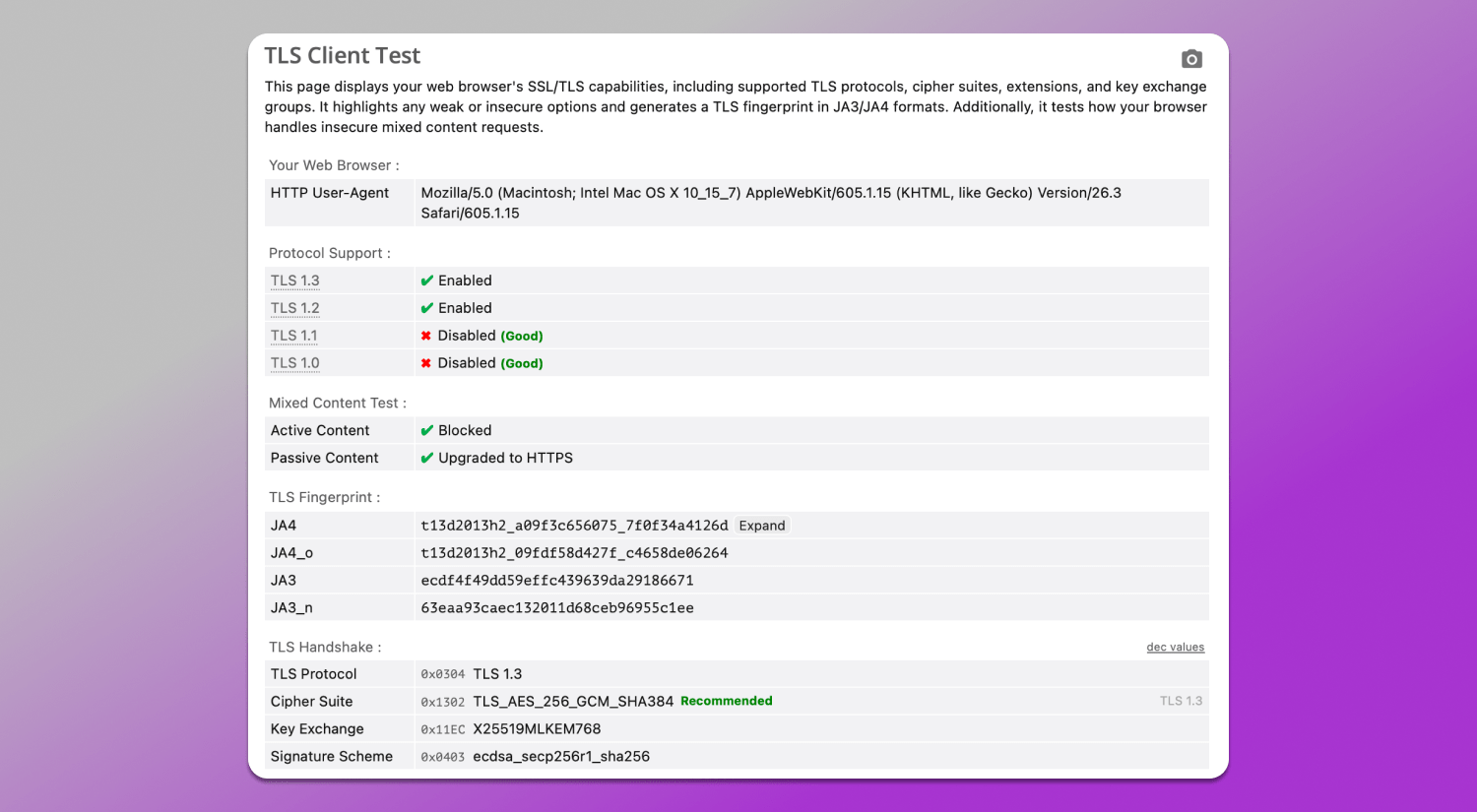
In our case, the TLS parameters correspond to a standard modern browser: TLS 1.3 and TLS 1.2 are used, outdated protocols are disabled and an up-to-date set of ciphers and extensions is applied. Mixed content behavior is also standard: blocking and upgrading. Both JA4 and JA3 fingerprinting test are formed correctly and match a typical browser TLS stack configuration. No significant discrepancies or signs of spoofing are observed. Such a profile appears consistent.
How to Use Browserleaks for Multiaccounting
In multiaccounting, Browserleaks is used 📋 to check the consistency of digital fingerprints. The main task is to ensure that each profile looks like a separate real device and does not share overlapping key parameters. However, this requires time and understanding of what each parameter means.
The verification is based on evaluating the following characteristics:
- Geolocation API checks the device’s geographic location. This test verifies whether geolocation matches device settings and what data may be shared with third-party websites.
- Features Detection analyzes the set of supported APIs, CSS and JS features. Profiles must be internally consistent and match the declared platform, for example, Safari and macOS or Chrome and Windows).
- Canvas/WebGL/Audio checks graphical and audio fingerprints. They should differ between profiles and not repeat across accounts if uniqueness is required.
- JavaScript and Client Hints evaluates what additional data the browser exposes. In a perfect situation it should match the User-Agent and contain no conflicting values.
- TLS analyzes the network fingerprint at the TLS level. The profile should have a stable and realistic signature matching the selected browser.
A profile is considered clean if all fingerprint layers do not contradict each other and correspond to the same environment.
Browserleaks vs Pixelscan vs BrowserScan
All these tools are used to analyze digital fingerprints and check profile consistency across different layers from JavaScript APIs to network and TLS parameters. Despite having a similar purpose, they differ in depth, level of detail and approach to interpreting results.
| Parameter | Browserleaks | Pixelscan | BrowserScan |
|---|---|---|---|
| Analysis depth | High, multi-layer including JavaScript, graphics, network, and TLS | Medium | Medium |
| TLS (JA3/JA4) | Detailed breakdown and display | Limited info | Limited info |
| Canvas/WebGL/Audio | Detailed fingerprint diagnostics | Basic check | Basic check |
| Features Detection | Broad API and CSS coverage | Limited set | Partial support |
| Client Hints | Detailed analysis | Not available | Not available |
| Interpretation | Technically detailed, close to raw data | Simplified | Surface-level |
| Suitable for profile audit | Yes, for deep consistency checks | Partially | For basic evaluation |
Thus, ✅ Browserleaks provides the deepest and most technically accurate fingerprint analysis, including the network layer and cross-layer consistency. Pixelscan and BrowserScan are suitable for quick initial checks but lack completeness and detail.
Common Red Flags in Your Test Results
It is important to look not at individual parameters when analyzing a fingerprint, but at their 👯 consistency with each other. High profile uniqueness by itself is not an error. However, it may indicate a rare or atypical combination that stands out from the majority of users. In such cases, it is worth checking how well the User-Agent, graphical fingerprints and network parameters of the browser are aligned with each other.
First of all, pay attention to mismatches between 🕓 timezone, 🌏 geolocation and 👅 language settings. If system settings, interface language and geo data point to different regions, this creates a logical inconsistency, which may be discovered during profile fingerprint check.
Discrepancies between different data layers are also important, for example, when the TLS fingerprint does not match the declared browser or when Client Hints behavior does not align with the User-Agent. Such inconsistencies break profile integrity and make it less trustworthy. As a result, it looks like a set of parameters rather than a single real device.
Thus, the main criterion is internal fingerprint consistency: the profile should look like a unified, logically coherent system.
Dolphin Anty: The Ultimate Solution for 100% Anonymity.
When working with multiple accounts, not only parameter spoofing matters, but overall fingerprint consistency. 🚀 Dolphin Anty is used as a tool that allows creating isolated profiles and managing them so they look like real, independent devices.
Why Dolphin Anty Passes Every Test
Unlike solutions that generate digital profiles from random values, Dolphin Anty uses consistent and realistic browser fingerprint configurations. Parameters across different levels including general, hardware, screen and media are initially selected to avoid internal contradictions. This allows each profile to look like a single device rather than a set of disconnected attributes.
Key Benefits of Dolphin Anty for 2026
Smart spoofing ensures ✅ correct configuration of Canvas, WebGL, WebRTC and other parameters without conflicts between fingerprint layers. This is crucial so that all characteristics look logical and do not raise suspicion.
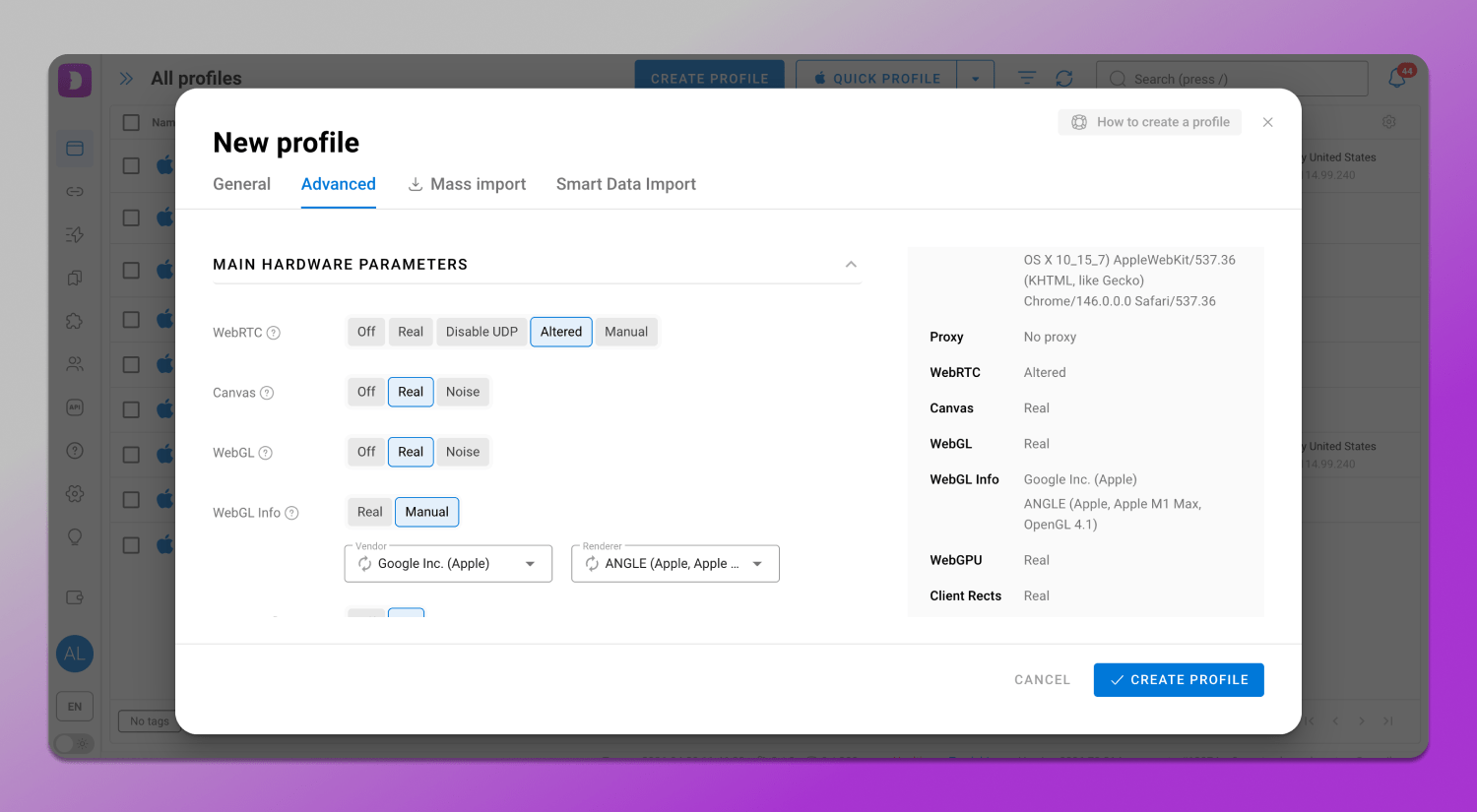
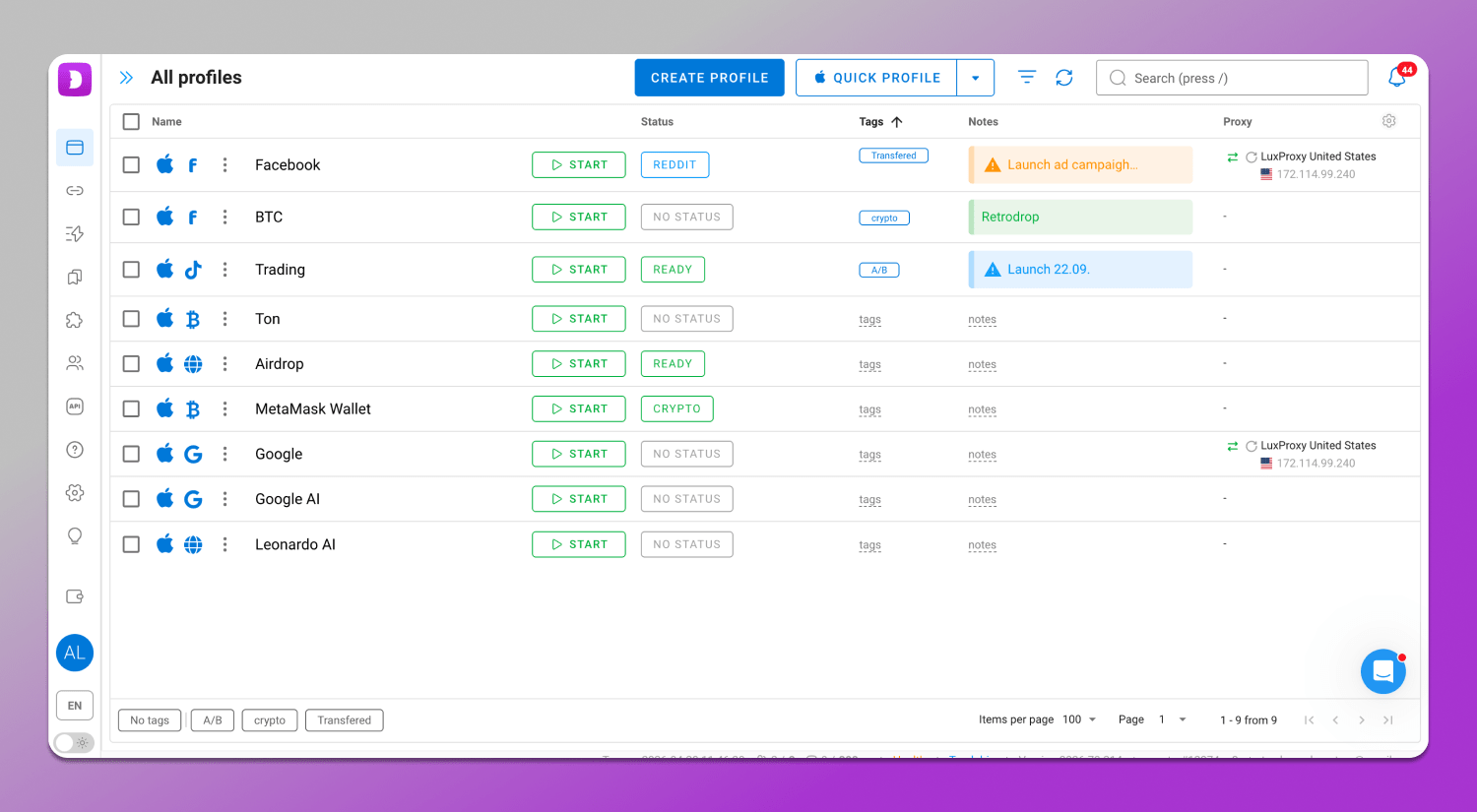
Profile management allows handling a large number of isolated profiles. Each of them has its own unique identifier. This approach simplifies scaling and reduces the risk of overlap between accounts.
🔄 Automation enables setting actions within profiles. This is especially useful for routine operations and large-scale workflows. It includes:
- Synchronizer allows you to simultaneously repeat user actions across multiple profiles speeding up the execution of repetitive tasks and ensuring consistency of operations.
- Scenarios are predefined sequences of actions that are automatically executed within profiles and help warm them up.
- Cookie Robot is a tool for automated cookie management that allows you to collect, upload and update cookies for profiles, simulating real sessions and improving account stability through more natural behavior.
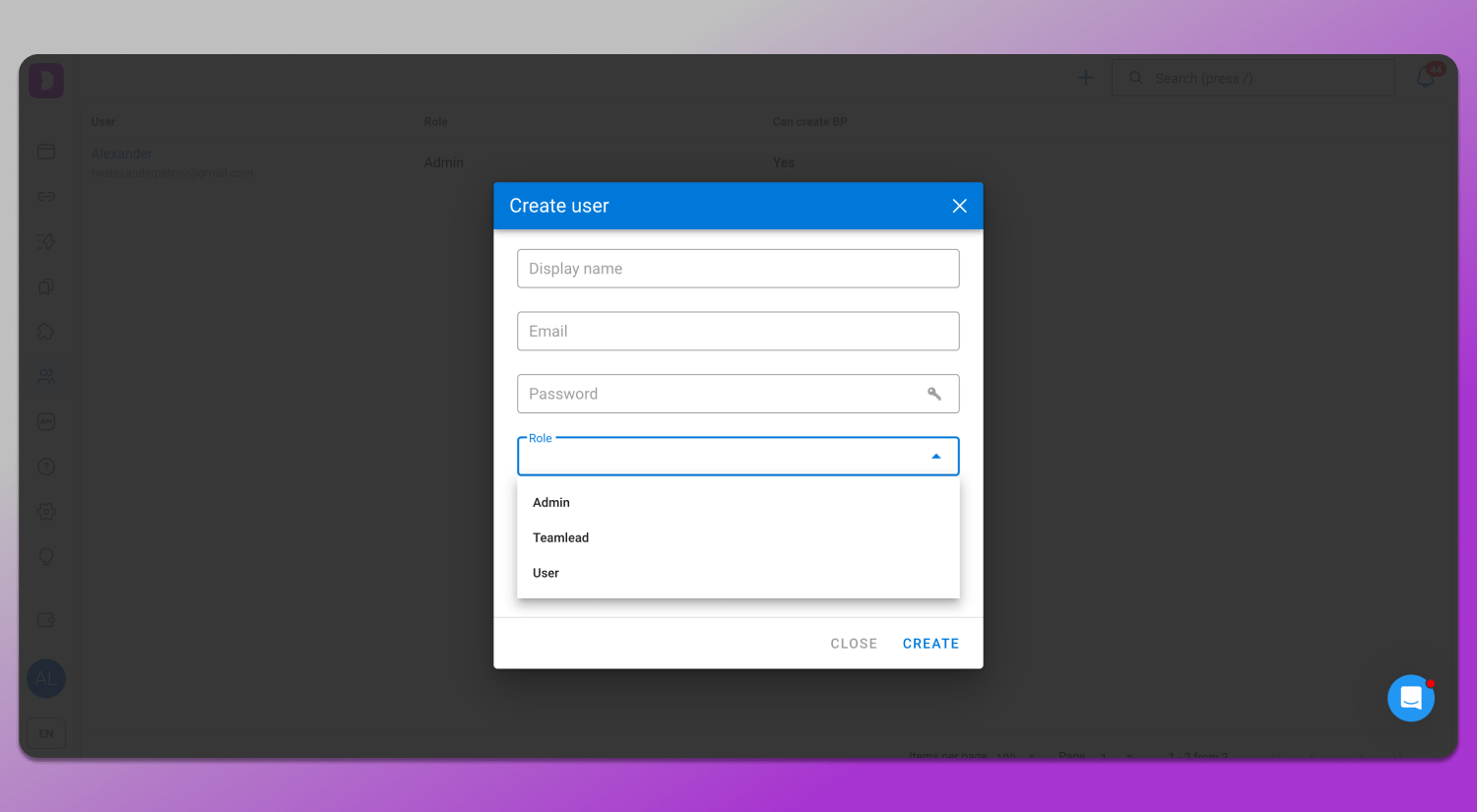
Teamwork features include the distribution of roles and access permissions between participants while maintaining profile isolation. This allows multiple users to work within the same system without the risk of data leaks.
Step-by-Step: Setting Up a Clean Profile in Dolphin Anty for Browserleaks
Profile setup consists of three stages and includes creating a profile, connecting a proper proxy and then checking parameters through Browserleaks to evaluate fingerprint consistency and identify possible leaks or mismatches.
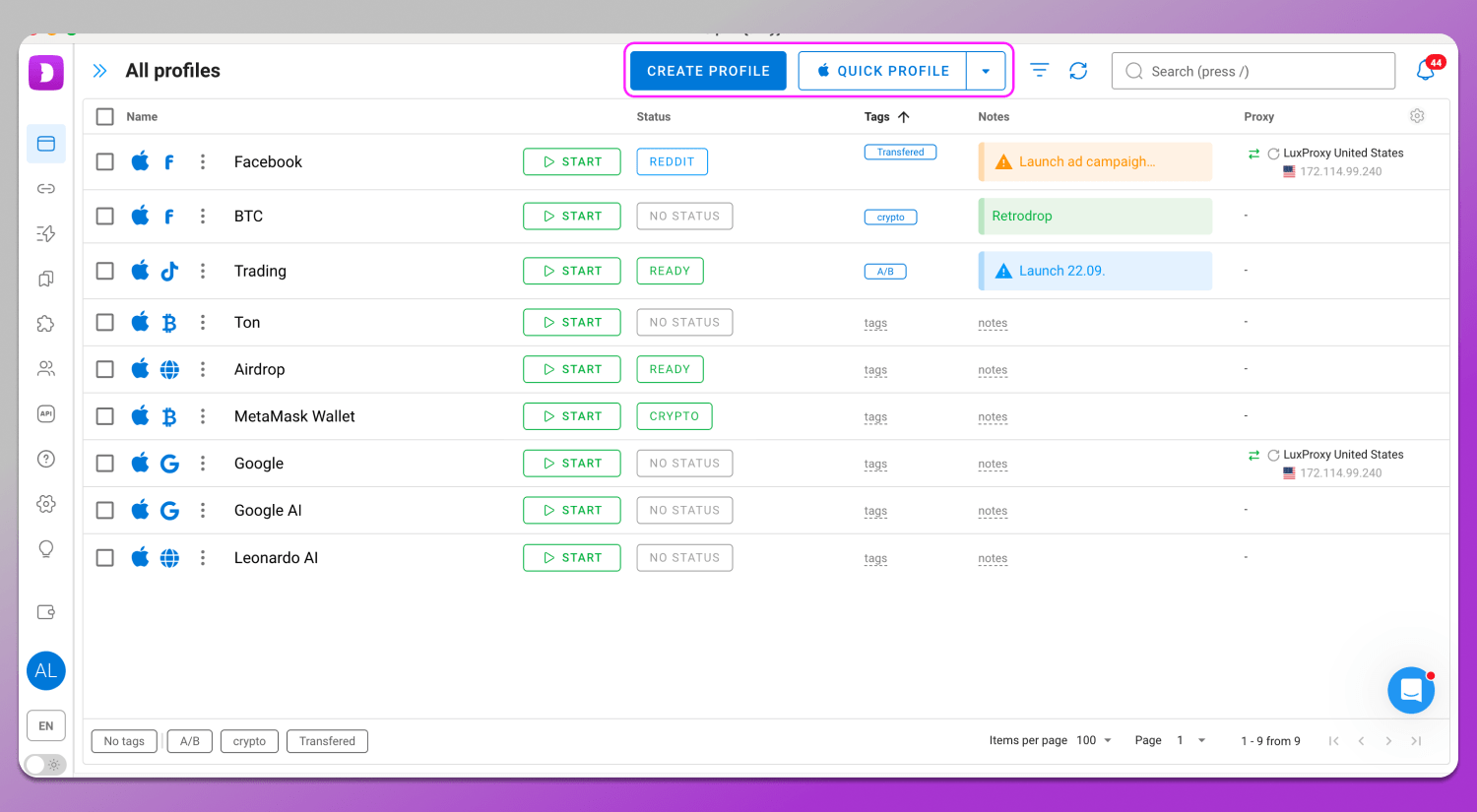
Step 1. Creating a profile. A profile is created in the “Browser Profiles” section using the “Create Profile” or “Quick Profile” button. All fingerprint parameters are initially consistent with each other. Each parameter includes a tooltip explaining what it means. Manual changes are recommended only if you clearly understand what you are doing.
Step 2. Connecting a proxy. A proxy can be connected either during profile creation or in the separate “Proxy” section. The process is generally the same: you enter the data and click connect. The difference is that in the “Proxy” section you can add proxies in bulk and then select them from a list when creating a profile. Dolphin Anty also includes integrated proxy providers, some of which offer free traffic.
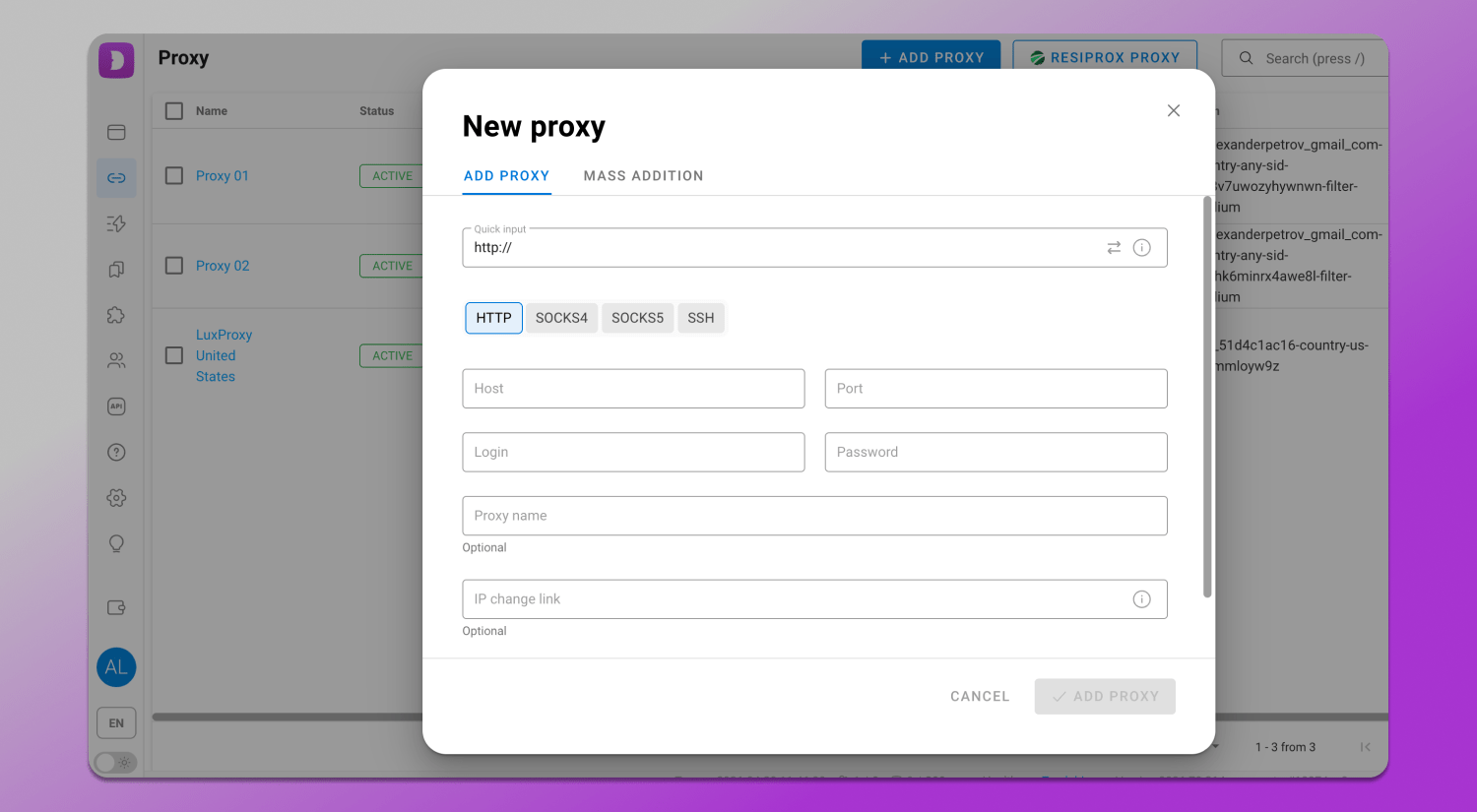
When adding a proxy, timezone, language and geolocation are adjusted automatically, but they can also be set manually.
Step 3. Checking in Browserleaks. After opening the website through the profile, you need to test antidetect browser fingerprints and evaluate their consistency in each section. If you follow our recommendations and use high-quality proxies, the profile will be consistent with almost 100% probability. That is how to use Browserleaks for affiliate marketing or ant other field.
Conclusion
Browserleaks offers an advanced browser security audit and this is the main reason why it is considered one of the key tools for developers, marketers and multiaccounting specialists. It allows you to quickly evaluate a browser fingerprint across multiple parameters from network settings and WebRTC to Canvas and WebGL. Such in-depth analysis helps identify inconsistencies between system components that may indicate non-standard or suspicious configurations. If you need a tool to maintain anonymity online, it is definitely worth considering 🔥 Dolphin Anty.
FAQ
Is Browserleaks safe and anonymous?
Yes, Browserleaks works as a tool that reads the parameters a browser sends when loading a page. It does not require personal data input and does not perform active user tracking. The service analyzes only accessible technical information and does not store user data obtained during the check.
Why does it show my real IP even with a VPN active?
One of the common reasons is WebRTC leaks, which can expose the real IP address bypassing the VPN. This is related to how browser network APIs work. To fix this, you can restrict or disable WebRTC in the settings or use tools that block such leaks.
What does “100% Uniqueness” mean in a Canvas test?
High uniqueness level means that the Canvas fingerprint differs significantly from most other users. This reduces anonymity as the profile becomes more noticeable and easier to identify.
Can Browserleaks detect if I’m using an antidetect browser?
The service does not directly identify the browser type, but it reveals inconsistencies in environment parameters. If a profile is configured incorrectly, for example, if there are mismatches between WebGL, fonts, time or other characteristics, this will be reflected in the test results.
What is the Global Privacy Control (GPC) check?
GPC is a signal that informs websites about the user’s preference not to be tracked. In 2026 this setting remains relevant in the context of privacy regulations as some platforms are required to respect such signals when processing user data.