Whoer Review 2026
Blog » Whoer Review 2026
Is Your Online Anonymity Truly Guaranteed?
🥷 Digital privacy in 2026 is no longer optional — it’s a basic requirement for working online. Every website tries to collect your data: IP address, system settings, language, behavior and more. That’s why incognito mode, VPNs or proxies alone are no longer enough for true anonymity. Even if your IP is hidden, dozens of other parameters from your timezone to browser settings remain visible and together they can easily identify you as a specific user.
To check how you appear from a digital perspective, there are specialized tools like Whoer.net. They analyze your IP, connection, potential leaks and provide an overall anonymity score, highlighting weak points and suggesting how to fix them.
In this guide, we’ll discover how to use Whoer for privacy, how it works, test its key features and, most importantly, show how to achieve 100% anonymity.
Core Features of Whoer.net: More Than Just an IP Checker
Whoer is a tool for a comprehensive evaluation of your online anonymity. It doesn’t just show your IP address, it also reveals other data that websites can see: connection details, potential leaks and parameters that stand out from the overall profile. Let’s move to the 🛠 key features of the service.
Detailed IP & Connection Analysis
Whoer collects basic but critically important information about your connection. The service checks your IP address, ISP tracking, country and city, connection type as well as a range of network parameters.
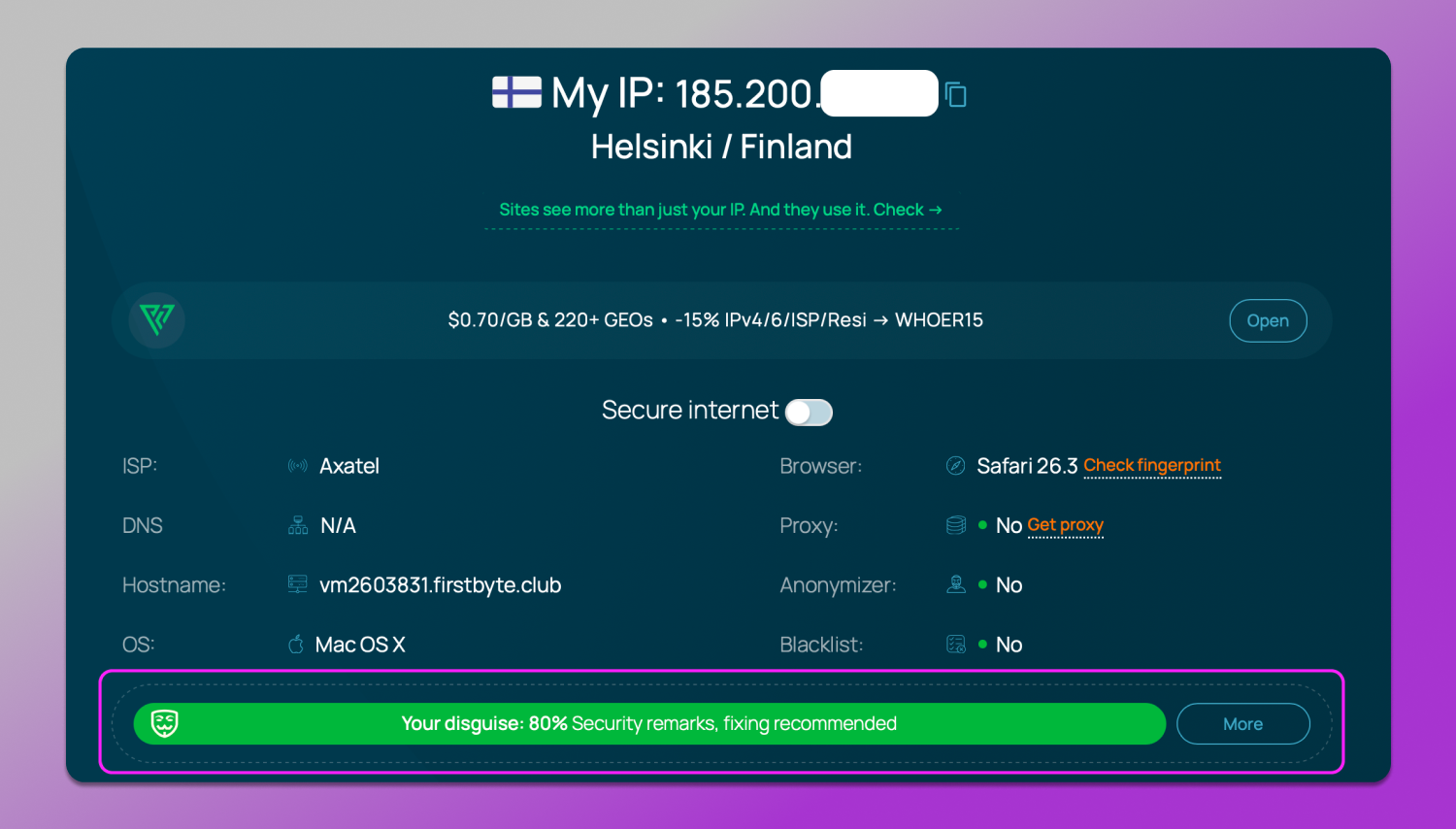
The key point isn’t just that the service detects your IP. It is the fact that it 🔎 checks whether you’re using browser masking tools or not. For example, if you’re using a proxy, have tracking protection enabled or if your system language doesn’t match your proxy’s geolocation, your trust score immediately drops. This initial stage of analysis is the foundation of the entire check. If there are issues here, there’s no point in fixing anything further.
DNS and WebRTC Leak Detection
Even when using a VPN or proxy, your real IP can still be exposed through other channels. Whoer checks the two most common sources of such leaks: DNS and WebRTC.
A DNS leak occurs when website requests are sent not through your proxy or VPN, but directly through your ISP. As a result, a website can see your real location, even if your main IP is masked.
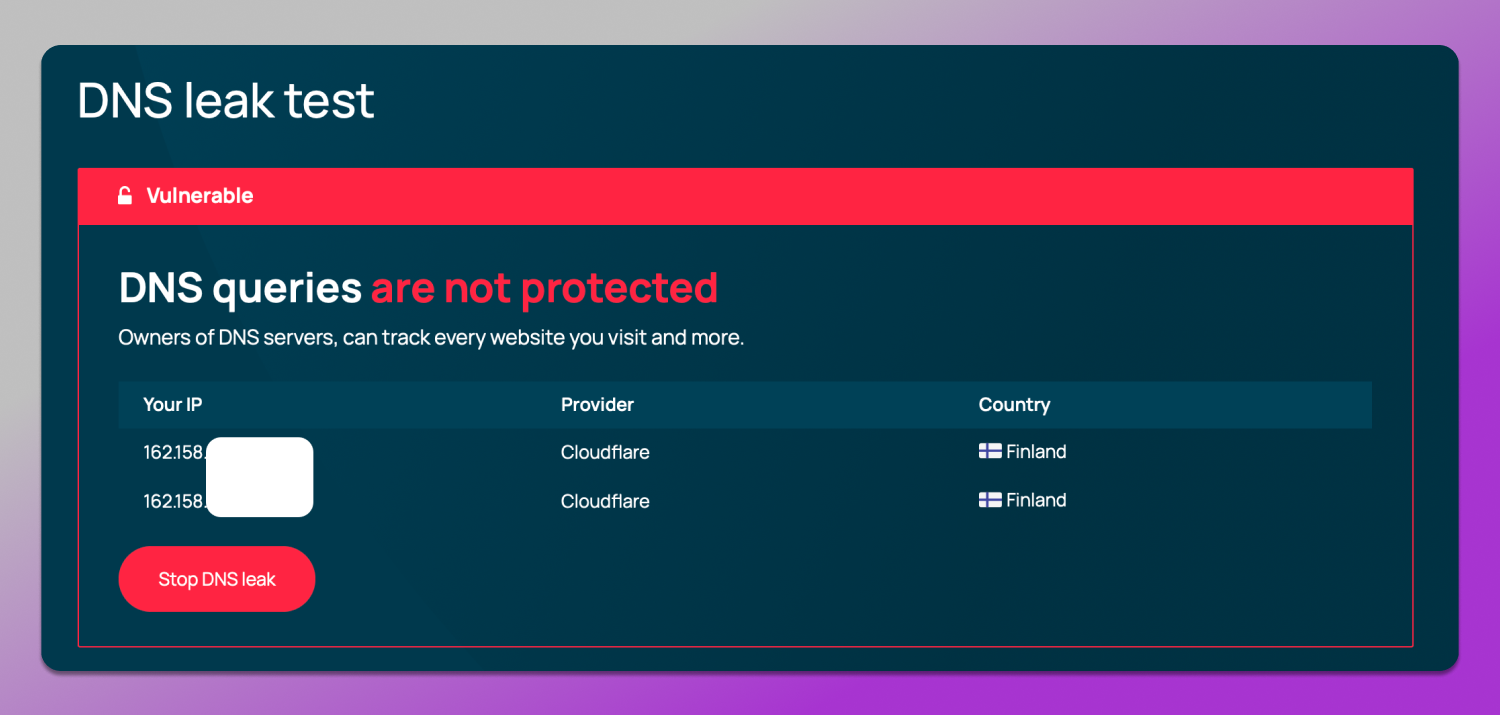
Whoer DNS leak test results.
WebRTC is a browser-built technology that enables direct communication between users such as video calls and P2P connections, and it operates outside traditional network settings.
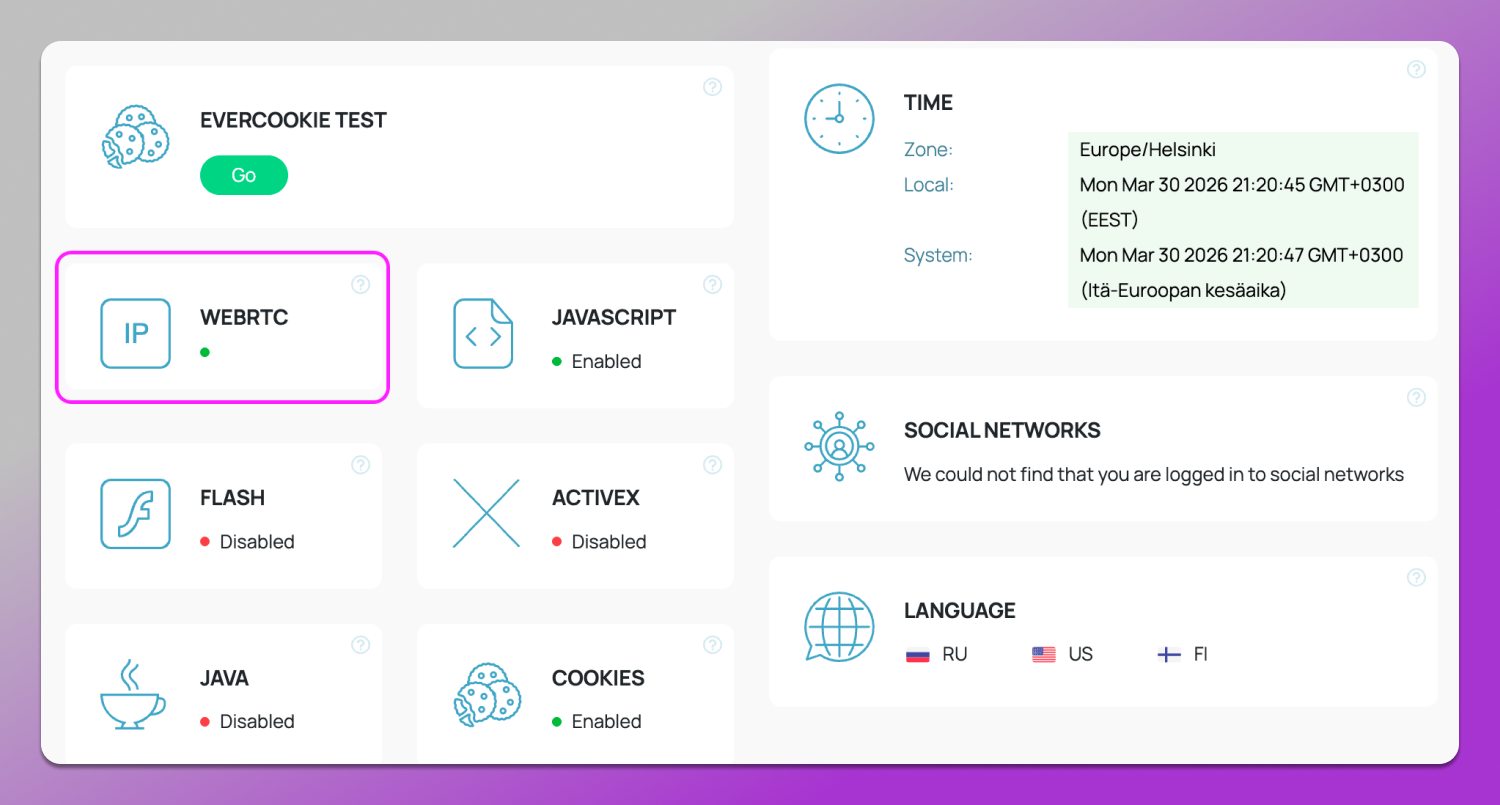
Whoer WebRTC leak test results.
Its 🦊 cunning lies in the fact that to establish such a connection, the browser requests the device’s real network interfaces and may expose your local and public IP via STUN requests. As a result, even with a proxy or VPN enabled a website can obtain your real IP directly from the browser.
The danger of such leaks is that they completely break your masking. You might see a “clean” IP in one place while the website is actually receiving your real data through another channel.
Browser Fingerprint Testing
Beyond network data websites actively analyze the browser itself building your digital fingerprint. Whoer checks the basic parameters of this fingerprint and shows how unique or suspicious you appear.
The test includes parameters such as Canvas, WebGL, installed fonts and many others. Together they allow the creation of a nearly unique device profile. Even if your IP changes the digital fingerprinting patterns often remain the same making it possible to link different sessions to the same user.
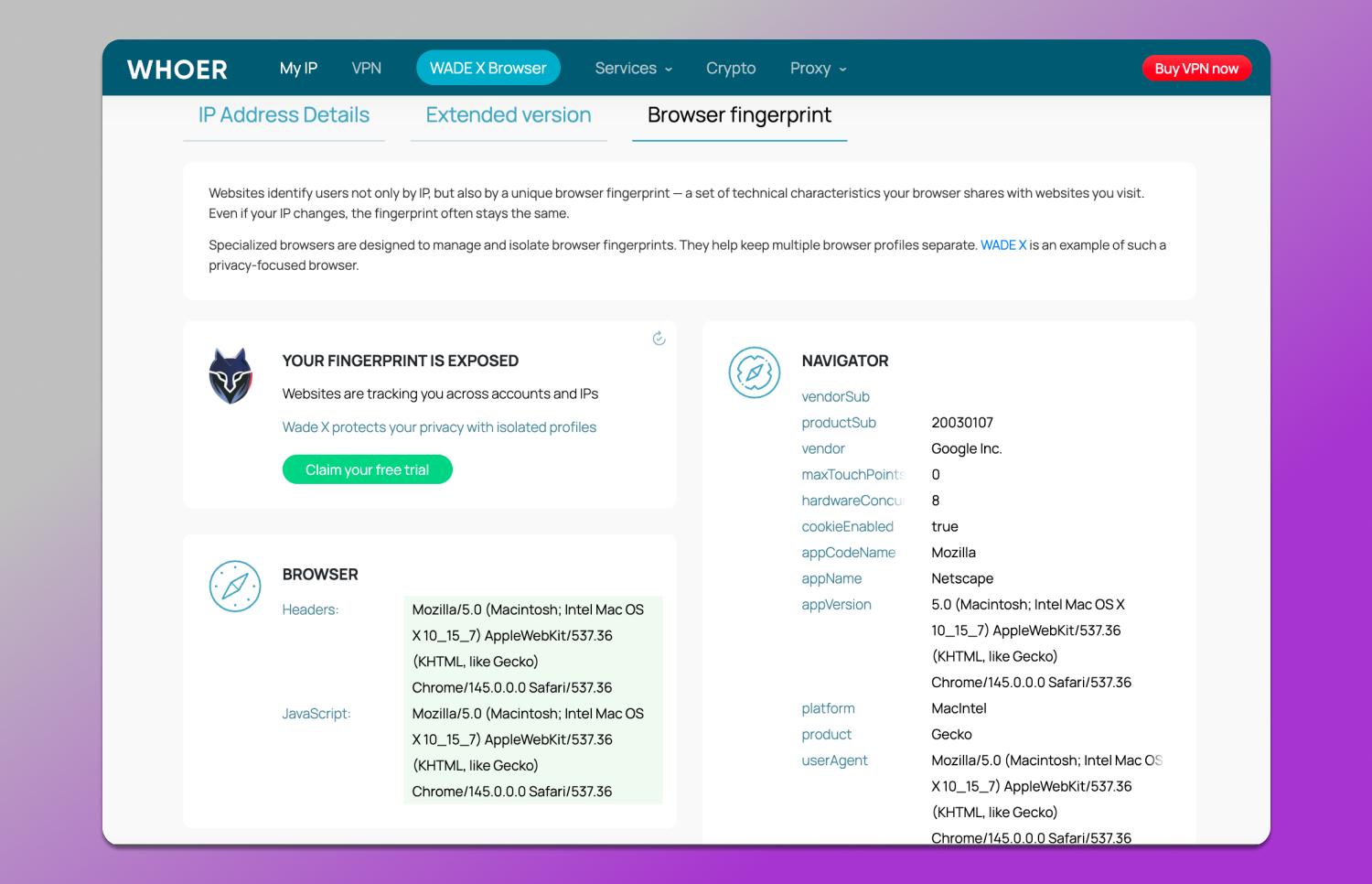
A regular browser does not hide these parameters. As a result, antifraud systems can see your real profile regardless of whether you’re using a proxy or VPN. Whoer helps detect this and understand exactly where the risk of de-anonymization arises.
Decoding the Whoer Anonymity Score
The key metric in Whoer is the anonymity percentage. It’s important to understand that this is not a universal result seen by all platforms, but rather an evaluation based on this specific service. It analyzes how consistent your IP, system and browser are and lowers the score when mismatches are detected.
Why is My Score only 70% or 90%?
The most common reason is not your IP, but inconsistencies. For example, you might be using a Finnish VPN while your browser language and timezone are set to Russian. For a website this looks unnatural.
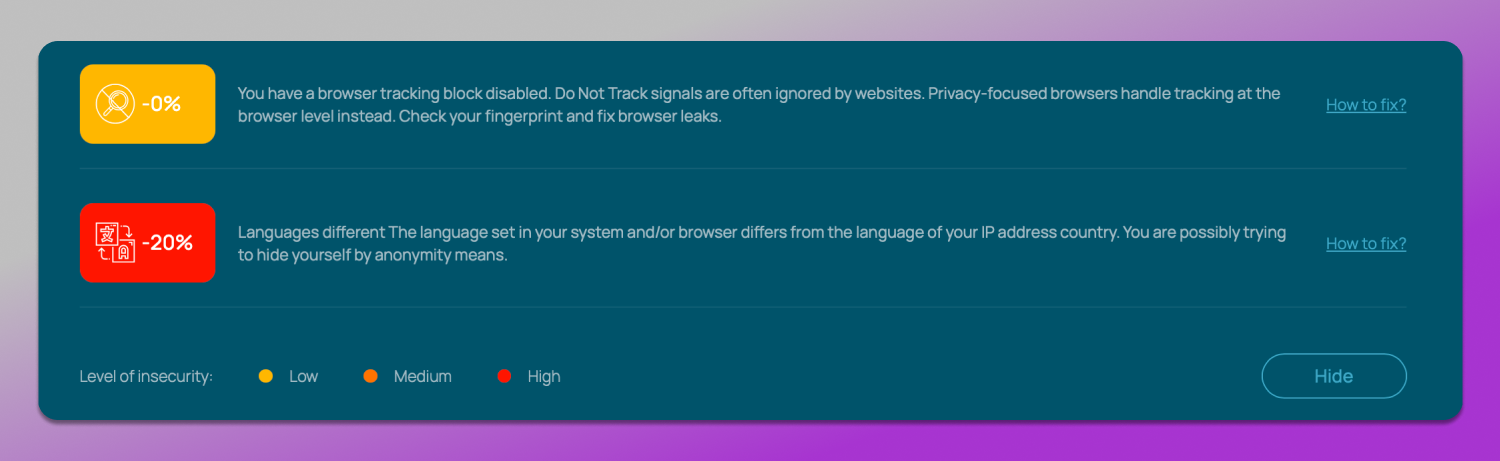
Such mismatches are the main trigger for ⬇️ the score decrease. Whoer takes into account:
- System timezone mismatch;
- Browser language;
- DNS servers;
- Network parameters;
- Leaks.
Whoer immediately provides an assessment with recommendations for fixing issues. That’s why 90% is not “almost perfect”, but rather a signal that you can still be identified.
Step-by-Step: How to reach 100% Anonymity
To reach Whoer anonymity score 100% takes more than to just spoof your IP. You also need to 🔄 synchronize all parameters with each other.
- Timezone. It must match the IP geolocation. If you’re using a proxy from the US, your system and browser should show the corresponding timezone.
- Language. The browser and system language should match the IP’s country. English for the US, German for Germany and so on. Mixed settings are one of the most common sources of issues.
- DNS. Requests must go through the same proxy or VPN. If Whoer detects DNS from your real ISP, it will immediately lower the score.
- Proxy headers. Low-quality proxies may pass additional headers that reveal proxy usage. High-quality residential or mobile proxies usually don’t.
- Leaks. WebRTC and other channels should either be disabled or properly masked.
In the end, 100% is achieved through full consistency across all parameters. If everything appears like a real device from a single country, Whoer will rate it accordingly.
Whoer VPN Deep Dive: Speed, Security, and Pricing
Encryption Standards and Protocols in 2026
WhoX uses a 💻 standard set of technologies to protect the connection: traffic encryption, DNS leak protection and a Kill Switch feature that cuts off the connection if the VPN drops, preventing your real IP from being exposed.
The core of its operation is based on the OpenVPN protocol. It has long proven itself as a reliable solution with a good balance between security and compatibility, which is why it is still widely used today.
Traffic is encrypted using AES-256–level algorithms, which are considered the standard. This level of protection covers basic risks such as data interception on public Wi-Fi networks or when working over insecure connections.
At the same time, it’s important to note that in 2026, more and more services are switching to faster protocols like WireGuard with better technologies like multi-hop VPN. Compared to them, OpenVPN may be slower and introduce higher latency, especially under heavy load or when working through remote servers.
Server Network and Speed Test Results
The server network of WhoX VPN is more limited compared to larger providers. This affects two key aspects: the range of available locations and connection speed.
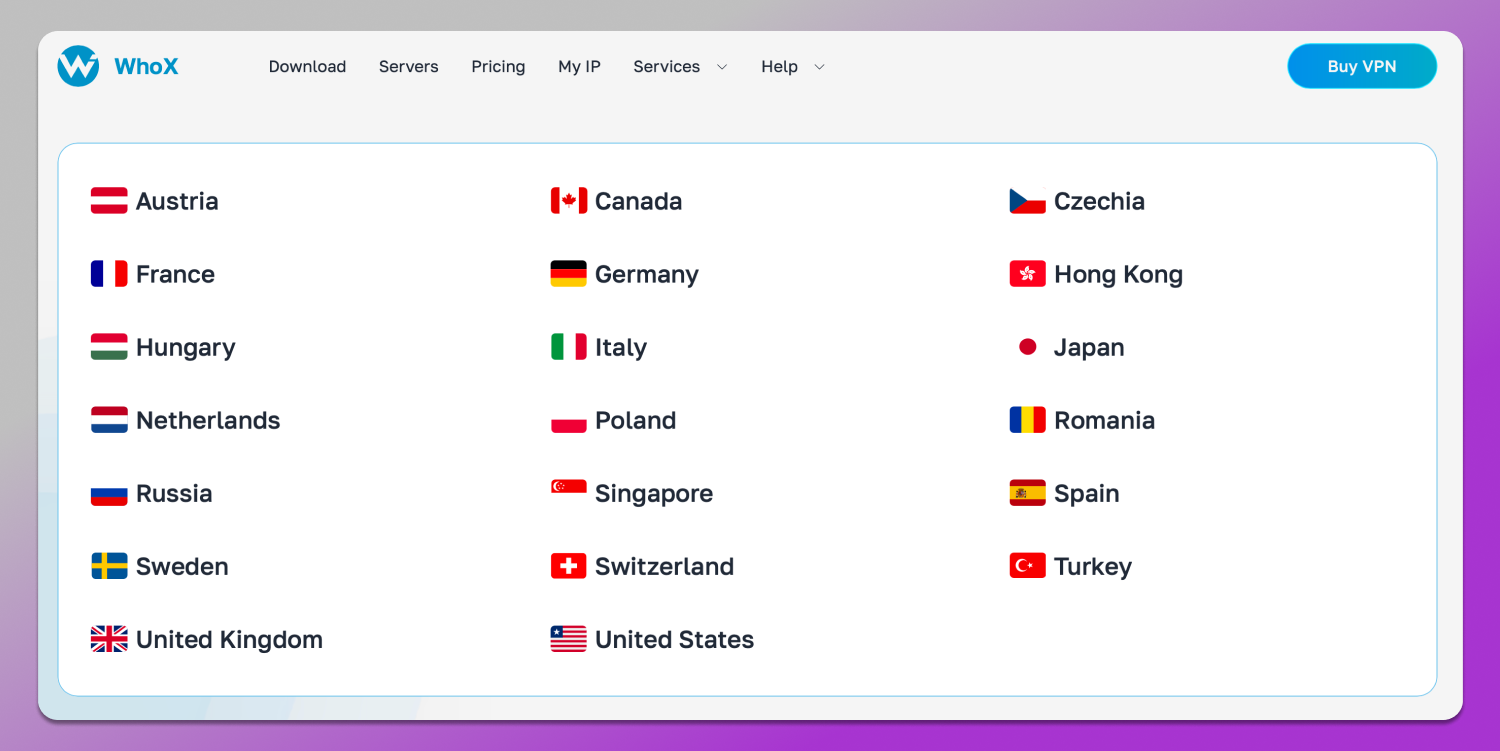
In practice, speed depends on the specific server and its load. For use cases like browsing websites or managing accounts, there are usually no issues. However, for high-bandwidth tasks such as streaming or working with a large number of sessions, performance drops may occur.
Another important point is that WhoX mostly uses 👀 server-based proxies. These are faster and more cost-effective, but less effective in terms of anonymity: such IPs are more likely to be flagged in databases and are less convincing as real user connections. So, if we compare Residential IP vs Datacenter IP proxies, the first ones are much more preferable.
Whoer Free Version vs. Premium Subscription
WhoX does not have a free plan, but it offers a trial period for $1 for the first month, allowing you to test the service without significant investment. The full price depends on the subscription period:
- $9.90 for monthly billing;
- $29.90 for a yearly plan;
- $49.90 for two years.
At the time of writing, the WhoX and Whoer browser extension for Chrome are not available in official browser stores and the link from the official website leads to a non-existent page.
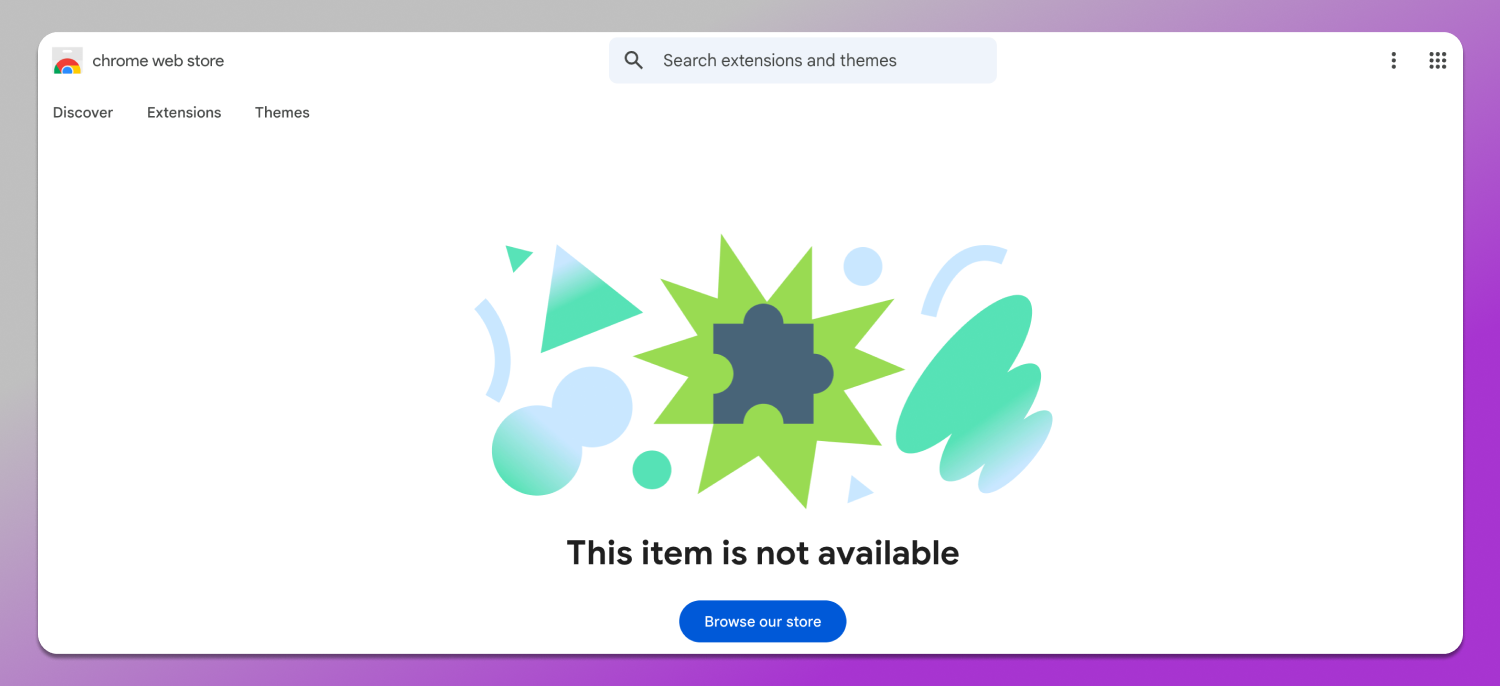
There is no exact publicly stated reason for their removal, but such extensions are most often taken down due to stricter platform policies, primarily related to user data handling, transparency and security requirements. This especially applies to VPN and proxy services, which are under increased scrutiny from Google and other platforms.
Instead of extensions, Whoer offers a standalone application that can be downloaded from the official website. Versions are available for Windows, macOS, and Linux. It works like a classic VPN client: it is installed on the device and allows you to manage the connection in a simple on/off format, without being tied to the browser.
Whoer Blacklist Check: Identifying “Dirty” IPs
In addition to the basic digital fingerprint check, there is an additional tool — WhoIS, which a Whoer proxy checker that allows you to obtain extended information about an IP address domain, or server: geolocation, ISP and registration details. It’s easy to use: go to the “Services” tab and find WhoIS. Then simply enter the desired IP, domain or hostname in the input field and click the “Check” button.
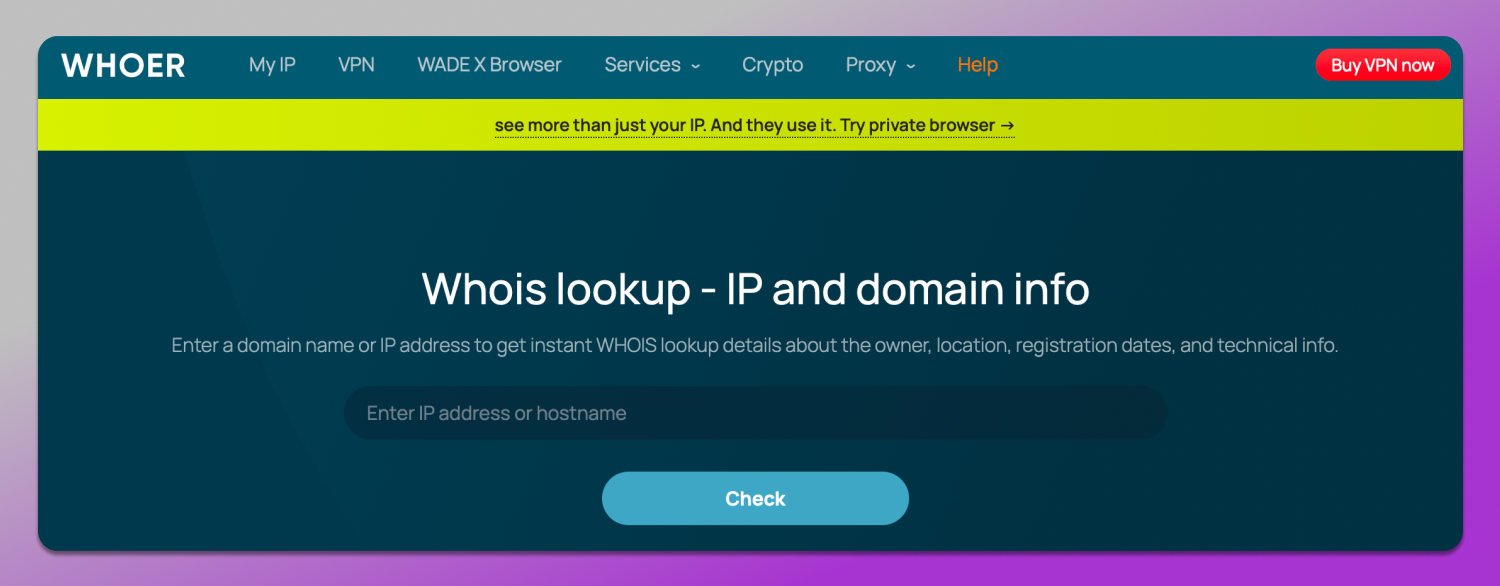
There is also an IP check against 🔎 blacklists. The WhoIS report includes a corresponding section, but it is not implemented entirely correctly: the link leads to Spamhaus, but when you follow it, the IP address is not automatically pre-filled and has to be entered again manually.
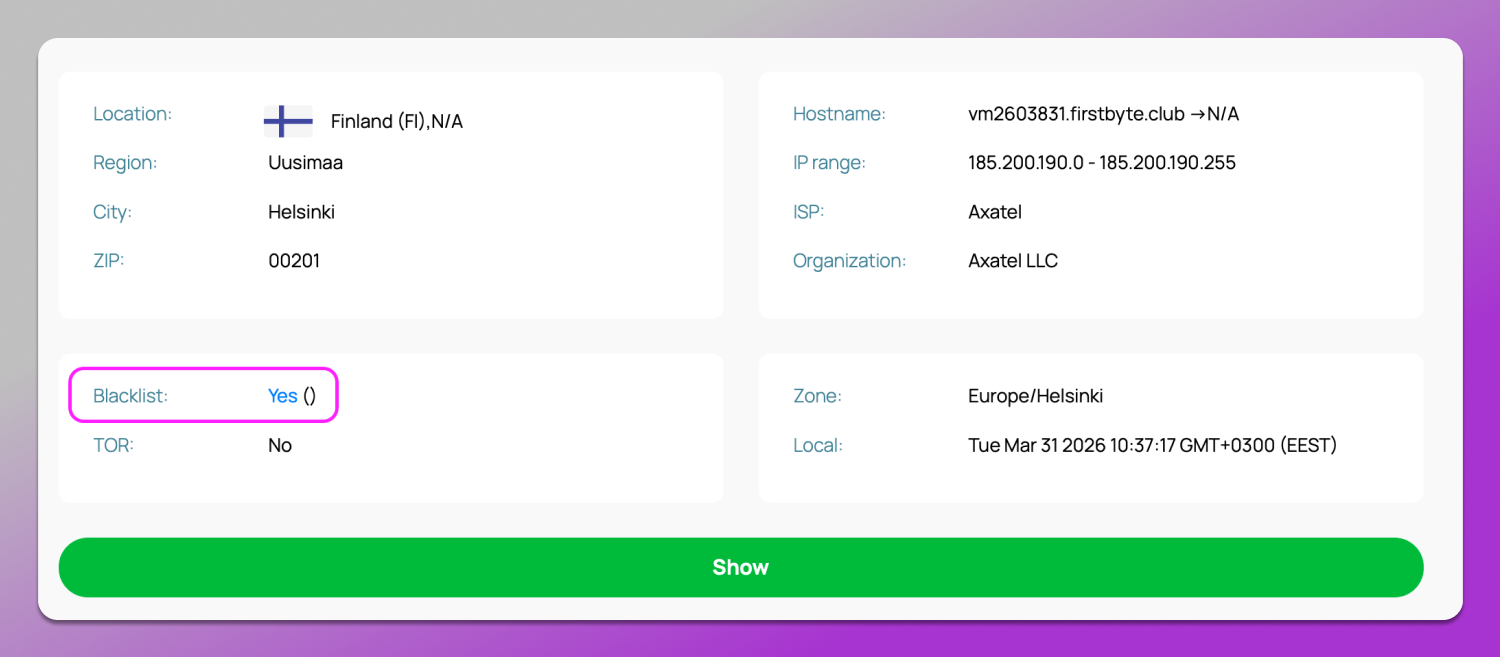
Whoer blacklist checks sagainst spam databases are important because they help you determine in advance whether an IP has been used for spam or suspicious activity. In such cases, it’s better to 🔄 replace the proxy immediately. Otherwise, access issues and blocks are almost guaranteed.
Whoer vs. Competitors: How Does It Stack Up?
Whoer is not the only tool for checking anonymity. There are both more complex and simpler solutions. The difference between them lies in the depth of analysis and ease of use. That’s why it’s important to understand which tool is suitable for specific tasks. Let’s compare Whoer with BrowserLeaks and Pixelscan across key parameters.
| Parameter | Whoer | BrowserLeaks | Pixelscan |
|---|---|---|---|
| Ease of use | High, simple interface | Low, overloaded with technical data | Medium, modern interface |
| Overall anonymity score | Available | Not available | Available |
| IP and network check | Yes | Yes | Yes |
| DNS/WebRTC leaks | Yes | Yes, at a deeper level | Yes |
| Fingerprint analysis | Basic | Very detailed | Advanced |
| Beginner-friendly | Yes | Rather no | Mostly yes |
| Depth of analysis | Medium | Maximum | Above average |
It’s clear that Whoer represents a 🤝 balance between simplicity and functionality. It highlights the key issues without overwhelming the user with excessive information. BrowserLeaks is a tool for deep technical analysis, where you can examine every fingerprint parameter in detail. Pixelscan is a more modern and user-friendly service: it provides an in-depth fingerprint analysis while remaining understandable even without advanced technical knowledge.
Pros and Cons of using Whoer in 2026
The main advantage of Whoer is its ✅ clarity. It quickly shows whether there are any issues and provides an easy-to-understand indicator in the form of an anonymity percentage. On top of tat, there are tips on what is revealing your masking. This is convenient both for beginners and for quickly checking proxies before starting work with accounts. The service also focuses on practical aspects: leaks and inconsistencies.
As for drawbacks, we should note ❌ the lack of in-depth analysis for advanced users. Compared to BrowserLeaks, Whoer only provides a surface-level view. Additionally, the anonymity percentage itself can be misleading: it is not a guarantee of security, but rather a basic assessment.
Overall, Whoer is suitable for regular checks and initial setup. However, for more complex tasks, it’s better to use it in combination with other solutions.
Dolphin Anty — The Ultimate Companion for Whoer.net
Even if Whoer shows 100% anonymity, that does not necessarily mean you are fully ready for real-world work with accounts and platforms. This requires ⚙️ control over all parameters of the network environment. This is where an antidetect browser comes in, allowing you to manage digital fingerprints and isolate profiles from one another.
What is Dolphin Anty and why you need it in 2026?
🚀 Dolphin Anty is an antidetect browser that allows you to create profiles isolated from one another with unique parameters. Each profile behaves and appears to websites as a separate device with its own digital fingerprint, cookies, settings and proxy.
In 2026, this is especially important because modern antifraud systems have long gone beyond simple IP checks. They analyze a combination of factors, linking user actions across different accounts and detecting multiaccounting.
Platforms treat 👎 multiaccounting negatively because it is often used to bypass restrictions, run different gray hat schemes, inflate metrics, claim bonuses repeatedly or evade bans. From the platform’s perspective, this distorts metrics, increases fraud risk and degrades the ecosystem. For these reasons, such activities are actively monitored and suppressed by automated antifraud systems.
At the same time, ☝️ multi-accounting itself is not always illegal. In many cases it is used for legitimate purposes, such as separating work and personal accounts, managing multiple projects, testing ads or handling different clients in SMM or HR. In these scenarios the goal is not to bypass rules, but to organize processes conveniently and safely, where each profile is isolated and does not intersect with others.
Creating “Real” Fingerprints
One of the key features of Dolphin Anty is 👣 the creation of fingerprints that mimic real devices. It is based on a database of ready-made profiles built from real device configurations, which reduces the likelihood of detecting suspicious behavior.
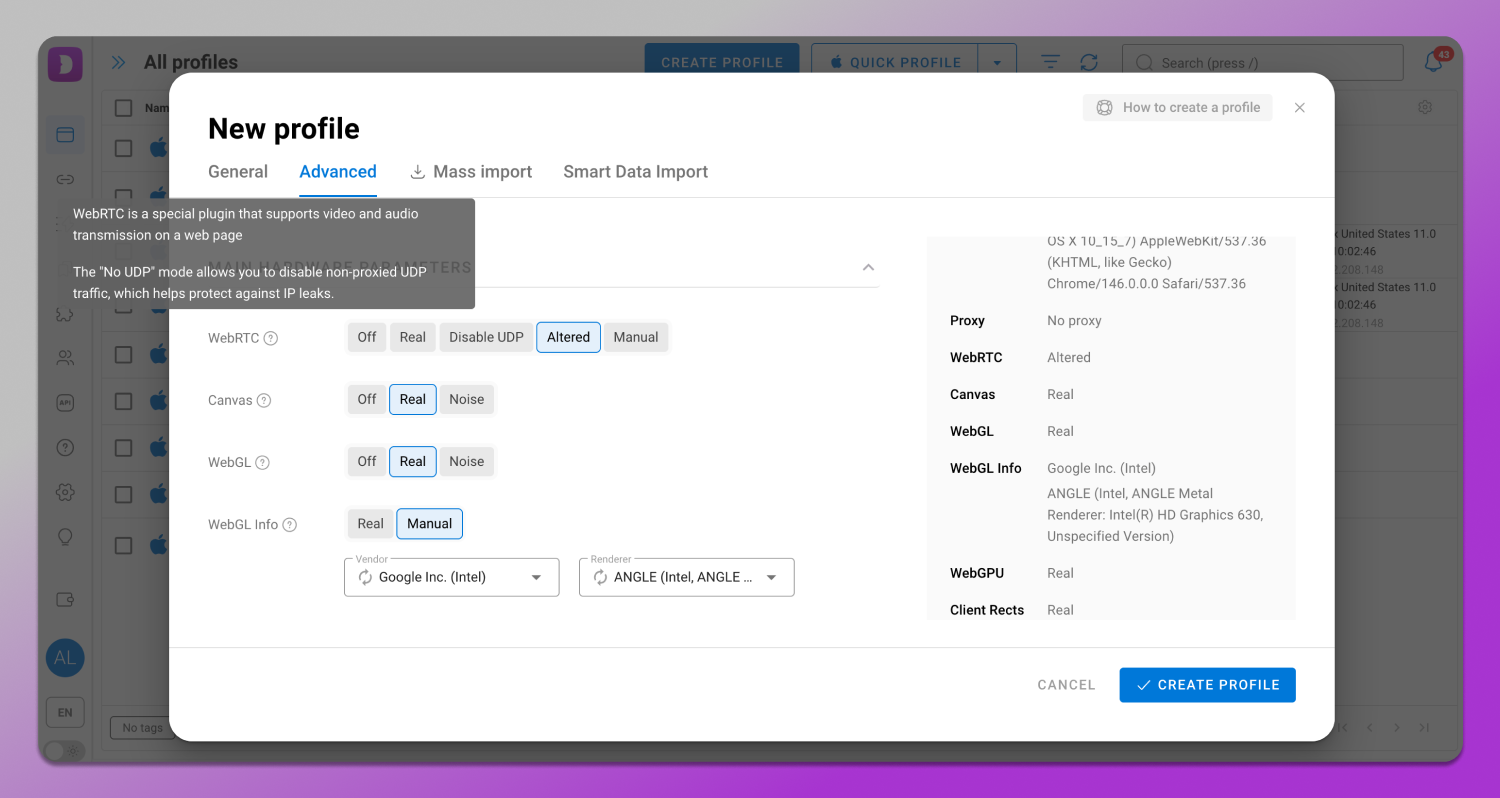
When configuring a profile, you can control many parameters that directly affect Whoer check results:
- WebRTC with “No UDP” mode allows you to prevent real IP leaks through browser mechanisms by blocking unwanted data transmission channels.
- Timezone is synchronized with the IP address to avoid discrepancies between the system and geolocation.
- Browser language is set according to the IP region so that the profile appears natural to websites.
- Geolocation spoofs the device’s coordinates, preventing the real location from being exposed via browser APIs.
- Do Not Track is a parameter that signals websites that you prefer the no-logs policy and do not wish to be tracked; its value should be aligned with other settings.
- Fonts — the set of system fonts that affects fingerprint uniqueness and should match the chosen device configuration.
Combination of these parameters forms a consistent profile that passes Whoer checks without conflicts or mismatches.
Seamless Proxy Integration
Dolphin Anty supports 🔗 proxies and allows you to assign them to each profile. This means the IP address, browser fingerprint and network parameters all work together without conflicting with each other.
Proxies support full anti-detect browser compatibility and can be configured either when creating a profile or through a separate menu. This is convenient when you need to prepare a list of proxies in advance, check their functionality and then distribute them across profiles. Bulk proxy import is also available, which is especially useful when working with a large number of accounts as you won’t need to add each address manually.
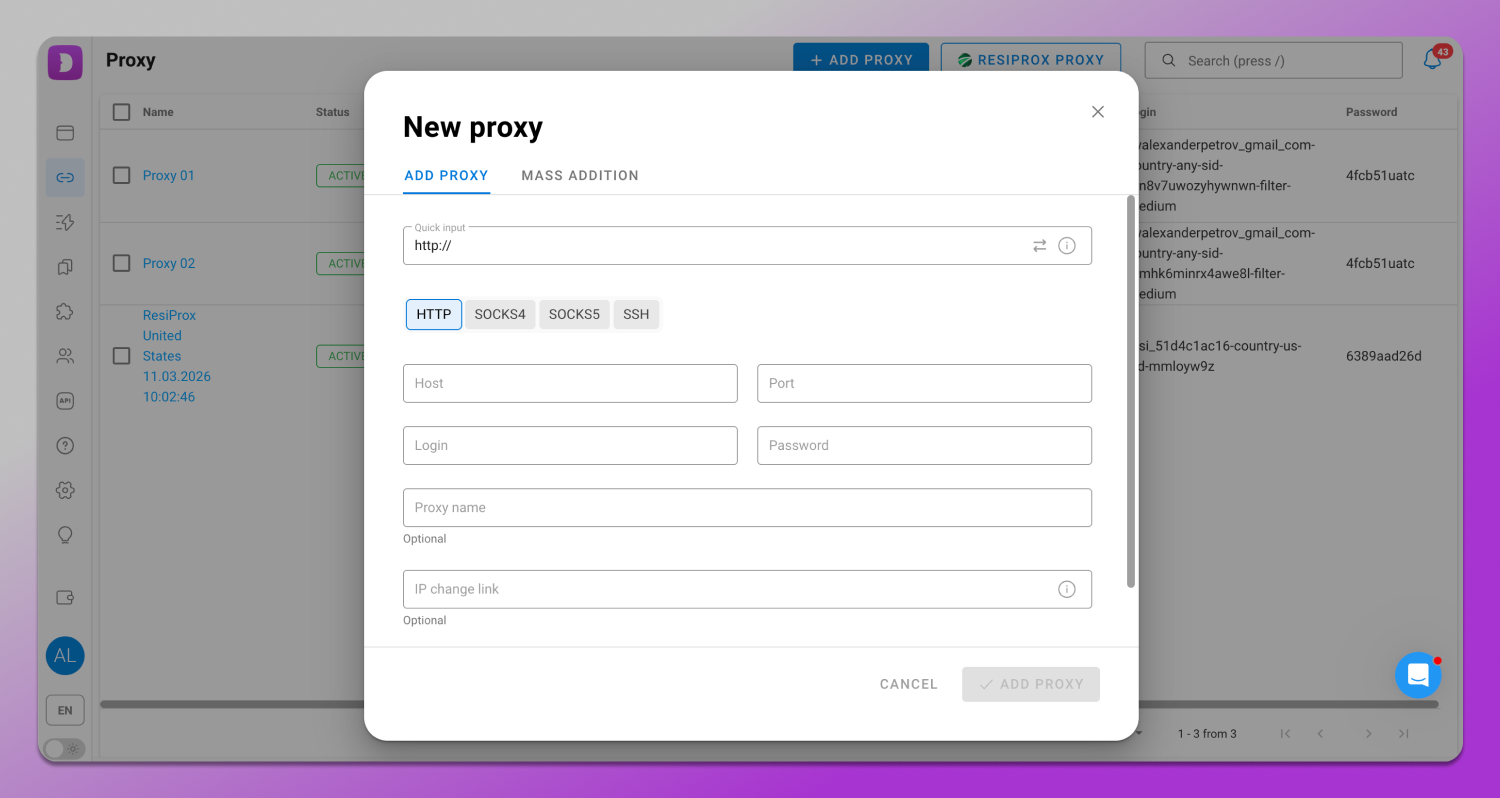
Dolphin Anty also supports integration with providers that easily pass any proxy speed test. Some of them offer free traffic. This allows you to start working without additional investment or the need to search for a reliable provider.
Such a comprehensive approach to proxies is especially important when checking via Whoer: the service analyzes not only the IP but also the consistency of all parameters. Thanks to centralized account management, it becomes possible to avoid common mistakes such as mismatches in timezone, language, or DNS.
Automation & Productivity
In addition to basic profile management, Dolphin Anty offers tools for process automation: a synchronizer and scenarios.
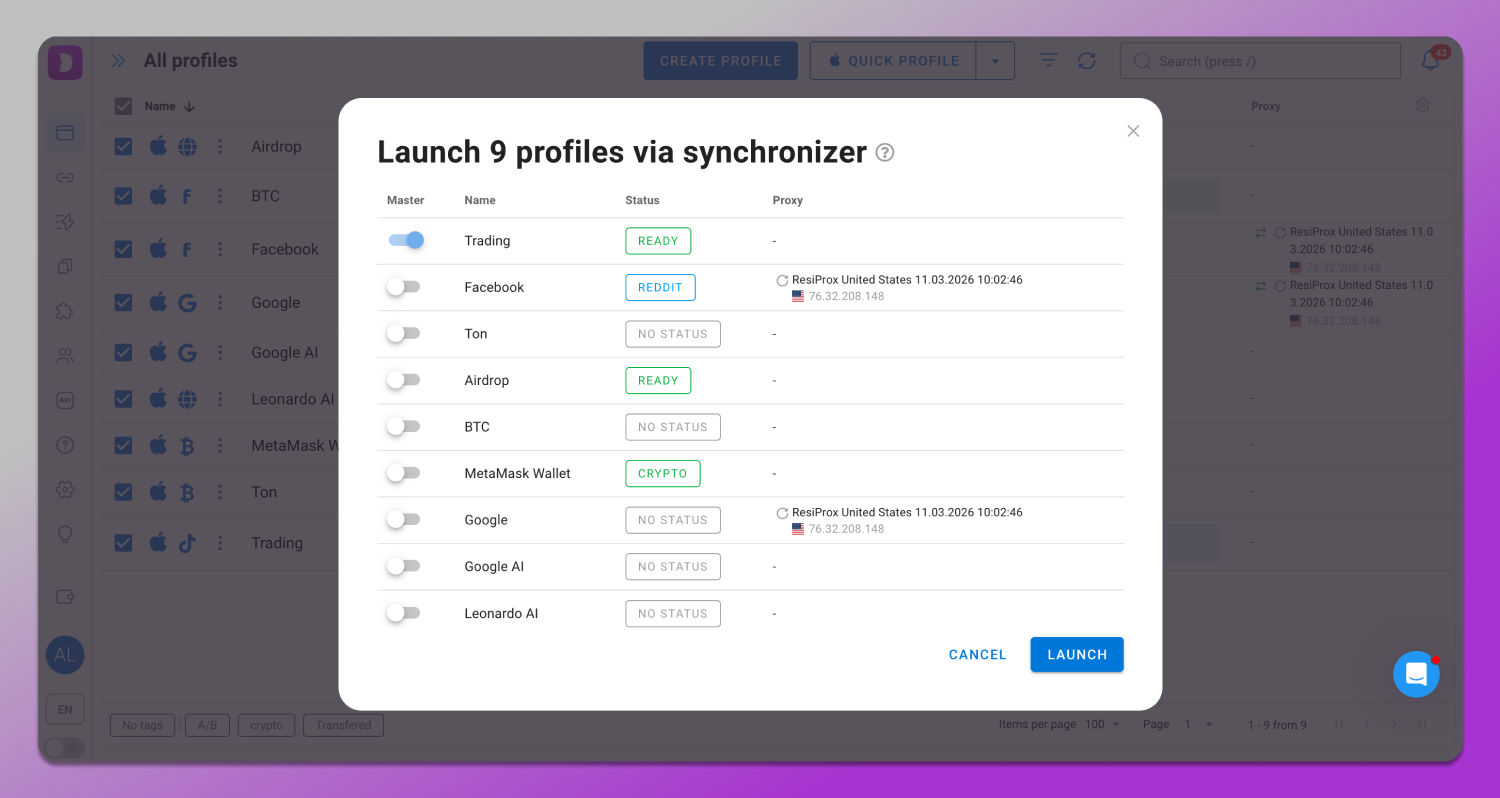
🔁 The synchronizer allows you to perform actions simultaneously across multiple profiles, which is convenient when working with many accounts. In practice it is used for bulk execution of repetitive tasks: opening pages, logging in, warming up accounts or repeating the same actions across different profiles without doing them manually.
📹 Scenarios, in turn, allow you to create sequences of actions and run them automatically. This can be a sequence such as logging into an account, navigating through pages, simulating basic user behavior and executing predefined steps.
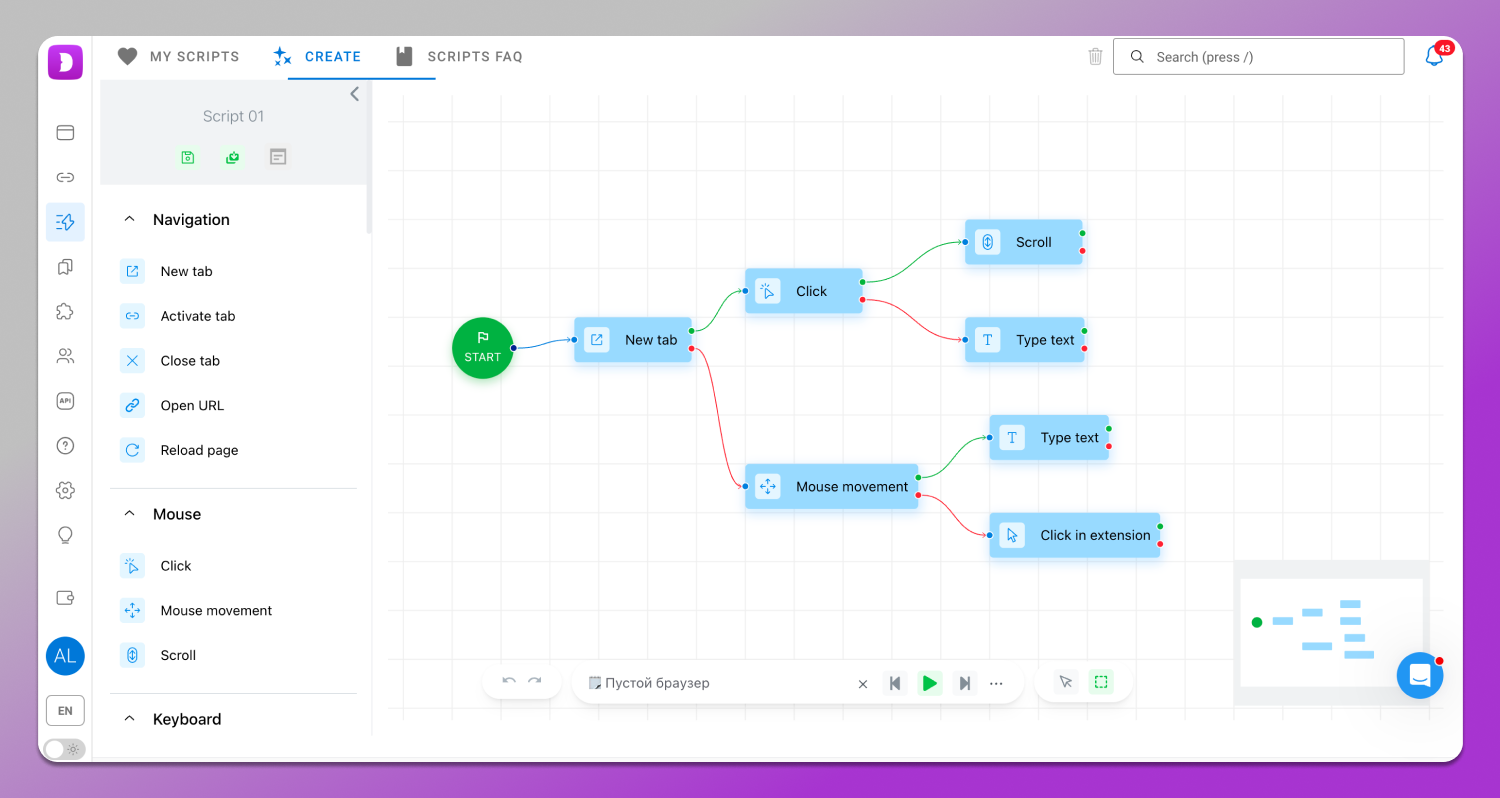
This approach saves time and helps standardize processes, especially when you need to work with a large number of profiles using the same template.
Step-by-Step: Getting 100% on Whoer using Dolphin Anty
Achieving 100% anonymity in Whoer is possible when all environment parameters are consistent with each other. Dolphin Anty helps you build exactly such a configuration. Here’s how it works in practice.
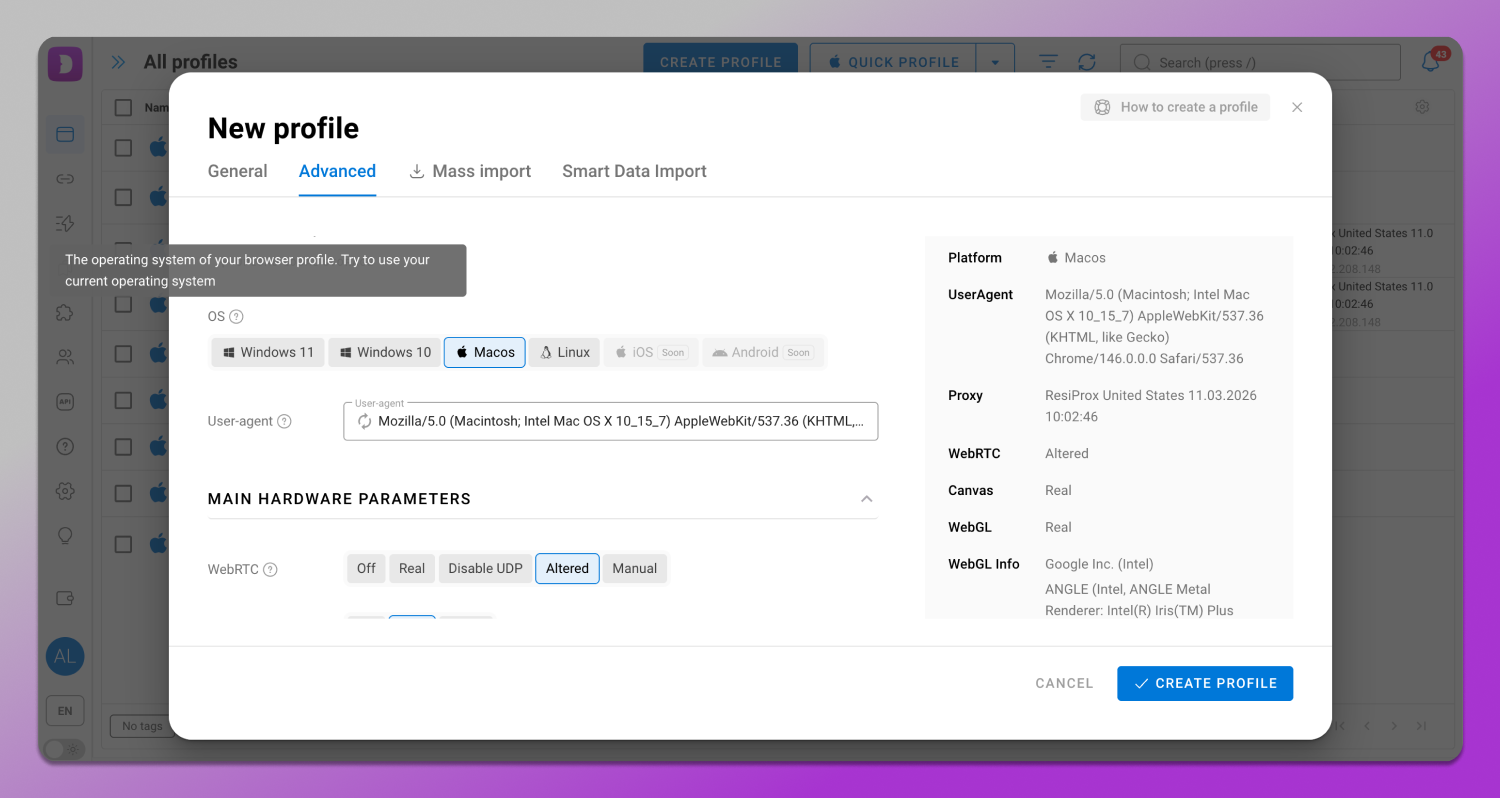
Step 1. Creating a profile. The browser initially generates realistic fingerprints where the parameters do not conflict with each other. Click “Create Profile,” and the foundation is ready.
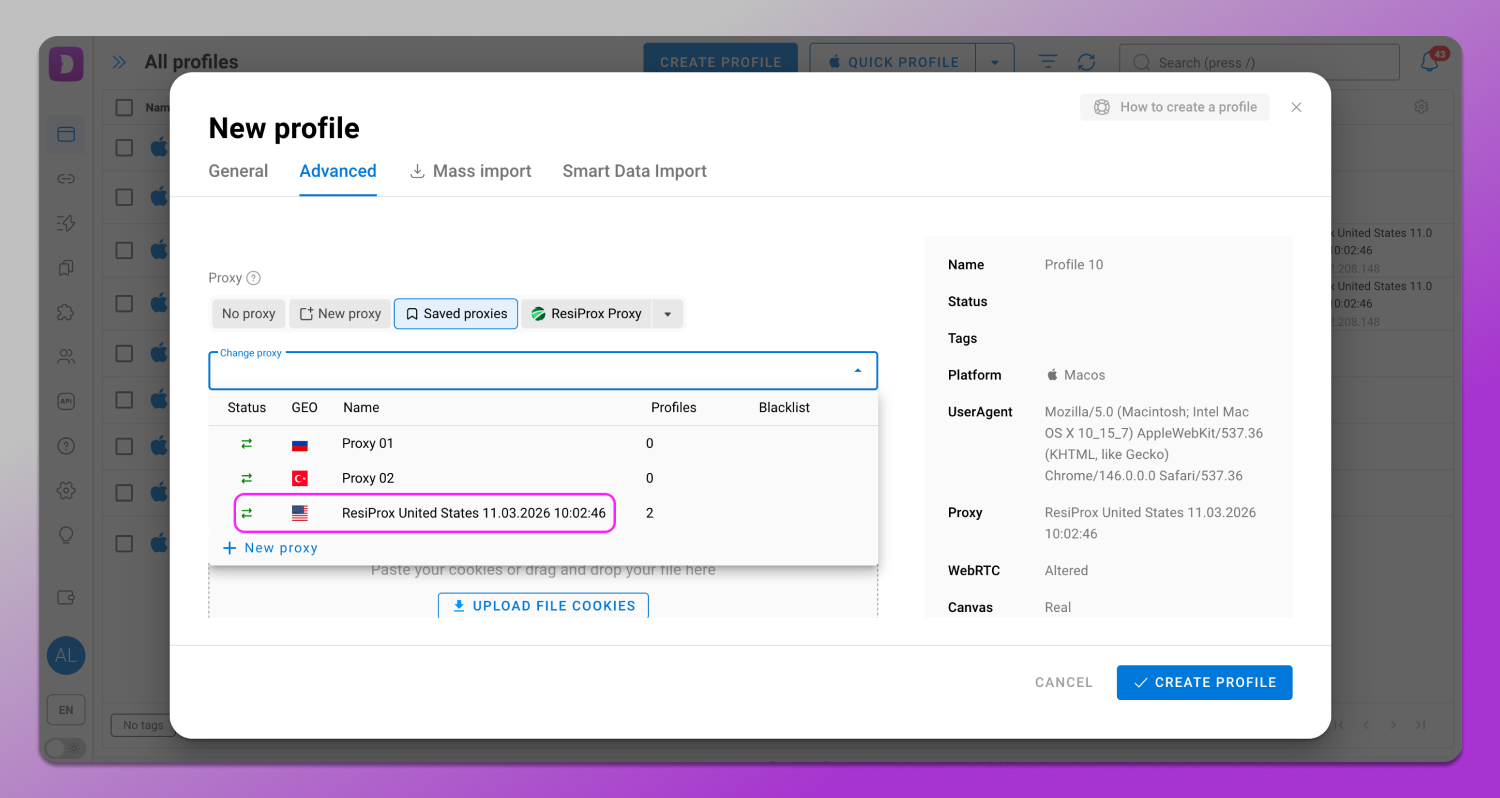
Step 2. Connecting a proxy. It’s better to use high-quality residential or mobile proxies, as they resemble regular user connections and are less likely to raise suspicion. The proxy is assigned to the profile so that the IP, network parameters, and fingerprint work consistently together. We use a proxy from the built-in provider and select a US geolocation.
Step 3. Checking parameters. Synchronizing parameters particularly timezone, language and geolocation set to “Auto” allows these values to automatically adjust to the IP address reducing the risk of inconsistencies that Whoer flags as suspicious.
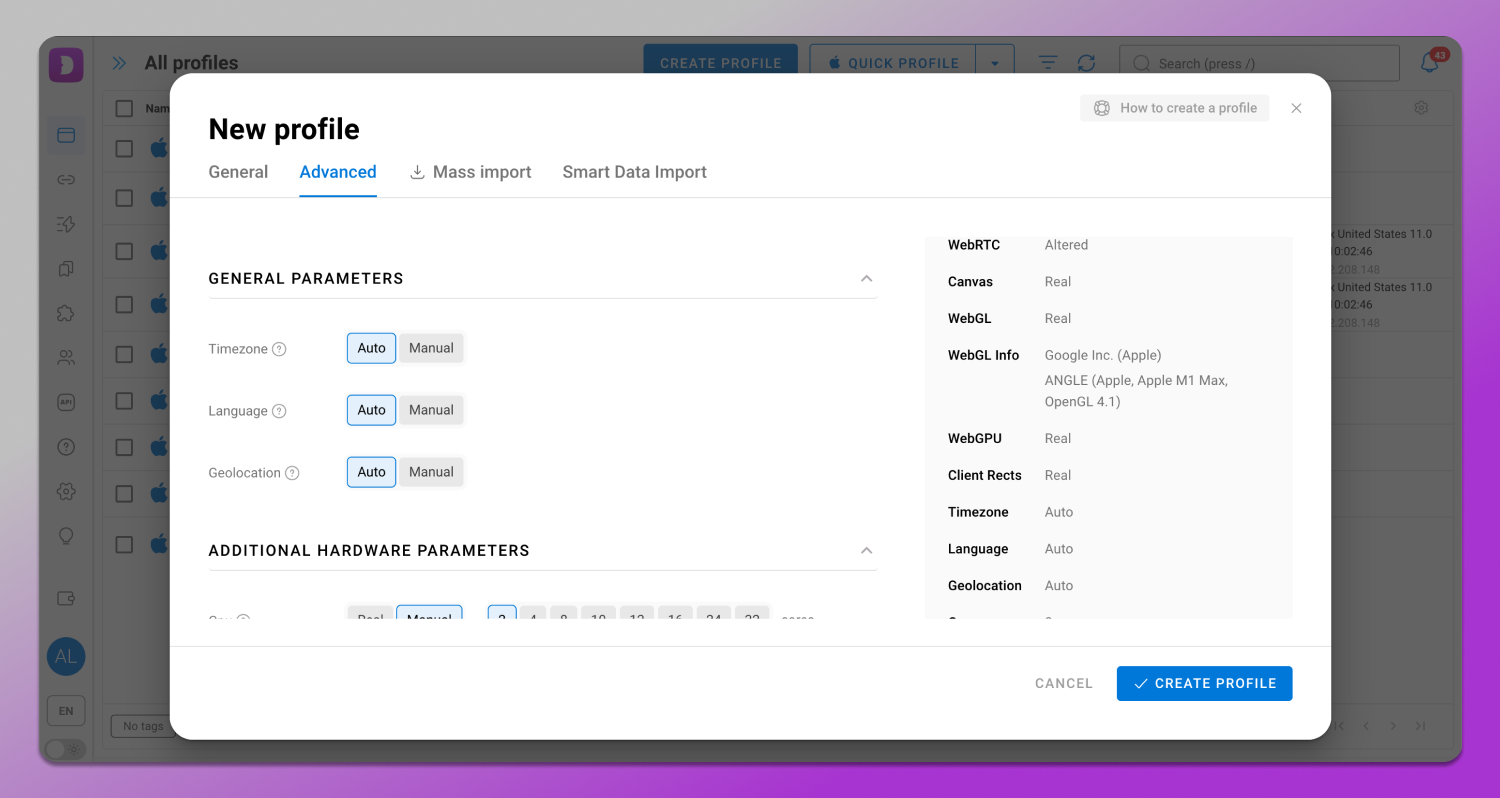
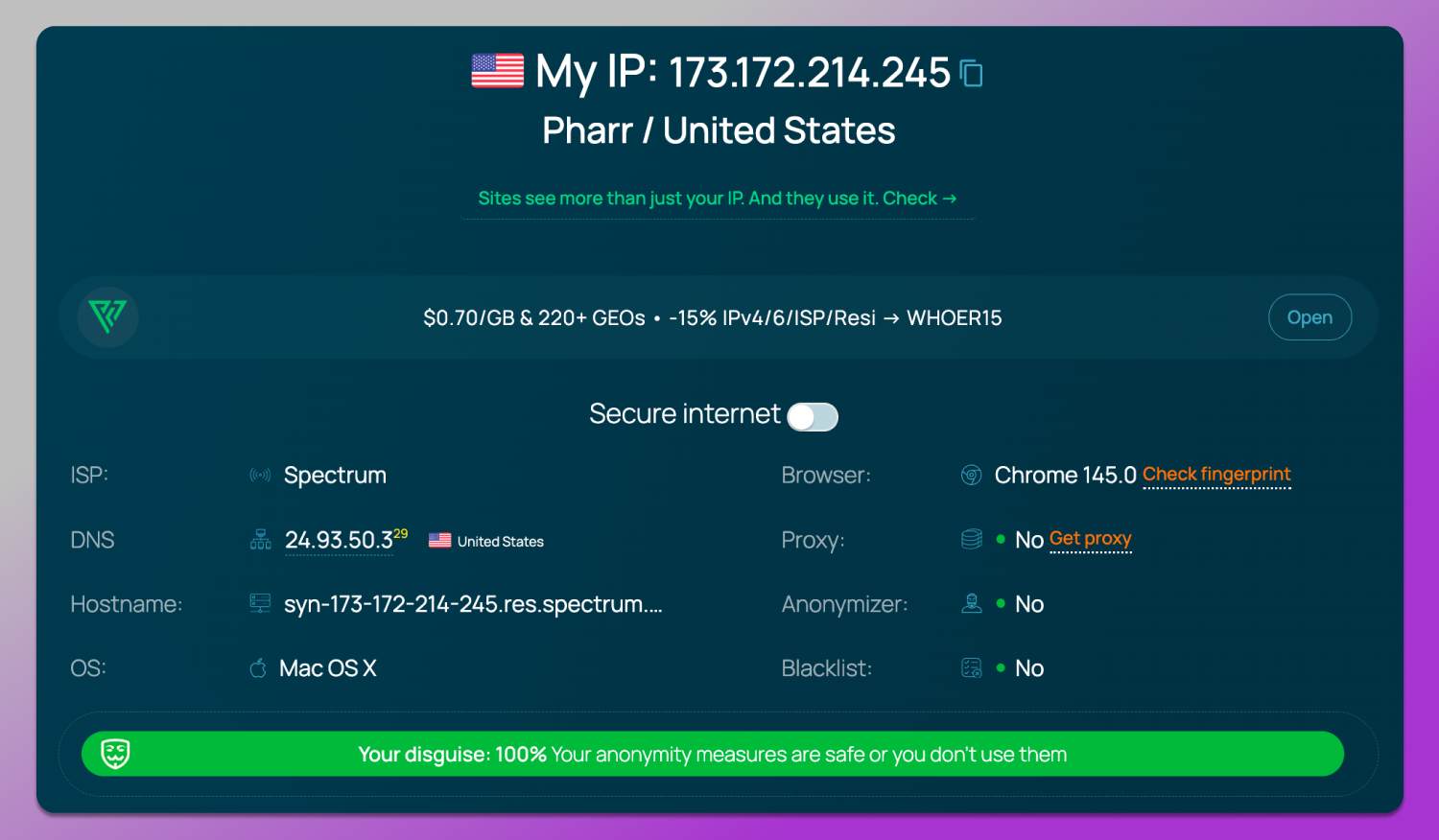
Step 4. Whoer check. At the final stage launch the profile and run the check. If all parameters are configured correctly, the service will not detect any leaks or inconsistencies, and the anonymity level will reach 100%.
Conclusion
In 2026, Whoer.net anonymity test remains a basic tool that quickly shows whether there are any leaks, configuration mismatches and how consistent your digital fingerprint appears from the websites perspective.
At the same time, it’s important to understand its role. Whoer is primarily a diagnostic tool. It helps identify anonymity issues and suggests ways to fix them, but it does not account for more advanced tracking mechanisms used by major platforms like Google and Meta.
That’s why the maximum effect is achieved when used together with an antidetect browser. If Whoer shows where the issues are, 🔥 Dolphin Anty allows you to fix them and build a fully consistent environment without leaks or contradictions. So if you work with multiaccounting or simply want to maintain anonymity online, it’s worth trying.
👉 Download Dolphin Anty antidetect browser.
FAQ: Expert Guide to Whoer & Online Anonymity
Why is my Whoer anonymity score only 70% even with a VPN?
Whoer evaluates more factors than just your IP address. Even if a VPN hides your real location, the service checks the consistency of multiple parameters. If there are mismatches between timezone, browser language, DNS or other system settings, the overall score decreases. Therefore, “100%” is not just about having a hidden IP, but about the complete absence of inconsistencies across all parameters.
How can I fix a “System Time Difference” error in Whoer?
This error occurs when the system timezone does not match the geolocation of your IP address. To fix it, you need to manually or automatically set the correct timezone in your OS settings so that it matches the country of your IP. Once corrected, the discrepancy disappears and the anonymity score improves.
Does a 100% score on Whoer guarantee I won’t be banned on Facebook or Google?
No, it does not guarantee that. Whoer checks basic technical parameters, but major platforms use much more complex analysis systems. For example, Facebook and Google apply behavioral analysis, track activity patterns, account history and other signals. Therefore, 100% in Whoer reflects a basic level of cleanliness, but not a guarantee against bans.
What is a WebRTC leak and how do I plug it?
WebRTC is a browser technology used for direct connections between users. During its operation, it can expose your real IP via special requests, bypassing a VPN or proxy. To fix this, you can disable WebRTC in browser settings or use extensions. A more reliable option is to use an antidetect browser, where WebRTC is properly isolated and does not reveal real data.
Why does Whoer flag my IP as “Blacklisted”?
This means the IP address is present in one or more blocklists, such as Spamhaus. This usually happens not because of your actions, but due to previous users of the same IP. In such cases, the best solution is to change the proxy.
Can Whoer detect that I am using a Proxy or a VPN?
Yes, the service can analyze network parameters, including MSS (Maximum Segment Size) and port characteristics. These signals help detect whether a proxy or VPN is being used. High-quality residential or mobile proxies mask these indicators by imitating normal home connections, making them appear more natural to detection systems.
How do I use Dolphin Anty to bypass Whoer’s fingerprint detection?
The process looks like this: you create a profile with a realistic digital fingerprint and connect a proxy. Dolphin Anty modifies key parameters analyzed by Whoer: Canvas, WebGL, AudioContext and others. As a result, the profile appears as a separate device without obvious signs of spoofing.
What is the difference between Whoer.net and BrowserLeaks?
Whoer is a tool for quick checks and an overall assessment. It highlights main issues and provides a general view of anonymity. BrowserLeaks, on the other hand, is designed for deeper technical analysis. It examines each browser fingerprint component in detail and is suitable for advanced diagnostics.
How often should I check my anonymity on Whoer?
It is recommended to check IP address with Whoer every time you create a new profile or change a proxy. This helps ensure that your settings are correct and that there are no leaks or inconsistencies introduced after changes in the environment.