How to Create an Account Farm for Neural Networks
Blog » How to Create an Account Farm for Neural Networks
Step-by-step Guide to Abuse via the Dolphin Anty Antidetect Browser
Free versions of neural networks almost always come with strict 🙅♂️ request limits, a limited number of generations or limited operating time. This is usually only enough to get acquainted with the tool, but not for full-fledged work. As a result, users start looking for ways to extend their access to the trial period. This is how ‘abuse’ appears — the use of a service in which free limits are scaled by registering multiple accounts.
Today, we’ll figure out how to abuse neural networks, what it takes to be successful and how to cope with limits.
Why an Antidetect Browser is Necessary for Neural Networks Abuse
Modern services use 🔎antifraud systems that analyse not only the user’s IP address, but also their digital fingerprint — a set of device and network environment parameters. This includes the browser type and version, User-Agent, operating system, screen resolution, font set, WebGL, WebRTC, Canvas and dozens of other characteristics. This data forms a unique device profile, allowing different sessions and accounts to be linked together.
This is the reason why simple solutions like incognito mode or using a VPN rarely help. Incognito mode only clears local browser data and a VPN changes your IP address, but most of your device’s characteristics remain the same. As a result, antifraud systems can still match new registrations with existing sessions and profiles and prevent you from reactivating your trial period.
That is why to circumvent these restrictions users need special tools that create separate digital profiles for each account.
Dolphin Anty — the Best Tool for Multiaccounting in 2026
One of the most well-known tools for working with a large number of accounts is 🚀 Dolphin Anty. Each created profile receives its own isolated environment and appears to any website as a new user with a real device.
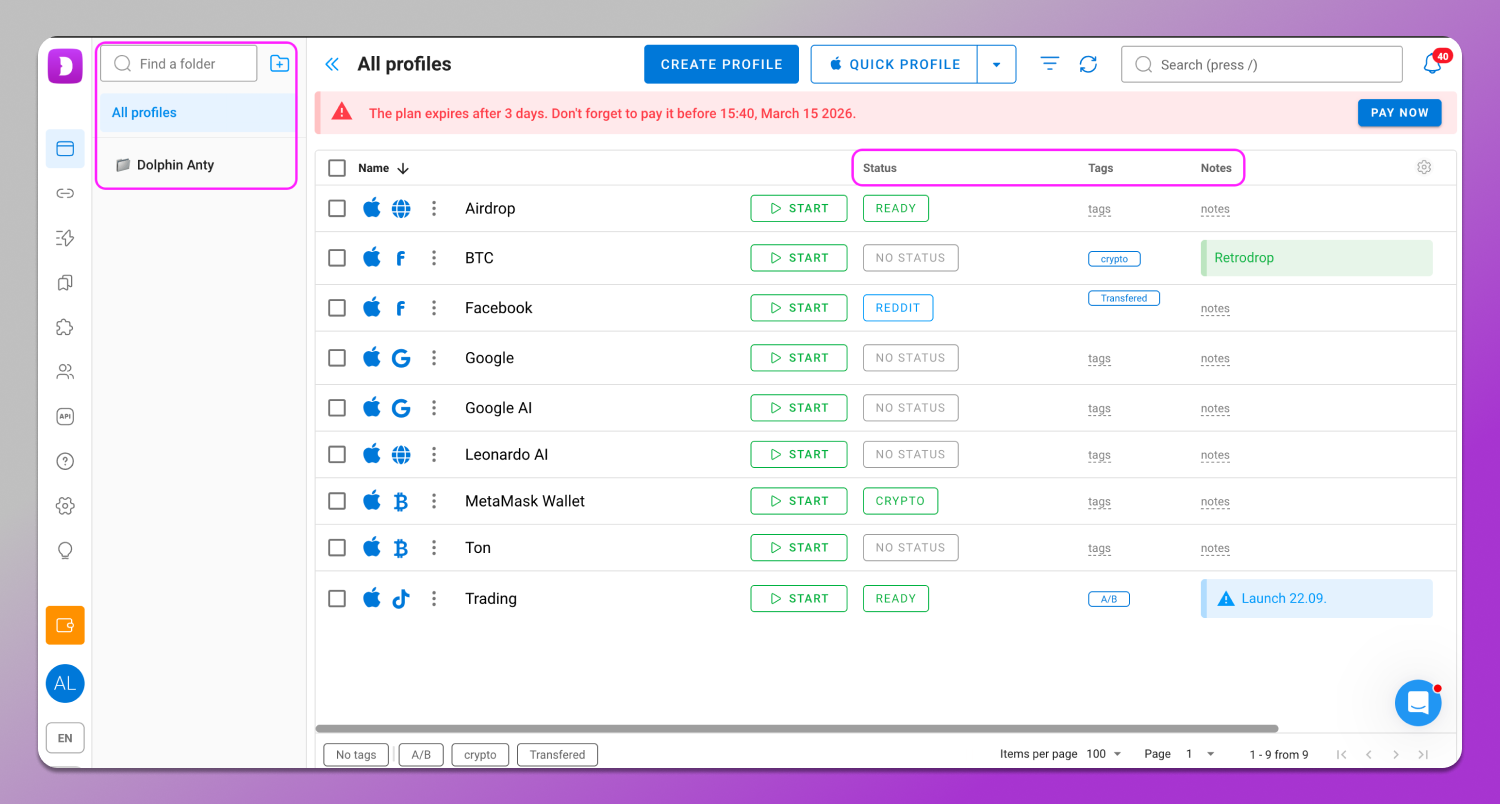
One of the main advantages of the browser is its ease of use. The interface can be customized to suit your needs. For example, you can use folders to group profiles, assign statuses, tags and notes and apply filters to quickly find the accounts you need. Each profile can also be customized: set start pages, install browser extensions, add bookmarks and select its type depending on the operating scenario.
Special attention is paid to spoofing browser fingerprints. Dolphin Anty generates them consistently (without conflicts in configurations). However, you can also configure the environment settings manually by specifying more than 50 device parameters, including WebGL and Canvas substitution, time zone, device name and others. To avoid confusion, there is a brief description of each of them.
Dolphin Anty supports 🔗 proxies, which helps to further isolate network connections. For user convenience, there are integrated proxy providers with free traffic that can be connected directly from the interface in just a couple of clicks.

To evaluate all these functions, there is a 🆓free plan that allows you to create up to five profiles without linking a bank card and without time restrictions. For users, this is a convenient way to test the browser’s functionality and figure out how everything works.
Preparing Tools for Farm Creation
Before starting to work with a large number of accounts, you need to prepare a basic set of tools. This will simplify and secure the process.
You will need:
- Antidetect browser for neural networks to create profiles with different digital fingerprints of the device.
- Proxy for distributing network connections between accounts. Free options are rarely suitable for this task as they are often overloaded, unstable and can be used by a large number of people, which quickly gets them blacklisted as suspicious IPs.
- SMS activation services for confirming phone numbers during registration.
Together, these tools form the basic infrastructure that allows you to systematically manage a large number of accounts and keep your work organised.
Dolphin Anty: Configuration for Working with Neural Networks
Once you have decided on the tools, we will explain how to use neural networks for free in practice. The process usually takes a few minutes and consists of several simple steps.
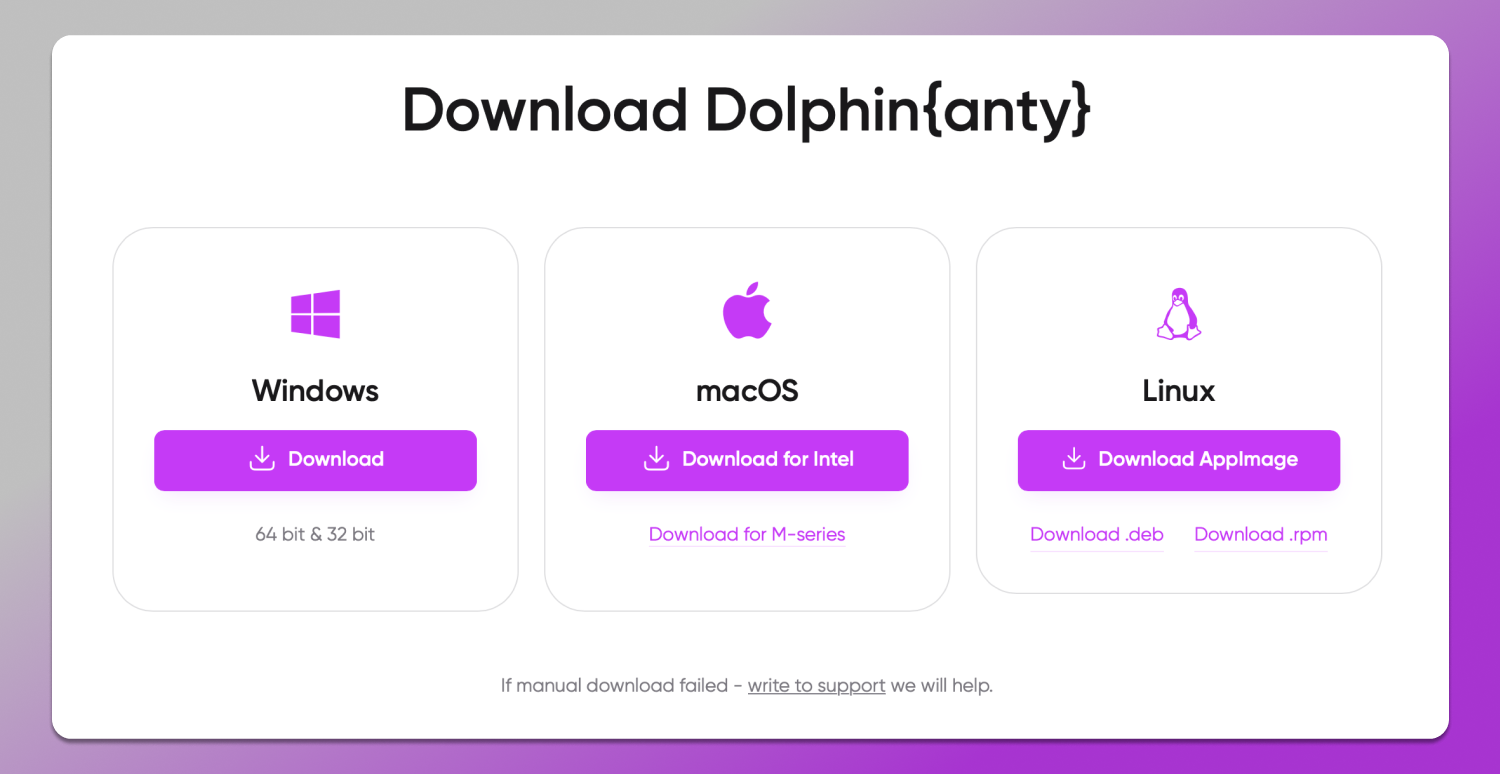
Step 1: Download and install the antidetect browser for AI. First, you need to download the installation file from the official website and install the programme on your computer. There are versions for Windows, macOS and Linux. After launching, you need to register an account and start the browser.
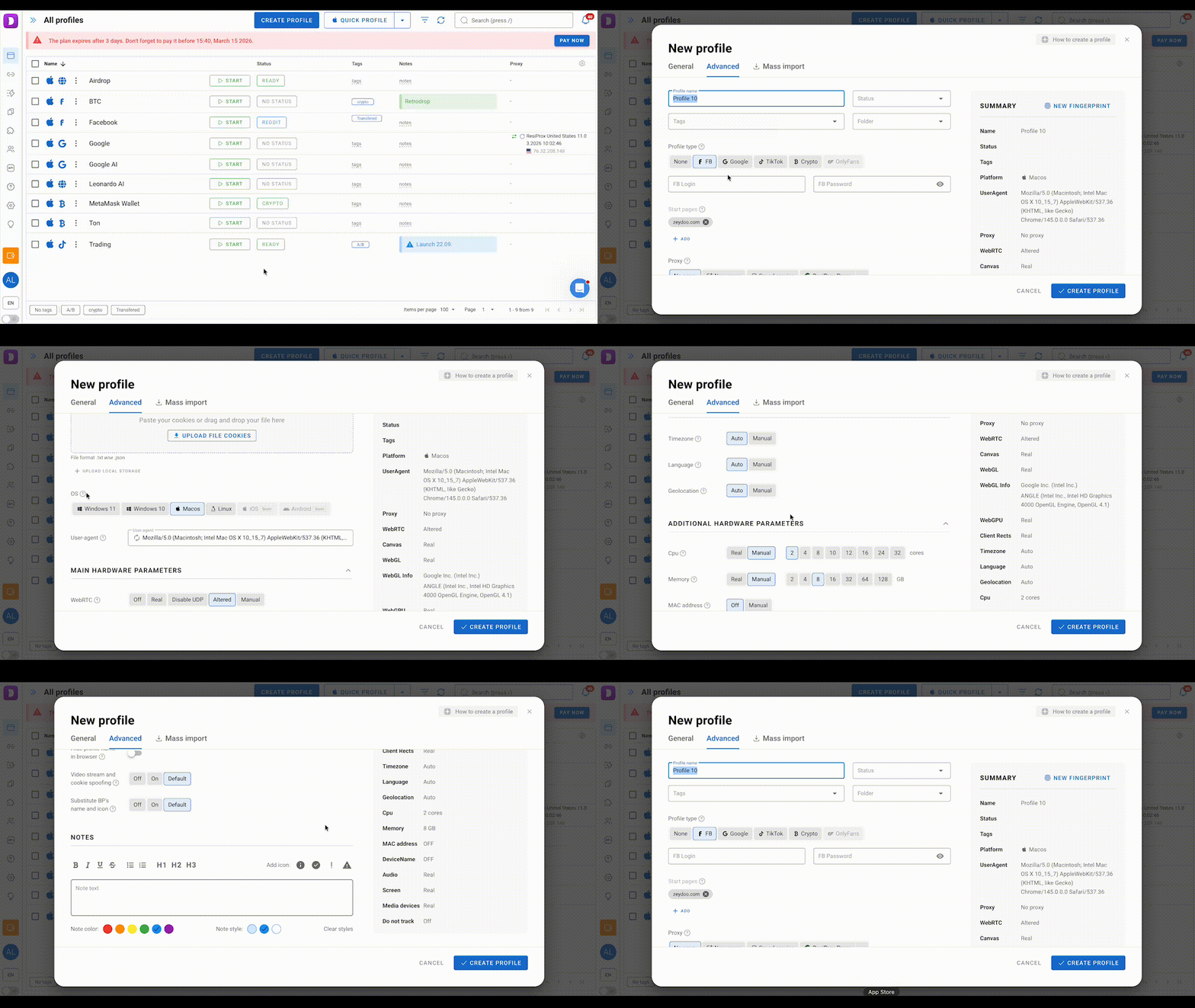
Step 2: Creating your first profile. Click the ‘Create Profile’ button to create a profile. Here you can select the operating system and other settings to generate a digital fingerprint of this profile.
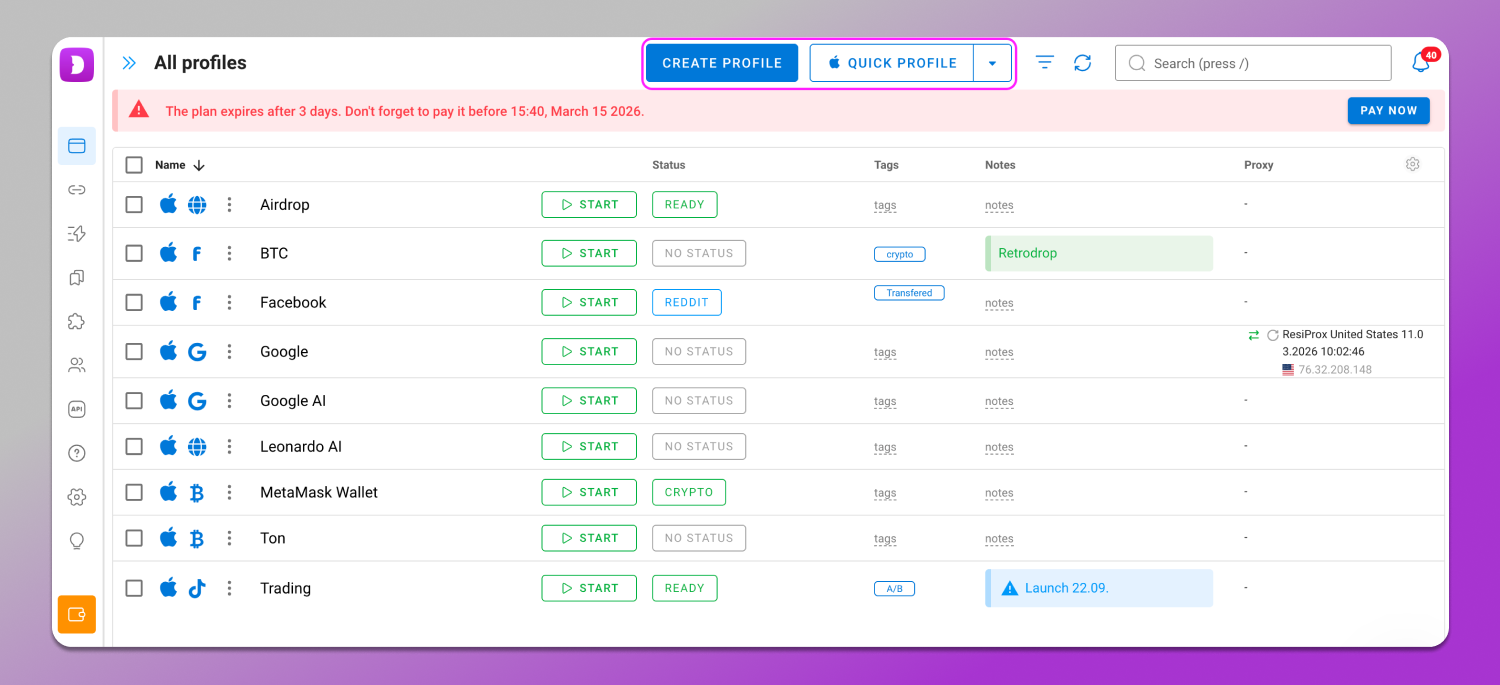
Step 3: Proxy import. At this stage a proxy is connected to the profile. This can be done in the corresponding profile creation field or in a separate tab of the interface.
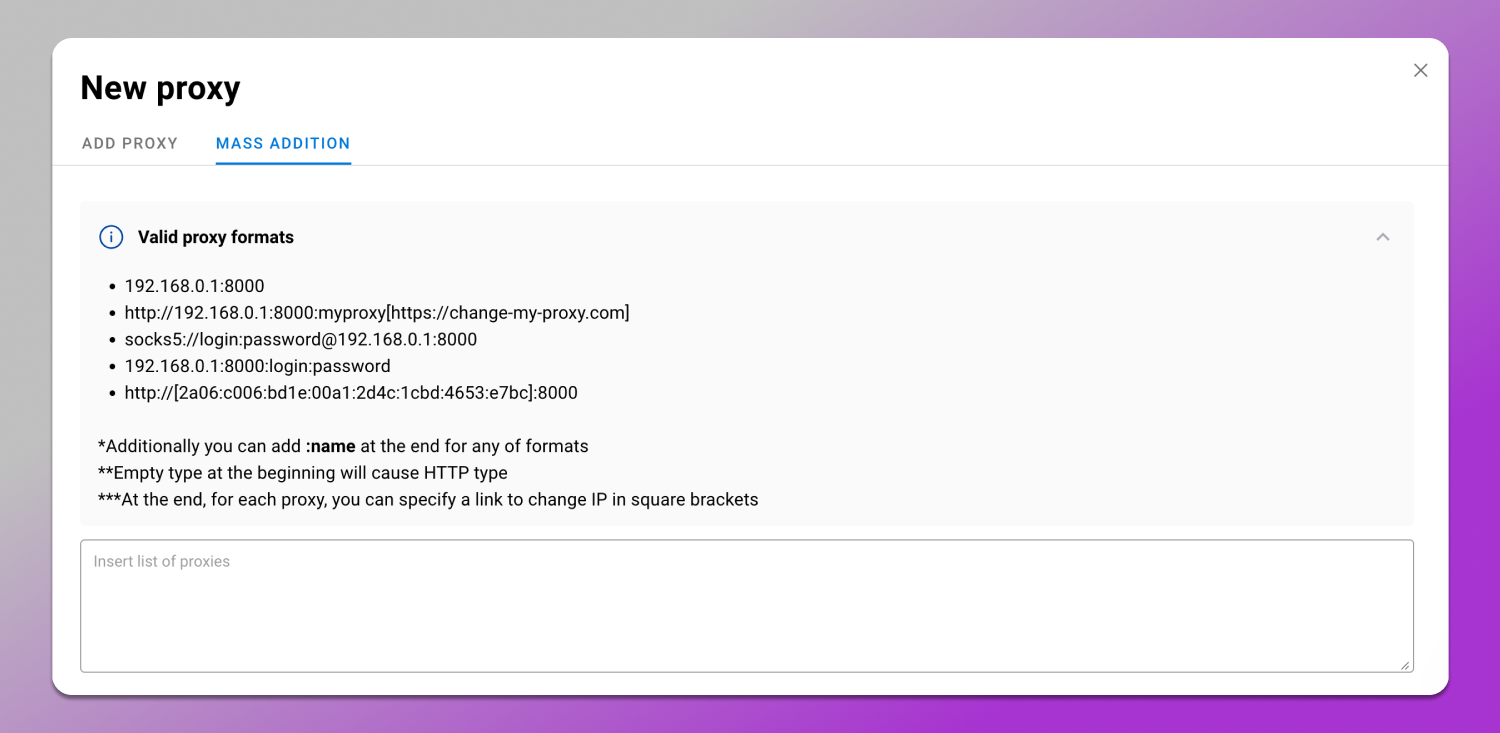
All proxy types (HTTP/SOCKS5) are supported.
Popular Mechanics for Abusing Neural Networks with Dolphin Anty
After basic configuration the profile is ready to go: you can launch it and use it to activate the trial period for the neural network you need. Let’s take a look at how this works in practice.
Abuse of Google Gemini Advanced and Google AI Studio
Google’s ecosystem of AI tools includes several services aimed at both regular users and developers. It includes:
- Google Gemini chat assistant (there are restrictions on requests to powerful neural networks (LLM));
- Paid Gemini Advanced subscription with extended access to powerful models;
- Google AI Studio developer platform, where you can work with Gemini family model APIs. Developers use it to test different versions of models, including Pro and Flash, and integrate them into their own applications.
All these services are included in the 💳 paid subscriptions Google AI Plus, Pro and Ultra. At the same time, it is possible to get the first month of AI Pro for free as it is clearly stated on the service page. Its cost is $19.99 per month. Prices for regional markets are calculated based on the exchange rate of national currencies.
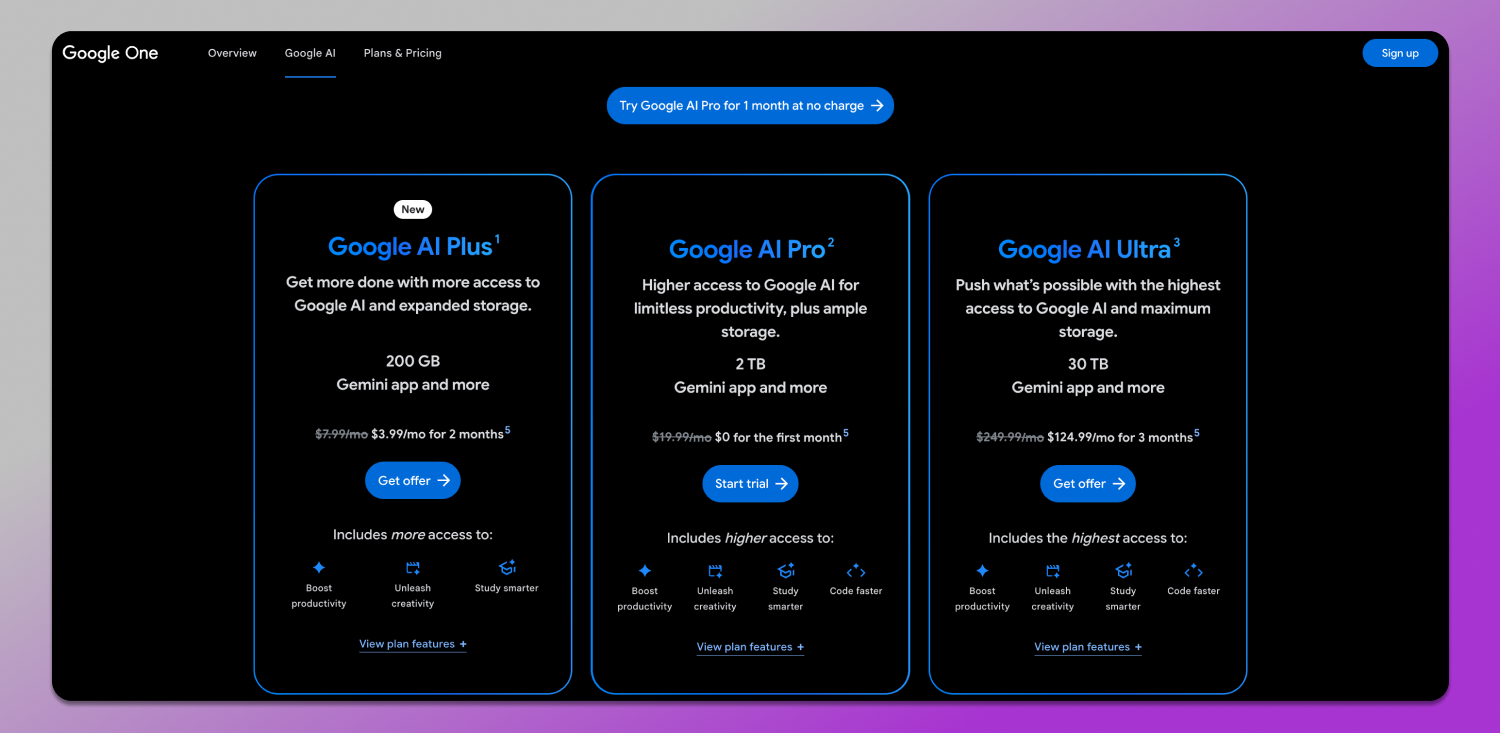
It is logical to assume that Google is against endless trial periods, which is why registration and linking a bank card are required. Fortunately, this restriction can be circumvented with the help of Dolphin Anty and neural network abuse.
Step 1: Create a profile. At this stage you need to fill in your profile details: name, status, tags and so on. This will make navigation easier in the future. Here you can also select the profile type — in this case, for Google services. To speed things up, you can set a start page that will open when you launch your profile. If you are using Google AI, let it be the service page.
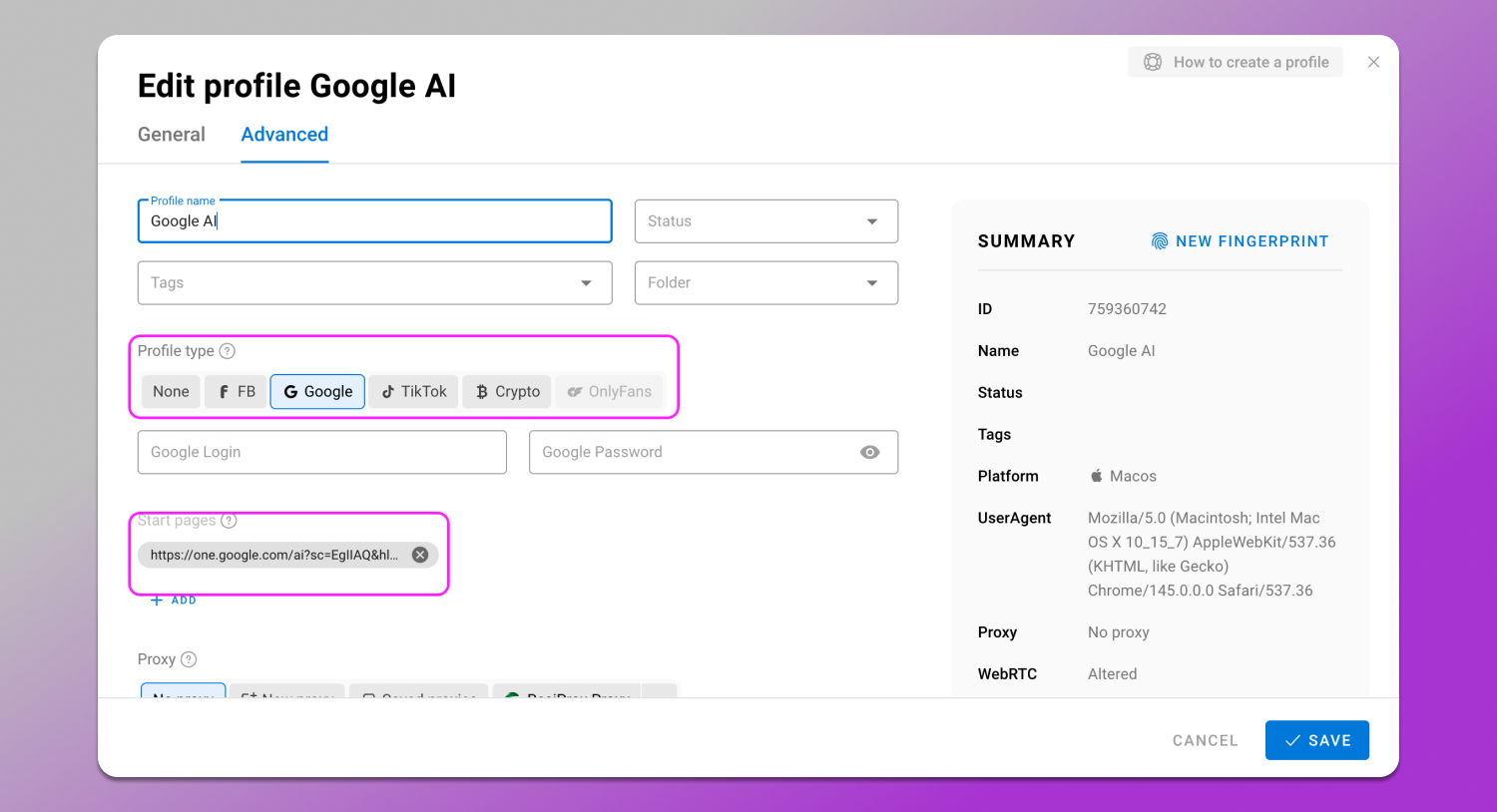
We recommend changing your digital fingerprint settings only if you know exactly what you are doing.
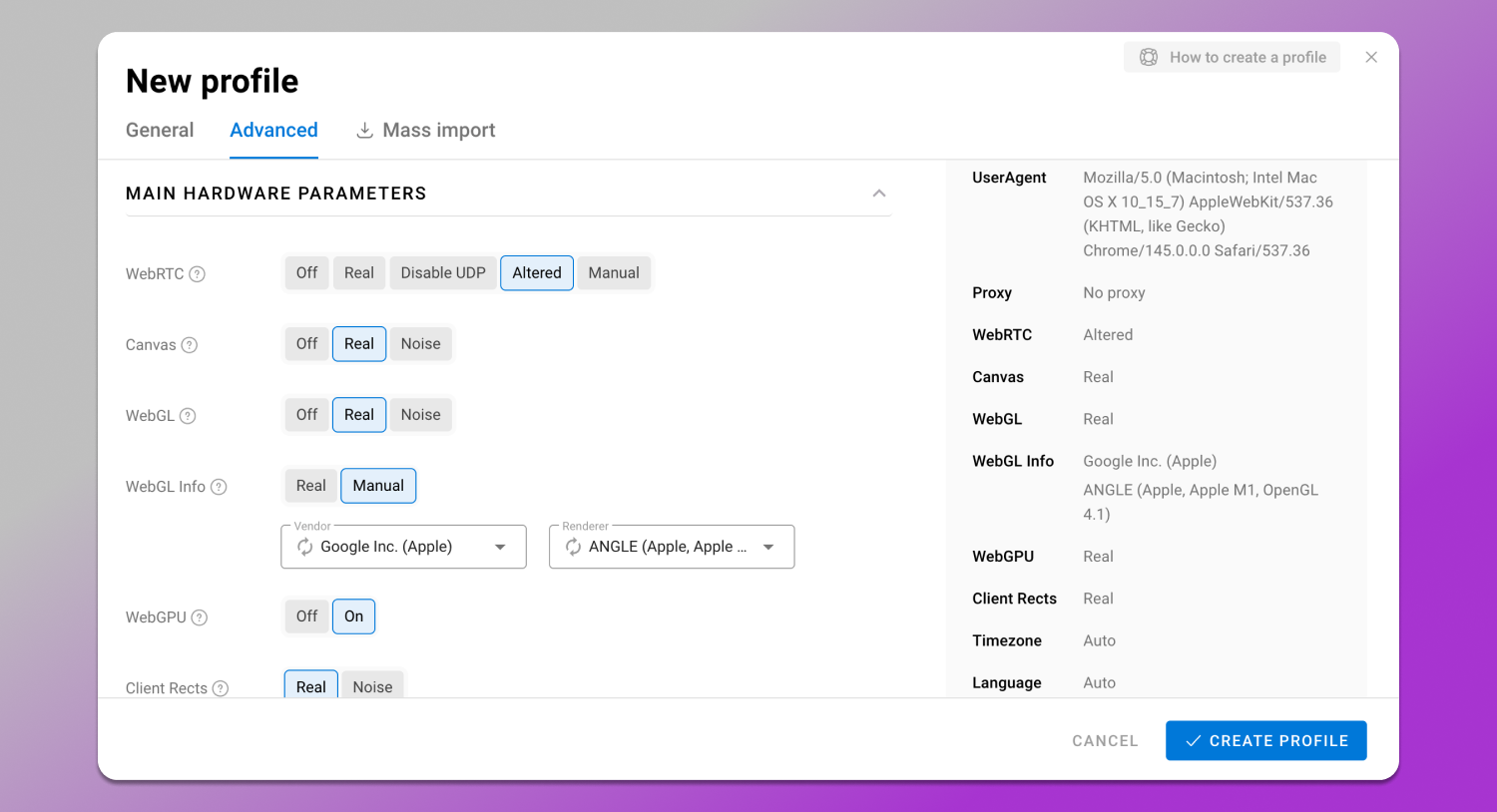
Dolphin Anty always creates it in such a way that antifraud systems do not suspect any inconsistencies in its individual characteristics.
Step 2: Proxy binding. Since Google does not provide access to its services worldwide, you will need a proxy from a country where everything works without restrictions. For reliability we recommend choosing 🇺🇸 USA.

If you are using integrated providers, you can select the region during the proxy creation.
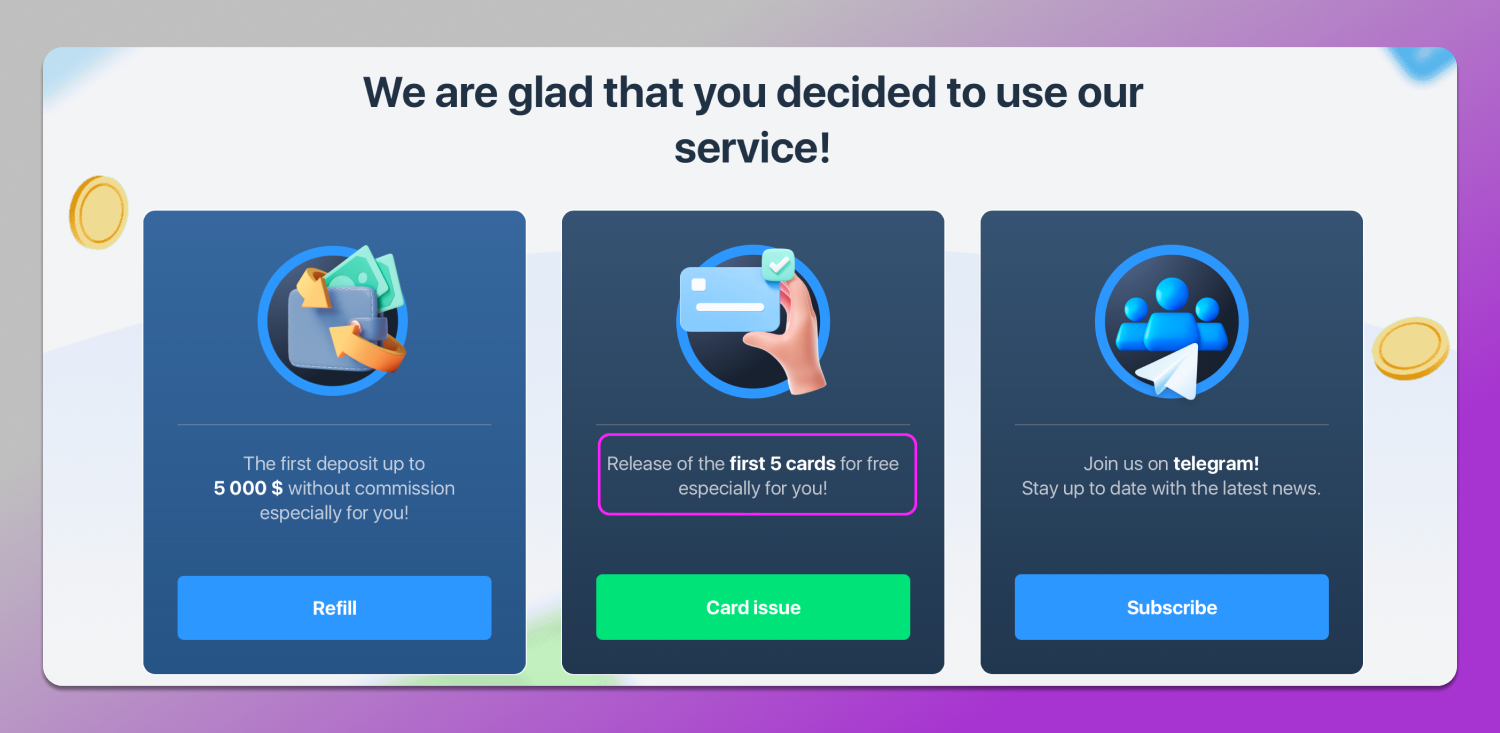
Step 3: Adding a virtual card. Many virtual card issuance services also allow their users to issue several cards for free.
Step 4: Launch your account. Once you have created your account, it will appear in the list. Click the ‘Launch’ button to go to the Google AI activation page.

After clicking on ‘Subscribe to Google AI Pro’, enter your virtual card details and activate the trial period.
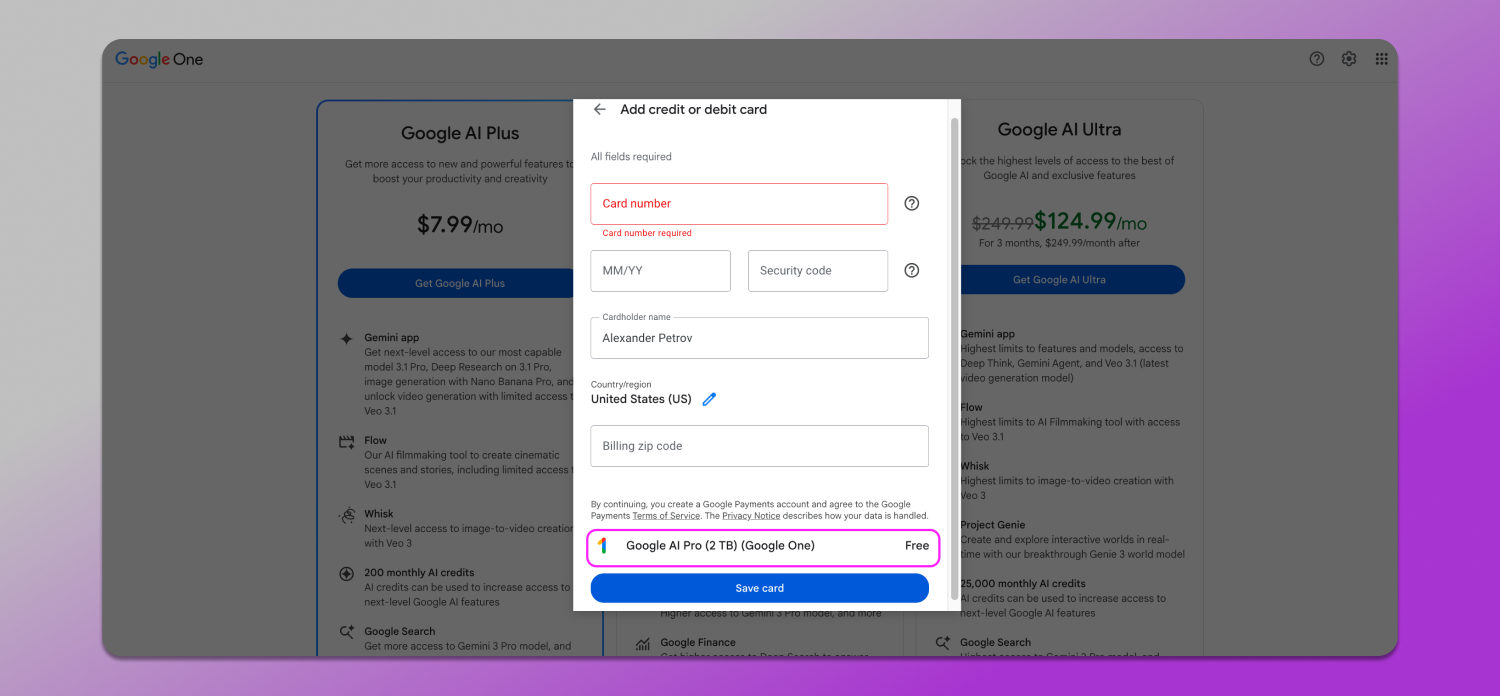
By repeating these four steps, you can extend your access to Google AI tools indefinitely.
Graphics Generation: Leonardo.ai and Flux.1 via API
Image generation is another popular area of application for neural networks. As models become more complex and require greater resources, their creators are also switching to subscription-based distribution. Since abusing Midjourney without investment and time is very difficult (you need a Discord account, a shared generation queue and a long wait because of this), you can have a look at its competitors.
One of the most popular is 🎨 Leonardo AI, an AI-based platform for creating, editing and animating images as well as creating 3D textures. To do this, Leonardo AI users are given 150 free tokens every day. Paid plans start at $12 per month.
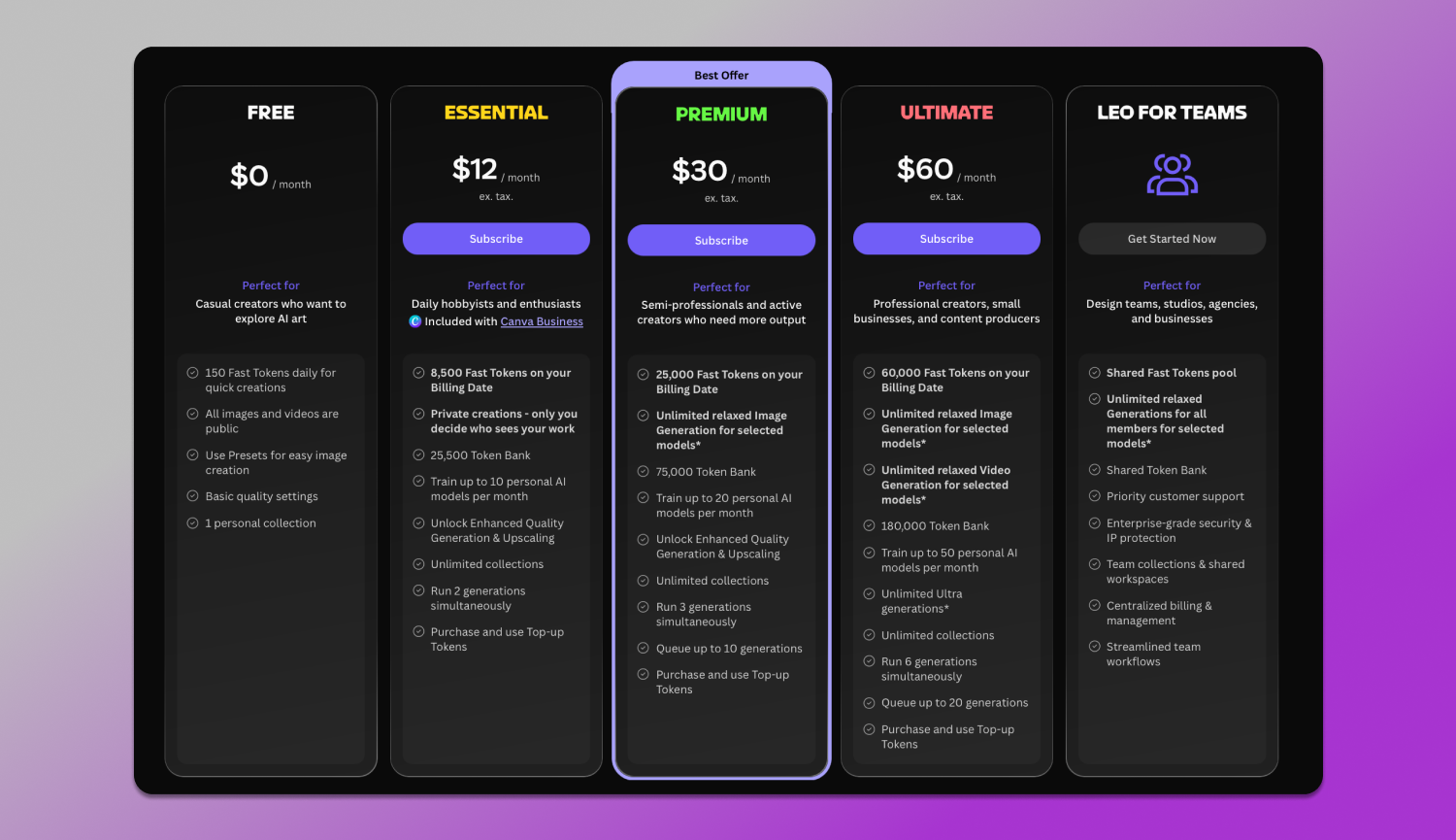
The essence of Leonardo’s abuse is exactly the same. You create a profile in Dolphin Anty, configure it, go to the neural network website and calmly use 150 tokens. When they run out, you repeat the same thing for another account. This way with only 10 profiles in the antidetect browser, you can 📈scale up 10 times.
One of the advantages is that you don’t need to add a card. So the most difficult part will be entering your login and password if you use SSO or registering a new account via a temp email address.
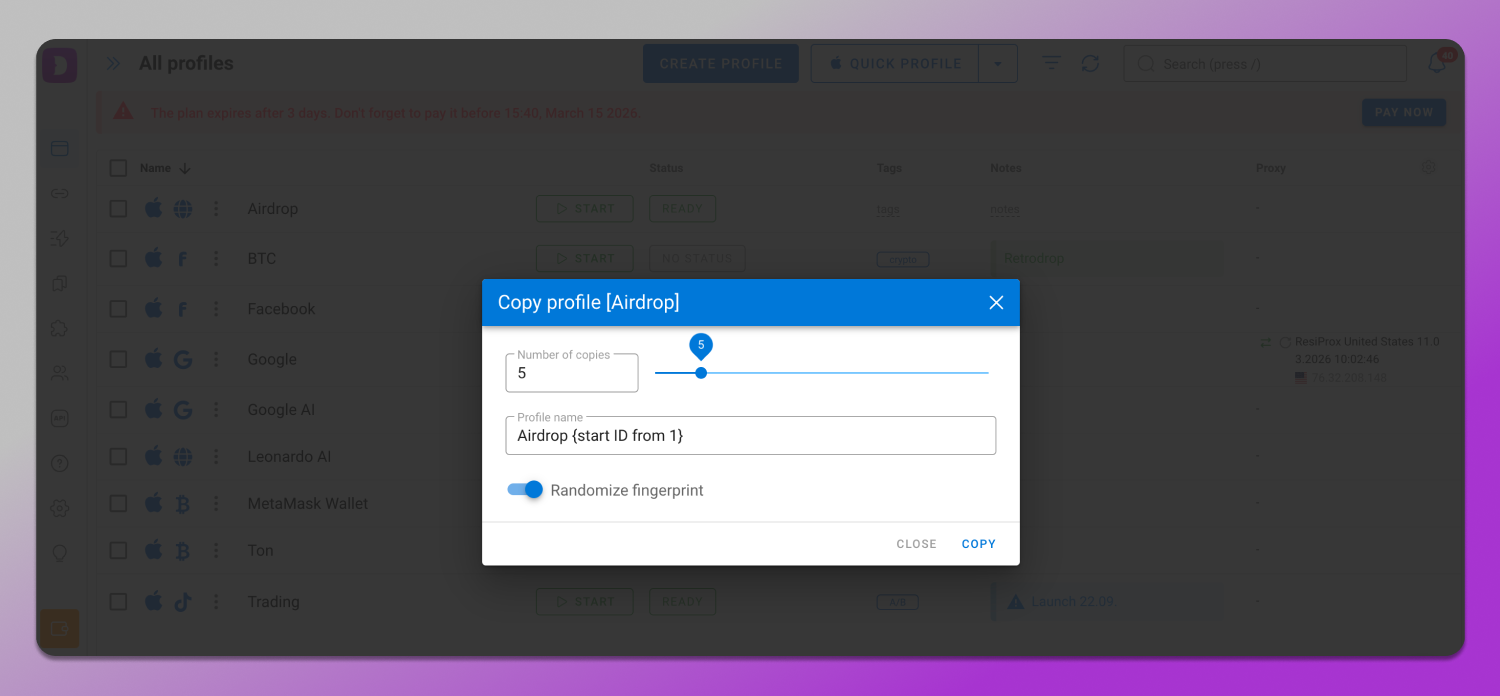
At the same time, there is no need to worry about restrictions due to multiaccounting in neural networks as each Dolphin Anty profile is created in an isolated environment. And to avoid creating each profile manually, you can use the Copy Profile function and randomise the fingerprint.
Free Access to Claude.ai via Temporary Numbers
Anthropic’s Claude.ai neural network is considered one of the most stringent in terms of antifraud among AI services. Even for registration via SSO authorisation, the platform requires additional verification in the form of 📲 phone number confirmation.

This practice is used to limit mass account registration and reduce abuse. Combined with other verification methods such as network parameter analysis and user behaviour analysis, this makes the protection system one of the most robust among popular neural networks.
At the same time, free access to Claude is possible, but, as usual, with restrictions. Paid plans start at $17 per month.

Therefore, to abuse Claude.ai, you will need the following consumables:
- The account itself;
- High-quality residential proxies located in the US/Europe (please note that all proxies integrated into Dolphin Anty are high-quality);
- A service for receiving virtual numbers for SMS.
So, the plan is as follows:
- Create multiple accounts for neural networks in Dolphin Anty;
- Assign a proxy;
- Authorise in Claude.ai via a virtual number;
- Use the free plan.
If there is a power limit, repeat the same steps with a new account.
How to Automate the Process and Avoid Bans
Most modern AI services actively use antifraud systems that analyse not only the technical parameters of the device, but also the behavioural patterns of users. Algorithms track the speed of neural network account registration, the frequency and repeatability of actions, network parameters and other signals that may indicate browser automation or unnatural activity. For example, if dozens of registrations occur in a short period of time or with similar network characteristics, such accounts quickly fall into the risk zone.
Therefore, in order to avoid being blocked, try to imitate 🙎♂️ ‘human’ behaviour:
- Do not register accounts in large numbers in a short period of time;
- Use trusted providers to abuse neural networks through proxies;
- Save session cookies after warming up accounts.
By the way, Dolphin Anty has a 🍪 cookie robot that will visit the necessary sites in the background and collect browsing history on them to make the profiles look even more realistic. And if you buy accounts, Dolphin Anty also has a cookie import option.
Cost Comparison: paid Subscription vs. Your Own Farm of Neural Network Accounts
To understand which option is more profitable, we suggest you take a look at the table below, which lists all of the above-mentioned services.
| Service | Free options | Subscription |
| Dolphin Anty | Free plan for 5 profiles without card binding and no time limits | The plan for 20 profiles costs $10 per month |
| Google AI | Free API limits and basic access to Gemini | Google AI Pro subscription — $19.99/month (the first month may be free) |
| Leonardo AI | 150 free tokens daily | Paid plans from $12/month |
| Claude | Free plan with limited number of messages | Paid plans from $17/month |
So, for just $10 a month, you can use the trial period of any neural network from the list up to 20 times, and then you can simply delete your profile and create a new one with a new digital fingerprint, repeat everything from the beginning and get unlimited generations.
When working with neural networks, it is important to remember that each platform sets its own rules of use and limits. Overly aggressive activity, mass registrations when farming accounts or suspicious behaviour can quickly attract the attention of antifraud systems. Therefore, to generate AI tokens for free, it is better to 👨⚕️ act carefully and not overload the services.